Yaba Sanshiro 2

Yaba Sanshiro 2

Download on App StoreDownload on Google Play
Logo of Yaba Sanshiro 2

Yaba Sanshiro 2: The Definitive SEGA Saturn Experience on iOS

Relive the 32-bit era with pixel-perfect accuracy. Experience high-performance emulation featuring 4x rendering resolution, save states, and MFi controller support for the ultimate retro gaming purist.

Publisher

devMiyax

Category

Entertainment

Downloads

12K+

User Rating

4.4/5

Total Ratings

100

Locales

6

32-Bit Perfection

Discover the interface used by 12K+ users.
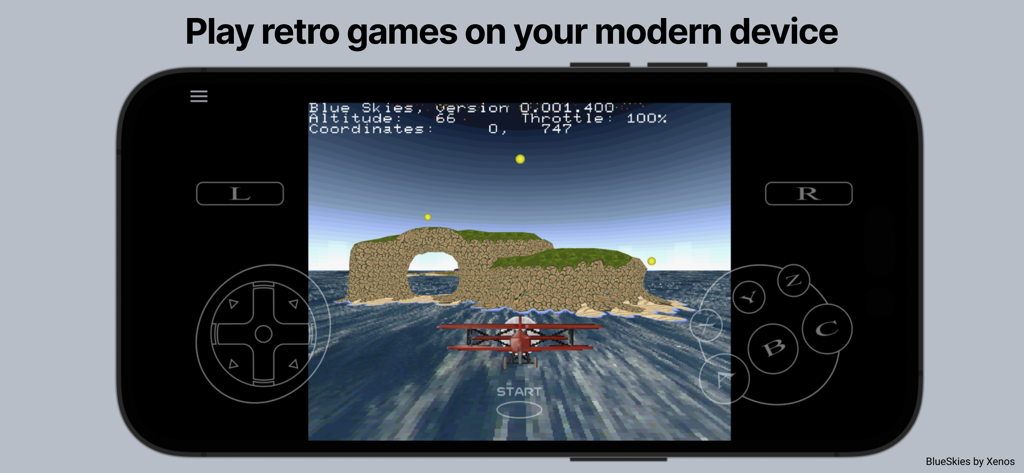
Retro flight game running on Yaba Sanshiro 2 SEGA Saturn emulator with on-screen controls

Retro flight game running on Yaba Sanshiro 2 SEGA Saturn emulator with on-screen controls

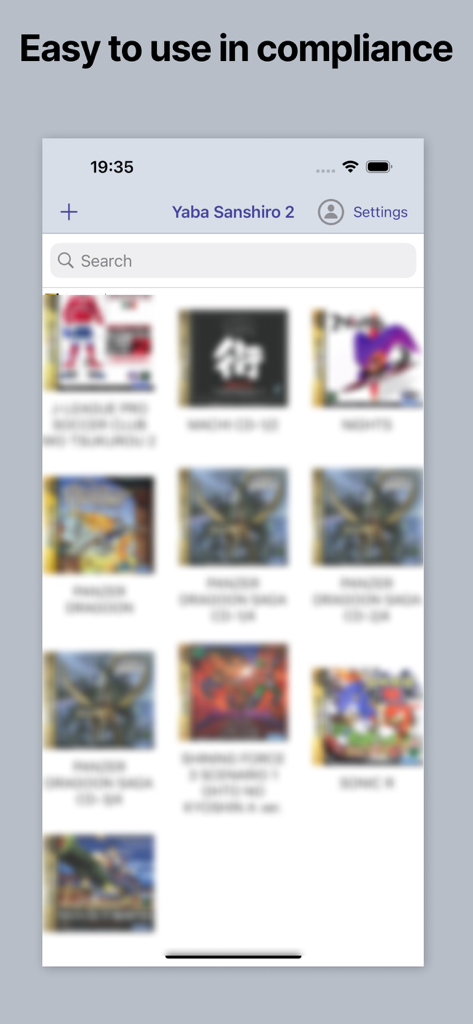
Yaba Sanshiro 2 app interface showing a library of Sega Saturn games

Yaba Sanshiro 2 app interface showing a library of Sega Saturn games

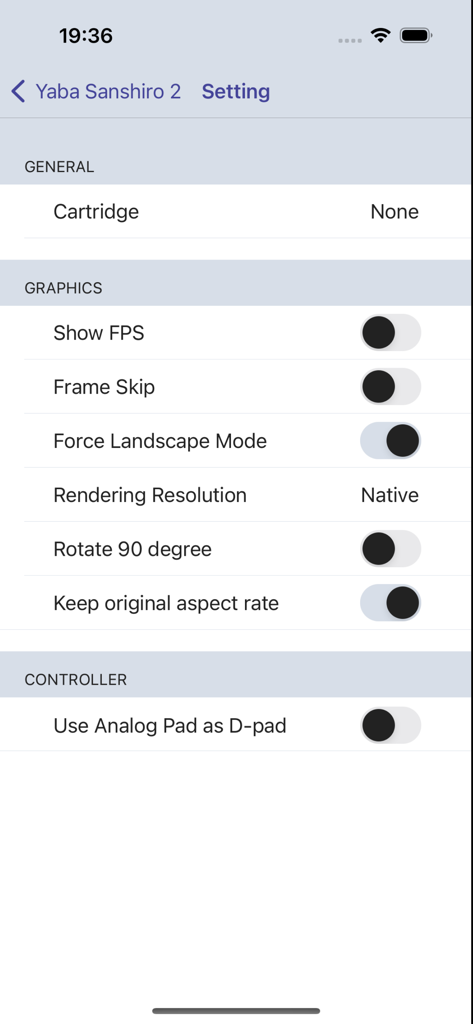
Settings menu of Yaba Sanshiro 2 showing graphics options like FPS and rendering resolution.

Settings menu of Yaba Sanshiro 2 showing graphics options like FPS and rendering resolution.

The Ultimate 32-Bit Console Experience

The tools that make this app stand out, trusted by 12K+ users.

๐Ÿ•น๏ธ

Authentic 60 FPS Emulation

Relive the golden age of gaming with pixel-perfect performance and high-fidelity sound that replicates the original dual-CPU architecture.

๐Ÿ’Ž

High-Definition Upscaling

Breathe new life into your classics with up to 4x rendering resolution, custom aspect ratios, and optimized landscape modes for modern displays.

๐ŸŽฎ

Pro-Level Control & Expansion

Master your library with full MFi controller support, instant save states, and virtual RAM cartridges for high-demand arcade ports.

About the app

Everything you need to know about Yaba Sanshiro 2.

Description

'Yaba Sanshiro' has implemented Saturn hardware using software, allowing you to play Saturn games on iOS devices. For copyright protection, 'Yaba Sanshiro' does not include BIOS data or games. You can play your games by following these instructions: You can also check out this YouTube video. https://www.youtube.com/watch?v=VxHDJR2Xcf4 # What You Need * iPhone 8 or above * Mac or PC * Saturn game CD-ROM * CD drive connected to your Mac or PC # Steps 1) Dump the CD-ROM image from your own SEGA Saturn game CD-ROM. If you are using a PC, you can use our dumping tool. If you are using a Mac, follow these steps: * Install the CD-ROM dump tool. AnyToISO Converter is recommended. * Dump your CD-ROM. The .cue format is recommended. * Install brew. * Install chdman with this command: ```brew install rom-tools``` * Convert the CD-ROM image to a CHD file with this command. Replace [game file name] with the name you assigned to the CD-ROM image: ```chdman createcd -i [game file name].cue -o [game file name].chd``` 2) Transfer the CHD file to a location accessible by your iPhone. The iCloud Drive is the easiest option. 3) Run YabaSanshiro on your iPhone. 4) Tap the + button and select your CHD file. 5) Tap the CHD file you added. The game will then start. --- # Menu By pressing the menu button, you can display the menu screen. ## Exit Return to the home screen. ## Reset Restart the virtual device. ## Change Disk ## Save State Save the current state. ## Load State Load a previously saved state. ## Game Controller ## Settings ### Cartridge Select the type of cartridge installed on your emulated SEGA Saturn. Backup RAM is an external backup RAM to save game data. RAM is an external RAM for specific games that require a large amount of RAM, like King of Fighters. ### Show FPS Show or hide the Frames Per Second (FPS), which indicates the speed of emulation on your device. โ€˜60/60โ€™ represents optimal performance, equivalent to the actual SEGA Saturn speed. ### Frame Skip When FPS is less than 60, uoYabause skips frames to reach 60 FPS. If this option is enabled, YabaSanshiro may drop frames, which could disrupt the internal SEGA Saturn emulation. โ€˜Offโ€™ is recommended for accurate emulation. ### Force Landscape Mode Automatically switch to landscape mode when emulation starts. ### Rotate 90 Degrees The screen is rendered rotating 90 degrees for some vertical scrolling games like 'RayForce'. ### Keep Original Aspect Ratio If this option is disabled, YabaSanshiro stretches to fill the entire screen. Otherwise, YabaSanshiro maintains the classic 4:3 screen size. ### Rendering Resolution * Native - Native resolution of your iOS device. * 4x * 2x * Original - Original Saturn resolution. ### Sound Engine You can choose between 'High quality but heavy' or 'Low quality but light'. ### Controller YabaSanshiro includes an on-screen gamepad, but you can also use MFI game controllers, which Apple officially supports. License: GNU GENERAL PUBLIC LICENSE Version 2 https://raw.githubusercontent.com/devmiyax/yabause/master/LICENSE Source Code: https://github.com/devmiyax/yabause Privacy Policy: https://www.yabasanshiro.com/privacy

Latest Version

1.18.15

Size

48.9 MB

First Released

Aug 2, 2024

Your SEGA Saturn Library, Reborn on iOS

Dust off your CD-ROM collection and experience pixel-perfect performance with up to 4x native resolution. The 32-bit era is officially portable.

Download on App StoreDownload on Google Play

App information, icons, screenshots, and descriptions displayed on this page are sourced from the Apple App Store and are the property of their respective developers. Download estimates and rankings are based on MWM's proprietary models and may not reflect actual figures. This page is provided for informational and analytical purposes only.

Believe this page infringes your intellectual property? File a dispute