Zebra Scanner Control

Zebra Scanner Control

Download on App Store
Logo of Zebra Scanner Control

Zebra Scanner Control: Professional Remote Management for Your Wireless Fleet

The essential utility for IT and operations teams to configure symbologies, manage device feedback, and monitor asset health directly from iPhone and iPad.

Download on App Store

Publisher

Zebra Technologies Corporation

Category

Business

Downloads

0

User Rating

1.0/5

Total Ratings

0

Locales

1

Precision in Action

Discover the interface used by 0 users.
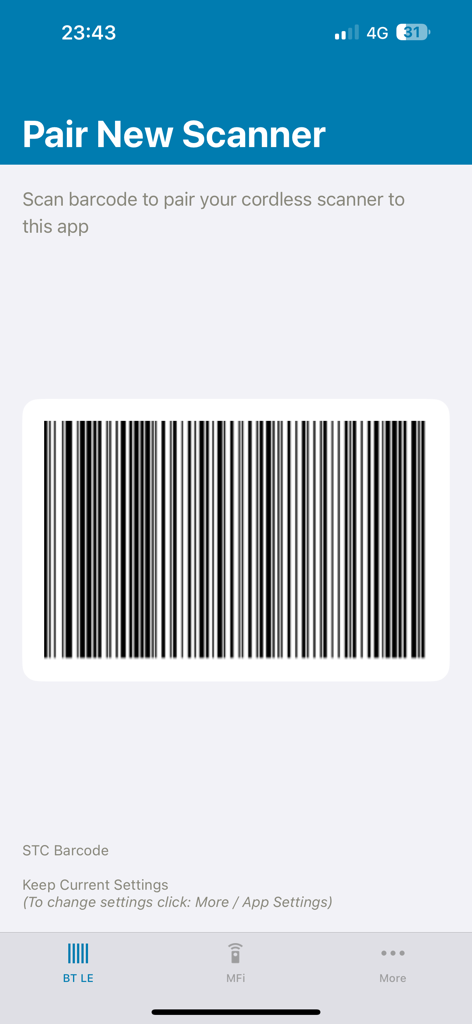
Zebra Scanner Control app interface showing a barcode to pair a new cordless scanner via Bluetooth

Zebra Scanner Control app interface showing a barcode to pair a new cordless scanner via Bluetooth

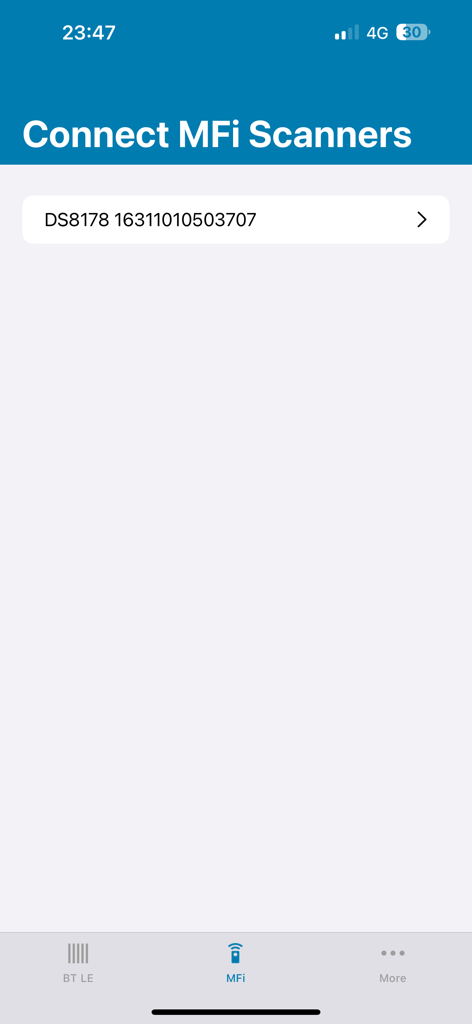
Zebra Scanner Control app displaying the Connect MFi Scanners screen with a connected DS8178 device.

Zebra Scanner Control app displaying the Connect MFi Scanners screen with a connected DS8178 device.

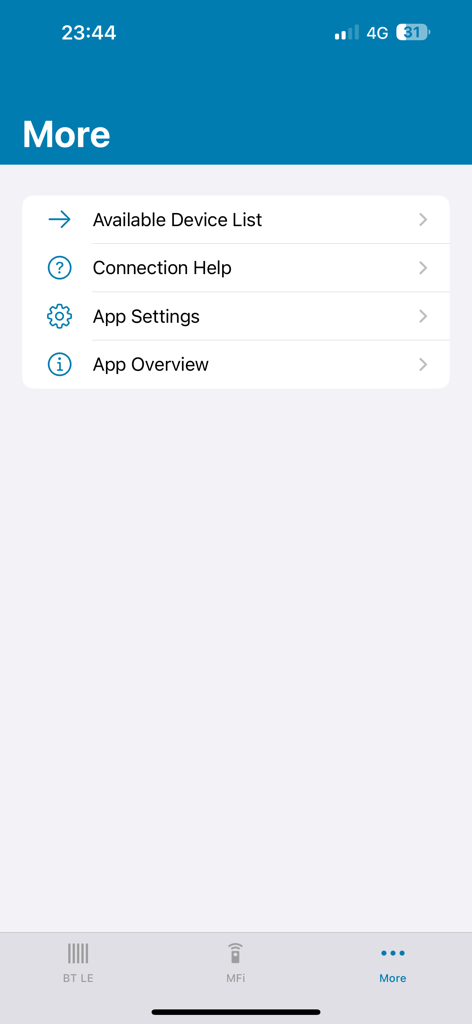
Zebra Scanner Control app More menu with options for available device list connection help app settings and app overview

Zebra Scanner Control app More menu with options for available device list connection help app settings and app overview

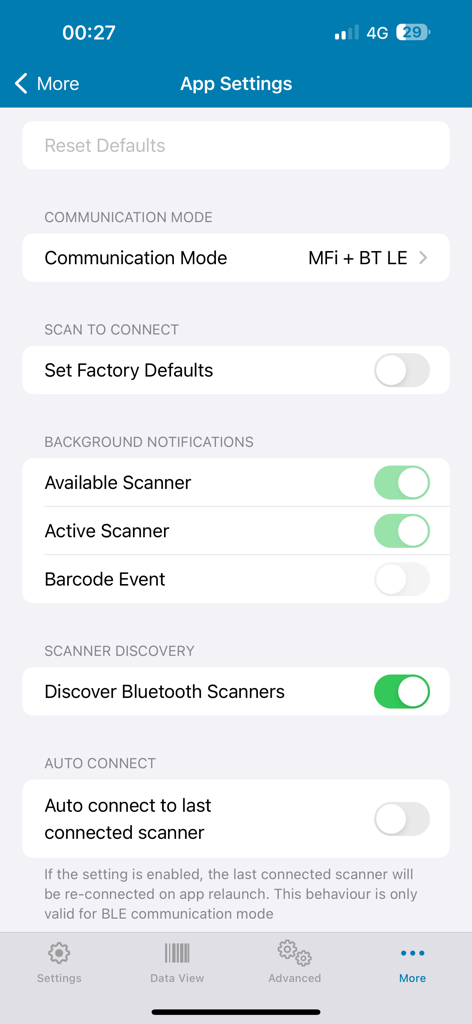
Zebra Scanner Control app settings screen with options for communication mode and scanner discovery

Zebra Scanner Control app settings screen with options for communication mode and scanner discovery

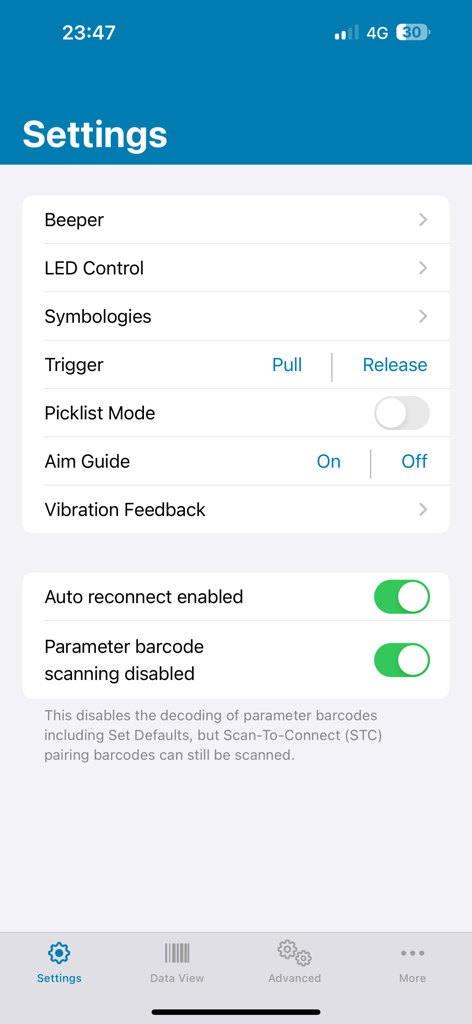
Settings screen of Zebra Scanner Control app showing configuration options for beeper, LED, and symbologies.

Settings screen of Zebra Scanner Control app showing configuration options for beeper, LED, and symbologies.

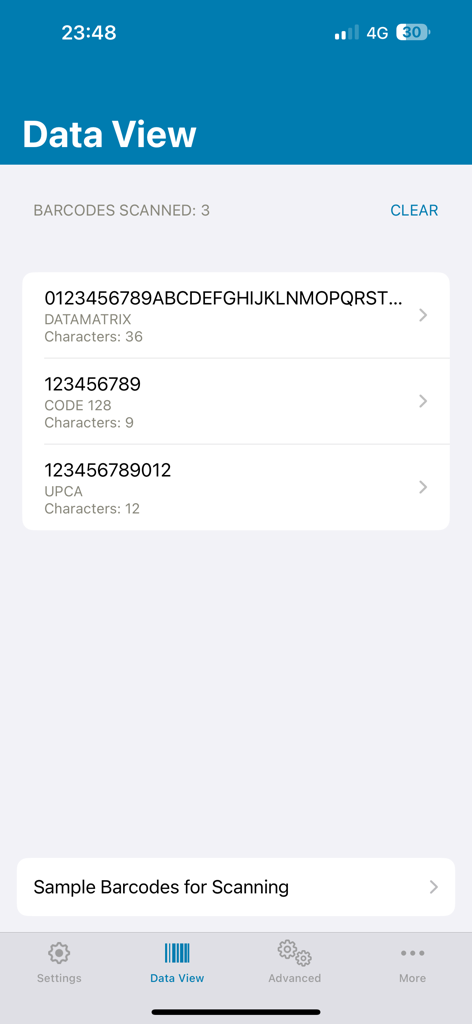
The Data View screen of the Zebra Scanner Control app showing a list of scanned barcodes with their symbology types and character counts.

The Data View screen of the Zebra Scanner Control app showing a list of scanned barcodes with their symbology types and character counts.

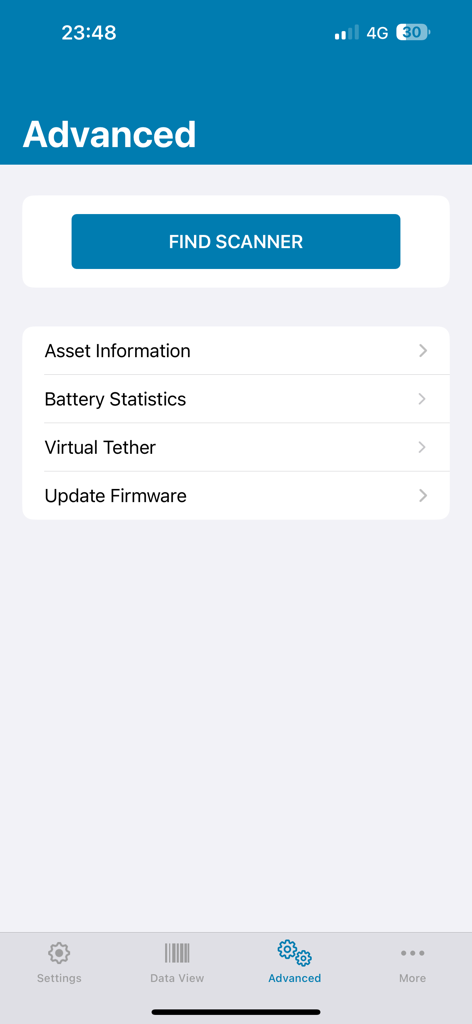
Zebra Scanner Control app advanced settings screen with options for asset info and firmware updates

Zebra Scanner Control app advanced settings screen with options for asset info and firmware updates

Total Control Over Your Scanning Fleet

The tools that make this app stand out, trusted by 0 users.

📱

Remote Device Management

Instantly adjust beeper volume, LED signals, and scanner settings to suit loud warehouse or quiet retail environments.

⚙️

Precise Symbology Control

Optimize scan accuracy by enabling or disabling specific barcode types, reducing errors during high-volume operations.

📊

Real-Time Asset Intelligence

Query serial numbers and device health instantly. Access the open SDK to integrate scanner data into your custom business apps.

About the app

Everything you need to know about Zebra Scanner Control.

Description

The Zebra Scanner Control app enables Zebra cordless scanners to be connected and controlled by a iPhone/iPad after Bluetooth pairing. Supported Functionality 1. Display scanned bar code data 2. From a iPhone/iPad control the LED, beeper and bar code scanner 3. From a iPhone/iPad perform device configuration such as enable/disable Symbologies 4. From a iPhone/iPad query and display scanner asset information The source code for this app is available within the Zebra Scanner SDK for iOS. https://www.zebra.com/us/en/support-downloads/software/developer-tools/scanner-sdk-for-iOS.html For access to all Zebra’s scanner software tools, go to www.zebra.com/scannersoftware.

Latest Version

1.0.3

Size

5.1 MB

First Released

May 12, 2024

Master Your Zebra Scanner Fleet Integration

Download the official Zebra Scanner Control app to streamline your operations, manage symbologies, and maintain peak performance directly from your iOS device.

Download on App Store

App information, icons, screenshots, and descriptions displayed on this page are sourced from the Apple App Store and are the property of their respective developers. Download estimates and rankings are based on MWM's proprietary models and may not reflect actual figures. This page is provided for informational and analytical purposes only.

Believe this page infringes your intellectual property? File a dispute