
Diese Seite ist keine offizielle Seite der App oder ihres Entwicklers, sondern eine unabhängige redaktionelle Veröffentlichung, die zu Informations- und Kommentarzwecken erstellt wurde. Sofern nicht ausdrücklich anders angegeben, sind weder die App noch ihr Entwickler mit MWM, Apple, Google Play, dem App-Herausgeber oder dem Entwickler der App verbunden, von ihnen unterstützt, gesponsert, autorisiert oder anderweitig offiziell verbunden, und nichts auf dieser Seite impliziert, dass die App unter Verwendung der Dienste von MWM entwickelt wurde. Alle Marken, Logos, Screenshots und andere Inhalte bleiben Eigentum ihrer jeweiligen Inhaber.


AI Photo Culling — PhotoPicker
Überspringen Sie den Laptop und gewinnen Sie Ihre Zeit zurück. Selektieren, bewerten und markieren Sie Ihre besten Aufnahmen unterwegs mit intelligenter KI-Analyse und nahtloser Lightroom-Integration.
Downloads
22K+Bewertung
Bewertungen gesamt
200Herausgeber
Kategorie
Photo & VideoSprachen
23Neueste Version
3.5.4Größe
65.0 MBErstveröffentlichung
20. Juni 2013Mehr Zeit zum Erstellen, weniger Zeit zum Selektieren
Der ultimative KI-gestützte Workflow für professionelle Fotografen, die leicht reisen. Selektieren Sie Tausende von Aufnahmen auf Ihrem iPad oder iPhone, ohne jemals einen Laptop oder eine Internetverbindung zu benötigen.
KI-gestützte intelligente Auswahl
Hören Sie auf, stundenlang Pixel zu prüfen. Unsere KI erkennt sofort Unschärfe, geschlossene Augen und Duplikate und markiert Ihre besten Aufnahmen, damit Sie die Arbeit eines Tages in wenigen Minuten erledigen können.
Zero-Import-Workflow
Schließen Sie Ihre SD-Karte oder SSD an und beginnen Sie sofort mit der Sortierung. Greifen Sie direkt über die Dateien-App auf Ihre RAW-Dateien zu, ohne Speicherplatz zu verschwenden oder auf Importe warten zu müssen.
Die folgenden Screenshots und die Beschreibung stammen direkt aus dem offiziellen Store-Eintrag der App und sind Eigentum des Entwicklers.
App Store
Screenshots
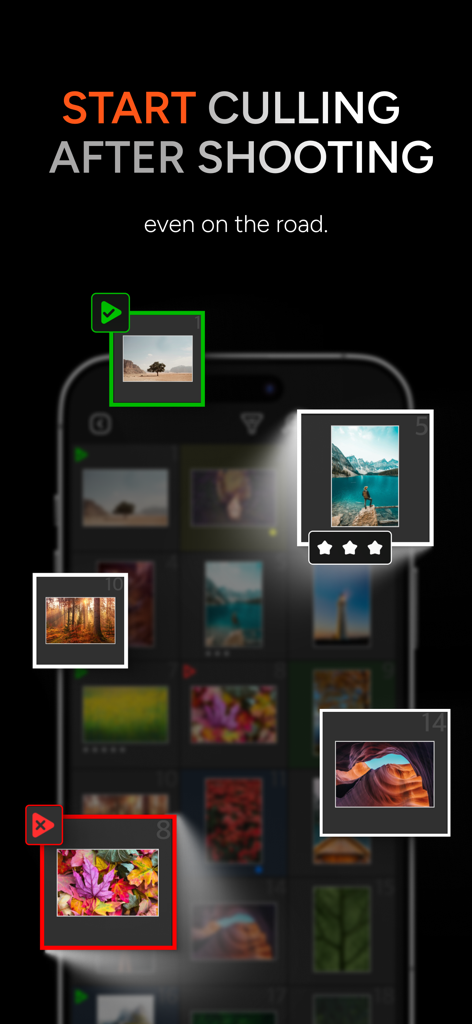
Mobile App-Oberfläche für KI-Fotoauswahl und -Bewertung unterwegs
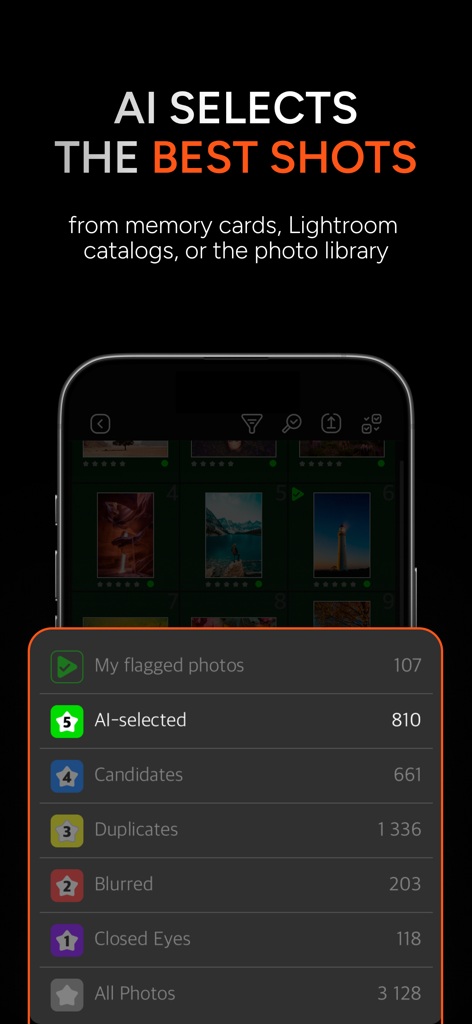
KI-Fotoauswahl-App-Oberfläche, die Kategorien wie KI-ausgewählt, Duplikate und unscharfe Fotos für eine schnelle Auswahl anzeigt.
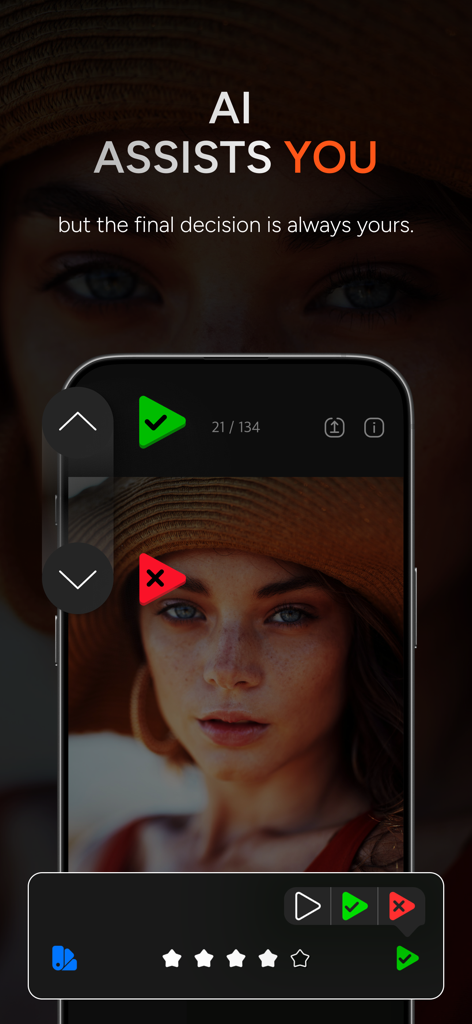
Oberfläche der PhotoPicker-App, die KI-gestützte Fotosortierung und manuelle Auswahlmöglichkeiten auf einem Smartphone-Bildschirm zeigt
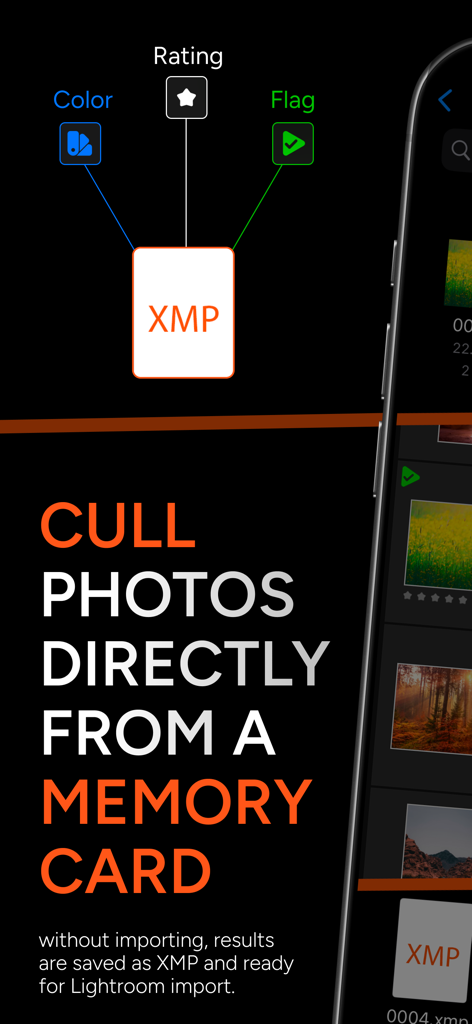
Ein Screenshot der PhotoPicker-App, der erklärt, wie Fotos direkt von einer Speicherkarte mit XMP-Integration für Lightroom ausgewählt werden können
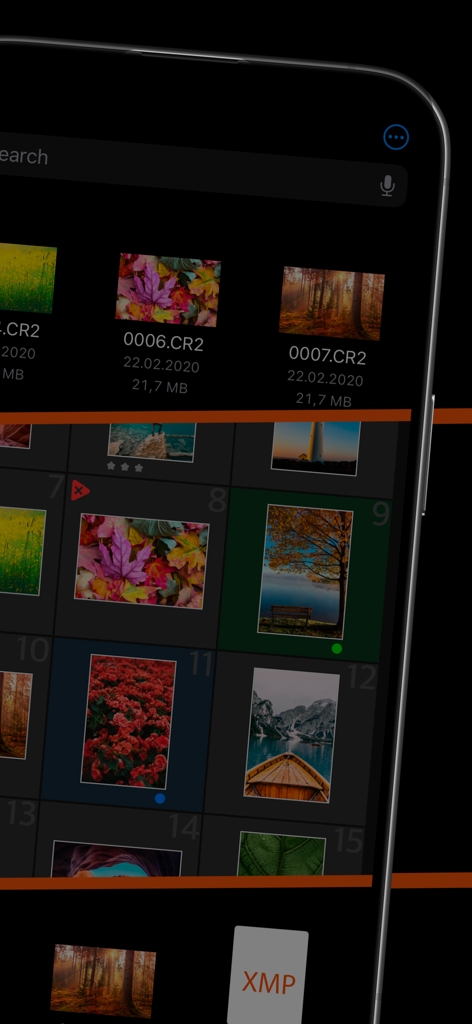
PhotoPicker Mobile App-Oberfläche zur Auswahl von RAW-Fotos mit XMP-Dateiunterstützung
Beschreibung
Download
Ähnliche Apps
Top-gerankte Apps in derselben Kategorie

CapCut: Photo & Video Editor
BYTEDANCE PTE. LTD.

Instagram, Inc.

YouTube
Google LLC

Canva: AI Photo & Video Editor
Canva Pty Ltd

Snapchat
Snap, Inc.

快手
Beijing Kwai Technology Co., Ltd.

Edits: Video Editor
Instagram, Inc.

Meitu- AI Photo & Video Editor
Xiamen Meitu Technology Co., Ltd.

Google Photos: Backup & Edit
Google LLC
Diese Seite ist keine offizielle Seite der App oder ihres Entwicklers, sondern eine unabhängige redaktionelle Veröffentlichung, die zu Informations- und Kommentarzwecken erstellt wurde. Sofern nicht ausdrücklich anders angegeben, sind weder die App noch ihr Entwickler mit MWM, Apple, Google Play, dem App-Herausgeber oder dem Entwickler der App verbunden, von ihnen unterstützt, gesponsert, autorisiert oder anderweitig offiziell verbunden, und nichts auf dieser Seite impliziert, dass die App unter Verwendung der Dienste von MWM entwickelt wurde. Alle Marken, Logos, Screenshots und andere Inhalte bleiben Eigentum ihrer jeweiligen Inhaber.