
Diese Seite ist keine offizielle Seite der App oder ihres Entwicklers, sondern eine unabhängige redaktionelle Veröffentlichung, die zu Informations- und Kommentarzwecken erstellt wurde. Sofern nicht ausdrücklich anders angegeben, sind weder die App noch ihr Entwickler mit MWM, Apple, Google Play, dem App-Herausgeber oder dem Entwickler der App verbunden, von ihnen unterstützt, gesponsert, autorisiert oder anderweitig offiziell verbunden, und nichts auf dieser Seite impliziert, dass die App unter Verwendung der Dienste von MWM entwickelt wurde. Alle Marken, Logos, Screenshots und andere Inhalte bleiben Eigentum ihrer jeweiligen Inhaber.

AirPlay Mirroring
Keine Kabel, keine Hardware, keine Grenzen. Erleben Sie hochwertige Bildschirmfreigabe und Video-Casting von Ihrem iPhone oder iPad auf jedes Display mit nur einem Fingertipp.
Downloads
3K+Bewertung
Bewertungen gesamt
0Herausgeber
Kategorie
Photo & VideoSprachen
1Neueste Version
1.0.1Größe
56.1 MBErstveröffentlichung
30. Juni 2025Entfesseln Sie Ihre Inhalte auf dem großen Bildschirm
Befreien Sie sich vom Apple-Ökosystem und übertragen Sie Ihr iPhone oder iPad auf jeden Smart-TV. Keine Kabel, keine Dongles, nur nahtlose Spiegelung in Sekunden.
Universelle TV-Kompatibilität
Ob Samsung, LG, Roku oder Fire TV, unsere App schlägt sofort die Brücke zwischen Ihren iOS-Geräten und jeder Marke von Smart-TV.
HD-Qualität & Null Verzögerung
Erleben Sie Ihre Fotos und Videos in atemberaubender High Definition. Perfekt, um Urlaubserinnerungen zu teilen oder mobile Inhalte mit Freunden zu streamen.
Die folgenden Screenshots und die Beschreibung stammen direkt aus dem offiziellen Store-Eintrag der App und sind Eigentum des Entwicklers.
App Store
Screenshots
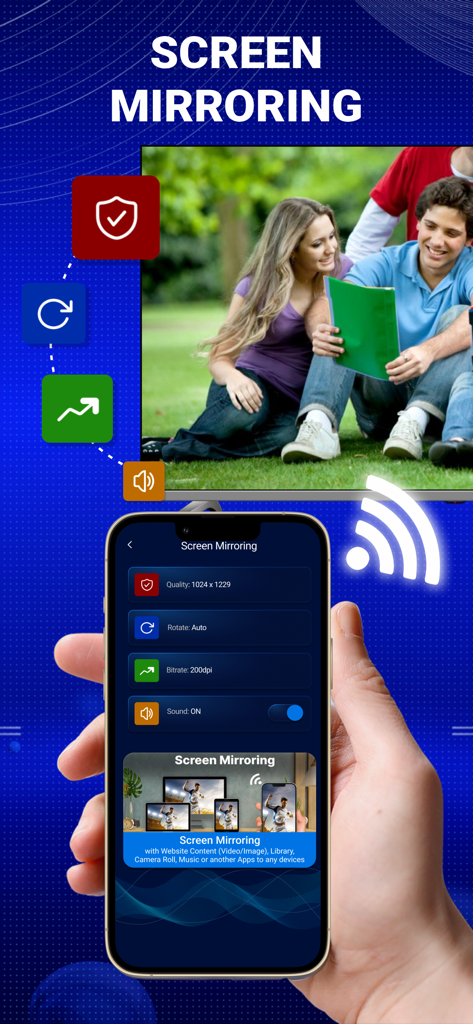
iPhone-Bildschirm, der ein Foto mit der AirPlay Mirroring-App-Oberfläche auf einen Smart-TV spiegelt.
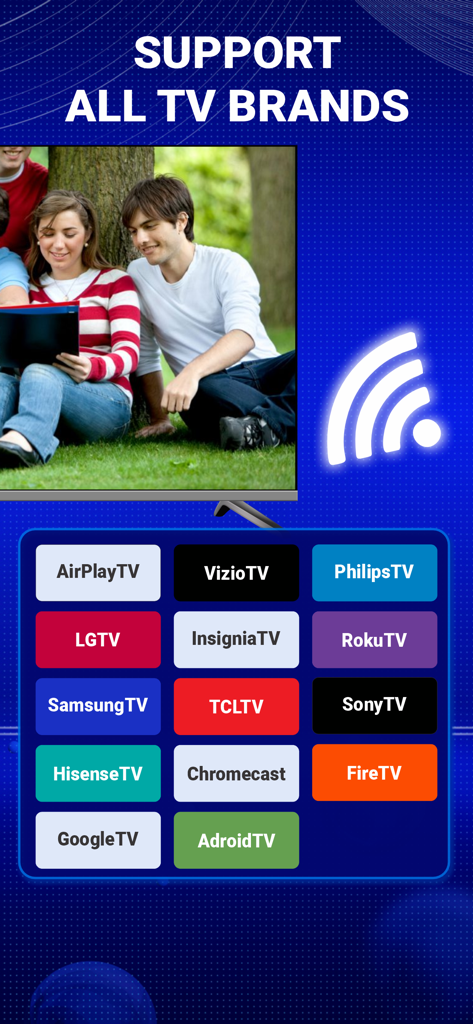
AirPlay Mirroring-App-Oberfläche, die Unterstützung für alle wichtigen TV-Marken zeigt
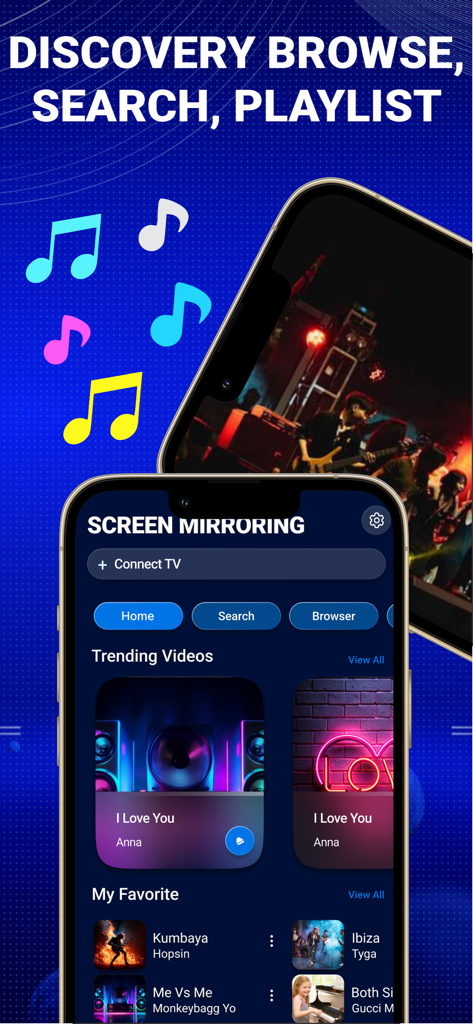
iPhone-Bildschirm, der die AirPlay Mirroring-App-Oberfläche mit Videoerkennungs- und Suchoptionen anzeigt

AirPlay Mirroring-App-Oberfläche, die Bildschirmfreigabe- und Video-Casting-Funktionen von einem iOS-Gerät anzeigt
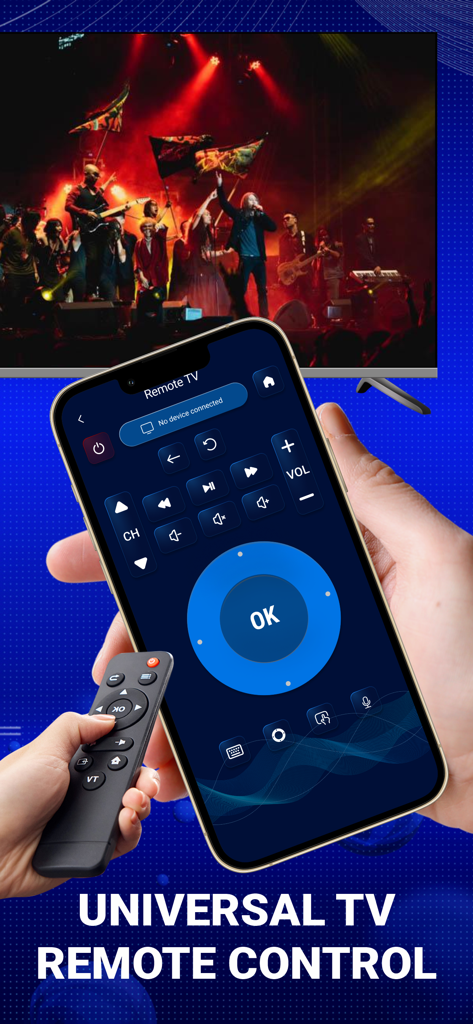
iPhone-Bildschirm, der die universelle TV-Fernbedienungs-Oberfläche der AirPlay Mirroring-App zeigt.
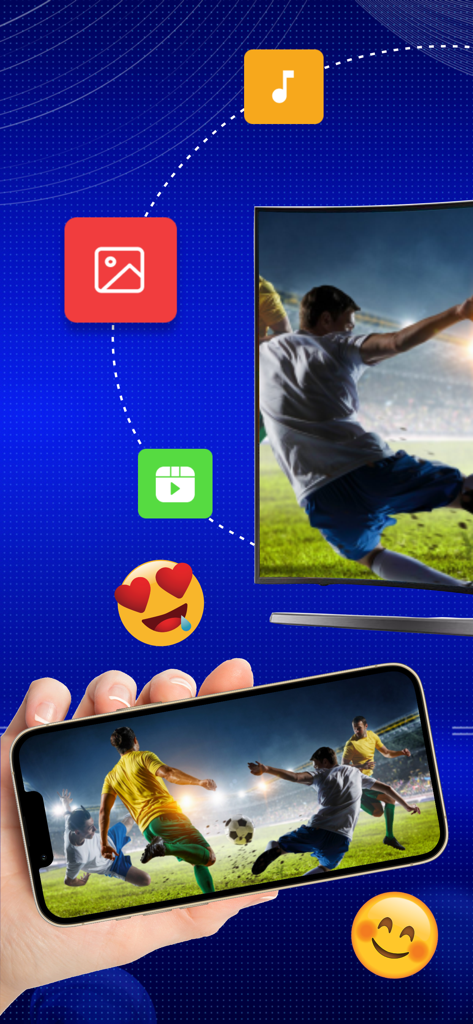
iPhone spiegelt ein Live-Fußballspiel auf ein großes Smart-TV-Display

AirPlay Mirroring-App-Oberfläche, die Optionen zum Übertragen von Bildern, Videos und Musik auf einen Smart-TV zeigt
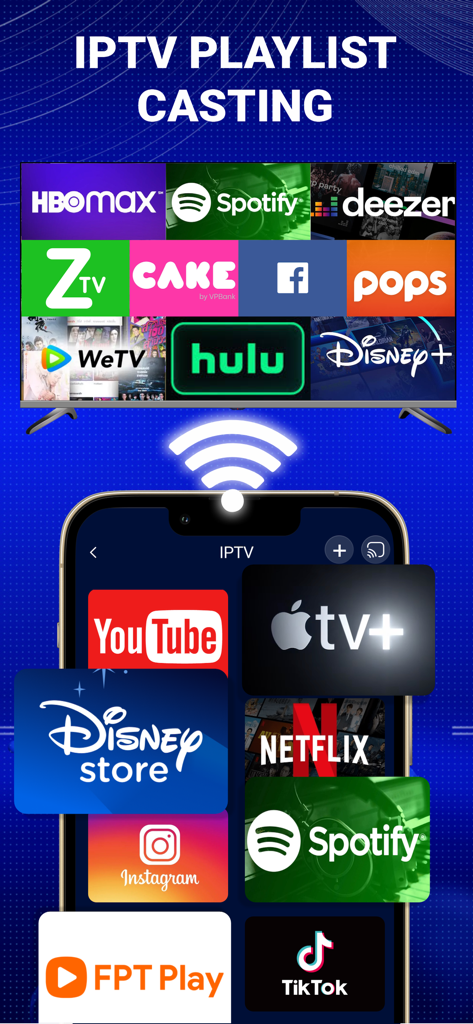
Eine Smartphone-Oberfläche, die verschiedene Streaming-Apps wie YouTube und Netflix zeigt, die auf einen Smart-TV-Bildschirm übertragen werden.
Beschreibung
Download
Ähnliche Apps
Top-gerankte Apps in derselben Kategorie

CapCut: Photo & Video Editor
BYTEDANCE PTE. LTD.

Instagram, Inc.

YouTube
Google LLC

Canva: AI Photo & Video Editor
Canva Pty Ltd

快手
Beijing Kwai Technology Co., Ltd.

Snapchat
Snap, Inc.

Edits: Video Editor
Instagram, Inc.

Google Photos: Backup & Edit
Google LLC
Meta AI - Vibes & AI Glasses
Meta Platforms, Inc.
Diese Seite ist keine offizielle Seite der App oder ihres Entwicklers, sondern eine unabhängige redaktionelle Veröffentlichung, die zu Informations- und Kommentarzwecken erstellt wurde. Sofern nicht ausdrücklich anders angegeben, sind weder die App noch ihr Entwickler mit MWM, Apple, Google Play, dem App-Herausgeber oder dem Entwickler der App verbunden, von ihnen unterstützt, gesponsert, autorisiert oder anderweitig offiziell verbunden, und nichts auf dieser Seite impliziert, dass die App unter Verwendung der Dienste von MWM entwickelt wurde. Alle Marken, Logos, Screenshots und andere Inhalte bleiben Eigentum ihrer jeweiligen Inhaber.