ArtRage Vitae Mobile Painting
Herunterladen auf App Store

Diese Seite ist keine offizielle Seite der App oder ihres Entwicklers, sondern eine unabhängige redaktionelle Veröffentlichung, die zu Informations- und Kommentarzwecken erstellt wurde. Sofern nicht ausdrücklich anders angegeben, sind weder die App noch ihr Entwickler mit MWM, Apple, Google Play, dem App-Herausgeber oder dem Entwickler der App verbunden, von ihnen unterstützt, gesponsert, autorisiert oder anderweitig offiziell verbunden, und nichts auf dieser Seite impliziert, dass die App unter Verwendung der Dienste von MWM entwickelt wurde. Alle Marken, Logos, Screenshots und andere Inhalte bleiben Eigentum ihrer jeweiligen Inhaber.


Logo von ArtRage Vitae Mobile Painting
Herunterladen auf App Store

ArtRage Vitae Mobile Painting

Erleben Sie die Physik echter Farbe mit einer Live-Simulation von Ölfarben, Aquarellen und Texturen. Entwickelt für Kreative, die das authentische Gefühl eines Pinsels auf Leinwand ohne das Durcheinander des Studios suchen.

Kennzahlen

Downloads

148K+

Bewertung

3.5/5

Bewertungen gesamt

100

Herausgeber

Ambient Design Ltd.

Kategorie

Graphics & Design

Sprachen

7

Neueste Version

1.1.5

Größe

50.6 MB

Erstveröffentlichung

11. Apr. 2021
Funktionen

Die taktile Seele echter Malerei

ArtRage Vitae schlägt die Brücke zwischen traditioneller bildender Kunst und digitaler Bequemlichkeit und bietet eine lebendige Simulation, bei der sich Farbe mit physischer Tiefe mischt und reagiert.

Hyperrealistische Farbphysik

Erleben Sie das einzigartige Verhalten von Ölfarben und Aquarellen, die genau wissen, wie nass sie sind und wie dick sie auf die Leinwand aufgetragen wurden.

Professionelle hochauflösende Leinwand

Erstellen Sie meisterhafte Werke in Galeriequalität mit Unterstützung für 4K-Auflösung, unbegrenzten Ebenen und Photoshop-Standard-Mischmodi für einen vollständigen Studio-Workflow.

Die folgenden Screenshots und die Beschreibung stammen direkt aus dem offiziellen Store-Eintrag der App und sind Eigentum des Entwicklers.

App Store

Screenshots
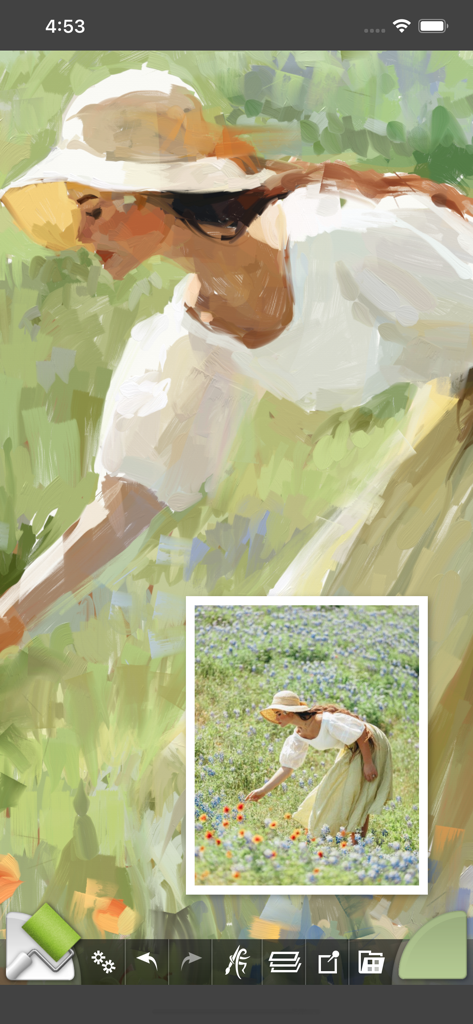
ArtRage Vitae Mobile Painting - Digitales Ölgemälde einer Frau auf einem Feld mit überlagertem Referenzfoto in der ArtRage Vitae App
Digitales Ölgemälde einer Frau auf einem Feld mit überlagertem Referenzfoto in der ArtRage Vitae App

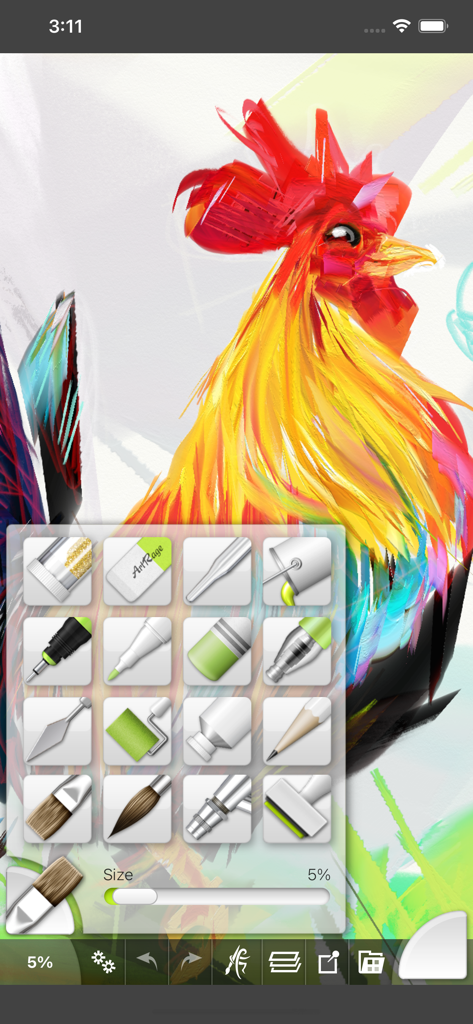
ArtRage Vitae Mobile Painting - Digitales Gemälde eines farbenfrohen Hahns mit ausgewählter Werkzeugleiste in ArtRage Vitae
Digitales Gemälde eines farbenfrohen Hahns mit ausgewählter Werkzeugleiste in ArtRage Vitae

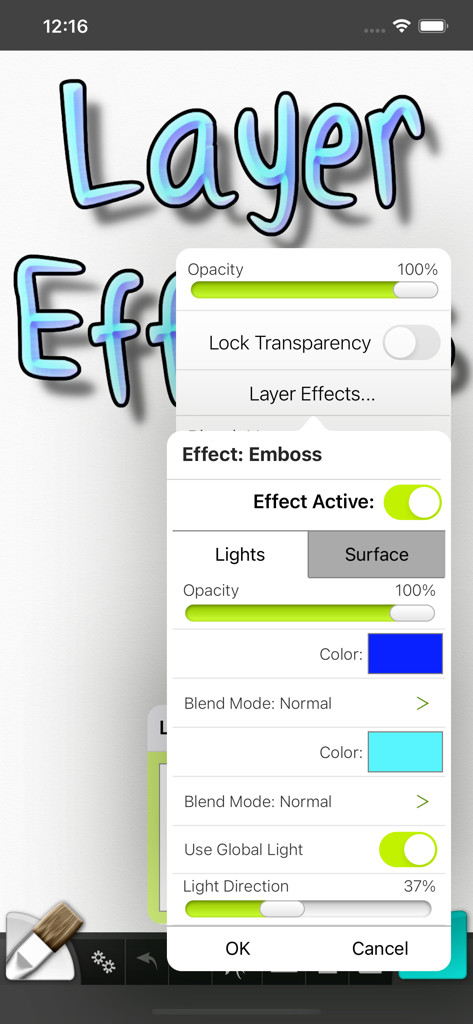
ArtRage Vitae Mobile Painting - Ebeneneffekte-Menü in ArtRage Vitae mit Einstellungen für Prägung und Beleuchtung
Ebeneneffekte-Menü in ArtRage Vitae mit Einstellungen für Prägung und Beleuchtung

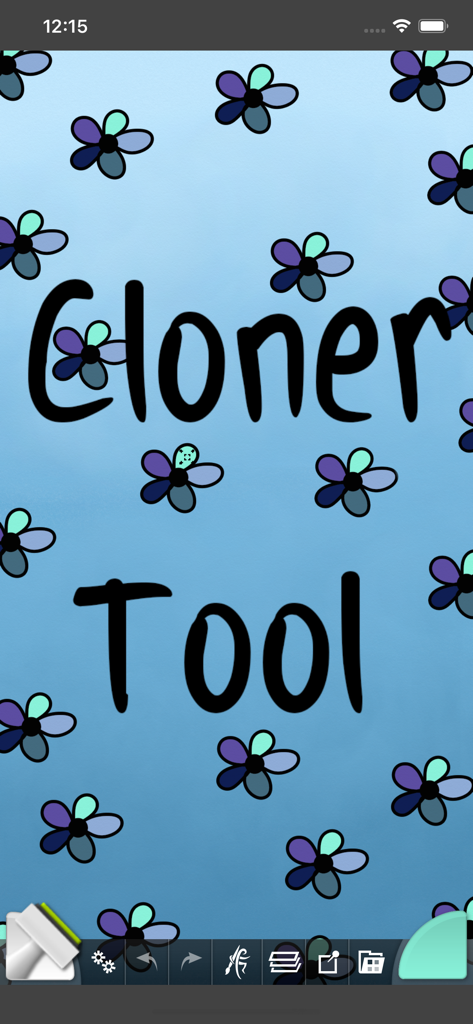
ArtRage Vitae Mobile Painting - ArtRage Vitae Mobile App-Oberfläche, die das Klonwerkzeug auf einer blauen Blumenleinwand zeigt
ArtRage Vitae Mobile App-Oberfläche, die das Klonwerkzeug auf einer blauen Blumenleinwand zeigt

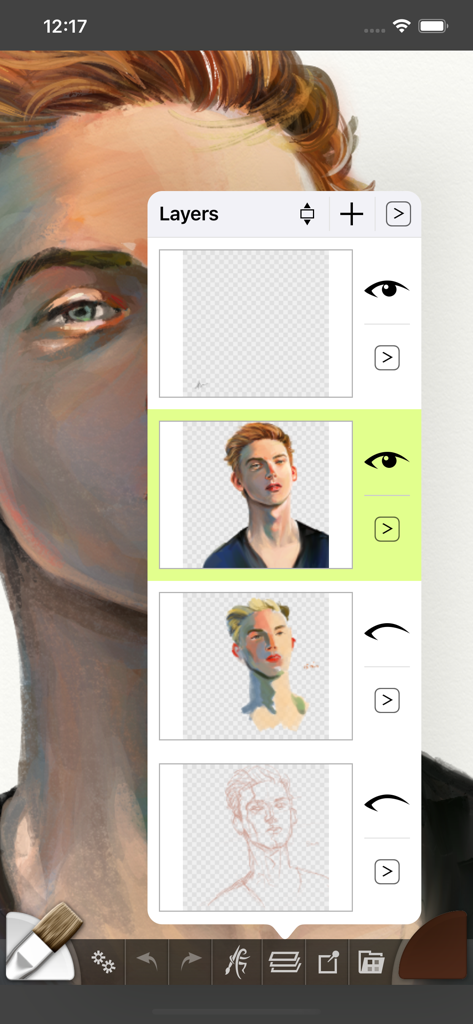
ArtRage Vitae Mobile Painting - Ebenenfenster in ArtRage Vitae, das den Prozess der digitalen Porträtmalerei zeigt

Ebenenfenster in ArtRage Vitae, das den Prozess der digitalen Porträtmalerei zeigt

Beschreibung

ArtRage Vitae is our Premium Natural Painting application for mobile devices! Get creative on your digital canvas with realistic color blending, mixing oil paint, delicate watercolor, and much more! Ever wanted to try painting your masterpiece but were put off by the mess and expense? Now you can! ArtRage Vitae isn't just about color: It knows how much paint you've used so you can mix it and spread it on a textured canvas. It knows how wet your paint is so you can blend it with other paints. It even knows about the roughness of your paper so your pencils can be used for soft shading. It's not just a special effect either - ArtRage Vitae is a live simulation of the properties of real artistic media that lets you get creative with colors and textures using tools you already know how to use! ArtRage Vitae takes full advantage of the Apple Pencil support for pressure & tilt, and 3D touch on your iPhone when available. Join the ArtRage community: Forums: forums.artrage.com Facebook: www.facebook.com/artrage Instagram: www.instagram.com/artrage_paint/ Features: Real world painting tools: Oils, Watercolors, Paint Rollers, Pencils, Crayons and more. Each tool has a range of familiar properties such as how much thinner is applied to the paint, or how soft a pencil tip is. Tools apply texture as well as color, and blend under the brush. Add Layers to your painting and work on individual elements without damaging others. ArtRage supports a wide range of layer effects, layer blend modes, and layer contents can be scaled moved and rotated independently. Import images, converting them to oil paint for mixing and blending or as Reference Images pinned to the canvas as a visual guide. Load photos as Tracing Images which are overlaid on the canvas, and have ArtRage select colors automatically as you paint. The interface has been designed to maximize your creative space without hiding away critical functions such as tool and color selection. As you paint, it gets out of the way so that you don’t have to stop and manually adjust panels. Record your paintings! The ArtRage Script system lets you record strokes while you paint for playback in desktop versions of the product at higher resolution. Share your paintings on Instagram, Facebook, Twitter, Creative Cloud, Dropbox, DeviantArt or any other sharing app on your device. Tools: • Oil Brush, Watercolor, Airbrush, Palette Knife, Paint Roller, Paint Tube, Inking Pen, Pencil, Marker Pen, Chalk, Crayon, Glitter Tube, Gloop Pen, Eraser, Flood Fill, Cloner. • Paint simulation monitors the physical properties of your paints to allow natural blending, smearing, and other real world behavior. • Preset support to save your favorite settings for later use. • Supports the Apple Pencil's Pressure and Tilt properties, and 3D Touch where available to add realism to the simulated paint strokes. Layers: • Unlimited layers with Photoshop standard blend modes, visibility and opacity controls. Scale, rotate, and position layer contents independently. Utilities: • Record your paintings as Scripts then play them back in a desktop version of ArtRage. • Unlimited Undo / Redo. Load photos as References or Tracing images. Files: • 4096 x 4096 Canvas now available on all devices. • Control the texture and color of the canvas to create different effects. Canvas presets can be stored for later. • Export PTG, JPG or PNG to services such as Email, Adobe Creative Cloud, Dropbox, and more. Share images on Facebook or Twitter. Import photos to a new file or a layer, with camera support. Interface: • Easy access pods provide functionality without getting in the way. Elements vanish as you paint so you can paint underneath. Multi-Touch shortcuts for canvas manipulation, Undo/Redo, and Brush Size. Stylus & Input Support: • Apple Pencil Pressure & Tilt. • Supports 3D Touch. • Includes support for Wacom, Adonit and Pogo styluses.

Download

Herunterladen auf App Store

Diese Seite ist keine offizielle Seite der App oder ihres Entwicklers, sondern eine unabhängige redaktionelle Veröffentlichung, die zu Informations- und Kommentarzwecken erstellt wurde. Sofern nicht ausdrücklich anders angegeben, sind weder die App noch ihr Entwickler mit MWM, Apple, Google Play, dem App-Herausgeber oder dem Entwickler der App verbunden, von ihnen unterstützt, gesponsert, autorisiert oder anderweitig offiziell verbunden, und nichts auf dieser Seite impliziert, dass die App unter Verwendung der Dienste von MWM entwickelt wurde. Alle Marken, Logos, Screenshots und andere Inhalte bleiben Eigentum ihrer jeweiligen Inhaber.







