AUM - Audio Mixer
AUM - Audio Mixer
Herunterladen auf App Store

Diese Seite ist keine offizielle Seite der App oder ihres Entwicklers, sondern eine unabhängige redaktionelle Veröffentlichung, die zu Informations- und Kommentarzwecken erstellt wurde. Sofern nicht ausdrücklich anders angegeben, sind weder die App noch ihr Entwickler mit MWM, Apple, Google Play, dem App-Herausgeber oder dem Entwickler der App verbunden, von ihnen unterstützt, gesponsert, autorisiert oder anderweitig offiziell verbunden, und nichts auf dieser Seite impliziert, dass die App unter Verwendung der Dienste von MWM entwickelt wurde. Alle Marken, Logos, Screenshots und andere Inhalte bleiben Eigentum ihrer jeweiligen Inhaber.

Logo von AUM - Audio Mixer
Herunterladen auf App Store

AUM - Audio Mixer

Der ultimative Routing-Hub für Musiker und Sounddesigner. Verbinden Sie Apps, Plugins und Hardware mit unbegrenzter Flexibilität, felsenfester Stabilität und 32-Bit-Präzision.

Kennzahlen

Downloads

378K+

Bewertung

4.8/5

Bewertungen gesamt

1K+

Herausgeber

Kymatica AB

Kategorie

Music

Sprachen

1

Neueste Version

1.4.7

Größe

13.1 MB

Erstveröffentlichung

24. Feb. 2016
Funktionen

Der Vordenker Ihres mobilen Studios

AUM ist der professionelle Audio-Hub, der Ihre Apps, Hardware und Plugins in einer nahtlosen High-Fidelity-Mixing-Umgebung verbindet.

Unbegrenzte Routing-Flexibilität

Erstellen Sie komplexe Signalketten, indem Sie jeden Eingang zu jedem Ausgang routen. Verbinden Sie AUv3-Plugins, IAA-Apps und externe Hardware ohne Einschränkungen.

Mehrspuraufnahme in Profiqualität

Erfassen Sie jedes Detail mit bis zu 32-Bit/192kHz Audio. Nehmen Sie synchronisierte, taktgenaue Loops direkt in Ihren Speicher auf, mit professioneller Latenzkompensation.

Die folgenden Screenshots und die Beschreibung stammen direkt aus dem offiziellen Store-Eintrag der App und sind Eigentum des Entwicklers.

App Store

Screenshots
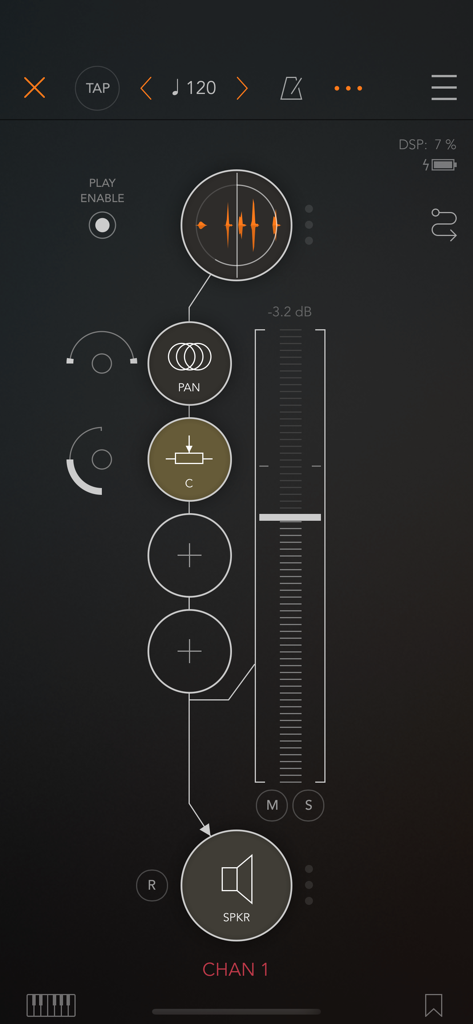
AUM - Audio Mixer - Interface des AUM Audio-Mixers zeigt einen vertikalen Kanalzug mit Wellenformanzeige und Pegelregler
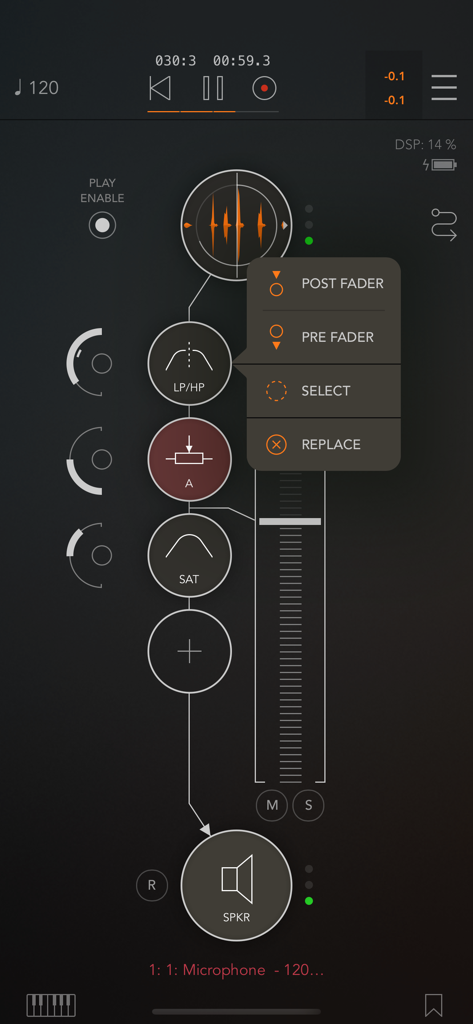
Interface des AUM Audio-Mixers zeigt einen vertikalen Kanalzug mit Wellenformanzeige und Pegelregler

AUM - Audio Mixer - Professionelles Audio-Mixing-Interface in der AUM-App mit Signal-Routing und Effekt-Knoten
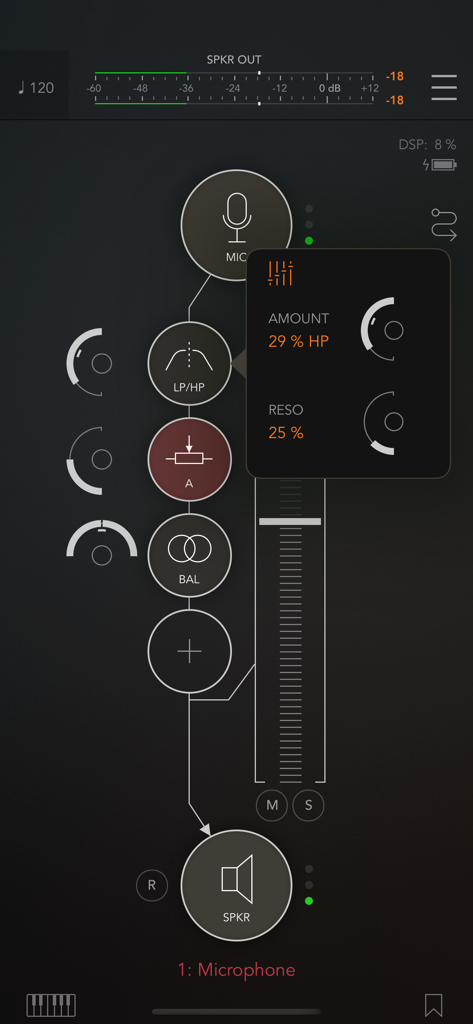
Professionelles Audio-Mixing-Interface in der AUM-App mit Signal-Routing und Effekt-Knoten

AUM - Audio Mixer - Interface der AUM Audio-Mixer-App zeigt eine Mikrofon-Signalkette mit Filtereinstellungen und Kanalfader.
Interface der AUM Audio-Mixer-App zeigt eine Mikrofon-Signalkette mit Filtereinstellungen und Kanalfader.

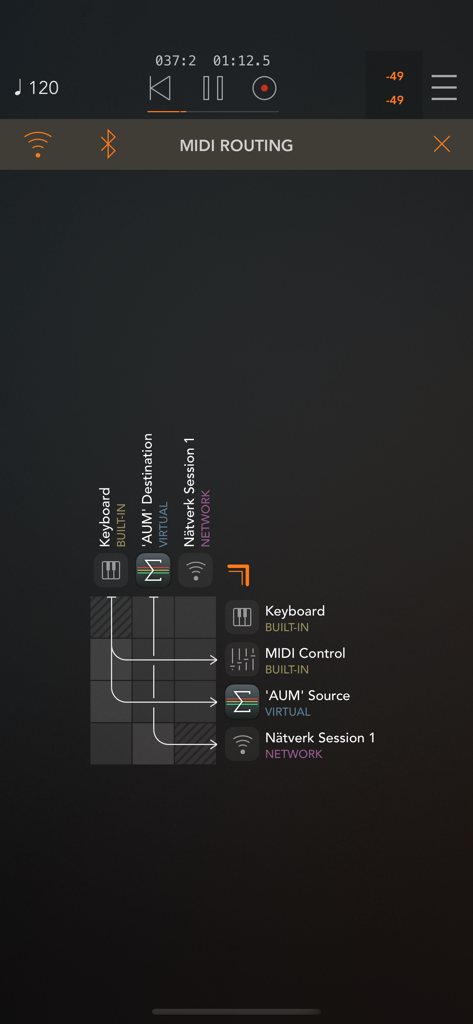
AUM - Audio Mixer - Ein professionelles MIDI-Routing-Matrix-Interface in der AUM-App zeigt Signalwege zwischen Keyboard, virtuellen und Netzwerk-Audiokomponenten.
Ein professionelles MIDI-Routing-Matrix-Interface in der AUM-App zeigt Signalwege zwischen Keyboard, virtuellen und Netzwerk-Audiokomponenten.

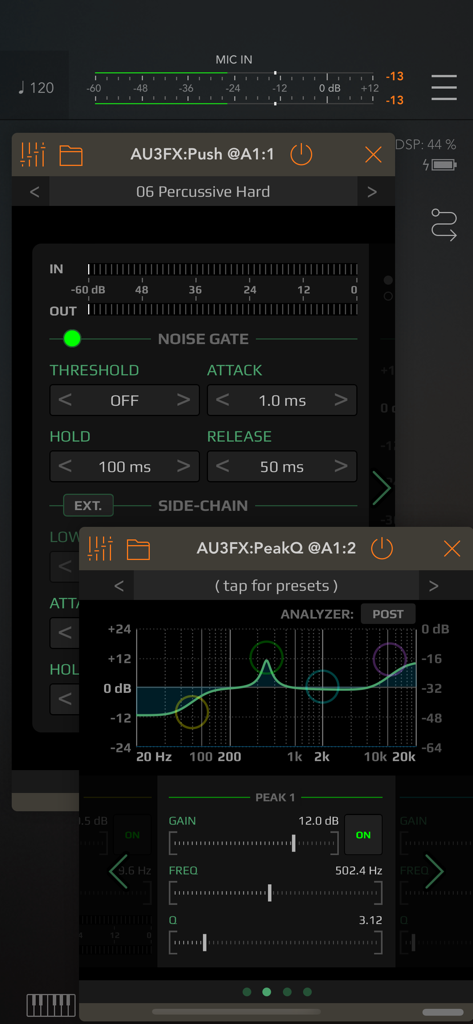
AUM - Audio Mixer - AUM Audio-Mixer-Interface zeigt parametrische EQ- und Noise-Gate-Plugins
AUM Audio-Mixer-Interface zeigt parametrische EQ- und Noise-Gate-Plugins

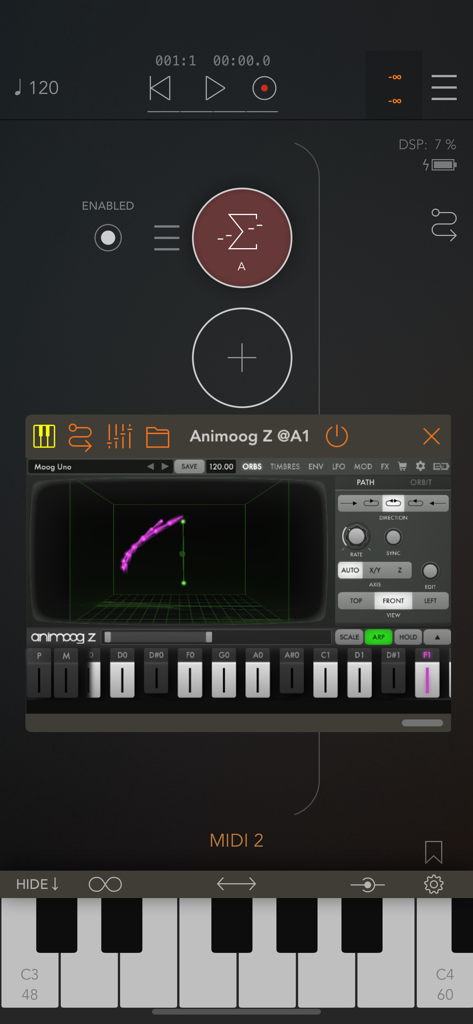
AUM - Audio Mixer - AUM Audio-Mixer-Interface zeigt einen gehosteten Synthesizer und ein MIDI-Keyboard
AUM Audio-Mixer-Interface zeigt einen gehosteten Synthesizer und ein MIDI-Keyboard

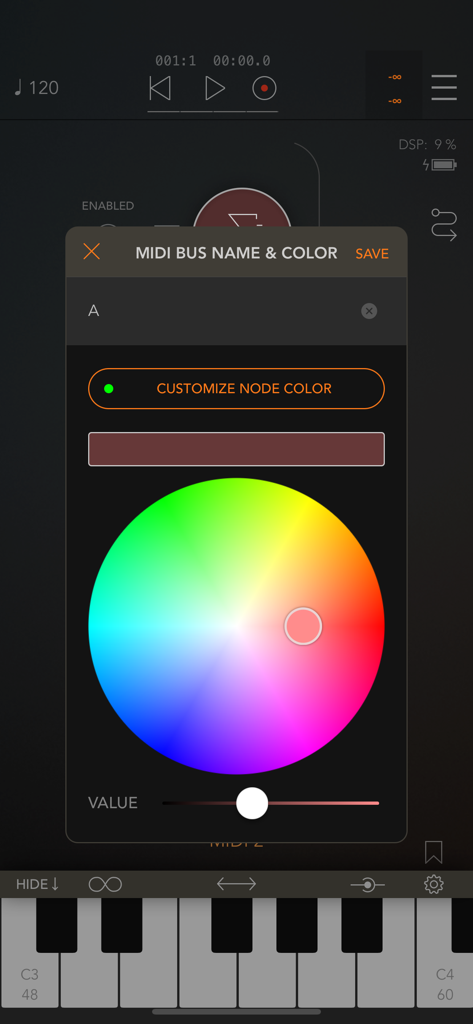
AUM - Audio Mixer - AUM Audio-Mixer-Interface zur Anpassung von MIDI-Bus-Namen und Farben
AUM Audio-Mixer-Interface zur Anpassung von MIDI-Bus-Namen und Farben

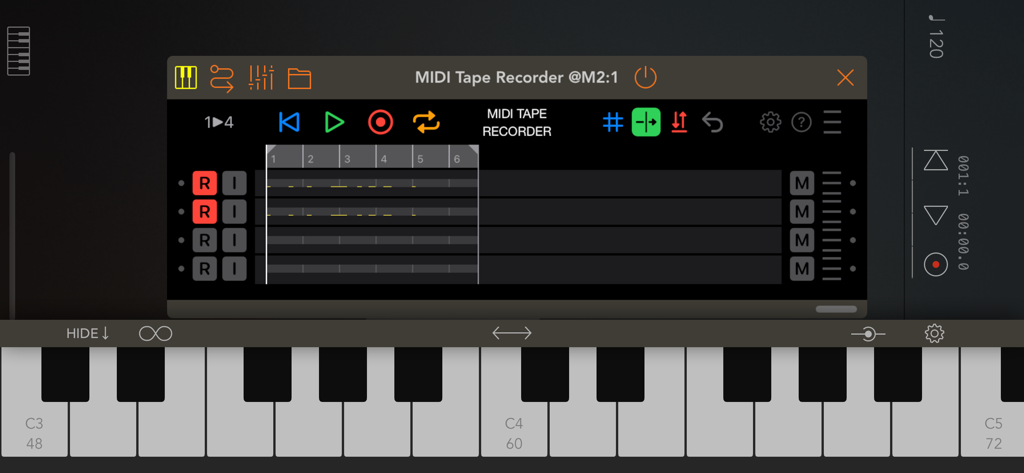
AUM - Audio Mixer - AUM Audio-Mixer-Interface zeigt einen MIDI-Bandrecorder mit Mehrspuransicht und einer virtuellen Klaviertastatur.

AUM Audio-Mixer-Interface zeigt einen MIDI-Bandrecorder mit Mehrspuransicht und einer virtuellen Klaviertastatur.

Beschreibung

AUM is the flexible audio mixer, recorder, and connection hub for your iPad, iPhone and iPod touch. Connect hardware inputs and outputs, Audio Unit extensions, Inter-App Audio apps, Audiobus, soundfile players, built-in signal processing and filters, in any configuration you want. Route anything to anywhere with mix-busses, effect sends, audiobus ports, and external multi-channel audio interfaces. Play hosted synths and instruments using the built-in keyboard or external MIDI controllers, or sequence them with AU MIDI plugins or from other apps using Virtual MIDI. Record mixes, individual tracks, or both, straight into the storage space of AudioShare (no copying of files needed), with synchronized start and end for perfect loops. Play back recordings, soundfiles and loops as channel sources in the mixer for backing tracks, further processing or mixing. Soundfiles can be opened from anywhere, including USB drives on iOS 13 and later. Route and filter MIDI in any way you like using the MIDI matrix. Combine and filter MIDI endpoints using MIDI buses. Synchronize everything with the transport clock and play in time with other apps or devices using Ableton Link. Connect external music machines and synchronize them with MIDI Clock. Includes built-in processing nodes for various stereo processing, Mid/Side balance and conversion, EQs and filters, limiting, clipping and saturation. Or use any 3rd party Audio Unit extension or Inter-App Audio effect. All controls in the mixer can be controlled via MIDI, including parameters of hosted and built-in plugins. "A brilliant idea that has been brilliantly executed. Top-notch technical stuff and highly recommended" - MusicAppBlog "Feature rich, powerful, intuitive, and simple to use" - DubSpot "Executes live mixing with surprising ease, with a load of extensive features under the hood, quick snappy response on the screen and audio" - AudioNewsRoom FEATURES • High quality audio up to 32-bit 192kHz • Clean and intuitive user interface with crisp vector graphics • Unlimited number of channels • Unlimited number of effect slots • Inserts and sends are configurable pre/post-fader • Internal busses for mixing, effect sends, signal splitting • Supports multi-channel audio interfaces for both inputs and outputs • Supports built-in speaker and mic, including stereo mic on devices that has it. • Supports Audio Unit extensions, Inter-App Audio and Audiobus • Route MIDI output from Audio Unit extensions • Supports Audio Unit multiple output and input busses (for side-chaining etc) • Highly accurate transport clock • Metronome with selectable output and optional pre-roll • Sends host sync to Audio Unit plugins and IAA apps • Play in time with Ableton Link, with Start/Stop support • Slave external hardware via MIDI Clock • FilePlayer with sync and looping with access to all your soundfiles • Records straight into AudioShare storage space • Record synchronized beat-perfect loops • Built-in nodes for stereo processing, filtering and dynamics • Latency compensation makes everything align at the outputs • Optional manual compensation using TimeOffset • Multiple Inter-App Audio / Audiobus output ports • Audiobus state saving • Built-in MIDI keyboard • Fully MIDI controllable • MIDI Matrix for routing MIDI anywhere • MIDI filtering for any MIDI destination • Combine MIDI sources or destinations using MIDI buses BUILT-IN SIGNAL PROCESSING • Stereo balance • Stereo to mono • Stereo panning • Mid/Side balance • Mid/Side - Stereo convert • Invert Phase • Parametric EQ • Low-shelf filter • High-shelf filter • Low-pass resonant filter • High-pass resonant filter • LP/HP combo filter • First order All-pass filter • Second order All-pass filter • Gain • Hard clip • Saturation • Lookahead peak limiter • System-provided Apple Audio Units

Download

Herunterladen auf App Store

Diese Seite ist keine offizielle Seite der App oder ihres Entwicklers, sondern eine unabhängige redaktionelle Veröffentlichung, die zu Informations- und Kommentarzwecken erstellt wurde. Sofern nicht ausdrücklich anders angegeben, sind weder die App noch ihr Entwickler mit MWM, Apple, Google Play, dem App-Herausgeber oder dem Entwickler der App verbunden, von ihnen unterstützt, gesponsert, autorisiert oder anderweitig offiziell verbunden, und nichts auf dieser Seite impliziert, dass die App unter Verwendung der Dienste von MWM entwickelt wurde. Alle Marken, Logos, Screenshots und andere Inhalte bleiben Eigentum ihrer jeweiligen Inhaber.