Beastcam - Pro Camera

Beastcam - Pro Camera

Herunterladen auf App Store
Logo von Beastcam - Pro Camera

Beastcam - Pro Camera: Professionelle manuelle Steuerung für kreative Filmemacher

Entfesseln Sie das volle Potenzial Ihres iPhones mit 10-Bit ProRes, Aufnahmen mit hoher Bitrate und fortschrittlichen Filmwerkzeugen, die für die anspruchsvollsten Prosumer-Workflows entwickelt wurden.

Herausgeber

Beastgrip, Co.

Kategorie

Photo & Video

Downloads

231K+

Bewertung

4.0/5

Bewertungen gesamt

600

Sprachen

1

Der Blick des Regisseurs

Entdecken Sie die Oberfläche, die von 231K+ Nutzern verwendet wird.

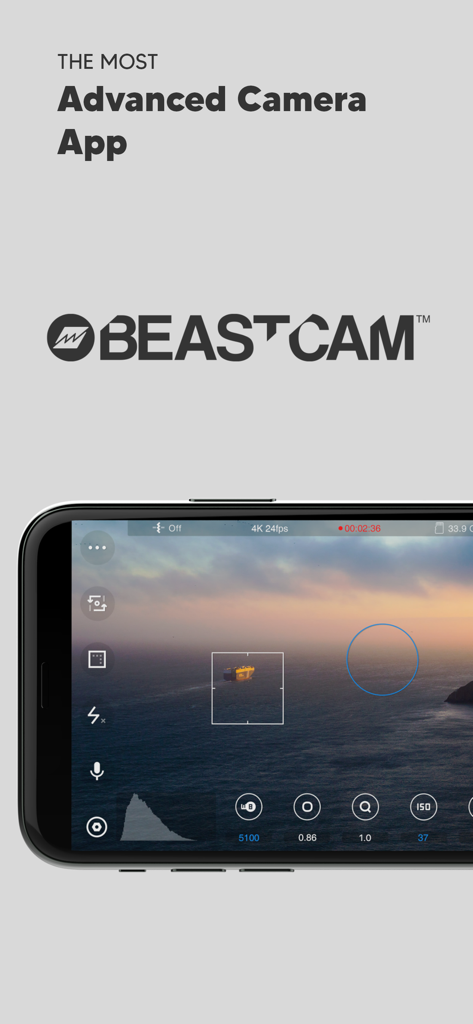
Beastcam Pro Camera App-Oberfläche auf einem iPhone, die manuelle Kinematografie-Steuerungen und eine filmische Sonnenuntergangsansicht zeigt
Beastcam Pro Camera App-Oberfläche auf einem iPhone, die manuelle Kinematografie-Steuerungen und eine filmische Sonnenuntergangsansicht zeigt

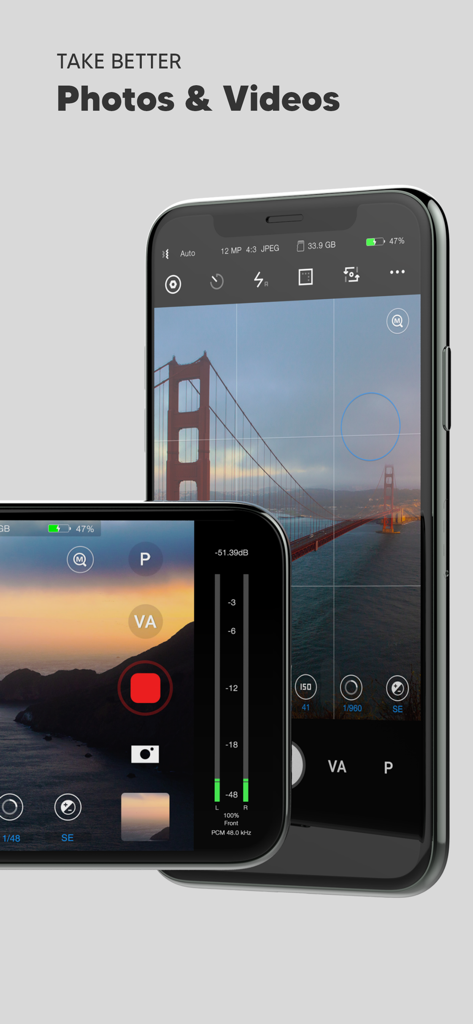
Beastcam Pro Camera App-Oberfläche auf dem iPhone, die manuelle Bedienelemente für professionelle Fotografie und Videografie anzeigt
Beastcam Pro Camera App-Oberfläche auf dem iPhone, die manuelle Bedienelemente für professionelle Fotografie und Videografie anzeigt

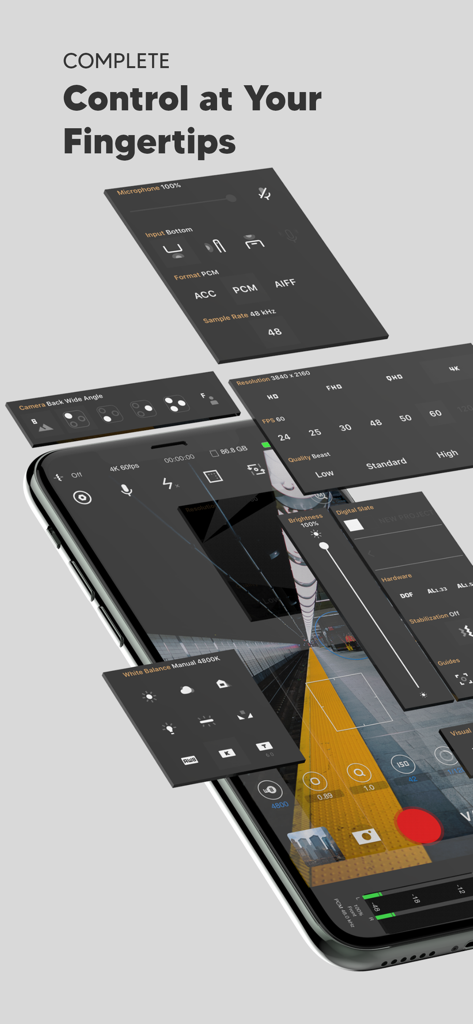
Isometrische Ansicht der Beastcam App-Oberfläche mit professionellen manuellen Kamera- und Audiosteuerpulten
Isometrische Ansicht der Beastcam App-Oberfläche mit professionellen manuellen Kamera- und Audiosteuerpulten

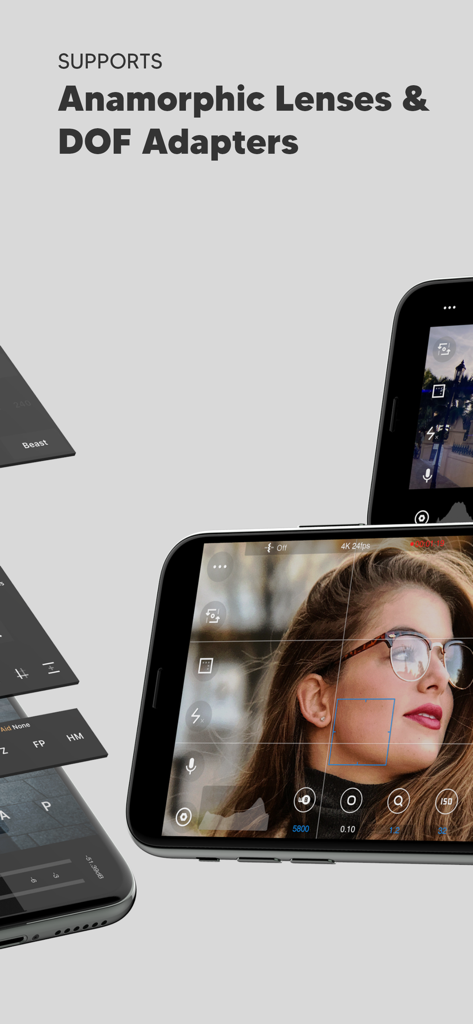
Beastcam App-Bildschirm hebt die Unterstützung für anamorphotische Objektive und DOF-Adapter mit manueller Kamerasteuerung hervor
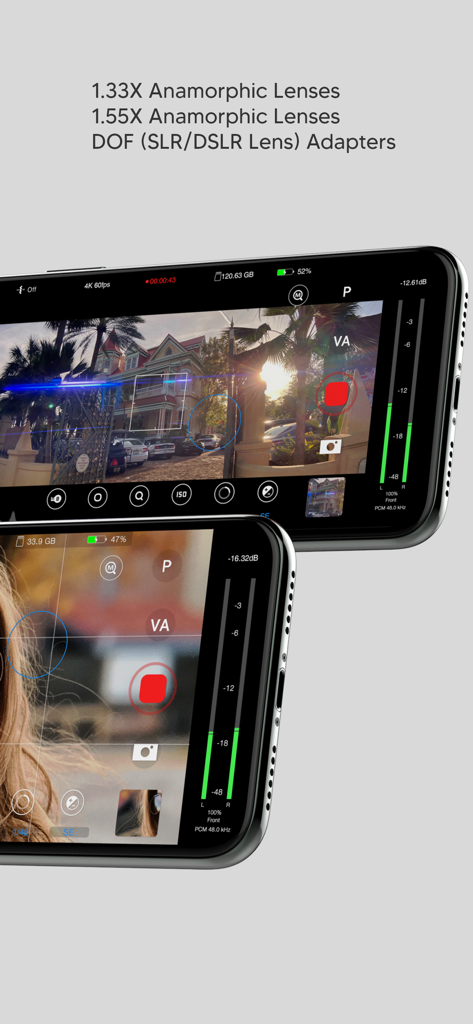
Beastcam App-Bildschirm hebt die Unterstützung für anamorphotische Objektive und DOF-Adapter mit manueller Kamerasteuerung hervor

Beastcam App-Oberfläche hebt die Unterstützung für anamorphotische Objektive und DOF-Adapter mit manueller Profi-Kamerasteuerung hervor
Beastcam App-Oberfläche hebt die Unterstützung für anamorphotische Objektive und DOF-Adapter mit manueller Profi-Kamerasteuerung hervor

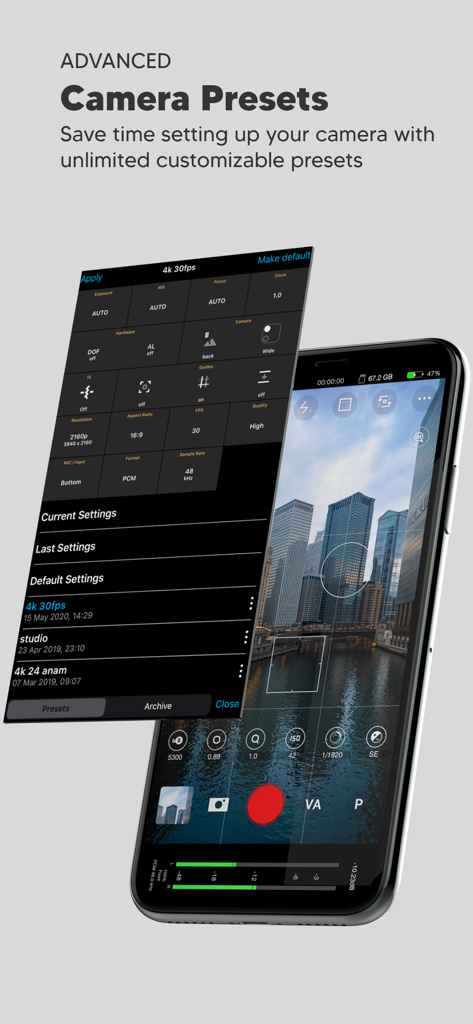
Smartphone-Bildschirm zeigt die Beastcam App-Oberfläche mit einem anpassbaren Kamera-Presets-Menü, das über einer Skyline-Ansicht liegt
Smartphone-Bildschirm zeigt die Beastcam App-Oberfläche mit einem anpassbaren Kamera-Presets-Menü, das über einer Skyline-Ansicht liegt

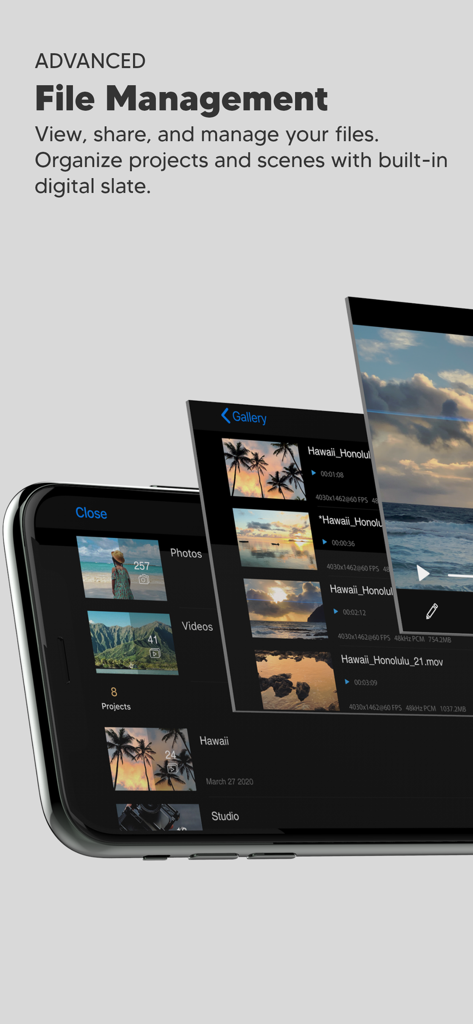
Oberfläche der Beastcam Pro Camera App, die die erweiterte Dateiverwaltungs-Galerie für organisierte Videoprojekte und Szenen zeigt.
Oberfläche der Beastcam Pro Camera App, die die erweiterte Dateiverwaltungs-Galerie für organisierte Videoprojekte und Szenen zeigt.

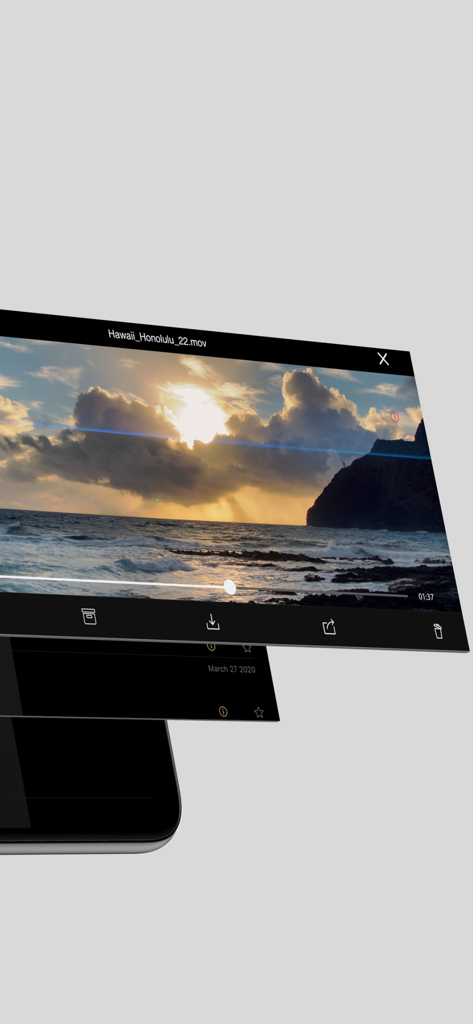
Beastcam App-Oberfläche zeigt Videowiedergabe- und Dateiverwaltungsoptionen für organisierte Film-Workflows
Beastcam App-Oberfläche zeigt Videowiedergabe- und Dateiverwaltungsoptionen für organisierte Film-Workflows

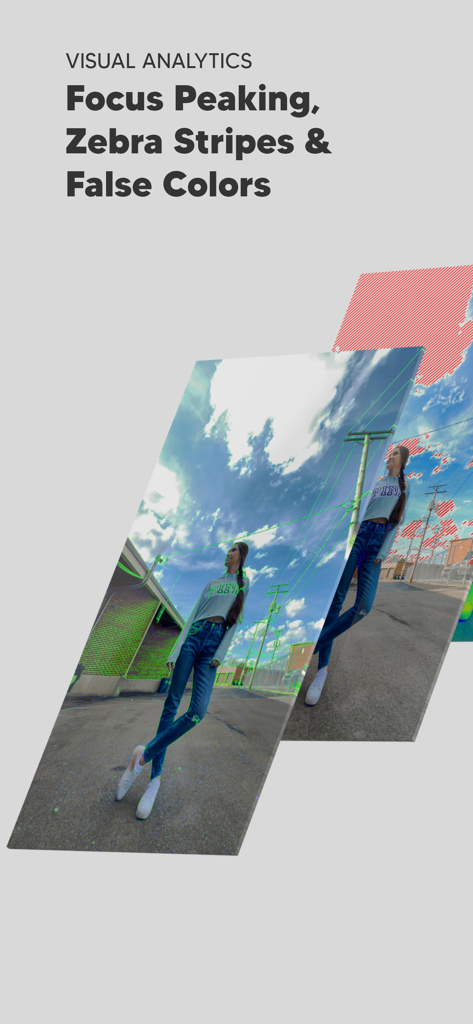
Professionelle visuelle Analysewerkzeuge wie Fokus-Peaking und Zebra-Streifen in der Beastcam App
Professionelle visuelle Analysewerkzeuge wie Fokus-Peaking und Zebra-Streifen in der Beastcam App

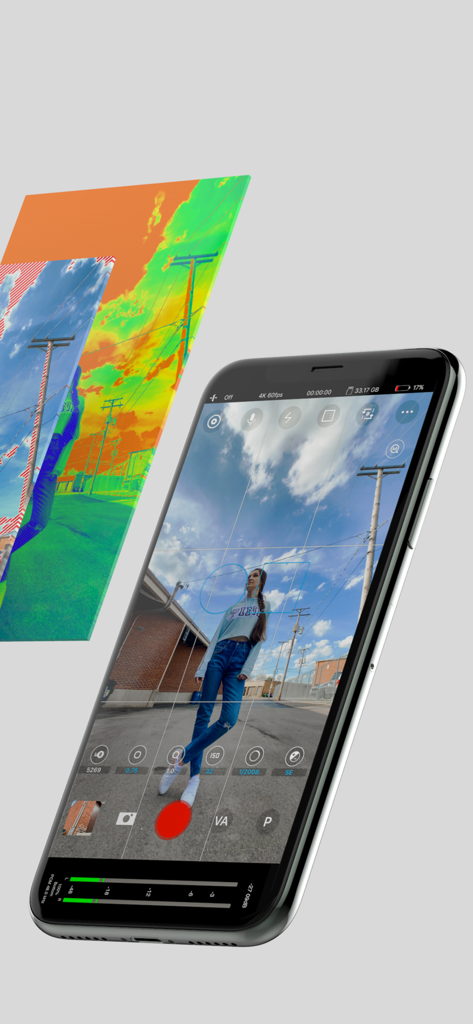
Beastcam App-Oberfläche auf dem iPhone mit manueller Kamerasteuerung und professionellen Belichtungswerkzeugen wie Falschfarben

Beastcam App-Oberfläche auf dem iPhone mit manueller Kamerasteuerung und professionellen Belichtungswerkzeugen wie Falschfarben

Kameratechnik ohne Kompromisse

Die Tools, die diese App auszeichnen, gewählt von 231K+ Nutzern.

⚙️

Vollständige manuelle Präzision

Beherrschen Sie jede Aufnahme mit granularer Kontrolle über ISO, Verschlusszeit und Fokus-Peaking mithilfe einer intuitiven Benutzeroberfläche, die für professionelle mobile Filmemacher entwickelt wurde.

🎞️

Kinoähnliche Bildqualität

Schalten Sie 10-Bit ProRes- und Apple Log-Aufnahmen mit voller Unterstützung für anamorphotische Objektive und direkte SSD-Aufnahme für maximale Produktionsflexibilität frei.

🎬

Produktionsbereiter Workflow

Sparen Sie Stunden in der Postproduktion mit automatischer Dateibenennung, intelligenter Projektorganisation und Hochgeschwindigkeits-Beast-Bitraten von bis zu 160 Mbit/s.

Über die App

Alles, was Sie über wissen müssen Beastcam - Pro Camera.

Beschreibung

Beastcam makes it easier than ever to capture the best possible photos and videos on your iPhone. It’s fast and easy-to-use, but powerful and customizable as a professional camera when you need it. We believe Beastcam is the most intuitive and advanced camera app ever created for capturing life’s special moments, expanding the capabilities of your iPhone camera to its fullest potential, and taking your #iPhoneography to the next level! *Complete control Easily set, fine-tune, and lock the most important settings you need in seconds, such as focus, exposure, zoom, white balance, and more using Beastcam’s intuitive design, quick-access buttons, precise value sliders, focus, and exposure reticles. All are available with a single tap on the home screen. *Hardware support Enhance your creativity with built-in support for DOF adapters, 1.33X & 1.55X anamorphic lenses in both photo and video mode. Improve your sound quality with external microphones and dial in the perfect settings for your environment, such as gain, audio format, sample rates. *Advanced presets Speed up and organize your workflow with shareable presets for every available setting. Save time setting up your camera with unlimited customizable presets for all available settings that can be applied at any time. Perfect for multi-phone setups, DOF Adapters, 1.33X & 1.55X anamorphic lenses, and other commonly used settings like frame rate, resolution, etc. *File management Save time finding your files by creating projects and scenes that auto-generate readable file names based on the project name, scene name and take # and prioritize your best footage (or delete your worst) with a single tap as soon as you’ve finished recording, or later in the built-in gallery. Conveniently manage and share all of your organized photos and videos with the built-in gallery. -SSD recording support on iPhone 15 and 16 Pro Series # Features - Set and lock focus and exposure with reticles - Precisely adjust white balance, focus, zoom, and exposure settings right from the home screen - Analyze your shots accurately focus peaking, false colors, zebras, and histogram - Take steadier shots with standard or cinematic image stabilization - De-squeeze footage to 2.39:1 for 1.33X anamorphic lenses and 2.76:1 for 1.55X anamorphic lenses - Rotate orientation for DOF lens adapters - quick zoom, perfect for manual focus - Switch between any of your iPhone cameras - Monitor audio levels, microphone type, format, and sample rate right on the home screen - Compose your shots with 1:1, 2.39:1, and 2.76:1 aspect ratio guides and grids - Show/hide all of the menus from your home screen - Built-in flash/torch control - Create projects and scenes that auto-generate easy to read folder and file names based on the project name, scene name, take # - Prioritize your best footage (or delete your worst) with a single tap as soon as you’ve finished recording or later in the gallery - View, rename, move, share or delete files with the built-in gallery - Custom local presets for white balance, zoom, focus - Create sharable global presets for all available settings (video mode only) - Custom settings/rules for a fresh start - Easily adjust exposure, focus, zoom with gesture controls # Video - 4K 3840x2160, QHD 2560x1440, FHD 1920x1080 or HD 1280x720 resolutions - 24, 25, 30, 48, 50, 60, 120, or 240 FPS options - Bit rates: Low, Standard, High, Beast (up to 160 Mbit/s) - 10-bit Dolby Vision HDR - 10-bit SDR - ProRes (+Apple Log on iPhone 15 and 16 Pro Series) Note: Some resolution and FPS options are not available on older iPhone models. The bit rate may vary depending on the resolution, FPS, and scene of your video # Audio - ACC, PCM, AIFF audio formats - 44.1kHz and 48kHz audio sample rates (device-dependent) - Supports built-in and external microphones - Control gain for external microphones #Photo - JPEG, HEIF, RAW, file formats - 1:1 , 4:3, 3:2, and 16:9 aspect ratios

Neueste Version

1.23

Größe

25.8 MB

Erstveröffentlichung

17. Juni 2020

Verwandeln Sie Ihr iPhone in eine professionelle Kinokamera

Schließen Sie sich der Elite-Community der mobilen Filmemacher an. Entsperren Sie noch heute die manuelle Steuerung, 10-Bit ProRes-Aufnahmen und professionelle Workflow-Tools.

Herunterladen auf App Store

App information, icons, screenshots, and descriptions displayed on this page are sourced from the Apple App Store and are the property of their respective developers. Download estimates and rankings are based on MWM's proprietary models and may not reflect actual figures. This page is provided for informational and analytical purposes only.

Believe this page infringes your intellectual property? File a dispute