
Diese Seite ist keine offizielle Seite der App oder ihres Entwicklers, sondern eine unabhängige redaktionelle Veröffentlichung, die zu Informations- und Kommentarzwecken erstellt wurde. Sofern nicht ausdrücklich anders angegeben, sind weder die App noch ihr Entwickler mit MWM, Apple, Google Play, dem App-Herausgeber oder dem Entwickler der App verbunden, von ihnen unterstützt, gesponsert, autorisiert oder anderweitig offiziell verbunden, und nichts auf dieser Seite impliziert, dass die App unter Verwendung der Dienste von MWM entwickelt wurde. Alle Marken, Logos, Screenshots und andere Inhalte bleiben Eigentum ihrer jeweiligen Inhaber.

BlueTools Bluetooth Assistant
Optimieren Sie Ihre IoT-Entwicklung mit einem hocheffizienten Toolkit für Echtzeit-Paketanalyse, Multi-Format-Datenvisualisierung und präzise RSSI-Geräteverfolgung.
Downloads
104K+Bewertung
Bewertungen gesamt
100Herausgeber
Kategorie
Developer ToolsSprachen
16Neueste Version
4.0.3Größe
40.0 MBErstveröffentlichung
8. Aug. 2020Entwickelt für Entwickler und IoT-Ingenieure
Optimieren Sie Ihren Hardware-Entwicklungsworkflow mit professionellem BLE-Debugging, Echtzeit-Signalanalyse und Multi-Format-Datenkommunikation.
Erweitertes Daten-Debugging
Wechseln Sie sofort zwischen Hexadezimal-, Binär-, Zeichenketten- und numerischen Formaten, um Datenpakete mit professioneller Präzision zu senden und zu empfangen.
Visuelle RSSI-Verfolgung
Visualisieren Sie die Signalstärke und Geräterichtung in Echtzeit-Diagrammen, um verlorene Hardware zu lokalisieren oder Verbindungsprobleme zu diagnostizieren.
Die folgenden Screenshots und die Beschreibung stammen direkt aus dem offiziellen Store-Eintrag der App und sind Eigentum des Entwicklers.
App Store
Screenshots
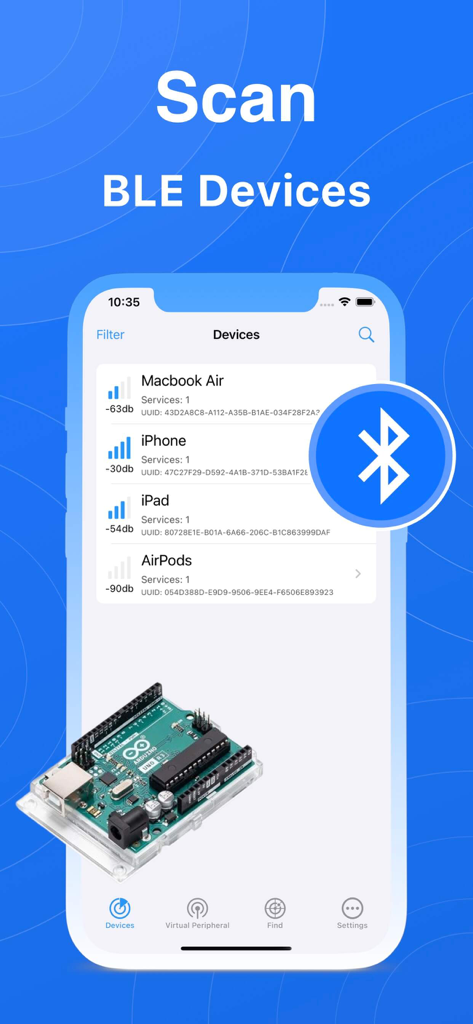
BlueTools App-Bildschirm, der eine Liste gescannter Bluetooth-Geräte mit Signalstärke anzeigt
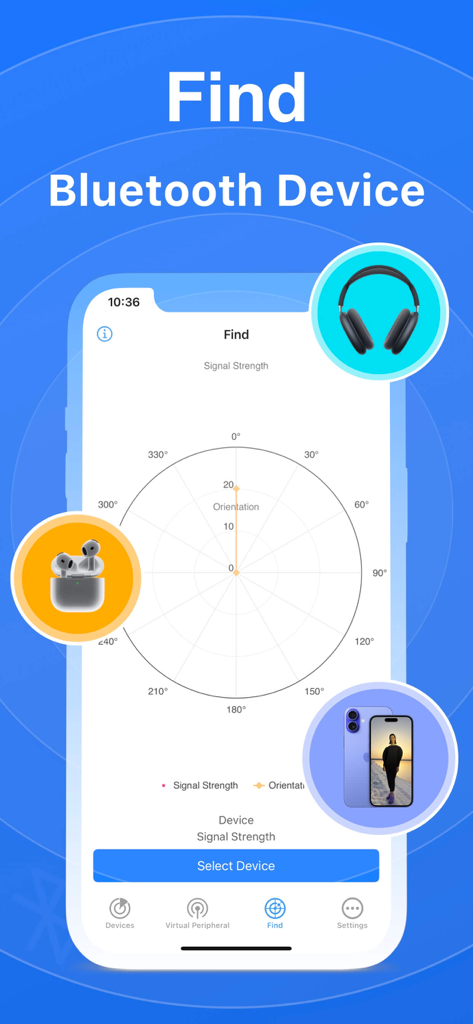
Radar-Diagramm-Oberfläche zum Finden von Bluetooth-Geräten anhand von Signalstärke und Ausrichtung
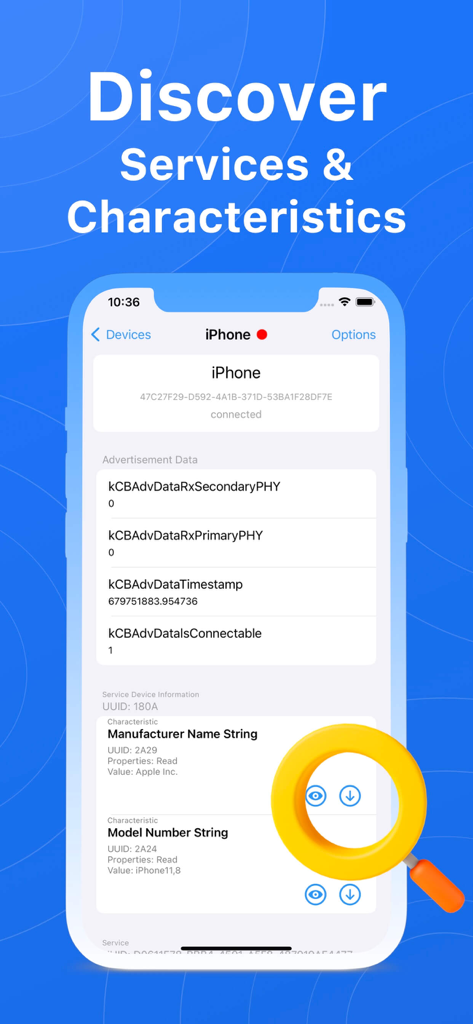
BlueTools-Bildschirm, der erkannte Bluetooth-Dienste und Merkmale anzeigt
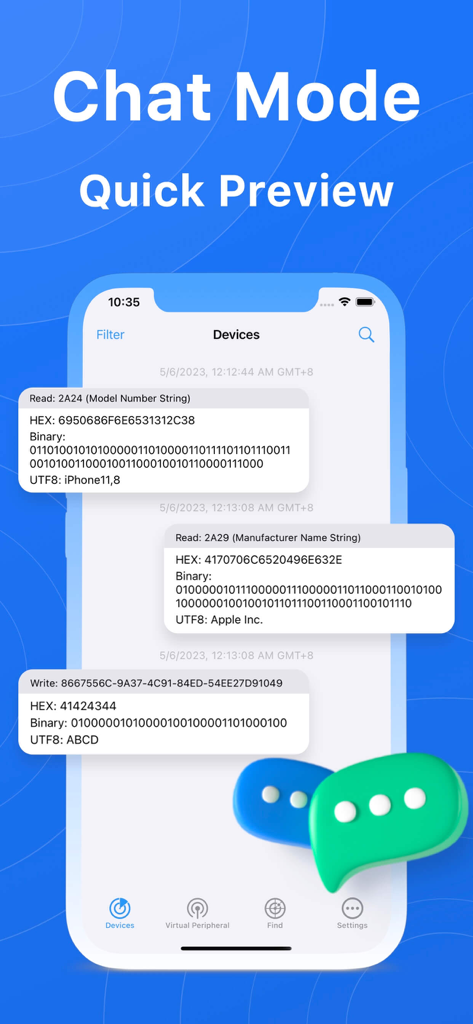
BlueTools Bluetooth Assistant Chat-Modus zeigt Echtzeit-Gerätekommunikationsprotokolle an
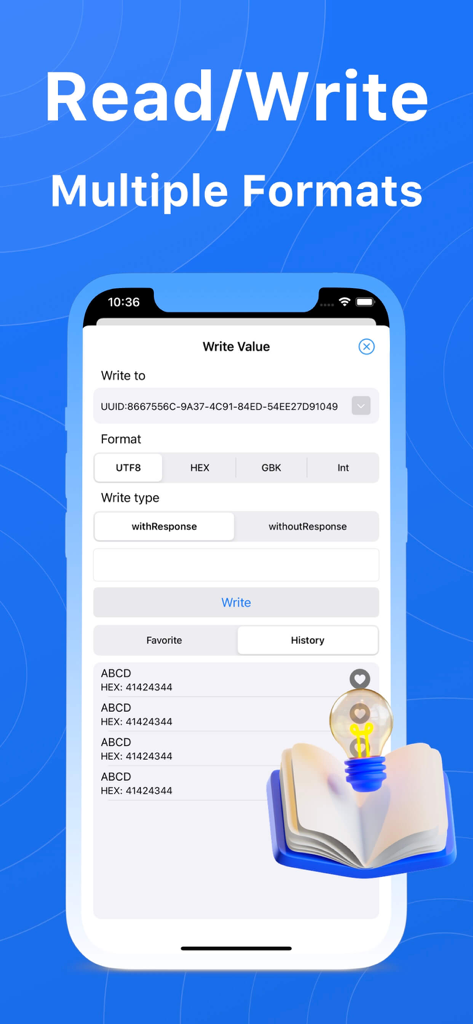
Oberfläche zum Schreiben von Bluetooth Low Energy-Daten in mehreren Formaten, einschließlich UTF8 und HEX.
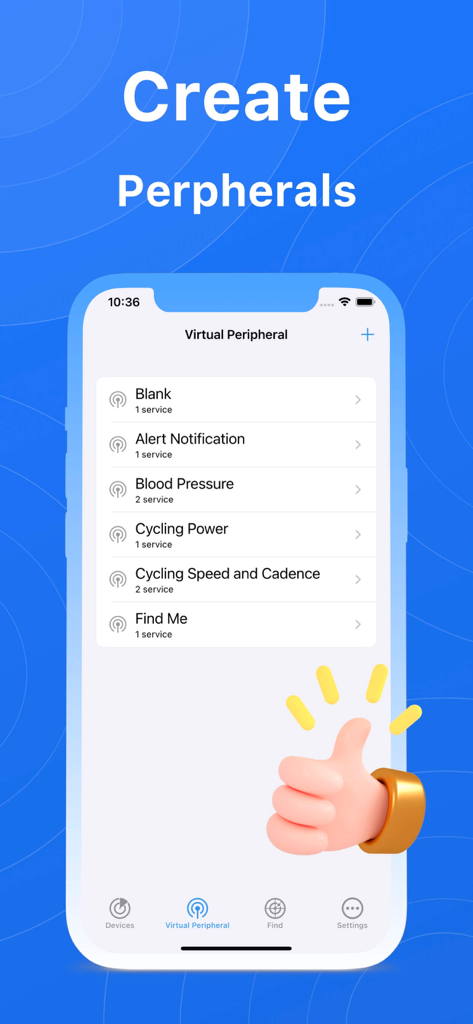
Mobile Benutzeroberfläche zum Erstellen virtueller Bluetooth-Peripheriegeräte mit Optionen wie Alert Notification und Blood Pressure
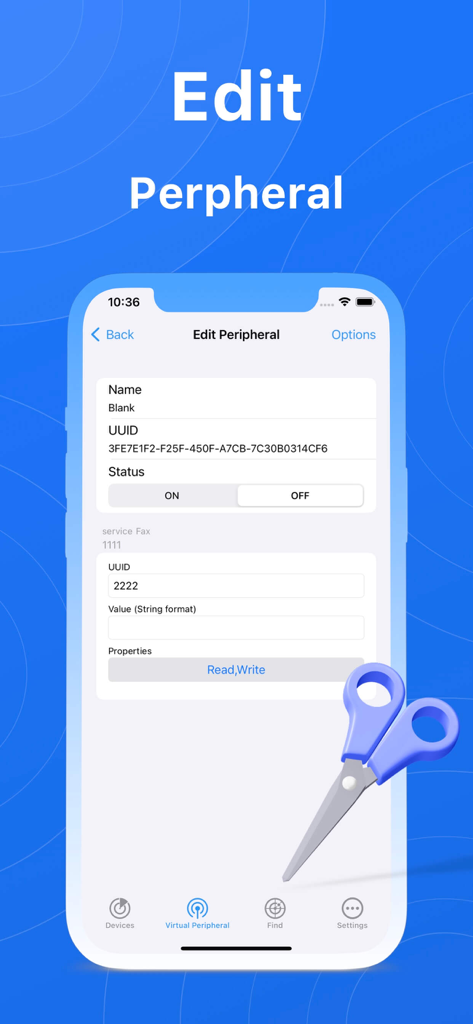
BlueTools Bluetooth Assistant App-Bildschirm zum Bearbeiten von Details virtueller Peripheriegeräte wie UUID und Status.
Beschreibung
Download
Ähnliche Apps
Top-gerankte Apps in derselben Kategorie

TestFlight
Apple Inc.

Replit: Vibe Code Apps
Replit, Inc

GitHub
GitHub

O-KAM Pro
Shenzhen VeePai IoT Intelligent Technology LLC

Apple Developer
Apple Inc.

Expo Go
650 Industries, Inc.

Scriptable
Simon Stovring

App Store Connect
Apple Inc.

Sekai: Create · Remix · Play
Versa AI, Inc.
Diese Seite ist keine offizielle Seite der App oder ihres Entwicklers, sondern eine unabhängige redaktionelle Veröffentlichung, die zu Informations- und Kommentarzwecken erstellt wurde. Sofern nicht ausdrücklich anders angegeben, sind weder die App noch ihr Entwickler mit MWM, Apple, Google Play, dem App-Herausgeber oder dem Entwickler der App verbunden, von ihnen unterstützt, gesponsert, autorisiert oder anderweitig offiziell verbunden, und nichts auf dieser Seite impliziert, dass die App unter Verwendung der Dienste von MWM entwickelt wurde. Alle Marken, Logos, Screenshots und andere Inhalte bleiben Eigentum ihrer jeweiligen Inhaber.