
Diese Seite ist keine offizielle Seite der App oder ihres Entwicklers, sondern eine unabhängige redaktionelle Veröffentlichung, die zu Informations- und Kommentarzwecken erstellt wurde. Sofern nicht ausdrücklich anders angegeben, sind weder die App noch ihr Entwickler mit MWM, Apple, Google Play, dem App-Herausgeber oder dem Entwickler der App verbunden, von ihnen unterstützt, gesponsert, autorisiert oder anderweitig offiziell verbunden, und nichts auf dieser Seite impliziert, dass die App unter Verwendung der Dienste von MWM entwickelt wurde. Alle Marken, Logos, Screenshots und andere Inhalte bleiben Eigentum ihrer jeweiligen Inhaber.


Blurrr-Music video editor
Meistern Sie Ihren Workflow mit benutzerdefinierten Keyframes, KI-Matting und 3D-Kamerafunktionen. Der ultimative mobile Editor für Kreative, die professionelle Effekte und perfekte Beat-Synchronisation unterwegs benötigen.
Downloads
4M+Bewertung
Bewertungen gesamt
18K+Herausgeber
Kategorie
Photo & VideoSprachen
15Neueste Version
2.3.56Größe
423.2 MBErstveröffentlichung
22. Dez. 2021Werten Sie Ihre Inhalte auf
Professionelle Bearbeitungswerkzeuge für die nächste Generation von Kreativen. Verwandeln Sie Ihre mobilen Aufnahmen mit Blurrr in hochoktanige Meisterwerke.
Virale Velocity meistern
Synchronisieren Sie Ihre Clips perfekt mit dem Beat durch fortschrittliches Time Remapping und sanfte Kurven-Presets für den perfekten viralen Flow.
Präzise Keyframe-Bearbeitung
Erleben Sie totale kreative Freiheit mit benutzerdefinierten Kurven und Multi-Layer-Mixing, um Animationen zu erstellen, die mit Desktop-Software mithalten können.
Häufig gestellte Fragen
Alles, was Sie über wissen müssen Blurrr-Music video editor
Was ist Blurrr-Music video editor?
Blurrr ist ein professioneller Video-Editor, der sich sowohl an Anfänger als auch an Experten richtet und fortgeschrittene Effekte, umfangreiche Presets und HD-Qualität für die Videobearbeitung bietet. Er beinhaltet Funktionen wie Keyframes, Kurven und Geschwindigkeitsbearbeitung.
Unterstützt die Blurrr-App die Bearbeitung von 4K-Videos?
Ja, der Blurrr-Music video editor unterstützt 4K-Qualität mit HDR und Super Resolution. Benutzer können Videos während des Renderns auf das 4-fache (3840x2160) hochskalieren.
Wie kann ich Velocity-Edits in der Blurrr-App erstellen?
Die Blurrr-App verfügt über eine Timeremap-Funktion für Geschwindigkeitsvideos. Sie markiert automatisch Beats und bewegt Keyframes, sodass Benutzer Musik und Bilder mit Graph-Presets synchronisieren können.
Kann ich benutzerdefinierte Keyframes im Blurrr-Music video editor verwenden?
Ja, Blurrr bietet benutzerdefinierte Keyframes und Kurven, die den Benutzern die vollständige Kontrolle über Animationseffekte und Änderungen in ihren Videos geben. Dies ermöglicht dynamische und kreative Bearbeitungen.
Wie viele Effekte und Filter bietet die Blurrr-App?
Die Blurrr-App bietet über 140 Spezialeffekte und fast 100 Filter. Diese werden von Experten für visuelle Effekte erstellt, um Videos zu verbessern und einen starken Eindruck zu hinterlassen.
Bietet Blurrr eine KI-Hintergrundentfernung?
Ja, der Blurrr-Music video editor verfügt über eine KI-Intelligent Matting-Funktion. Diese Funktion ermöglicht es Benutzern, Hintergründe einfach zu entfernen und bietet Freiheit in der kreativen Videoproduktion.
Wie kann ich 3D-Effekte in der Blurrr-App anwenden?
Die Blurrr-App unterstützt 3D- und Kamerafunktionen, um dreidimensionale Videos zu erstellen. Sie kann verschiedene 3D-Konstruktionen wie Tunnel, Förderbänder, Würfel und VFX handhaben, um den Realismus zu verbessern.
Welche Abonnementoptionen gibt es für den Blurrr-Music video editor?
Blurrr bietet Abonnementdienste namens Yearly VIP und Yearly SVIP. Die Zahlung wird der AppleID belastet, und Abonnements verlängern sich automatisch, es sei denn, sie werden 24 Stunden vor Ende des aktuellen Zeitraums deaktiviert.
Ist es möglich, in Blurrr mehrere Ebenen für die Videobearbeitung zu mischen?
Ja, Blurrr verfügt über eine FREE TRACK LAYER MIX-Funktion. Dies ermöglicht es den Benutzern, mehrere Video-, Audio- und Bildebenen zu kombinieren und so vielfältige und reichhaltige visuelle Effekte zu erzeugen.
Wie kündige ich mein Blurrr-App-Abonnement?
Um ein Blurrr-Abonnement zu kündigen, müssen Benutzer die automatische Verlängerung manuell in den Apple-ID-Einstellungen 24 Stunden vor Ablauf des aktuellen Zeitraums deaktivieren. Navigieren Sie zu iPhone-Einstellungen > Apple-ID > Abonnieren.
Bietet Blurrr Textanimations-Presets?
Ja, Blurrr bietet Textanimations-Presets. Benutzer können Textlayout, Stile und Animationen frei bearbeiten, wobei eine große Auswahl an Presets zur Ein-Klick-Anwendung verfügbar ist.
Die folgenden Screenshots und die Beschreibung stammen direkt aus dem offiziellen Store-Eintrag der App und sind Eigentum des Entwicklers.
App Store
Screenshots
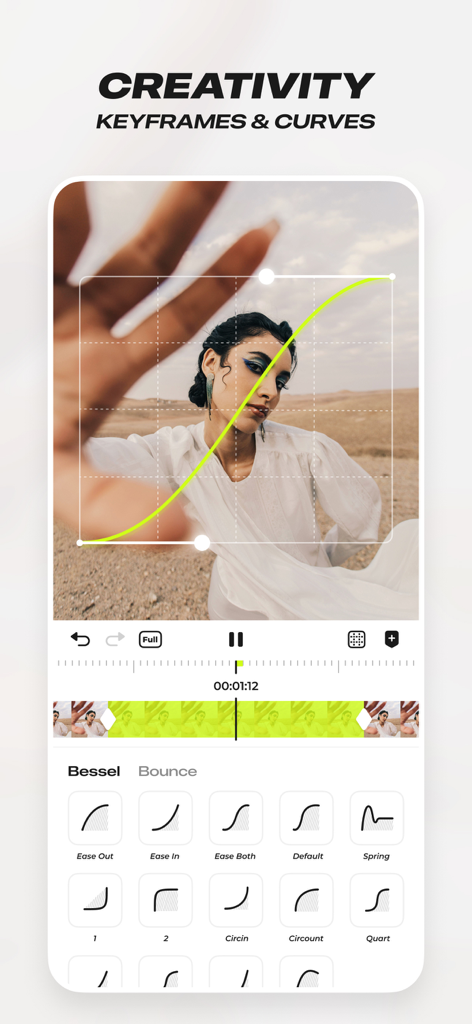
Blurrr App-Oberfläche mit benutzerdefinierten Keyframes und Animationskurven für professionelle Videobearbeitung
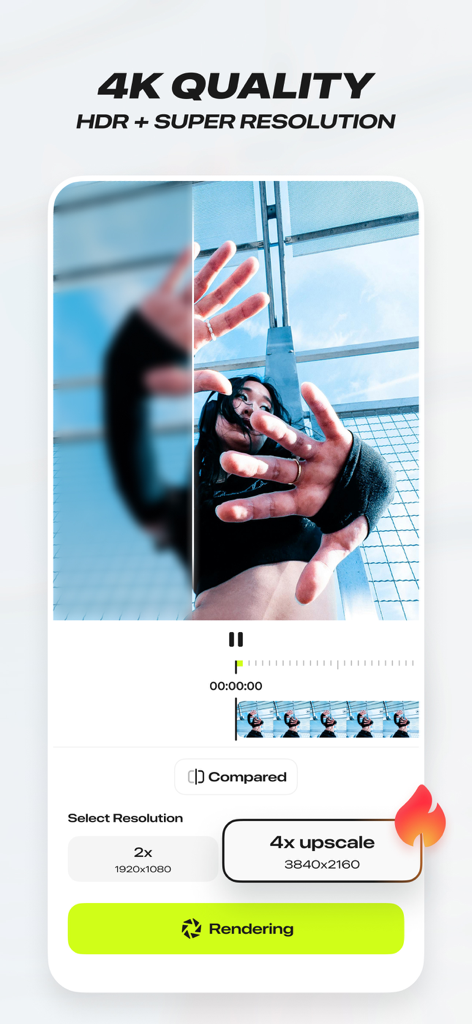
Blurrr App-Oberfläche mit 4K HDR- und Super-Resolution-Video-Upscaling-Funktion
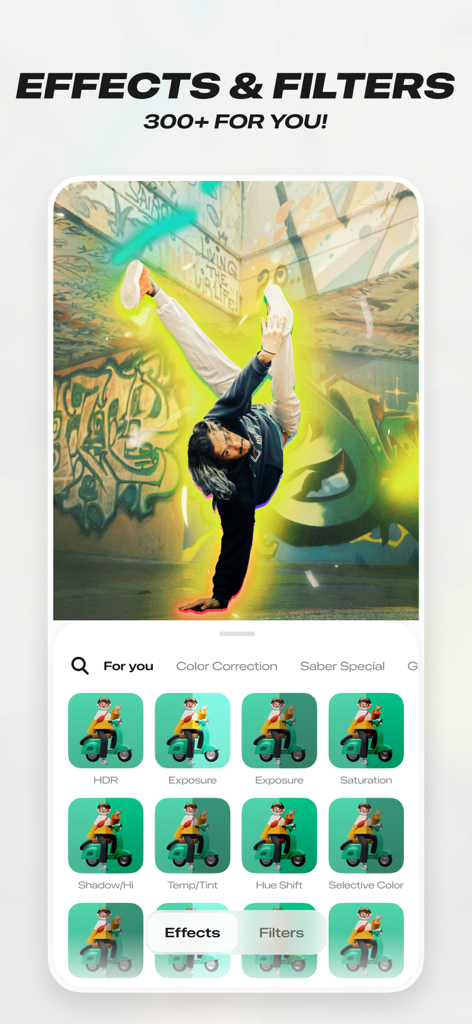
Oberfläche der Blurrr App mit über 300 Effekten und Filtern, die einen leuchtenden Aura-Effekt auf einem Breakdancer zeigen
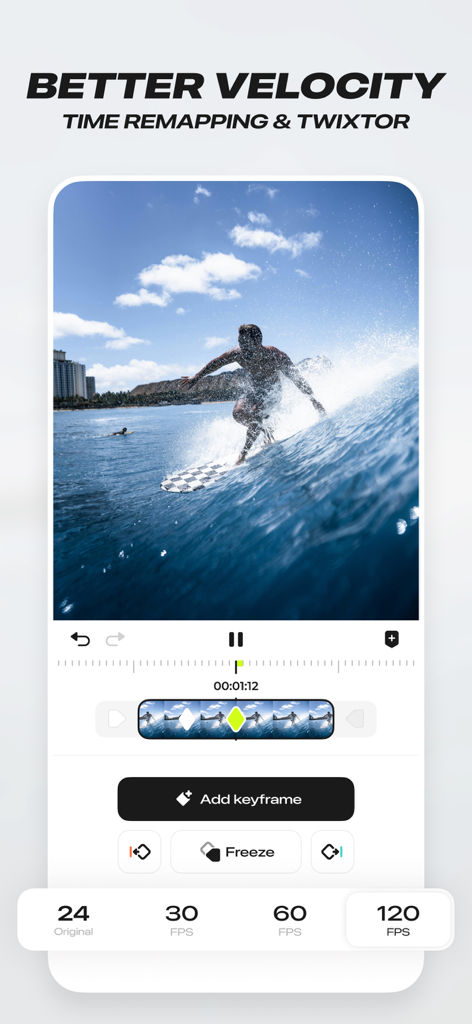
Blurrr App-Oberfläche, die Time Remapping und Velocity-Funktionen für die Videobearbeitung demonstriert
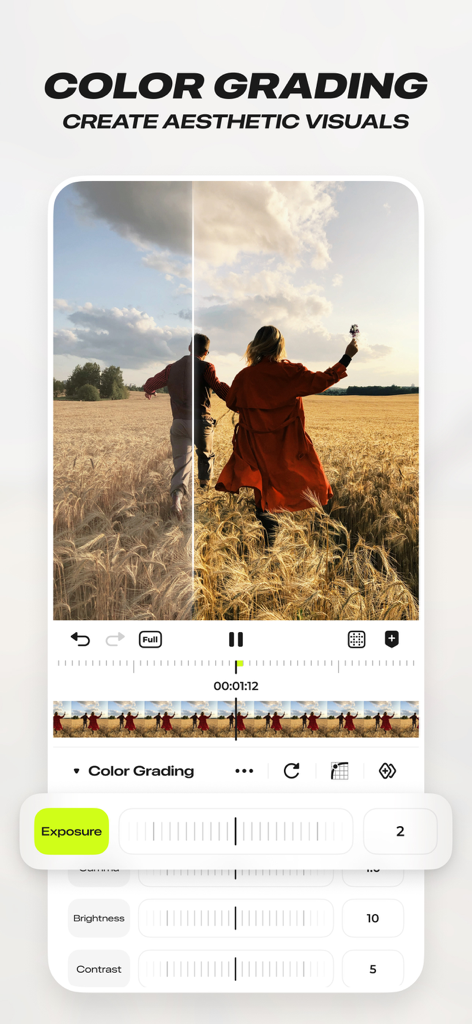
Professionelle Farbkorrektur-Oberfläche im Blurrr Musikvideo-Editor mit Belichtungs- und Kontrastreglern
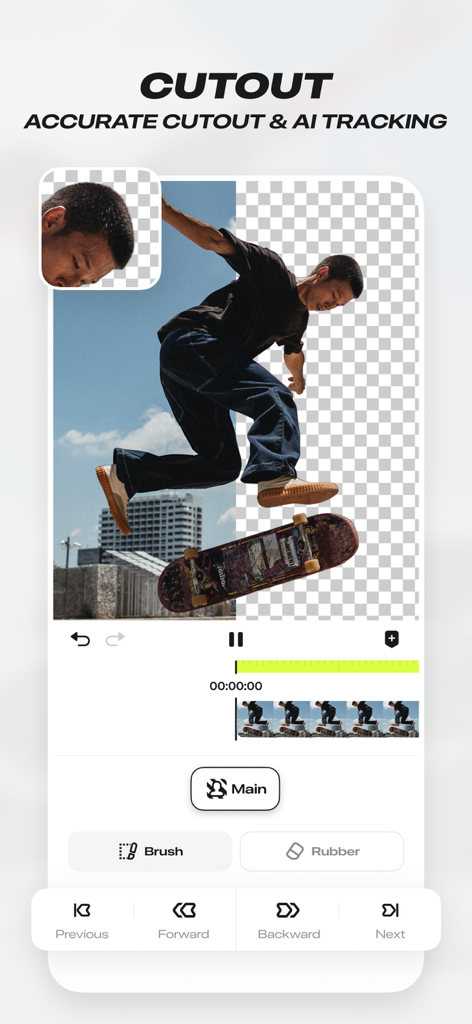
Mobile App-Oberfläche von Blurrr-Musikvideo-Editor, die das KI-Cutout- und präzise Tracking-Tool mit einem Skateboarder zeigt, der vom Hintergrund getrennt wird.
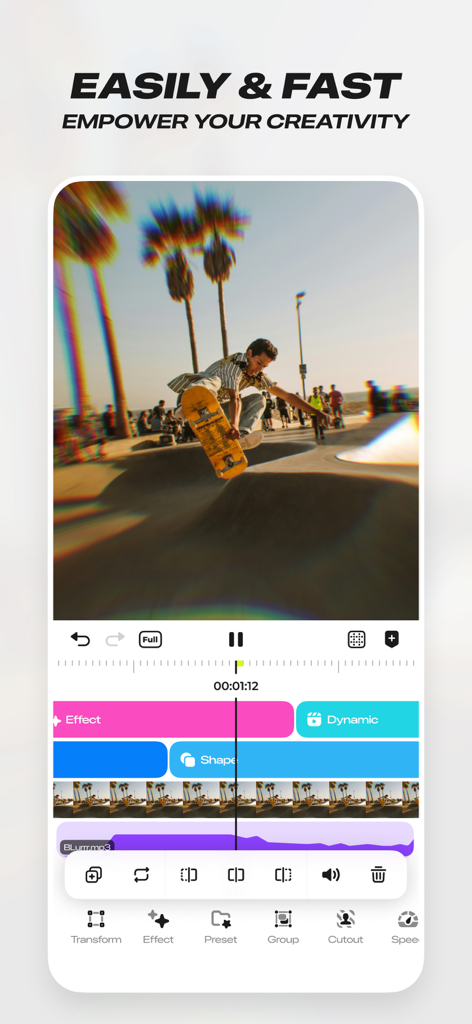
Oberfläche des Blurrr Musikvideo-Editors, die einen Skateboard-Videoclip mit mehreren Bearbeitungsebenen und Effekten zeigt
Beschreibung
Download
Ähnliche Apps
Apps mit ähnlichen Funktionen und Nutzererfahrung

VN: AI Video Editor
Ubiquiti Labs, LLC

Splice - Video Editor & Maker
Bending Spoons Apps ApS

Node Video
小为 罗

Filmmaker Pro - Video Editor
Tinkerworks Apps

Time Cut: Smooth Slow Motion
立亚 林

LumaFusion
Luma Touch LLC

Slow Motion Video Fx Editor
Brain Craft Ltd

WEILO - My Last Video Editor
vimosoft

Video Effects Editor: Riveo
Forge and Form GmbH
Diese Seite ist keine offizielle Seite der App oder ihres Entwicklers, sondern eine unabhängige redaktionelle Veröffentlichung, die zu Informations- und Kommentarzwecken erstellt wurde. Sofern nicht ausdrücklich anders angegeben, sind weder die App noch ihr Entwickler mit MWM, Apple, Google Play, dem App-Herausgeber oder dem Entwickler der App verbunden, von ihnen unterstützt, gesponsert, autorisiert oder anderweitig offiziell verbunden, und nichts auf dieser Seite impliziert, dass die App unter Verwendung der Dienste von MWM entwickelt wurde. Alle Marken, Logos, Screenshots und andere Inhalte bleiben Eigentum ihrer jeweiligen Inhaber.