
Diese Seite ist keine offizielle Seite der App oder ihres Entwicklers, sondern eine unabhängige redaktionelle Veröffentlichung, die zu Informations- und Kommentarzwecken erstellt wurde. Sofern nicht ausdrücklich anders angegeben, sind weder die App noch ihr Entwickler mit MWM, Apple, Google Play, dem App-Herausgeber oder dem Entwickler der App verbunden, von ihnen unterstützt, gesponsert, autorisiert oder anderweitig offiziell verbunden, und nichts auf dieser Seite impliziert, dass die App unter Verwendung der Dienste von MWM entwickelt wurde. Alle Marken, Logos, Screenshots und andere Inhalte bleiben Eigentum ihrer jeweiligen Inhaber.

Book Creator One
Der einfachste Weg, wunderschöne, multimodale E-Books auf Ihrem iPad zu erstellen. Schließen Sie sich Millionen von Pädagogen und Eltern an, die den Unterricht in interaktive Geschichten, Tagebücher und Comics verwandeln.
Downloads
1M+Bewertung
Bewertungen gesamt
1K+Herausgeber
Kategorie
EducationSprachen
11Neueste Version
5.5.6Größe
179.3 MBErstveröffentlichung
15. Aug. 2013Von der leeren Seite zum veröffentlichten Autor
Verwandeln Sie das Lernen der Schüler in kreative Meisterwerke. Kombinieren Sie Text, Audio und Video, um in wenigen Minuten interaktive Geschichten, Tagebücher und Portfolios zu erstellen.
Begeistern Sie jeden Lernenden
Unterstützen Sie multimodale Lese- und Schreibfähigkeiten, indem Sie Text, über 50 Schriftarten und handgezeichnete Anmerkungen mit Sprachaufnahmen und Videos kombinieren.
Täuschend einfaches Design
Ziehen Sie Elemente per Drag-and-Drop an und passen Sie sie mit einer intuitiven Benutzeroberfläche an, die darauf ausgelegt ist, dass sich die Schüler auf den Inhalt und nicht auf die Werkzeuge konzentrieren.
Häufig gestellte Fragen
Alles, was Sie über wissen müssen Book Creator One
Wofür wird Book Creator One verwendet?
Book Creator One ist eine iPad-App zur Erstellung von E-Books. Sie ermöglicht Benutzern, Bilderbücher für Kinder, Fotobücher, Comics, Tagebücher und Lehrbücher zu erstellen.
Wie viele Bücher kann ich mit Book Creator One kostenlos erstellen?
Book Creator One ermöglicht Benutzern, ein Buch kostenlos zu erstellen. Unbegrenzte Bücher und Comic-Vorlagen sind über einen In-App-Kauf in der App verfügbar.
Bietet Book Creator One Comic-Vorlagen an?
Ja, Book Creator One bietet Comic-Vorlagen an. Diese Vorlagen sowie die Erstellung unbegrenzter Bücher werden über einen In-App-Kauf freigeschaltet.
Kann ich in Book Creator One Audio und Video zu Büchern hinzufügen?
Ja, Book Creator One ermöglicht es Benutzern, Videos und Musik hinzuzufügen. Sie können auch Ihre Stimme aufnehmen, um Ihre Bücher zu vertonen.
Wie kann ich mit Book Creator One erstellte Bücher teilen?
Book Creator One bietet mehrere Freigabeoptionen. Benutzer können Bücher per E-Mail, AirDrop oder Cloud-Dienste versenden. Der Export als ePub, PDF oder Video wird ebenfalls unterstützt.
Ist Book Creator One für den Einsatz im Bildungsbereich in Schulen geeignet?
Ja, Book Creator One ist sehr gut für den Bildungsbereich geeignet, da es offen, kreativ und fächerübergreifend ist. Die vollständige App "Book Creator for iPad" wird für Schulen empfohlen, die unbegrenzte Bücher ohne In-App-Käufe benötigen.
Kann Book Creator One Bücher im iBooks Store veröffentlichen?
Ja, Book Creator One erstellt E-Books nach dem internationalen ePub-Standard. Die Bücher sind für die einfache Veröffentlichung direkt im iBooks Store optimiert.
Unterstützt Book Creator One Fixed-Layout-E-Books?
Ja, Book Creator One unterstützt das Fixed-Layout-Format von iBooks, das doppelseitige Bilder und Soundtracks enthält. Es ist nicht geeignet für die Erstellung textlastiger Romane.
Kann Siri in Book Creator One Bücher vorlesen?
Ja, Book Creator One verfügt über einen Lese-Modus, in dem Siri Bücher für Benutzer vorliest. Diese Funktionalität unterstützt mehrere Sprachen.
Welche Arten von Bildern kann ich in Book Creator One zu Büchern hinzufügen?
Book Creator One ermöglicht es Benutzern, Fotos und Bilder hinzuzufügen. Diese können aus der Foto-Bibliothek des iPads, aus dem Web oder direkt von der Kamera des iPads stammen.
Die folgenden Screenshots und die Beschreibung stammen direkt aus dem offiziellen Store-Eintrag der App und sind Eigentum des Entwicklers.
App Store
Screenshots
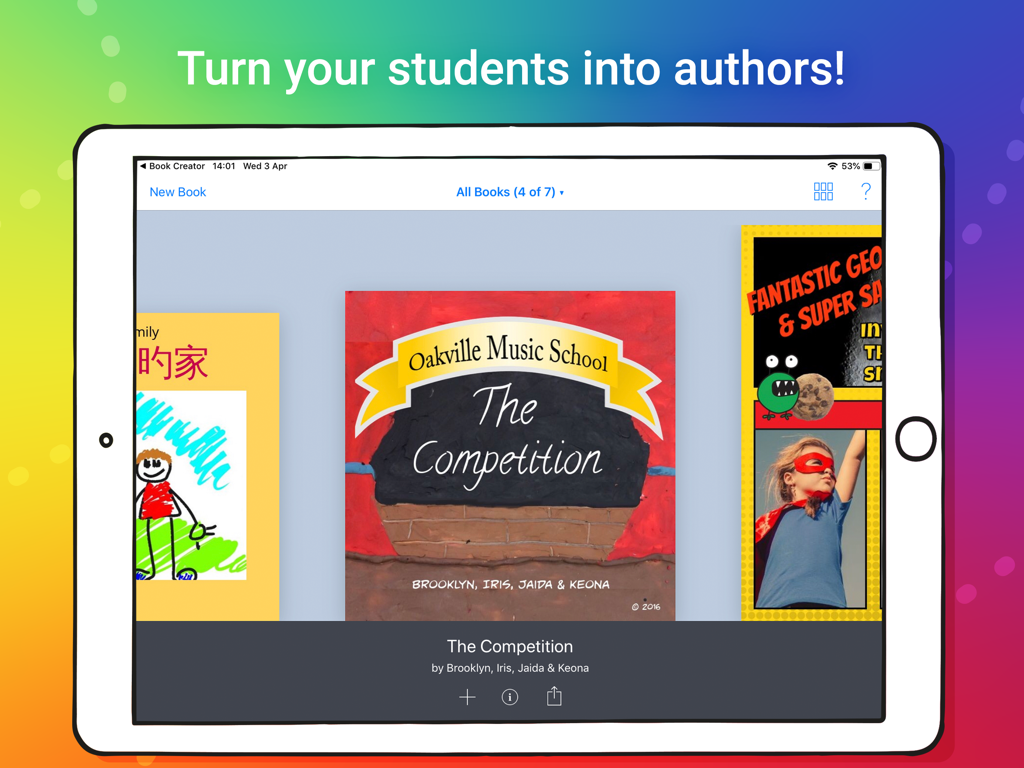
Ein iPad zeigt eine Bibliothek mit kreativen digitalen Büchern, die von Schülern in der Book Creator One-App erstellt wurden
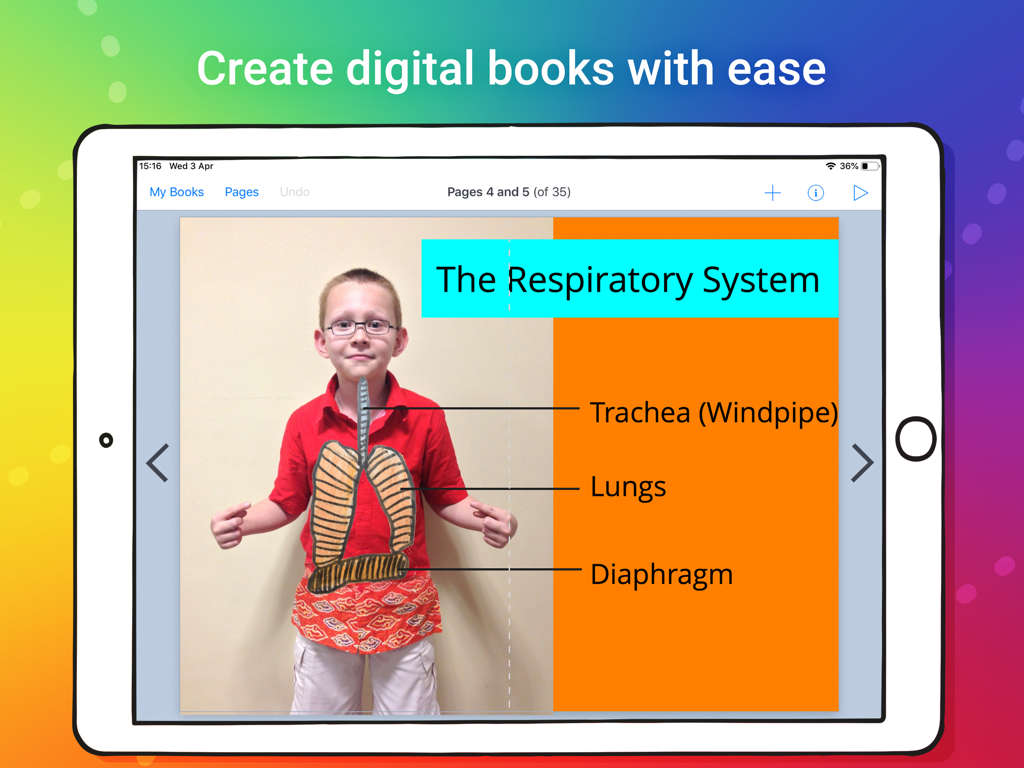
Ein digitales Schülerbuch über das Atmungssystem, erstellt mit Book Creator One auf dem iPad
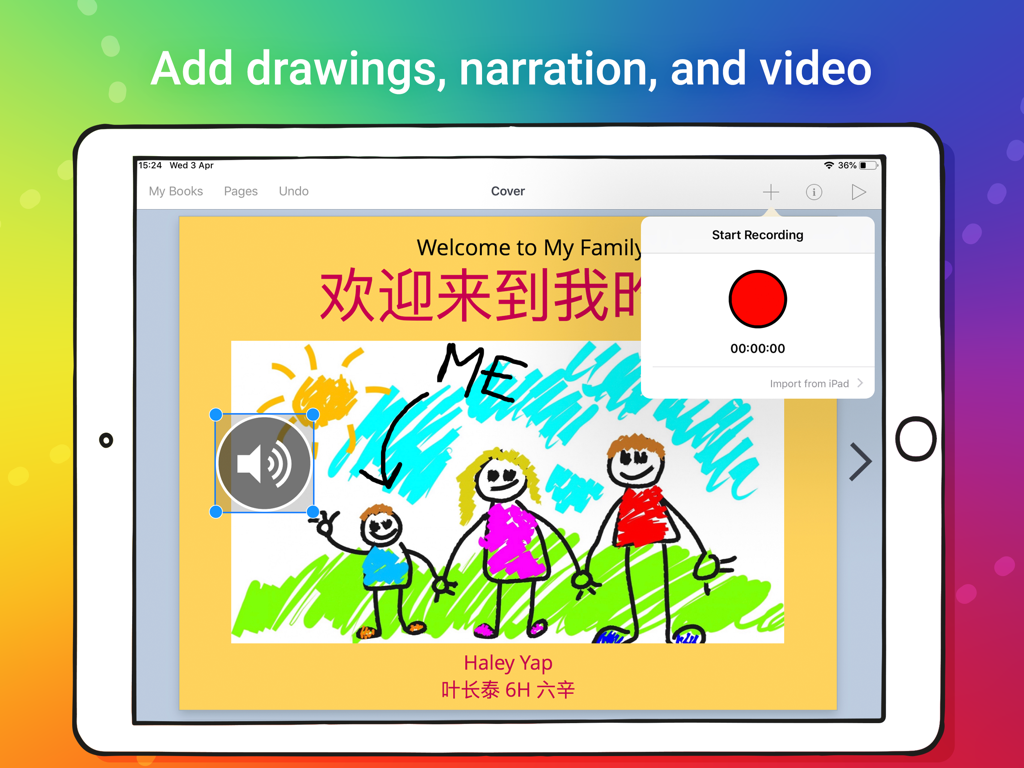
Ein iPad zeigt eine digitale Buchseite mit einer Kinderzeichnung und einer Sprachaufnahme-Oberfläche
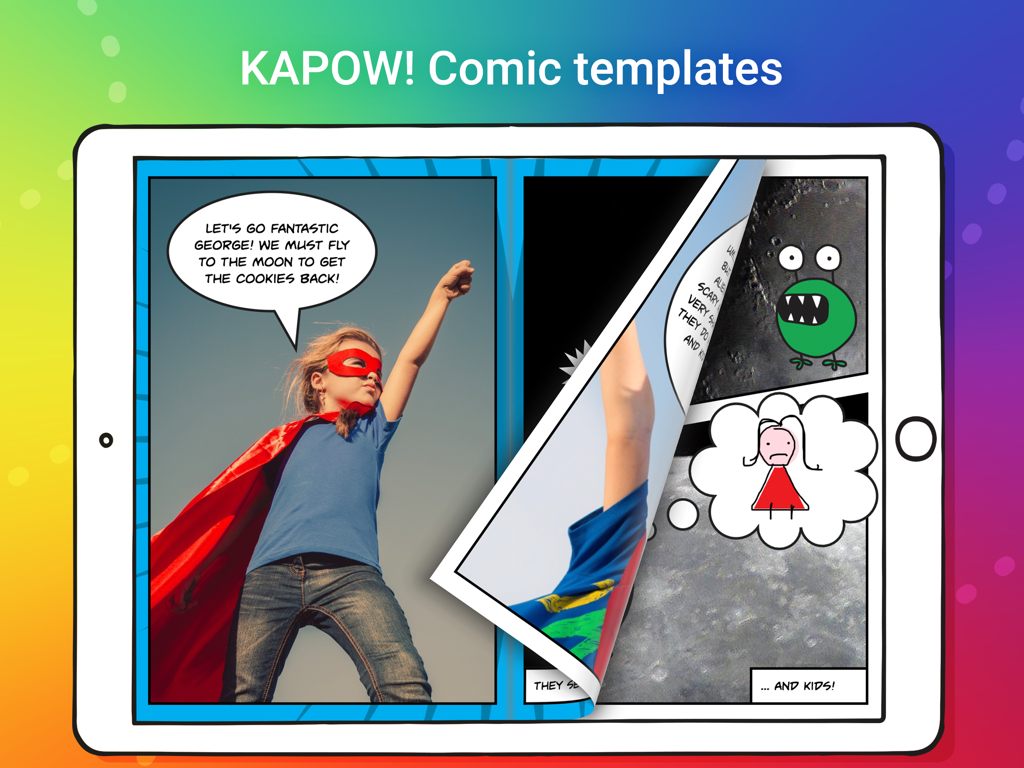
iPad-Bildschirm, der die Book Creator One-App mit einer Comic-Vorlage anzeigt, die einen Kinder-Superhelden und Sprechblasen zeigt
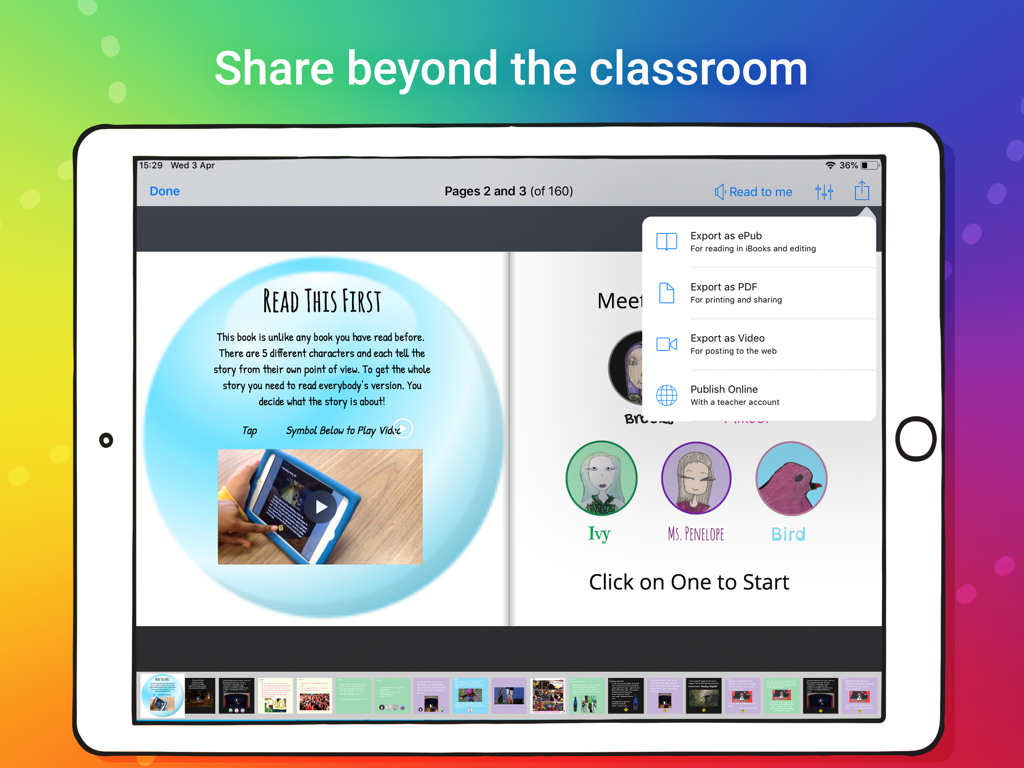
iPad-Bildschirm, der die Book Creator One-App mit Optionen zum Exportieren eines digitalen Buches als ePub, PDF oder Video zeigt.
Beschreibung
Download
Ähnliche Apps
Apps mit ähnlichen Funktionen und Nutzererfahrung

Affinity Publisher 2 for iPad
Serif (Europe) Ltd.

Brochure Maker, Pamphlet Maker
Bhavesh Gabani

Zine - Enjoy Writing
Aura Marker Studio Co., Ltd.

Pages: Create Documents
Apple Inc.

Price List & Menu Maker
Desygner Pty Ltd
Story Creator - Easy Story Book Maker for Kids
Innovative Mobile Apps Ltd

Book Creator for iPad
Tools for Schools Limited
Diese Seite ist keine offizielle Seite der App oder ihres Entwicklers, sondern eine unabhängige redaktionelle Veröffentlichung, die zu Informations- und Kommentarzwecken erstellt wurde. Sofern nicht ausdrücklich anders angegeben, sind weder die App noch ihr Entwickler mit MWM, Apple, Google Play, dem App-Herausgeber oder dem Entwickler der App verbunden, von ihnen unterstützt, gesponsert, autorisiert oder anderweitig offiziell verbunden, und nichts auf dieser Seite impliziert, dass die App unter Verwendung der Dienste von MWM entwickelt wurde. Alle Marken, Logos, Screenshots und andere Inhalte bleiben Eigentum ihrer jeweiligen Inhaber.