
Diese Seite ist keine offizielle Seite der App oder ihres Entwicklers, sondern eine unabhängige redaktionelle Veröffentlichung, die zu Informations- und Kommentarzwecken erstellt wurde. Sofern nicht ausdrücklich anders angegeben, sind weder die App noch ihr Entwickler mit MWM, Apple, Google Play, dem App-Herausgeber oder dem Entwickler der App verbunden, von ihnen unterstützt, gesponsert, autorisiert oder anderweitig offiziell verbunden, und nichts auf dieser Seite impliziert, dass die App unter Verwendung der Dienste von MWM entwickelt wurde. Alle Marken, Logos, Screenshots und andere Inhalte bleiben Eigentum ihrer jeweiligen Inhaber.
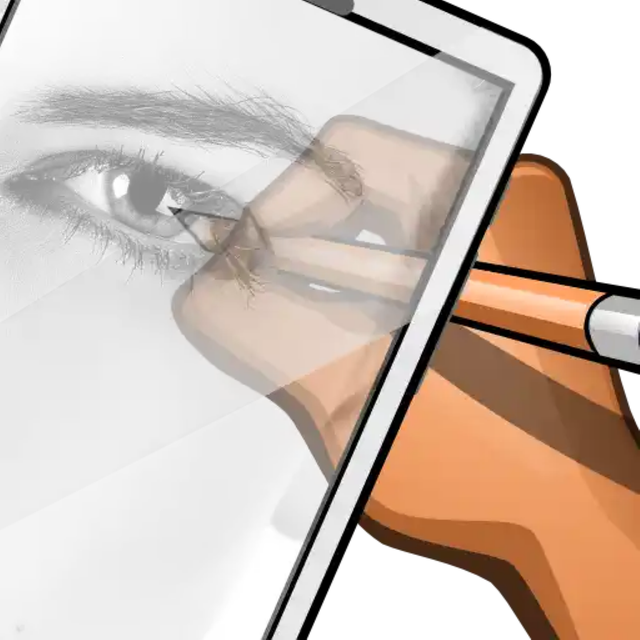

Calca app
Verwandeln Sie Ihr iPhone oder iPad in eine moderne Camera Lucida. Übertragen Sie mühelos jedes Bild, jeden Web-Capture oder über 1.550 benutzerdefinierte Schriftarten auf Papier, Notizbücher oder sogar Wände, um atemberaubende Wandbilder und professionelle Kunstwerke zu schaffen.
Downloads
493K+Bewertung
Bewertungen gesamt
300Herausgeber
Kategorie
Graphics & DesignSprachen
1Neueste Version
222Größe
76.5 MBErstveröffentlichung
19. Juni 2021Meistern Sie die Kunst des Nachzeichnens
CalcaApp schlägt die Brücke zwischen digitaler Inspiration und physischer Kreation und verwandelt Ihr Gerät in eine leistungsstarke Camera Lucida für Wandbilder, Notizbücher und DIY-Projekte.
Jederzeit und überall nachzeichnen
Projizieren Sie jedes Bild aus Ihrer Galerie mit professioneller Präzision auf Papier oder Wände, um atemberaubende Skizzen und Wandbilder zu erstellen.
Über 1.550 benutzerdefinierte Schriftarten
Perfekt für Bullet Journaling und Handlettering. Zeichnen Sie schöne Typografie und Schriften nach, um Ihre personalisierten Bastelarbeiten aufzuwerten.
Häufig gestellte Fragen
Alles, was Sie über wissen müssen Calca app
Was ist CalcaApp?
CalcaApp ist ein anpassbares Werkzeug zum Übertragen von Bildern von einem Gerät oder einer Kamera auf Papier. Es funktioniert als Camera Lucida oder Projektor und erleichtert künstlerische Kreationen.
Kann CalcaApp zum Malen an Wänden verwendet werden?
Ja, CalcaApp ermöglicht es Benutzern, an Wänden zu malen. Halten Sie das Telefon aufrecht und schauen Sie durch es auf das ausgewählte Bild, das an die Wand projiziert wird.
Wie erzeugt CalcaApp einen 3D-Effekt in Zeichnungen?
CalcaApp ermöglicht einen 3D-Effekt, indem das Gerät mit einer Neigung von 45 Grad mithilfe eines Ständers unterstützt wird. Demovideos sind auf CalcaApp.com verfügbar.
Ist CalcaApp eine kostenlose Anwendung?
Ja, CalcaApp ist für alle Benutzer völlig kostenlos. Alle Funktionen sind ohne Einschränkungen kostenlos zugänglich.
Wie können Benutzer Werbung in CalcaApp entfernen?
Benutzer können Werbung in CalcaApp kostenlos über ein Punktesystem entfernen. Ein aktives Abonnement bietet auch Zugang zu allen freigeschalteten Funktionen, einschließlich der Entfernung von Werbung.
Bietet CalcaApp ein Abonnement an?
Ja, CalcaApp bietet ein Jahresabonnement an. Dieses Abonnement gewährt Zugang zu allen freigeschalteten Funktionen und spiegelt die kontinuierliche Entwicklung der App wider.
Welche Sprachen unterstützt CalcaApp?
CalcaApp unterstützt Englisch, Spanisch, Portugiesisch, Italienisch, Russisch, Französisch, Indonesisch, Deutsch und Arabisch. Benutzer genießen die App in ihrer bevorzugten Sprache.
Welche Anpassungsoptionen sind in CalcaApp verfügbar?
CalcaApp bietet über 1550 Schriftarten für die Text- und Designanpassung. Die App ist auch in verschiedenen Farben anpassbar, um die Inspiration der Benutzer zu fördern.
Kann CalcaApp Webseiten erfassen?
Ja, CalcaApp verfügt über eine verbesserte Web-Capture-Funktion. Benutzer konvertieren ihre Lieblingswebseiten mit einem einzigen Tippen in Bilder.
Wo finde ich Tutorials für CalcaApp?
Tutorials für CalcaApp sind auf CalcaApp.Com verfügbar. Diese Ressourcen helfen Benutzern, alle Funktionen und Werkzeuge der Anwendung optimal zu nutzen.
Benötigt CalcaApp Kamera-Berechtigungen?
Ja, CalcaApp benötigt die Kamera-Berechtigung auf Ihrem Gerät. Dies ermöglicht es Benutzern, das ausgewählte Bild durch die Kamera im Zeichenbereich zu sehen.
Ist CalcaApp für Anfänger einfach zu bedienen?
CalcaApp erfordert Übung, um gute Ergebnisse zu erzielen. Demovideos sind auf CalcaApp.com verfügbar, um Benutzer anzuleiten und ihre Fähigkeiten zu verbessern.
Was ist essentiell, damit CalcaApp korrekt funktioniert?
Damit CalcaApp korrekt funktioniert, muss das Gerät auf den Zeichenbereich fokussieren, einschließlich Papier, Wand oder Boden.
Projiziert CalcaApp Bilder auf Oberflächen?
Nein, CalcaApp projiziert keine Bilder auf Oberflächen. Ein separater Projektor ist für die Bildprojektion erforderlich.
Wie kann ich Autofokus-Probleme bei der Verwendung von CalcaApp vermeiden?
Um Autofokus-Probleme mit CalcaApp zu vermeiden, dürfen Benutzer ihre Hand nicht unter die Kamera bewegen. Visuelle Erklärungen sind auf CalcaApp.com verfügbar.
Ist eine Registrierung erforderlich, um CalcaApp zu verwenden?
Nein, für die Verwendung von CalcaApp ist keine Registrierung erforderlich. Benutzer greifen direkt auf die Funktionen der App zu, ohne ein Konto zu erstellen.
Wie können Benutzer Feedback für CalcaApp geben?
Benutzer geben Feedback und Vorschläge für CalcaApp, indem sie erbolamm.com oder apliarte.com besuchen. Die App wird kontinuierlich weiterentwickelt.
Wie kann ich eine Bildquelle zum Zeichnen mit CalcaApp auswählen?
CalcaApp ermöglicht es Benutzern, Bilder aus Standardoptionen, lokalen Dateien oder direkt von der Kamera des Geräts auszuwählen.
Wie unterstützt CalcaApp den Zeichenprozess?
CalcaApp überlagert ein ausgewähltes Bild mit dem Live-Kamera-Feed. Dies ermöglicht es Benutzern, das Bild auf Papier oder anderen Oberflächen unter dem Gerät nachzuzeichnen oder zu zeichnen.
Welche zukünftigen Funktionen sind für CalcaApp geplant?
CalcaApp plant die Einführung von Bildauswahl aus der Cloud und innerhalb der App, eines Bildeditors und einer Erfassungsverlauf-Funktion.
Die folgenden Screenshots und die Beschreibung stammen direkt aus dem offiziellen Store-Eintrag der App und sind Eigentum des Entwicklers.
App Store
Screenshots
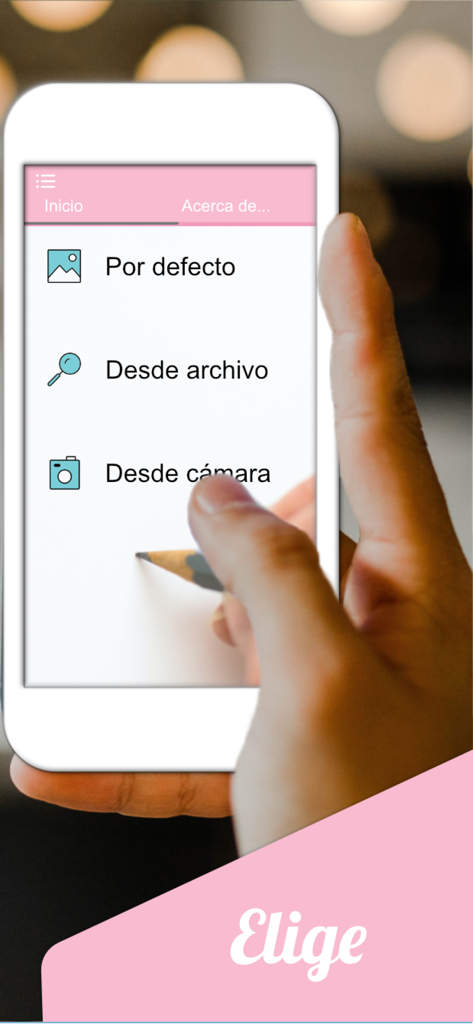
Calca App-Oberfläche, die Optionen zur Bildimportierung für das Zeichnen auf Papier oder Wänden anzeigt
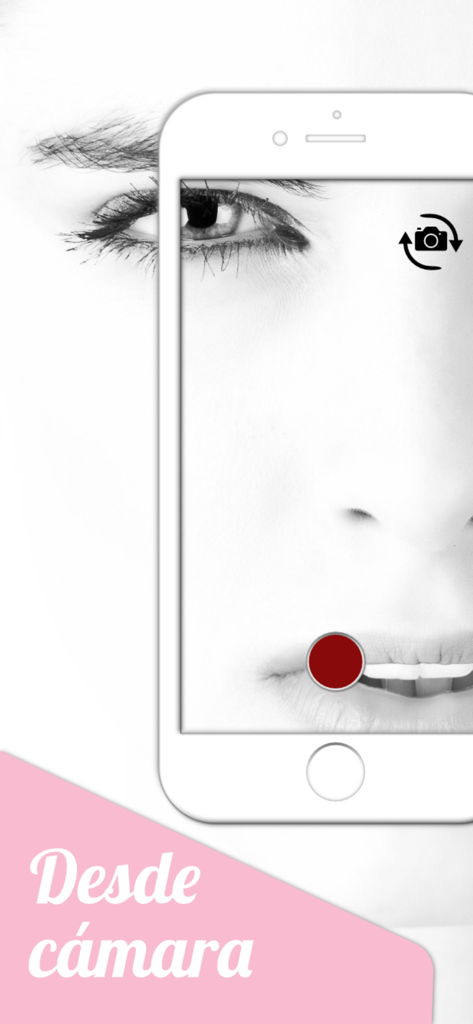
Calca App-Kameramodus, der ein Gesichtsfoto zum Nachzeichnen und Zeichnen zeigt
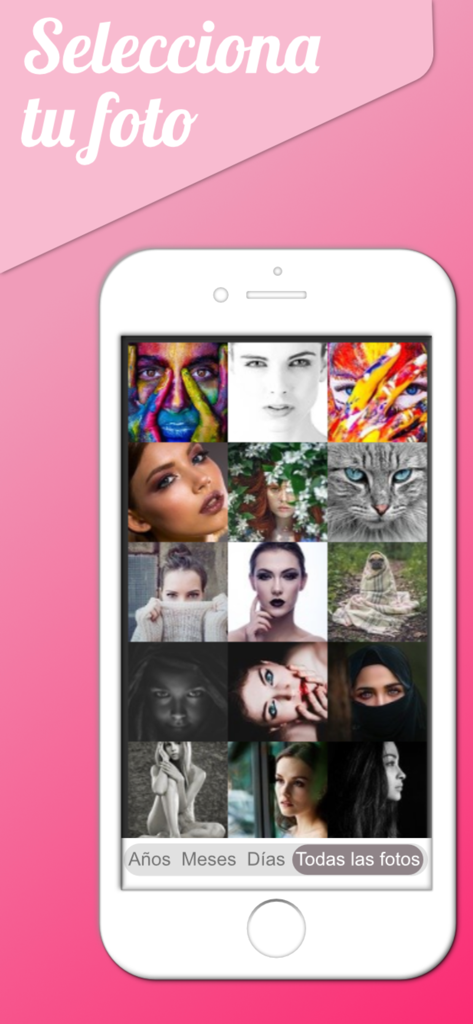
Ein Smartphone, das den Calca App-Bildgalerieauswahlbildschirm mit verschiedenen Porträtfotos und einem Katzenbild zeigt
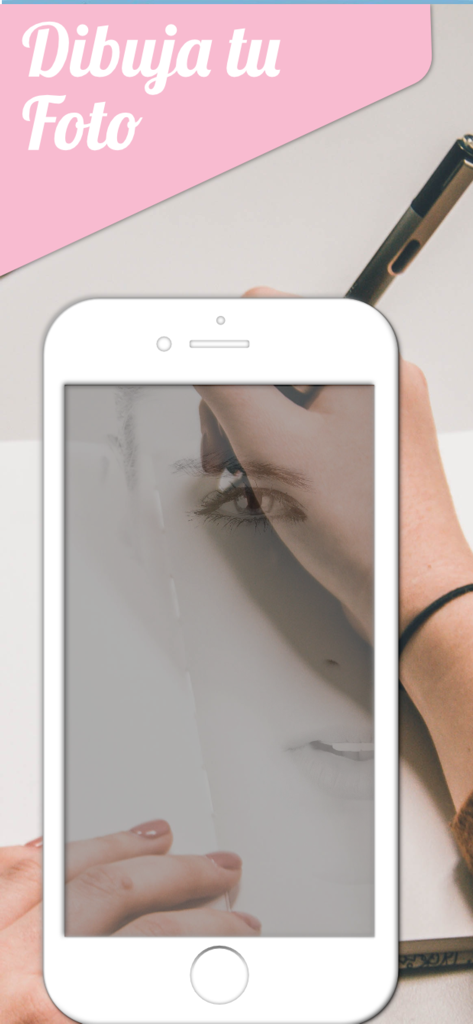
Smartphone, das ein Gesichtsfoto zum Nachzeichnen auf Papier mit einem Stift mithilfe der Calca App anzeigt
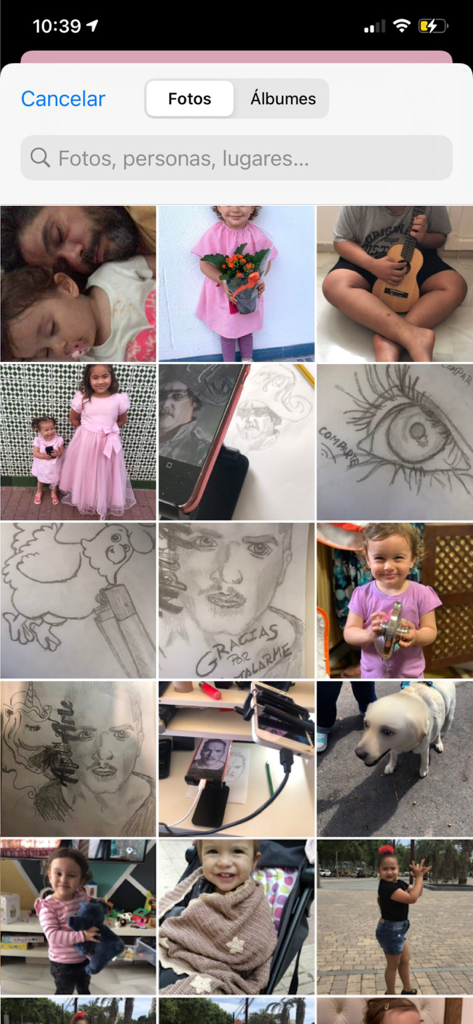
Oberfläche der Calca App, die das iOS-Fotogalerie-Raster mit persönlichen Fotos und Skizzen zur Auswahl zum Nachzeichnen zeigt.
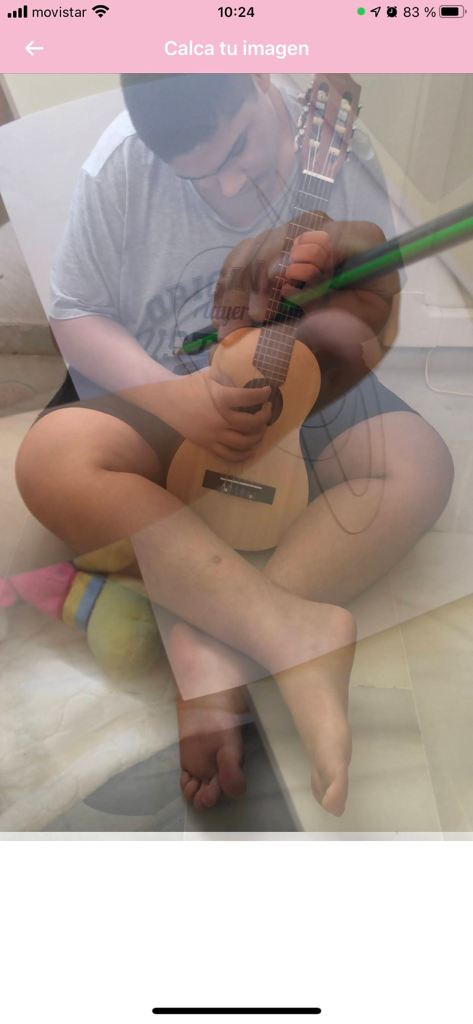
Eine Person, die die Calca App verwendet, um ein Foto eines Jungen, der Gitarre spielt, mit der Camera Lucida-Transparenzfunktion nachzuzeichnen
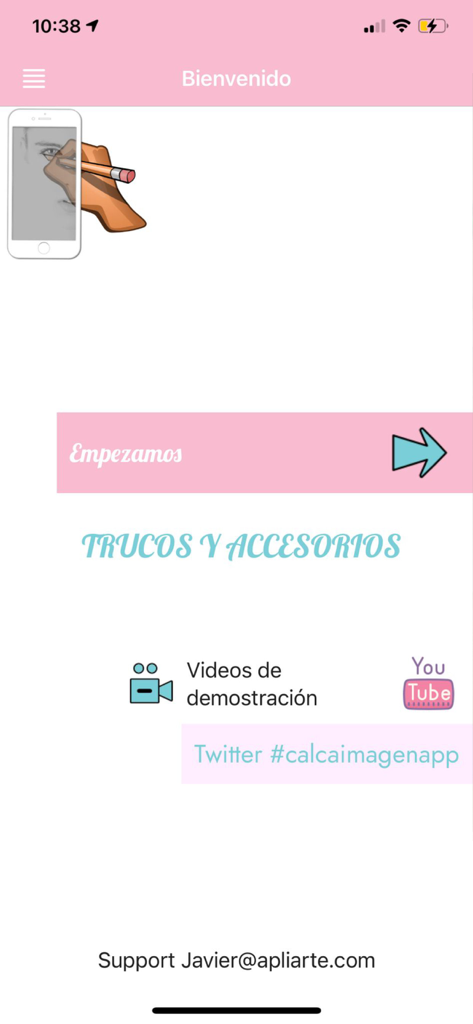
Begrüßungsbildschirm der Calca App mit einer Start-Schaltfläche und Links zu Zeichen-Tutorials
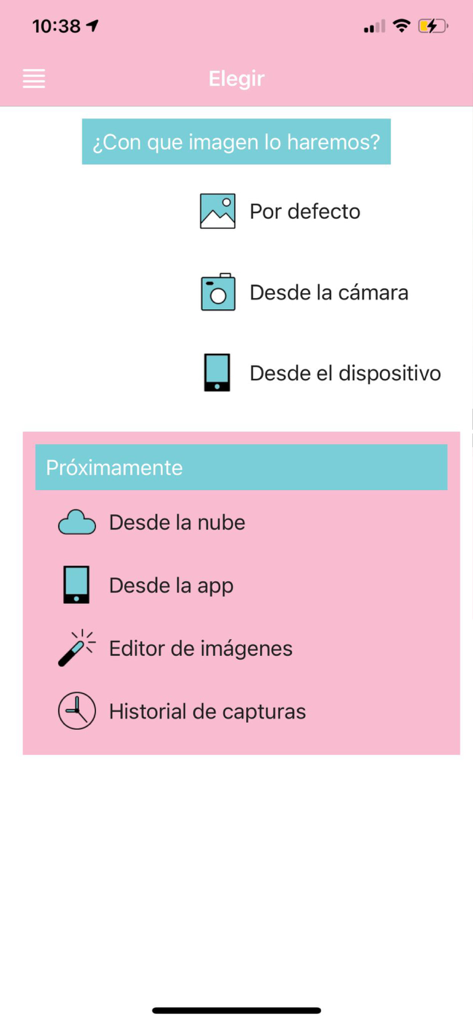
Der Bildauswahlbildschirm der Calca App zur Auswahl eines Bildes, das mit der Camera Lucida-Funktion nachgezeichnet werden soll.
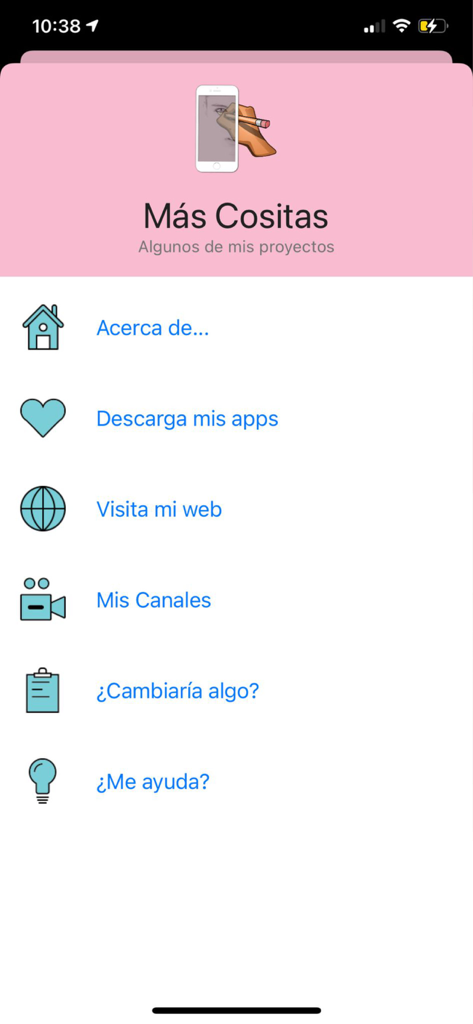
Calca App-Einstellungen und Menübildschirm für weitere Projekte auf Spanisch
Beschreibung
Download
Ähnliche Apps
Apps mit ähnlichen Funktionen und Nutzererfahrung

AR Drawing Paint Sketch Trace
DROIDFUN LIMITED

Camera Lucida™: AR Drawing
Big Idea Design LLC

AR Drawing Sketch App: ArtEasy
SMDA GROUP SP Z O O SP KOMANDYTOWA

PicTrace: AR Drawing & Sketch
ANDROID VIETNAM TECHNOLOGY CORPORATION

AR Draw: Sketching & Painting
EIGEN SOFTWARE LIMITED

AR Drawing How to Draw Sketch
Magomed Dzhamalov

Da Vinci Eye: AR Trace & Draw
Da Vinci Eye LLC

AR Drawing - AR Sketch
Ketanbhai Khokhani

HEY CLAY®
HEY CLAY LTD
Diese Seite ist keine offizielle Seite der App oder ihres Entwicklers, sondern eine unabhängige redaktionelle Veröffentlichung, die zu Informations- und Kommentarzwecken erstellt wurde. Sofern nicht ausdrücklich anders angegeben, sind weder die App noch ihr Entwickler mit MWM, Apple, Google Play, dem App-Herausgeber oder dem Entwickler der App verbunden, von ihnen unterstützt, gesponsert, autorisiert oder anderweitig offiziell verbunden, und nichts auf dieser Seite impliziert, dass die App unter Verwendung der Dienste von MWM entwickelt wurde. Alle Marken, Logos, Screenshots und andere Inhalte bleiben Eigentum ihrer jeweiligen Inhaber.