Calculator Vault - Lock Photo
Herunterladen auf App Store

Diese Seite ist keine offizielle Seite der App oder ihres Entwicklers, sondern eine unabhängige redaktionelle Veröffentlichung, die zu Informations- und Kommentarzwecken erstellt wurde. Sofern nicht ausdrücklich anders angegeben, sind weder die App noch ihr Entwickler mit MWM, Apple, Google Play, dem App-Herausgeber oder dem Entwickler der App verbunden, von ihnen unterstützt, gesponsert, autorisiert oder anderweitig offiziell verbunden, und nichts auf dieser Seite impliziert, dass die App unter Verwendung der Dienste von MWM entwickelt wurde. Alle Marken, Logos, Screenshots und andere Inhalte bleiben Eigentum ihrer jeweiligen Inhaber.

Logo von Calculator Vault - Lock Photo
Herunterladen auf App Store

Calculator Vault - Lock Photo

Schütze deine persönlichen Fotos und sensiblen Daten hinter einer unauffälligen Taschenrechner-Tarnung. Der ultimative Tresor für dein Privatleben, gut versteckt.

Kennzahlen

Downloads

4K+

Bewertung

1.0/5

Bewertungen gesamt

0

Herausgeber

Asad Mahmood

Kategorie

Photo & Video

Sprachen

1

Neueste Version

1.1.8

Größe

94.2 MB

Erstveröffentlichung

5. Dez. 2024
Funktionen

Totale Privatsphäre, gut versteckt

Keine Sorge mehr, wenn du dein Handy weitergibst. Sichere deine privaten Fotos, Videos und deinen Browserverlauf in einem Tresor, der als normaler Taschenrechner getarnt ist.

Glaubwürdige Abstreitbarkeit

Die App funktioniert und sieht genauso aus wie ein Taschenrechner, sodass niemand vermuten wird, dass du einen geheimen Tresor auf deinem Startbildschirm hast.

Privater In-App-Browser

Suche im Web und lade Medien direkt in deinen sicheren Ordner herunter, ohne Spuren in deinem Hauptbrowser oder deiner Galerie zu hinterlassen.

Die folgenden Screenshots und die Beschreibung stammen direkt aus dem offiziellen Store-Eintrag der App und sind Eigentum des Entwicklers.

App Store

Screenshots
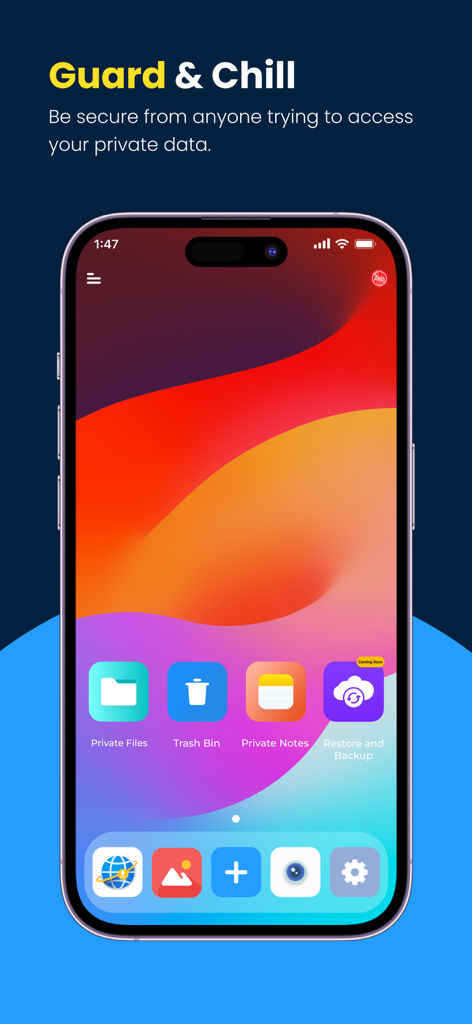
Calculator Vault - Lock Photo - Sichere Homescreen-Oberfläche der Calculator Vault App, die private Ordner und Datenschutzfunktionen zeigt
Sichere Homescreen-Oberfläche der Calculator Vault App, die private Ordner und Datenschutzfunktionen zeigt

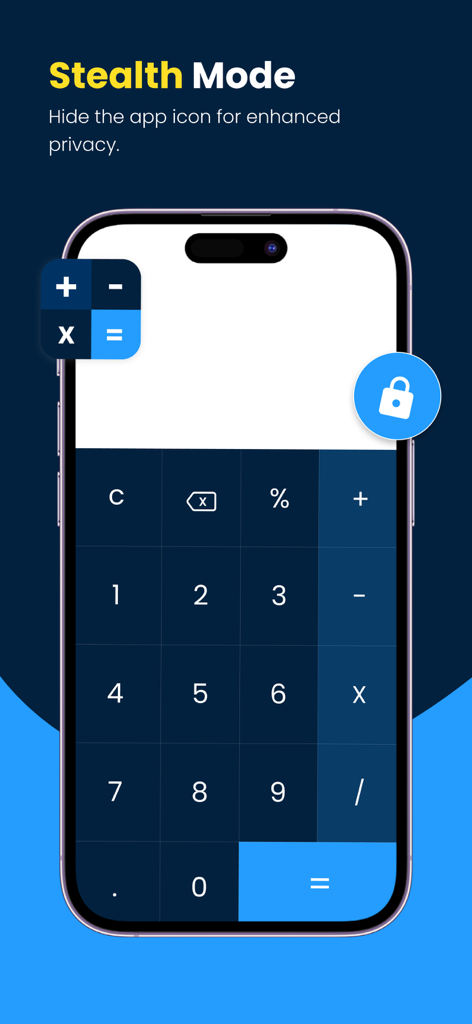
Calculator Vault - Lock Photo - Ein Smartphone zeigt die Benutzeroberfläche der Calculator Vault App mit der Stealth-Modus-Funktion, um das App-Symbol für erhöhte Privatsphäre zu verstecken
Ein Smartphone zeigt die Benutzeroberfläche der Calculator Vault App mit der Stealth-Modus-Funktion, um das App-Symbol für erhöhte Privatsphäre zu verstecken

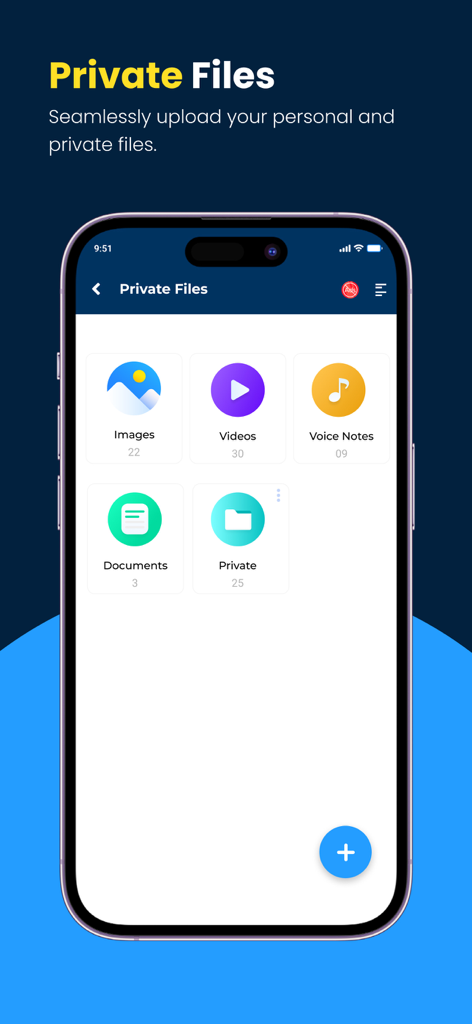
Calculator Vault - Lock Photo - Private Dateien-Oberfläche in der Calculator Vault App, die Kategorien für Bilder, Videos und Dokumente anzeigt
Private Dateien-Oberfläche in der Calculator Vault App, die Kategorien für Bilder, Videos und Dokumente anzeigt

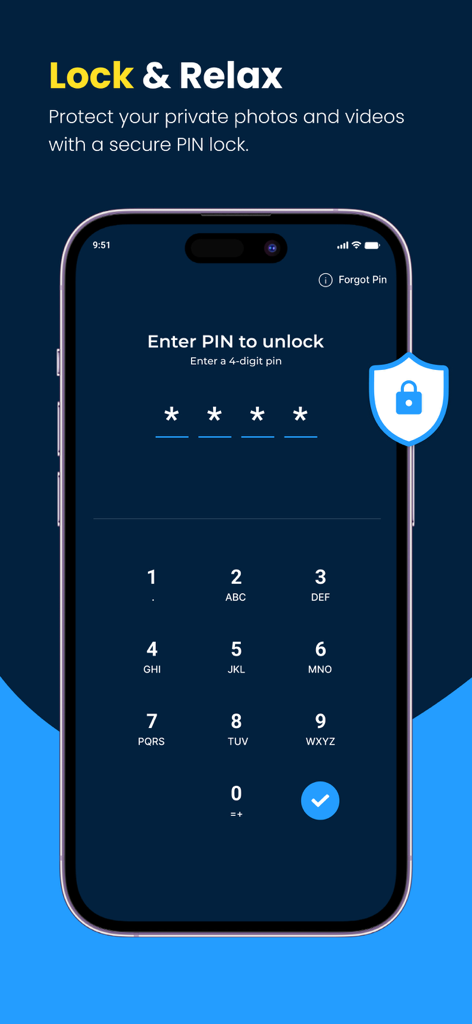
Calculator Vault - Lock Photo - Ein Smartphone zeigt eine sichere PIN-Sperroberfläche für die Calculator Vault App zum Schutz privater Medien
Ein Smartphone zeigt eine sichere PIN-Sperroberfläche für die Calculator Vault App zum Schutz privater Medien

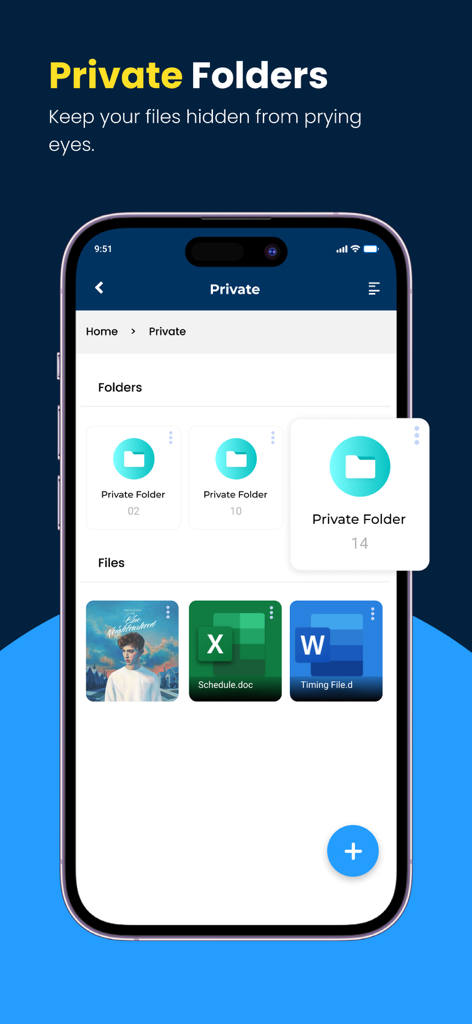
Calculator Vault - Lock Photo - Mobile Benutzeroberfläche, die sichere Ordner und versteckte Dateien in einer privaten Tresor-App zeigt
Mobile Benutzeroberfläche, die sichere Ordner und versteckte Dateien in einer privaten Tresor-App zeigt

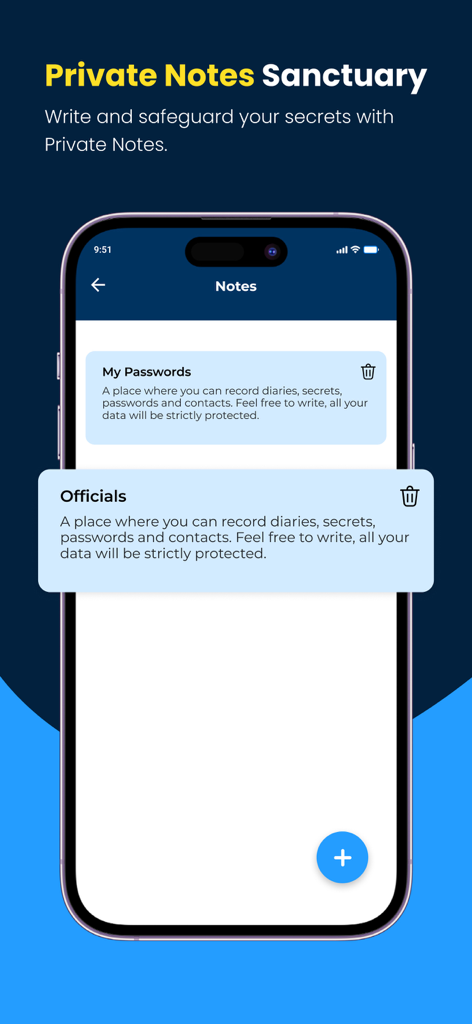
Calculator Vault - Lock Photo - Calculator Vault App Screenshot, der die Funktion "Private Notes Sanctuary" zur Sicherung von Passwörtern und Geheimnissen zeigt
Calculator Vault App Screenshot, der die Funktion "Private Notes Sanctuary" zur Sicherung von Passwörtern und Geheimnissen zeigt

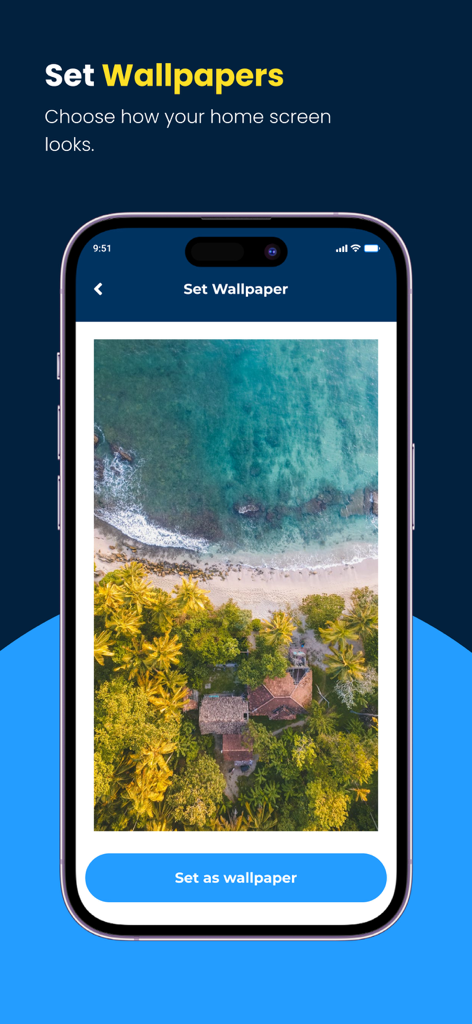
Calculator Vault - Lock Photo - Ein Smartphone zeigt den Bildschirm zur Auswahl benutzerdefinierter Hintergrundbilder in der Calculator Vault App mit einem tropischen Strandbild.

Ein Smartphone zeigt den Bildschirm zur Auswahl benutzerdefinierter Hintergrundbilder in der Calculator Vault App mit einem tropischen Strandbild.

Beschreibung

Secret Calculator Vault - Lock Photo App – The Ultimate Hidden Vault for Your Most Private Moments Protect your personal photos, videos, documents, and more with Calculator My Lock, the secure vault that’s cleverly disguised as a regular calculator. Step into a private world within your phone—a secure space where all your sensitive content is stored, and only you know the secret to unlock Calculator Vault - Lock Photo app. Your Private Phone Within a Phone: Experience a secure, personalized space inside your phone that feels like a hidden “phone within a phone.” Secure Your Memories with Photo Lock. Use a secret passcode to transform a simple calculator into your secret private vault, ensuring your most personal files stay confidential. Easily lock photos and organize them into hidden albums, ensuring no unauthorized access. With advanced features, this app makes it simple to hide pics and safeguard sensitive content. Top Security Features Hidden Vault Disguised as a Secret Calculator: Your private vault looks like a regular calculator, so no one will ever suspect that sensitive content is hidden within. Simply enter your passcode on the secret calculator screen to access your secure vault. Hide and Secure Any File: Effortlessly store and hide photos, videos, private notes, documents, voice memos, and other files in one place. Protect your memories and sensitive data with ease and peace of mind. The Photo Vault and Calculator Vault combination provides a seamless way to hide videos and hide pics, offering unmatched security. Start protecting your privacy today with our trusted app. Private Browser: Enjoy browsing with complete privacy. Use the app’s built-in private browser, which clears your search history and saves downloads discreetly within your vault—keeping your online activities hidden. Trash Bin for File Recovery: Never worry about losing anything by mistake. Deleted files are stored in a trash bin, so you can easily recover them anytime, ensuring nothing is permanently lost. Customizable Vault Home Screen: Personalize your vault’s home screen by choosing from a variety of wallpapers. Each time you open your vault, it feels like your very own secure digital space with a look that’s uniquely yours. Why Choose Calculator Vault - Lock Photo App? Secret Calculator Vault offers unmatched security and privacy. Unlike other photo vaults, this app goes above and beyond with a stealthy calculator disguise, complete data encryption, and a user-friendly experience. No one but you will know it’s there, ensuring your personal data is protected like never before. Protect your privacy effortlessly with our Photo Vault, the ultimate tool to hide photos and hide videos securely. Photo Lock offers advanced privacy features to protect your personal images. Perfect for: Protecting sensitive photos, videos, and documents. Experience Privacy Like Never Before with Photo Lock Storing private notes and memos. Browsing the internet privately. Recovering accidentally deleted files. Maintaining full control over your digital privacy. Download Calculator Vault - Lock Photo App Today! Secure your most private moments and files in a vault only you know about. With Calculator My Lock, your data is safe, protected, and completely under your control. Download now to experience the ultimate in privacy and security. Whether you need to lock personal albums or secure private moments, the Calculator Vault offers a disguised and reliable solution. Privacy and Support: Your privacy is our top priority. Review our privacy policy: https://pentabitapps.com/privacy-policy Check our Terms of Use to understand how we protect your data: https://pentabitapps.com/terms-of-use/ For assistance, contact our support service: support@pentabitapps.com

Download

Herunterladen auf App Store

Diese Seite ist keine offizielle Seite der App oder ihres Entwicklers, sondern eine unabhängige redaktionelle Veröffentlichung, die zu Informations- und Kommentarzwecken erstellt wurde. Sofern nicht ausdrücklich anders angegeben, sind weder die App noch ihr Entwickler mit MWM, Apple, Google Play, dem App-Herausgeber oder dem Entwickler der App verbunden, von ihnen unterstützt, gesponsert, autorisiert oder anderweitig offiziell verbunden, und nichts auf dieser Seite impliziert, dass die App unter Verwendung der Dienste von MWM entwickelt wurde. Alle Marken, Logos, Screenshots und andere Inhalte bleiben Eigentum ihrer jeweiligen Inhaber.








