Camera1 - Black & White Camera
Herunterladen auf App Store

Diese Seite ist keine offizielle Seite der App oder ihres Entwicklers, sondern eine unabhängige redaktionelle Veröffentlichung, die zu Informations- und Kommentarzwecken erstellt wurde. Sofern nicht ausdrücklich anders angegeben, sind weder die App noch ihr Entwickler mit MWM, Apple, Google Play, dem App-Herausgeber oder dem Entwickler der App verbunden, von ihnen unterstützt, gesponsert, autorisiert oder anderweitig offiziell verbunden, und nichts auf dieser Seite impliziert, dass die App unter Verwendung der Dienste von MWM entwickelt wurde. Alle Marken, Logos, Screenshots und andere Inhalte bleiben Eigentum ihrer jeweiligen Inhaber.

Logo von Camera1 - Black & White Camera
Herunterladen auf App Store

Camera1 - Black & White Camera

Verfeinern Sie Ihr Handwerk mit einem professionellen Monochrom-Toolkit. Erfassen Sie atemberaubende 48MP ProRAW-Bilder mit manueller Steuerung, Live-Histogrammen und einem ablenkungsfreien Zen-Modus, der für kreative Puristen entwickelt wurde.

Kennzahlen

Downloads

51K+

Bewertung

4.6/5

Bewertungen gesamt

400

Herausgeber

Sebastien Ardon

Kategorie

Photo & Video

Sprachen

3

Neueste Version

2.10.0

Größe

7.7 MB

Erstveröffentlichung

13. Okt. 2015
Funktionen

Das Werkzeug für Puristen der Monochrom-Fotografie

Verfeinern Sie Ihr Handwerk mit professionellen Steuerungen, die speziell für die Disziplin der Schwarz-Weiß-Bilder entwickelt wurden.

Sehen Sie das Licht, nicht die Farbe

Visualisieren Sie Kontrast und Belichtung in Echtzeit, damit Sie Komposition und Beleuchtung meistern, noch bevor Sie den Auslöser drücken.

Professioneller RAW-Workflow

Nehmen Sie 48MP ProRAW- oder TIFF-Dateien mit manueller Fokusvergrößerung und Live-Histogrammen für ultimative Nachbearbeitungstiefe auf.

Die folgenden Screenshots und die Beschreibung stammen direkt aus dem offiziellen Store-Eintrag der App und sind Eigentum des Entwicklers.

App Store

Screenshots
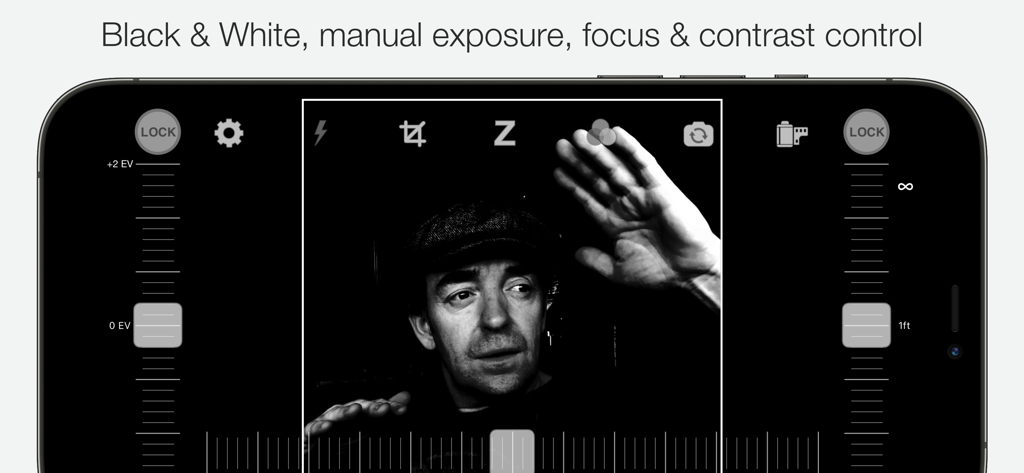
Camera1 - Black & White Camera - Camera1-App-Oberfläche mit manuellen Belichtungs- und Fokussteuerungen für Schwarz-Weiß-Fotografie

Camera1-App-Oberfläche mit manuellen Belichtungs- und Fokussteuerungen für Schwarz-Weiß-Fotografie
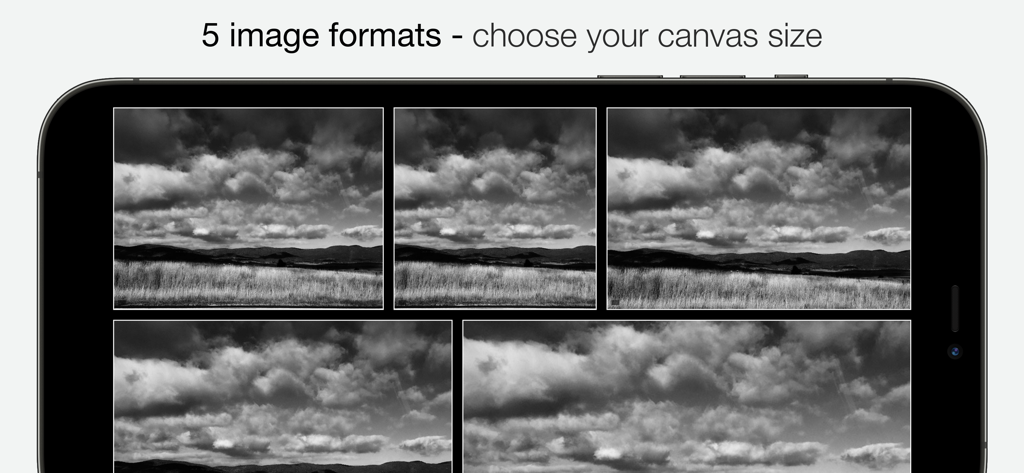
Camera1 - Black & White Camera - Fünf verschiedene Schwarz-Weiß-Bildformate auf einem Smartphone-Bildschirm.
Fünf verschiedene Schwarz-Weiß-Bildformate auf einem Smartphone-Bildschirm.

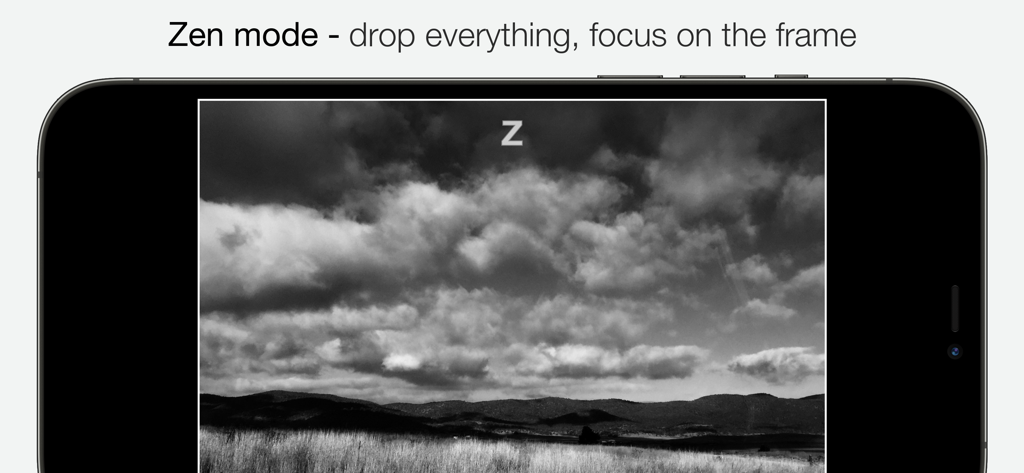
Camera1 - Black & White Camera - Camera1-App-Zen-Modus, der eine Schwarz-Weiß-Landschaft auf einem iPhone-Bildschirm zeigt
Camera1-App-Zen-Modus, der eine Schwarz-Weiß-Landschaft auf einem iPhone-Bildschirm zeigt

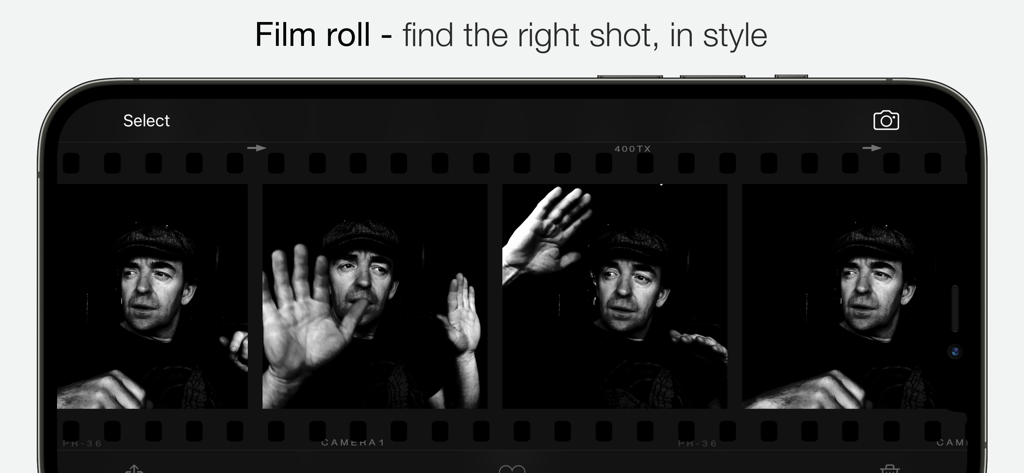
Camera1 - Black & White Camera - Camera1-App-Filmrollen-Oberfläche, die Schwarz-Weiß-Porträtfotos in einem klassischen Filmstreifen-Layout anzeigt
Camera1-App-Filmrollen-Oberfläche, die Schwarz-Weiß-Porträtfotos in einem klassischen Filmstreifen-Layout anzeigt

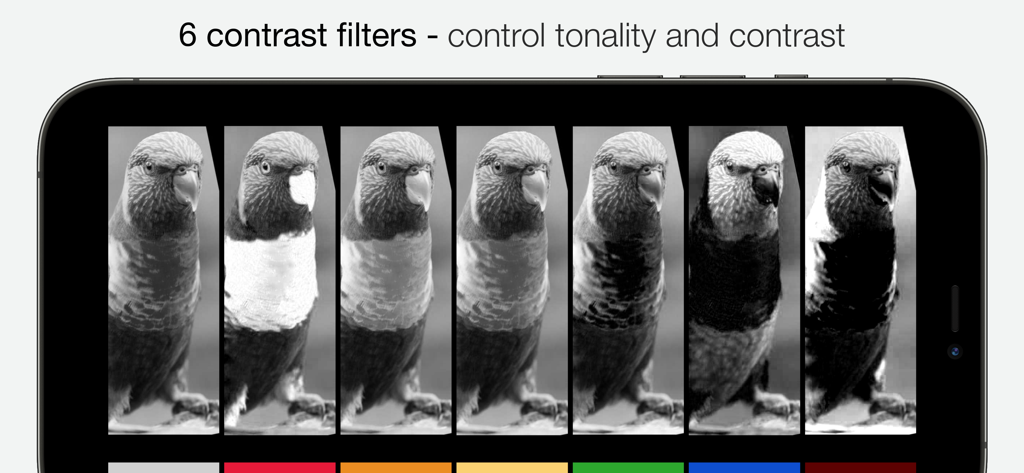
Camera1 - Black & White Camera - Benutzeroberfläche mit sechs Schwarz-Weiß-Kontrastfiltern zur Steuerung von Tonalität und Kontrast

Benutzeroberfläche mit sechs Schwarz-Weiß-Kontrastfiltern zur Steuerung von Tonalität und Kontrast

Beschreibung

Whether you're an experienced photographer or a beginner, Camera1 will help you shoot in Black and White like no other app. DEVELOP YOUR CREATIVITY Learn to "see" in Black & White through Camera1 unique simultaneous contrast and exposure adjustments. Explore the infinite black and white image possibilities in real-time, such as high-key/low-key right in the viewfinder, before thaking the shot. Use the Zen mode to focus all your creative attention on the picture, and not the camera or technique. TAKE CONTROL Take control of the camera, with manual overrides of exposure and focus. Super easy access to focus lock using the manual focusing slider, for ultra-fast shooting - as the camera won’t need to re-focus between shots. PROFESSIONAL OUTPUT Camera1 takes full advantage of your camera hardware and saves in a variety of different file formats, including JPEG, TIFF, RAW & ProRAW / DNG, allowing for maximum editing flexibility in applications like Photoshop and Lightroom later in your workflow. Advanced iOS image processing such as Deep Fusion and Smart HDR is used on supported devices. Live histograms, flash, grid views and a range of manual controls allow you to get the perfect shot, every time. Features • Black & white photography only: commit to Black and White at shooting time. • High-quality image processing engine. Take full advantage of your device camera hardware. • Manual focus (with magnification of the center focusing area), focus lock, spot focus, auto-focus • Manual exposure compensation, or use Auto exposure • Live histogram, when adjusting exposure, optional over-exposure warning indicator (zebras) • 6 contrast/color filters for Black & White: red, orange, yellow, green, blue, infrared (simulated) • Manual contrast control • High-resolution capture (48MP) (*) • Support for multi-lens devices - standard, telephoto and ultra wide-angle (*) • ProRAW, RAW, JPEG, HEIC, TIFF file formats. DNG files contain color information, allowing later editing. A full-resolution JPEG, processed to Black and White by Camera1 is saved along side the DNG file, to the camera roll • Support for iOS Deep Fusion and Smart HDR (*) • Tap on the picture to take the shot • 5 crop formats: 3:2, 4:3 (native), 1:1, 16:9, 2.35:1 (panorama) • Zen mode: all controls disappear, leaving only the viewfinder on the screen for the ultimate picture-taking experience • 3 flash modes: On, Off, Torch • 2 framing grid types: Rule of third and and Golden Triangles • Live view of all controls above • iOS Widget - quickly launch the app from your lock or home screen • Camera Control: use hardware camera control to launch Vistax, or to take shots (iPhone 16 Pro & Pro Max) • Black and White camera roll, image viewer at full resolution "The most brilliant Camera App in recent years" -- Keisuke Takahashi "I like the results-a bit like film (Tri-X) with a slight grain pattern. Lots of latitude" -- Eric Mencher @emencher Don't forget to tag your pictures with #camera1app ! Privacy-first • Camera1 does not embed any tracking / third-party SDKs (*) Compatibility Notes Camera1 features depends on the support from your ios device. Here are some of those restrictions: High-resolution (48MP) capture requires compatible hardware: 14/15/16 Pro (& Max) ProRAW capture requires compatible hardware: 12 Pro (& Max), 13/14/15/16 Pro (& Max) RAW capture requires compatible hardware: 6S, 7, 8, X, XS, XR, SE, 11, 11 Pro (& Max), 12, 12 Pro (& Max), 13 Pro (& Max), 14, 14 Pro (& Max), 15, 15 Pro (& Max), 16, 16 Pro (&Max) iPad Pro, The Ultra Wide lens on iPhone 11, 11 Pro (& Max), 12, 12 Pro (& Max), 13, 13 Pro (& Max), 14, 14 Pro (& Max), 15, 15 Pro (& Max), 16, 16 Pro (& Max) and iPad pro may not support RAW or manual focus / exposure modes Smart HDR and Deep fusion supported on compatible hardware: iPhone 11, 11 Pro, 11 Pro Max, 12, 12 Pro (& Max), 13, 13 Pro (& Max), 14, 14 Pro (& Max), 15, 15 Pro (& Max), 16, 16 Pro (& Max)

Download

Herunterladen auf App Store

Diese Seite ist keine offizielle Seite der App oder ihres Entwicklers, sondern eine unabhängige redaktionelle Veröffentlichung, die zu Informations- und Kommentarzwecken erstellt wurde. Sofern nicht ausdrücklich anders angegeben, sind weder die App noch ihr Entwickler mit MWM, Apple, Google Play, dem App-Herausgeber oder dem Entwickler der App verbunden, von ihnen unterstützt, gesponsert, autorisiert oder anderweitig offiziell verbunden, und nichts auf dieser Seite impliziert, dass die App unter Verwendung der Dienste von MWM entwickelt wurde. Alle Marken, Logos, Screenshots und andere Inhalte bleiben Eigentum ihrer jeweiligen Inhaber.








