CameraPixels PRO
CameraPixels PRO
Herunterladen auf App Store

Diese Seite ist keine offizielle Seite der App oder ihres Entwicklers, sondern eine unabhängige redaktionelle Veröffentlichung, die zu Informations- und Kommentarzwecken erstellt wurde. Sofern nicht ausdrücklich anders angegeben, sind weder die App noch ihr Entwickler mit MWM, Apple, Google Play, dem App-Herausgeber oder dem Entwickler der App verbunden, von ihnen unterstützt, gesponsert, autorisiert oder anderweitig offiziell verbunden, und nichts auf dieser Seite impliziert, dass die App unter Verwendung der Dienste von MWM entwickelt wurde. Alle Marken, Logos, Screenshots und andere Inhalte bleiben Eigentum ihrer jeweiligen Inhaber.


Logo von CameraPixels PRO
Herunterladen auf App Store

CameraPixels PRO

Verzichten Sie auf KI und holen Sie sich die kreative Kontrolle zurück. Schöpfen Sie das volle Potenzial Ihres iPhones mit fortschrittlicher ProRAW-Aufnahme, 15-Frame-Belichtungsreihen und Präzisionswerkzeugen für Experten aus.

Kennzahlen

Downloads

120K+

Bewertung

4.4/5

Bewertungen gesamt

400

Herausgeber

Natalya Petrenko

Kategorie

Photo & Video

Sprachen

11

Neueste Version

2025.2.2

Größe

7.5 MB

Erstveröffentlichung

11. Sept. 2016
Funktionen

Professionelle Präzision für mobile Visionäre

Verwandeln Sie Ihr iPhone in eine High-End-Kreativmaschine mit den fortschrittlichsten manuellen Steuerungen, wissenschaftlichem Bracketing und RAW-Ausgabefunktionen auf iOS.

Vollständige manuelle Kontrolle

Meistern Sie jedes Bild mit ISO- und Verschlusszeit-Prioritätsmodi, Echtzeit-Clipping-Warnungen und Live-Histogrammen für perfekte Belichtung ohne Rätselraten.

Extreme Bracketing-Power

Nehmen Sie bis zu 15 Bilder für professionelles HDR oder 100 Fokuspunkte für Makro-Stacking auf – für High-Fidelity-Daten, die für erstklassige Nachbearbeitung erforderlich sind.

Die folgenden Screenshots und die Beschreibung stammen direkt aus dem offiziellen Store-Eintrag der App und sind Eigentum des Entwicklers.

App Store

Screenshots
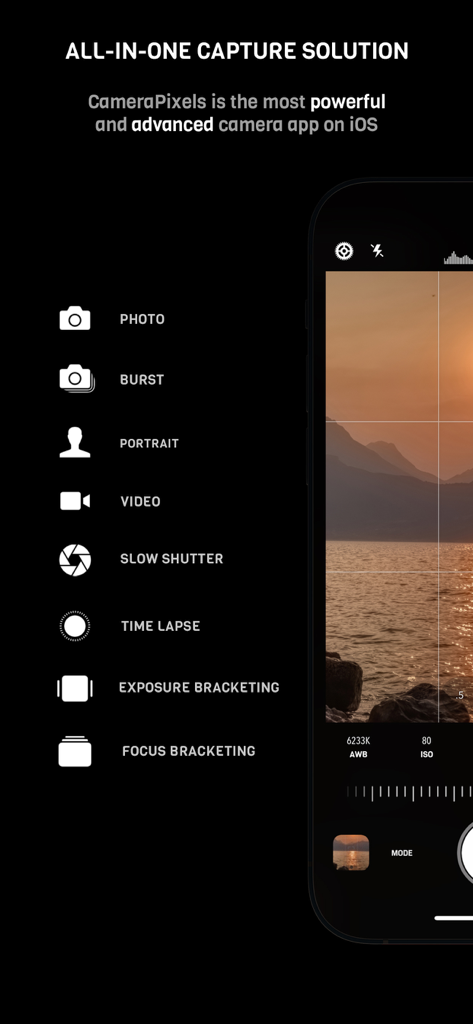
CameraPixels PRO - CameraPixels PRO Benutzeroberfläche zeigt manuelle Kameramodi wie Fokus- und Belichtungs-Bracketing
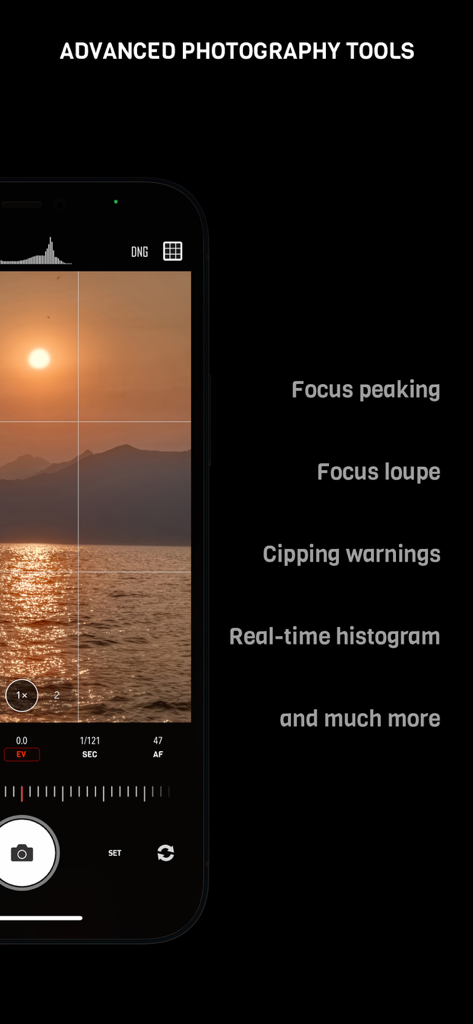
CameraPixels PRO Benutzeroberfläche zeigt manuelle Kameramodi wie Fokus- und Belichtungs-Bracketing

CameraPixels PRO - CameraPixels PRO manuelle Kamera-Benutzeroberfläche mit Focus Peaking und Echtzeit-Histogramm.
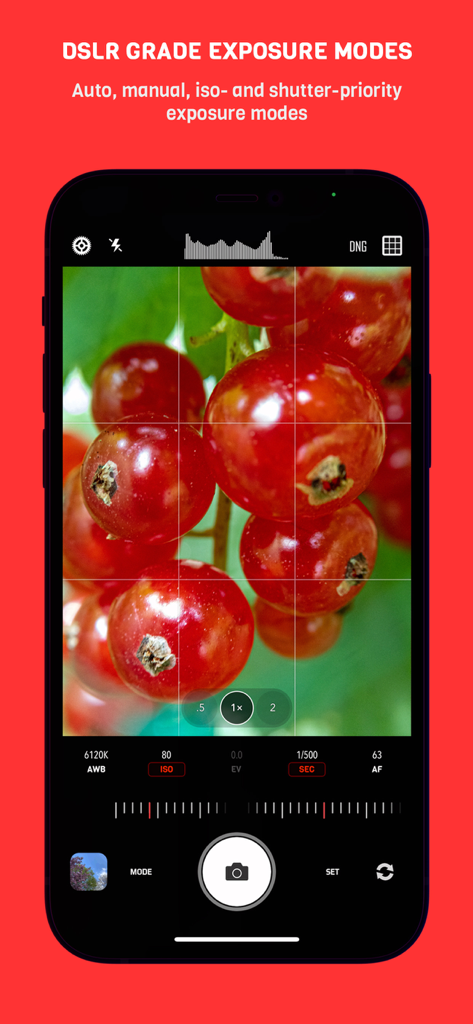
CameraPixels PRO manuelle Kamera-Benutzeroberfläche mit Focus Peaking und Echtzeit-Histogramm.

CameraPixels PRO - CameraPixels PRO App-Oberfläche zeigt manuelle DSLR-Belichtungsmodi mit einem Makrofoto von roten Beeren
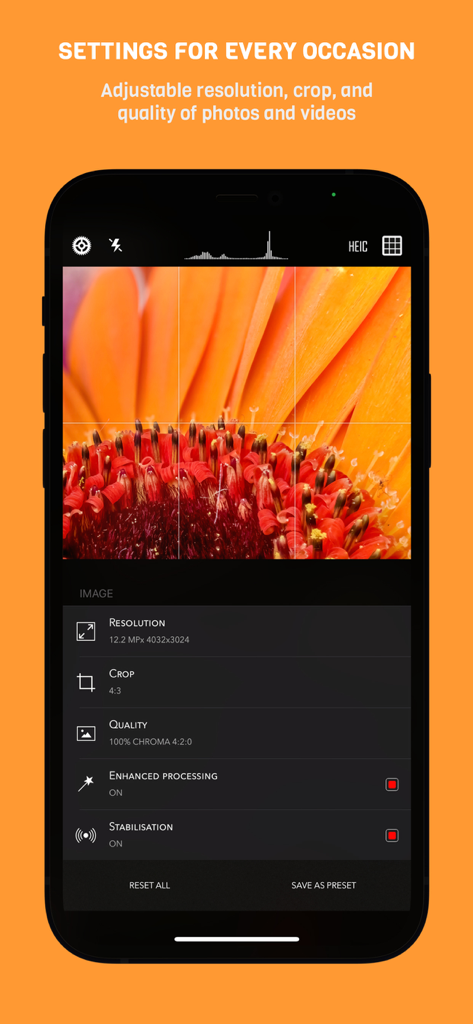
CameraPixels PRO App-Oberfläche zeigt manuelle DSLR-Belichtungsmodi mit einem Makrofoto von roten Beeren

CameraPixels PRO - CameraPixels PRO App-Oberfläche auf dem iPhone zeigt manuelle Fotografie-Einstellungen für Auflösung, Zuschnitt und Qualität über einem Makro-Blumenfoto
CameraPixels PRO App-Oberfläche auf dem iPhone zeigt manuelle Fotografie-Einstellungen für Auflösung, Zuschnitt und Qualität über einem Makro-Blumenfoto

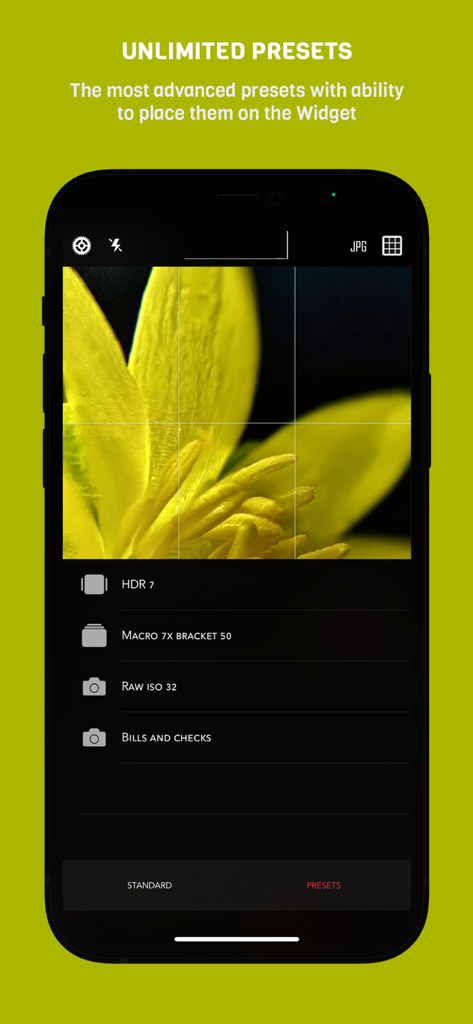
CameraPixels PRO - Benutzeroberfläche der CameraPixels PRO App zeigt benutzerdefinierte Fotografie-Voreinstellungen für Makro und HDR
Benutzeroberfläche der CameraPixels PRO App zeigt benutzerdefinierte Fotografie-Voreinstellungen für Makro und HDR

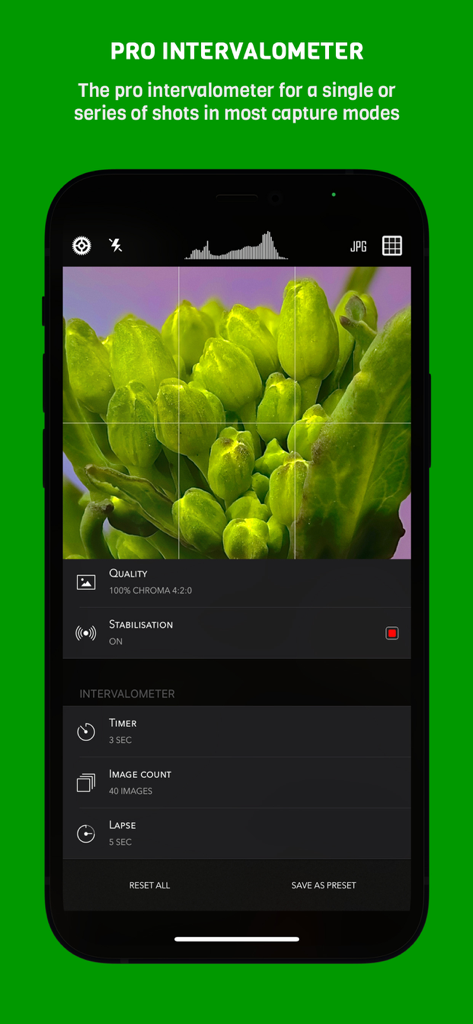
CameraPixels PRO - Professionelle Intervallmesser-Einstellungen in der CameraPixels PRO App mit Timer- und Bildanzahl-Steuerung für die Makrofotografie
Professionelle Intervallmesser-Einstellungen in der CameraPixels PRO App mit Timer- und Bildanzahl-Steuerung für die Makrofotografie

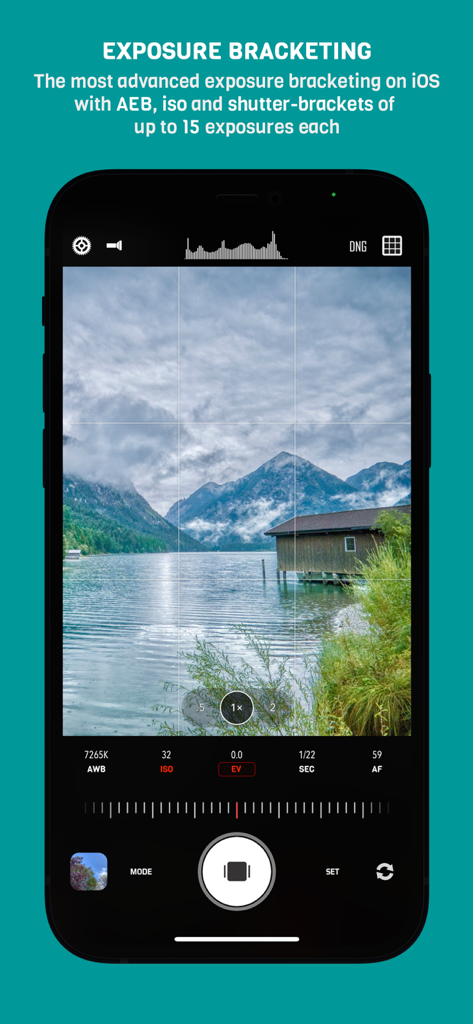
CameraPixels PRO - CameraPixels PRO App zeigt manuelle Belichtungs-Bracketing-Einstellungen mit Blick auf eine Gebirgsseelandschaft
CameraPixels PRO App zeigt manuelle Belichtungs-Bracketing-Einstellungen mit Blick auf eine Gebirgsseelandschaft

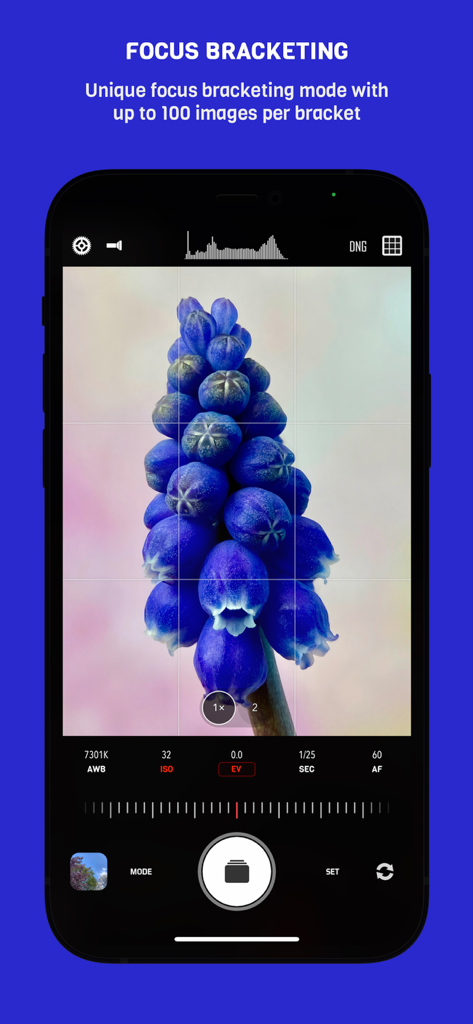
CameraPixels PRO - Fokus-Bracketing-Oberfläche in der CameraPixels PRO App für detailreiche Makrofotografie
Fokus-Bracketing-Oberfläche in der CameraPixels PRO App für detailreiche Makrofotografie

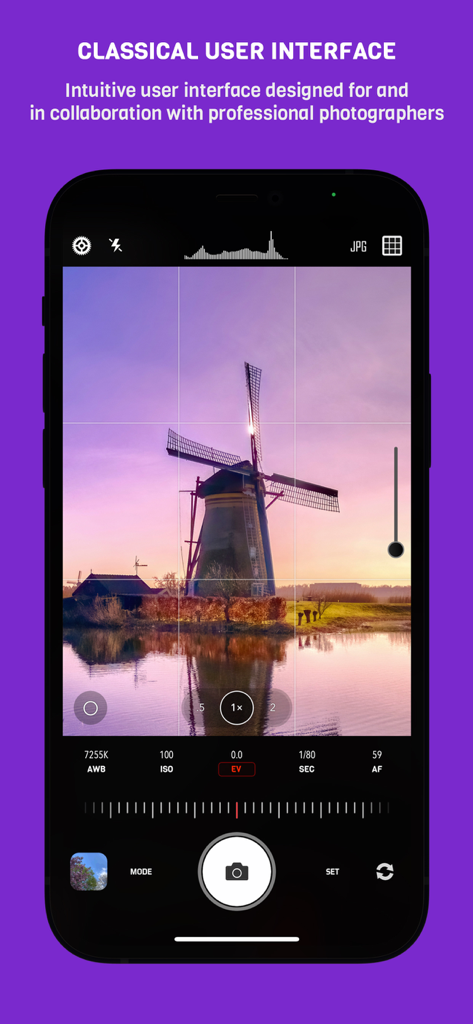
CameraPixels PRO - Manuelle Fotografie-Oberfläche der CameraPixels PRO App zeigt eine Windmühlenlandschaft und professionelle Kameraeinstellungen
Manuelle Fotografie-Oberfläche der CameraPixels PRO App zeigt eine Windmühlenlandschaft und professionelle Kameraeinstellungen

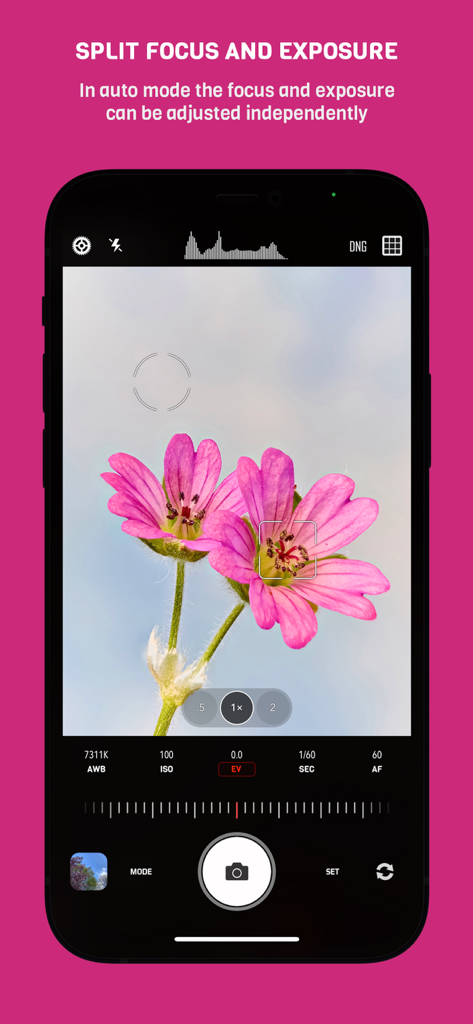
CameraPixels PRO - CameraPixels PRO Benutzeroberfläche zeigt die unabhängige Einstellung von Fokus und Belichtung bei einer Makro-Blumenaufnahme

CameraPixels PRO Benutzeroberfläche zeigt die unabhängige Einstellung von Fokus und Belichtung bei einer Makro-Blumenaufnahme

Beschreibung

CameraPixels is a unique manual photography app. The premium tools and intuitive UI make CameraPixels the best choice for professional mobile photographers. CameraPixels participated in Berkley Eclipse Megamovie 2017 thanks to its extensive raw bracketing. All-in-one ============= CameraPixels is all-in-one capture solution, that supports multiple photo and video capture modes. Among them are Bracketing, Slow Shutter and Time-lapse modes. CameraPixels has the most advanced bracketing available on the iOS platform, which includes exposure and focus bracketing. Best for macro photography ============= With CameraPixels you can capture the best macro shots, be it a single image or a series of images, called focus bracketing, which can later be combined into one all-in-focus photo (requires external app for focus stacking). If you have an external macro lens, let CameraPixels save its name to the EXIF data for you, so later you can always remember which lens was used. Currently CameraPixels supports Olloclip™, Loupe System™ and Moment™ lenses. Best for professional HDR photography ============= CameraPixels has the most advanced exposure bracketing on iOS. With up to 15 images per bracket you can capture even the most difficult lighting situations. CameraPixels support auto-, iso and shutter-brackets, with an optional flash frame. The captured images can be used to create stunning HDR photos using your favorite professional HDR software. Intuitive UI ============= CameraPixels has a simple and efficient UI. The most important information is always in front of your eyes, and this allows you to avoid surprises like an unexpected flash fire or the wrong output photo or video format. Stop being distracted by the uncertainty of the settings, concentrate on your capture! ISO/Shutter priority modes ============= CameraPixels is among a few photography apps that support advanced exposure modes like ISO and Shutter priority. These modes are indispensable during dynamic photography when there is no time for adjusting manual exposure. Histogram and clipping warnings ============= The histogram is a great tool to estimate your exposure. It can show you if the photo has under-exposed or over-exposed areas. Clipping warnings, on the other hand, can show you exactly where those under and over-exposed areas in your photo are. Depth capture ============= On dual/triple-camera devices, CameraPixels can capture depth information alongside the colour photo. If the photo has depth information, in the preview window, two additional buttons appear (depth and portrait) that allow you to inspect the depth of the image and apply it to simulate an aperture. Presets ============= CameraPixels was designed for professional photographers that value efficiency of their workflow. The unlimited presets, including the possibility to expose them to Widget make CameraPixels the ultimate photography tool. Features overview ============= - UI optimized for manual capture - RAW and ProRAW (on supported devices) photo capture - Auto, manual and semi-automatic (ISO- and Shutter-priority) exposure modes - Photo, Burst, Portrait, Slow Shutter, Exposure Bracket, Focus Bracket, Video and Time-lapse - Clipping warnings to highlight under- and over-exposed areas in real time - Focus peaking and loupe during the manual focus adjustments - Single or series of Exposure Brackets with up to 15 images per bracket. AEB, ISO- and Shutter-brackets are available. - Single or series of Focus Brackets with up to 100 images per bracket - Adjustable photo and video resolution - Adjustable photo and video quality - Advanced photo processing (Smart HDR and Deep fusion on supported devices) - Unlimited presets with the possibility of exposing them to the widget - Advanced intervalometer - Multiple framing options

Download

Herunterladen auf App Store

Diese Seite ist keine offizielle Seite der App oder ihres Entwicklers, sondern eine unabhängige redaktionelle Veröffentlichung, die zu Informations- und Kommentarzwecken erstellt wurde. Sofern nicht ausdrücklich anders angegeben, sind weder die App noch ihr Entwickler mit MWM, Apple, Google Play, dem App-Herausgeber oder dem Entwickler der App verbunden, von ihnen unterstützt, gesponsert, autorisiert oder anderweitig offiziell verbunden, und nichts auf dieser Seite impliziert, dass die App unter Verwendung der Dienste von MWM entwickelt wurde. Alle Marken, Logos, Screenshots und andere Inhalte bleiben Eigentum ihrer jeweiligen Inhaber.








