Cartograph Maps 3
Cartograph Maps 3
Herunterladen auf App Store

Diese Seite ist keine offizielle Seite der App oder ihres Entwicklers, sondern eine unabhängige redaktionelle Veröffentlichung, die zu Informations- und Kommentarzwecken erstellt wurde. Sofern nicht ausdrücklich anders angegeben, sind weder die App noch ihr Entwickler mit MWM, Apple, Google Play, dem App-Herausgeber oder dem Entwickler der App verbunden, von ihnen unterstützt, gesponsert, autorisiert oder anderweitig offiziell verbunden, und nichts auf dieser Seite impliziert, dass die App unter Verwendung der Dienste von MWM entwickelt wurde. Alle Marken, Logos, Screenshots und andere Inhalte bleiben Eigentum ihrer jeweiligen Inhaber.

Logo von Cartograph Maps 3
Herunterladen auf App Store

Cartograph Maps 3

Entwickelt für Overlander, Abenteuerfahrer und GIS-Power-User. Beherrschen Sie das Hinterland mit fortschrittlichen Vektor-Offline-Karten, Schummerung und BRouter-Routing – kein Mobilfunksignal erforderlich.

Kennzahlen

Downloads

28K+

Bewertung

4.9/5

Bewertungen gesamt

0

Herausgeber

Harald Meyer

Kategorie

Navigation

Sprachen

9

Neueste Version

3.8.8

Größe

85.9 MB

Erstveröffentlichung

8. Jan. 2022
Funktionen

Entwickelt für den Off-Grid-Entdecker

Übernehmen Sie die Kontrolle über Ihre Reise mit professionellen Offline-Karten, Geländeanalyse und Hardware-Integration, die für die anspruchsvollsten Umgebungen entwickelt wurden.

Echte Offline-Unabhängigkeit

Navigieren Sie im Hinterland mit leistungsstarken Mapsforge-Vektorkarten, Schummerung und Offline-Routenberechnung – kein Mobilfunkempfang erforderlich.

Erweiterte Hardware-Integration

Verbinden Sie sich direkt mit WunderLINQ- oder Carpe-Iter-Motorrad-Hubs und navigieren Sie mit professionellen Koordinatensystemen wie MGRS und UTM.

Die folgenden Screenshots und die Beschreibung stammen direkt aus dem offiziellen Store-Eintrag der App und sind Eigentum des Entwicklers.

App Store

Screenshots
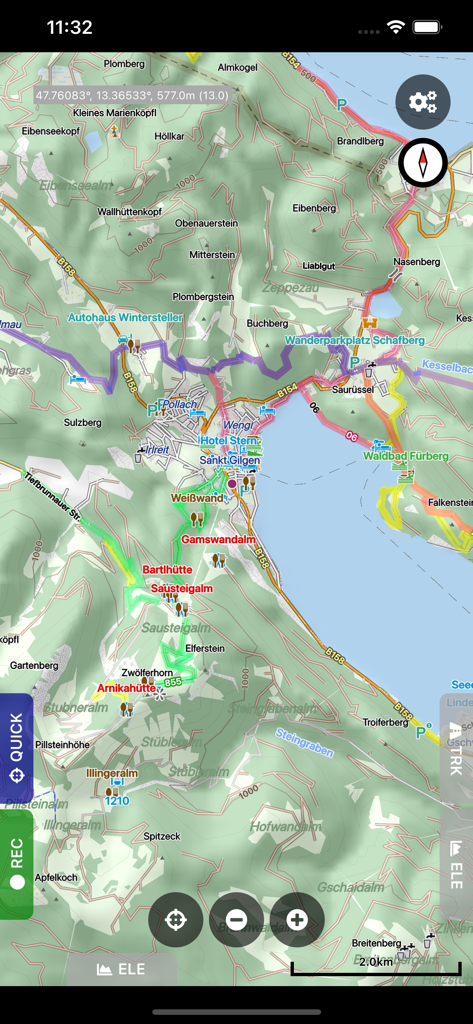
Cartograph Maps 3 - Detaillierte Offline-Geländekarte in Cartograph Maps 3 mit Spuren und Schummerung
Detaillierte Offline-Geländekarte in Cartograph Maps 3 mit Spuren und Schummerung

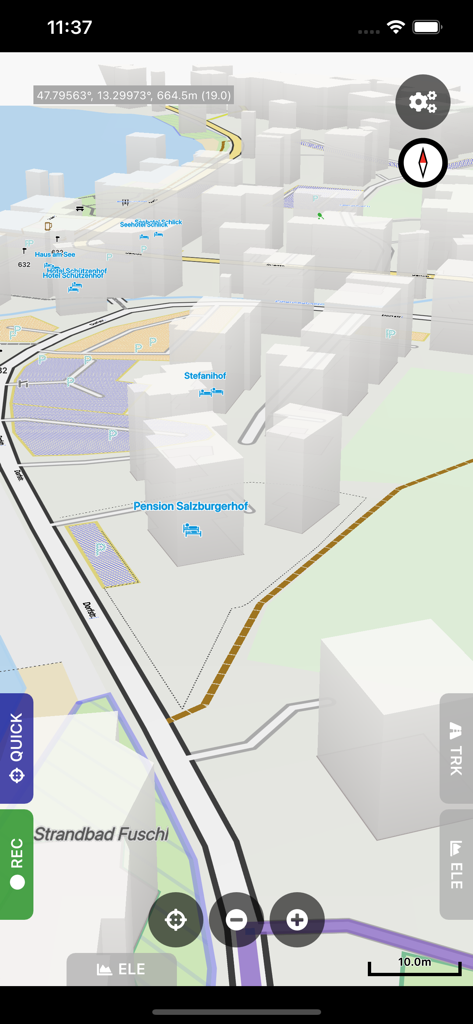
Cartograph Maps 3 - Mobile Oberfläche von Cartograph Maps 3 mit einer 3D-Vektorkarte mit Gebäuden und Koordinaten
Mobile Oberfläche von Cartograph Maps 3 mit einer 3D-Vektorkarte mit Gebäuden und Koordinaten

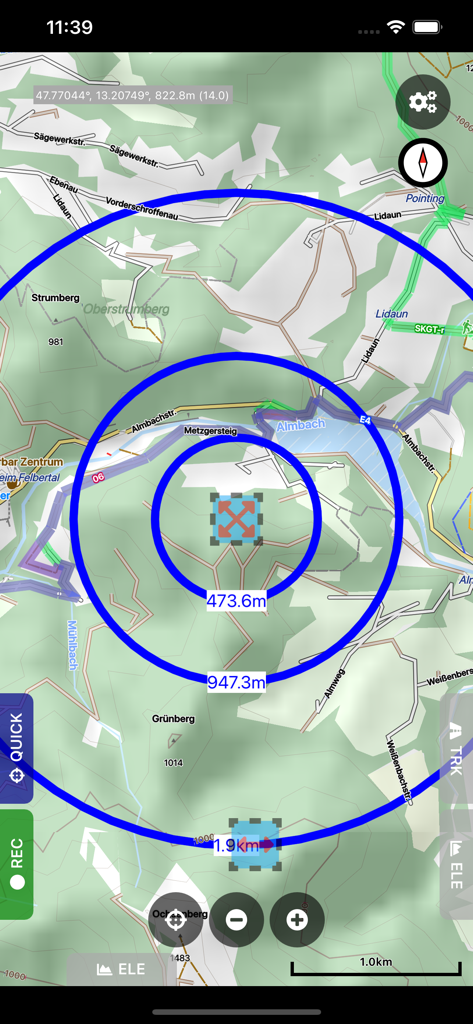
Cartograph Maps 3 - Cartograph Maps 3 App-Oberfläche mit Kreisen zur Messung des Kreisabstands auf einer detaillierten topografischen Offline-Karte.
Cartograph Maps 3 App-Oberfläche mit Kreisen zur Messung des Kreisabstands auf einer detaillierten topografischen Offline-Karte.

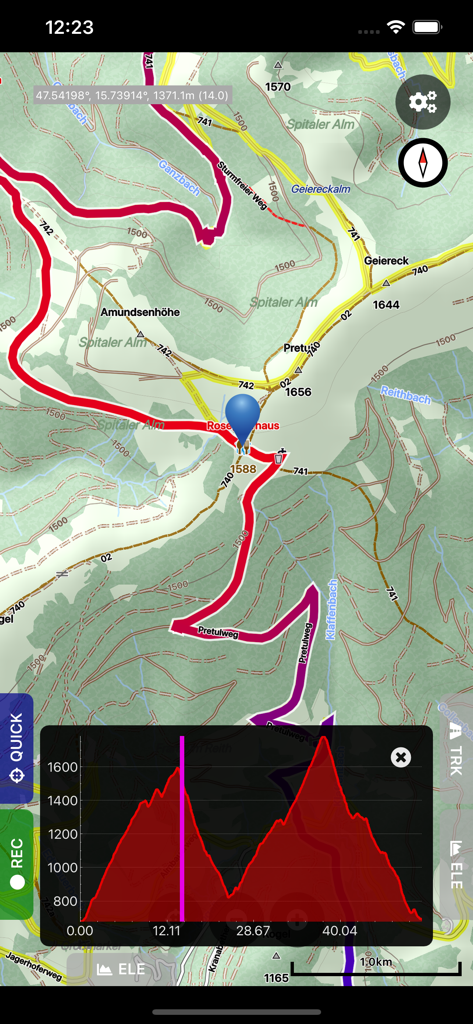
Cartograph Maps 3 - Cartograph Maps 3 Oberfläche mit topografischer Karte und Höhenprofil-Grafik
Cartograph Maps 3 Oberfläche mit topografischer Karte und Höhenprofil-Grafik

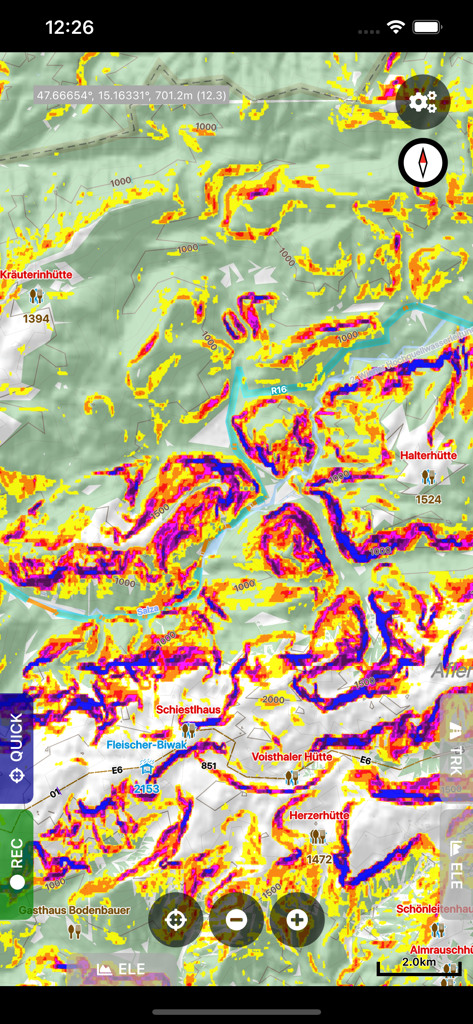
Cartograph Maps 3 - Cartograph Maps 3 Anzeige mit einer topografischen Karte und einer farbigen Hang-Mapping-Überlagerung zur Geländeanalyse.

Cartograph Maps 3 Anzeige mit einer topografischen Karte und einer farbigen Hang-Mapping-Überlagerung zur Geländeanalyse.

Beschreibung

The Cartograph Maps app allows you to view Mapsforge offline vector maps and record tracks. It offers a variety of features such as viewing Mapsforge offline maps, support for OpenAndroMaps render themes, MBTiles maps, hill shading, and multiple map layer stacking. The app also has features for tracks and routing, including track recording, and offline route calculation using BRouter. Other features include measurement tools, cloud sync, search, and built-in offline overlays. Please contact us if you have any questions, problems, or feature requests: https://www.cartograph.eu/v3/contact/ ## Map features - View Mapsforge offline vector maps (including OpenAndroMaps.org maps!). - Support for OpenAndroMaps render themes (Elevate, Elements), which are great for hiking, mountainbiking, running, and other outdoor activities. - Other supported offline map formats: MBTiles (raster and OpenMapTiles MVT vector), TwoWays RMAP, Locus SQLite, Oruxmaps SQLite, Garmin IMG (non-NT). - Supported online map types: Mapbox vector tiles (MVT - OpenMapTiles style), Bing quadkey tile format (raster), OpenStreetMap slippy tile format (raster), raster WMS (web map service, including layers and styles), MapLibre. - Offline hillshading and slope mapping (*). - Mapsforge multi-maps (combine multiple Mapsforge maps into a single map) (*). - Classic Mapsforge and new Mapsforge VTM rendering support. - Stack multiple map layers on top of each other (including transparency) (*). - 3D buildings (*). - Create custom Mapsforge maps (**). - Grid overlays, including WGS84, UTM, MGRS (military grid reference system), and many local projections (*). - Supports classical latitude/longitude (WGS84), UTM, MGRS, and many local (proj4) coordinate display projections. - Online map tile downloader (*) (see https://www.cartograph.eu/v3/online-map-tile-downloader/). - Image to map calibration tool (*) (https://www.cartograph.eu/v3/image-to-map-calibration-tool/). - Zoom lock. ## Tracks and routing - Track recording while the app is in background (*). - Draw custom tracks using the track drawing tool (*). - Photo-, video-, and audio waypoints (*). - BRouter offline route calculation (*). - OSRM routing. - Google Directions, Bing Routes (**). - Basic offline navigation with voice instructions and custom audio instructions (*). - Waypoint alerts (*). - Current route elevation profile (*). - Import and export *.gpx, *.kml, *.kmz (only import) tracks. - Import EXIF JPEG photos and Google Takeout as bookmarks (*). - Garmin icon support (*). - Live friend tracking (share your location with friends live on a map) (*). ## Other features - Measurement tools (distance, elevation profile, circular distance) (*). - Workspaces (manage sets of maps/overlays/tracks) (*). - Cloud sync (backup data and synchronize data among multiple devices) using Microsoft OneDrive, DropBox, or your own web server (*). - "What's here" (reverse geo-code). - Built-in offline overlays for drinking water, supermarkets, hostels, and restaurants. - Search: Google Places, Bing, Nominatim (**). - Supports WunderLINQ and Carpe-Iter-Control. - Included translations: Czech, English, French, German, Hungarian, Italian, Polish, Traditional Chinese. - Create your own translations: https://www.cartograph.eu/v3/add-ons/translations/ - Bluetooth heart rate, cadence, and speed sensors. Items marked with (*) are available in the full version which is available as an in-app-purchase. Items marked with (**) require credits which can be obtained in the app. ## In app purchases The Cartograph app offers in-app-purchases for activating all features, and for accessing 3rd party services (such as Google Directions). A detailed description of all products and the Terms of Use are available here: https://www.cartograph.eu/v3/in-app-purchase-info/ ## Disclaimer The Cartograph app allows you to record your location ("track recording") while the app is in background. Location services can significantly increase battery usage.

Download

Herunterladen auf App Store

Diese Seite ist keine offizielle Seite der App oder ihres Entwicklers, sondern eine unabhängige redaktionelle Veröffentlichung, die zu Informations- und Kommentarzwecken erstellt wurde. Sofern nicht ausdrücklich anders angegeben, sind weder die App noch ihr Entwickler mit MWM, Apple, Google Play, dem App-Herausgeber oder dem Entwickler der App verbunden, von ihnen unterstützt, gesponsert, autorisiert oder anderweitig offiziell verbunden, und nichts auf dieser Seite impliziert, dass die App unter Verwendung der Dienste von MWM entwickelt wurde. Alle Marken, Logos, Screenshots und andere Inhalte bleiben Eigentum ihrer jeweiligen Inhaber.