
Diese Seite ist keine offizielle Seite der App oder ihres Entwicklers, sondern eine unabhängige redaktionelle Veröffentlichung, die zu Informations- und Kommentarzwecken erstellt wurde. Sofern nicht ausdrücklich anders angegeben, sind weder die App noch ihr Entwickler mit MWM, Apple, Google Play, dem App-Herausgeber oder dem Entwickler der App verbunden, von ihnen unterstützt, gesponsert, autorisiert oder anderweitig offiziell verbunden, und nichts auf dieser Seite impliziert, dass die App unter Verwendung der Dienste von MWM entwickelt wurde. Alle Marken, Logos, Screenshots und andere Inhalte bleiben Eigentum ihrer jeweiligen Inhaber.


Clip Studio Paint for iPhone
Meistern Sie die Anatomie mit 3D-Modellen, greifen Sie auf Tausende von Profi-Pinsel zu und erstellen Sie branchenübliche Illustrationen unterwegs. Beginnen Sie kostenlos und synchronisieren Sie Ihre Meisterwerke geräteübergreifend.
Downloads
2M+Bewertung
Bewertungen gesamt
8K+Herausgeber
Kategorie
Graphics & DesignSprachen
11Neueste Version
4.2.5Größe
539.8 MBErstveröffentlichung
4. Dez. 2019Ihr portables professionelles Studio
Erleben Sie die branchenführende Zeichen-Engine auf Ihrem iPhone. Von 3D-Referenzen bis hin zu Vektorlinien – erstellen Sie portfolio-taugliche Kunstwerke, wann immer die Inspiration zuschlägt.
Perfekte Anatomie mit 3D-Modellen
Überspringen Sie den Kampf mit der Anatomie. Positionieren Sie anpassbare 3D-Figuren, um Perspektive und Proportionen jedes Mal richtig hinzubekommen, direkt auf Ihrer Leinwand.
Unendliche Pinsel- & Asset-Bibliothek
Greifen Sie auf Tausende von von der Community erstellten Pinseln und Materialien zu. Erzeugen Sie das Gefühl von echten Ölfarben, Tusche oder Aquarellen mit professionellen Texturen.
Häufig gestellte Fragen
Alles, was Sie über wissen müssen Clip Studio Paint for iPhone
Ist Clip Studio Paint für iPhone kostenlos nutzbar?
Ja, Clip Studio Paint für iPhone bietet 30 Stunden kostenlose Nutzung pro Monat ohne Werbung. Nach dieser Zeit ist ein Plan erforderlich, um Leinwände zu speichern oder Daten zu exportieren.
Welche Funktionen sind in Clip Studio Paint für iPhone verfügbar?
Clip Studio Paint für iPhone bietet umfangreiche Zeichenwerkzeuge, unbegrenzte Pinsel, Farbfunktionen wie Shading Assist, 3D-Modellreferenzen, Animationswerkzeuge und umfassende Comic-Erstellungsfunktionen.
Kann ich Comics auf Clip Studio Paint für iPhone erstellen?
Ja, Clip Studio Paint für iPhone ist eine ultimative App zur Comic-Erstellung. Sie enthält Rahmen, Sprechblasen, Text, Effektlinien, Rastertöne und ein mehrseitiges Projektmanagement.
Welche verschiedenen Pläne gibt es für Clip Studio Paint für iPhone?
Clip Studio Paint für iPhone bietet KOSTENLOS (30 Stunden/Monat), PRO (Illustrationen & Kurzanimationen) und EX-Pläne (PRO-Funktionen plus mehrseitige Comics und unbegrenzte Animationsrahmen).
Wie viel kostet Clip Studio Paint PRO für iPhone?
Der Clip Studio Paint PRO-Plan für iPhone kostet 0,99 USD pro Monat. Jahrespläne sind verfügbar und bieten Einsparungen, die bis zu fünf Monaten entsprechen.
Unterstützt Clip Studio Paint für iPhone 3D-Modelle zum Zeichnen?
Ja, Clip Studio Paint für iPhone unterstützt 3D-Modelle. Benutzer können 3D-Zeichenfiguren für die Anatomie verwenden, Charaktermodelle anpassen, Objekte anhängen und 3D-Formen für die Perspektive nutzen.
Was passiert nach der kostenlosen Nutzungsdauer in Clip Studio Paint für iPhone?
Nach Ablauf der kostenlosen 30-Stunden-Periode pro Monat müssen Benutzer in Clip Studio Paint für iPhone einen Plan erwerben, um ihre Leinwand zu speichern oder Daten in verschiedenen Dateiformaten zu exportieren.
Kann Clip Studio Paint für iPhone beim Einfärben meiner Kunst helfen?
Ja, Clip Studio Paint für iPhone erleichtert das Einfärben. Zu den Funktionen gehören das Lasso-Werkzeug für Linienlücken, das Sperren der Transparenz, Shading Assist, Color Match aus Bildern und verschiedene Verbesserungsfilter.
Was sind die minimalen Speicheranforderungen für Clip Studio Paint für iPhone?
Clip Studio Paint für iPhone benötigt mindestens 3 GB freien Speicherplatz, wobei 4 GB für eine optimale Leistung empfohlen werden.
Kann ich Clip Studio Paint für iPhone zur Erstellung von Animationen verwenden?
Ja, Clip Studio Paint für iPhone ermöglicht professionelle Animationen. Es bietet Werkzeuge, die Animationsstudios ähneln, einzigartige Frame-Zeichenfunktionen und unterstützt den Export in 4K-Auflösung als Vektordaten.
Die folgenden Screenshots und die Beschreibung stammen direkt aus dem offiziellen Store-Eintrag der App und sind Eigentum des Entwicklers.
App Store
Screenshots
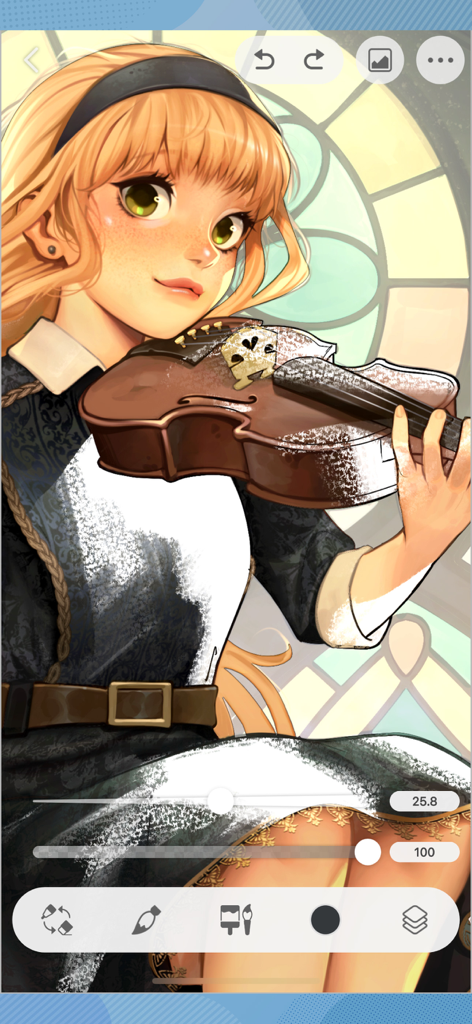
Digitale Illustration eines Anime-Mädchens mit einer Violine in der Clip Studio Paint iPhone App-Oberfläche.
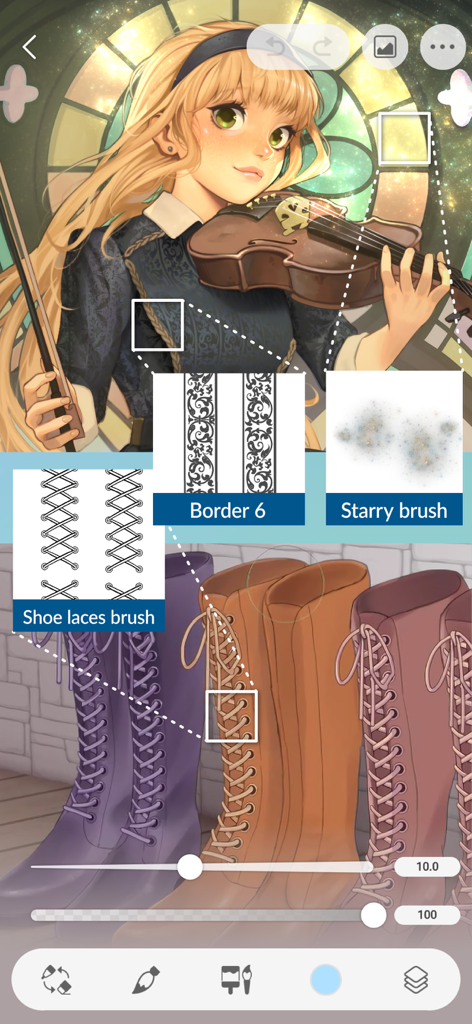
Digitale Illustration in Clip Studio Paint für iPhone, die die Verwendung von benutzerdefinierten Schnürsenkel-Rändern und Sternenpinseln zeigt.
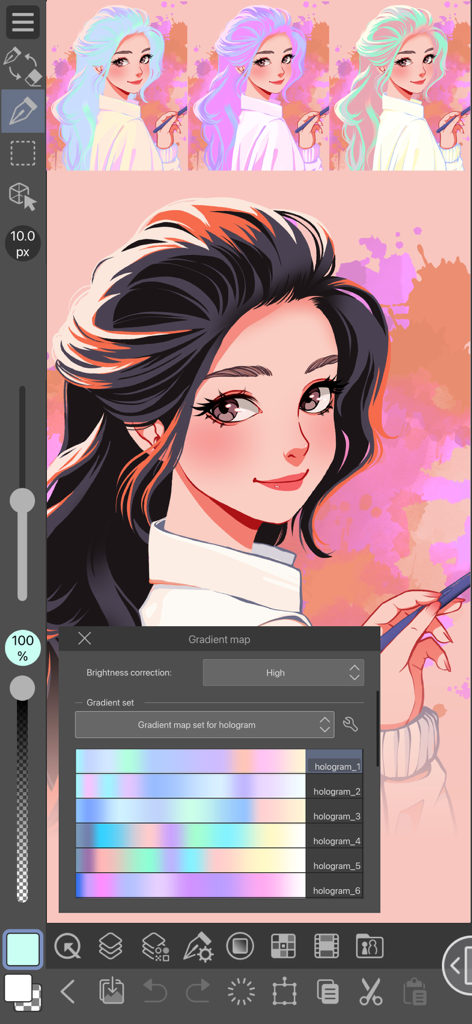
Eine digitale Illustration eines Mädchens in Clip Studio Paint für iPhone mit geöffnetem Verlaufskarten-Werkzeug, das verschiedene Hologramm-Farbsets anzeigt.
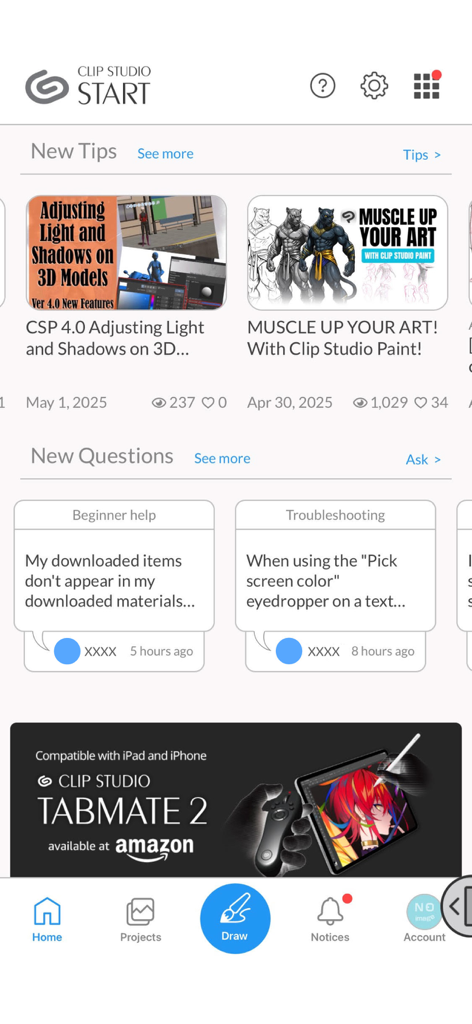
Der Clip Studio Start-Startbildschirm mit Tutorials, Community-Fragen und Antworten sowie einer Navigationsleiste.
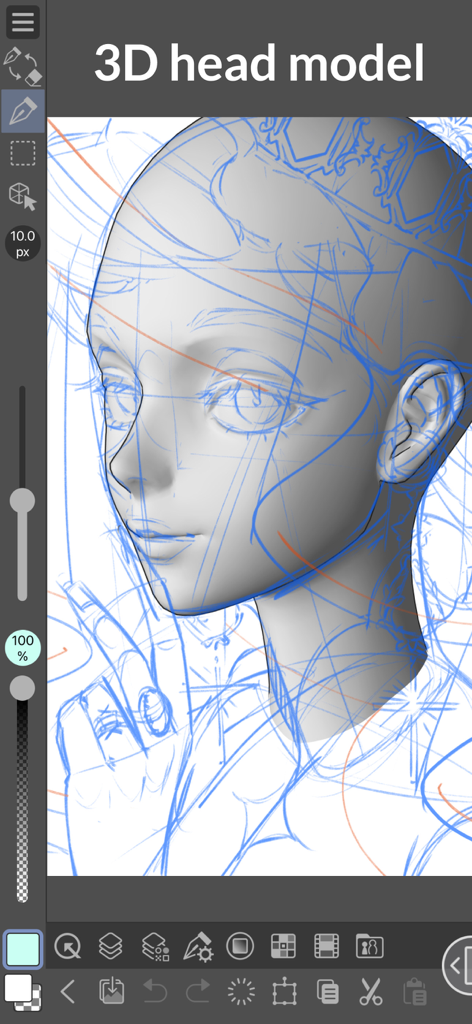
3D-Kopfmodell-Referenz zum Zeichnen in Clip Studio Paint auf dem iPhone.
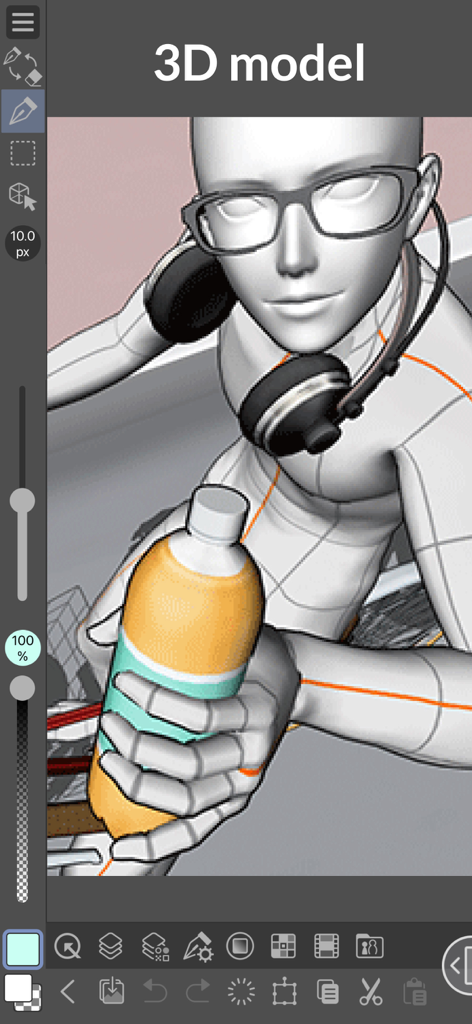
Ein 3D-Charaktermodell mit Brille und Kopfhörern, das in Clip Studio Paint für iPhone eine Flasche hält.
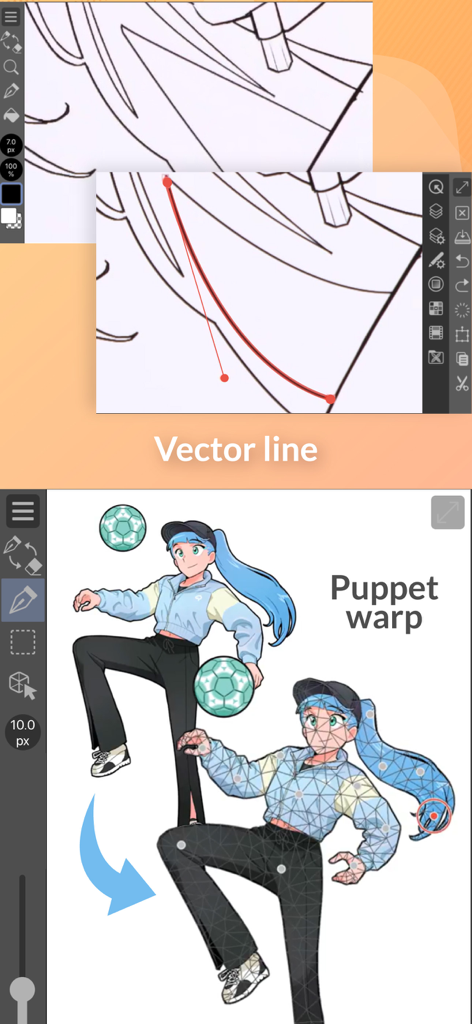
Clip Studio Paint für iPhone-Demonstration von Vektorlinienbearbeitungs- und Puppet-Warp-Posing-Funktionen.
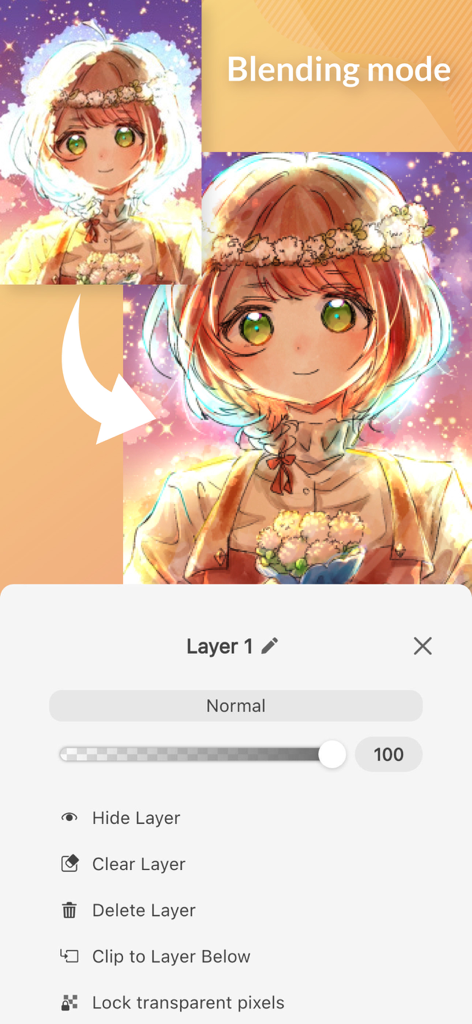
Clip Studio Paint für iPhone-Oberfläche, die Ebenen-Füllmoduseinstellungen und Anime-Charakterkunst zeigt.
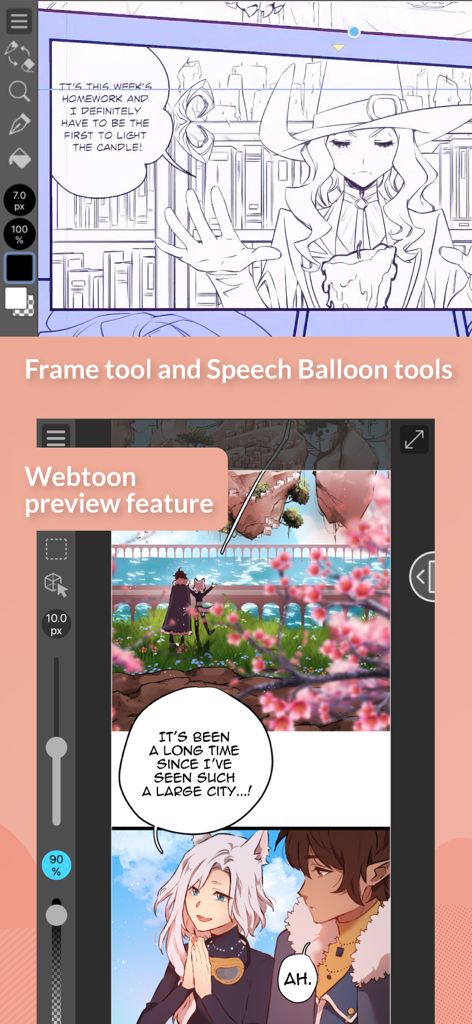
Clip Studio Paint für iPhone, das Comic-Rahmenwerkzeuge und den Webtoon-Vorschau-Modus zeigt.
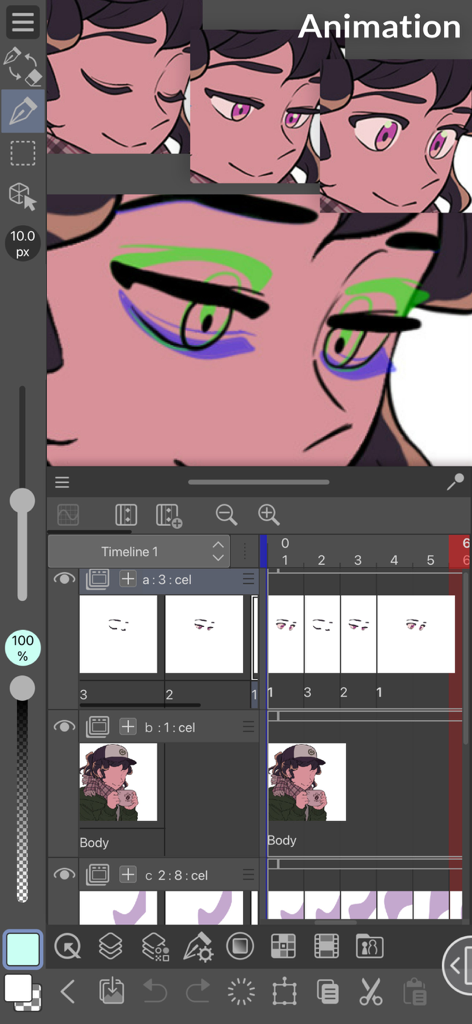
Clip Studio Paint für iPhone-Animationsschnittstelle, die eine Figur und eine Zeitleiste zeigt.
Beschreibung
Download
Ähnliche Apps
Apps mit ähnlichen Funktionen und Nutzererfahrung

Sketchbook®
Sketchbook, Inc.

Mental Canvas Draw
Mental Canvas, Inc.

ibis Paint
ibis inc.

ibis Paint X
ibis inc.

Paper: Sketch, Draw & Create
Evernote Corporation

Adobe Fresco: Draw & Paint App
Adobe Inc.

Art Set 4
Lofopi Ltd

MediBang Paint – Drawing & Art
MediBang inc.

Tayasui Sketches
SKETCHES SRL
Diese Seite ist keine offizielle Seite der App oder ihres Entwicklers, sondern eine unabhängige redaktionelle Veröffentlichung, die zu Informations- und Kommentarzwecken erstellt wurde. Sofern nicht ausdrücklich anders angegeben, sind weder die App noch ihr Entwickler mit MWM, Apple, Google Play, dem App-Herausgeber oder dem Entwickler der App verbunden, von ihnen unterstützt, gesponsert, autorisiert oder anderweitig offiziell verbunden, und nichts auf dieser Seite impliziert, dass die App unter Verwendung der Dienste von MWM entwickelt wurde. Alle Marken, Logos, Screenshots und andere Inhalte bleiben Eigentum ihrer jeweiligen Inhaber.