
Diese Seite ist keine offizielle Seite der App oder ihres Entwicklers, sondern eine unabhängige redaktionelle Veröffentlichung, die zu Informations- und Kommentarzwecken erstellt wurde. Sofern nicht ausdrücklich anders angegeben, sind weder die App noch ihr Entwickler mit MWM, Apple, Google Play, dem App-Herausgeber oder dem Entwickler der App verbunden, von ihnen unterstützt, gesponsert, autorisiert oder anderweitig offiziell verbunden, und nichts auf dieser Seite impliziert, dass die App unter Verwendung der Dienste von MWM entwickelt wurde. Alle Marken, Logos, Screenshots und andere Inhalte bleiben Eigentum ihrer jeweiligen Inhaber.


Copy Text On Screen
Hören Sie auf, sich mit nicht kopierbarem Text herumzuschlagen. Extrahieren, übersetzen und teilen Sie Daten sofort aus jeder App oder jedem Bild mit hochpräziser OCR, die für Ihren schnellsten Workflow entwickelt wurde.
Downloads
857K+Bewertung
Bewertungen gesamt
17K+Herausgeber
Kategorie
ProductivitySprachen
1Neueste Version
1.4.4Größe
82.0 MBErstveröffentlichung
1. Jan. 2018Entsperren Sie jedes Wort auf Ihrem Bildschirm
Hören Sie auf, manuell zu tippen, und fangen Sie an zu erfassen. Unsere fortschrittliche OCR-Technologie ermöglicht es Ihnen, Text aus jeder App oder jedem Bild mit 99,9% Genauigkeit zu extrahieren, zu übersetzen und zu organisieren.
Kopieren Sie das Unkopierbare
Erfassen Sie mühelos Text von Instagram, YouTube oder jeder App, die die Auswahl blockiert. Machen Sie einfach einen Screenshot und teilen Sie ihn, um Daten in Sekundenschnelle zu extrahieren.
Präzise Datenextraktion
Erleben Sie branchenführende Genauigkeit für Telefonnummern, E-Mails und lange Absätze. Verwandeln Sie visuelle Informationen in bearbeitbaren, durchsuchbaren Text.
Die folgenden Screenshots und die Beschreibung stammen direkt aus dem offiziellen Store-Eintrag der App und sind Eigentum des Entwicklers.
App Store
Screenshots
App-Banner von 'Text auf Bildschirm kopieren' mit 4,6 Sternen und über 1 Million Nutzern
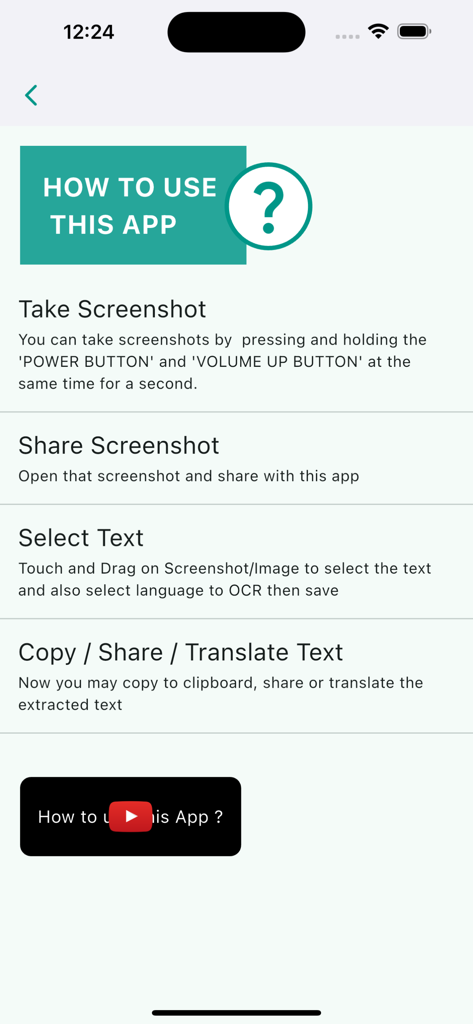
Schritt-für-Schritt-Anleitung zur Verwendung der App 'Text auf Bildschirm kopieren' zum Extrahieren von Text aus Screenshots
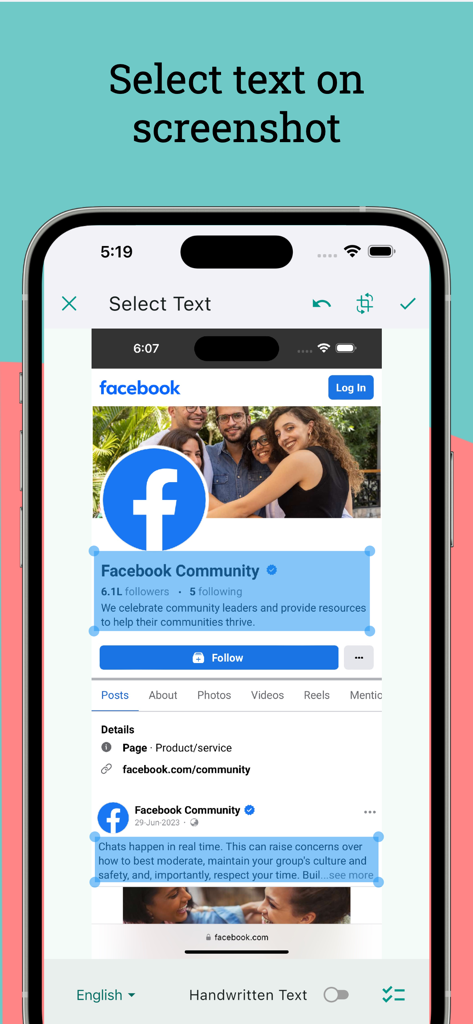
Auswählen von Text aus einem Facebook-Screenshot in der App 'Text auf Bildschirm kopieren'
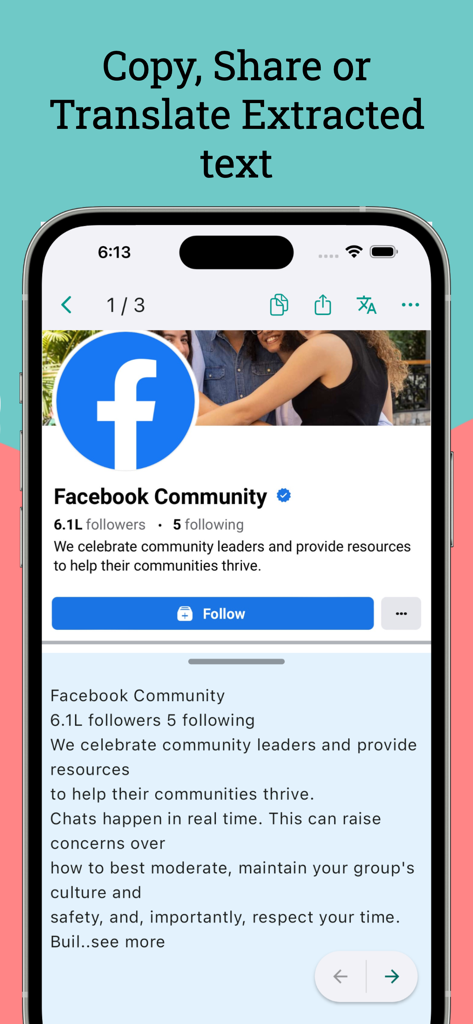
Screenshot der App 'Text auf Bildschirm kopieren' beim Extrahieren und Übersetzen von Text von einer Facebook-Profilseite.
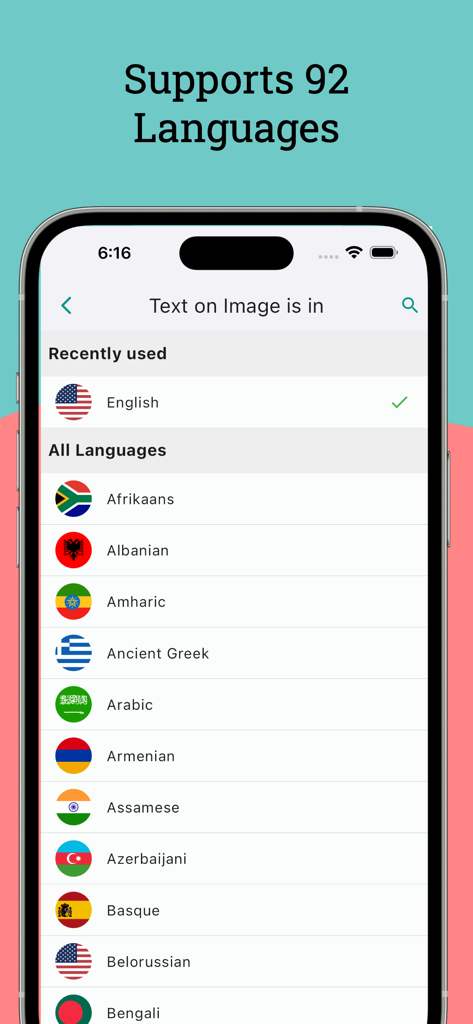
Mobilbildschirm mit einer Liste von über 92 unterstützten Sprachen für Textextraktion und OCR
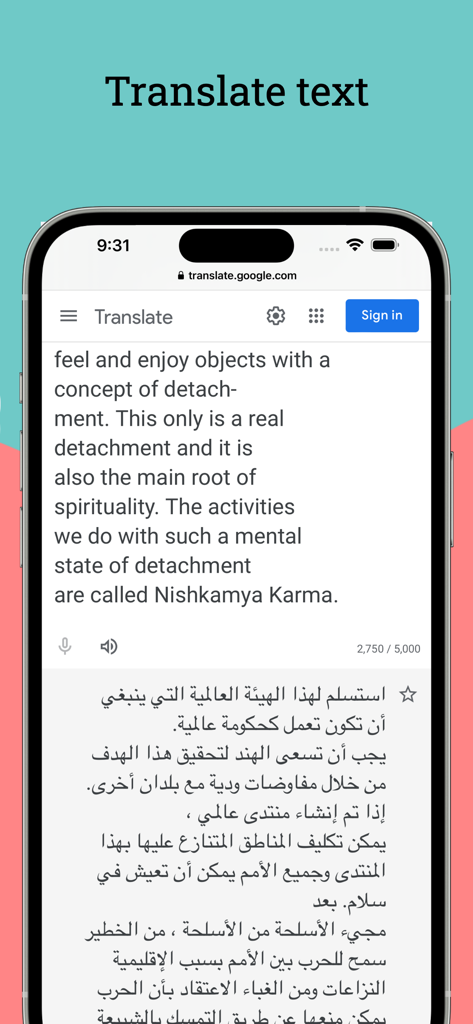
Smartphone-Bildschirm mit der Übersetzung von englischem Text ins Arabische innerhalb der App 'Text auf Bildschirm kopieren'.
Beschreibung
Download
Ähnliche Apps
Apps mit ähnlichen Funktionen und Nutzererfahrung

ScanScan(白描)-OCR Text Scanner
新乐 陶

Text Scanner AI - OCR Scan
EVOLLY HK LIMITED

Text Scan : Image to Text OCR
Appzys Technologies Private Limited
PDF AI Scanner
HONGKONG ADHEROS LIMITED
Screenshot PRO Screenshots App
Beatcode Srl

元ּ发生器
沛鑫 李

OCR Image AI - Photo to Text
RapidNova Private Limited

Klikk - Events
Levin Fritz
Diese Seite ist keine offizielle Seite der App oder ihres Entwicklers, sondern eine unabhängige redaktionelle Veröffentlichung, die zu Informations- und Kommentarzwecken erstellt wurde. Sofern nicht ausdrücklich anders angegeben, sind weder die App noch ihr Entwickler mit MWM, Apple, Google Play, dem App-Herausgeber oder dem Entwickler der App verbunden, von ihnen unterstützt, gesponsert, autorisiert oder anderweitig offiziell verbunden, und nichts auf dieser Seite impliziert, dass die App unter Verwendung der Dienste von MWM entwickelt wurde. Alle Marken, Logos, Screenshots und andere Inhalte bleiben Eigentum ihrer jeweiligen Inhaber.