
Diese Seite ist keine offizielle Seite der App oder ihres Entwicklers, sondern eine unabhängige redaktionelle Veröffentlichung, die zu Informations- und Kommentarzwecken erstellt wurde. Sofern nicht ausdrücklich anders angegeben, sind weder die App noch ihr Entwickler mit MWM, Apple, Google Play, dem App-Herausgeber oder dem Entwickler der App verbunden, von ihnen unterstützt, gesponsert, autorisiert oder anderweitig offiziell verbunden, und nichts auf dieser Seite impliziert, dass die App unter Verwendung der Dienste von MWM entwickelt wurde. Alle Marken, Logos, Screenshots und andere Inhalte bleiben Eigentum ihrer jeweiligen Inhaber.


Darkr - Black And White Filter
Keine Ausreden mehr: Die App zwingt Sie, Fotografie wirklich zu lernen.
Downloads
2.5M+Bewertung
Bewertungen gesamt
47.5KHerausgeber
Kategorie
Photo & VideoSprachen
6Neueste Version
14.0Größe
115.0 MBErstveröffentlichung
6. Dez. 2016Diese App bietet eine tiefgehende digitale Simulation analoger Schwarz-Weiß-Fotografie und Dunkelkammerprozesse, zugeschnitten auf Enthusiasten, die manuelle Kontrolle und traditionelle Techniken schätzen.
Analyse der Kernfunktionen von 'Darkr - Black And White Filter'
Authentische Tilt-Shift-Funktion
Dieses Tool ermöglicht die Korrektur von Perspektiven, ähnlich den Möglichkeiten einer Großformatkamera. Es ist ideal, um stürzende Linien in Architektur- und Landschaftsaufnahmen zu begradigen und die Bildkomposition präzise zu steuern.
Lokale Belichtungskorrektur (Abwedeln & Nachbelichten)
Die App bietet Funktionen zum selektiven Aufhellen (Abwedeln) und Abdunkeln (Nachbelichten) von Bildbereichen. Dies emuliert die klassischen Dunkelkammertechniken zur feinen Steuerung von Kontrast und Detailzeichnung und ermöglicht eine sehr nuancierte Bildentwicklung.
Simulation analoger Groß- und Mittelformatkameras
Dieses Tool verfügt über Kameramodi, die das Schießerlebnis von Groß- und Mittelformatkameras nachbilden, einschließlich des umgekehrten Bildes. Es fördert eine bewusstere und langsamere Herangehensweise an die Komposition.
Vollständige manuelle Kamerasteuerung
Die App ermöglicht eine vollständige manuelle Steuerung der Kameraeinstellungen, ähnlich einer traditionellen analogen Kamera. Dies gibt Nutzern maximale Kontrolle über den Aufnahmeprozess und fördert ein tiefes Verständnis der Fotografie.
Realistische Streifenentwicklung
Es simuliert den Prozess der Auswahl von Teststreifen in einer realen Dunkelkammer, um die optimale Belichtungszeit und den Kontrast zu bestimmen. Diese Funktion stellt eine unterhaltsame und herausfordernde Methode dar, um den idealen Look zu finden.
Präziser manueller Fokus mit Lupe
Die App bietet eine detailreiche Fokuslupe, die Nutzern eine exakte manuelle Scharfstellung ermöglicht. Dies ist entscheidend für die Erzielung gestochen scharfer Bilder und emuliert die Präzision traditioneller Kameras.
Individuelle Verschlusszeit- und ISO-Einstellungen
Es erlaubt die unabhängige Einstellung von Verschlusszeit und ISO-Wert. Diese Granularität in der Belichtungssteuerung ist fundamental für fortgeschrittene Fotografen, die jedes Detail ihrer Aufnahme beeinflussen möchten.
Exklusive Schwarz-Weiß-Verarbeitung mit Toning
Die App ist ausschließlich auf Schwarz-Weiß-Bilder ausgerichtet und bietet verschiedene Tonungsoptionen wie Selen, Cyanotypie und Sepia. Dies ermöglicht die Erzeugung authentischer, zeitloser monochromer Ästhetiken.
Nicht-destruktive Ebenenbearbeitung
Dieses Tool unterstützt eine ebenenbasierte Bearbeitung, bei der jeder Effekt als separate, editierbare und in ihrer Sichtbarkeit anpassbare Ebene behandelt wird. Dies gewährleistet einen flexiblen und nicht-destruktiven Workflow.
Klassisches 4x5-Negativformat
Die App reproduziert das traditionelle 4x5-Verhältnis von Negativen, wie es bei den beliebtesten Großformatkameras üblich ist. Dies trägt zur Authentizität und zum ästhetischen Reiz der Simulation bei.
Die folgenden Screenshots und die Beschreibung stammen direkt aus dem offiziellen Store-Eintrag der App und sind Eigentum des Entwicklers.
App Store
Screenshots
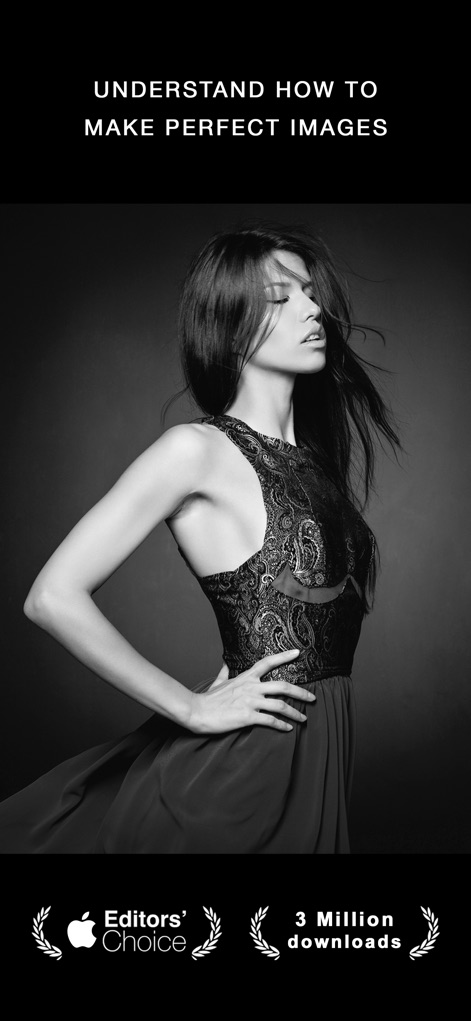
Dieses Bild demonstriert die Fähigkeit der App, meisterhafte Schwarz-Weiß-Fotografie mit hohem Kontrast und professioneller Komposition zu erstellen, ergänzt durch die Auszeichnung als Editors' Choice.
Meisterhafte Schwarz-Weiß-Kunst
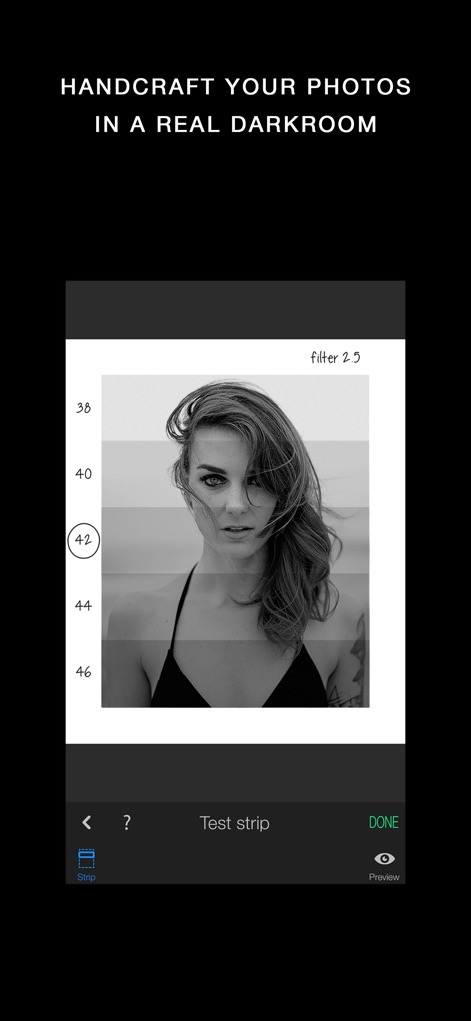
Die App bietet eine intuitive Dunkelkammer-Schnittstelle, bei der Nutzer mit dem virtuellen Teststreifen die Belichtung und den Kontrast manuell anpassen können, um die perfekte Stimmung zu erzielen.
Virtuelle Dunkelkammer

Dieses Porträt veranschaulicht, wie die App durch die Betonung dramatischer Beleuchtung und präziser Tonwertkorrektur Gesichtszüge hervorhebt, um herausragende und eindringliche Schwarz-Weiß-Bilder zu schaffen.
Ausdrucksstarke Porträts

Die Screenshot zeigt die leistungsstarke Ebenen-Funktionalität der App, die es Nutzern ermöglicht, Effekte wie Selenium-Tonung und die partielle Aufhellung (Dodge) oder Abdunklung (Burn) detailliert zu steuern.
Präzise Ebenen-Steuerung
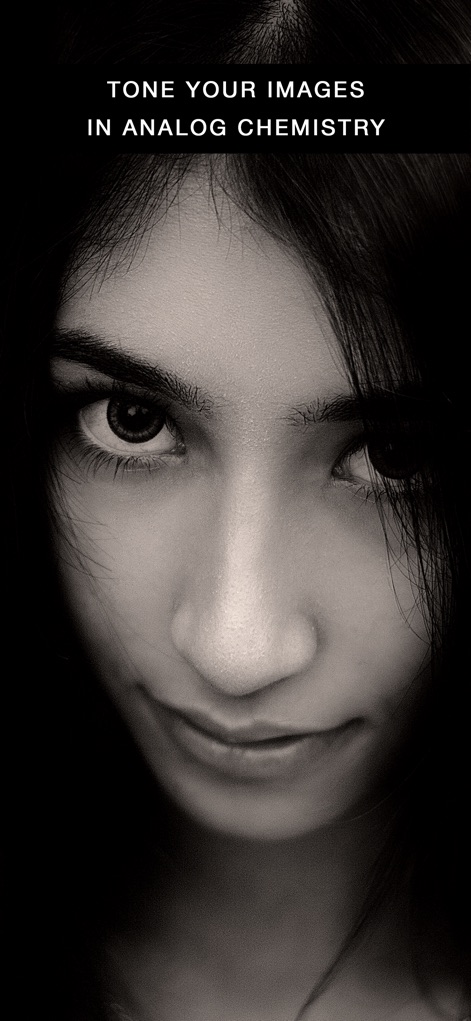
Die App ermöglicht es, Bildern eine analoge Ästhetik zu verleihen, indem sie verschiedene Tönungen wie Sepia oder Selenium anwendet, was hier die Intensität des Blicks und die Tiefe des Ausdrucks verstärkt.
Analoge Tönungen

Dieses Bild präsentiert die einzigartige Großformatkamera-Simulation der App, die Nutzern ein authentisches Erlebnis mit manuellen Einstellungen für Verschlusszeit und ISO bietet, inklusive des auf dem Kopf stehenden Bildes.
Großformat-Kameraerlebnis

Nutzer können ihren Fotos ein authentisches Filmkorn-Gefühl verleihen, indem sie verschiedene Filmemulsionen simulieren, was diesem Porträt eine klassische und texturelle Tiefe verleiht.
Authentisches Filmkorn

Die App bietet die Möglichkeit, realistische und künstlerische Ränder hinzuzufügen, die die Bildkomposition verbessern und dem Schwarz-Weiß-Foto einen traditionellen, dunkelkammerähnlichen Charakter verleihen.
Künstlerische Rahmen

Dieses Bild zeigt die leistungsstarken Dodge- und Burn-Werkzeuge der App, mit denen Nutzer selektive Tonwertkorrekturen vornehmen können, um spezifische Bereiche aufzuhellen oder abzudunkeln und so Details hervorzuheben.
Dodge und Burn
Beschreibung
Download
Ähnliche Apps
Top-gerankte Apps in derselben Kategorie

CapCut: Photo & Video Editor
BYTEDANCE PTE. LTD.

Instagram, Inc.

YouTube
Google LLC

Canva: AI Photo & Video Editor
Canva Pty Ltd

Snapchat
Snap, Inc.

快手
Beijing Kwai Technology Co., Ltd.

Edits: Video Editor
Instagram, Inc.

Meitu- AI Photo & Video Editor
Xiamen Meitu Technology Co., Ltd.

Google Photos: Backup & Edit
Google LLC
Diese Seite ist keine offizielle Seite der App oder ihres Entwicklers, sondern eine unabhängige redaktionelle Veröffentlichung, die zu Informations- und Kommentarzwecken erstellt wurde. Sofern nicht ausdrücklich anders angegeben, sind weder die App noch ihr Entwickler mit MWM, Apple, Google Play, dem App-Herausgeber oder dem Entwickler der App verbunden, von ihnen unterstützt, gesponsert, autorisiert oder anderweitig offiziell verbunden, und nichts auf dieser Seite impliziert, dass die App unter Verwendung der Dienste von MWM entwickelt wurde. Alle Marken, Logos, Screenshots und andere Inhalte bleiben Eigentum ihrer jeweiligen Inhaber.