Drawing Pad
Drawing Pad
Herunterladen auf App Store

Diese Seite ist keine offizielle Seite der App oder ihres Entwicklers, sondern eine unabhängige redaktionelle Veröffentlichung, die zu Informations- und Kommentarzwecken erstellt wurde. Sofern nicht ausdrücklich anders angegeben, sind weder die App noch ihr Entwickler mit MWM, Apple, Google Play, dem App-Herausgeber oder dem Entwickler der App verbunden, von ihnen unterstützt, gesponsert, autorisiert oder anderweitig offiziell verbunden, und nichts auf dieser Seite impliziert, dass die App unter Verwendung der Dienste von MWM entwickelt wurde. Alle Marken, Logos, Screenshots und andere Inhalte bleiben Eigentum ihrer jeweiligen Inhaber.

Logo von Drawing Pad
Herunterladen auf App Store

Drawing Pad

Verwandeln Sie Bildschirmzeit in ein schmutzfreies kreatives Abenteuer. Befähigen Sie Ihr Kind mit fotorealistischen Werkzeugen und intuitiven Menüs, die für fantasievolle Entdeckungen entwickelt wurden und von Eltern und Pädagogen im ganzen Land geschätzt werden.

Kennzahlen

Downloads

319K+

Bewertung

4.1/5

Bewertungen gesamt

5K+

Herausgeber

Murtha Design LLC

Kategorie

Graphics & Design

Sprachen

21

Neueste Version

2.7.1

Größe

222.9 MB

Erstveröffentlichung

1. Apr. 2010
Funktionen

Entfesseln Sie die Fantasie Ihres Kindes

Ein umfassendes mobiles Kunststudio, das traditionelle Kreativität mit digitaler Bequemlichkeit verbindet und speziell für die nächste Generation von Künstlern entwickelt wurde.

Hyperrealistische Werkzeuge

Erleben Sie die taktile Freude von Buntstiften, Markern und Pinseln, die sich wie echte Kunstmaterialien anfühlen – ganz ohne Sauerei.

Intuitive visuelle Oberfläche

Kein Lesen erforderlich! Unser ikonisches visuelles Schubladensystem ermöglicht es selbst den kleinsten Kindern, Werkzeuge und Farben selbstständig zu wechseln.

Die folgenden Screenshots und die Beschreibung stammen direkt aus dem offiziellen Store-Eintrag der App und sind Eigentum des Entwicklers.

App Store

Screenshots
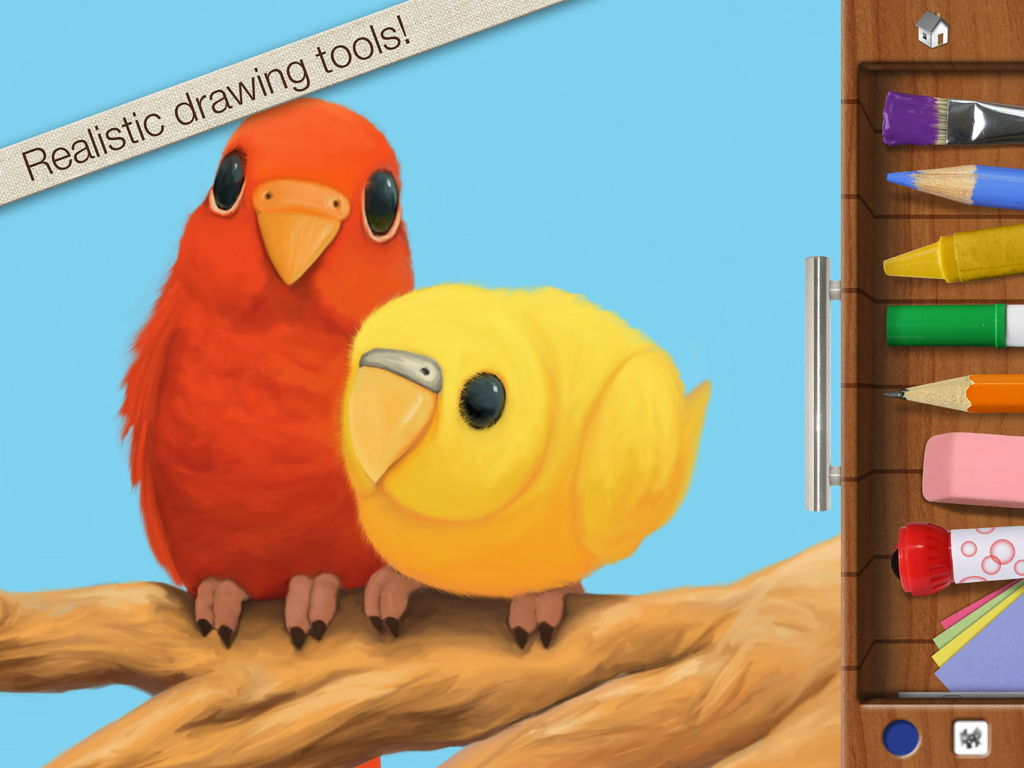
Drawing Pad - Digitale Malerei von roten und gelben Vögeln mit einer Seitenleiste, die realistische Werkzeuge wie Buntstifte und Pinsel zeigt.
Digitale Malerei von roten und gelben Vögeln mit einer Seitenleiste, die realistische Werkzeuge wie Buntstifte und Pinsel zeigt.

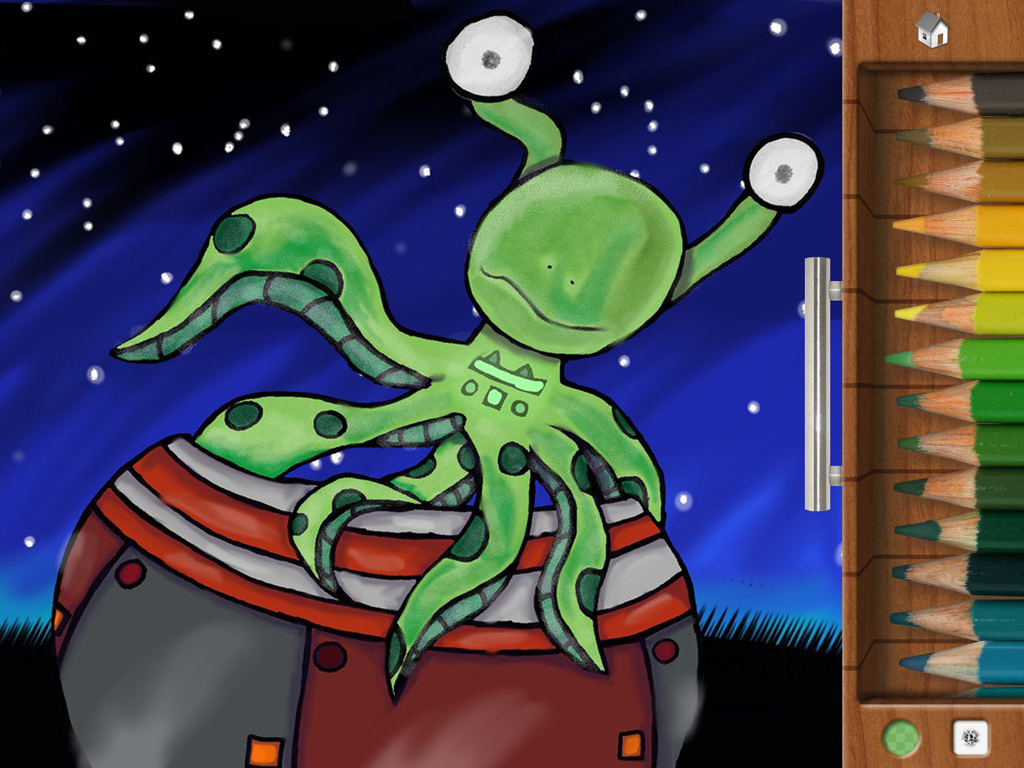
Drawing Pad - Ein grüner Oktopus-ähnlicher Alien-Charakter, gezeichnet in der Drawing Pad App mit einem seitlichen Menü mit farbigen Stiften.
Ein grüner Oktopus-ähnlicher Alien-Charakter, gezeichnet in der Drawing Pad App mit einem seitlichen Menü mit farbigen Stiften.

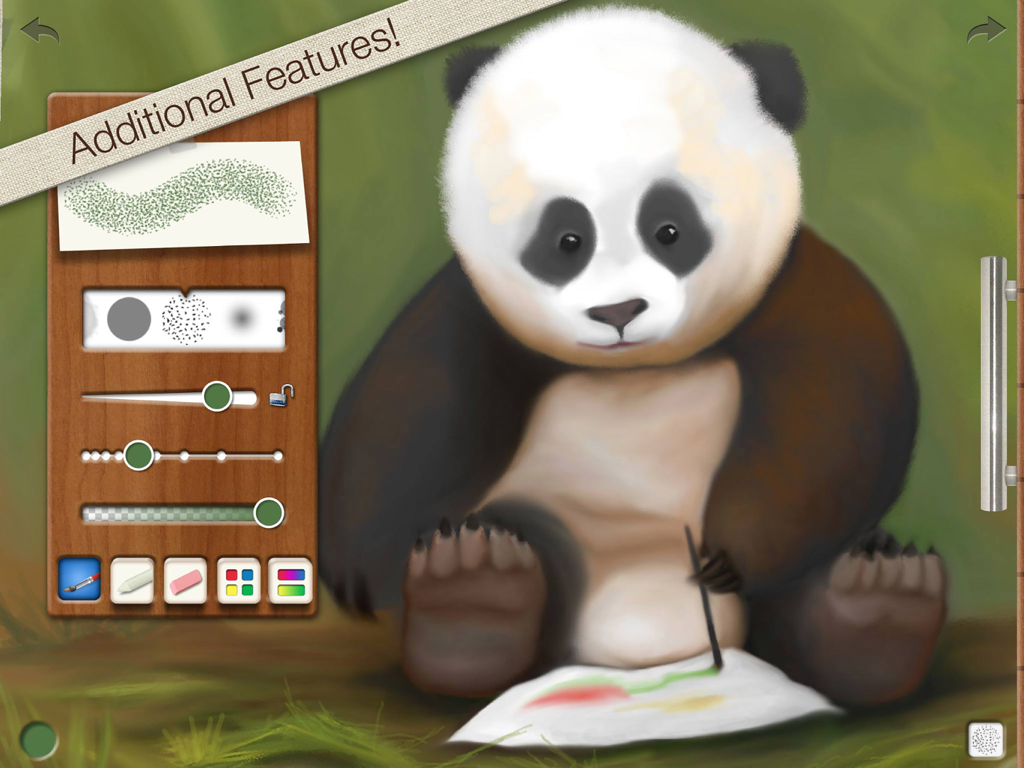
Drawing Pad - Eine digitale Malerei eines Pandas in der Drawing Pad App, die visuelle Pinsel- und Werkzeugsteuerungsmenüs zeigt.
Eine digitale Malerei eines Pandas in der Drawing Pad App, die visuelle Pinsel- und Werkzeugsteuerungsmenüs zeigt.

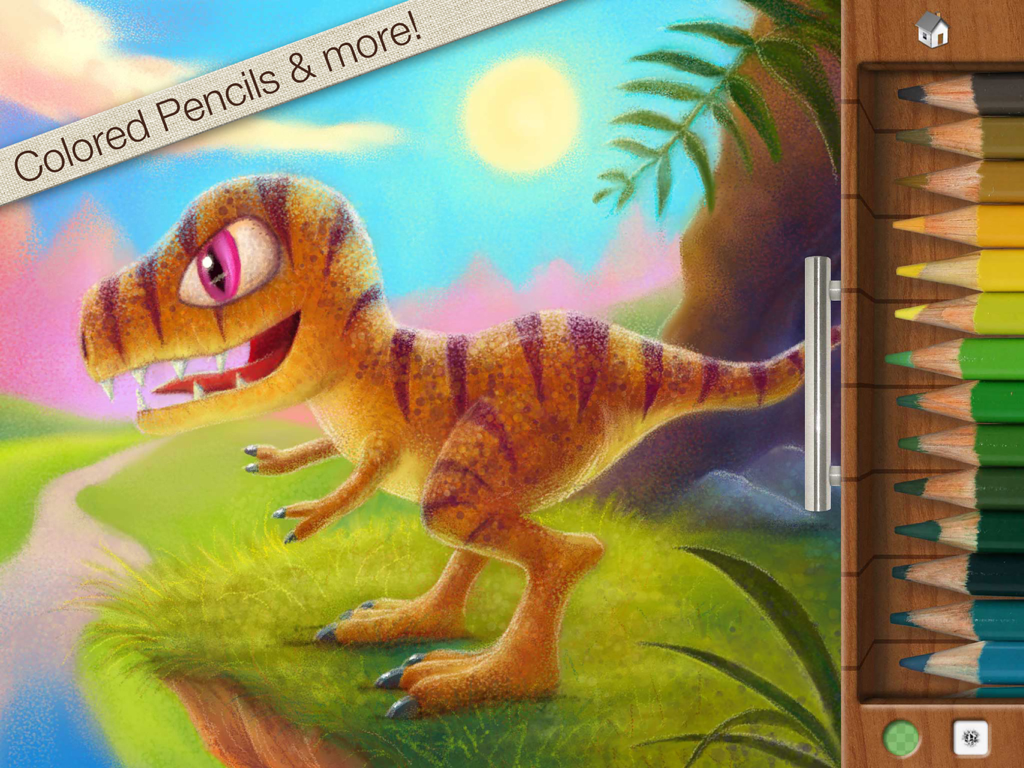
Drawing Pad - Eine farbenfrohe digitale Zeichnung eines Dinosauriers neben einer Palette mit farbigen Stiften in der Drawing Pad App.
Eine farbenfrohe digitale Zeichnung eines Dinosauriers neben einer Palette mit farbigen Stiften in der Drawing Pad App.

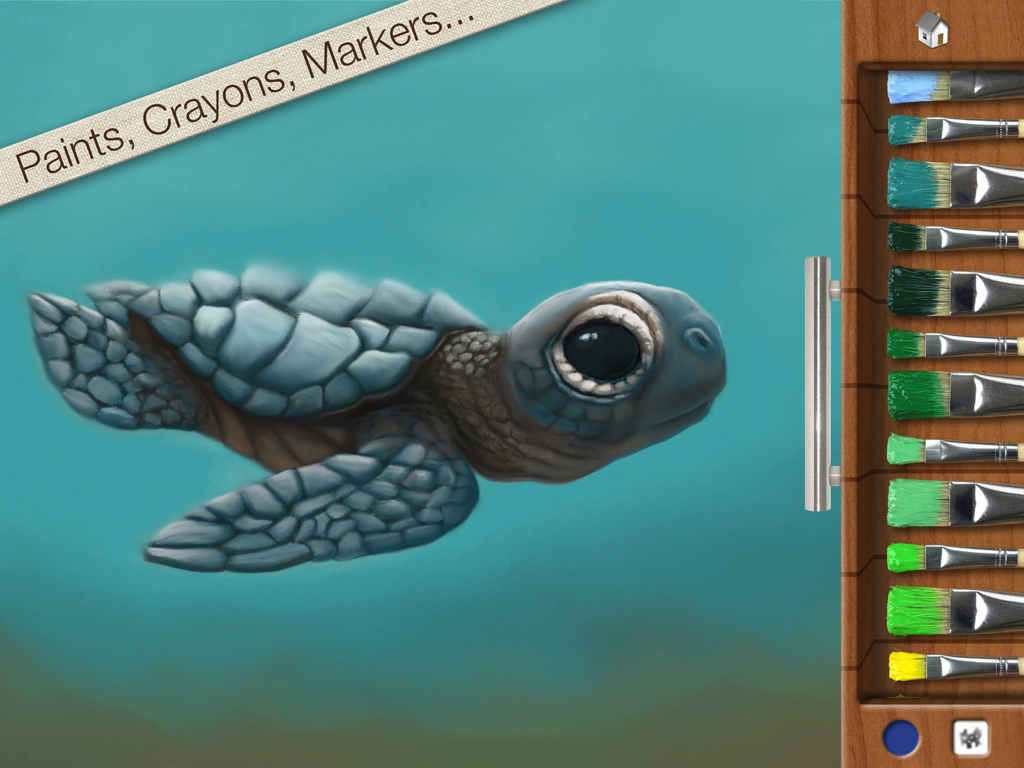
Drawing Pad - Eine digitale Malerei einer Meeresschildkröte in der Drawing Pad App mit einer Holzschublade mit verschiedenen farbigen Pinseln.
Eine digitale Malerei einer Meeresschildkröte in der Drawing Pad App mit einer Holzschublade mit verschiedenen farbigen Pinseln.

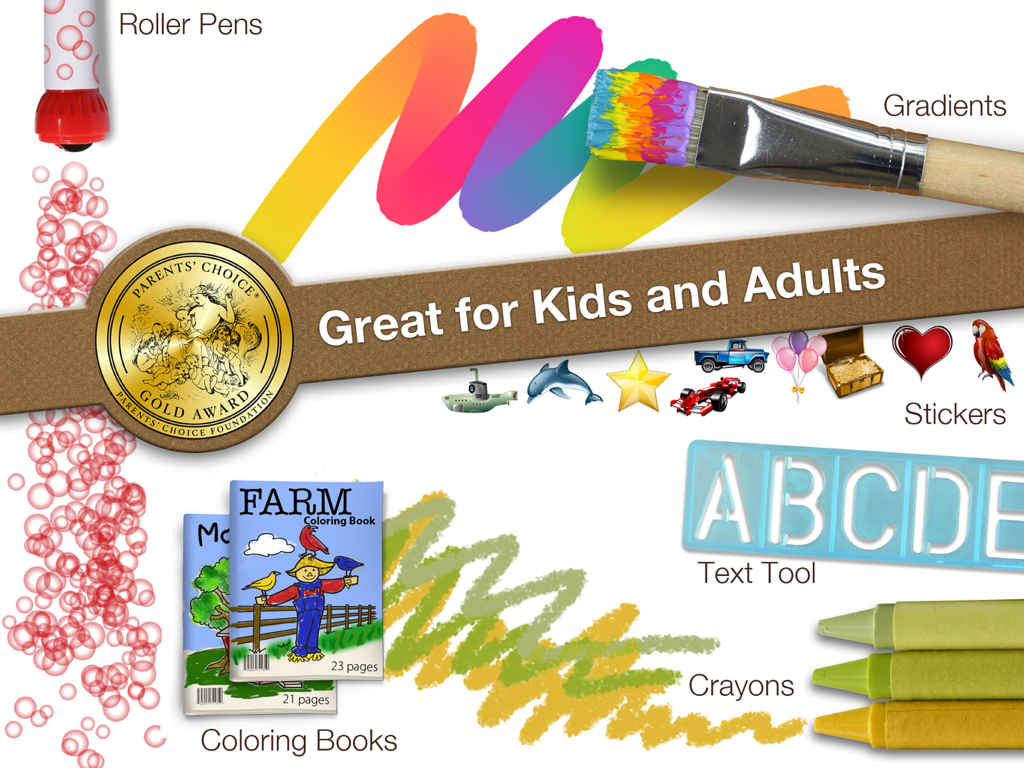
Drawing Pad - Werbegrafik für die Drawing Pad App, die Kunstwerkzeuge wie Buntstifte und Aufkleber zusammen mit dem Gütesiegel 'Parents Choice Gold Award' zeigt.

Werbegrafik für die Drawing Pad App, die Kunstwerkzeuge wie Buntstifte und Aufkleber zusammen mit dem Gütesiegel 'Parents Choice Gold Award' zeigt.

Beschreibung

Get the app that was mentioned on TV ABC 7 CHICAGO as a top school app! Watch http://abc7chicago.com/education/back-to-school-tech-shopping-tips/952242/ short link: abc7.ws/1h5RDj9 Previously iPad App of the Week in 12 countries! (http://drawingpadapp.com/apple-features-drawing-pad-as-ipad-app-of-the-week) Drawing Pad is a mobile art studio for all ages! Create your own art using photo-realistic crayons, markers, paint brushes, colored pencils, stickers, roller pens and more! ■ ACCOLADES Winner of a Parents’ Choice Gold Award (bit.ly/parents-choice) Featured on nytimes.com (bit.ly/nytimes-drawingpad) Featured on usatoday.com (usat.ly/2x5xrKx) Featured on the iLounge 2011 Buyer's Guide 100 Essential Apps of 2010! Featured by iLounge as First runner up to kids' iPad App of the Year! Featured on Gizmodo's 2010 Gift Guide (bit.ly/gizmodo-drawingpad) Featured in November 2010 MacWorld Magazine in the UK 4 out of 5 stars Awarded Editor's Choice Award from Children's Technology Review ■ IN BOOKS Featured in the book “iPad Apps for Kids for Dummies” - by Jinny Gudmundsen Featured in the O’Reilly book “Best iPad Apps” - by Peter Meyers ■ IN MUSEUMS As seen in the Star Studio Exhibit at the Indianapolis Museum of Art! (bit.ly/ima-museum) ■ QUOTES "Drawing Pad is a fantastic drawing app!" 9to5mac.com “Wonderful chalk tools! You can almost taste the dust!” Mickey Paraskevas, Illustrator and Creator of the Maggie and the Ferocious Beast TV show. "Drawing Pad is a fun and easy to use iPad art app for kids and adults alike. It has very visual menus giving you instant access to a broad range of useful art tools. There are amazing features for kids including downloadable colouring books and additional advanced features for more ambitious artists." Kyle Lambert - Artist - www.kylelambert.com ■ HOW TO USE DRAWING PAD Watch the video inside the App! (or drawingpadapp.com/tutorial) Tap a tool, choose a color, and start drawing. It’s really that simple. Your artwork is automatically saved in the Drawing Pad album. For brush options like size and spacing, tap the brush thumbnail at the bottom of the drawer. Import photo backgrounds by first tapping the stationary icon in the drawer, then the filmstrip. Import photo stickers by first tapping the sticker icon, then the stack of photos. Use one finger to move your photo and two fingers to rotate and resize. Blender tool allows you to soften and blend colors! ■ SHARING OPTIONS Export to the Device Camera Roll, print via AirPrint, share via Email, and other favorite apps like Instagram & Facebook. Even assign your artwork to a contact in your address book! ■ ALL THESE TOOLS ARE INCLUDED! Crayons Markers Paint Brushes Colored Pencils Sketch Pencils Roller Stamp Pens Erasures Stickers Construction Paper Blenders Text Sticker Tool Photo Background Import Photo Stickers Gradient Brushes & Crayons Advanced Brush Control Color wheel and Gradient Panel Pinch Zoom Autosave Two Coloring Books ■ EXTRA FUN Download extra coloring books via in app purchase! Restore prior "Coloring Book in app purchases" by tapping the "Redeem prior purchase" button on the Coloring Book store details page. See drawingpadapp.com/restore ■ DEMONSTRATION Video at http://drawingpadapp.com ■ CONTACT Email us at "support" -at- "drawingpadapp.com" BUY NOW! Don't have an iPad yet? Don't let it stop you! Great price today! Buy now and tell your friends. CREDITS: "Birds," "Panda Bear," and "Turtle" by Igor Cheban instagram.com/icheban "Dinosaur," and "Kitten" by Kyle Lambert www.kylelambert.com

Download

Herunterladen auf App Store

Diese Seite ist keine offizielle Seite der App oder ihres Entwicklers, sondern eine unabhängige redaktionelle Veröffentlichung, die zu Informations- und Kommentarzwecken erstellt wurde. Sofern nicht ausdrücklich anders angegeben, sind weder die App noch ihr Entwickler mit MWM, Apple, Google Play, dem App-Herausgeber oder dem Entwickler der App verbunden, von ihnen unterstützt, gesponsert, autorisiert oder anderweitig offiziell verbunden, und nichts auf dieser Seite impliziert, dass die App unter Verwendung der Dienste von MWM entwickelt wurde. Alle Marken, Logos, Screenshots und andere Inhalte bleiben Eigentum ihrer jeweiligen Inhaber.







