
Diese Seite ist keine offizielle Seite der App oder ihres Entwicklers, sondern eine unabhängige redaktionelle Veröffentlichung, die zu Informations- und Kommentarzwecken erstellt wurde. Sofern nicht ausdrücklich anders angegeben, sind weder die App noch ihr Entwickler mit MWM, Apple, Google Play, dem App-Herausgeber oder dem Entwickler der App verbunden, von ihnen unterstützt, gesponsert, autorisiert oder anderweitig offiziell verbunden, und nichts auf dieser Seite impliziert, dass die App unter Verwendung der Dienste von MWM entwickelt wurde. Alle Marken, Logos, Screenshots und andere Inhalte bleiben Eigentum ihrer jeweiligen Inhaber.

DreamMapper
Schließen Sie sich über 1 Million Nutzern an, die ihre CPAP-Erfahrung transformieren. Synchronisieren Sie Ihr Philips-Gerät, um tägliche Therapieeinblicke, personalisierte Ziele und Experten-Fehlerbehebung zu erhalten, um sicherzustellen, dass jede Nacht zu einem besseren Tag führt.
Downloads
1M+Bewertung
Bewertungen gesamt
120K+Herausgeber
Kategorie
MedicalSprachen
23Neueste Version
3.2.0Größe
75.8 MBErstveröffentlichung
30. Sept. 2012Meistern Sie Ihre Schlaftherapie mit Leichtigkeit
Bleiben Sie informiert und motiviert mit personalisierten täglichen Einblicken, die Ihre CPAP-Daten in umsetzbare Fortschritte für einen energiegeladeneren Morgen verwandeln.
Tägliche Therapieeinblicke
Wachen Sie mit einer detaillierten Zusammenfassung Ihrer Nacht auf, einschließlich Maskenpassform und Therapiestunden, um sicherzustellen, dass Sie immer genau wissen, wie Ihre Behandlung abschneidet.
Personalisierte Zielsetzung
Spielen Sie eine aktive Rolle für Ihre Gesundheit, indem Sie benutzerdefinierte Therapiemeilensteine festlegen und Benachrichtigungen erhalten, die Sie konsistent und konform mit dem Plan Ihres Arztes halten.
Die folgenden Screenshots und die Beschreibung stammen direkt aus dem offiziellen Store-Eintrag der App und sind Eigentum des Entwicklers.
App Store
Screenshots
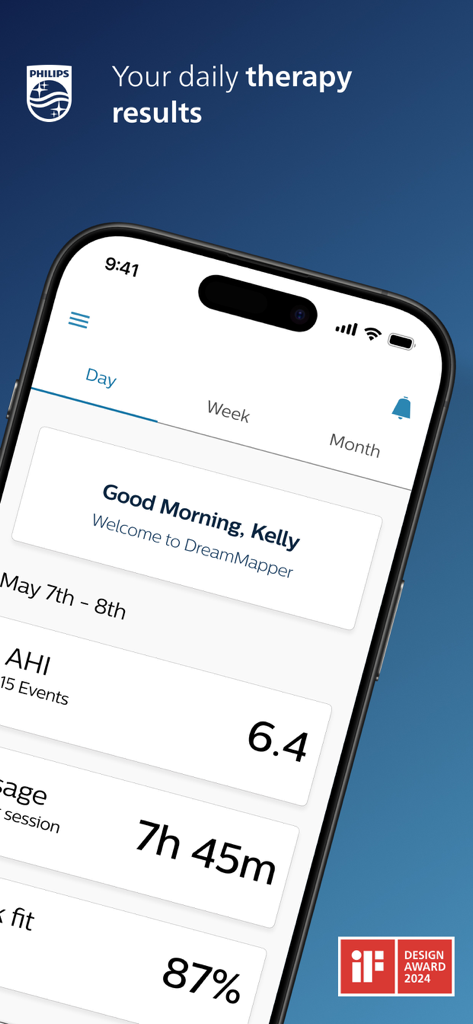
DreamMapper App-Dashboard auf einem Smartphone, das Schlafapnoe-Therapiedaten anzeigt, einschließlich AHI und Nutzungsstunden.
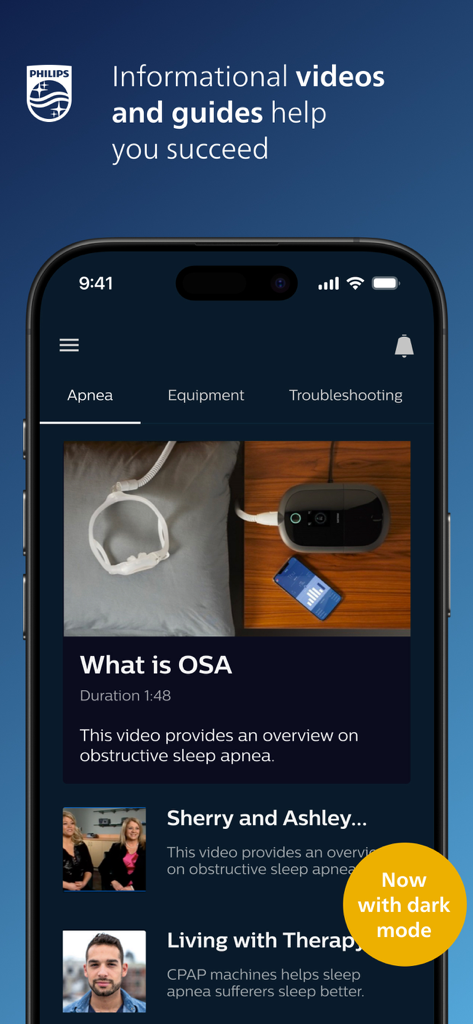
DreamMapper App-Oberfläche, die Informationsvideos und Anleitungen zur Schlafapnoe im Dark Mode anzeigt.
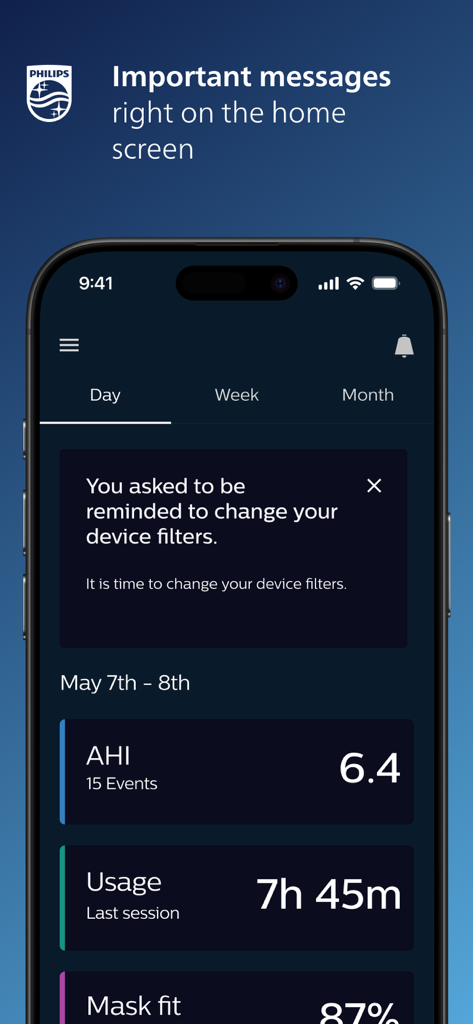
DreamMapper Mobile App-Startbildschirm, der CPAP-Therometriken und eine Erinnerung zum Wechseln der Gerätefilter anzeigt.
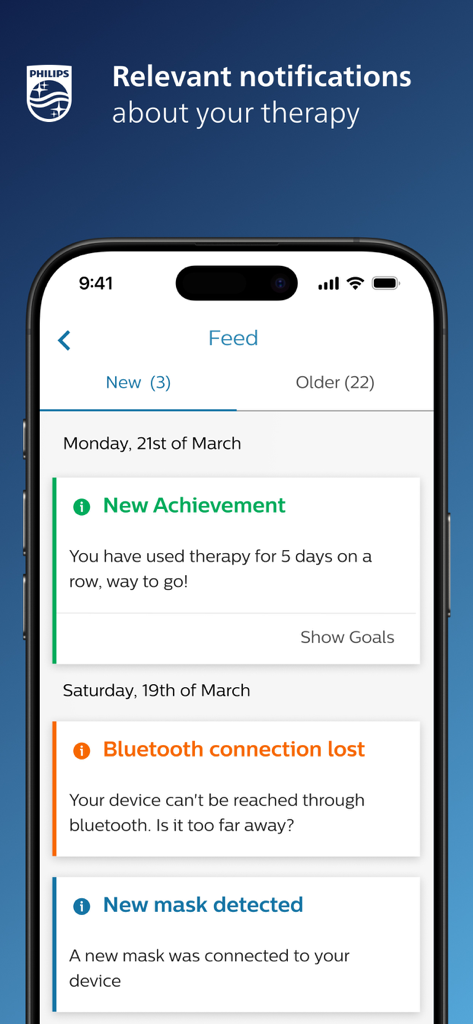
DreamMapper App-Oberfläche, die einen Feed relevanter Therapiebenachrichtigungen und Erfolge auf einem Smartphone anzeigt
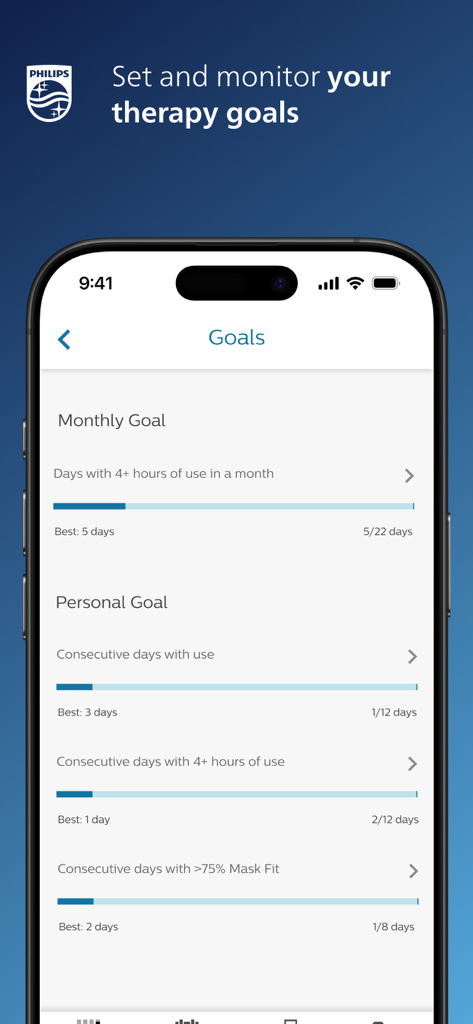
DreamMapper App-Bildschirm, der monatliche und persönliche CPAP-Therapieziele mit Fortschrittsbalken anzeigt.
Beschreibung
Download
Ähnliche Apps
Top-gerankte Apps in derselben Kategorie

国家医保服务平台
National Healthcare Security Administration

MyChart
Epic Systems Corporation

Doctolib - Your health partner
Doctolib

Pregnancy + | Tracker App
Philips Digital UK Limited

CVS Health
CVS Pharmacy

江苏医保云
Jiangsu Healthcare Security Bureau

UnitedHealthcare
UNITED HEALTHCARE SERVICES, INC.

京东健康
BEIJING JINGDONG 360 DU E-COMMERCE LTD.

Meu SUS Digital
Servicos e Informacoes do Brasil
Diese Seite ist keine offizielle Seite der App oder ihres Entwicklers, sondern eine unabhängige redaktionelle Veröffentlichung, die zu Informations- und Kommentarzwecken erstellt wurde. Sofern nicht ausdrücklich anders angegeben, sind weder die App noch ihr Entwickler mit MWM, Apple, Google Play, dem App-Herausgeber oder dem Entwickler der App verbunden, von ihnen unterstützt, gesponsert, autorisiert oder anderweitig offiziell verbunden, und nichts auf dieser Seite impliziert, dass die App unter Verwendung der Dienste von MWM entwickelt wurde. Alle Marken, Logos, Screenshots und andere Inhalte bleiben Eigentum ihrer jeweiligen Inhaber.