
Diese Seite ist keine offizielle Seite der App oder ihres Entwicklers, sondern eine unabhängige redaktionelle Veröffentlichung, die zu Informations- und Kommentarzwecken erstellt wurde. Sofern nicht ausdrücklich anders angegeben, sind weder die App noch ihr Entwickler mit MWM, Apple, Google Play, dem App-Herausgeber oder dem Entwickler der App verbunden, von ihnen unterstützt, gesponsert, autorisiert oder anderweitig offiziell verbunden, und nichts auf dieser Seite impliziert, dass die App unter Verwendung der Dienste von MWM entwickelt wurde. Alle Marken, Logos, Screenshots und andere Inhalte bleiben Eigentum ihrer jeweiligen Inhaber.

Exif Metadata Editor & IPTC
Das essentielle mobile Toolkit zum Bearbeiten von EXIF- und IPTC-Tags, Verwalten professioneller Urheberrechte und Entfernen versteckter GPS-Daten, bevor Sie sie teilen.
Downloads
34K+Bewertung
Bewertungen gesamt
800Herausgeber
Kategorie
Photo & VideoSprachen
5Neueste Version
3.2.0Größe
59.4 MBErstveröffentlichung
20. Mai 2022Beherrschen Sie Ihre Bilddaten
Das umfassendste mobile Werkzeug für professionelle Fotografen, digitale Organisatoren und datenschutzbewusste Benutzer, um jedes versteckte Detail ihrer Fotos zu verwalten.
IPTC-Standards für Agenturen
Wenden Sie Urheberrechte, Künstlerangaben und Stichwort-Tags mit professionellen Vorlagen an, um Ihre Arbeit zu schützen und Agentureinreichungen zu optimieren.
Absoluter Datenschutz
Schützen Sie Ihren digitalen Fußabdruck, indem Sie GPS-Koordinaten und sensible EXIF-Daten sofort entfernen, bevor Sie Bilder in sozialen Medien oder mit Apps teilen.
Häufig gestellte Fragen
Alles, was Sie über wissen müssen Exif Metadata Editor & IPTC
Was ist die Exif Metadata Editor & IPTC App?
Metadata Editor ist eine iOS-App, mit der Benutzer Metadaten von Fotos anzeigen, bearbeiten und entfernen können. Sie unterstützt EXIF-, IPTC-, PNG- und TIFF-Metadaten und hilft Benutzern bei der Verwaltung von Fotodetails und Datenschutz.
Kann ich EXIF-Daten mit Metadata Editor bearbeiten?
Ja, Metadata Editor fungiert als dedizierter EXIF-Editor. Sie können EXIF-, PNG- und TIFF-Metadaten bearbeiten, einschließlich Kamera-Details wie ISO, Blende und Verschlusszeit für Ihre Fotos.
Wie schützt Metadata Editor die Privatsphäre der Benutzer?
Metadata Editor schützt die Privatsphäre der Benutzer, indem er das Entfernen des GPS-Standorts ermöglicht, alle Metadaten vollständig entfernt und EXIF-Informationen aus Fotos vor dem Teilen entfernt. Dies verhindert Tracking.
Kann Metadata Editor den Standort eines Fotos ändern?
Ja, Metadata Editor ermöglicht es Benutzern, den Standort eines Fotos hinzuzufügen, zu ändern oder zu entfernen. Es unterstützt auch das Kopieren von Standortdaten zwischen Fotos und das Geotagging von Bildern zur Verbesserung der Auffindbarkeit.
Unterstützt Metadata Editor die Stapelverarbeitung von Fotos?
Ja, Metadata Editor unterstützt die Stapelverarbeitung mehrerer Fotos gleichzeitig. Diese Funktion ist effizient für die Fotoorganisation und die Anwendung konsistenter Metadatenänderungen in einer gesamten Bildersammlung.
Ist Metadata Editor eine kostenlose App?
Ja, Metadata Editor kann kostenlos heruntergeladen und verwendet werden. Einige erweiterte Funktionen, wie z. B. professionelle Tools oder unbegrenzter Zugriff, erfordern jedoch möglicherweise ein Premium-Abonnement.
Welche professionellen Funktionen bietet Exif Metadata Editor & IPTC?
Metadata Editor bietet professionelle Funktionen, darunter die Verwaltung von Urheberrechts- und Künstlerinformationen, die Verschlagwortung von Stockfotos, Beschriftungs-/Beschreibungsfelder und benutzerdefinierte IPTC-Metadaten-Vorlagen für konsistente Workflows.
Kann ich das Datum und die Uhrzeit meiner Fotos mit Metadata Editor bearbeiten?
Ja, Metadata Editor ermöglicht es Benutzern, das Datum und die Uhrzeit von Fotos zu ändern. Es enthält auch eine Funktion zur Korrektur von Zeitzonenfehlern, die nach Reisen nützlich ist.
Bietet Exif Metadata Editor & IPTC Videobearbeitungsfunktionen?
Die App Metadata Editor bietet eingeschränkte Unterstützung für die Videobearbeitung. Ihre Kernfunktionalität konzentriert sich auf die umfassende Metadatenverwaltung für Fotos, einschließlich EXIF- und IPTC-Feldern.
Wie verwalte ich mein Metadata Editor-Abonnement?
Sie verwalten Ihr Metadata Editor Unlimited Access-Abonnement über die Einstellungen Ihres iPhones. Gehen Sie zu Apple-ID > Abonnements, um Ihre aktiven Abonnements anzuzeigen und die automatische Verlängerung zu deaktivieren.
Die folgenden Screenshots und die Beschreibung stammen direkt aus dem offiziellen Store-Eintrag der App und sind Eigentum des Entwicklers.
App Store
Screenshots
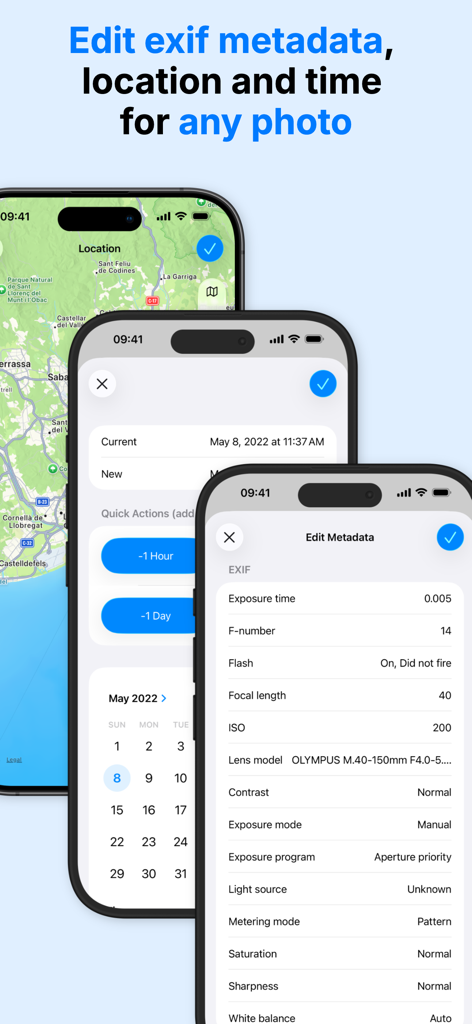
iPhone-Bildschirme, die die Bearbeitung von EXIF-Metadaten für Standort und Datum von Fotos zeigen
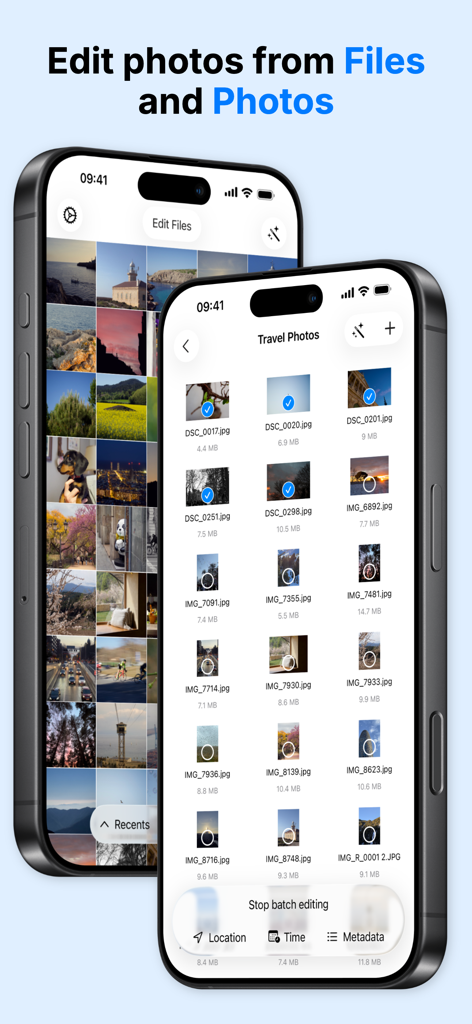
Oberfläche, die die Stapelauswahl von Fotos zur Bearbeitung von Metadaten und Standort aus den Apps Dateien und Fotos zeigt
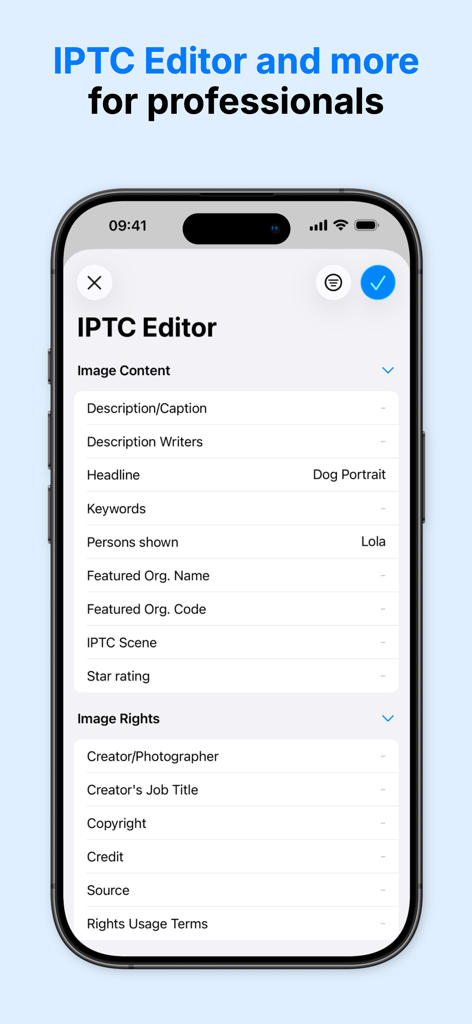
Smartphone-Bildschirm, der die IPTC-Editor-Oberfläche mit Feldern für Bildinhalte und Rechte-Metadaten zeigt
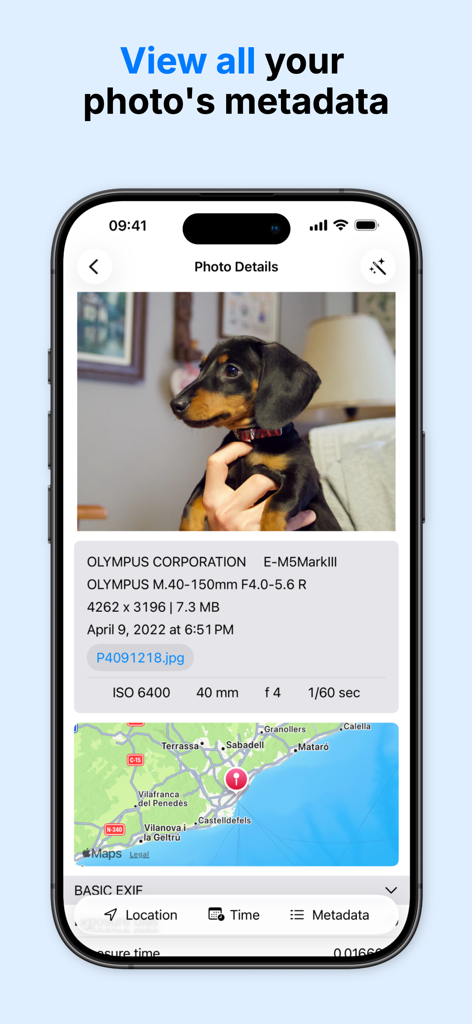
Oberfläche, die technische Details des Fotos, Kameraeinstellungen und eine GPS-Standortkarte anzeigt
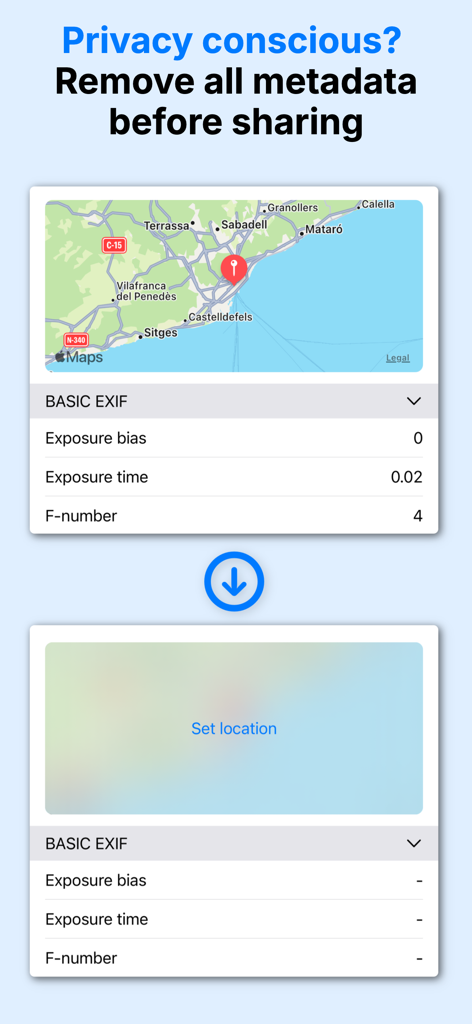
Eine Demonstration der Entfernung von EXIF-Metadaten und GPS-Koordinaten aus einem Foto zum Schutz der Privatsphäre des Benutzers.
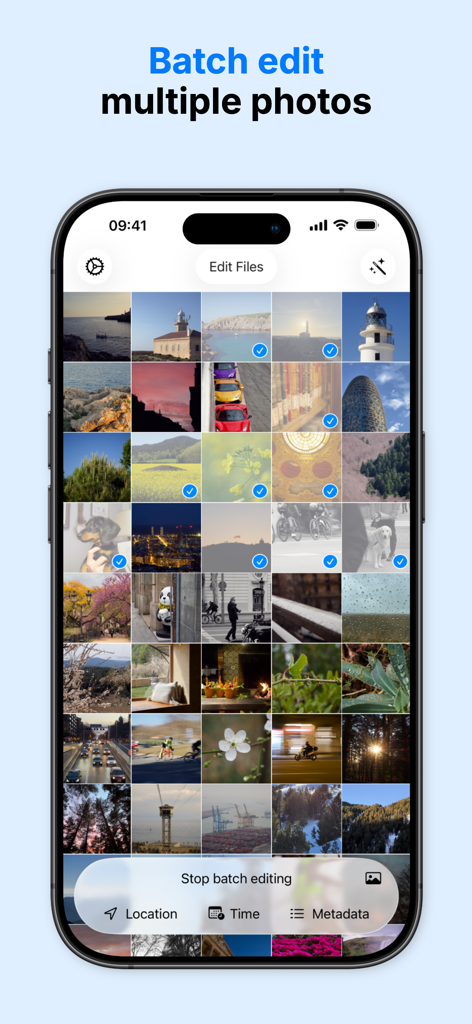
Oberfläche einer mobilen App, die mehrere ausgewählte Fotos zur Stapelbearbeitung von Metadaten wie Standort und Uhrzeit zeigt
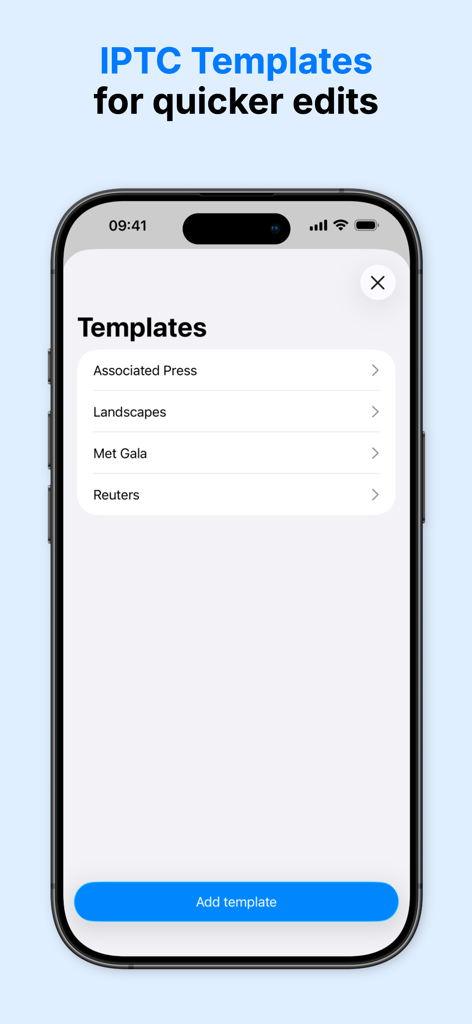
Oberfläche, die IPTC-Metadaten-Vorlagen für die schnelle Fotobearbeitung und professionelle Workflows anzeigt
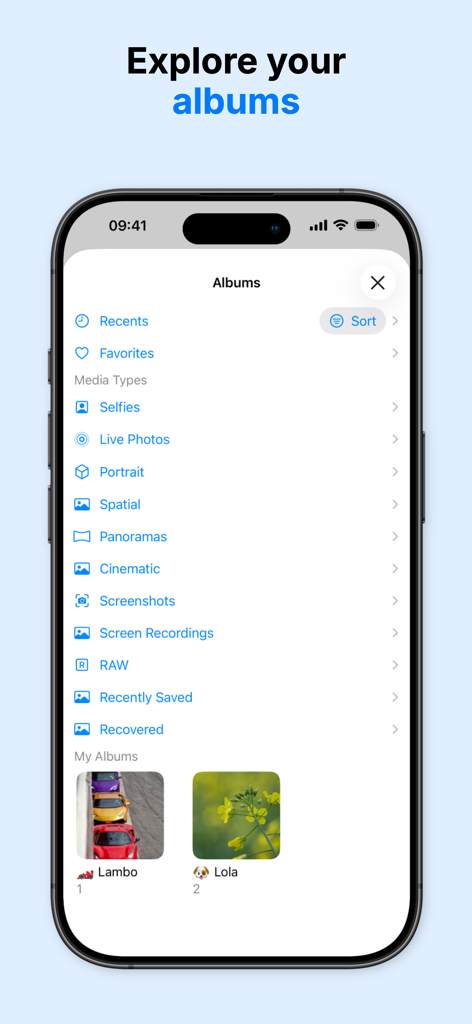
iPhone-Bildschirm, der eine Liste von Fotoalben und Medienkategorien zur einfachen Verwaltung von Metadaten anzeigt
Beschreibung
Download
Ähnliche Apps
Top-gerankte Apps in derselben Kategorie

CapCut: Photo & Video Editor
BYTEDANCE PTE. LTD.

Instagram, Inc.

YouTube
Google LLC

Canva: AI Photo & Video Editor
Canva Pty Ltd

Snapchat
Snap, Inc.

快手
Beijing Kwai Technology Co., Ltd.

Edits: Video Editor
Instagram, Inc.

Meitu- AI Photo & Video Editor
Xiamen Meitu Technology Co., Ltd.

Google Photos: Backup & Edit
Google LLC
Diese Seite ist keine offizielle Seite der App oder ihres Entwicklers, sondern eine unabhängige redaktionelle Veröffentlichung, die zu Informations- und Kommentarzwecken erstellt wurde. Sofern nicht ausdrücklich anders angegeben, sind weder die App noch ihr Entwickler mit MWM, Apple, Google Play, dem App-Herausgeber oder dem Entwickler der App verbunden, von ihnen unterstützt, gesponsert, autorisiert oder anderweitig offiziell verbunden, und nichts auf dieser Seite impliziert, dass die App unter Verwendung der Dienste von MWM entwickelt wurde. Alle Marken, Logos, Screenshots und andere Inhalte bleiben Eigentum ihrer jeweiligen Inhaber.