
Diese Seite ist keine offizielle Seite der App oder ihres Entwicklers, sondern eine unabhängige redaktionelle Veröffentlichung, die zu Informations- und Kommentarzwecken erstellt wurde. Sofern nicht ausdrücklich anders angegeben, sind weder die App noch ihr Entwickler mit MWM, Apple, Google Play, dem App-Herausgeber oder dem Entwickler der App verbunden, von ihnen unterstützt, gesponsert, autorisiert oder anderweitig offiziell verbunden, und nichts auf dieser Seite impliziert, dass die App unter Verwendung der Dienste von MWM entwickelt wurde. Alle Marken, Logos, Screenshots und andere Inhalte bleiben Eigentum ihrer jeweiligen Inhaber.


Exif Wizard-Pro
Entschlüsseln Sie tiefe Bilddaten, bearbeiten Sie Copyright-Tags und optimieren Sie Ihren professionellen Workflow mit dem ultimativen Exif-Leser und FTP-Manager für iPad und iPhone.
Downloads
184K+Bewertung
Bewertungen gesamt
100Herausgeber
Kategorie
Photo & VideoSprachen
1Neueste Version
13.0Größe
1.9 MBErstveröffentlichung
21. März 2011Professionelle Metadaten-Werkzeuge für den ernsthaften Fotografen
Exif Wizard-Pro gibt Ihnen die volle Kontrolle über Ihre digitalen Bilder. Analysieren Sie technische Spezifikationen, schützen Sie Ihr geistiges Eigentum und optimieren Sie Ihren professionellen Workflow direkt von Ihrem iPad oder iPhone aus.
Tiefgehende Metadaten-Inspektion
Greifen Sie auf granulare technische Daten wie ISO, Blende und Brennweite zu, um Ihre Leistung zu analysieren und die Fähigkeiten Ihrer Ausrüstung zu beherrschen.
Professioneller FTP-Workflow
Laden Sie einzelne Aufnahmen oder ganze Alben über passives FTP auf Ihren privaten Server hoch – ideal für Fotojournalisten im Außeneinsatz und für die Auslieferung an Kunden im Studio.
Die folgenden Screenshots und die Beschreibung stammen direkt aus dem offiziellen Store-Eintrag der App und sind Eigentum des Entwicklers.
App Store
Screenshots
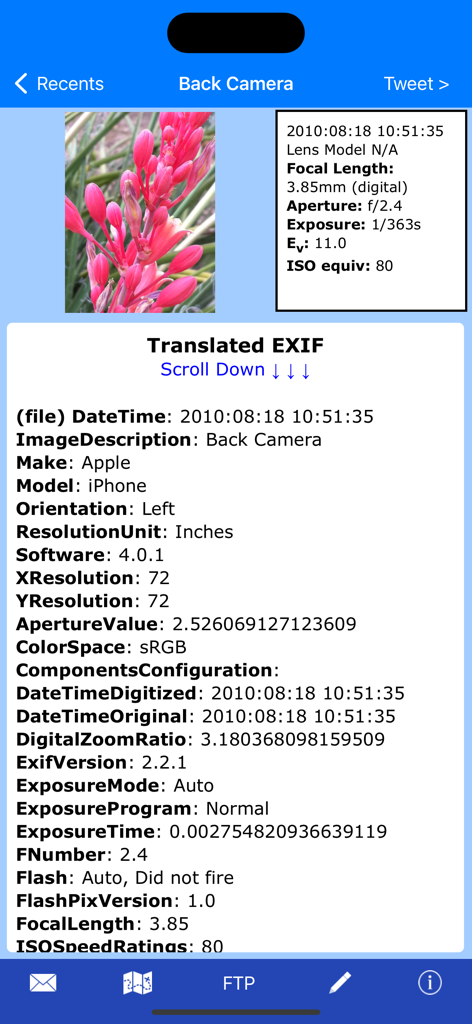
Oberfläche von Exif Wizard Pro, die umfassende Bildmetadaten und technische Kamera-Spezifikationen für ein Foto anzeigt

Anzeige von Fotos in voller Auflösung in der Exif Wizard Pro App
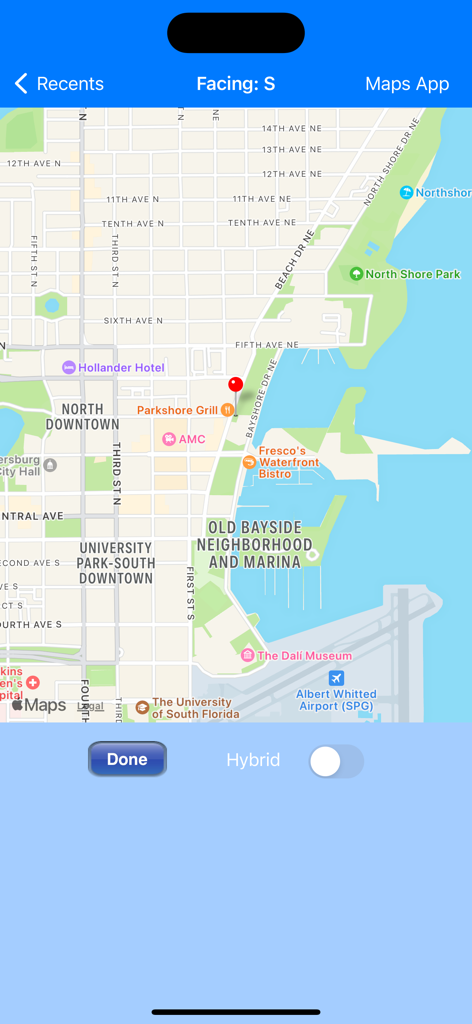
Kartenoberfläche in Exif Wizard-Pro, die den geotaggten Standort eines Fotos mit einem roten Marker anzeigt
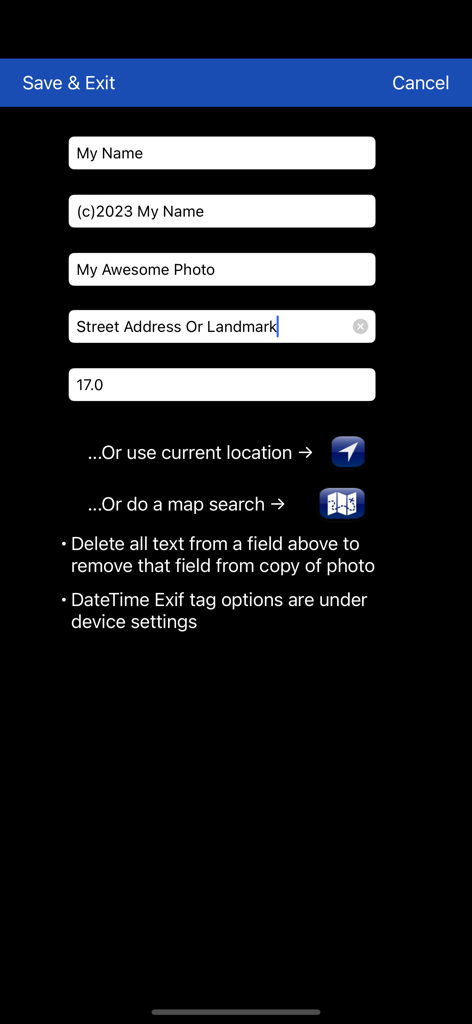
Oberfläche zur Bearbeitung von Fotometadatenfeldern wie Künstler, Copyright und GPS-Informationen.
Beschreibung
Download
Ähnliche Apps
Top-gerankte Apps in derselben Kategorie

CapCut: Photo & Video Editor
BYTEDANCE PTE. LTD.

Instagram, Inc.

YouTube
Google LLC

Canva: AI Photo & Video Editor
Canva Pty Ltd

Snapchat
Snap, Inc.

快手
Beijing Kwai Technology Co., Ltd.

Edits: Video Editor
Instagram, Inc.

Meitu- AI Photo & Video Editor
Xiamen Meitu Technology Co., Ltd.

Google Photos: Backup & Edit
Google LLC
Diese Seite ist keine offizielle Seite der App oder ihres Entwicklers, sondern eine unabhängige redaktionelle Veröffentlichung, die zu Informations- und Kommentarzwecken erstellt wurde. Sofern nicht ausdrücklich anders angegeben, sind weder die App noch ihr Entwickler mit MWM, Apple, Google Play, dem App-Herausgeber oder dem Entwickler der App verbunden, von ihnen unterstützt, gesponsert, autorisiert oder anderweitig offiziell verbunden, und nichts auf dieser Seite impliziert, dass die App unter Verwendung der Dienste von MWM entwickelt wurde. Alle Marken, Logos, Screenshots und andere Inhalte bleiben Eigentum ihrer jeweiligen Inhaber.