Exposure Calculator
Exposure Calculator
Herunterladen auf App Store

Diese Seite ist keine offizielle Seite der App oder ihres Entwicklers, sondern eine unabhängige redaktionelle Veröffentlichung, die zu Informations- und Kommentarzwecken erstellt wurde. Sofern nicht ausdrücklich anders angegeben, sind weder die App noch ihr Entwickler mit MWM, Apple, Google Play, dem App-Herausgeber oder dem Entwickler der App verbunden, von ihnen unterstützt, gesponsert, autorisiert oder anderweitig offiziell verbunden, und nichts auf dieser Seite impliziert, dass die App unter Verwendung der Dienste von MWM entwickelt wurde. Alle Marken, Logos, Screenshots und andere Inhalte bleiben Eigentum ihrer jeweiligen Inhaber.

Logo von Exposure Calculator
Herunterladen auf App Store

Exposure Calculator

Hören Sie auf, sich auf vage Tabellen und Annäherungen zu verlassen. Erhalten Sie exakte Verschlusszeiten für jede ISO und Blende, speziell entwickelt für Langzeitbelichtungen, Nachtfotografie und analoge Filme.

Kennzahlen

Downloads

110K+

Bewertung

3.9/5

Bewertungen gesamt

0

Herausgeber

Jim Chapple

Kategorie

Photo & Video

Sprachen

1

Neueste Version

1.8.22

Größe

18.3 MB

Erstveröffentlichung

3. März 2010
Funktionen

Präzisionswerkzeuge für ernsthafte Fotografen

Eliminieren Sie das Rätselraten bei der manuellen Fotografie. Unser Rechner verwendet exakte logarithmische Formeln, um die perfekte Verschlusszeit für jede Licht-, ISO- und Blendekombination zu liefern.

Über Tabellen-Annäherungen hinaus

Standarddiagramme verwenden oft gerundete Annäherungen. Unsere Engine berechnet exakte Werte für nicht standardmäßige Einstellungen wie f/2,4 oder ISO 1250 und gewährleistet mathematische Genauigkeit für Ihren Sensor oder Film.

Jede Langzeitbelichtung gelingt

Nehmen Sie das Risiko bei Aufnahmen bei schlechten Lichtverhältnissen. Berechnen Sie präzise Belichtungszeiten für Nachtlandschaften oder Aufnahmen mit ND-Filtern, die Minuten oder Stunden dauern, damit Sie niemals Zeit oder teuren Film verschwenden.

Die folgenden Screenshots und die Beschreibung stammen direkt aus dem offiziellen Store-Eintrag der App und sind Eigentum des Entwicklers.

App Store

Screenshots
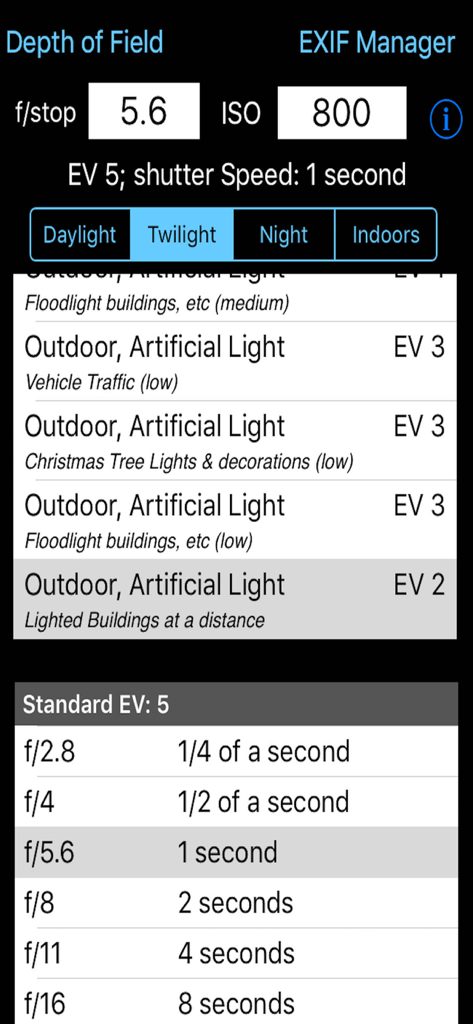
Exposure Calculator - Die Benutzeroberfläche des Belichtungsrechners zeigt Einstellungen für Verschlusszeit und Blende an
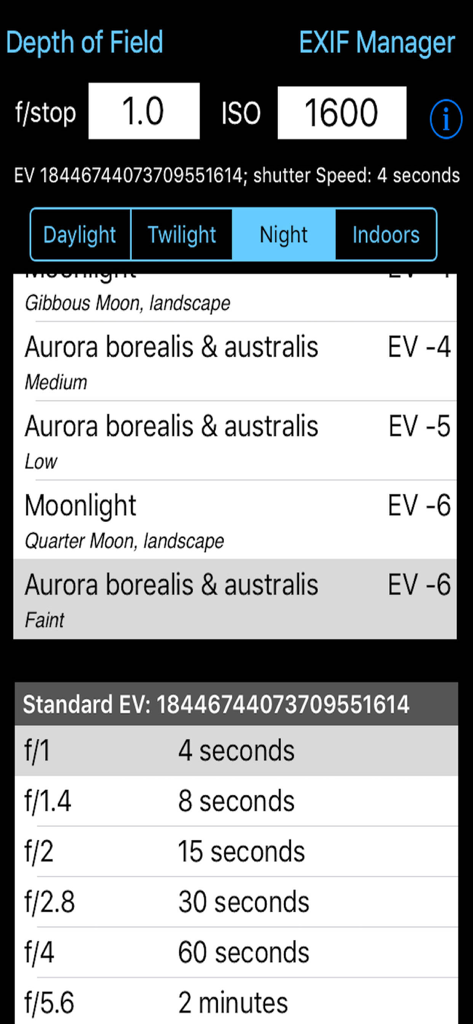
Die Benutzeroberfläche des Belichtungsrechners zeigt Einstellungen für Verschlusszeit und Blende an

Exposure Calculator - Technische Benutzeroberfläche der Belichtungsrechner-App mit Tabellen für Verschlusszeiten für Nachtfotografie und Polarlichter
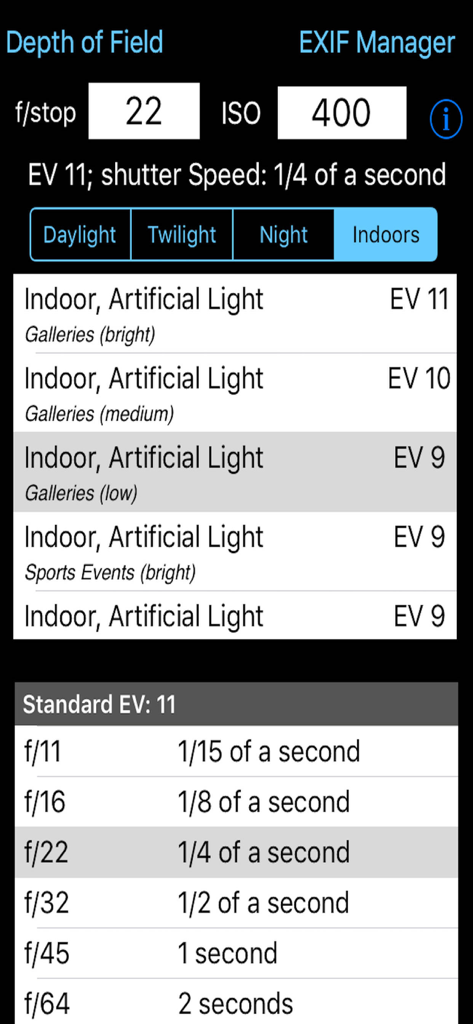
Technische Benutzeroberfläche der Belichtungsrechner-App mit Tabellen für Verschlusszeiten für Nachtfotografie und Polarlichter

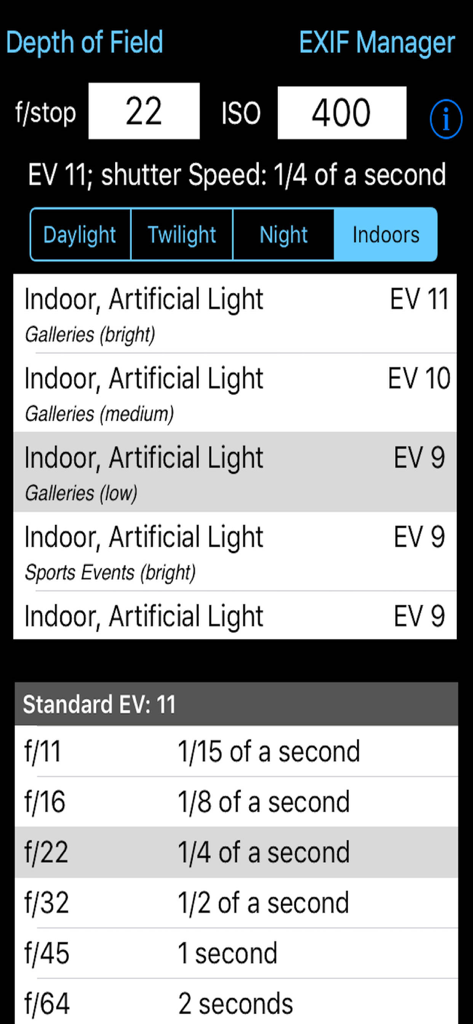
Exposure Calculator - Benutzeroberfläche der Belichtungsrechner-App, die die Berechnung der Verschlusszeit für Innenbeleuchtung zeigt
Benutzeroberfläche der Belichtungsrechner-App, die die Berechnung der Verschlusszeit für Innenbeleuchtung zeigt

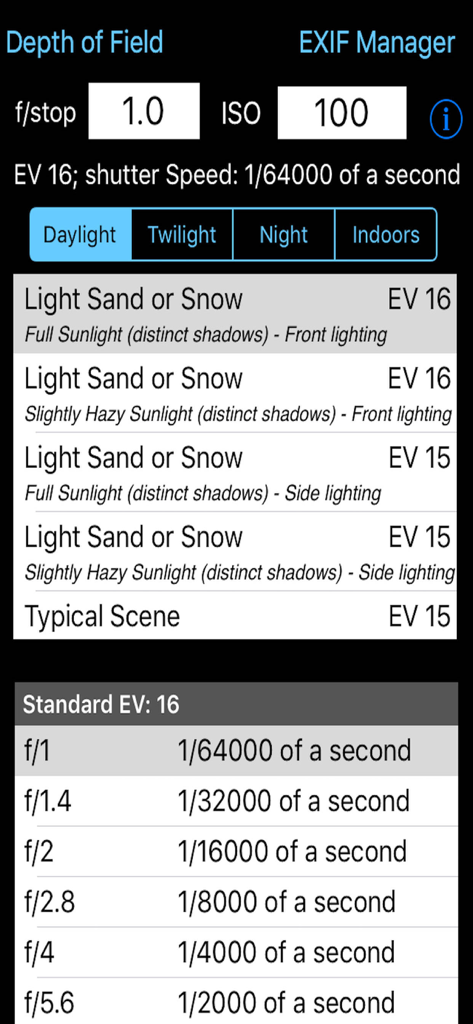
Exposure Calculator - Benutzeroberfläche der Belichtungsrechner-App mit Eingaben für Blende und ISO sowie berechneten Verschlusszeiten für verschiedene Lichtverhältnisse
Benutzeroberfläche der Belichtungsrechner-App mit Eingaben für Blende und ISO sowie berechneten Verschlusszeiten für verschiedene Lichtverhältnisse

Exposure Calculator - Benutzeroberfläche der Belichtungsrechner-App, die Kameraeinstellungen für Innenbeleuchtung mit Eingaben für Blende und ISO zeigt

Benutzeroberfläche der Belichtungsrechner-App, die Kameraeinstellungen für Innenbeleuchtung mit Eingaben für Blende und ISO zeigt

Beschreibung

Takes the guesswork out of what shutter speed to use. Ever struggled with an exposure meter or the camera's auto exposure system and found that it just cannot seem to determine the correct shutter speed? I have and that is why this App was written. There are tables and formulae to help you to work out the shutter speed for yourself, but that's not easy. This App takes some simple information about the lighting conditions, the f-stop of the camera and the ISO rating being used and calculates what the correct shutter speed should be. It is that simple. If you have used the pre-calculated tables before you might be suprised by the answers this App gives you but, believe me, I have implemented the formulae and the pre-calculated tables are approximations (sometimes rather wild ones). The tables do not include all f-stops, the tables do not take account the different ISO values cameras can be set to. This App does. This App takes this information and presents it in an easy to use form. Just type in the f/stop value using the keypad, type in the ISO rating using the keypad and then select the applicable lighting conditions from the four lighting condition types: Daylight, Twilight, Night and Indoors. Each has a range of Exposure Values to select from. The App then calculates what the effective EV value is (given the ISO rating) and so can calculate what the actual shutter speed should be. It also shows the applicable row from the standard tables for the EV. Depending on the ISO rating being used the Exposure value selected from the list can be increased or decreased e.g. if the light is low and the EV is -3 but you are using ISO 800 then the effective Exposure value is zero (ISO 800 counts as +3 to EV) the shutter speed needs to match this value not that selected from the standard lighting condition values. The tables only show some of f/stop values. For example the tables show f/2.0 and f/2.8 but you might have the camera set to f/2.4. Well it is possible to calculate the exact value so this is what the App does. Coupled with ISO values that do not generate exact EV numbers this value can show you the true value you should be attempting to use. An ISO of 250 adds +1.32 to the EV value. It is a log2 scale. Now you may not be able to set you camera to the exact value given but it does give you a much better idea of the real shutter speed required rather than trying to guess from the tables (which are calculated on a logarithmic scale and are approximations). By being able to set the ISO to 250 or 500, etc this App is can calculate the real EV value. If you set the ISO to 1000 then any EV value selected needs to have approximately 3.3 added to it to give the correct EV value. So if the selected EV is 6 then the effective EV with this ISO is actually 9.3. But there is no row for 9.3 in the standard tables and it does make a difference. If the camera is set to f/3.5 then the closest row in the table is for EV9 and f/2.8 (1/60th of a second) or f/4.0 (1/30th of a second). So do you err towards 1/30th or 1/60th. Well this App actually calculates the exact value and this shows as 1/52nd of a second. Generally a camera cannot be set to this but it can be set to 1/50th so I would try that and then maybe 1/60th and maybe 1/40th. The calculation comes out as 1/50th because the EV is not 9 it is 9.3 and therefore with the ISO at 1000 everything must be treated as brighter and so less exposure is needed. Being able to see the exact value to use is even more use when long exposures are needed. The standard tables get very vague for low light conditions i.e. EV -6 for f/22 is 64 minutes and for f/32 it is 128 minutes (over an hour more). So if you are using f/28 how many minutes at ISO 1250? Well the answer is 66.9 minutes which is much shorter than you might have guessed.

Download

Herunterladen auf App Store

Diese Seite ist keine offizielle Seite der App oder ihres Entwicklers, sondern eine unabhängige redaktionelle Veröffentlichung, die zu Informations- und Kommentarzwecken erstellt wurde. Sofern nicht ausdrücklich anders angegeben, sind weder die App noch ihr Entwickler mit MWM, Apple, Google Play, dem App-Herausgeber oder dem Entwickler der App verbunden, von ihnen unterstützt, gesponsert, autorisiert oder anderweitig offiziell verbunden, und nichts auf dieser Seite impliziert, dass die App unter Verwendung der Dienste von MWM entwickelt wurde. Alle Marken, Logos, Screenshots und andere Inhalte bleiben Eigentum ihrer jeweiligen Inhaber.








