FieldMonitor
FieldMonitor
Herunterladen auf App Store

Diese Seite ist keine offizielle Seite der App oder ihres Entwicklers, sondern eine unabhängige redaktionelle Veröffentlichung, die zu Informations- und Kommentarzwecken erstellt wurde. Sofern nicht ausdrücklich anders angegeben, sind weder die App noch ihr Entwickler mit MWM, Apple, Google Play, dem App-Herausgeber oder dem Entwickler der App verbunden, von ihnen unterstützt, gesponsert, autorisiert oder anderweitig offiziell verbunden, und nichts auf dieser Seite impliziert, dass die App unter Verwendung der Dienste von MWM entwickelt wurde. Alle Marken, Logos, Screenshots und andere Inhalte bleiben Eigentum ihrer jeweiligen Inhaber.

Logo von FieldMonitor
Herunterladen auf App Store

FieldMonitor

Machen Sie Ihr iPhone oder iPad zu einem hochpräzisen Field-Monitor. Nutzen Sie Profi-Tools wie False Color, Waveforms und 3D-LUTs für Ihren Sony-, Canon-, Panasonic- oder Teradek-Workflow.

Kennzahlen

Downloads

244K+

Bewertung

3.7/5

Bewertungen gesamt

200

Herausgeber

Adam Wilt

Kategorie

Photo & Video

Sprachen

1

Neueste Version

11.2

Größe

39.0 MB

Erstveröffentlichung

21. Mai 2016
Funktionen

Professionelles Monitoring für die Hosentasche

Verwandeln Sie Ihr iPhone oder iPad in einen leistungsstarken kabellosen Field-Monitor mit den fortschrittlichen Scoping- und Steuerungswerkzeugen, die professionelle Kameraleute verlangen.

Fortschrittliche Belichtungswerkzeuge

Treffen Sie jedes Mal die perfekte Belichtung mit integrierten Waveform-Monitoren, Histogrammen und False Color – Funktionen, die normalerweise teurer Spezialhardware vorbehalten sind.

Vollständige kabellose Steuerung

Starten Sie Aufnahmen aus der Ferne und passen Sie Verschlusszeit, ISO und Blende direkt von Ihrem Gerät aus an. Perfekt für die Arbeit mit Gimbals und Solo-Drehs.

Die folgenden Screenshots und die Beschreibung stammen direkt aus dem offiziellen Store-Eintrag der App und sind Eigentum des Entwicklers.

App Store

Screenshots
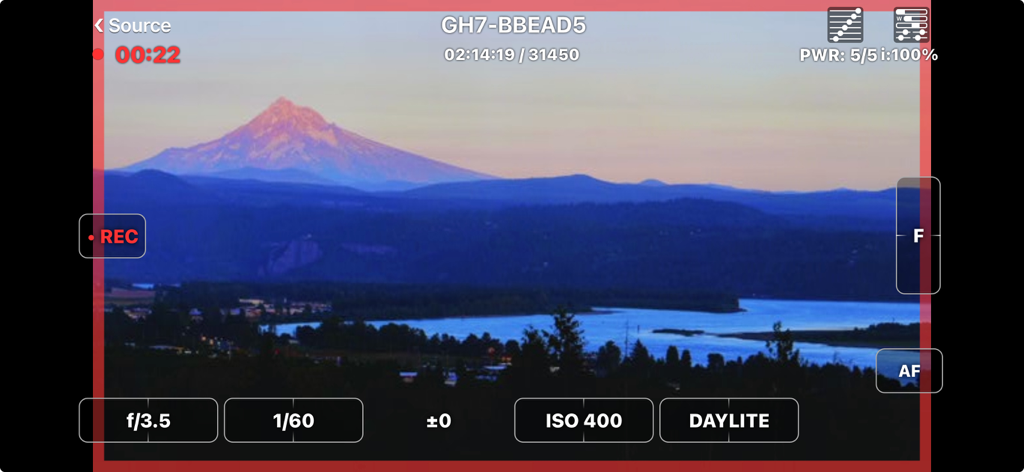
FieldMonitor - FieldMonitor-App-Interface mit Live-Kamera-Feed und professionellen Belichtungssteuerungen
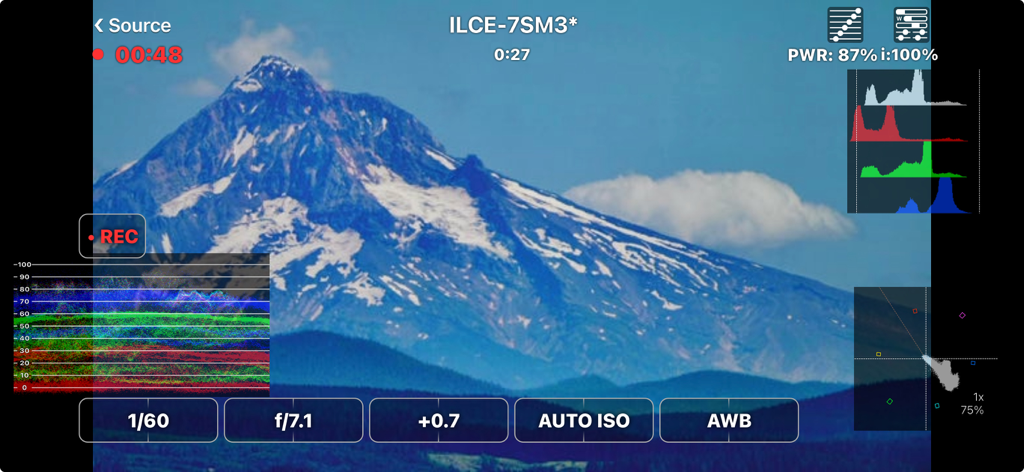
FieldMonitor-App-Interface mit Live-Kamera-Feed und professionellen Belichtungssteuerungen

FieldMonitor - FieldMonitor-App-Interface mit Waveform-Histogramm und Kamerasteuerungen bei einer Berglandschaftsaufnahme
FieldMonitor-App-Interface mit Waveform-Histogramm und Kamerasteuerungen bei einer Berglandschaftsaufnahme

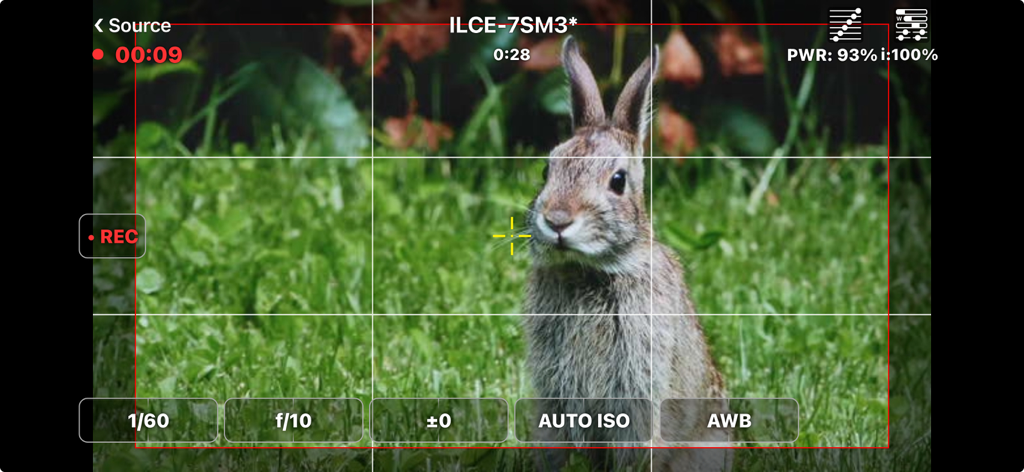
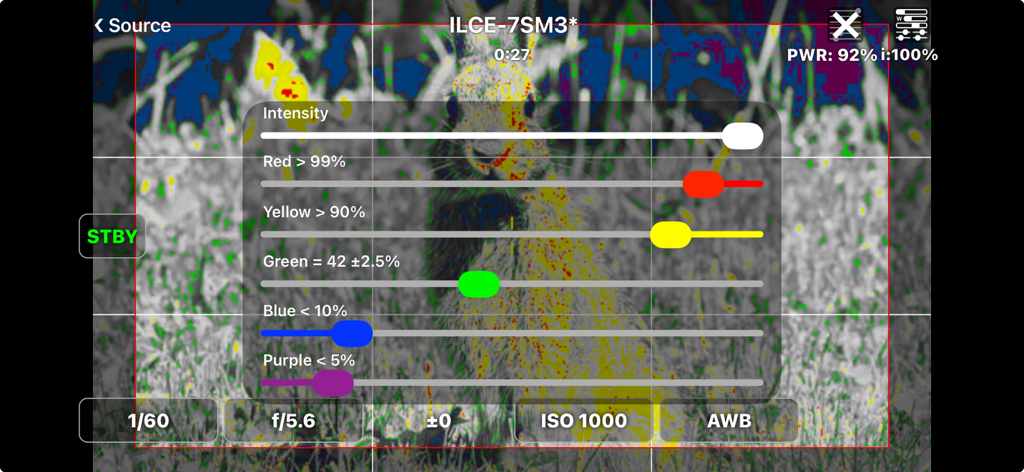
FieldMonitor - FieldMonitor-App-Interface mit einem Live-Kamera-Feed eines Kaninchens mit professionellen Filmeinstellungen und einem Bildraster.
FieldMonitor-App-Interface mit einem Live-Kamera-Feed eines Kaninchens mit professionellen Filmeinstellungen und einem Bildraster.

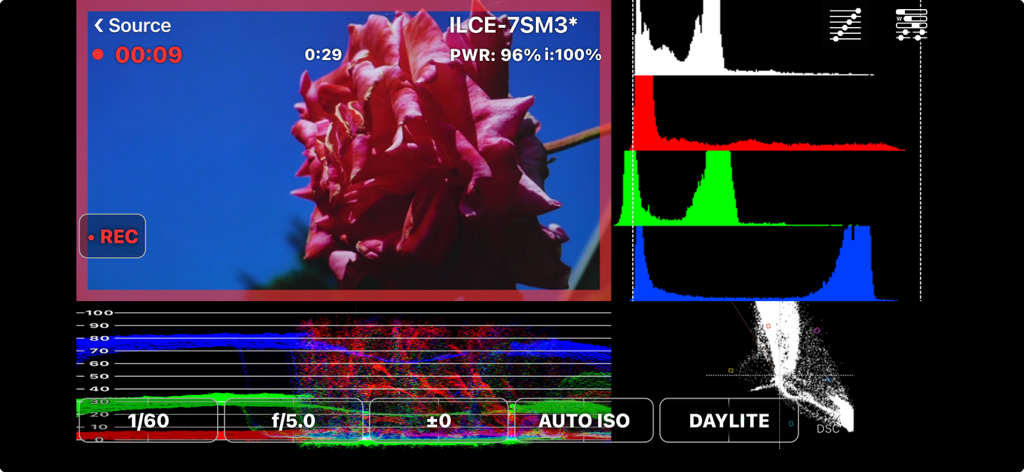
FieldMonitor - FieldMonitor-App mit professionellen Video-Scopes wie Histogrammen und Waveforms für die Kinematografie
FieldMonitor-App mit professionellen Video-Scopes wie Histogrammen und Waveforms für die Kinematografie

FieldMonitor - FieldMonitor-App-Interface mit False-Color-Belichtungseinstellungen und Intensitätsreglern bei einem Sony-Kamera-Feed
FieldMonitor-App-Interface mit False-Color-Belichtungseinstellungen und Intensitätsreglern bei einem Sony-Kamera-Feed

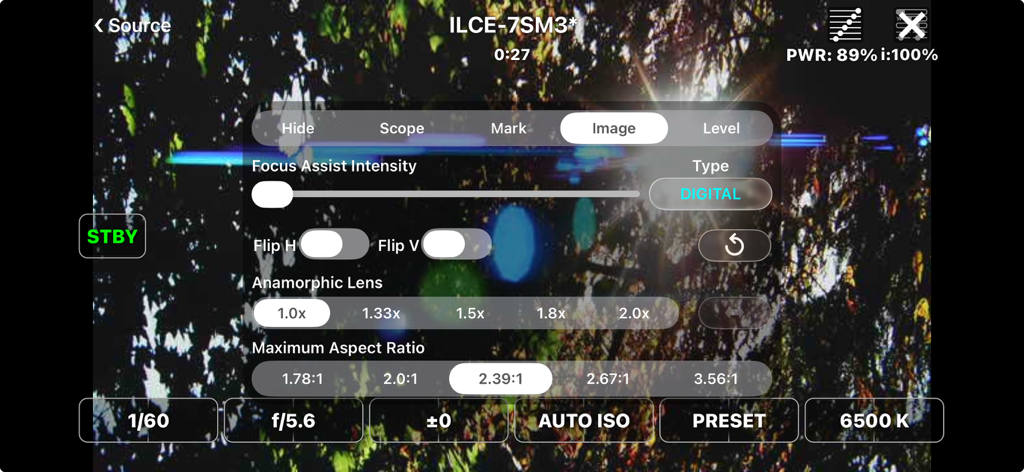
FieldMonitor - FieldMonitor-App-Interface mit professionellen Kameraeinstellungen und anamorphen Objektivoptionen über einem Live-Video-Feed
FieldMonitor-App-Interface mit professionellen Kameraeinstellungen und anamorphen Objektivoptionen über einem Live-Video-Feed

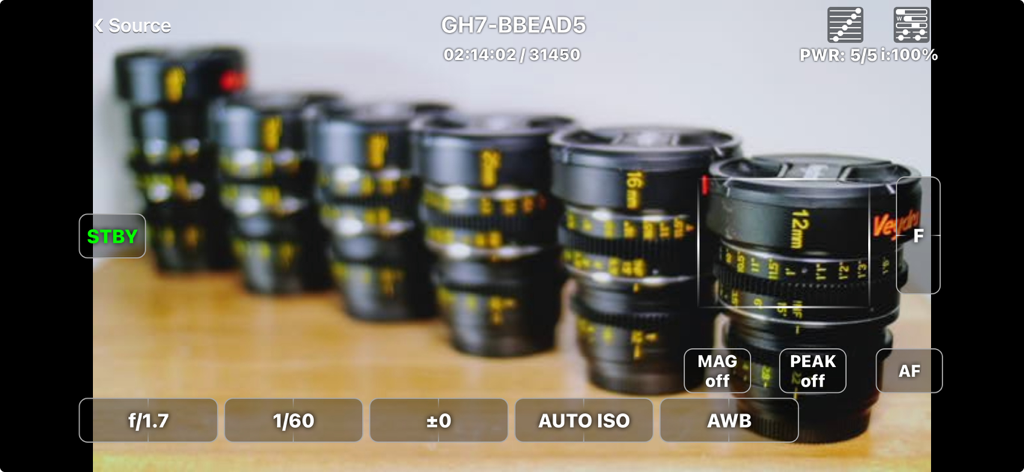
FieldMonitor - FieldMonitor-App mit einem Live-Kamera-Feed mit professionellen Belichtungs- und Fokussteuerungen

FieldMonitor-App mit einem Live-Kamera-Feed mit professionellen Belichtungs- und Fokussteuerungen
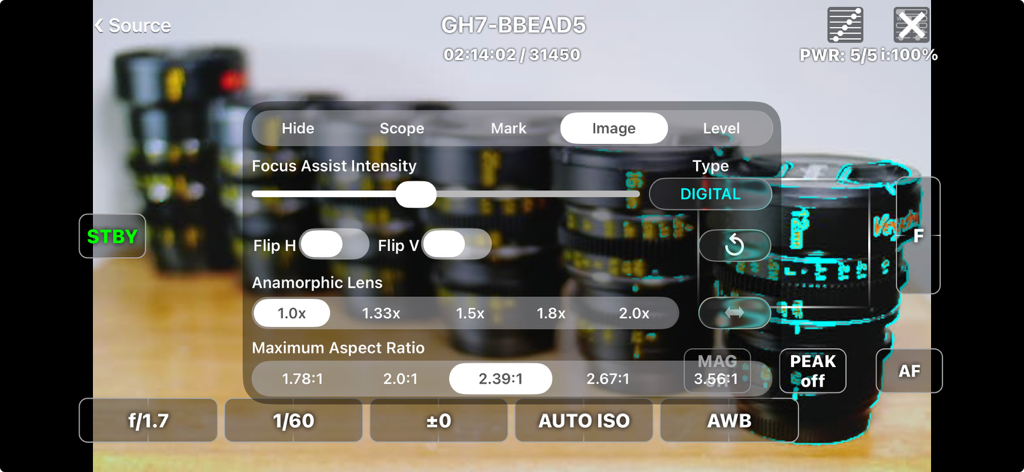
FieldMonitor - FieldMonitor-App-Interface mit Einstellungen für anamorphe Objektive und Seitenverhältnisse für professionelles Videomonitoring
FieldMonitor-App-Interface mit Einstellungen für anamorphe Objektive und Seitenverhältnisse für professionelles Videomonitoring

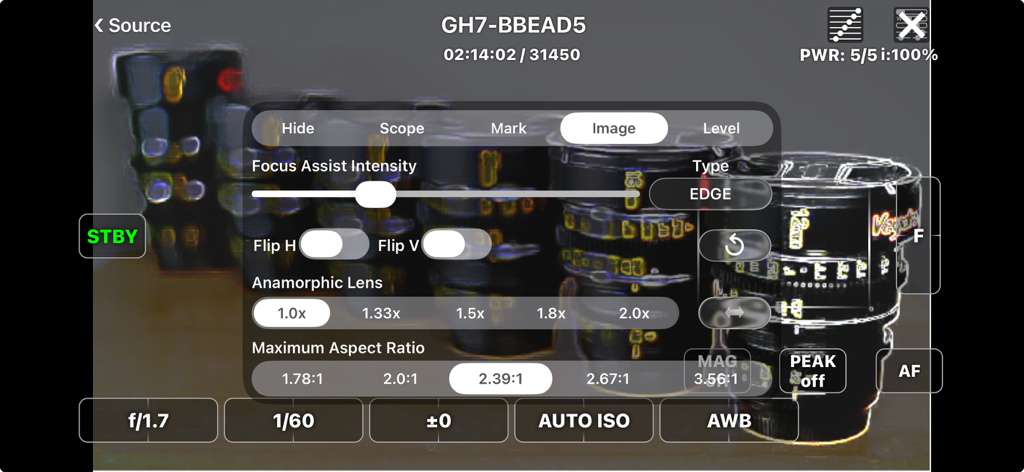
FieldMonitor - FieldMonitor-App-Interface mit Einstellungen für Fokus-Assistent-Intensität, Bildspiegelung und Anamorphic-Lens-Desqueeze-Verhältnisse.
FieldMonitor-App-Interface mit Einstellungen für Fokus-Assistent-Intensität, Bildspiegelung und Anamorphic-Lens-Desqueeze-Verhältnisse.

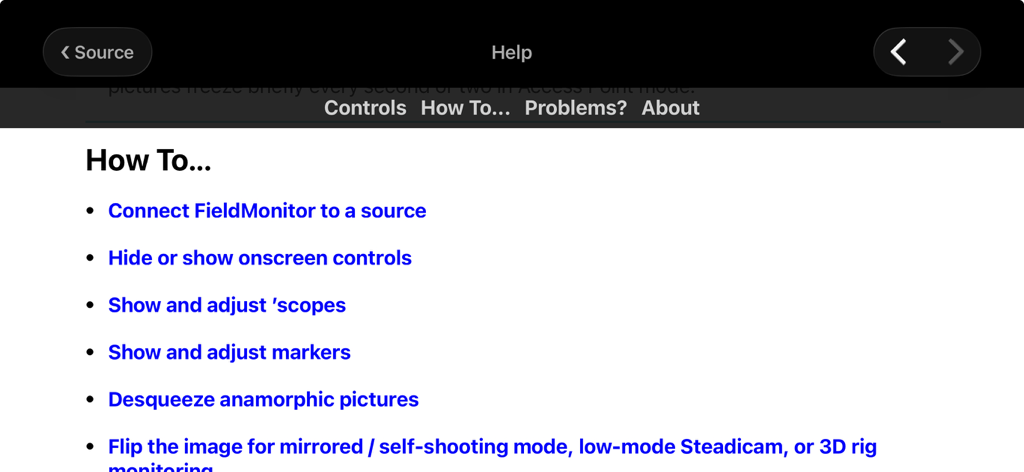
FieldMonitor - FieldMonitor-App-Hilfe-Interface mit verschiedenen Anleitungen zur professionellen Kameraüberwachung

FieldMonitor-App-Hilfe-Interface mit verschiedenen Anleitungen zur professionellen Kameraüberwachung

Beschreibung

FieldMonitor gives you wireless monitoring & control for Canons, Panasonics, Sonys, and Teradeks. IMPORTANT: DO NOT buy FieldMonitor without reading this ENTIRE description! Test your camera with its native Wi-Fi app to make sure your workflow and recording formats are supported BEFORE buying FieldMonitor. Make sure you have the controls you need with the native app, and that image quality and lag are acceptable. Contact me if you have any questions. • FieldMonitor has the same latency, resolution, and reliability as your camera’s native app. • If a camera control or feature does not work with the native app, it won’t work with FieldMonitor. • FieldMonitor has NO playback, review or download capability. • In areas with busy Wi-Fi networks and/or sources of radio interference, performance cannot be guaranteed, whether using FieldMonitor or your camera’s native app. WHAT IT DOES: FieldMonitor™ lets you monitor picture, exposure, and color on supported Canon™, Panasonic™, and Sony™ cameras, and Teradek™ H.264/HEVC transmitters. FieldMonitor runs on iPhone, iPad, iPod touch, and Apple Silicon (M1) Mac. Use markers to show safe areas, aspect ratios, and framing grids. Desqueeze anamorphic images, cropped to your final aspect ratio. Flip the image on either axis. Focus Assist helps you nail focus. Use a waveform monitor, vectorscope, histogram, false color, and 3D LUTs. With iPhone 5S or later, iPod touch 6G or later, iPad Air or later, iPad mini 2 or later, and iPad Pro, you can see a false-color picture with adjustable levels. With a supported camera and lens you can start/stop recording, control exposure and color settings, and zoom or focus remotely. Controls are designed for fast, realtime adjustments. See the FieldMonitor website for details. SUPPORTED SOURCES: • Canon: EOS mirrorless and DSLR cameras that support video recording in Wi-Fi remote mode when using Canon’s Camera Connect. • Panasonic: Lumix cameras that transmit a live view while recording when using Image App or Lumix Sync. GH3 and earlier cameras do NOT support video recording in Wi-Fi remote mode. • Sony: only Alpha and RX cameras that transmit a live view while recording when using Imaging Edge Mobile. A5000, A6000, A7, A7R, A99 and earlier cameras do NOT support video recording in Wi-Fi remote mode. • Teradek: H.264 and HEVC encoders only (Cube, Serv Pro), not uncompressed (Bolt). • More info on the FieldMonitor website’s support page. LIMITATIONS: • FieldMonitor does not work with cine cameras or camcorders, only “hybrid” still & video cameras (mirrorless or DSLR). • Audio is not transmitted from cameras, only Teradeks. • Camera Wi-Fi images are 512x288, 640x360, 320x180, or 1024x576 depending on the camera. Teradeks support 240p to 1080p. • “Smart Remote” Sonys do NOT allow use of Picture Profiles, S-Log, or S&Q Motion when using Wi-Fi remote control. Focus points can only be set in photo mode. • “Ctrl w/ Smartphone“ Sonys do not display focus area, battery level, and/or storage info. Focus points can’t be set in the app with most cameras other than A1, A7Siii, and FX3, in video mode only. • Fujifilm legacy support: ONLY X-T3 and X-T100 are supported. X-T3 only records 1080p / 29.97 fps; X-T100 only records 720p / 24 fps. See https://www.adamwilt.com/fieldmonitor/support.html#Fujifilm for other limitations. LEGAL: Canon, EOS, Camera Connect, Fujifilm, Panasonic, Lumix, Image App, Lumix Sync, Sony, Imaging Edge Mobile, Teradek, Cube, Clip, VidiU, Serv, & Bolt are all trademarks of their respective owners. FieldMonitor is an independently-developed app; Canon, Fujifilm, Panasonic, Sony, and Teradek are not responsible for FieldMonitor’s performance, suitability, or fitness for purpose.

Download

Herunterladen auf App Store

Diese Seite ist keine offizielle Seite der App oder ihres Entwicklers, sondern eine unabhängige redaktionelle Veröffentlichung, die zu Informations- und Kommentarzwecken erstellt wurde. Sofern nicht ausdrücklich anders angegeben, sind weder die App noch ihr Entwickler mit MWM, Apple, Google Play, dem App-Herausgeber oder dem Entwickler der App verbunden, von ihnen unterstützt, gesponsert, autorisiert oder anderweitig offiziell verbunden, und nichts auf dieser Seite impliziert, dass die App unter Verwendung der Dienste von MWM entwickelt wurde. Alle Marken, Logos, Screenshots und andere Inhalte bleiben Eigentum ihrer jeweiligen Inhaber.








