
Diese Seite ist keine offizielle Seite der App oder ihres Entwicklers, sondern eine unabhängige redaktionelle Veröffentlichung, die zu Informations- und Kommentarzwecken erstellt wurde. Sofern nicht ausdrücklich anders angegeben, sind weder die App noch ihr Entwickler mit MWM, Apple, Google Play, dem App-Herausgeber oder dem Entwickler der App verbunden, von ihnen unterstützt, gesponsert, autorisiert oder anderweitig offiziell verbunden, und nichts auf dieser Seite impliziert, dass die App unter Verwendung der Dienste von MWM entwickelt wurde. Alle Marken, Logos, Screenshots und andere Inhalte bleiben Eigentum ihrer jeweiligen Inhaber.


Forma: PDF Document Editor
Papierkram ist jetzt Gehorsam. Forma diktiert Dokumenten den Takt.
Downloads
2.5M+Bewertung
Bewertungen gesamt
62.5KHerausgeber
Kategorie
ProductivitySprachen
20Neueste Version
1.35Größe
198.4 MBErstveröffentlichung
7. Feb. 2023Eine tiefgehende Analyse der Kernfunktionen, die auf die Bedürfnisse von Fachkräften, Kleinunternehmern, Freiberuflern und Studierenden zugeschnitten sind, um die Produktivität im Dokumentenmanagement zu maximieren.
Analytische Bewertung von Forma: PDF Document Editor
KI-Assistent für Produktivitätssteigerung
Die App ermöglicht das Zusammenfassen langer Verträge, das Umschreiben von Texten und das Generieren von Inhalten aus Vorlagen mithilfe eines eingebauten KI-Assistenten, wodurch Nutzern Zeit und Aufwand gespart werden.
Umfassende PDF-Bearbeitung
Dieses Tool bietet umfangreiche Möglichkeiten zur Bearbeitung von PDFs. Es ermöglicht Nutzern, Text direkt zu ändern, Notizen hinzuzufügen, Bilder einzufügen, Seiten neu anzuordnen oder mehrere Dateien zu einer einzigen zusammenzuführen, wobei die ursprüngliche Formatierung beibehalten wird.
Formularausfüllung und E-Signaturen
Es ermöglicht Nutzern, Steuerformulare, Verträge und andere wichtige Dokumente direkt in der App auszufüllen und elektronisch zu signieren. Autofill-Funktionen beschleunigen den Prozess, und Signaturen können einfach erstellt und sicher gespeichert werden.
Integriertes Scannen mit OCR
Die App verfügt über einen integrierten Scanner mit OCR-Funktion (Optical Character Recognition), der Papierdokumente durch einfaches Fotografieren in durchsuchbare und bearbeitbare PDFs umwandelt.
Vielseitige Dateikonvertierung
Dieses Tool bietet vielseitige Dateikonvertierungsoptionen. Es kann PDFs in Word, Excel, PowerPoint, JPG oder TXT umwandeln und umgekehrt, was die Kompatibilität mit unterschiedlichen Arbeitsabläufen sicherstellt.
Sichere Cloud und Gerätesynchronisation
Die App bietet sichere Cloud-Speicherung und Synchronisation von Dateien über iPhone und iPad hinweg. Zudem können sensible Informationen unkenntlich gemacht, Wasserzeichen hinzugefügt und vertrauliche Ordner mit einer PIN geschützt werden.
Professionelle Rechnungserstellung
Es ermöglicht kleinen Unternehmen und Freiberuflern, professionelle Rechnungen direkt in der App zu erstellen, zu bearbeiten und zu versenden, inklusive Hinzufügen von Posten, Steuern und Zahlungsbedingungen.
KI-gestützter Lebenslauf-Builder
Das Tool bietet einen KI-gestützten Lebenslauf-Builder, der Nutzern hilft, professionelle Lebensläufe zu erstellen, die auf ihre individuellen Ziele zugeschnitten sind, ohne dass Designkenntnisse erforderlich sind.
Häufig gestellte Fragen
Alles, was Sie über wissen müssen Forma: PDF Document Editor
What is Forma?
Forma is a complete PDF reader and editor app with an AI assistant. It manages, converts, modifies, signs, and protects documents.
What devices does the Forma app support?
Forma supports Apple devices including iPhone, iPad, and MacBook. Users can securely access their files across all these devices.
Does Forma offer cloud storage for documents?
Yes, Forma allows users to securely store their files in the cloud. They can access these documents across all their Apple devices.
Can I edit text and images in PDF documents using Forma?
Yes, Forma allows users to add and modify text, insert photos, and apply custom watermarks to PDF documents.
Can Forma merge multiple PDF files?
Yes, Forma can merge multiple PDF files. Users can also add, rearrange, or insert blank pages within their documents.
How do I e-sign documents in Forma?
Forma allows users to create electronic signatures by typing or drawing them. These signatures can then be applied to contracts and forms directly within the app.
What file formats can Forma convert PDFs to?
Forma can convert PDF files into JPG, DOC, TXT, XLS, and PPT formats. It also transforms images into PDF documents.
Can Forma generate and share invoices?
Yes, Forma generates personalized invoices, allowing users to add items, prices, terms, and taxes. It also supports editing and quick sharing of invoices.
Does Forma include an AI assistant for document tasks?
Yes, Forma features an AI assistant that summarizes, annotates, rewrites, and simplifies text in PDF documents. It also checks grammar and logic.
Can Forma's AI assistant help generate content like emails or CVs?
Yes, Forma's AI assistant uses built-in templates to generate text, compose email messages, and create CVs in PDF format.
Can I fill out PDF forms using the Forma app?
Yes, Forma allows users to fill out forms and surveys directly within the app. It includes an autofill feature for various documents like tax forms or applications.
How does Forma assist with creating CVs?
Forma includes an AI resume builder that helps create tailored CVs for users' experience and career goals.
How does Forma protect confidential PDF files?
Forma protects confidential PDF files by allowing users to add PINs to folders and documents, apply custom watermarks, and hide or blur sensitive information.
How do Forma subscriptions work?
Forma subscriptions auto-renew 24 hours before expiration. Users are charged after purchase confirmation and can manage subscriptions in App Store account settings.
Does Forma offer a premium version?
Yes, Forma PRO provides access to all features. It is a subscription service with charges applied after purchase confirmation.
Where can I find the privacy policy for Forma?
The privacy policy for the Forma app is available at http://bpmob.com/forma/privacy/en/.
How can I contact support for the Forma app?
Users can contact support for the Forma app by visiting http://bpmob.com/forma/support for any questions or inquiries.
Die folgenden Screenshots und die Beschreibung stammen direkt aus dem offiziellen Store-Eintrag der App und sind Eigentum des Entwicklers.
App Store
Screenshots
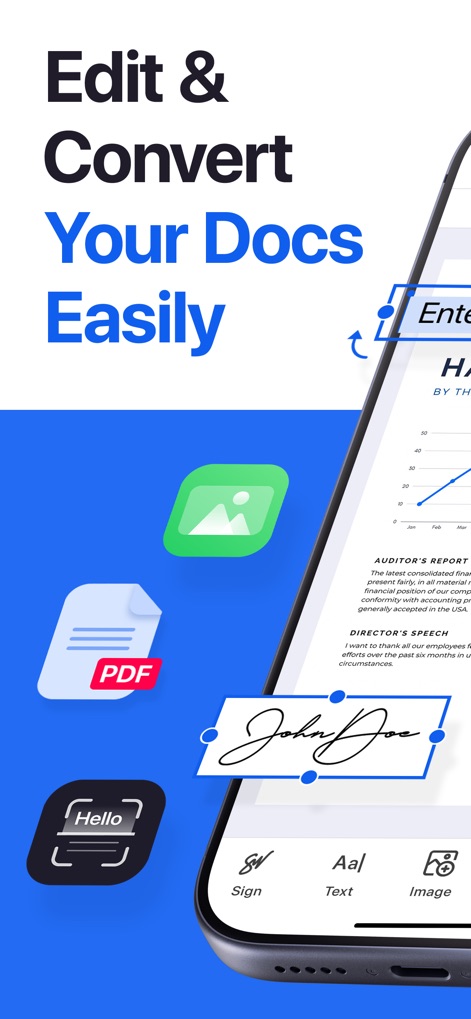
Die App ermöglicht das einfache Bearbeiten und Konvertieren von Dokumenten, wobei ein hervorgehobenes Unterschriftenfeld die digitale Signaturfunktion und ein PDF-Symbol die Dateikompatibilität zeigt.
Dokumente bearbeiten & konvertieren
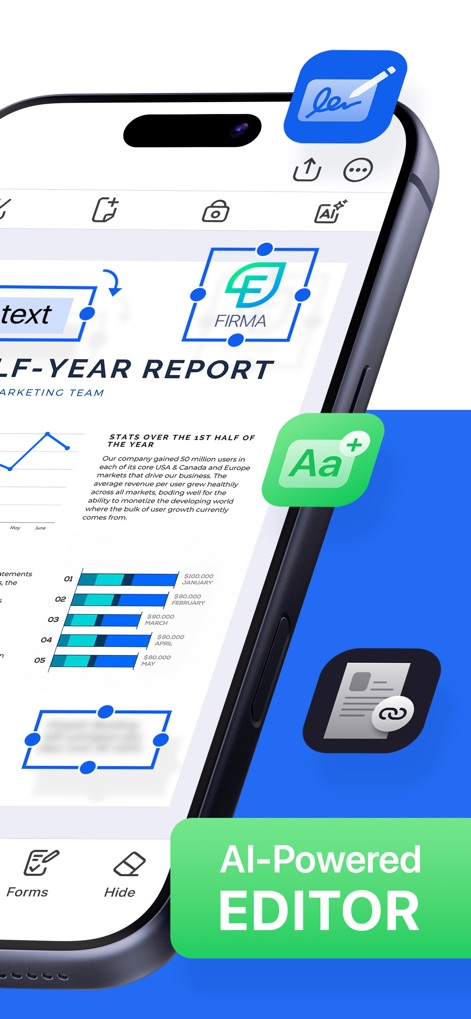
Dieses Bild präsentiert die KI-gesteuerte Bearbeitungsoberfläche der App, wo Nutzer Texte wie den "HALF-YEAR REPORT" präzise anpassen und durch ein Merge-Symbol Dokumente zusammenführen können.
Intuitiver KI-Editor
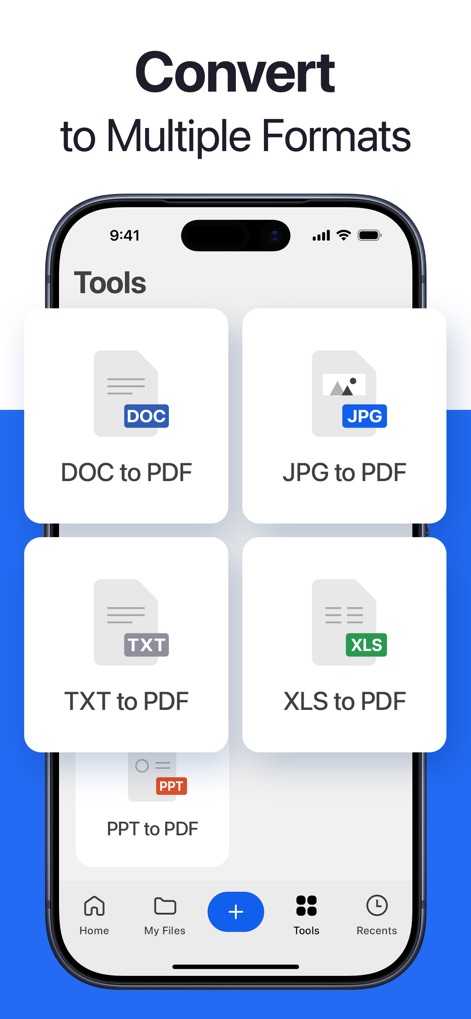
Nutzer können verschiedene Dateiformate wie DOC zu PDF und XLS zu PDF unkompliziert umwandeln, was die Vielseitigkeit des Tools bei der Dokumentenverwaltung unterstreicht.
Flexible Dateikonvertierung
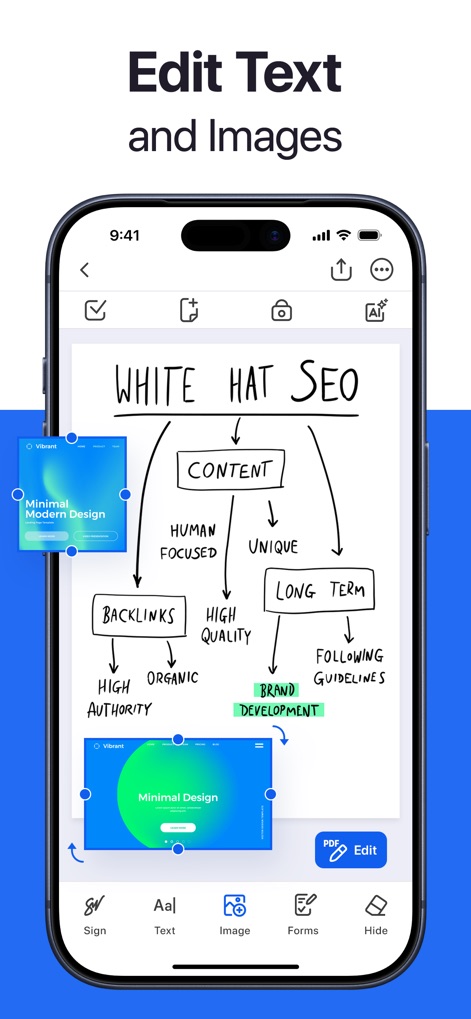
Die App bietet die Möglichkeit, Texte wie den "WHITE HAT SEO"-Flowchart und eingebettete Bilder direkt im Dokument zu bearbeiten, was eine umfassende Inhaltsanpassung erlaubt.
Inhalt einfach anpassen
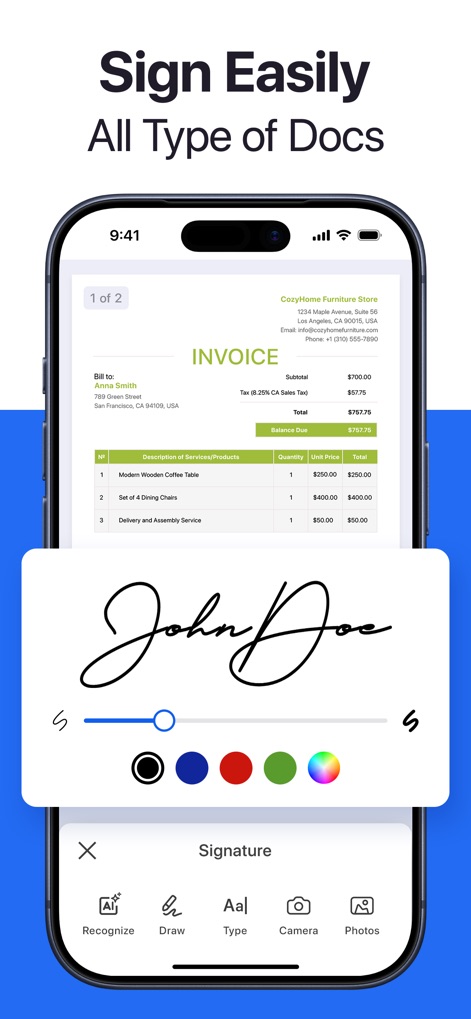
Nutzer können Dokumente mühelos mit einer digitalen Unterschrift versehen und dabei die Farbe der Signatur über eine integrierte Farbpalette individuell anpassen.
Dokumente schnell unterschreiben

Die App ermöglicht das effiziente Ausfüllen von PDF-Formularen wie der "Client Information" und bietet dabei intelligente Funktionen wie automatische Vorschläge für Eingabefelder.
Formulare effizient ausfüllen
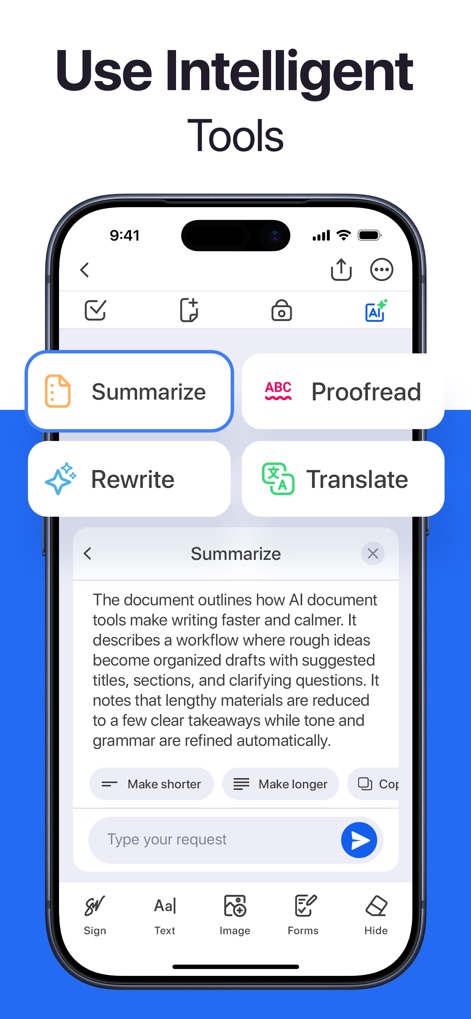
Die App stellt intelligente Tools bereit, darunter eine KI-Funktion zum Zusammenfassen langer Texte und eine Option zum Umschreiben von Inhalten, um die Produktivität zu steigern.
Intelligente KI-Funktionen
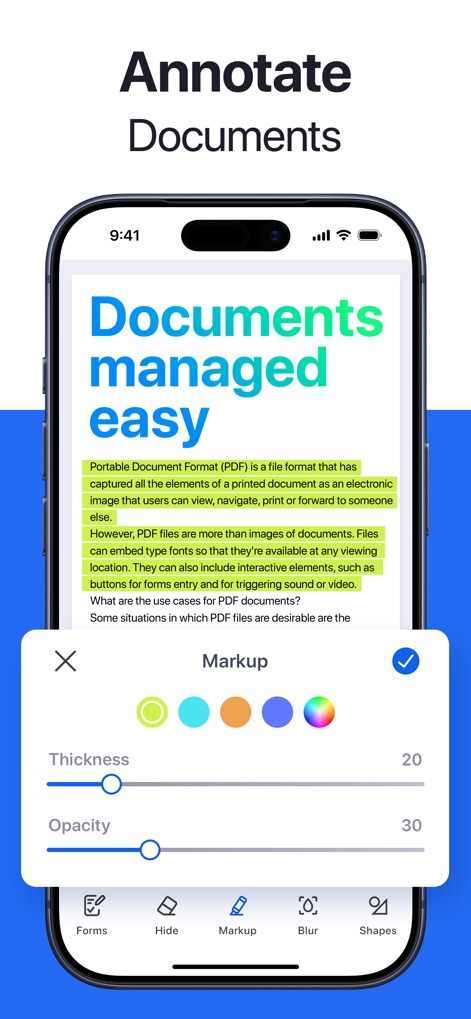
Nutzer können Dokumente einfach kommentieren, indem sie Textbereiche hervorheben und die Stärke der Markierung präzise über Schieberegler anpassen.
Dokumente kommentieren
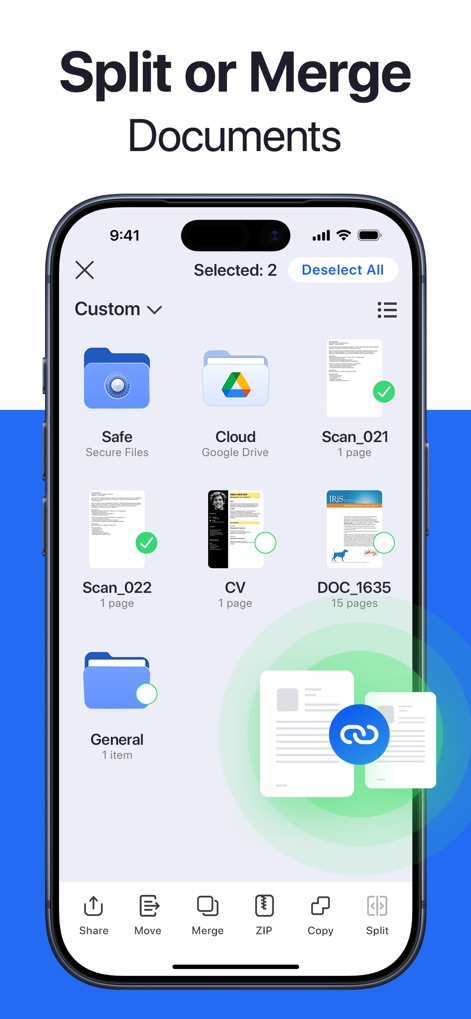
Die App bietet umfangreiche Funktionen zur Dokumentenverwaltung, die es Nutzern ermöglichen, mehrere Dokumente über die Option 'Merge' zusammenzuführen oder mittels 'Split' aufzuteilen.
Dokumente verwalten & teilen
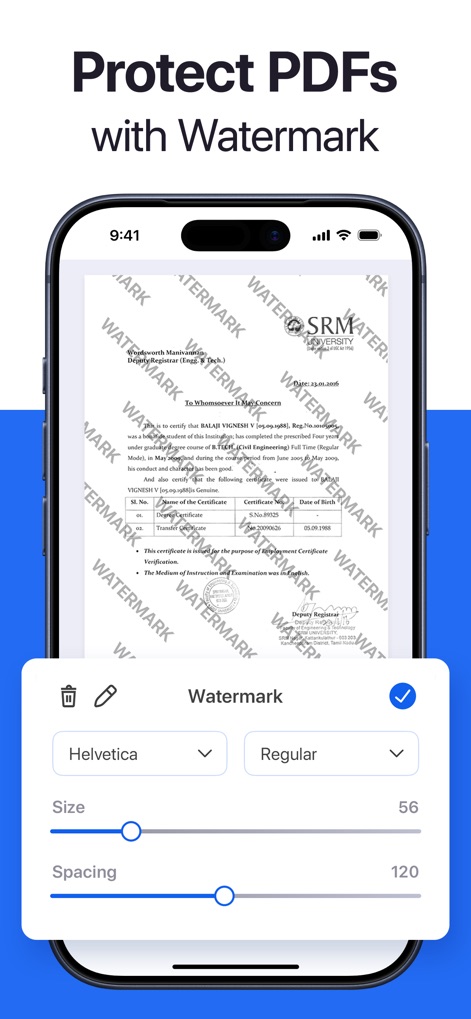
Die App ermöglicht es, PDFs durch das Hinzufügen von Wasserzeichen zu schützen, deren Größe und Abstand über die anpassbaren Einstellungen kontrolliert werden können.
PDFs sicher schützen
Beschreibung
Download
Ähnliche Apps
Apps mit ähnlichen Funktionen und Nutzererfahrung

PDF PRO Scan Image & Documents
Balzo srl

The PDF Scanner, PDF editor HQ
NEXT K.U.M. LTD

CamScanner - PDF Scanner App
INTSIG Information Co., Ltd

Adobe Scan: PDF & OCR Scanner
Adobe Inc.

WPS Office: PDF, Docs, Sheets
KINGSOFT OFFICE SOFTWARE CORPORATION LIMITED

iLovePDF - PDF Editor & Scan
ILOVEPDF S.L.

Scanner App: Genius Scan
The Grizzly Labs

Microsoft Lens: PDF Scanner
Microsoft Corporation

Clear Scan: Doc Scanner App
INDY MOBILE APP COMPANY LIMITED
Diese Seite ist keine offizielle Seite der App oder ihres Entwicklers, sondern eine unabhängige redaktionelle Veröffentlichung, die zu Informations- und Kommentarzwecken erstellt wurde. Sofern nicht ausdrücklich anders angegeben, sind weder die App noch ihr Entwickler mit MWM, Apple, Google Play, dem App-Herausgeber oder dem Entwickler der App verbunden, von ihnen unterstützt, gesponsert, autorisiert oder anderweitig offiziell verbunden, und nichts auf dieser Seite impliziert, dass die App unter Verwendung der Dienste von MWM entwickelt wurde. Alle Marken, Logos, Screenshots und andere Inhalte bleiben Eigentum ihrer jeweiligen Inhaber.