
Diese Seite ist keine offizielle Seite der App oder ihres Entwicklers, sondern eine unabhängige redaktionelle Veröffentlichung, die zu Informations- und Kommentarzwecken erstellt wurde. Sofern nicht ausdrücklich anders angegeben, sind weder die App noch ihr Entwickler mit MWM, Apple, Google Play, dem App-Herausgeber oder dem Entwickler der App verbunden, von ihnen unterstützt, gesponsert, autorisiert oder anderweitig offiziell verbunden, und nichts auf dieser Seite impliziert, dass die App unter Verwendung der Dienste von MWM entwickelt wurde. Alle Marken, Logos, Screenshots und andere Inhalte bleiben Eigentum ihrer jeweiligen Inhaber.


Foxit PDF Editor
Arbeiten Sie intelligenter mit dem KI-gestützten Editor, dem Millionen vertrauen. Bearbeiten, unterschreiben und fassen Sie Dokumente sofort auf Ihrem iOS-Gerät zusammen – wo auch immer Ihr Geschäft Sie hinführt.
Downloads
5M+Bewertung
Bewertungen gesamt
4K+Herausgeber
Kategorie
ProductivitySprachen
12Neueste Version
2025.12.1Größe
309.6 MBErstveröffentlichung
19. März 2012Meistern Sie Ihren Workflow unterwegs
Verwandeln Sie Ihr Mobilgerät in eine Hochleistungs-Workstation mit KI-gestützter Bearbeitung, nahtloser Cloud-Integration und unternehmenstauglicher Sicherheit.
Intelligenter KI-Assistent
Steigern Sie Ihre Effizienz, indem Sie lange Berichte zusammenfassen, Text sofort übersetzen und Grammatik mit unserem integrierten KI-Begleiter korrigieren.
Vollständige Bearbeitung in Desktop-Qualität
Bearbeiten Sie Text, Bilder und Audio direkt. Konvertieren Sie Scans und Office-Dateien in professionelle PDFs, ohne einen Laptop zu benötigen.
Häufig gestellte Fragen
Alles, was Sie über wissen müssen Foxit PDF Editor
Was ist Foxit PDF Editor?
Foxit PDF Editor ist eine einfach zu bedienende mobile App für iOS-Geräte, mit der Benutzer unterwegs PDF-Dateien anzeigen, bearbeiten und kommentieren können. Es bietet auch erweiterte, abonnementbasierte Funktionen wie einen KI-Assistenten.
Kann ich mit Foxit PDF Editor Text und Bilder in PDFs bearbeiten?
Ja, Foxit PDF Editor ermöglicht es Benutzern, Text- und Bildobjekte in PDF-Dateien hinzuzufügen oder zu bearbeiten. Es bietet auch Optionen zum Einfügen von Audio, Video oder Hyperlinks, was erweiterte Funktionen sind.
Bietet Foxit PDF Editor eine KI-Assistent-Funktion?
Ja, Foxit PDF Editor enthält einen KI-Assistenten als erweiterte abonnementbasierte Funktion. Er hilft beim Zusammenfassen, Übersetzen, Verbessern von Texten, Definieren, Klären, Korrigieren von Grammatikfehlern und Chatten über Dokumente.
Wie kann ich mit Foxit PDF Editor an PDF-Dateien zusammenarbeiten?
Foxit PDF Editor erleichtert die Zusammenarbeit, indem er es Benutzern ermöglicht, Anmerkungen und Stempel hinzuzufügen. Es unterstützt das Teilen von PDF-Dateien und Screenshots und synchronisiert sich mit Cloud-Diensten wie Google Drive und OneDrive.
Kann Foxit PDF Editor Papierdokumente in PDFs konvertieren?
Ja, Foxit PDF Editor kann Papierdokumente scannen und in PDFs konvertieren auf iPad 3, iPhone 5 und neueren Geräten. Diese Funktionalität ist eine erweiterte Funktion, die ein Abonnement erfordert.
Unterstützt Foxit PDF Editor digitale Signaturen?
Ja, Foxit PDF Editor ermöglicht es Benutzern, handschriftliche Signaturen zu PDFs hinzuzufügen. Es unterstützt auch das Signieren von Dokumenten mit einem vorhandenen digitalen Zertifikat, was eine erweiterte, abonnementbasierte Funktion ist.
Welche Voraussetzungen gibt es, um erweiterte Funktionen in Foxit PDF Editor zu aktivieren?
Um erweiterte Funktionen wie OCR oder den KI-Assistenten in Foxit PDF Editor zu aktivieren, müssen Benutzer ein Foxit-Konto erstellen und ein Abonnement über einen In-App-Kauf abschließen. Das Anmelden mit dem Konto ermöglicht diese Funktionen.
Kann ich mit Foxit PDF Editor neue PDF-Dateien aus anderen Formaten erstellen?
Ja, Foxit PDF Editor erstellt PDFs aus Microsoft Office-, Bild-, Text- und HTML-Dateien. Diese Funktion, zusammen mit der Erstellung von Leer-PDFs, ist eine erweiterte Funktion, die über ein Abonnement verfügbar ist.
Welche Cloud-Speicherdienste werden von Foxit PDF Editor unterstützt?
Foxit PDF Editor unterstützt gängige Cloud-Dienste wie Google Drive und OneDrive. Benutzer können ihre PDF-Dateien direkt von diesen Plattformen aus in der App speichern, synchronisieren und darauf zugreifen.
Ist die Foxit PDF Editor App in mehreren Sprachen verfügbar?
Ja, Foxit PDF Editor unterstützt 12 Sprachen und gewährleistet so seine Nutzbarkeit für ein globales Publikum. Diese Mehrsprachigkeit verbessert die Zugänglichkeit für verschiedene Benutzer.
Die folgenden Screenshots und die Beschreibung stammen direkt aus dem offiziellen Store-Eintrag der App und sind Eigentum des Entwicklers.
App Store
Screenshots
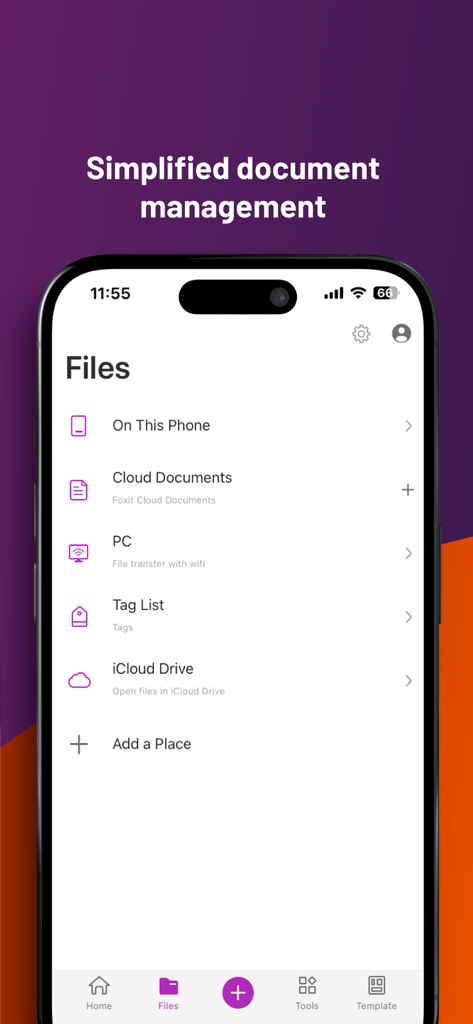
Foxit PDF Editor App-Oberfläche mit verschiedenen Dokumentenverwaltungsoptionen, einschließlich lokaler Speicher, Cloud-Dienste und WLAN-Dateiübertragung
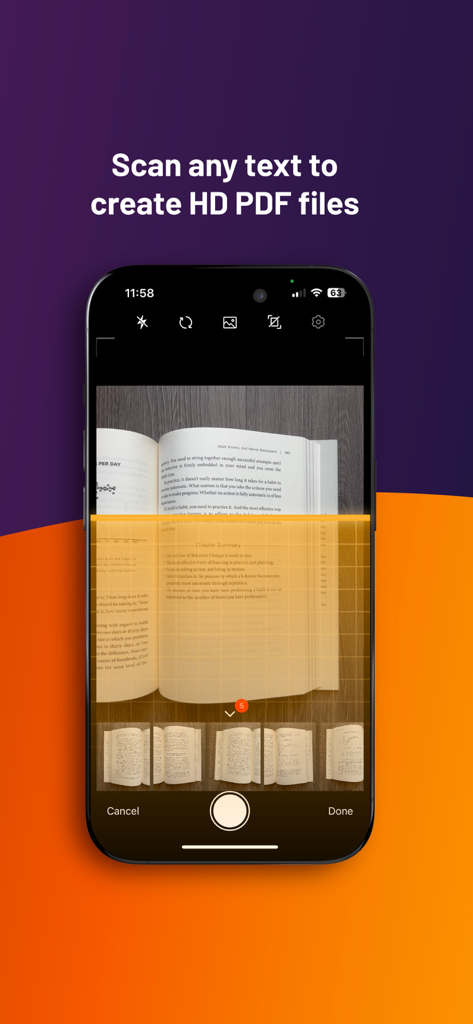
Smartphone verwendet Foxit PDF Editor, um eine Buchseite in ein hochwertiges PDF-Dokument zu scannen
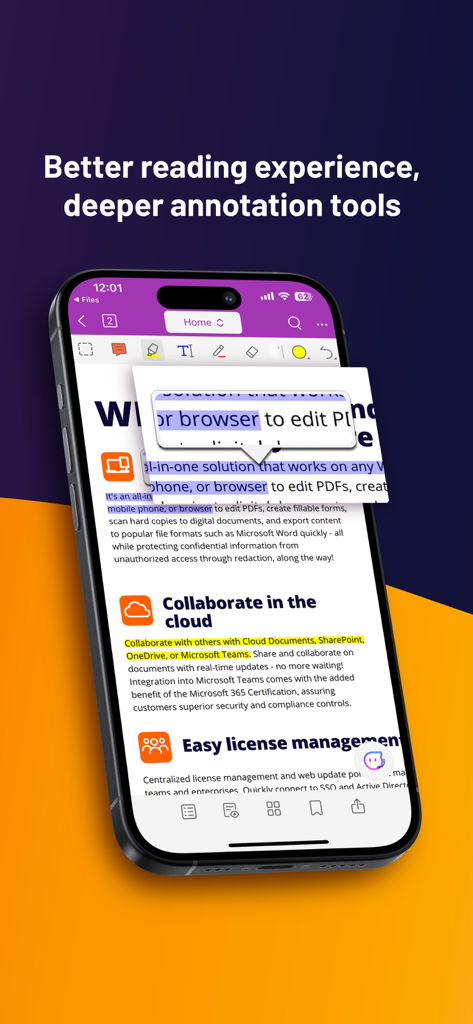
Foxit PDF Editor App auf einem Smartphone mit Anmerkungs- und Cloud-Kollaborationstools
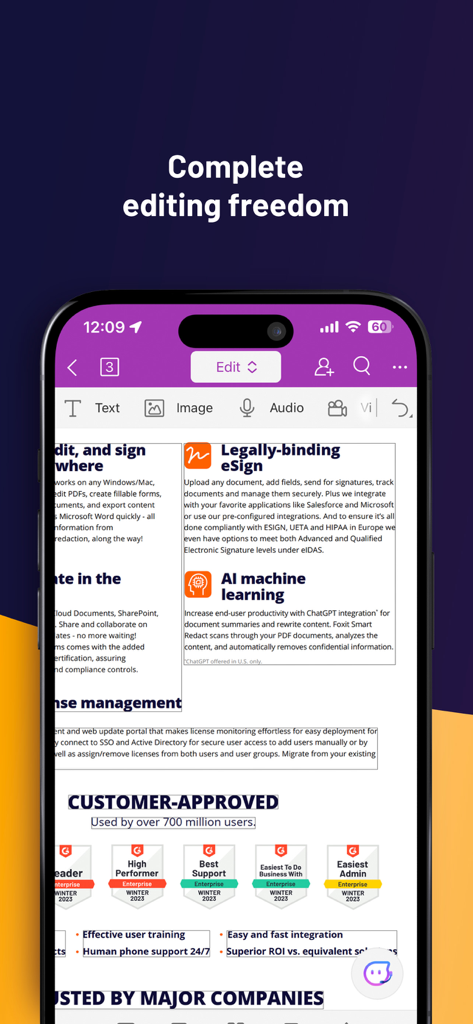
Foxit PDF Editor App auf einem Smartphone mit Dokumentenbearbeitung und rechtsgültigen E-Signatur-Funktionen
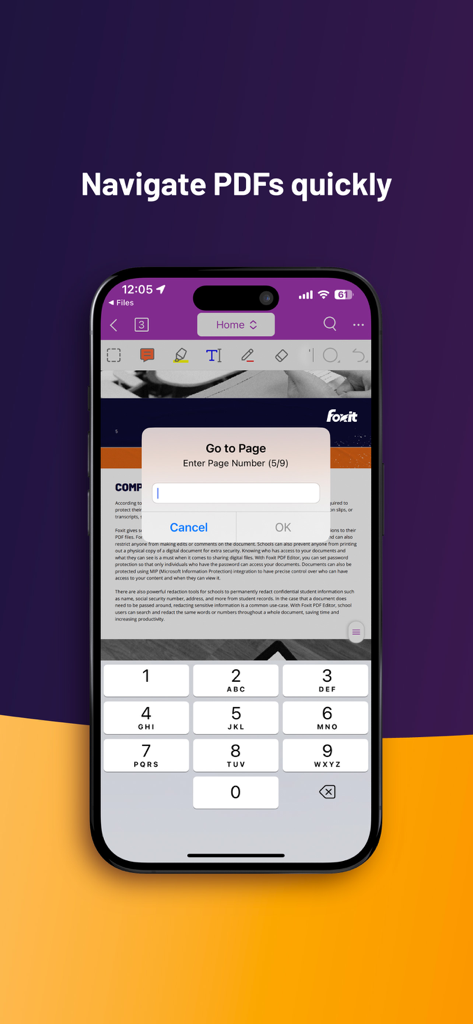
Foxit PDF Editor mobile App-Oberfläche mit der Funktion „Seite wechseln“ und einem numerischen Tastenfeld
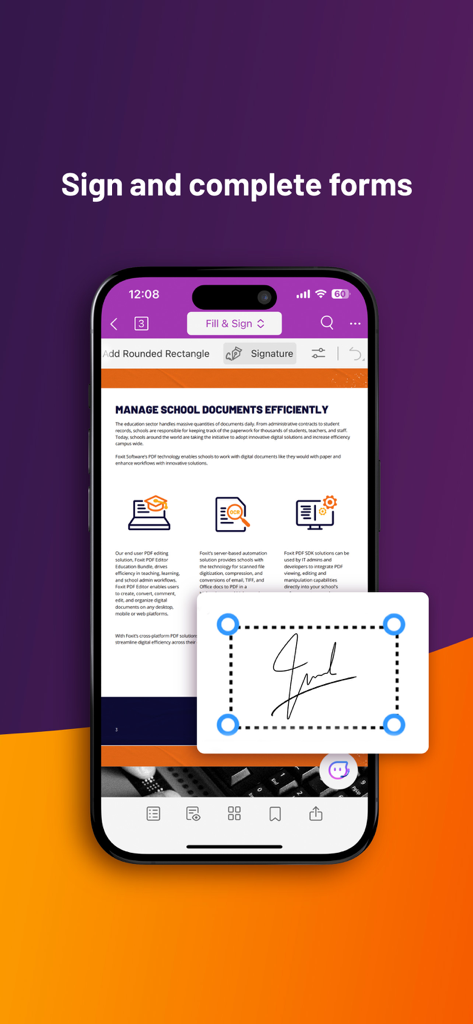
Smartphone-Bildschirm mit der Funktion des Foxit PDF Editors zum Signieren und Ausfüllen digitaler Formulare
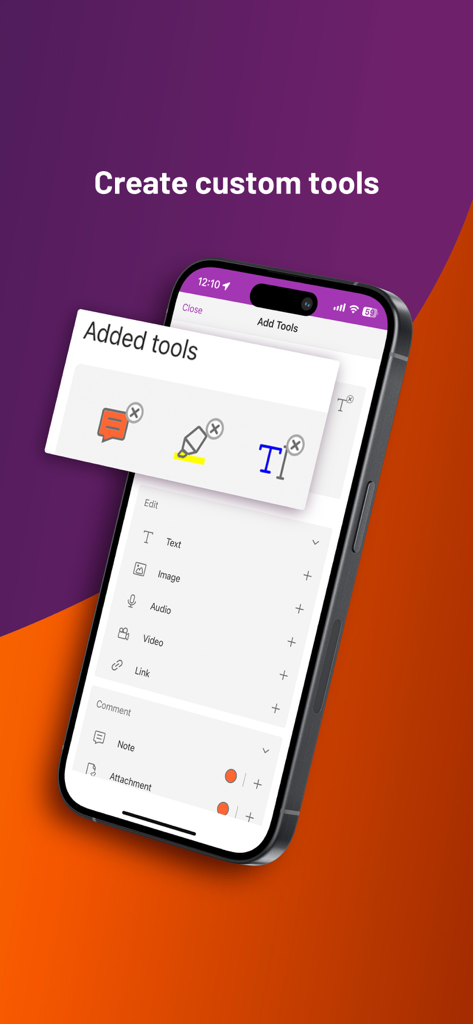
iPhone-Bildschirm mit dem Menü für benutzerdefinierte Tools in der Foxit PDF Editor App
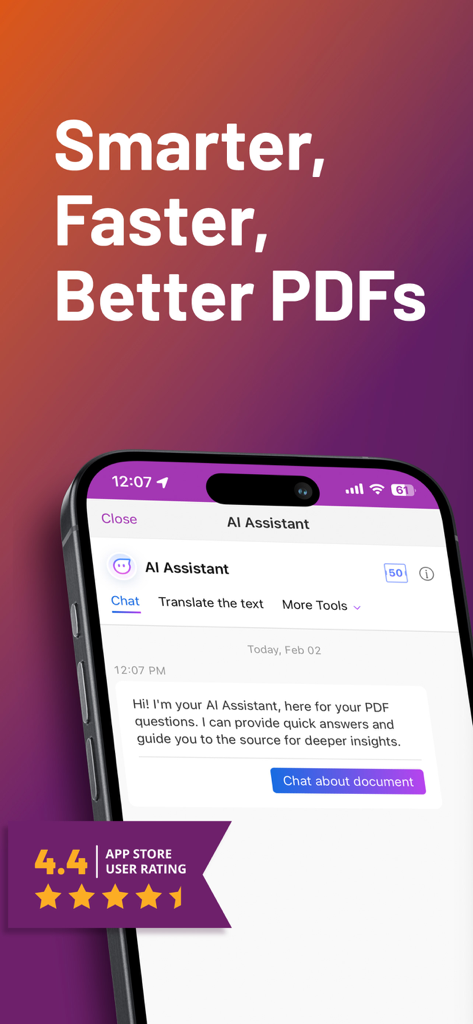
Screenshot der Foxit PDF Editor App mit der Chat-Oberfläche des KI-Assistenten und einer Benutzerbewertung von vier Komma vier Sternen
Beschreibung
Download
Ähnliche Apps
Apps mit ähnlichen Funktionen und Nutzererfahrung

PDF PRO Scan Image & Documents
Balzo srl

The PDF Scanner, PDF editor HQ
NEXT K.U.M. LTD

CamScanner - PDF Scanner App
INTSIG Information Co., Ltd

Adobe Scan: PDF & OCR Scanner
Adobe Inc.

WPS Office: PDF, Docs, Sheets
KINGSOFT OFFICE SOFTWARE CORPORATION LIMITED

iLovePDF - PDF Editor & Scan
ILOVEPDF S.L.

Scanner App: Genius Scan
The Grizzly Labs

Microsoft Lens: PDF Scanner
Microsoft Corporation

Clear Scan: Doc Scanner App
INDY MOBILE APP COMPANY LIMITED
Diese Seite ist keine offizielle Seite der App oder ihres Entwicklers, sondern eine unabhängige redaktionelle Veröffentlichung, die zu Informations- und Kommentarzwecken erstellt wurde. Sofern nicht ausdrücklich anders angegeben, sind weder die App noch ihr Entwickler mit MWM, Apple, Google Play, dem App-Herausgeber oder dem Entwickler der App verbunden, von ihnen unterstützt, gesponsert, autorisiert oder anderweitig offiziell verbunden, und nichts auf dieser Seite impliziert, dass die App unter Verwendung der Dienste von MWM entwickelt wurde. Alle Marken, Logos, Screenshots und andere Inhalte bleiben Eigentum ihrer jeweiligen Inhaber.