
Diese Seite ist keine offizielle Seite der App oder ihres Entwicklers, sondern eine unabhängige redaktionelle Veröffentlichung, die zu Informations- und Kommentarzwecken erstellt wurde. Sofern nicht ausdrücklich anders angegeben, sind weder die App noch ihr Entwickler mit MWM, Apple, Google Play, dem App-Herausgeber oder dem Entwickler der App verbunden, von ihnen unterstützt, gesponsert, autorisiert oder anderweitig offiziell verbunden, und nichts auf dieser Seite impliziert, dass die App unter Verwendung der Dienste von MWM entwickelt wurde. Alle Marken, Logos, Screenshots und andere Inhalte bleiben Eigentum ihrer jeweiligen Inhaber.


HashPhotos
Übernehmen Sie die volle Kontrolle über Ihre digitale Bibliothek mit professioneller Organisation, erweiterter Metadatenbearbeitung und blitzschnellen Bereinigungswerkzeugen, die für technikaffine Archivare entwickelt wurden.
Downloads
854K+Bewertung
Bewertungen gesamt
12K+Herausgeber
Kategorie
Photo & VideoSprachen
11Neueste Version
6.0.8Größe
81.1 MBErstveröffentlichung
16. Dez. 2013Das professionelle Kommandozentrum für Ihre Erinnerungen
Gehen Sie über die Grundlagen der nativen Fotos-App hinaus. HashPhotos stattet Sie mit fortschrittlicher Organisation, professioneller Metadatenkontrolle und hocheffizienten Batch-Tools aus, die für Power-User entwickelt wurden.
Präzise Suche & Tags
Finden Sie jedes Asset sofort mit benutzerdefinierten Schlüsselwörtern und granularen Filtern wie Dateigröße, Abmessungen oder spezifischen EXIF-Metadaten.
Verschlüsselter lokaler Tresor
Schützen Sie sensible Fotos in einer privaten lokalen Bibliothek. Sichern Sie Ihre Daten mit Face ID und gefälschten Passcodes, die niemals einen Cloud-Server berühren.
Die folgenden Screenshots und die Beschreibung stammen direkt aus dem offiziellen Store-Eintrag der App und sind Eigentum des Entwicklers.
App Store
Screenshots
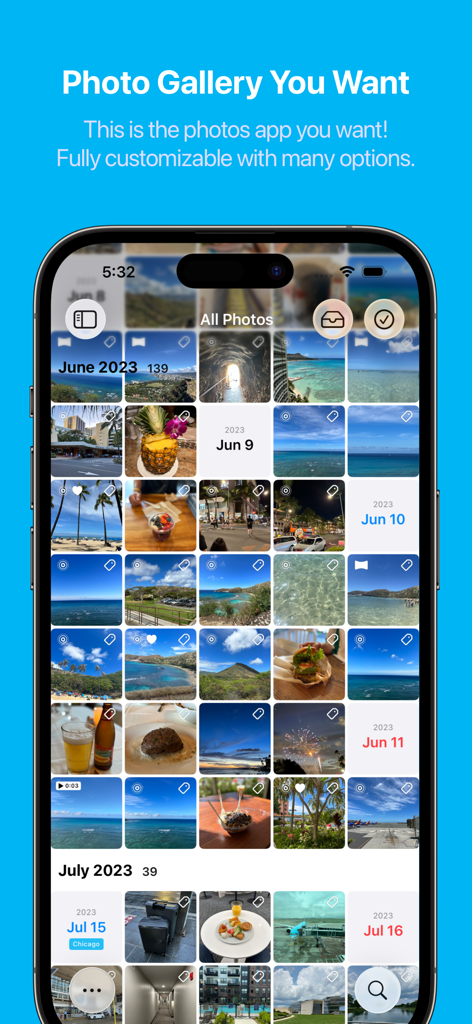
HashPhotos App-Oberfläche, die eine organisierte und anpassbare Fotogalerie-Rasteransicht zeigt.
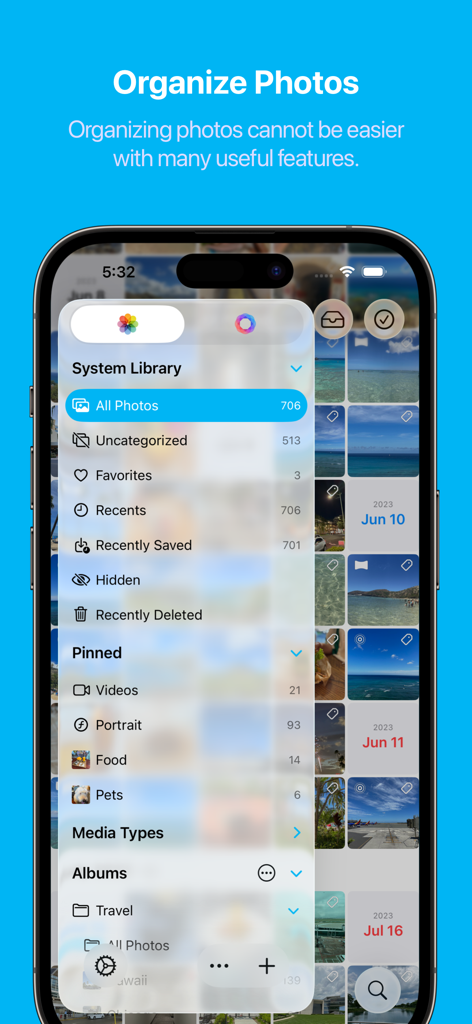
HashPhotos App-Oberfläche, die das Systembibliotheksmenü und angeheftete Fotokategorien für eine bessere Organisation zeigt
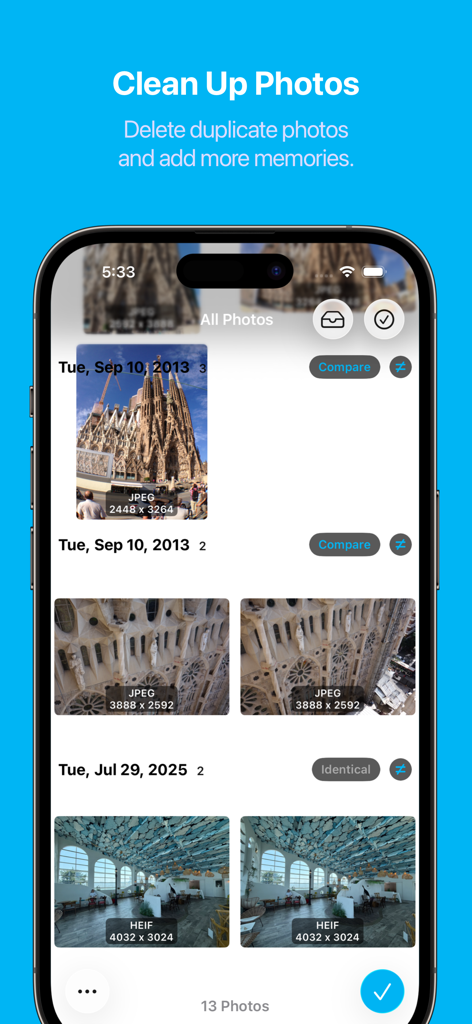
HashPhotos App-Bildschirm zur Bereinigung und zum Vergleich von doppelten Fotos
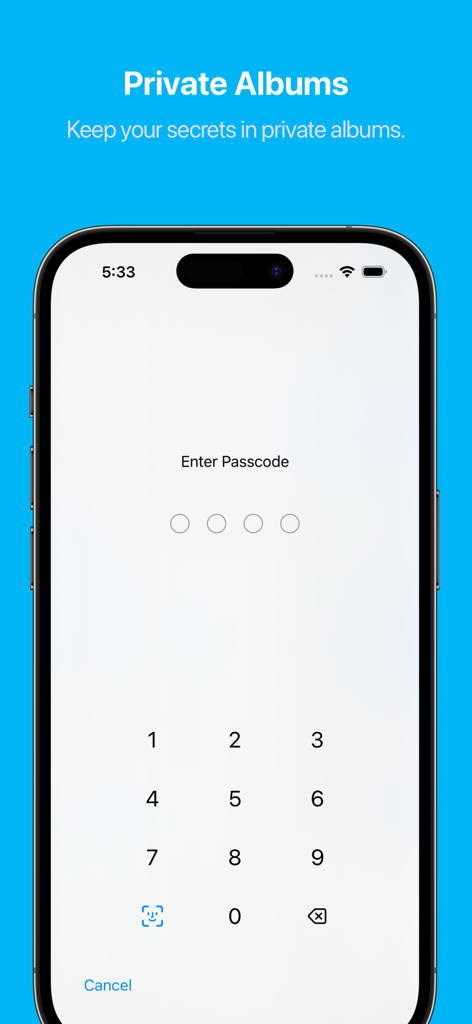
HashPhotos App-Bildschirm für private Alben, der eine numerische Passcode-Sperre für die sichere Fotospeicherung anzeigt.
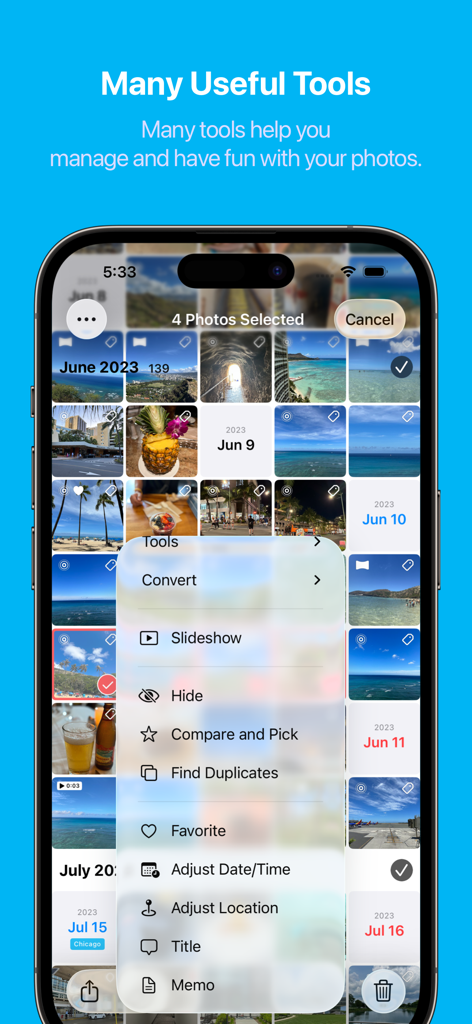
Screenshot der HashPhotos-App, der ein Menü mit verschiedenen Fotoverwaltungswerkzeugen wie Duplikate finden, vergleichen und auswählen und Metadaten bearbeiten anzeigt.
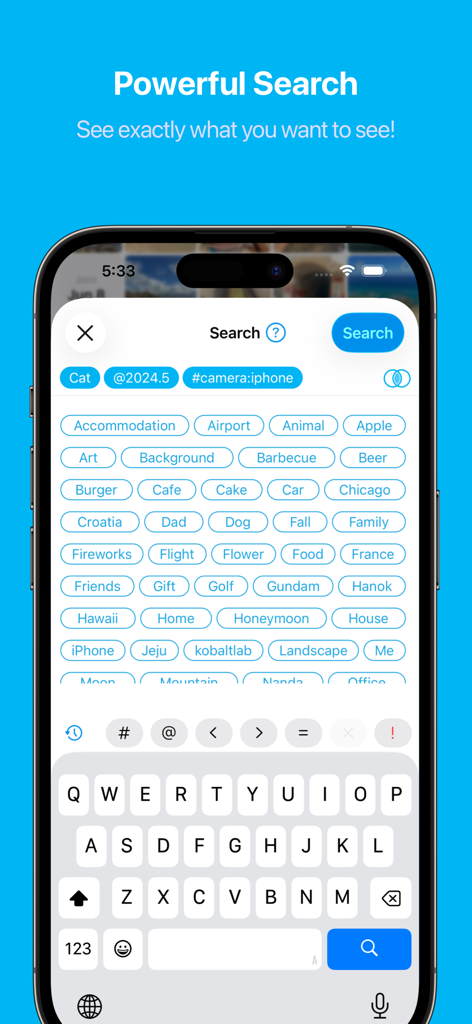
HashPhotos Mobile App Suchbildschirm mit erweiterten Tags und Filterkategorien
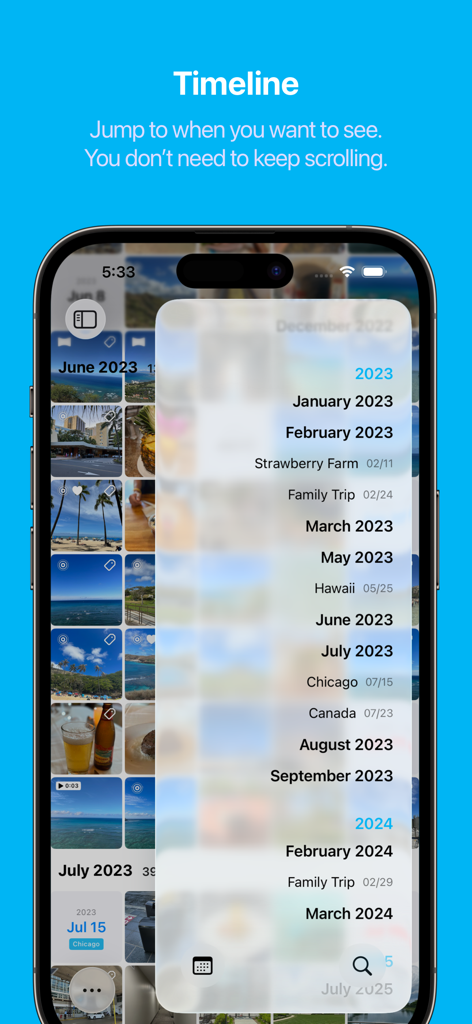
HashPhotos App Timeline-Oberfläche für die schnelle Navigation durch Fotos nach Datum und Ereignis
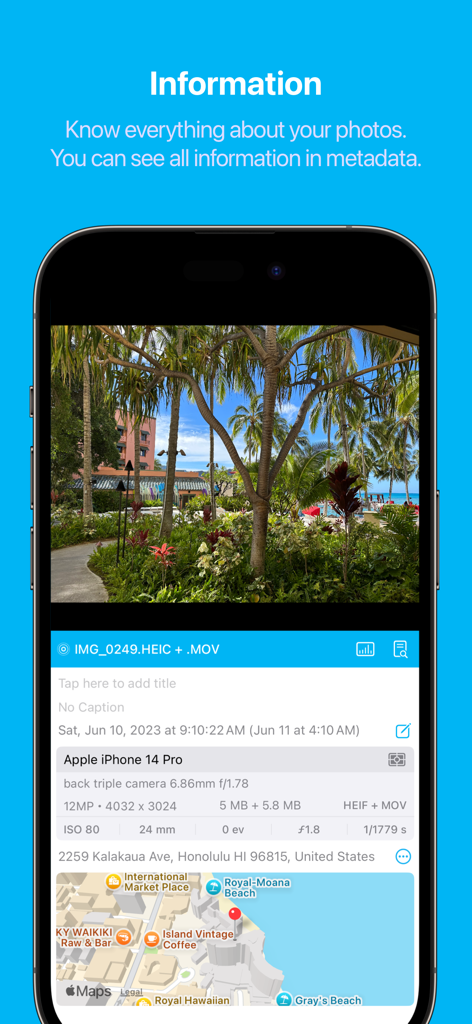
HashPhotos App, die detaillierte Metadaten der Kameraeinstellungen und eine Standortkarte anzeigt
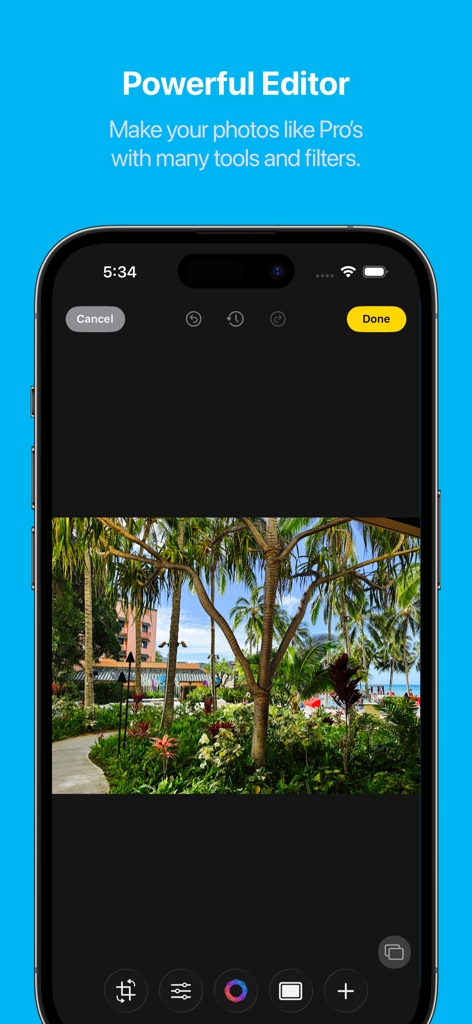
HashPhotos App Screenshot, der die leistungsstarke Fotoeditor-Oberfläche mit professionellen Werkzeugen und einem tropischen Landschaftsfoto zeigt
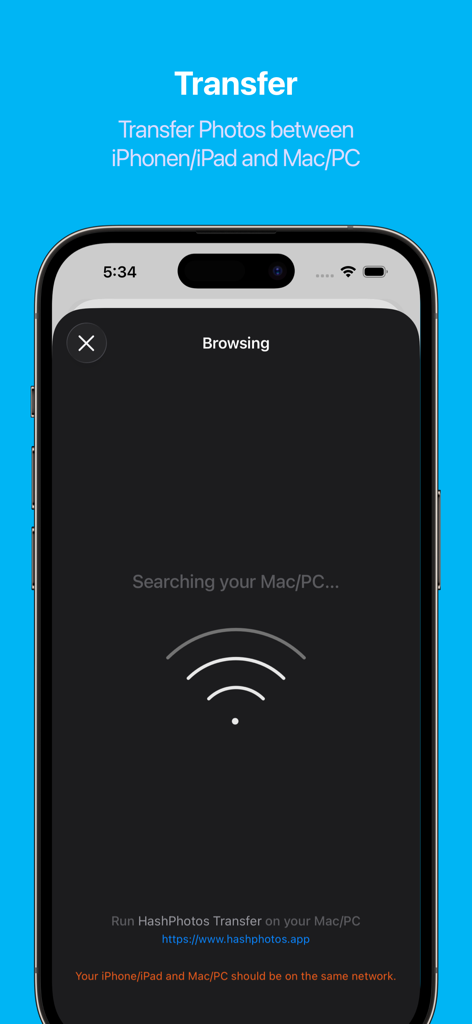
HashPhotos App-Bildschirm, der die drahtlose Übertragung von Fotos zwischen iPhone und Computer anzeigt
Beschreibung
Download
Ähnliche Apps
Apps mit ähnlichen Funktionen und Nutzererfahrung

Gallery - Photo Vault
Zipo Apps Ltd.

Gallery – Photo Vault
Yash Baraiya

MyPics - A Powerful PhotoAlbum
Naia Inc.

DupiClean - AIScanEngine
欢欢 唐

Photo Gallery album
alkesh dudhat

VideLyy
晓君 邬

Rubbo
晓彤 李

Mlyk:PhotoSorter
Mihran Kazanjian

Frelive
志磊 邱
Diese Seite ist keine offizielle Seite der App oder ihres Entwicklers, sondern eine unabhängige redaktionelle Veröffentlichung, die zu Informations- und Kommentarzwecken erstellt wurde. Sofern nicht ausdrücklich anders angegeben, sind weder die App noch ihr Entwickler mit MWM, Apple, Google Play, dem App-Herausgeber oder dem Entwickler der App verbunden, von ihnen unterstützt, gesponsert, autorisiert oder anderweitig offiziell verbunden, und nichts auf dieser Seite impliziert, dass die App unter Verwendung der Dienste von MWM entwickelt wurde. Alle Marken, Logos, Screenshots und andere Inhalte bleiben Eigentum ihrer jeweiligen Inhaber.