MyPics - A Powerful PhotoAlbum
Herunterladen auf App Store

Diese Seite ist keine offizielle Seite der App oder ihres Entwicklers, sondern eine unabhängige redaktionelle Veröffentlichung, die zu Informations- und Kommentarzwecken erstellt wurde. Sofern nicht ausdrücklich anders angegeben, sind weder die App noch ihr Entwickler mit MWM, Apple, Google Play, dem App-Herausgeber oder dem Entwickler der App verbunden, von ihnen unterstützt, gesponsert, autorisiert oder anderweitig offiziell verbunden, und nichts auf dieser Seite impliziert, dass die App unter Verwendung der Dienste von MWM entwickelt wurde. Alle Marken, Logos, Screenshots und andere Inhalte bleiben Eigentum ihrer jeweiligen Inhaber.

Logo von MyPics - A Powerful PhotoAlbum
Herunterladen auf App Store

MyPics - A Powerful PhotoAlbum

Hören Sie auf, durch eine unordentliche Kamerarolle zu scrollen. Sichern Sie Ihre privaten Fotos mit Face ID, organisieren Sie Alben in benutzerdefinierten Ordnern und bewahren Sie jede Erinnerung in ihrer Originalqualität auf – komplett lokal und seit über 10 Jahren vertrauenswürdig.

Kennzahlen

Downloads

606K+

Bewertung

4.4/5

Bewertungen gesamt

36K+

Herausgeber

Naia Inc.

Kategorie

Photo & Video

Sprachen

2

Neueste Version

9.2

Größe

43.3 MB

Erstveröffentlichung

9. März 2012
Funktionen

Beherrschen Sie Ihre Erinnerungen vollständig

Erleben Sie einen professionellen Fototresor und Organisator, der für Benutzer entwickelt wurde, die keine Kompromisse bei Datenschutz und Bildqualität eingehen wollen.

Privatsphäre-Schutz auf Bankenniveau

Sichern Sie Ihre privaten Alben mit Face ID oder einem Code. MyPics speichert Ihre Daten ausschließlich lokal auf Ihrem Gerät, sodass nur Sie sie sehen können.

Überlegene Ordnerhierarchie

Verabschieden Sie sich von unordentlichen Kamerarollen. Organisieren Sie Ihr Leben mit verschachtelten Ordnern und Albumsets, mit denen Sie jedes Foto oder Video in Sekundenschnelle finden können.

Die folgenden Screenshots und die Beschreibung stammen direkt aus dem offiziellen Store-Eintrag der App und sind Eigentum des Entwicklers.

App Store

Screenshots
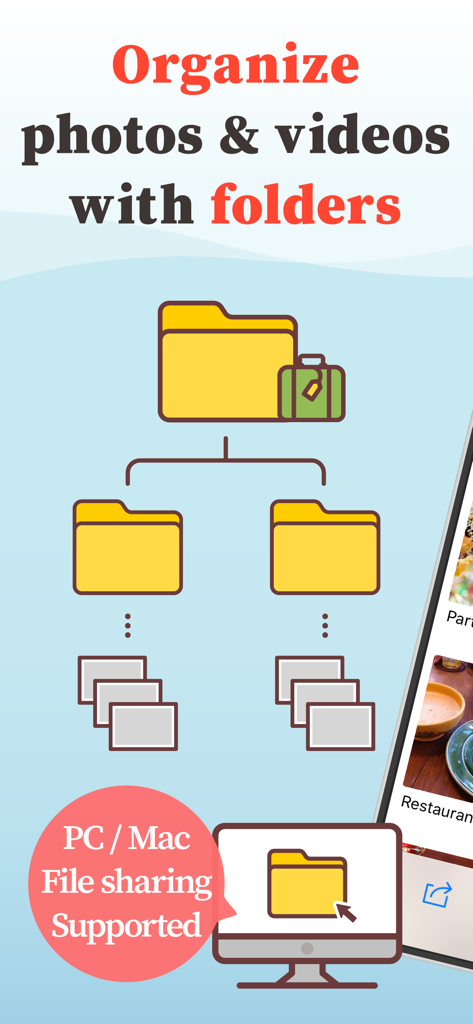
MyPics - A Powerful PhotoAlbum - Fotos und Videos mit Ordnern organisieren, mit Unterstützung für die Dateifreigabe über PC und Mac

Fotos und Videos mit Ordnern organisieren, mit Unterstützung für die Dateifreigabe über PC und Mac
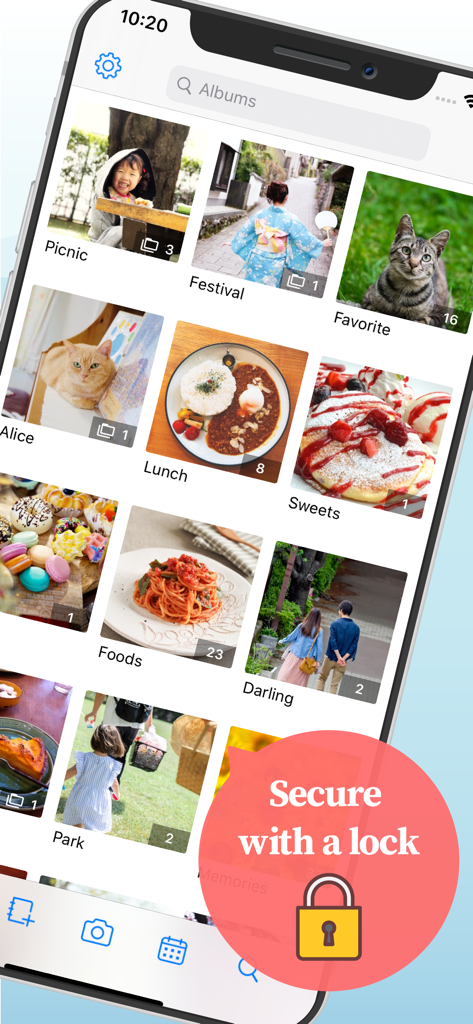
MyPics - A Powerful PhotoAlbum - MyPics App-Oberfläche, die organisierte Fotoalben mit einer Sicherheits-Sperrfunktion zeigt.
MyPics App-Oberfläche, die organisierte Fotoalben mit einer Sicherheits-Sperrfunktion zeigt.

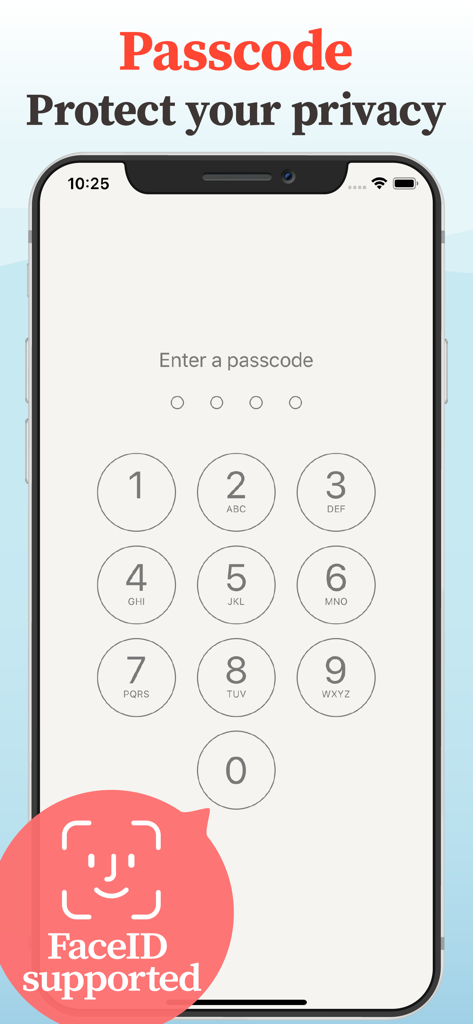
MyPics - A Powerful PhotoAlbum - Passcode-Sperrbildschirm der MyPics-App mit Face ID-Unterstützung für Foto-Privatsphäre
Passcode-Sperrbildschirm der MyPics-App mit Face ID-Unterstützung für Foto-Privatsphäre

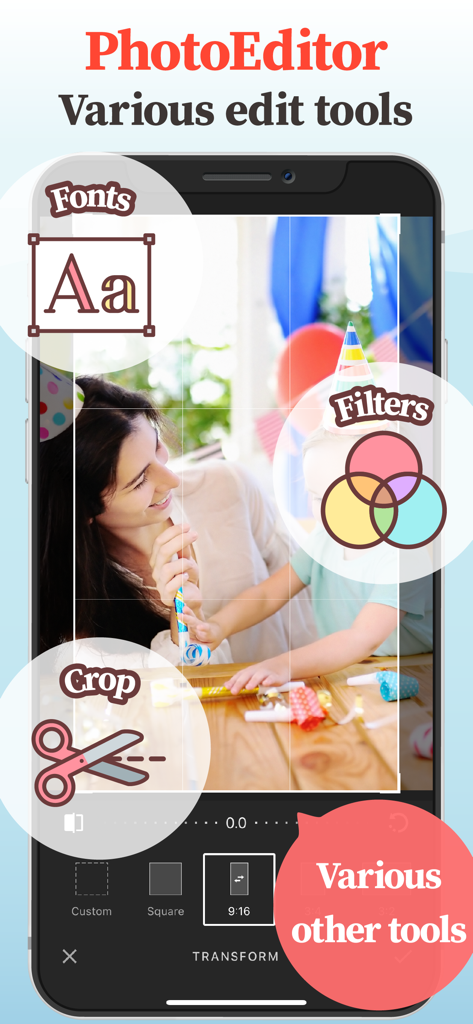
MyPics - A Powerful PhotoAlbum - MyPics Foto-Editor-Oberfläche mit Werkzeugen für Filter, Zuschneiden und Schriftarten
MyPics Foto-Editor-Oberfläche mit Werkzeugen für Filter, Zuschneiden und Schriftarten

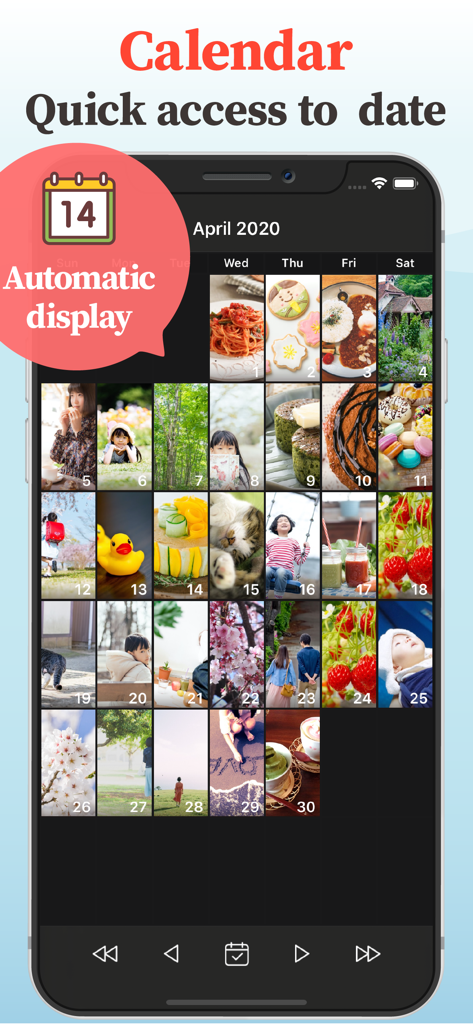
MyPics - A Powerful PhotoAlbum - MyPics App-Screenshot, der eine Kalenderansicht von Fotos zur einfachen datumsbasierten Navigation zeigt
MyPics App-Screenshot, der eine Kalenderansicht von Fotos zur einfachen datumsbasierten Navigation zeigt

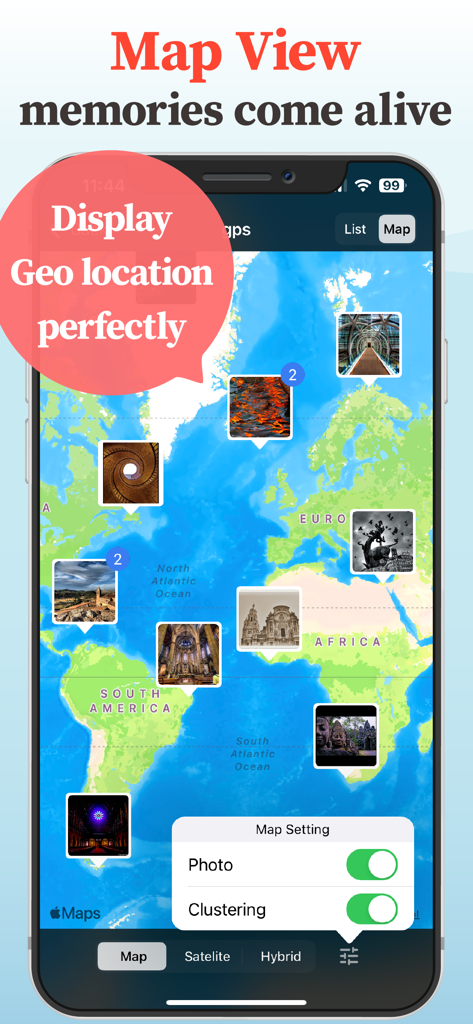
MyPics - A Powerful PhotoAlbum - MyPics App-Oberfläche, die eine Weltkarte mit Fotos zeigt, die an ihren geografischen Standorten angeheftet sind
MyPics App-Oberfläche, die eine Weltkarte mit Fotos zeigt, die an ihren geografischen Standorten angeheftet sind

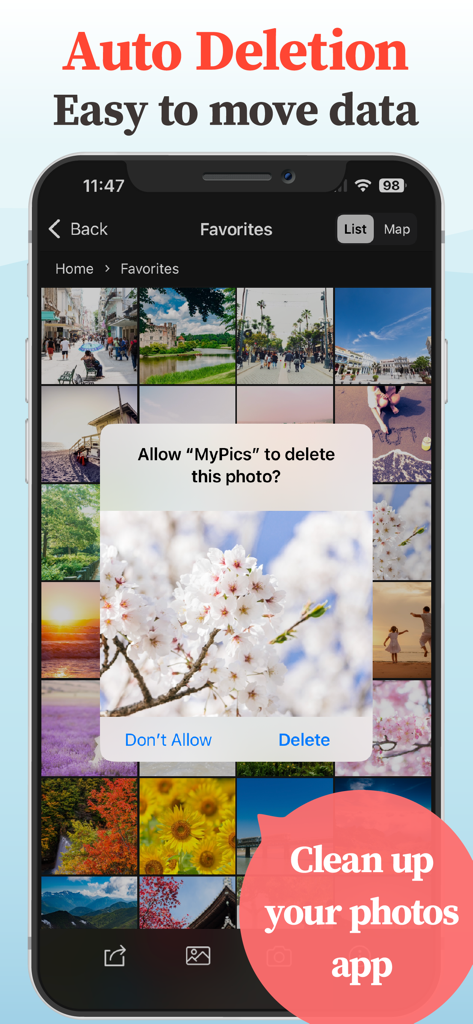
MyPics - A Powerful PhotoAlbum - Smartphone-Bildschirm mit der MyPics App-Oberfläche und einer Aufforderung zum Löschen eines Fotos zur Bereinigung der Bibliothek
Smartphone-Bildschirm mit der MyPics App-Oberfläche und einer Aufforderung zum Löschen eines Fotos zur Bereinigung der Bibliothek

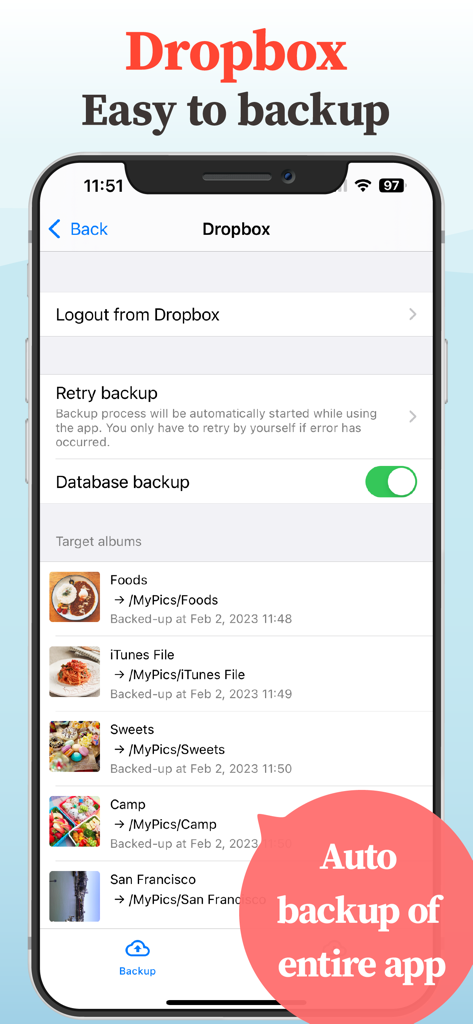
MyPics - A Powerful PhotoAlbum - Screenshot der MyPics App, der die Dropbox-Backup-Einstellungen und eine Liste der synchronisierten Fotoalben zeigt
Screenshot der MyPics App, der die Dropbox-Backup-Einstellungen und eine Liste der synchronisierten Fotoalben zeigt

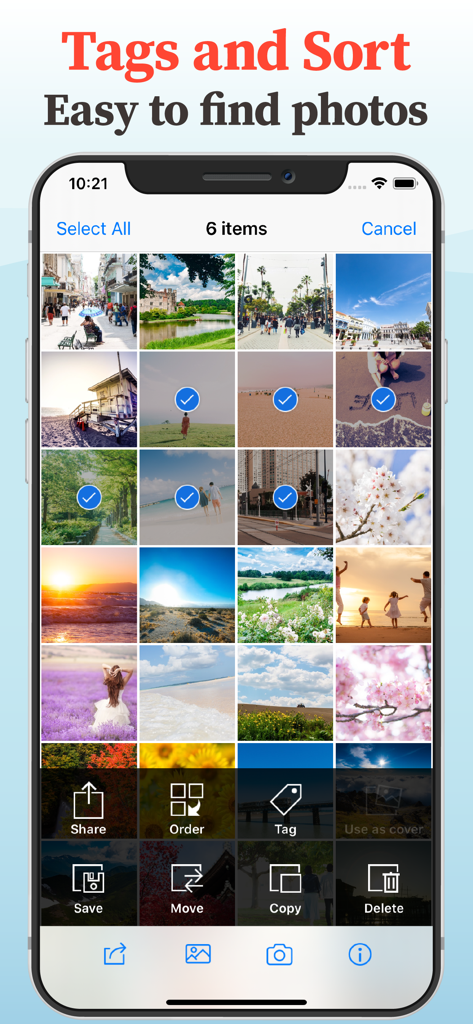
MyPics - A Powerful PhotoAlbum - Oberfläche der MyPics App, die die Fotoauswahl mit Optionen zum Taggen, Sortieren, Verschieben und Kopieren von Bildern zeigt
Oberfläche der MyPics App, die die Fotoauswahl mit Optionen zum Taggen, Sortieren, Verschieben und Kopieren von Bildern zeigt

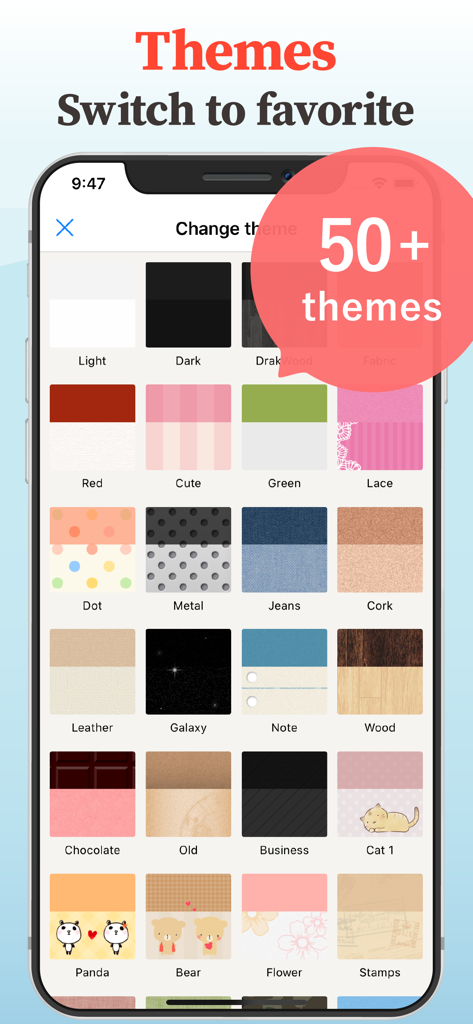
MyPics - A Powerful PhotoAlbum - Ein Menübildschirm in der MyPics App, der über fünfzig benutzerdefinierte Hintergrund-Themenoptionen anzeigt, darunter Holz, Metall und niedliche Muster

Ein Menübildschirm in der MyPics App, der über fünfzig benutzerdefinierte Hintergrund-Themenoptionen anzeigt, darunter Holz, Metall und niedliche Muster

Beschreibung

Having trouble managing your photos and videos? MyPics is an album app that has been improving for over 10 years. MyPics organizes your photos and videos in albums (folders) and allows you to quickly hide and save data you don't want others to see with a few simple operations. Your important data is protected by a passcode, so your privacy is well protected. ## Fit for people like this - People who want to organize their photos and videos with an easy and simple app. - People who have a problem with their family or friends viewing their camera roll without their permission. - People who have too many photos and can't find the one they want to see. - People who are looking for a safe album app. ## Recommendations (1) Secure data design Photos and videos imported from the camera roll are not compressed, but the original data is saved. Exif data such as shooting date and time and location information also remain intact. No photo/video data in the app is sent to the server. (2) Passcode protection Locking the app with a passcode ensures that no one can see your important images and private videos. Passcode / Face ID / Touch ID are supported. (3) Easy importing You can import photos and videos from the Photos app in a batch. Imported photos and videos can be easily deleted with the auto-delete function. The design is also friendly, allowing users to see at a glance which photos have already been imported. (4) Folder classification in album format Photos and videos can be organized by freely creating albums. Multiple albums can be grouped into album sets for easy sorting, and you can freely sort them by date or name. (5) Dropbox support You can automatically back up imported photos and videos to Dropbox. The expert version also supports restoring data from Dropbox, making it easy to transfer data to other devices. (6) Customize to your liking You can set your favorite photo as the album cover and change the wallpaper by selecting your favorite design from more than 50 different themes. (7) Easy-to-use image viewer The size of the preview can be freely changed by pinching in/out, and videos can be played directly with the embedded player in the app. Memo input function and GIF animation are also supported. (8) Calendar display support How many photos did I take this month? What did I do this time last year? You can look back on your memories from the unique perspective of a calendar. (9) Filter Camera The filter camera is equipped with a filter that applies filters in real time. Enjoy taking pictures that are different from those taken with a regular camera. (10) Photo Editor and Video Editor Photos and videos imported into the app can be quickly edited directly in the photo editor and video editor within the app. (11) File exchange with PC/Mac Original photos and videos saved in the app can be transferred to a PC using iTunes File Sharing. Data import from PC is also supported. (12) Convenient search function Photos and videos can be searched by memo, tag, or file name. Map display is also supported, so you can search for photos by location. ## About the Expert Add-on The free version has limitations on the number of photos and some features, but all of them can be unlocked with the Expert Add-on, which is available for purchase in the app. - Please read our Terms of Use and Privacy Policy before registering. - Subscription is automatically renewed every year from the start date. - Renewals will be made within 24 hours before the subscription period ends. - Subscriptions will auto-renew unless cancelled at least 24 hours prior to the end of the subscription period. - Subscriptions can be managed and cancelled in your App Store account settings. - Payment is made through your iTunes account. Privacy Policy https://naia.co.jp/policy Terms of Use https://naia.co.jp/help/eula

Download

Herunterladen auf App Store

Diese Seite ist keine offizielle Seite der App oder ihres Entwicklers, sondern eine unabhängige redaktionelle Veröffentlichung, die zu Informations- und Kommentarzwecken erstellt wurde. Sofern nicht ausdrücklich anders angegeben, sind weder die App noch ihr Entwickler mit MWM, Apple, Google Play, dem App-Herausgeber oder dem Entwickler der App verbunden, von ihnen unterstützt, gesponsert, autorisiert oder anderweitig offiziell verbunden, und nichts auf dieser Seite impliziert, dass die App unter Verwendung der Dienste von MWM entwickelt wurde. Alle Marken, Logos, Screenshots und andere Inhalte bleiben Eigentum ihrer jeweiligen Inhaber.