Hidden Folder - KYMS &  KYCALC
Hidden Folder - KYMS & KYCALC
Herunterladen auf App Store

Diese Seite ist keine offizielle Seite der App oder ihres Entwicklers, sondern eine unabhängige redaktionelle Veröffentlichung, die zu Informations- und Kommentarzwecken erstellt wurde. Sofern nicht ausdrücklich anders angegeben, sind weder die App noch ihr Entwickler mit MWM, Apple, Google Play, dem App-Herausgeber oder dem Entwickler der App verbunden, von ihnen unterstützt, gesponsert, autorisiert oder anderweitig offiziell verbunden, und nichts auf dieser Seite impliziert, dass die App unter Verwendung der Dienste von MWM entwickelt wurde. Alle Marken, Logos, Screenshots und andere Inhalte bleiben Eigentum ihrer jeweiligen Inhaber.

Logo von Hidden Folder - KYMS &  KYCALC
Herunterladen auf App Store

Hidden Folder - KYMS & KYCALC

Sichern Sie Ihre privaten Fotos, Videos und sensiblen Dokumente hinter einer cleveren Verkleidung. Mit gefälschten Passwörtern und Tarnkappen-Symbolen schützen Sie Ihr Privatleben vor neugierigen Blicken – auch wenn Sie Ihr Handy weitergeben.

Kennzahlen

Downloads

10K+

Bewertung

4.0/5

Bewertungen gesamt

0

Herausgeber

ADAPPS SOFTWARE BILISIM TEKNOLOJI VE TICARET LIMITED SIRKETI

Kategorie

Photo & Video

Sprachen

32

Neueste Version

2.3.4

Größe

75.4 MB

Erstveröffentlichung

18. Mai 2021
Funktionen

Privatsphäre ohne Fragen

Der ultimative sichere Ort für alles, was Sie nicht teilen möchten, versteckt hinter einer cleveren Tarnung, die sich nahtlos in Ihren Startbildschirm einfügt.

Designbedingt unsichtbar

Tarnen Sie Ihren Tresor als Symbol einer Taschenrechner- oder Dienstprogramm-App. Ihre Privatsphäre bleibt offen sichtbar und vermeidet peinliche Fragen von Freunden oder Familie.

Der ultimative Lockvogel

Verwenden Sie ein gefälschtes Passwort, um eine Täuschgalerie zu öffnen. Perfekt für diese angespannten Momente, in denen Sie gezwungen sind, Ihr Handy für jemand anderen zu entsperren.

Die folgenden Screenshots und die Beschreibung stammen direkt aus dem offiziellen Store-Eintrag der App und sind Eigentum des Entwicklers.

App Store

Screenshots
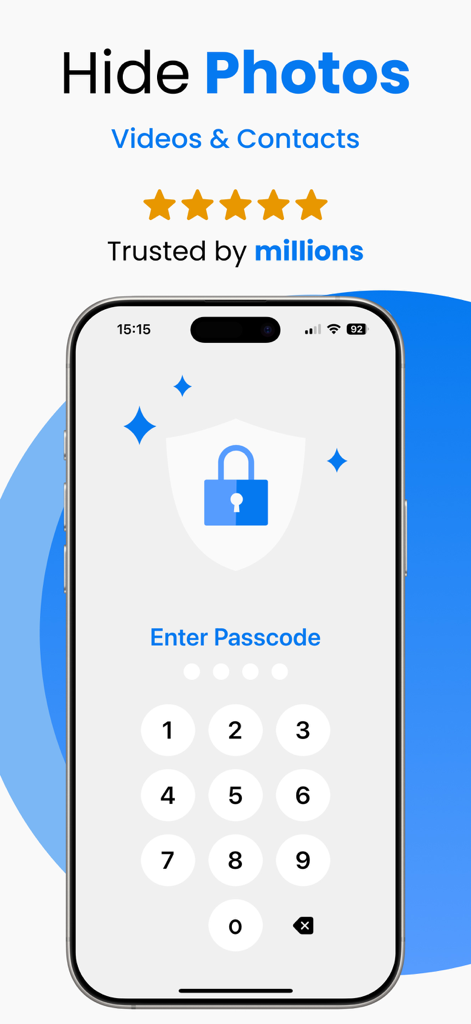
Hidden Folder - KYMS &  KYCALC - Numerischer Passcode-Bildschirm für eine sichere Foto-Tresor-App
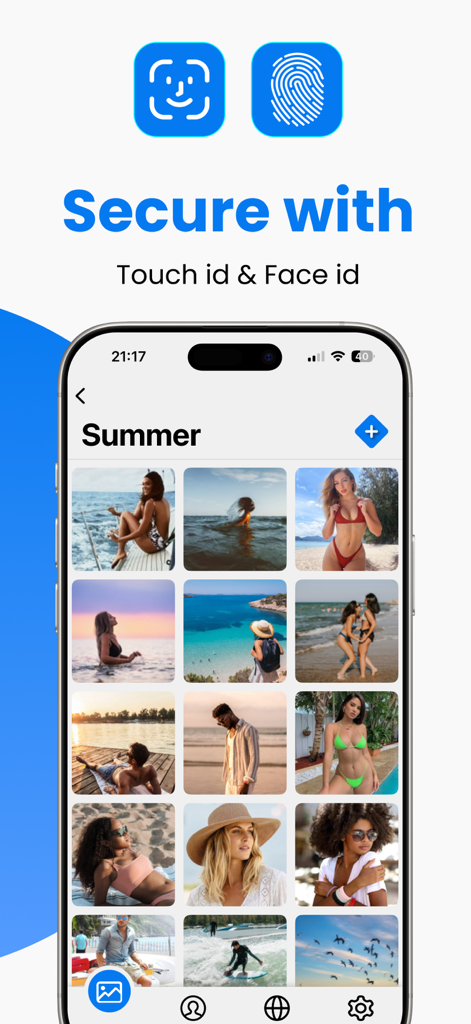
Numerischer Passcode-Bildschirm für eine sichere Foto-Tresor-App

Hidden Folder - KYMS &  KYCALC - Schnittstelle der sicheren Fotospeicher-App mit Touch ID- und Face ID-Optionen
Schnittstelle der sicheren Fotospeicher-App mit Touch ID- und Face ID-Optionen

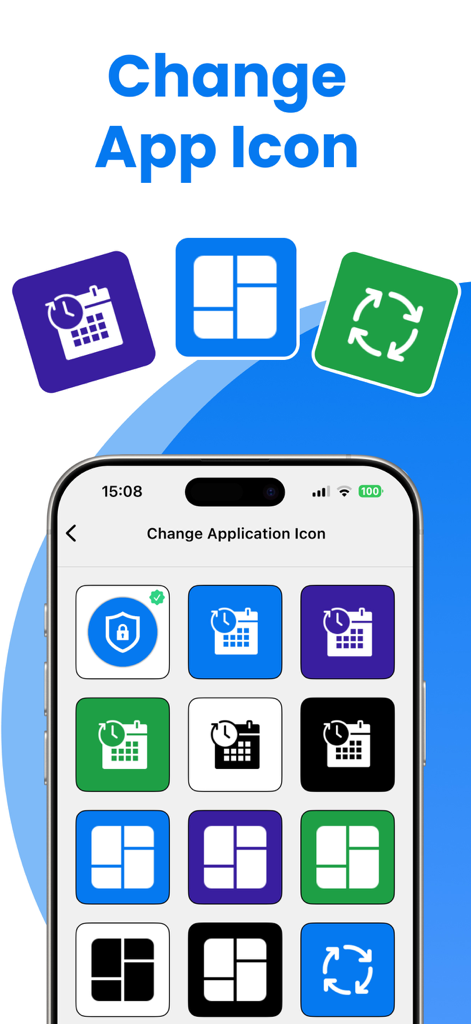
Hidden Folder - KYMS &  KYCALC - Benutzeroberfläche zum Ändern des App-Symbols und Verstecken des geheimen Foto-Tresors im Verborgenen
Benutzeroberfläche zum Ändern des App-Symbols und Verstecken des geheimen Foto-Tresors im Verborgenen

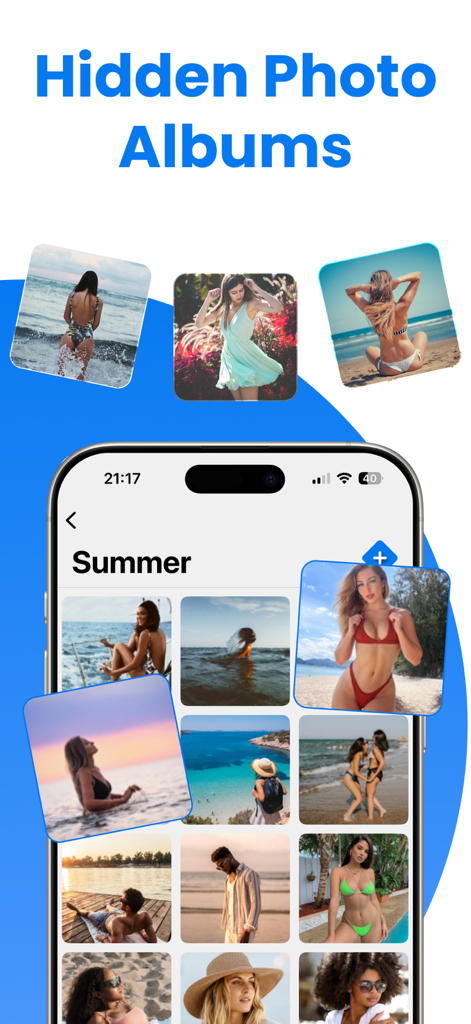
Hidden Folder - KYMS &  KYCALC - Smartphone-Bildschirm mit versteckten Fotoalben und gesicherten persönlichen Galerien.
Smartphone-Bildschirm mit versteckten Fotoalben und gesicherten persönlichen Galerien.

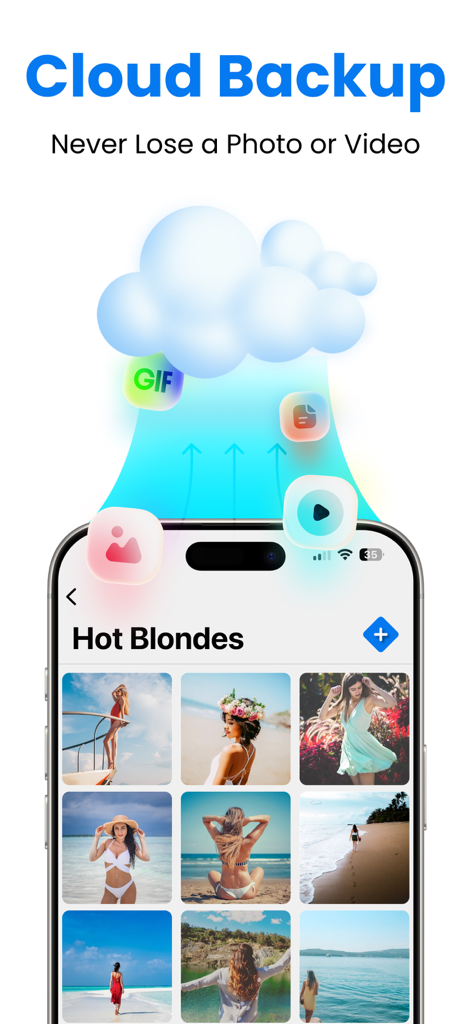
Hidden Folder - KYMS &  KYCALC - Cloud-Sicherungsfunktion für die sichere Speicherung von Fotos und Videos in der Hidden Folder-App

Cloud-Sicherungsfunktion für die sichere Speicherung von Fotos und Videos in der Hidden Folder-App
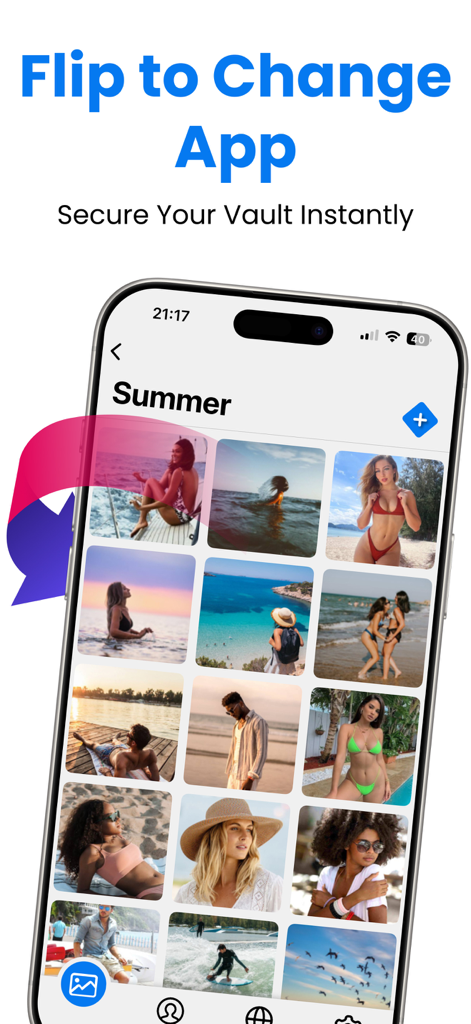
Hidden Folder - KYMS &  KYCALC - iPhone mit privater Fotogalerie und einer Funktion zum sofortigen Umdrehen und Verstecken der App zur Sicherheit
iPhone mit privater Fotogalerie und einer Funktion zum sofortigen Umdrehen und Verstecken der App zur Sicherheit

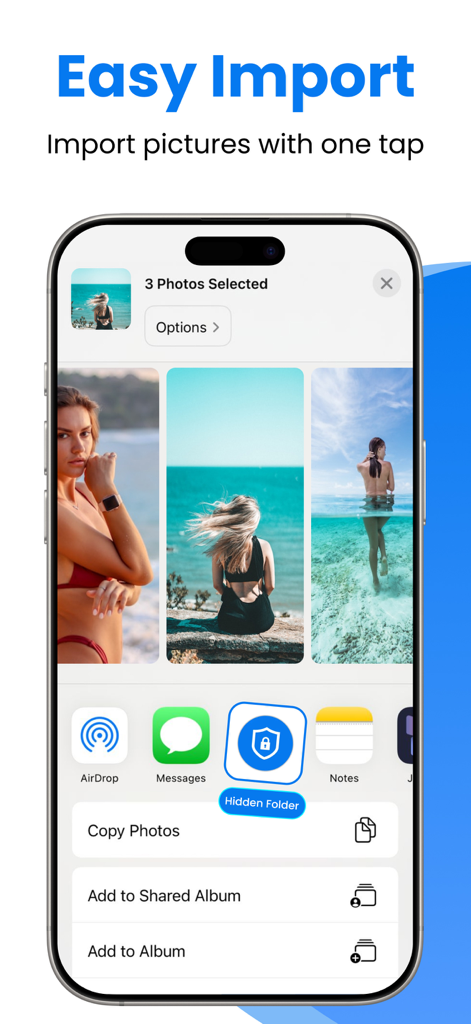
Hidden Folder - KYMS &  KYCALC - Smartphone zeigt einfachen Fotoimport in einen sicheren versteckten Ordner
Smartphone zeigt einfachen Fotoimport in einen sicheren versteckten Ordner

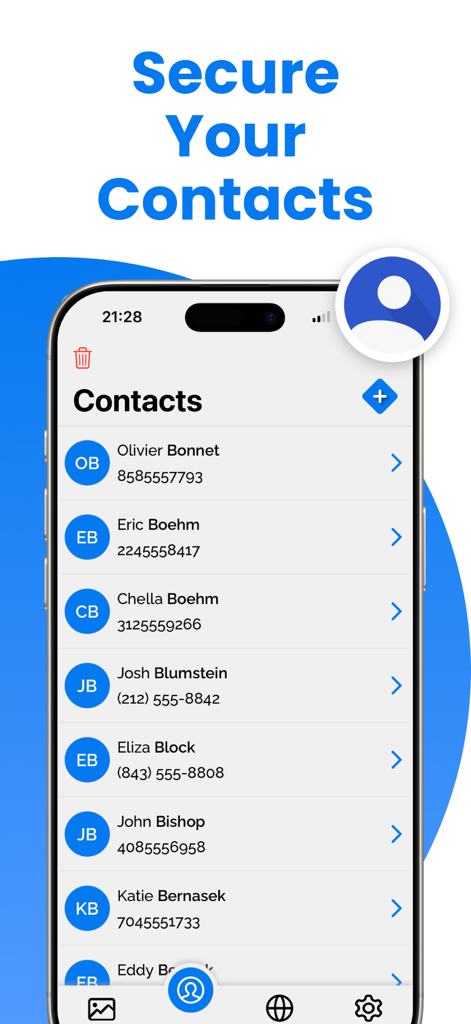
Hidden Folder - KYMS &  KYCALC - Handy-Bildschirm mit der sicheren Kontaktfunktion in der Hidden Folder-Datenschutz-App

Handy-Bildschirm mit der sicheren Kontaktfunktion in der Hidden Folder-Datenschutz-App

Beschreibung

Welcome to Keep Private Photos Safe, the ultimate app for protecting your private photos and videos on your iOS device. With Keep Private Photos Safe, you can ensure that your personal media is secure and only accessible by you. Our app offers robust security features, making it the best choice to keep your memories and important documents safe. Key Features: * Hide Videos or Photos: Securely hide your videos and photos from prying eyes. * Support Passcode and Fake Passcode: Protect your data with a passcode. Create a fake passcode that opens a fake gallery, adding an extra layer of security. * Sharing Photos and Videos: Easily share your hidden photos and videos when needed. * Change App Icon: Disguise the app with a different icon to make it look like another app. * No Storage Limitation: Hide unlimited photos and videos without any storage restrictions. * Private Web Browser: Browse the web privately within the app, without leaving any traces. * Preserving Special Memories: Keep your precious memories safe and secure. * Storing Family Photos: Protect your family photos from unauthorized access. * Protecting Copies of Important Documents: Securely store copies of your driver's license, ID cards, and credit cards. * Organizing Important Documents: Keep your important documents organized and easily accessible. * Premium Features: Upgrade to Keep Private Photos Safe Premium to unlock additional powerful features: * Unlimited Storage: Enjoy unlimited storage for all your photos and videos. * Cloud Backup: Automatically back up your photos and videos to the cloud to prevent data loss. Keep your memories safe even if you lose your device. * Ad-Free Experience: Enjoy an ad-free experience with Keep Private Photos Safe Premium. * Priority Support: Get priority customer support for any issues or questions. Why Choose Keep Private Photos Safe? * Enhanced Security Features: Fake Gallery with Fake Password: Create a decoy gallery with a fake password to fool intruders. This way, your real private photos and videos remain secure in the hidden vault. Discreet App Icon: Change the app icon to make it look like another app, enhancing the privacy of your hidden data. No Storage Limitations: Unlike other apps, Keep Private Photos Safe does not limit the number of photos and videos you can hide, allowing you to secure all your important media. Keep Safe with Ease: Using Keep Private Photos Safe is simple and intuitive. Here's how to get started: * Download and Install: Get Keep Private Photos Safe from the App Store and install it on your iPhone. * Set Up Your Security: Choose a passcode to lock your private vault. Optionally, set up a fake passcode for the fake gallery. * Import Photos and Videos: Import the photos and videos you want to keep safe into the app. Organize them into albums for easy access. * Change App Icon: Customize the app icon to disguise Keep Private Photos Safe as another app. * Browse Privately: Use the built-in private web browser to surf the internet without leaving any traces. * Download Keep Private Photos Safe Today! Don’t wait any longer to protect your privacy. Download Keep Private Photos Safe today and start securing your photos, videos, and important documents with the best security features available. Keep your memories safe and enjoy peace of mind knowing that your personal data is protected. Upgrade to Keep Private Photos Safe Premium for an enhanced experience and additional security features. Keep Private Photos Safe is the ultimate app for anyone who values their privacy and wants to keep their personal media secure. Download now and experience the best in photo and video security. Privacy Policy: https://sites.google.com/view/secret-photo-vault-privacy Terms: https://sites.google.com/view/secret-photo-vault-terms

Download

Herunterladen auf App Store

Diese Seite ist keine offizielle Seite der App oder ihres Entwicklers, sondern eine unabhängige redaktionelle Veröffentlichung, die zu Informations- und Kommentarzwecken erstellt wurde. Sofern nicht ausdrücklich anders angegeben, sind weder die App noch ihr Entwickler mit MWM, Apple, Google Play, dem App-Herausgeber oder dem Entwickler der App verbunden, von ihnen unterstützt, gesponsert, autorisiert oder anderweitig offiziell verbunden, und nichts auf dieser Seite impliziert, dass die App unter Verwendung der Dienste von MWM entwickelt wurde. Alle Marken, Logos, Screenshots und andere Inhalte bleiben Eigentum ihrer jeweiligen Inhaber.








