Highlights: PDF Reader & Notes

Highlights: PDF Reader & Notes

Herunterladen auf App Store
Logo von Highlights: PDF Reader & Notes

Highlights: Der intelligente PDF-Reader für produktive Forschung

Beenden Sie die Ermüdung durch Copy-Paste. Extrahieren Sie automatisch Annotationen, Tabellen und Zitate in strukturierte Notizen und exportieren Sie sie sofort nach Obsidian, Notion oder Markdown.

Herausgeber

Jonas Myren Ribe

Kategorie

Productivity

Downloads

246K+

Bewertung

4.5/5

Bewertungen gesamt

5K+

Sprachen

1

Ein genauerer Blick auf Effizienz

Entdecken Sie die Oberfläche, die von 246K+ Nutzern verwendet wird.

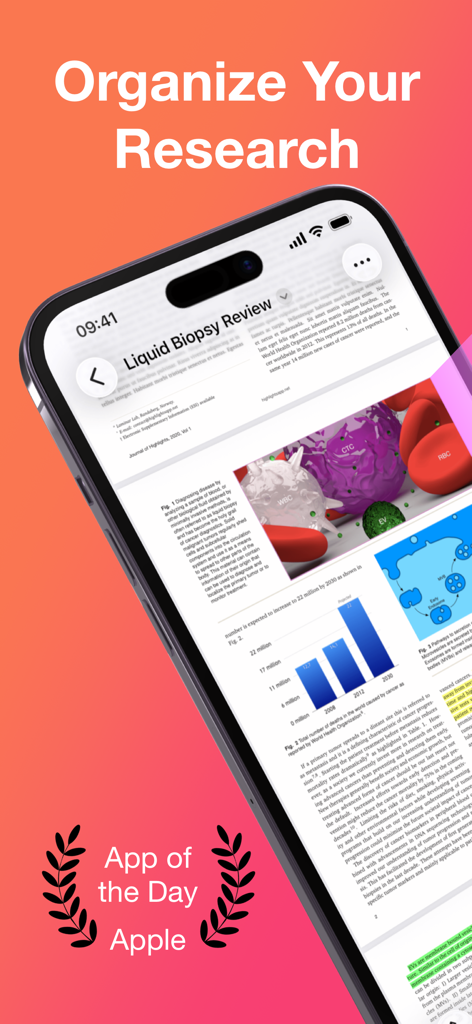
Highlights PDF Reader App auf dem iPhone zeigt eine Forschungsarbeit und die Anerkennung als Apple App des Tages.
Highlights PDF Reader App auf dem iPhone zeigt eine Forschungsarbeit und die Anerkennung als Apple App des Tages.

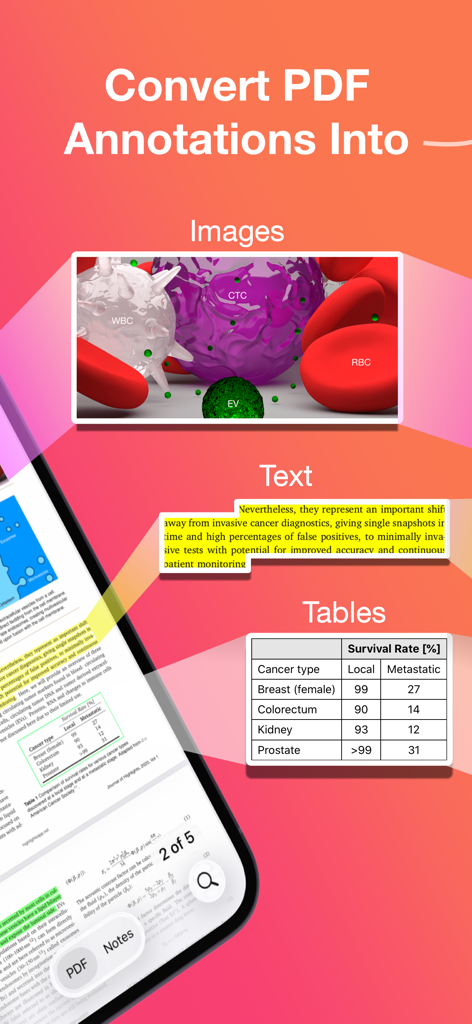
Infografik, die zeigt, wie die Highlights App PDF-Annotationen in Bilder, Text und Tabellen umwandelt.
Infografik, die zeigt, wie die Highlights App PDF-Annotationen in Bilder, Text und Tabellen umwandelt.

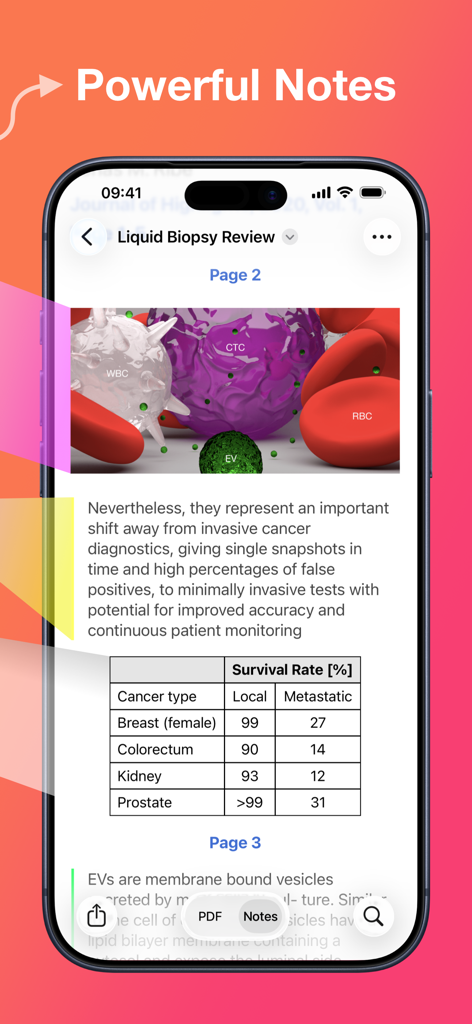
Highlights PDF Reader App zeigt leistungsstarke Notizen, die aus einer Forschungsarbeit extrahiert wurden, einschließlich einer Datentabelle.
Highlights PDF Reader App zeigt leistungsstarke Notizen, die aus einer Forschungsarbeit extrahiert wurden, einschließlich einer Datentabelle.

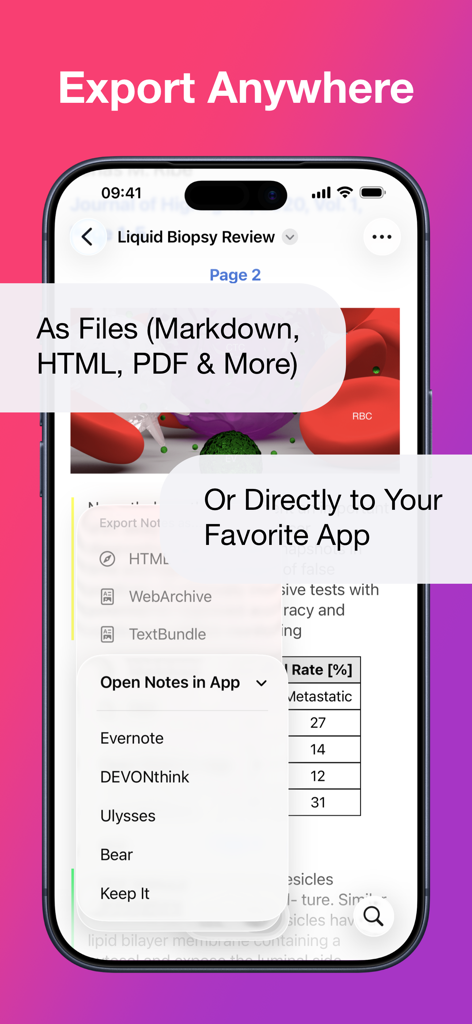
Smartphone-Bildschirm zeigt das Exportmenü der Highlights App mit Optionen für Markdown, PDF und direkte Integration mit Produktivitäts-Apps wie Evernote und Ulysses.
Smartphone-Bildschirm zeigt das Exportmenü der Highlights App mit Optionen für Markdown, PDF und direkte Integration mit Produktivitäts-Apps wie Evernote und Ulysses.

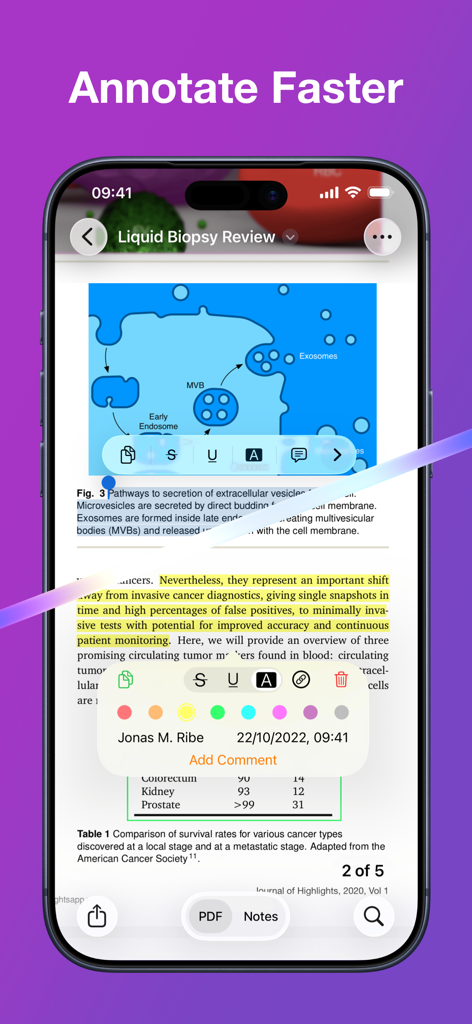
Highlights App auf dem iPhone zeigt ein wissenschaftliches PDF mit gelben Textmarkierungen und einem Annotationsmenü.
Highlights App auf dem iPhone zeigt ein wissenschaftliches PDF mit gelben Textmarkierungen und einem Annotationsmenü.

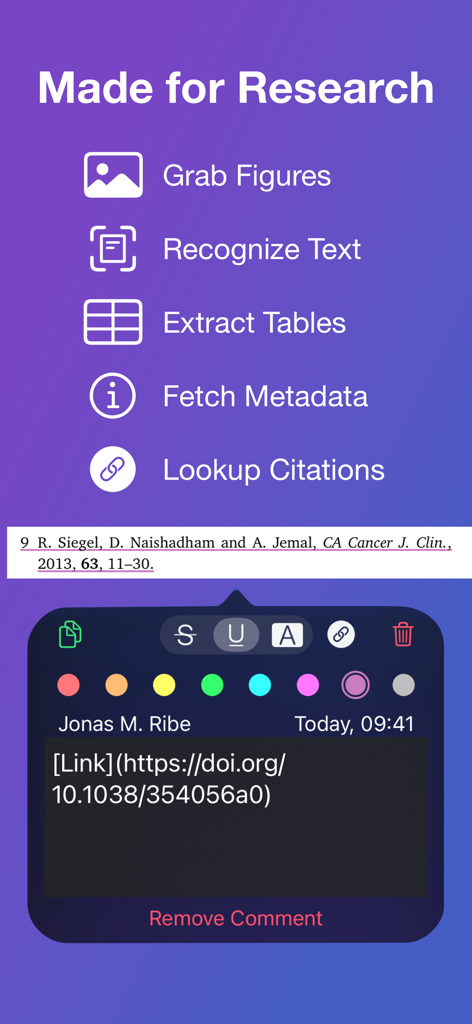
Highlights PDF Reader Benutzeroberfläche mit Forschungs-Tools zum Erfassen von Abbildungen, Extrahieren von Tabellen und Abrufen von Zitaten mit einem DOI-Link.
Highlights PDF Reader Benutzeroberfläche mit Forschungs-Tools zum Erfassen von Abbildungen, Extrahieren von Tabellen und Abrufen von Zitaten mit einem DOI-Link.

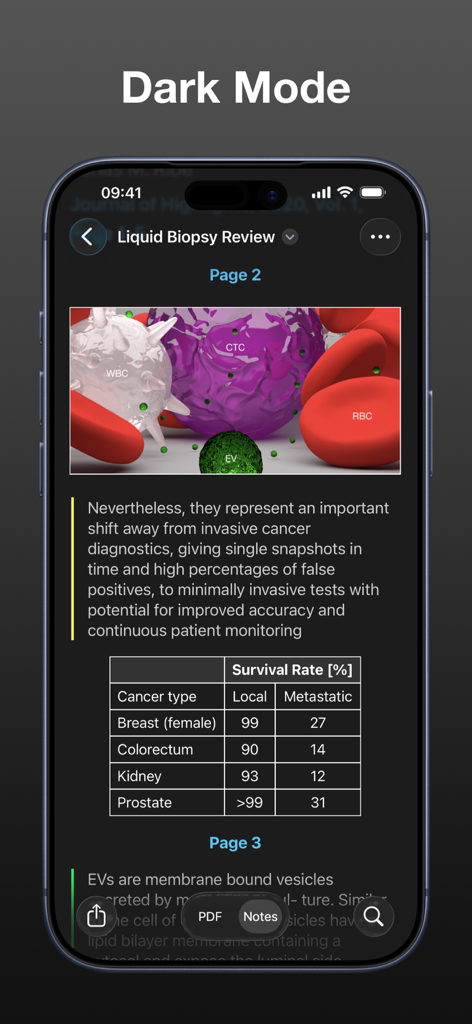
Ein Screenshot der Highlights App-Oberfläche im Dunkelmodus, der eine akademische Forschungsarbeit mit medizinischen Diagrammen und einer Datentabelle anzeigt.
Ein Screenshot der Highlights App-Oberfläche im Dunkelmodus, der eine akademische Forschungsarbeit mit medizinischen Diagrammen und einer Datentabelle anzeigt.

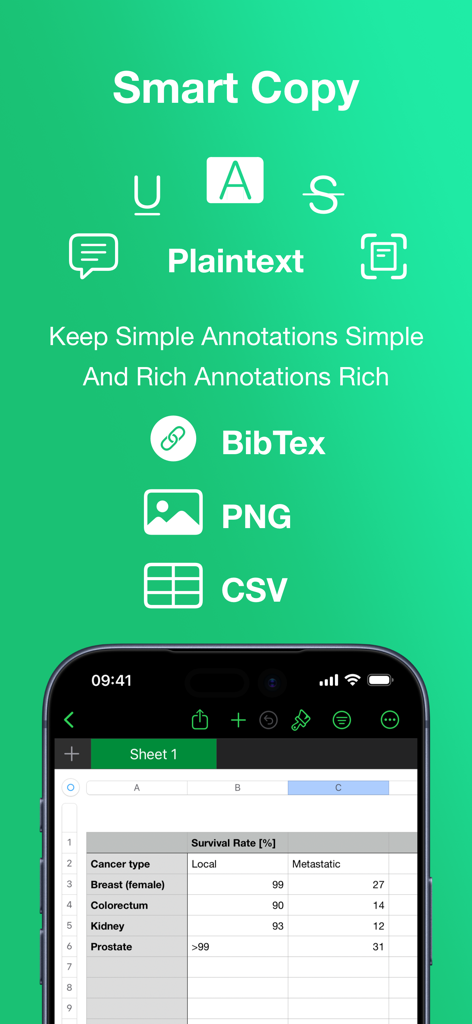
Highlights App Smart Copy-Funktion, die Exportoptionen für BibTex, PNG und CSV mit einer integrierten Tabellenkalkulationsansicht anzeigt.
Highlights App Smart Copy-Funktion, die Exportoptionen für BibTex, PNG und CSV mit einer integrierten Tabellenkalkulationsansicht anzeigt.

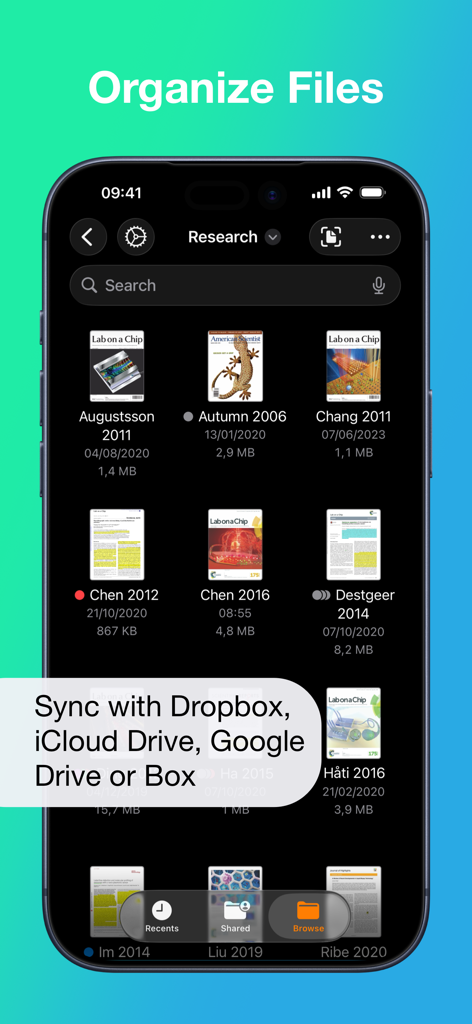
Oberfläche zur Dateiverwaltung in der Highlights PDF Reader App, die Forschungsarbeiten mit Cloud-Synchronisierungsoptionen anzeigt.
Oberfläche zur Dateiverwaltung in der Highlights PDF Reader App, die Forschungsarbeiten mit Cloud-Synchronisierungsoptionen anzeigt.

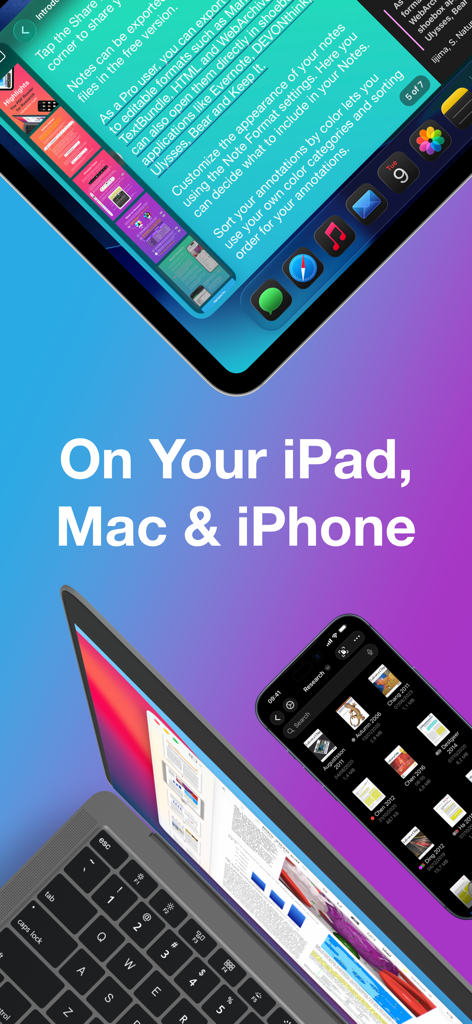
Highlights PDF Reader App-Oberfläche auf dem iPad, MacBook und iPhone für Forschung und Notizen.

Highlights PDF Reader App-Oberfläche auf dem iPad, MacBook und iPhone für Forschung und Notizen.

Tanken Sie Ihren Forschungs-Workflow

Die Tools, die diese App auszeichnen, gewählt von 246K+ Nutzern.

Automatische Extraktion von Erkenntnissen

Beenden Sie die Ermüdung durch manuelles Copy-Paste. Während Sie hervorheben, werden Ihr Text, Ihre Bilder und Ihre Tabellen sofort in eine saubere, formatierte Notiz für Ihre Forschung extrahiert.

🎓

Intelligente Zitat- & Datentools

Gebaut für akademische Strenge. Rufen Sie automatisch DOI-Metadaten ab, formatieren Sie BibTex-Zitate und konvertieren Sie komplexe PDF-Tabellen mit einem einzigen Fingertipp in CSV-Daten.

🚀

Nahtlose Second Brain Synchronisation

Exportieren Sie Ihre Ergebnisse direkt nach Notion, Obsidian oder Bear. Mit Unterstützung für Markdown und TextBundle fließt Ihr Wissen genau dorthin, wo Sie es am dringendsten benötigen.

Über die App

Alles, was Sie über wissen müssen Highlights: PDF Reader & Notes.

Beschreibung

"... an app that students, academics, and anyone who does substantial amounts of PDF-based research should try" - Macstories.net "It’s the novel approach to PDF annotation that makes this app a cut above the rest"- TapSmart.com *** "App of the Day" - App Store, US *** USE HIGHLIGHTS FOR FREE Highlights is a fast and lightweight PDF reader (under 10MB) packed with features to help you do your best research. Free users have access to standard PDF reader features including document browsing, reading and annotating. There are NO ADS, time limits or tracking. READ PDF DOCUMENTS • Open PDF documents from anywhere • Browse files using the familiar document browser • Open PDFs in Single Page or Two Page scroll mode • Double tap to Smart Zoom in on a paragraph or figure • Scrub smoothly to the desired page • Search the entire document in an instant • Navigate using any connected keyboard or mouse STORE YOUR FILES WHERE YOU WANT • Full support for "Open In Place" lets you make edits to the file where it is • Access your files from iCloud Drive, Dropbox, Google Drive, OneDrive or Box using the document browser • Or keep them privately on device only HIGHLIGHT AND ANNOTATE FASTER • Select text with your finger, Apple Pencil or mouse pointer • Highlight, underline, strikethrough text and make image selections • Add comments to annotations or as individual sticky notes • Annotate with fewer taps using context aware popovers • Default annotation colors prevents you from having to repeatedly setting the color for the same type of annotation every time TURN ANNOTATIONS INTO NOTES • As you markup text and images the contents are extracted and sorted into notes • Customize the formatting and contents of your notes • Sort the annotations chronologically or create your own color coding EXTRACT TABLE DATA AND RECOGNIZE TEXT • Convert images containing text or tables to actual text and tables using machine learning - letting you get to the underlying data with a single tap SMART COPY Copy annotations to the desired format with one tap: • Text markup as text • Image selections as images • Tables as CSV • Citations as BibTex LOOKUP CITATIONS • Highlights will fetch DOI-links and metadata • Markup any reference and tap the link icon to look it up • If you have read the work already or have it in your reference manager library, Highlights will link you to it EXPORT ANYWHERE • Save or share your notes as portable files: Markdown, TextBundle, HTML, WebArchive or PDF • Share them to your favorite notes app: Apple Notes, Bear, Craft, Evernote, DEVONThink, Keep It, MindNode, Notion, Obsidian, Roam Research or Ulysses • Or send them to a colleague via mail. It's your notes, you decide where they go MUCH MORE • Dark mode • Multi-window support on iPadOS • Keyboard shortcuts and navigation • Support for system Copy and Undo gestures • Alternative app icons • Custom accent colors • Apple Pencil double-tap gestures • Power annotation tools For a full list of features see: highlightsapp.net/features HIGHLIGHTS PRO The Highlights Pro subscription unlocks advanced features on your iPhone, iPad and Mac: • Export options for other apps and easily editable formats • Extract information using table and text recognition • Customize accent colors and alternative app icons • Power annotation tools • Citation lookups • Smart Copy Highlights Pro includes a 14-day free trial. You can cancel your subscription at any time. The subscription will automatically renew unless auto-renew is turned off within 24-hour prior to the end of of the current period. Payments will be charged to your iTunes account and your account will be charged within 24-hours prior to the end of the current period. Any unused portion of a free trial period will be forfeited when you purchase a subscription. For more information about Highlights Pro: highlightsapp.net/pro Privacy Policy: highlightsapp.net/privacy Terms: highlightsapp.net/terms

Neueste Version

2025.1.5

Größe

33.4 MB

Erstveröffentlichung

10. Apr. 2020

Bereit, Ihren Forschungs-Workflow zu beschleunigen?

Schließen Sie sich über 250.000 Akademikern und Fachleuten an, die aufgehört haben, zu kopieren und einzufügen, und begonnen haben, ihre PDFs nach Wissen zu durchforsten. Laden Sie Highlights noch heute herunter und schließen Sie die Lücke zwischen Lesen und Schreiben.

Herunterladen auf App Store

App information, icons, screenshots, and descriptions displayed on this page are sourced from the Apple App Store and are the property of their respective developers. Download estimates and rankings are based on MWM's proprietary models and may not reflect actual figures. This page is provided for informational and analytical purposes only.

Believe this page infringes your intellectual property? File a dispute