Markup Ultimate

Markup Ultimate

Herunterladen auf App Store
Logo von Markup Ultimate

Markup Ultimate: Intelligenter lesen mit KI-gestützten Erkenntnissen

Die All-in-One-Produktivitätssuite für Forscher und Fachleute. Fassen Sie komplexe Dateien automatisch zusammen, heben Sie Webinhalte hervor und meistern Sie Ihren PDF-Workflow unterwegs.

Herunterladen auf App Store

Herausgeber

Kdan Mobile Software LTD

Kategorie

Productivity

Downloads

378K+

Bewertung

4.4/5

Bewertungen gesamt

2K+

Sprachen

13

Effizienz visualisiert

Entdecken Sie die Oberfläche, die von 378K+ Nutzern verwendet wird.

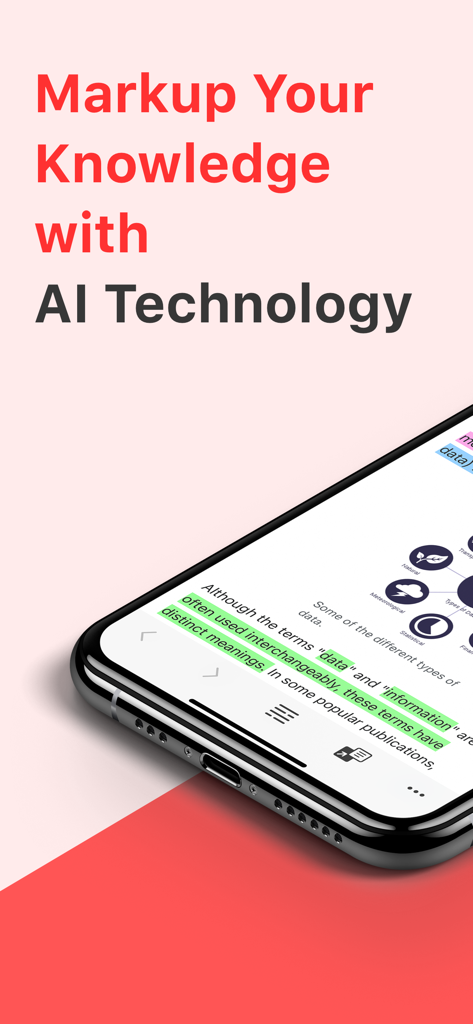
Ein Smartphone-Bildschirm, der die Markup Ultimate App mit hervorgehobenem Text und KI-gestützten Annotationsfunktionen zeigt.
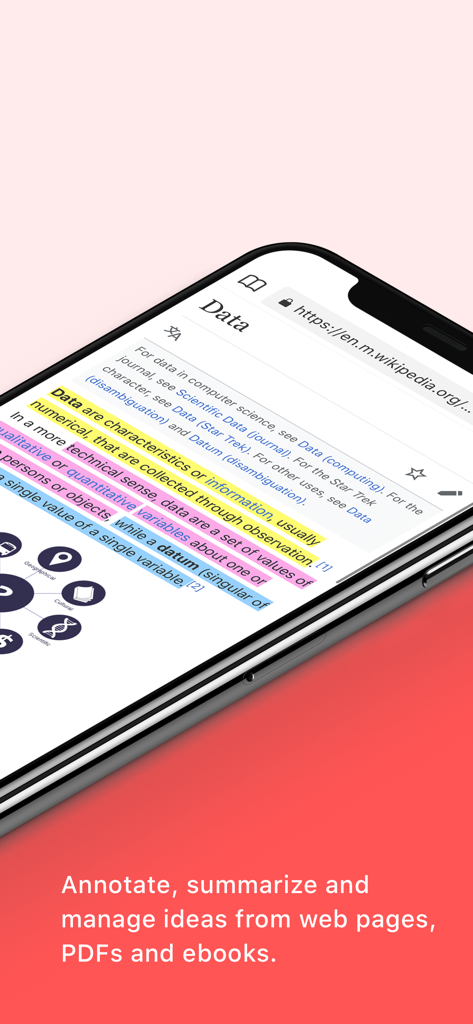
Ein Smartphone-Bildschirm, der die Markup Ultimate App mit hervorgehobenem Text und KI-gestützten Annotationsfunktionen zeigt.

Ein Smartphone-Bildschirm, der die Markup Ultimate App zeigt, mit der ein Wikipedia-Artikel über Daten hervorgehoben und annotiert wird
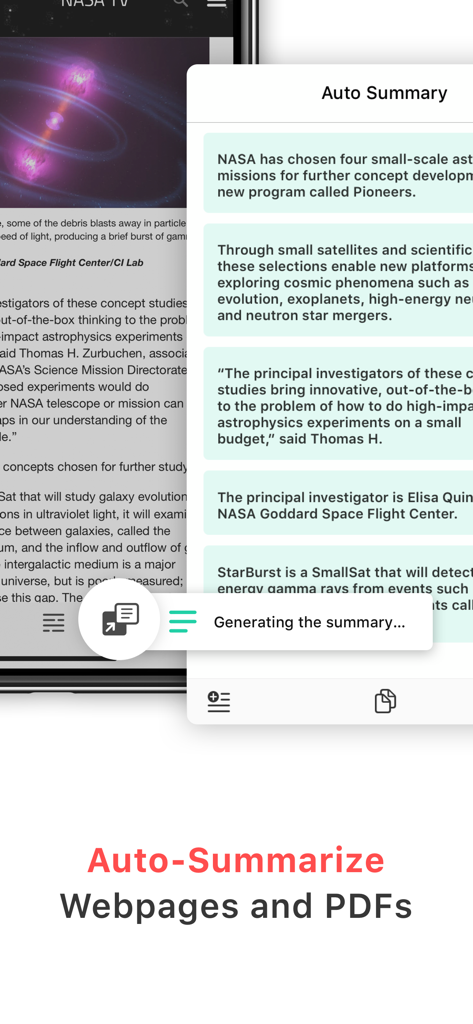
Ein Smartphone-Bildschirm, der die Markup Ultimate App zeigt, mit der ein Wikipedia-Artikel über Daten hervorgehoben und annotiert wird

Smartphone-Bildschirm mit der KI-Auto-Zusammenfassungsfunktion von Markup Ultimate mit einem zusammengefassten Artikel über die NASA
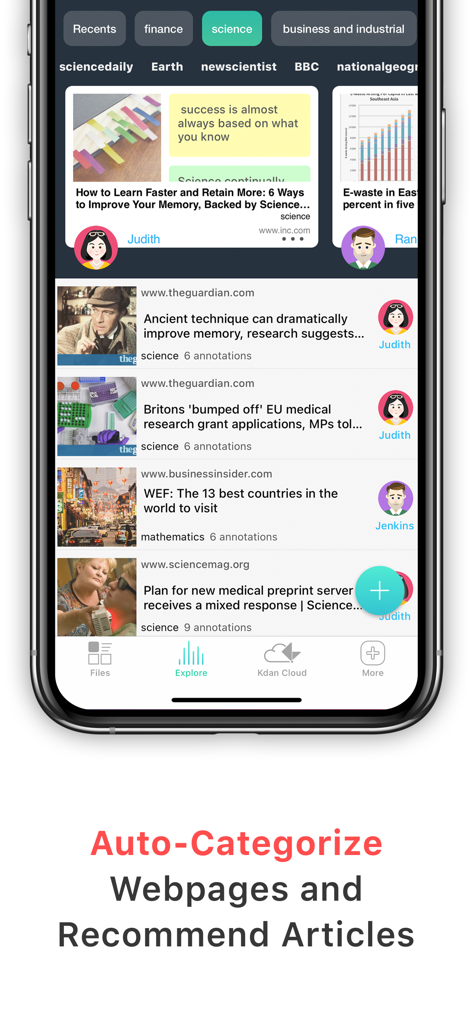
Smartphone-Bildschirm mit der KI-Auto-Zusammenfassungsfunktion von Markup Ultimate mit einem zusammengefassten Artikel über die NASA

Markup Ultimate App-Oberfläche mit automatisch kategorisierten Webinhalten und personalisierten Artikel-Empfehlungen
Markup Ultimate App-Oberfläche mit automatisch kategorisierten Webinhalten und personalisierten Artikel-Empfehlungen

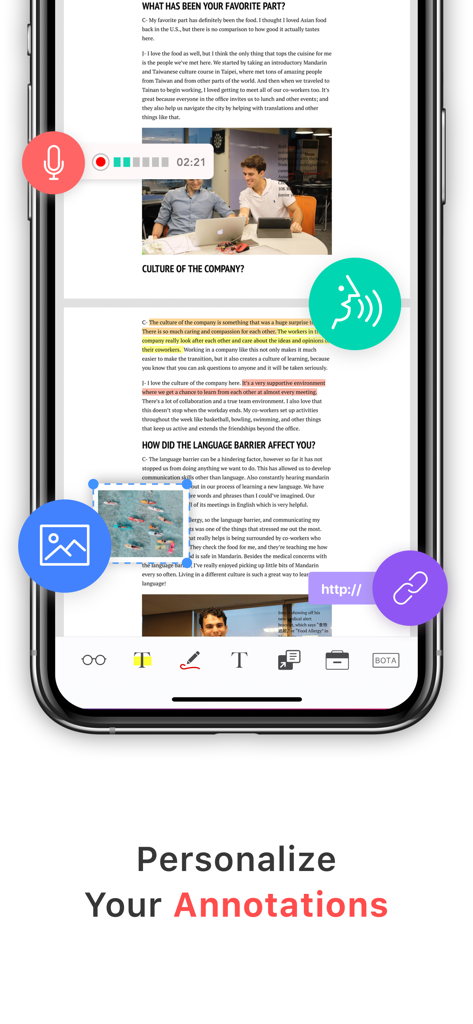
Smartphone-Bildschirm mit personalisierten Multimedia-Annotationen mit Sprachnotizen, Bildern und Links in der Markup Ultimate App
Smartphone-Bildschirm mit personalisierten Multimedia-Annotationen mit Sprachnotizen, Bildern und Links in der Markup Ultimate App

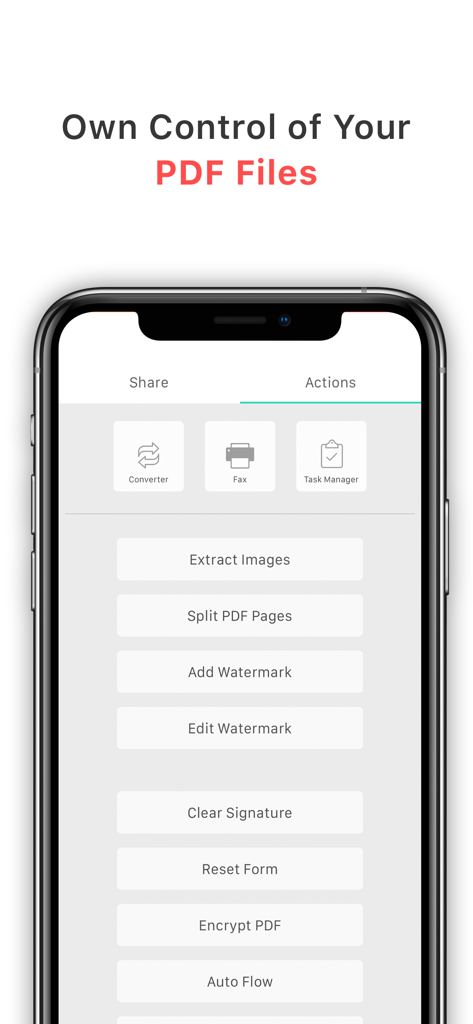
Markup Ultimate App-Oberfläche, die erweiterte PDF-Bearbeitungs- und Verwaltungsaktionen zeigt.
Markup Ultimate App-Oberfläche, die erweiterte PDF-Bearbeitungs- und Verwaltungsaktionen zeigt.

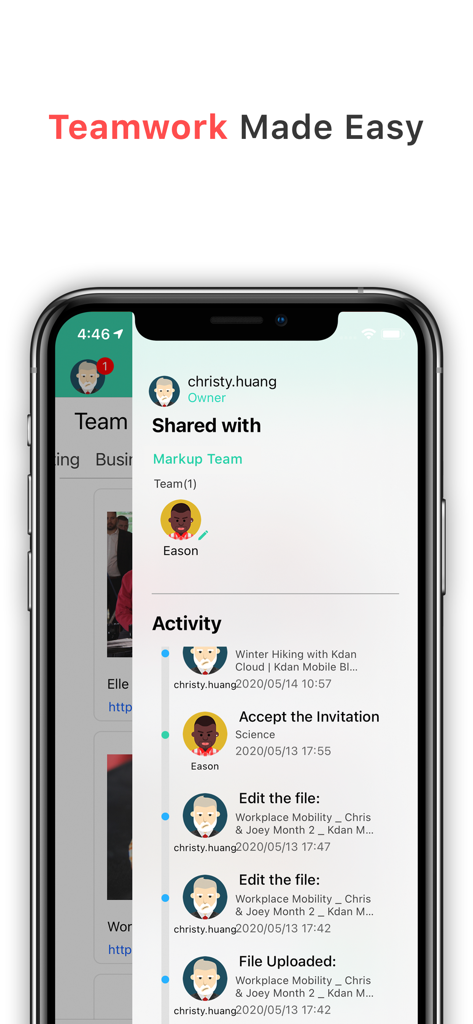
Markup Ultimate App-Oberfläche, die Teamzusammenarbeit und Aktivitäts-Feed für gemeinsame Dateien zeigt.
Markup Ultimate App-Oberfläche, die Teamzusammenarbeit und Aktivitäts-Feed für gemeinsame Dateien zeigt.

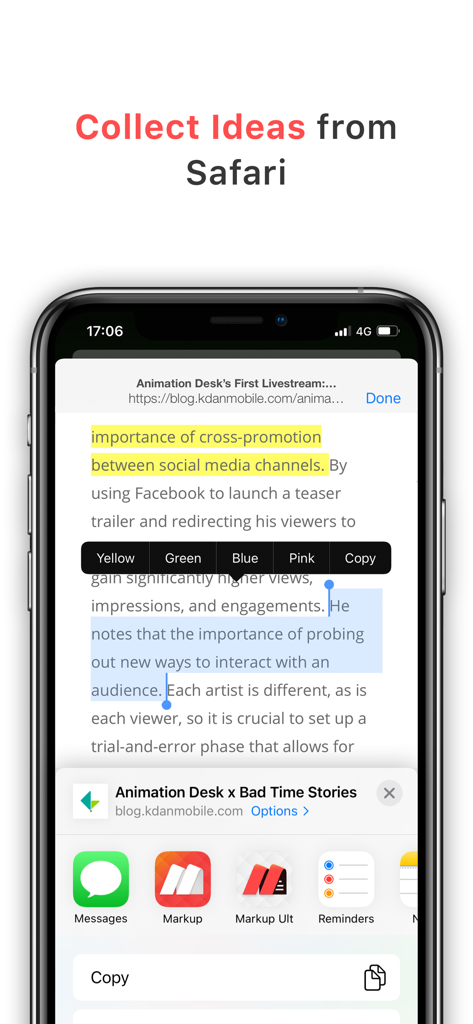
Markup Ultimate App-Oberfläche, die zeigt, wie Text hervorgehoben und Ideen direkt aus dem Safari-Browser auf einem iPhone gesammelt werden.
Markup Ultimate App-Oberfläche, die zeigt, wie Text hervorgehoben und Ideen direkt aus dem Safari-Browser auf einem iPhone gesammelt werden.

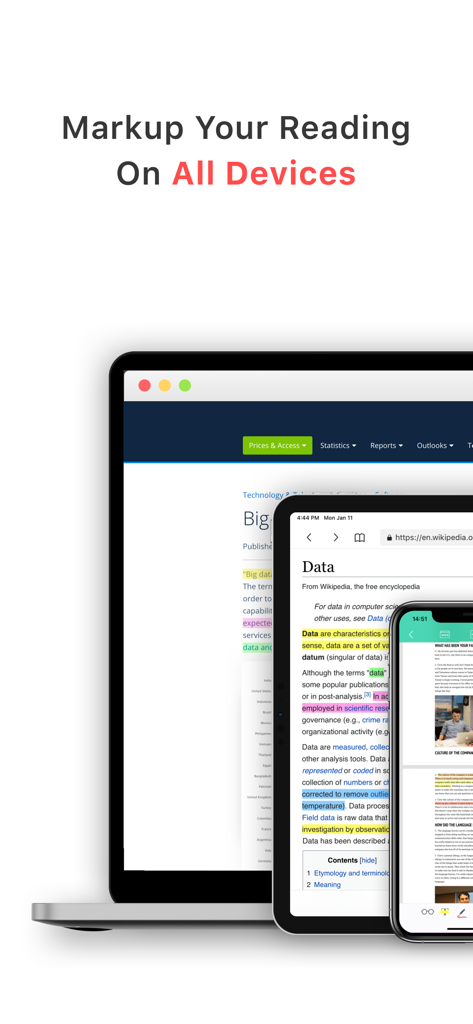
Laptop, Tablet und Smartphone, die die Markup Ultimate App-Oberfläche mit hervorgehobenem Text auf allen Geräten zeigen.

Laptop, Tablet und Smartphone, die die Markup Ultimate App-Oberfläche mit hervorgehobenem Text auf allen Geräten zeigen.

Verbessern Sie Ihre Leseintelligenz

Die Tools, die diese App auszeichnen, gewählt von 378K+ Nutzern.

KI-gestützte automatische Zusammenfassungen

Ertrinken Sie nicht mehr in langen Inhalten. Unsere KI extrahiert sofort die wichtigsten Erkenntnisse aus riesigen Berichten und Artikeln, sodass Sie sich nur auf das Wesentliche konzentrieren können.

🖊️

Vereinte Web- & PDF-Annotation

Heben Sie Auszüge direkt in Safari hervor oder tauchen Sie mit Ihrem Apple Pencil tief in PDFs ein. Ihre Erkenntnisse werden automatisch synchronisiert und für Ihr zweites Gehirn kategorisiert.

👥

Sofortige Teamzusammenarbeit

Verwandeln Sie individuelle Forschung in kollektive Intelligenz. Teilen Sie annotierte Snippets, Web-Markierungen und kuratierte Ordner sofort über gemeinsame Team-Zwischenablagen.

Über die App

Alles, was Sie über wissen müssen Markup Ultimate.

Beschreibung

Markup Ultimate is the fully-working version of Markup. Search “Markup” on the App Store and try it out for free before purchasing. Markup is a productivity tool with unique AI-powered features to create a smart reading experience for users. It automatically extracts key reading points out of large files or text and learns the user’s preference and behavior to provide informed suggestions. Markup lets you highlight, annotate, and read with efficiency. ***Widely Recognized by Media & Our Users*** + Featured in All Digital School – Editor’s Choice for Reading + Featured in “Annotation and Screencasting to Extend the Reach of Your Classroom” by Yale Center of Language Study + Featured in “The 9 Best PDF Apps for the Apple iPad” by TabletPC Review + User Testimonial: “PDF Markup helps me to take work with me when I am not in the office. It really does make life better!” - Val Sigler KEY FEATURES AUTO SUMMARY (NEW) – Make every reading second count! •Immediately find your focus on reading by extracting information that matters •Automatically process heavyweight content in a summary view •Add to your own annotations to keep your ideas all in one place •Copy to your clipboards and share to other platforms for extensive reading AI INTEGRATION • Analyze highlighted stories with Markup's brilliant algorithm. • Automatically sort web pages you highlighted into different categories. • Discover more stories you are interested in. INSTANT TEAM COLLABORATION • Share files, pictures, articles, videos, and URLs with your team • Directly share highlighted Web Markups and annotations to your team • Onboard your team members via Teams Clipboards • Invite and manage your members in Team Panel to tracks team’s activity WEB HIGHLIGHTER • Highlight text and excerpts on web pages through built-in or Safari browser. • Sync your highlights through multiple devices. • Explore and share highlights from the markup community. • Link web highlights to your PDFs DOCUMENT VIEWER & ANNOTATOR • Support all mainstream formats, including PDF and ePub books • Add highlights, freehand writings, sticky notes, text boxes, arrows, shapes, etc. • Customize PDF stamps by adding texts or images • Sign & fills documents • BOTA list- display a summary of bookmark, outline, thumbnail and annotation • Text-to-Speech- read out text content with natural sounding voices • Multimedia note-taking - insert links, images, audio clips and capture screens •Advanced PDF Editing – merge and split pages, watermarks, flattened PDFs and more FILE TRANSFER & BACKUP • Get files from Dropbox, Google Drive, iCloud Drive, Photo gallery and local files KDAN CLOUD – FREE SIGN UP • Resume unfinished uploading. • Viewing PDFs online by sending file links. • Send download links from the web with password protection. IN-APP PURCHASE Subscribe to Kdan Cloud services for more advanced capabilities to convert, edit, fax, and sync PDFs on computers and mobile devices. WHAT IS CREATIVITY 365? (FREE TRIAL AVAILABLE) Creativity 365 is a cross-device contention creation toolset aimed at improving productivity and collaboration. The set includes five apps- Markup, Animation Desk, Pocket Scanner, NoteLedge, and Write-on Video plus 1TB Kdan Cloud storage. Creativity 365 subscribers can access to all the premium features commonly unavailable to free app users. IN-APP PURCHASE DETAILS • Creativity 365 subscription is USD$9.99/month or $4.99 per month if you pay annually (includes PDF editing tools, all premium features in all apps & 1 TB cloud storage) • We offer a 3-day or 7-day trial period to new subscribers of Creativity 365. • Subscriptions automatically renew unless canceled at least 24 hours before the end of current subscription period. Terms of service: https://www.kdanmobile.com/en/terms_of_service Privacy Policy: https://www.kdanmobile.com/en/privacy_policy

Neueste Version

8.10.11

Größe

182.8 MB

Erstveröffentlichung

31. Okt. 2014

Beherrschen Sie Ihr Wissen mit KI-gestützter Präzision

Schließen Sie sich über 378.000 Fachleuten und Forschern an. Laden Sie Markup Ultimate jetzt herunter, um Ihre Zusammenfassungen zu automatisieren und Ihren gesamten Lese-Workflow zu optimieren.

Herunterladen auf App Store

App information, icons, screenshots, and descriptions displayed on this page are sourced from the Apple App Store and are the property of their respective developers. Download estimates and rankings are based on MWM's proprietary models and may not reflect actual figures. This page is provided for informational and analytical purposes only.

Believe this page infringes your intellectual property? File a dispute