
Diese Seite ist keine offizielle Seite der App oder ihres Entwicklers, sondern eine unabhängige redaktionelle Veröffentlichung, die zu Informations- und Kommentarzwecken erstellt wurde. Sofern nicht ausdrücklich anders angegeben, sind weder die App noch ihr Entwickler mit MWM, Apple, Google Play, dem App-Herausgeber oder dem Entwickler der App verbunden, von ihnen unterstützt, gesponsert, autorisiert oder anderweitig offiziell verbunden, und nichts auf dieser Seite impliziert, dass die App unter Verwendung der Dienste von MWM entwickelt wurde. Alle Marken, Logos, Screenshots und andere Inhalte bleiben Eigentum ihrer jeweiligen Inhaber.


IC Photo Singapore
Überspringen Sie den Fotostand in der Apotheke und das Risiko der Ablehnung. Nehmen Sie auf, schneiden Sie zu und skalieren Sie Ihr NRIC- oder Passfoto auf die genauen Spezifikationen von 400x514 Pixel für eine nahtlose digitale Einreichung von überall auf der Welt.
Downloads
313K+Bewertung
Bewertungen gesamt
400Herausgeber
Kategorie
Photo & VideoSprachen
9Neueste Version
1.3.1Größe
11.3 MBErstveröffentlichung
1. Dez. 2011Professionelle ID-Fotos, sofort konform
Überspringen Sie den Gang zur Apotheke und vermeiden Sie die hohen Gebühren. Erstellen Sie perfekt formatierte Fotos für Ihre Anträge auf einen singapurischen Reisepass, NRIC oder eine Arbeitserlaubnis direkt von Ihrem Handy.
Präzisions-Rahmenhilfen
Eliminieren Sie das Risiko der Ablehnung. Unsere intuitiven Overlays stellen sicher, dass Ihr Gesicht und Ihre Schultern jedes Mal perfekt auf die strengen ICA-Standards ausgerichtet sind.
Optimiert für den digitalen Upload
Automatisch auf die erforderlichen 400x514 Pixel skaliert. Speichern Sie direkt in Ihrer Kamerarolle für einen nahtlosen Upload in die Singpass- oder ICA-Portale.
Die folgenden Screenshots und die Beschreibung stammen direkt aus dem offiziellen Store-Eintrag der App und sind Eigentum des Entwicklers.
App Store
Screenshots
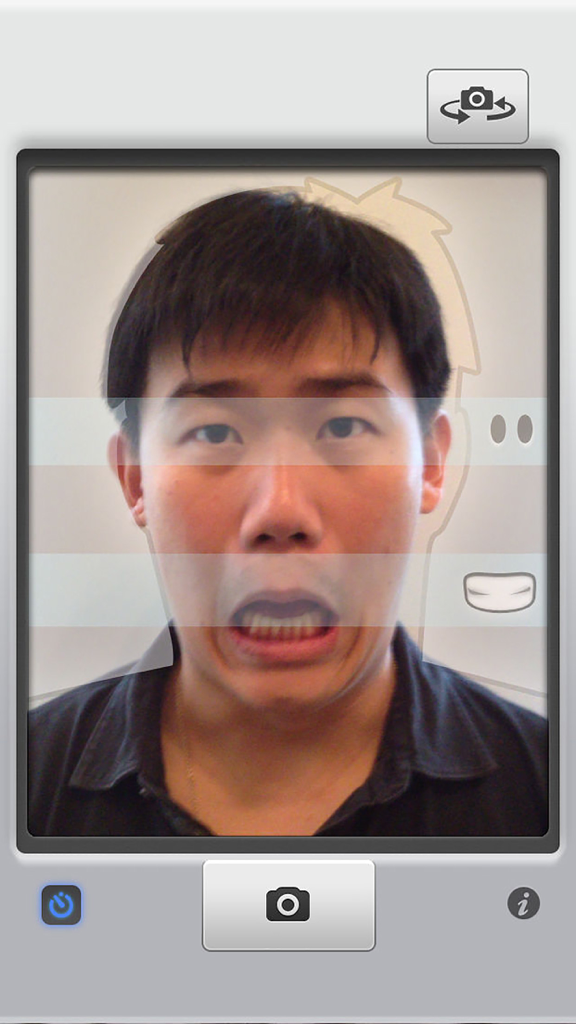
Mann macht ein Selfie für ein Passfoto mit Gesichts-Ausrichtungshilfen in der Benutzeroberfläche der IC Photo Singapore App.
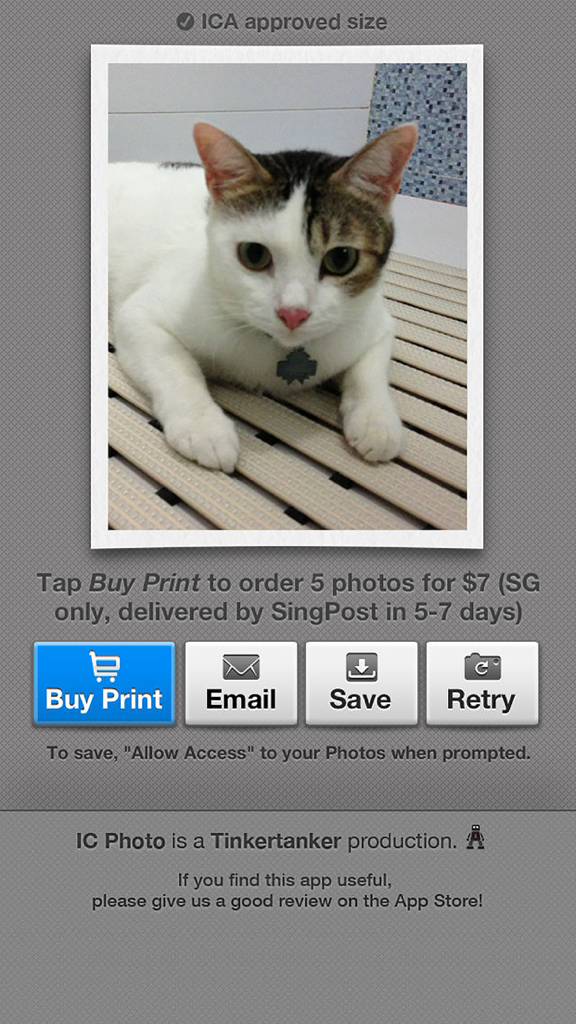
Ein Screenshot der IC Photo Singapore App, der einen Foto-Vorschau-Bildschirm mit Schaltflächen zum Kaufen von Ausdrucken, zum Senden per E-Mail oder zum Speichern des digitalen ID-Fotos zeigt.
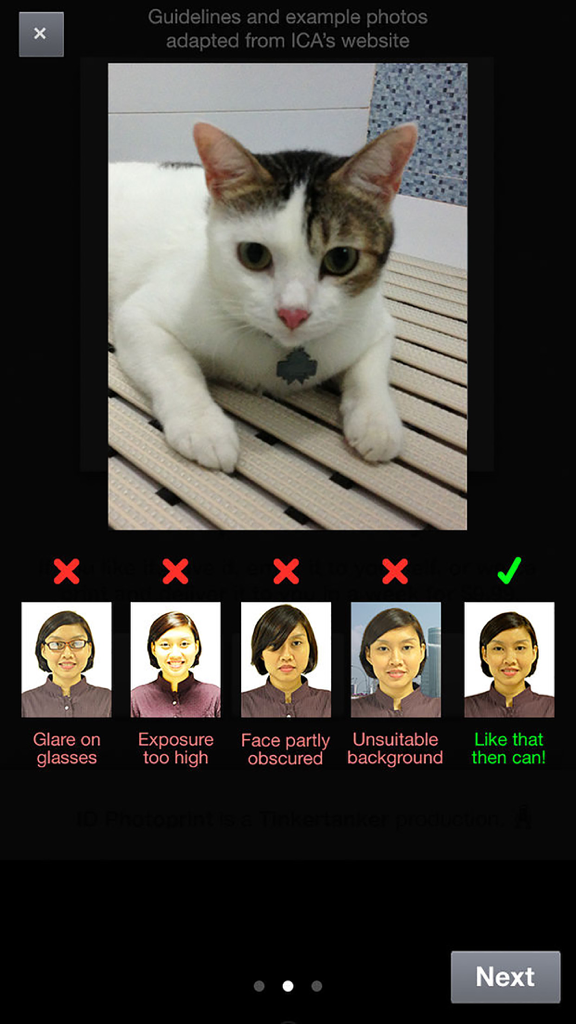
Beispiele für korrekte und falsche ID-Fotos gemäß ICA-Richtlinien
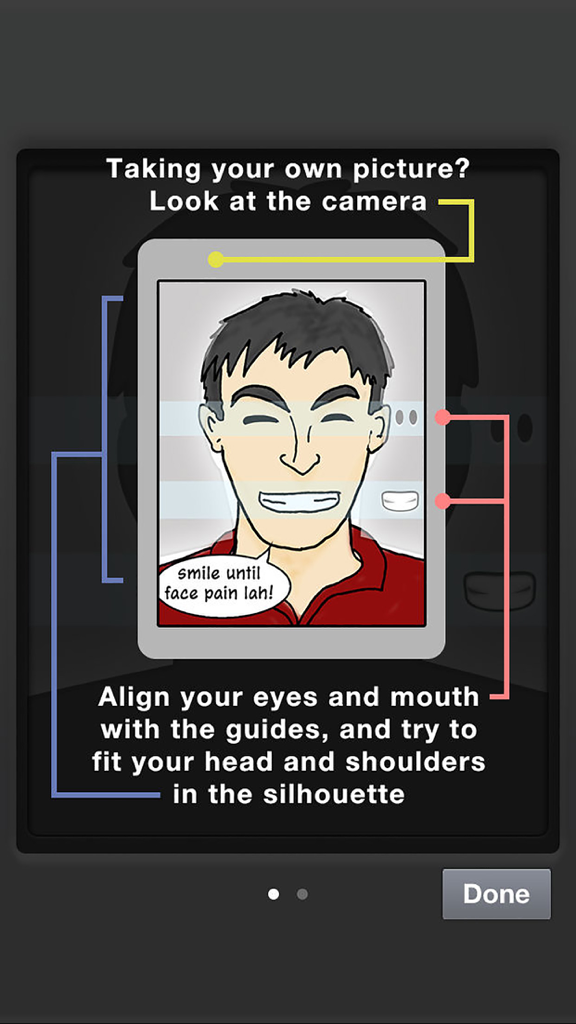
Anleitung, die Hilfslinien für die Ausrichtung von Augen und Mund für ein konformes singapurisches Identitätsfoto zeigt
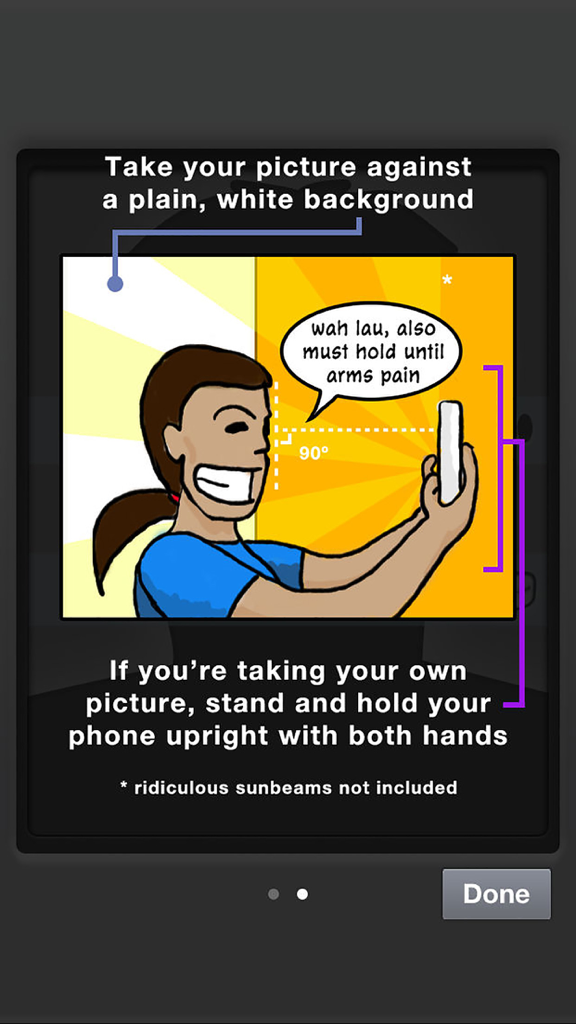
Cartoon-Illustration mit Anweisungen zur Aufnahme eines konformen Ausweisfotos mit einem Telefon vor einem weißen Hintergrund
Beschreibung
Download
Ähnliche Apps
Top-gerankte Apps in derselben Kategorie

CapCut: Photo & Video Editor
BYTEDANCE PTE. LTD.

Instagram, Inc.

YouTube
Google LLC

Canva: AI Photo & Video Editor
Canva Pty Ltd

快手
Beijing Kwai Technology Co., Ltd.

Snapchat
Snap, Inc.

Edits: Video Editor
Instagram, Inc.

Google Photos: Backup & Edit
Google LLC

Meta AI - Vibes & AI Glasses
Meta Platforms, Inc.
Diese Seite ist keine offizielle Seite der App oder ihres Entwicklers, sondern eine unabhängige redaktionelle Veröffentlichung, die zu Informations- und Kommentarzwecken erstellt wurde. Sofern nicht ausdrücklich anders angegeben, sind weder die App noch ihr Entwickler mit MWM, Apple, Google Play, dem App-Herausgeber oder dem Entwickler der App verbunden, von ihnen unterstützt, gesponsert, autorisiert oder anderweitig offiziell verbunden, und nichts auf dieser Seite impliziert, dass die App unter Verwendung der Dienste von MWM entwickelt wurde. Alle Marken, Logos, Screenshots und andere Inhalte bleiben Eigentum ihrer jeweiligen Inhaber.