iCue
iCue
Herunterladen auf App Store

Diese Seite ist keine offizielle Seite der App oder ihres Entwicklers, sondern eine unabhängige redaktionelle Veröffentlichung, die zu Informations- und Kommentarzwecken erstellt wurde. Sofern nicht ausdrücklich anders angegeben, sind weder die App noch ihr Entwickler mit MWM, Apple, Google Play, dem App-Herausgeber oder dem Entwickler der App verbunden, von ihnen unterstützt, gesponsert, autorisiert oder anderweitig offiziell verbunden, und nichts auf dieser Seite impliziert, dass die App unter Verwendung der Dienste von MWM entwickelt wurde. Alle Marken, Logos, Screenshots und andere Inhalte bleiben Eigentum ihrer jeweiligen Inhaber.


Logo von iCue
Herunterladen auf App Store

iCue

Liefern Sie makellose Aufnahmen mit der Leistung von Prompter People auf Ihrem iOS-Gerät. Mit sprachgesteuerter Bildlauf, Apple Watch-Steuerung und Hardware-Spiegelung für den ultimativen professionellen Workflow.

Kennzahlen

Downloads

105K+

Bewertung

3.0/5

Bewertungen gesamt

0

Herausgeber

Sunshine Valley Systems

Kategorie

Photo & Video

Sprachen

1

Neueste Version

7.5.11

Größe

109.7 MB

Erstveröffentlichung

21. Nov. 2011
Funktionen

Verbessern Sie Ihre Produktionsqualität

Verwandeln Sie Ihr iPad oder iPhone in einen Teleprompter in Broadcast-Qualität, der für Solo-Kreative und Medienprofis entwickelt wurde, die Perfektion verlangen.

Vollständig drahtlose Steuerung

Bleiben Sie im Fluss, indem Sie Ihr Skript mit einer Apple Watch, einer Bluetooth-Tastatur oder sogar Ihrer Stimme steuern, während Sie vor der Linse stehen.

Professionelle Hardware bereit

Erzielen Sie den perfekten 'Blickkontakt'-Look mit integrierter Spiegelung für reflektierende Rigs und Unterstützung für externe Monitore für Studio-Setups.

Die folgenden Screenshots und die Beschreibung stammen direkt aus dem offiziellen Store-Eintrag der App und sind Eigentum des Entwicklers.

App Store

Screenshots
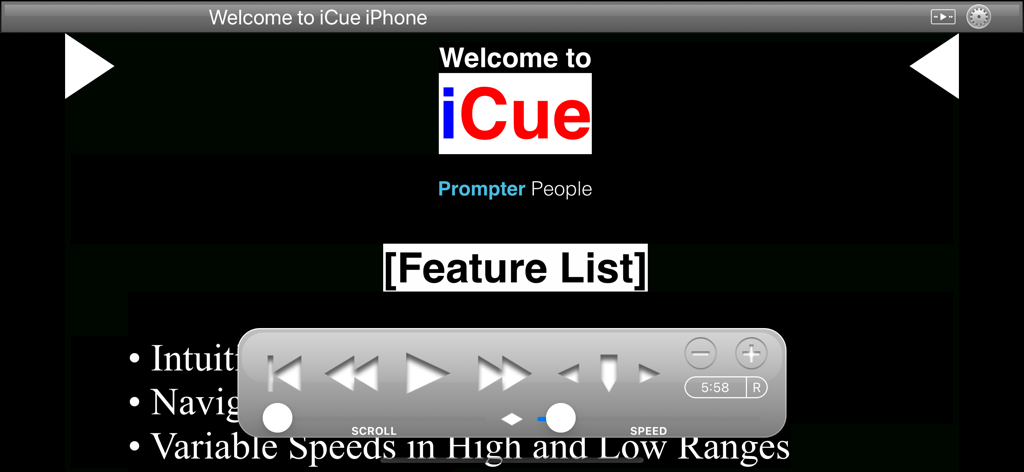
iCue - Willkommensbildschirm der iCue Teleprompter-App mit schwebendem Wiedergabe-Steuerfeld
Willkommensbildschirm der iCue Teleprompter-App mit schwebendem Wiedergabe-Steuerfeld

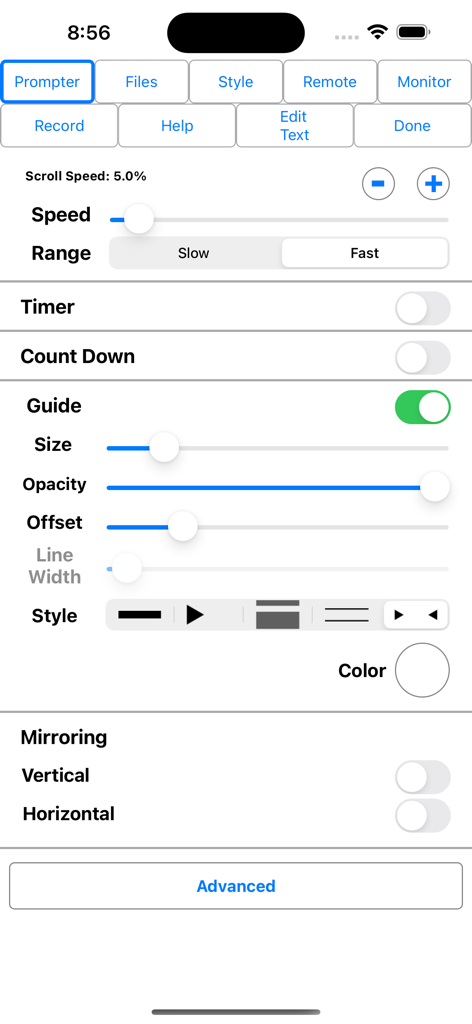
iCue - Das Einstellungsmenü der iCue Teleprompter-App mit Steuerelementen für die Bildlaufgeschwindigkeit, Anpassung der Führung und Optionen für die Display-Spiegelung.
Das Einstellungsmenü der iCue Teleprompter-App mit Steuerelementen für die Bildlaufgeschwindigkeit, Anpassung der Führung und Optionen für die Display-Spiegelung.

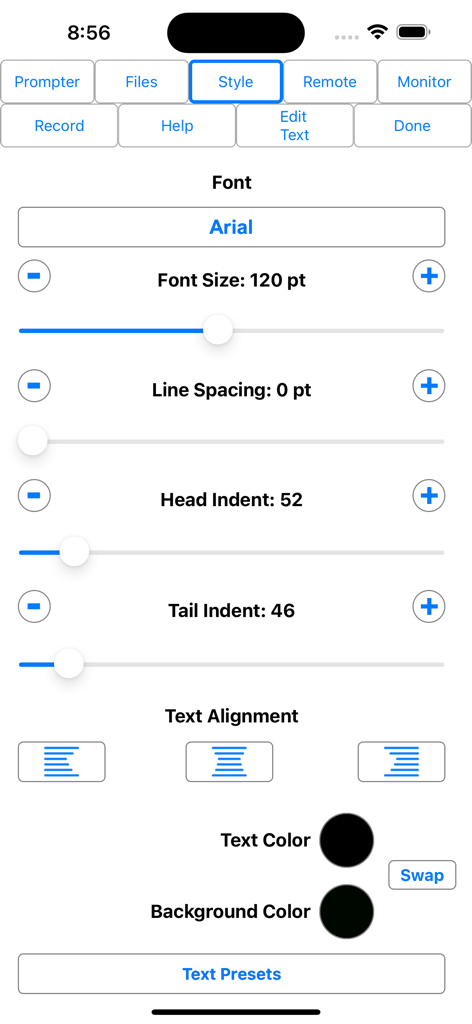
iCue - Einstellungen für den Textstil in der iCue Teleprompter-App mit Optionen für Schriftgröße und -farbe
Einstellungen für den Textstil in der iCue Teleprompter-App mit Optionen für Schriftgröße und -farbe

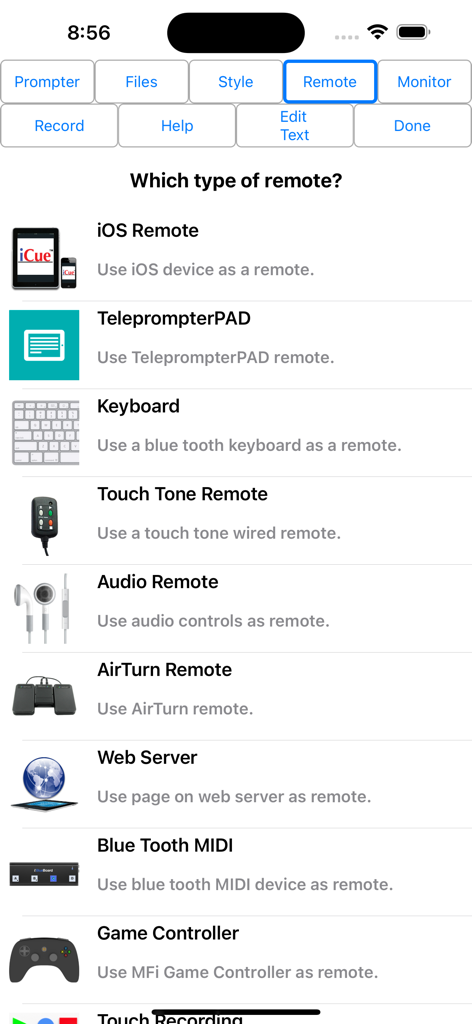
iCue - Eine Liste der Fernbedienungsoptionen in der iCue Teleprompter-App, einschließlich externer iOS-Tastatur und Gamecontroller
Eine Liste der Fernbedienungsoptionen in der iCue Teleprompter-App, einschließlich externer iOS-Tastatur und Gamecontroller

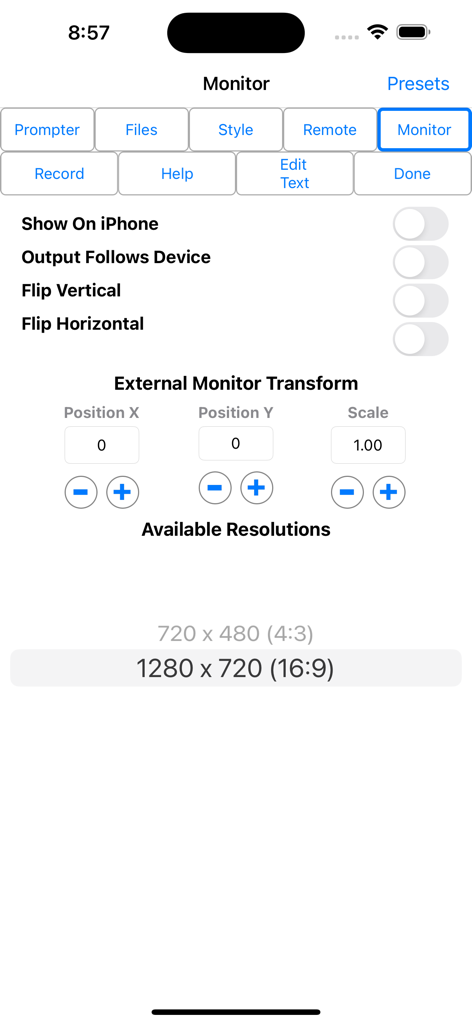
iCue - Einstellungsbildschirm für den iCue Teleprompter-Monitor mit Optionen für die Transformation und Auflösung des externen Monitors

Einstellungsbildschirm für den iCue Teleprompter-Monitor mit Optionen für die Transformation und Auflösung des externen Monitors

Beschreibung

iCue from Prompter People turns your iPad and iPhone into a full featured teleprompter. Go to www.prompterpeople.com to see a full range of teleprompter systems for your iPad. Check out iCue Remote, the free remote for iCue. Easily configure the appearance of the text content to suit your presentation requirements including... • Font • Font Size • Text Color • Background Color • Head and Tail Indent • Line Spacing • Text Style Prompter features include: • Import File Types: iCue (.iCue), Text (.txt), Rich Text (.rtf), Word (.docx) and HTML • Export File Types: iCue (.iCue), Text (.txt), Rich Text (.rtf) and HTML • Five Marker Styles: Bar, Marker, Two Line, Inverted, Two Markers • Scroll Speed: Variable with two speed ranges. • Display mirroring for using a reflective teleprompter • Countdown: Two styles • Bidirectional Timer • External Monitor Support • Built-in user manual • Customizable title bar to give access to the features that are important to your workflow. • More... • File Sharing iCue offers a variety of file sharing methods to assist in moving files between devices as well as a computer. - iTunes File Sharing: Copy files to and from iCue using iTunes. - Email Files: Email files from iCue and open files from other apps such as Mail. - iOS File Sharing: Send files directly from one iCue to another. - Web Server: Host a web page that can be used from any computer to upload and download files. - Web Server Browser: Use built-in browser to load web page from another web server to download files or the entire database from another iCue. - AirDrop: Use Apple's AirDrop to send files. - iCloud: Upload and download files from iCloud Drive. - Dropbox: Upload and download files from your Dropbox account. - Google Drive: Upload and download files from your Google Drive account. - iOS Remote Sharing: Send files and databases between host and peers. • Remote Control iCue has a variety different remote options. - iOS Remote: Use another iOS device running iCue or iCue Remote to control iCue. Synchronize multiple devices. - Blue Tooth Keyboard: Assign keys of a blue tooth keyboard to control prompter features. - Touch Tone Remote: Use touch tone signals playing into the microphone line-in to control prompter features. - Audio Remote: Use the headphone in-line remote or other audio remote to control prompter features. - AirTurn Remote: Use wireless remotes from www.airturn.com to control prompter features. - Web Server Remote: Use a web page hosted on the network to control the prompter features. - Apple Watch: Use the Apple Watch to remotely control prompter functions. - Bluetooth MIDI: Use IK Multimedia's iRig Blueboard to control prompter functions. - Game Controller: Use MFi game controllers to control prompter functions. - Touch Recording: Record and playback your interactions with the prompter. - Speech Recognition: Use your speech to control the script using key words or the text content of the script. - Key Commands: Configure key combinations to control most prompter features. Key Commands are available at all times. • Recording - Use either camera. - Movable video preview overlaying the script. - Share your video in a variety of ways. • Monitor Out Use an external monitor connected to the dock connector or AppleTV to display the prompter content. - Choose output resolution from supported resolutions. - Configure output to match device, or device to match output. - Adjust transform and mirroring for external display independently of device. - Works great with AppleTV and AirPlay. Coupled with a Prompter People iPad prompter iCue is perfect for video production, public speaking, electronic news gathering, music, school, business presentations and more!

Download

Herunterladen auf App Store

Diese Seite ist keine offizielle Seite der App oder ihres Entwicklers, sondern eine unabhängige redaktionelle Veröffentlichung, die zu Informations- und Kommentarzwecken erstellt wurde. Sofern nicht ausdrücklich anders angegeben, sind weder die App noch ihr Entwickler mit MWM, Apple, Google Play, dem App-Herausgeber oder dem Entwickler der App verbunden, von ihnen unterstützt, gesponsert, autorisiert oder anderweitig offiziell verbunden, und nichts auf dieser Seite impliziert, dass die App unter Verwendung der Dienste von MWM entwickelt wurde. Alle Marken, Logos, Screenshots und andere Inhalte bleiben Eigentum ihrer jeweiligen Inhaber.








