
Diese Seite ist keine offizielle Seite der App oder ihres Entwicklers, sondern eine unabhängige redaktionelle Veröffentlichung, die zu Informations- und Kommentarzwecken erstellt wurde. Sofern nicht ausdrücklich anders angegeben, sind weder die App noch ihr Entwickler mit MWM, Apple, Google Play, dem App-Herausgeber oder dem Entwickler der App verbunden, von ihnen unterstützt, gesponsert, autorisiert oder anderweitig offiziell verbunden, und nichts auf dieser Seite impliziert, dass die App unter Verwendung der Dienste von MWM entwickelt wurde. Alle Marken, Logos, Screenshots und andere Inhalte bleiben Eigentum ihrer jeweiligen Inhaber.


Instant Photo Note
Hören Sie auf, in einer überfüllten Kamerarolle zu versinken. Fügen Sie Notizen hinzu, erzählen Sie Geschichten mit Ihrer Stimme und erstellen Sie im Handumdrehen teilbare Alben oder Filme. Einmal bezahlen, für immer besitzen und Ihre Privatsphäre zu 100 % wahren.
Downloads
400Bewertung
Bewertungen gesamt
0Herausgeber
Kategorie
Photo & VideoSprachen
5Neueste Version
1.7.9Größe
2.5 MBErstveröffentlichung
12. März 2025Halten Sie die Geschichte fest, nicht nur das Bild
Hören Sie auf, in einem Meer von namenlosen Fotos zu ertrinken. Instant Photo Note verwandelt digitales Chaos in erzählte Erinnerungen – bereit zum Teilen, Drucken oder Archivieren im Moment ihres Entstehens. Ohne versteckte Abonnements.
Sofortige Erzählungen mit Diktierfunktion
Versuchen Sie nicht, sich Wochen später an Details zu erinnern. Verwenden Sie die Sprache-zu-Text-Funktion, um sofort Namen, Orte und Geschichten zu Ihren Fotos hinzuzufügen, solange die Erinnerung frisch ist.
Null Abonnements, totale Privatsphäre
Einmal bezahlen und für immer besitzen. Wir erfassen niemals Ihre Daten oder verfolgen Ihre Fotos, sodass Sie die Gewissheit haben, dass Ihre Familienerinnerungen privat bleiben.
Die folgenden Screenshots und die Beschreibung stammen direkt aus dem offiziellen Store-Eintrag der App und sind Eigentum des Entwicklers.
App Store
Screenshots
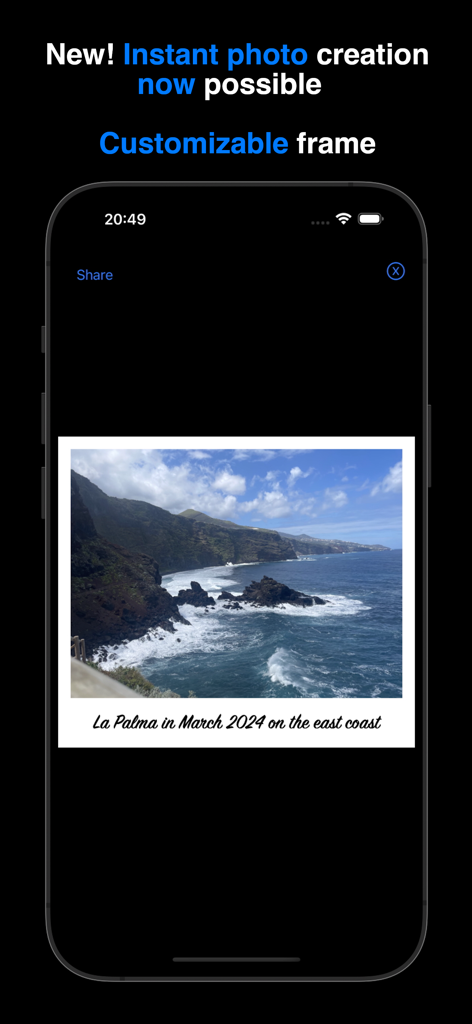
Instant Photo Note App zeigt ein Küstenlandschaftsfoto mit einer Textbeschriftung in einem weißen, anpassbaren Rahmen
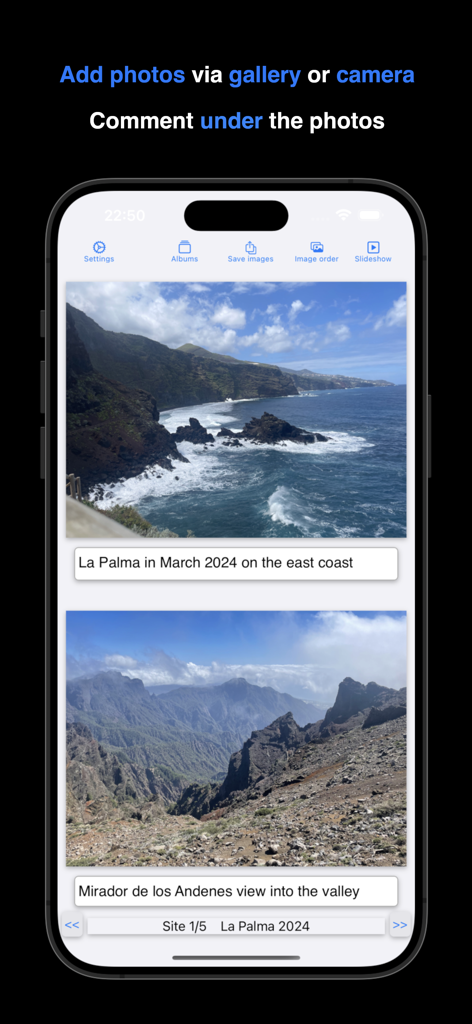
iPhone-Bildschirm zeigt Reisefotos mit Textbeschriftungen in der Instant Photo Note App
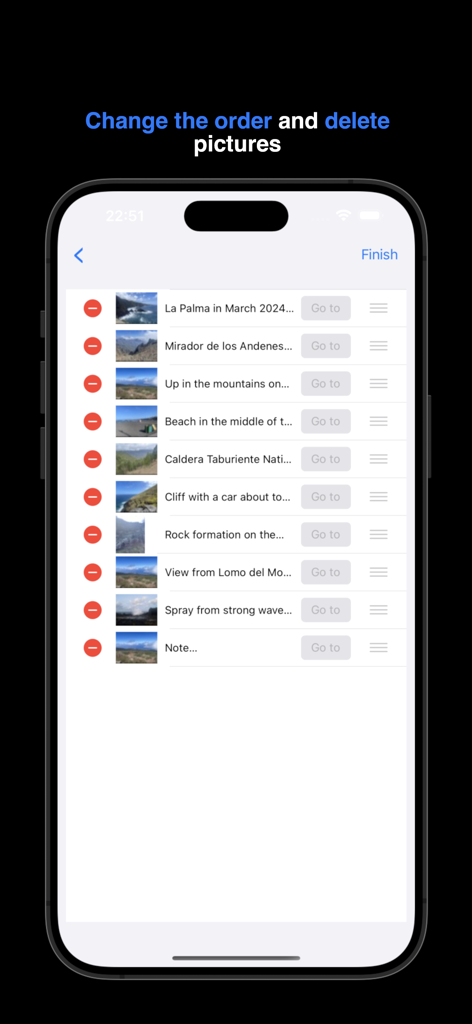
Oberfläche zeigt, wie Fotos in einem Album in der Instant Photo Note App neu angeordnet und gelöscht werden
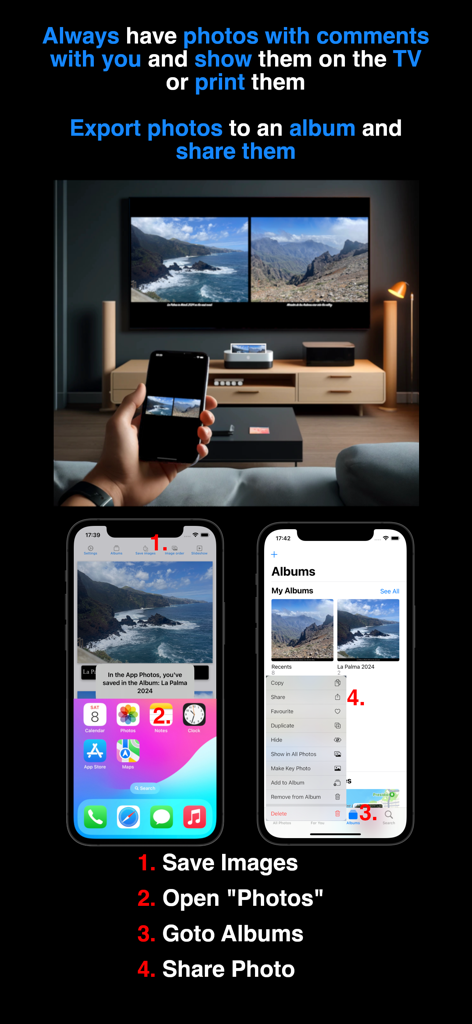
Eine Person hält ein Telefon, das beschriftete Fotos anzeigt, gespiegelt auf einem großen Fernsehbildschirm mit Schritten zum Exportieren und Teilen von Alben.
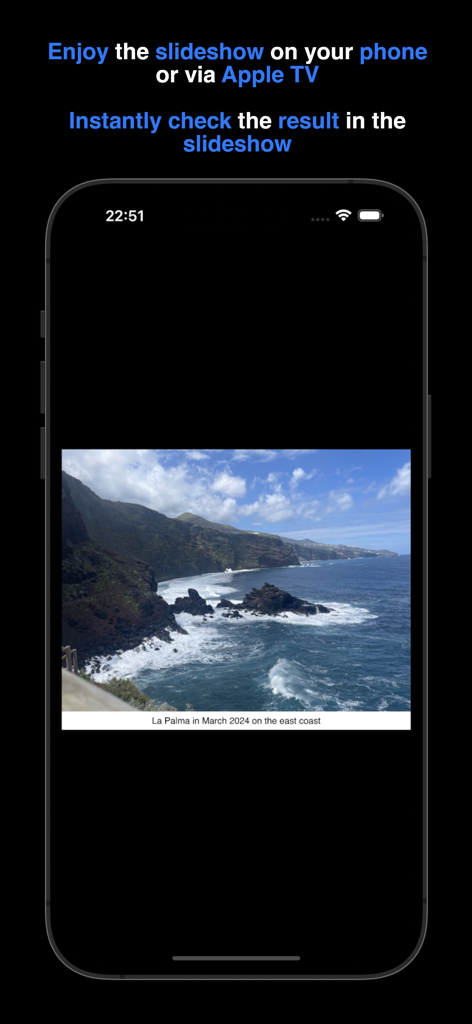
Ein iPhone-Bildschirm zeigt ein Urlaubsfoto einer felsigen Küste mit einer beschreibenden Textnotiz während einer Diashow.
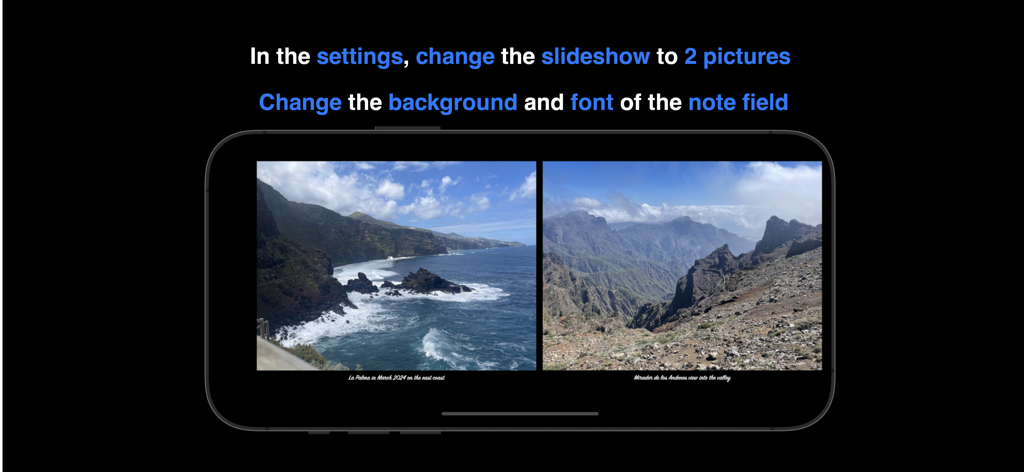
Instant Photo Note App zeigt zwei Fotos nebeneinander in einer Diashow mit benutzerdefinierten Notizen
Beschreibung
Download
Ähnliche Apps
Top-gerankte Apps in derselben Kategorie

CapCut: Photo & Video Editor
BYTEDANCE PTE. LTD.

Instagram, Inc.

YouTube
Google LLC

Canva: AI Photo & Video Editor
Canva Pty Ltd

Snapchat
Snap, Inc.

快手
Beijing Kwai Technology Co., Ltd.

Edits: Video Editor
Instagram, Inc.

Meitu- AI Photo & Video Editor
Xiamen Meitu Technology Co., Ltd.

Google Photos: Backup & Edit
Google LLC
Diese Seite ist keine offizielle Seite der App oder ihres Entwicklers, sondern eine unabhängige redaktionelle Veröffentlichung, die zu Informations- und Kommentarzwecken erstellt wurde. Sofern nicht ausdrücklich anders angegeben, sind weder die App noch ihr Entwickler mit MWM, Apple, Google Play, dem App-Herausgeber oder dem Entwickler der App verbunden, von ihnen unterstützt, gesponsert, autorisiert oder anderweitig offiziell verbunden, und nichts auf dieser Seite impliziert, dass die App unter Verwendung der Dienste von MWM entwickelt wurde. Alle Marken, Logos, Screenshots und andere Inhalte bleiben Eigentum ihrer jeweiligen Inhaber.