JPG PNG Image Photo Converter
Herunterladen auf App Store

Diese Seite ist keine offizielle Seite der App oder ihres Entwicklers, sondern eine unabhängige redaktionelle Veröffentlichung, die zu Informations- und Kommentarzwecken erstellt wurde. Sofern nicht ausdrücklich anders angegeben, sind weder die App noch ihr Entwickler mit MWM, Apple, Google Play, dem App-Herausgeber oder dem Entwickler der App verbunden, von ihnen unterstützt, gesponsert, autorisiert oder anderweitig offiziell verbunden, und nichts auf dieser Seite impliziert, dass die App unter Verwendung der Dienste von MWM entwickelt wurde. Alle Marken, Logos, Screenshots und andere Inhalte bleiben Eigentum ihrer jeweiligen Inhaber.

Logo von JPG PNG Image Photo Converter
Herunterladen auf App Store

JPG PNG Image Photo Converter

Hören Sie auf, mit HEIC-Dateien und Upload-Fehlern zu kämpfen. Konvertieren Sie Ihre Fotos sofort in JPG, PNG oder PDF mit US-Letter-Unterstützung. Ändern Sie die Größe und komprimieren Sie Bilder für schnellere E-Mails und professionelle Dokumenten-Uploads in Sekundenschnelle.

Kennzahlen

Downloads

24K+

Bewertung

4.3/5

Bewertungen gesamt

1K+

Herausgeber

Appwallet Technologies Private Limited

Kategorie

Photo & Video

Sprachen

1

Neueste Version

1.81

Größe

37.5 MB

Erstveröffentlichung

5. März 2022
Funktionen

Optimieren Sie Ihren digitalen Workflow

Vom Konvertieren von HEIC bis zur Erstellung professioneller PDFs stellen unsere Tools sicher, dass Ihre Dateien immer kompatibel und zum Teilen bereit sind.

Sofortige Formatkonvertierung

Konvertieren Sie HEIC-, JPG- und PNG-Dateien nahtlos mit einem Klick. Eliminieren Sie Fehler wegen 'nicht unterstützter Formate' beim Hochladen auf Portale von Behörden, Schulen oder Arbeitsplätzen.

Professionelle PDF-Erstellung

Verwandeln Sie Quittungen und Dokumente in saubere PDF-Dateien. Wählen Sie zwischen US-Letter- und A4-Größen für die standardisierte, professionelle Weitergabe von Dokumenten per E-Mail.

Die folgenden Screenshots und die Beschreibung stammen direkt aus dem offiziellen Store-Eintrag der App und sind Eigentum des Entwicklers.

App Store

Screenshots
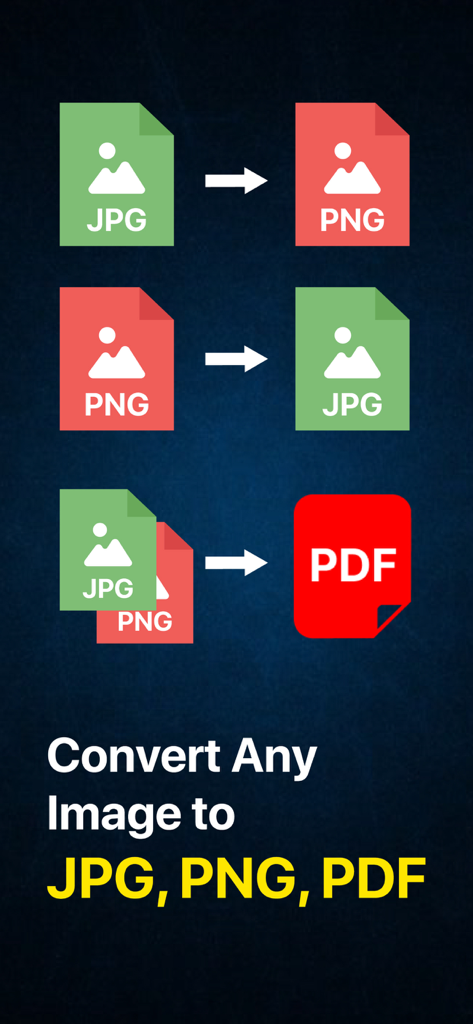
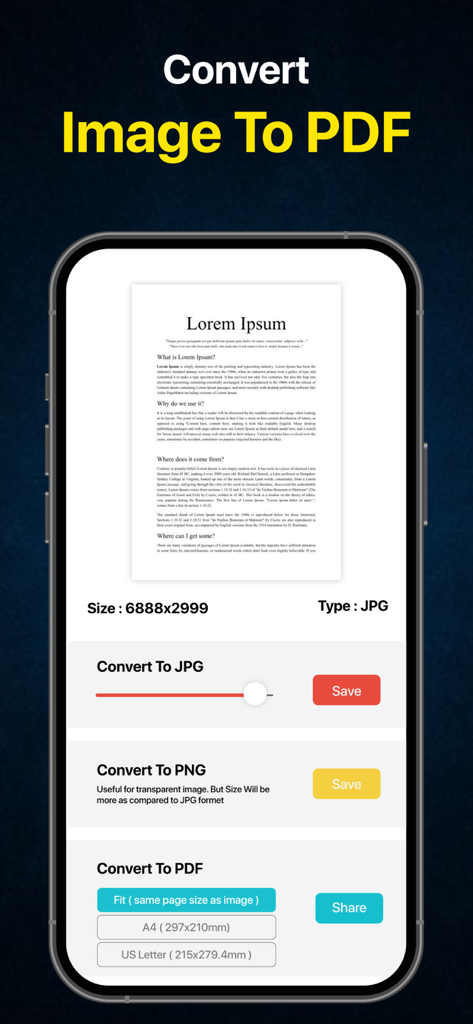
JPG PNG Image Photo Converter - Grafik mit Optionen zur Bildkonvertierung für JPG, PNG und PDF-Formate
Grafik mit Optionen zur Bildkonvertierung für JPG, PNG und PDF-Formate

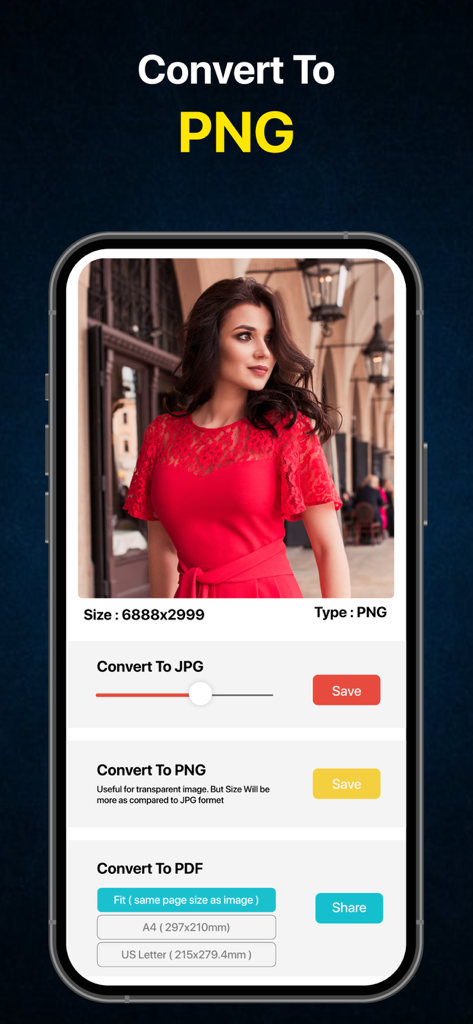
JPG PNG Image Photo Converter - Oberfläche der JPG PNG Bild Foto Konverter App mit Konvertierungsoptionen für PNG, JPG und PDF-Formate.
Oberfläche der JPG PNG Bild Foto Konverter App mit Konvertierungsoptionen für PNG, JPG und PDF-Formate.

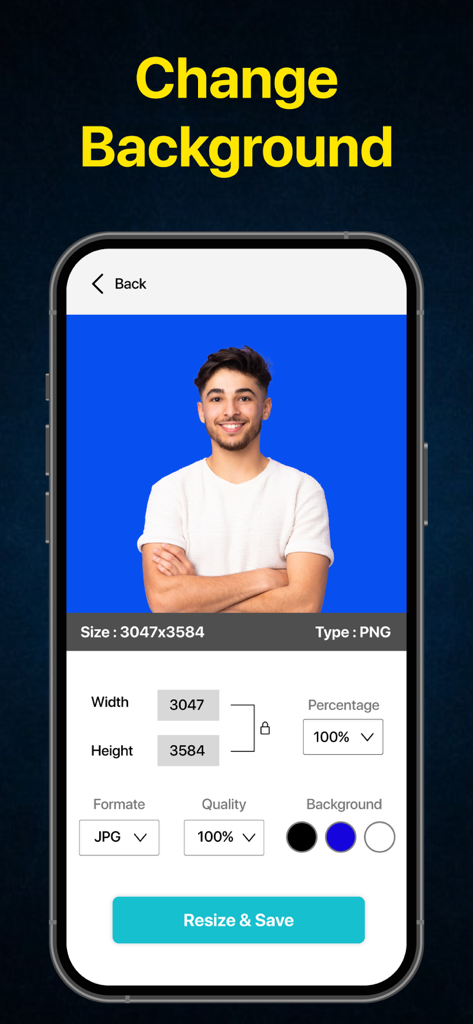
JPG PNG Image Photo Converter - Oberfläche einer Bildkonverter-App mit Optionen zum Ändern der Hintergrundfarbe und zur Größenänderung eines Porträtfotos
Oberfläche einer Bildkonverter-App mit Optionen zum Ändern der Hintergrundfarbe und zur Größenänderung eines Porträtfotos

JPG PNG Image Photo Converter - Mobile App-Bildschirm zur Konvertierung von Fotos in PDF-, JPG- und PNG-Formate.
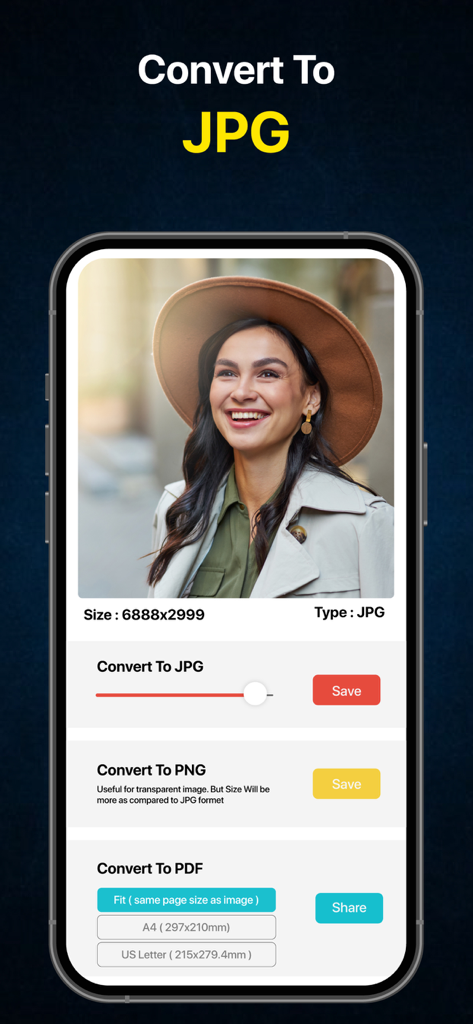
Mobile App-Bildschirm zur Konvertierung von Fotos in PDF-, JPG- und PNG-Formate.

JPG PNG Image Photo Converter - Mobile App-Oberfläche mit Optionen zur Konvertierung eines Fotos in JPG-, PNG- und PDF-Formate
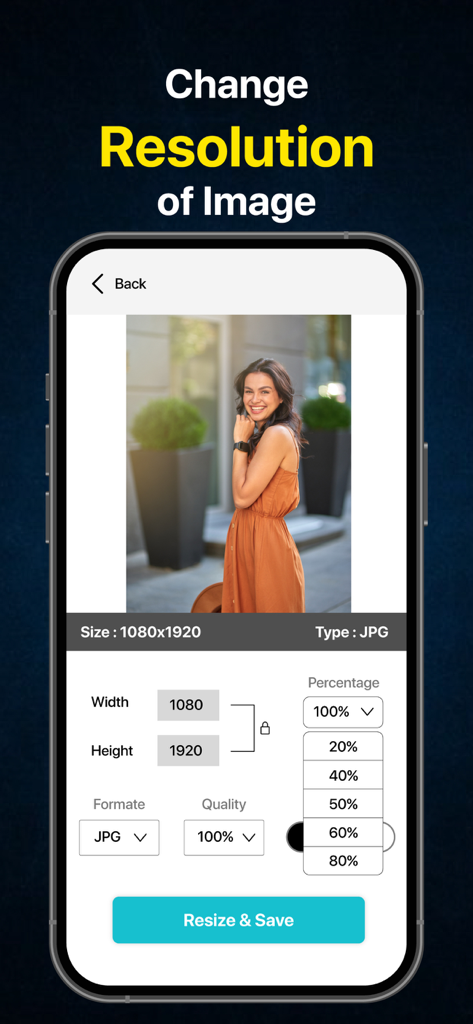
Mobile App-Oberfläche mit Optionen zur Konvertierung eines Fotos in JPG-, PNG- und PDF-Formate

JPG PNG Image Photo Converter - Mobile App-Oberfläche mit Optionen zur Änderung der Bildauflösung und zur Größenänderung von Fotos nach Abmessungen oder Prozentsatz
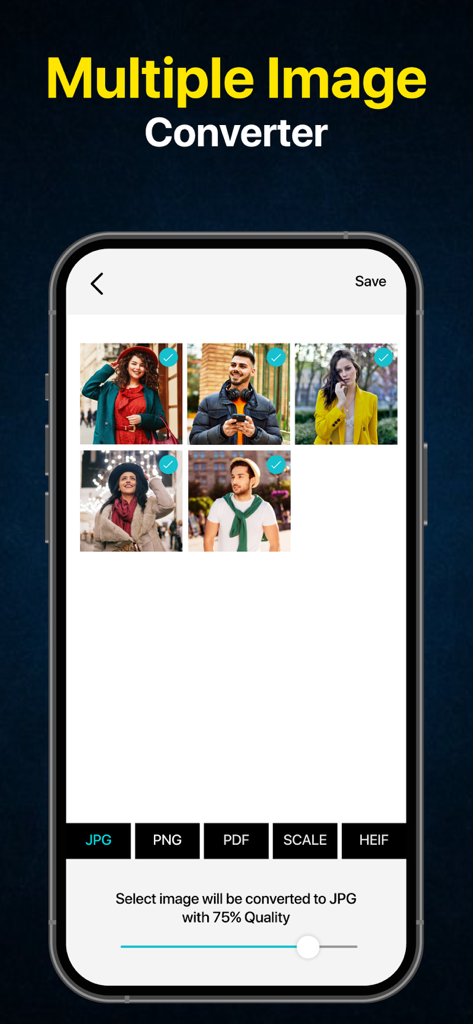
Mobile App-Oberfläche mit Optionen zur Änderung der Bildauflösung und zur Größenänderung von Fotos nach Abmessungen oder Prozentsatz

JPG PNG Image Photo Converter - Mobile App-Oberfläche zur Stapelkonvertierung mehrerer Bilder in JPG-, PNG- oder PDF-Formate
Mobile App-Oberfläche zur Stapelkonvertierung mehrerer Bilder in JPG-, PNG- oder PDF-Formate

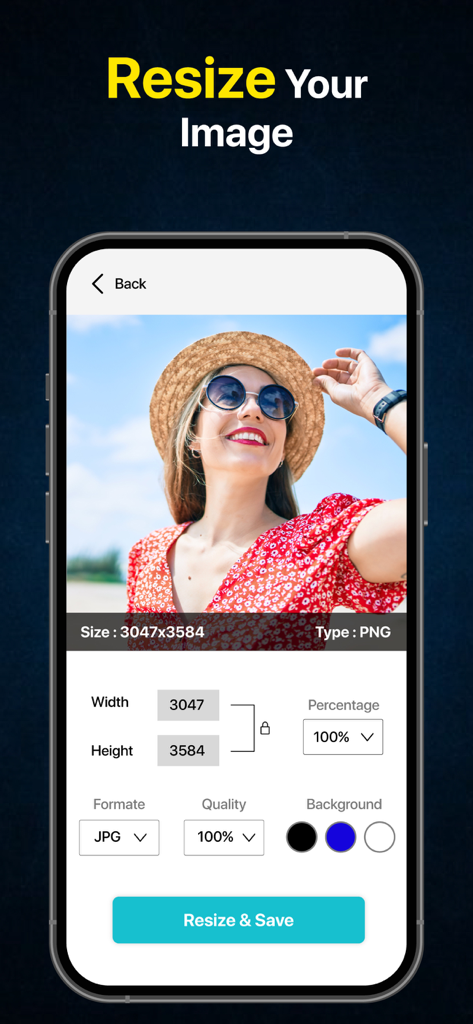
JPG PNG Image Photo Converter - App-Bildschirm mit Optionen zur Größenänderung eines Bildes mit Einstellungen für Breite, Höhe und Dateiformat
App-Bildschirm mit Optionen zur Größenänderung eines Bildes mit Einstellungen für Breite, Höhe und Dateiformat

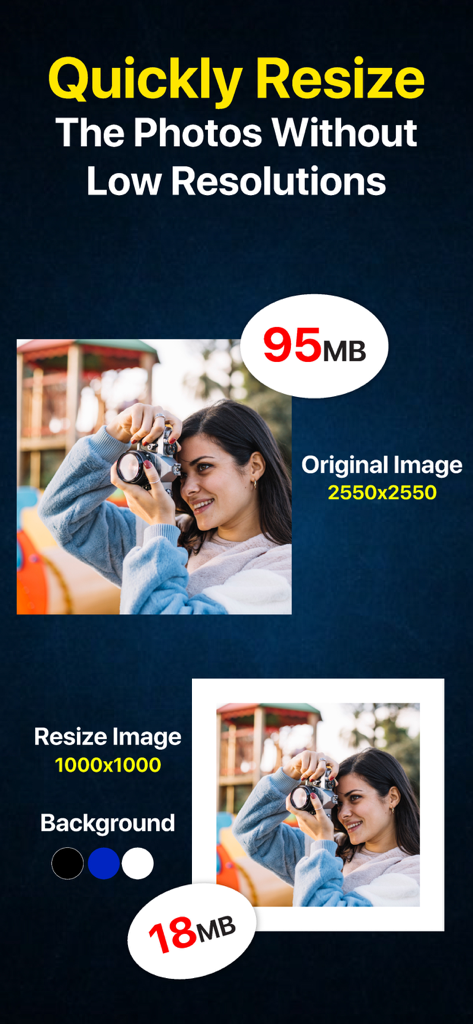
JPG PNG Image Photo Converter - App-Bildschirm, der zeigt, wie ein Foto schnell in der Größe verändert und die Dateigröße von 95 MB auf 18 MB reduziert wird
App-Bildschirm, der zeigt, wie ein Foto schnell in der Größe verändert und die Dateigröße von 95 MB auf 18 MB reduziert wird

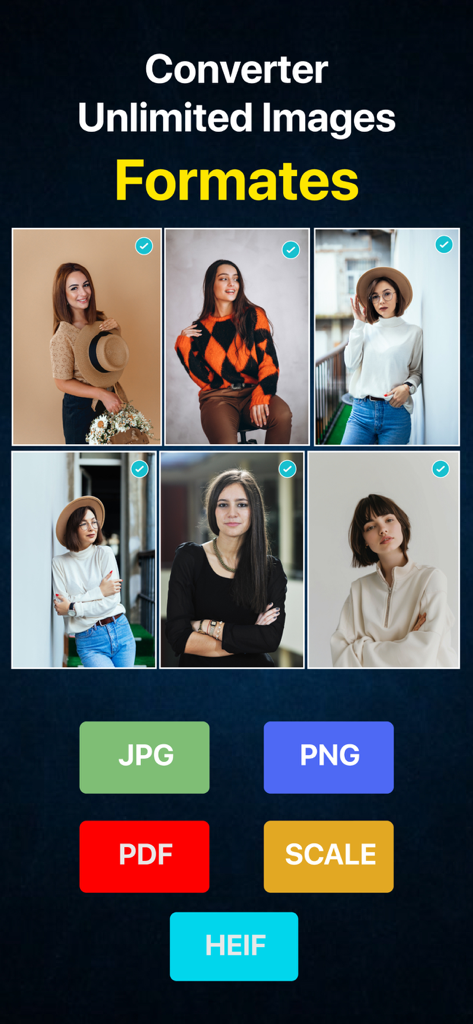
JPG PNG Image Photo Converter - Mobile App-Oberfläche zur Konvertierung mehrerer Bilder in JPG-, PNG-, PDF- und HEIF-Formate

Mobile App-Oberfläche zur Konvertierung mehrerer Bilder in JPG-, PNG-, PDF- und HEIF-Formate

Beschreibung

Convert pic to JPEG/ PNG & PDF with multiple images support . Quickly convert your photos to nearly any image format! This is an JPEG, PNG & PDF image file converter application for converting the JPEG or PNG, HEIC to JPEG, JPG to PNG, image converter PNG to JPEG and convert JPEG to PDF Fit(same page size as image), A4(297 x 210mm),US Letter(215 x 279.4mm) file formats. Convert your images between most of the popular formats! Images convert to JPEG, PNG to JPG (or) Fomato JPEG to PNG, JPG to PNG, convert to pic to pdf and HEIC to JPEG is the best file converter application. Convert photos to PDF quickly and conveniently. Just three steps are enough to create a perfect document. Click on PDF Fit(same page size as image), A4(297 x 210mm),US Letter(215 x 279.4mm formats and finally share to convert pic to pdf formats. It does not get any easier than this 1-click converter image to pdf application. The JPEG, PNG & Pic to PDF Converter Procedure:- It is intended to be easy to convert, so there is no need for difficult operations. 1.Select a photo from the phone gallery. 2. Select the conversion format image to jpg, jpeg to png, heic to jpeg and compress the desired quality. 3.Select the JPEG to PNG converter and convert images to PNG easily with this heic: jpg,png converter application. 4. Then Click on Convert to PDF fit(same page size as image), A4(297 x 210mm),US Letter(215 x 279.4mm) to save file destination and share them through the Email, WhatsApp etc. It is useful in such cases. - If you send it as an email attachment. - Uploading to SNS such as Twitter. Destination:- In this image : JPEG /PNG & convert to PDF application, you can not only save it in the camera roll, but also send the image that you converted to other applications and send it by mail! Compression Quality:- You can reduce the file size by adjusting the quality of the jpeg converter images, but the image quality is visibly degraded. Supported source image formats : *JPEG,JPG *PNG *HEIC *BMP *TIFF *HEIF *GIF *Export PDF Fit(same page size as image), A4(297 x 210mm),US Letter(215 x 279.4mm * Photo Resize to reduce file size , change size. It is the best image : jpeg png converter (or) pic to pdf converter application created to be able to convert the format of a photograph and an image easily! JPG/PNG/HEIC/PDF Fit(same page size as image), A4(297 x 210mm),US Letter(215 x 279.4mm)conversion is supported. Image to JPEG Converter app which allows to adjust the compression quality.This pic to pdf converter which allows to convert photo to pdf formats. This HEIC: JPG,PNG converter which allows to convert image to JPEG/PNG & PDF JPEG to PDF Fit(same page size as image), A4(297 x 210mm),US Letter(215 x 279.4mm). HEIC images is a lossless high compression format. It takes long time to display them and file converter applications doesn't support them. HEIC to JPEG image are compressed and very small. They are very common to the file converter applications and web services. When you take pictures with tcamera the default setting format is HEIC. When you want to share them (via) Airdrop they are send as HEIC. Many web services and application don't support HEIC at this time. So it will be handy convert to share your photos from the 1-click converter image to pdf library right away as the formato jpeg easily!!! You can load/convert image formats like JPEG, JPG,PNG, GIF, BMP,TIFF,TGA, HEIF(heic) Export PDF Fit(same page size as image), A4(297 x 210mm),US Letter(215 x 279.4mm) Images will be saved in the preinstalled "Photos" app. The albums named "jpeg" or "png" & “pdf”will be created automatically. Some printers doesn't support PNG to JPG Image and convert JPEG to PDF files. Those images will be able to be printed out by convert to JPG to PNG and this 1-click converter image to pdf (or) handy convert application!!! Terms of Use: https://www.apple.com/legal/internet-services/itunes/dev/stdeula/ Privacy Policy: http://178.128.6.196/privacypolicyiosapp.php

Download

Herunterladen auf App Store

Diese Seite ist keine offizielle Seite der App oder ihres Entwicklers, sondern eine unabhängige redaktionelle Veröffentlichung, die zu Informations- und Kommentarzwecken erstellt wurde. Sofern nicht ausdrücklich anders angegeben, sind weder die App noch ihr Entwickler mit MWM, Apple, Google Play, dem App-Herausgeber oder dem Entwickler der App verbunden, von ihnen unterstützt, gesponsert, autorisiert oder anderweitig offiziell verbunden, und nichts auf dieser Seite impliziert, dass die App unter Verwendung der Dienste von MWM entwickelt wurde. Alle Marken, Logos, Screenshots und andere Inhalte bleiben Eigentum ihrer jeweiligen Inhaber.








