
Diese Seite ist keine offizielle Seite der App oder ihres Entwicklers, sondern eine unabhängige redaktionelle Veröffentlichung, die zu Informations- und Kommentarzwecken erstellt wurde. Sofern nicht ausdrücklich anders angegeben, sind weder die App noch ihr Entwickler mit MWM, Apple, Google Play, dem App-Herausgeber oder dem Entwickler der App verbunden, von ihnen unterstützt, gesponsert, autorisiert oder anderweitig offiziell verbunden, und nichts auf dieser Seite impliziert, dass die App unter Verwendung der Dienste von MWM entwickelt wurde. Alle Marken, Logos, Screenshots und andere Inhalte bleiben Eigentum ihrer jeweiligen Inhaber.


Juno Connect: Jupyter Client
Nutzen Sie entfernte Rechenleistung von überall. Verbinden Sie sich sicher mit Ihren eigenen Servern oder Cloud-Diensten wie AWS SageMaker und CoCalc mit einer nativen Coding-Erfahrung auf Desktop-Niveau.
Downloads
60K+Bewertung
Bewertungen gesamt
2K+Herausgeber
Kategorie
Developer ToolsSprachen
1Neueste Version
1.6.13Größe
15.3 MBErstveröffentlichung
24. Jan. 2018Professionelle Data Science – ohne Desktop
Juno Connect bringt eine native, leistungsstarke Jupyter-Umgebung auf Ihr iPad und iPhone und ermöglicht es Ihnen, massive Cloud-Computing-Ressourcen mit der Portabilität eines Tablets zu nutzen.
Unbegrenzte Rechenleistung
Lagern Sie schwere Trainings- und Datenanalysen an entfernte Server wie AWS SageMaker, CoCalc oder Ihre eigene Hardware aus, während Sie alles von Ihrem mobilen Gerät aus verwalten.
Coding-Erfahrung auf Desktop-Niveau
Nutzen Sie Ihr Magic Keyboard und Trackpad voll aus mit einem verfeinerten Editor, der für iPadOS-Multitasking, Split-Screen-Workflows und komplexe IDE-Verknüpfungen entwickelt wurde.
Die folgenden Screenshots und die Beschreibung stammen direkt aus dem offiziellen Store-Eintrag der App und sind Eigentum des Entwicklers.
App Store
Screenshots
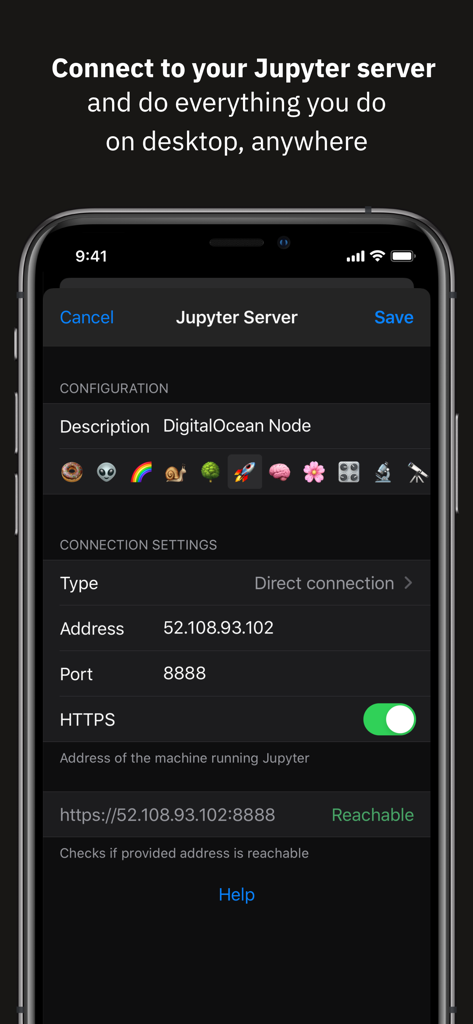
Juno Connect Benutzeroberfläche zur Konfiguration einer entfernten Jupyter-Serververbindung auf dem iPhone
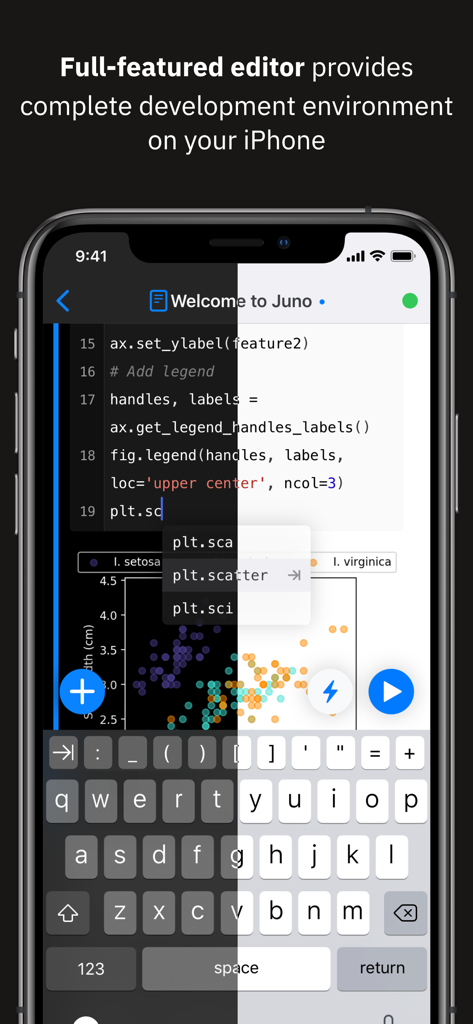
Juno Connect App auf dem iPhone zeigt Python-Code-Editor und Streudiagramm mit Vorschau im Dark- und Light-Mode
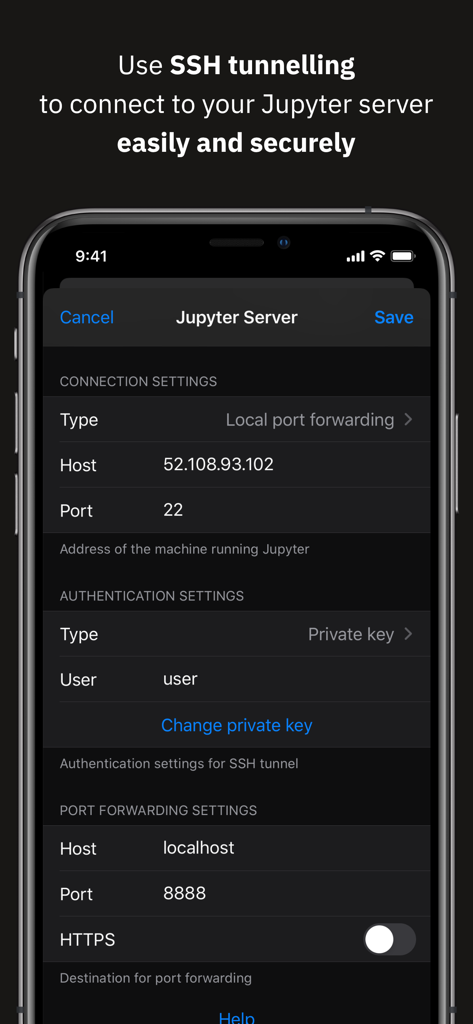
SSH-Tunneling-Einrichtung für sichere Jupyter-Serververbindung in Juno Connect
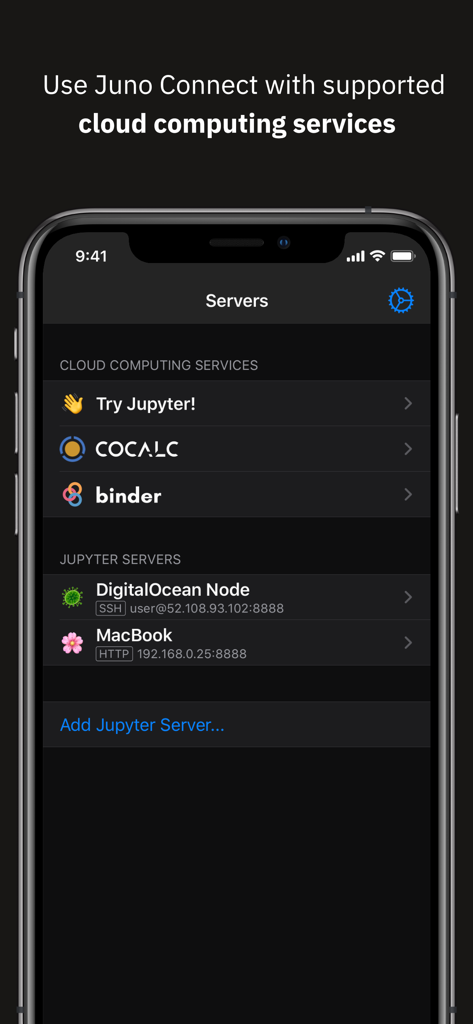
iPhone-Bildschirm mit der Juno Connect App-Oberfläche zur Auswahl von Cloud-Computing-Diensten und Jupyter-Servern wie CoCalc und DigitalOcean
Beschreibung
Download
Ähnliche Apps
Top-gerankte Apps in derselben Kategorie

TestFlight
Apple Inc.

Replit: Vibe Code Apps
Replit, Inc

GitHub
GitHub

O-KAM Pro
Shenzhen VeePai IoT Intelligent Technology LLC

Apple Developer
Apple Inc.

Expo Go
650 Industries, Inc.

Scriptable
Simon Stovring

App Store Connect
Apple Inc.

Sekai: Create · Remix · Play
Versa AI, Inc.
Diese Seite ist keine offizielle Seite der App oder ihres Entwicklers, sondern eine unabhängige redaktionelle Veröffentlichung, die zu Informations- und Kommentarzwecken erstellt wurde. Sofern nicht ausdrücklich anders angegeben, sind weder die App noch ihr Entwickler mit MWM, Apple, Google Play, dem App-Herausgeber oder dem Entwickler der App verbunden, von ihnen unterstützt, gesponsert, autorisiert oder anderweitig offiziell verbunden, und nichts auf dieser Seite impliziert, dass die App unter Verwendung der Dienste von MWM entwickelt wurde. Alle Marken, Logos, Screenshots und andere Inhalte bleiben Eigentum ihrer jeweiligen Inhaber.