Jupyter Notebook - JuNote
Herunterladen auf App Store

Diese Seite ist keine offizielle Seite der App oder ihres Entwicklers, sondern eine unabhängige redaktionelle Veröffentlichung, die zu Informations- und Kommentarzwecken erstellt wurde. Sofern nicht ausdrücklich anders angegeben, sind weder die App noch ihr Entwickler mit MWM, Apple, Google Play, dem App-Herausgeber oder dem Entwickler der App verbunden, von ihnen unterstützt, gesponsert, autorisiert oder anderweitig offiziell verbunden, und nichts auf dieser Seite impliziert, dass die App unter Verwendung der Dienste von MWM entwickelt wurde. Alle Marken, Logos, Screenshots und andere Inhalte bleiben Eigentum ihrer jeweiligen Inhaber.


Logo von Jupyter Notebook - JuNote
Herunterladen auf App Store

Jupyter Notebook - JuNote

Führen Sie Jupyter und Google Colab lokal ohne Einrichtung aus. Beherrschen Sie die Datenanalyse mit NumPy und Pandas und lassen Sie sich KI-Fehler sofort beheben – alles von Ihrem Mobilgerät aus.

Kennzahlen

Downloads

35K+

Bewertung

4.4/5

Bewertungen gesamt

0

Herausgeber

FREE AI UTILS COMPANY LIMITED

Kategorie

Developer Tools

Sprachen

1

Neueste Version

1.1.4

Größe

73.4 MB

Erstveröffentlichung

9. März 2025
Funktionen

Professionelles Coding, überall

JuNote bringt eine voll ausgestattete Python-Umgebung auf Ihr Mobilgerät. Erleben Sie Desktop-Data-Science- und Machine-Learning-Funktionen ohne Einrichtung.

KI-gestützte Intelligenz

Bleiben Sie nie wieder stecken. Unsere integrierte KI erkennt automatisch Python-Fehler und bietet sofortige Erklärungen und Codekorrekturen, um Ihren Workflow zu optimieren.

Pro Data-Science-Stack

Nutzen Sie die Leistung branchenüblicher Bibliotheken wie NumPy, Pandas und Scikit-learn. Führen Sie komplexe Datenanalysen und Visualisierungen direkt auf Ihrem iPad oder iPhone durch.

Die folgenden Screenshots und die Beschreibung stammen direkt aus dem offiziellen Store-Eintrag der App und sind Eigentum des Entwicklers.

App Store

Screenshots
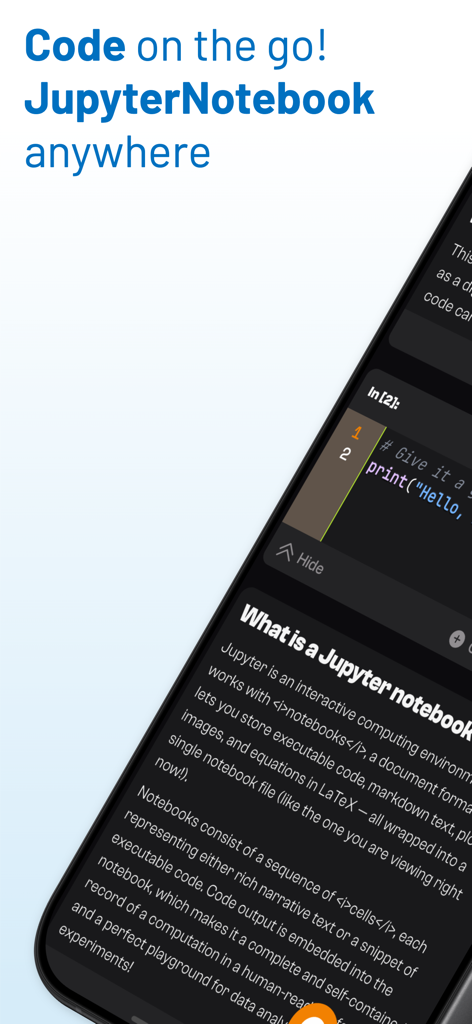
Jupyter Notebook - JuNote - Mobile Ansicht der JuNote-App mit einer Python-Codezelle und Notebook-Erklärung
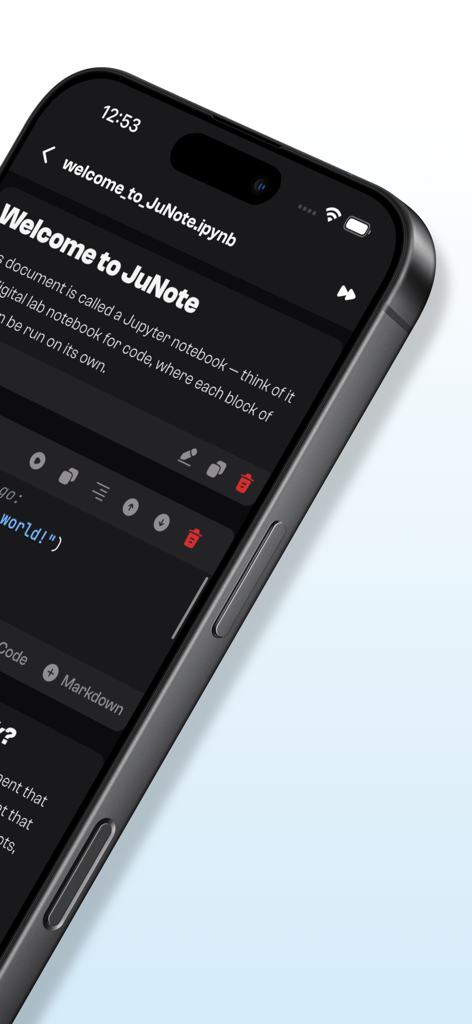
Mobile Ansicht der JuNote-App mit einer Python-Codezelle und Notebook-Erklärung

Jupyter Notebook - JuNote - JuNote-App-Oberfläche zeigt ein Jupyter Notebook auf einem iPhone mit einer Python-Codezelle
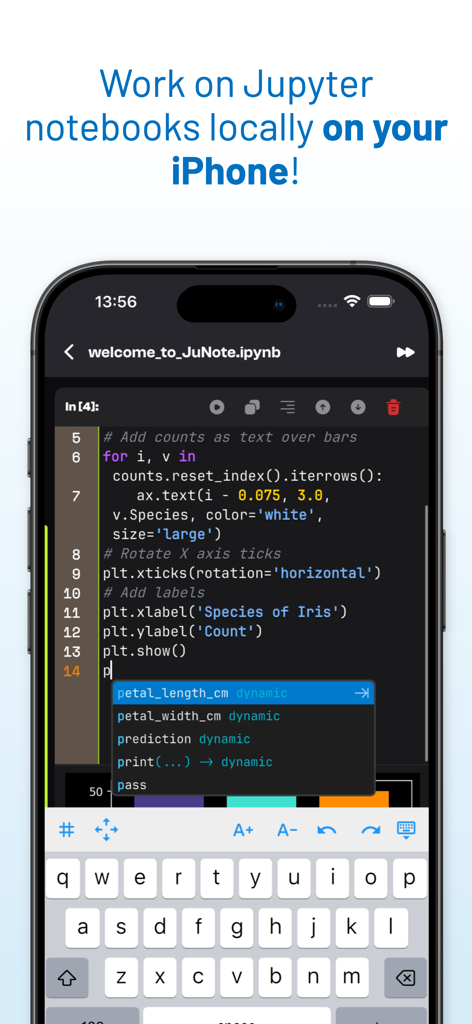
JuNote-App-Oberfläche zeigt ein Jupyter Notebook auf einem iPhone mit einer Python-Codezelle

Jupyter Notebook - JuNote - Jupyter Notebook-Code-Editor auf dem iPhone zeigt Python-Skript und intelligente Code-Vervollständigung.
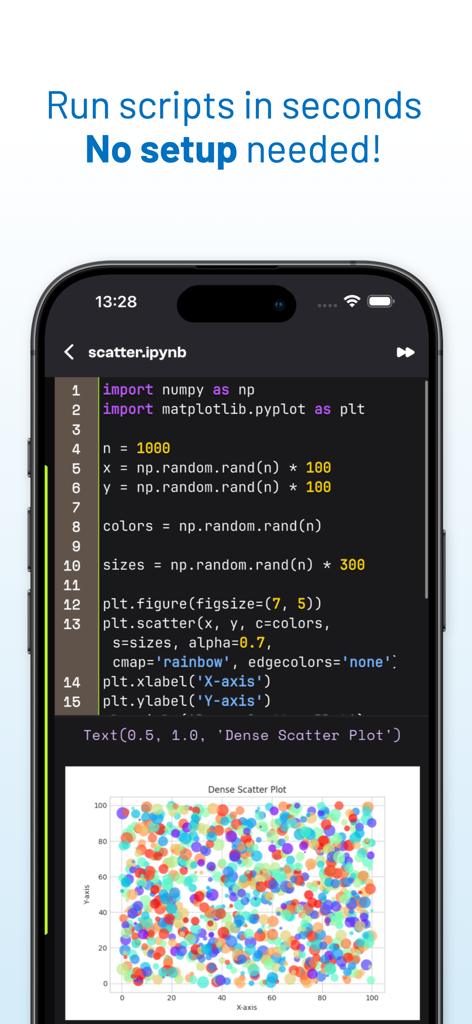
Jupyter Notebook-Code-Editor auf dem iPhone zeigt Python-Skript und intelligente Code-Vervollständigung.

Jupyter Notebook - JuNote - Eine mobile Ansicht zeigt Python-Code und ein generiertes Streudiagramm in der JuNote-App.
Eine mobile Ansicht zeigt Python-Code und ein generiertes Streudiagramm in der JuNote-App.

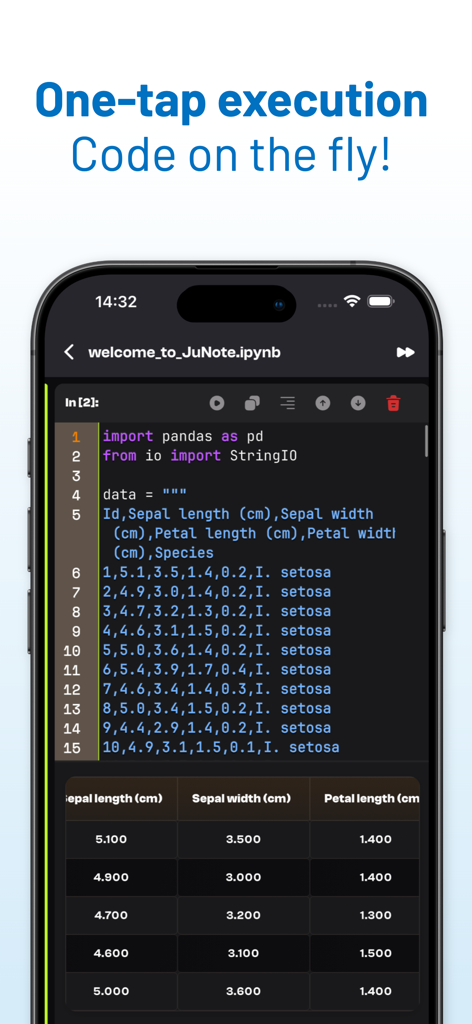
Jupyter Notebook - JuNote - JuNote-App-Oberfläche zeigt die Ausführung von Python-Code mit einer Pandas-Datentabelle auf einem Smartphone
JuNote-App-Oberfläche zeigt die Ausführung von Python-Code mit einer Pandas-Datentabelle auf einem Smartphone

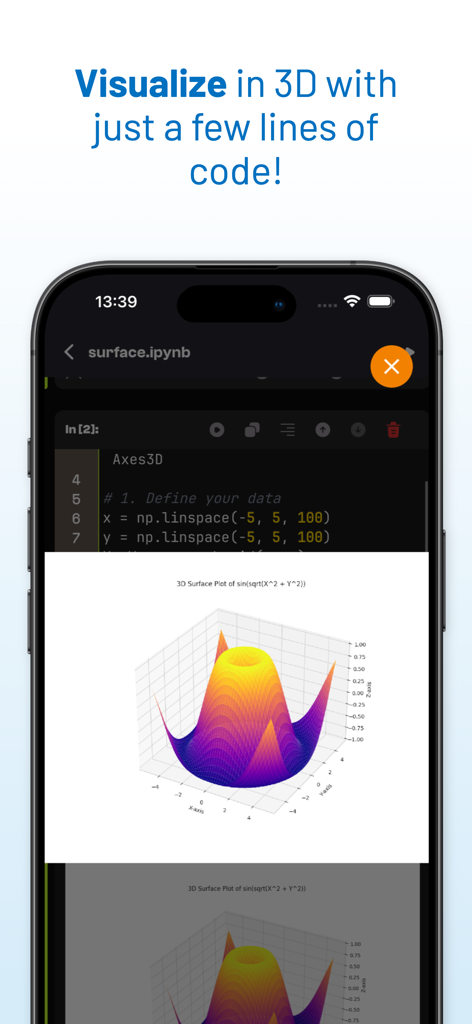
Jupyter Notebook - JuNote - Eine 3D-Oberflächenplot-Visualisierung, generiert aus Python-Code in der JuNote-App-Oberfläche
Eine 3D-Oberflächenplot-Visualisierung, generiert aus Python-Code in der JuNote-App-Oberfläche

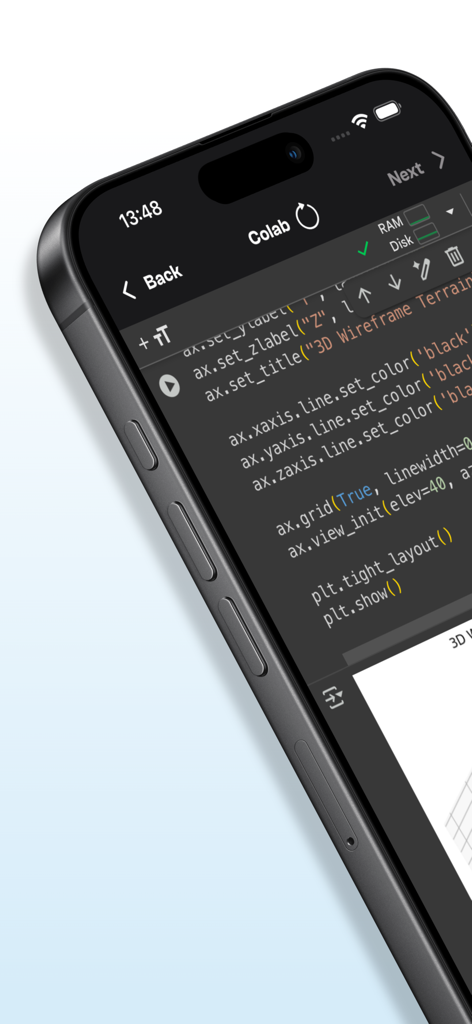
Jupyter Notebook - JuNote - Mobile Oberfläche der JuNote-App zeigt Python-Code für 3D-Datenvisualisierung
Mobile Oberfläche der JuNote-App zeigt Python-Code für 3D-Datenvisualisierung

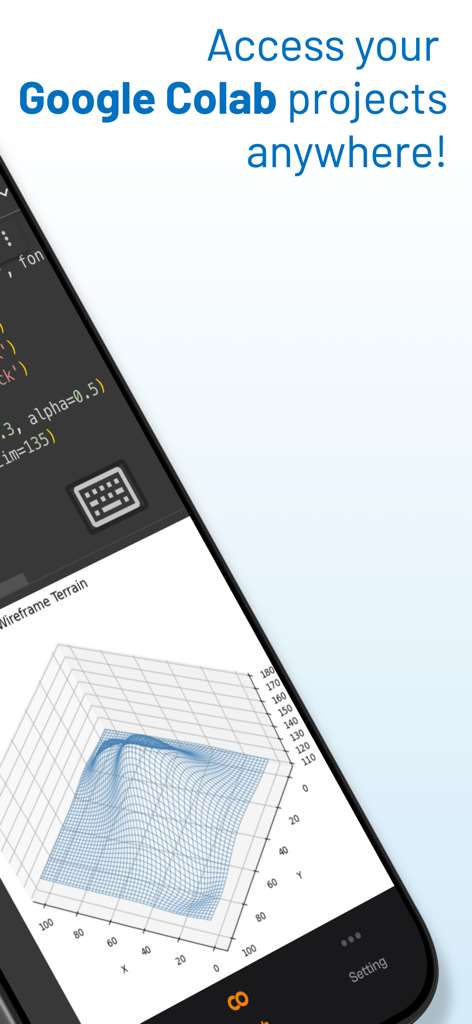
Jupyter Notebook - JuNote - Jupyter Notebook JuNote Mobile App-Oberfläche zeigt Code und eine 3D-Drahtgitter-Geländedatenvisualisierung

Jupyter Notebook JuNote Mobile App-Oberfläche zeigt Code und eine 3D-Drahtgitter-Geländedatenvisualisierung

Beschreibung

Jupyter Notebook - JuNote A zero-setup Python environment & developer toolbox for mobile devices, designed for data analysis, machine learning, and software development. --- Key Features: File & Code Management - Browse and manage files & folders, with quick document and media previews. - Syntax highlighting for scripts, JSON, XML, and other text-based formats. - Access external file system locations or open documents in place. Jupyter Notebook & Google Colab Support - Run Jupyter notebooks and Google Colab locally on your device. - Full notebook editing experience with interactive execution and live outputs. - Supports Python for data science & machine learning: NumPy, Matplotlib, SciPy, Scikit-learn, Pandas, LXML, etc. AI-Powered Bug Fixing - Automatically detects and suggests fixes for Python errors. - Provides AI-powered explanations to help users understand and resolve issues. - Enhances debugging efficiency, making Python coding smoother and faster. Developer Experience - Intelligent code completion with fast execution. - Versatile text editor with syntax highlighting for multiple formats. - Effortless package management – No installations needed, just import and use. --- Who is JuNote for? - Python developers & students who need an on-the-go coding environment. - Data scientists & researchers working with Jupyter notebooks. - Developers looking for an AI-assisted Python IDE to debug and enhance their code efficiently. --- This AI-powered feature makes JuNote a next-gen Python Notebook IDE for mobile devices. SUBSCRIPTION: We offer auto-renewing subscription: - Length: Yearly - Payment will be charged to iTunes Account at confirmation of purchase - You will be able to access the Premium features of the app for the duration of the subscription - Subscription automatically renews for the same price and duration period as the original period unless auto-renew is turned off at least 24-hours before the end of the current period - The account will be charged for renewal within 24-hours prior to the end of the current period at the cost of the chosen package. - Subscriptions may be managed by the user and auto-renewal may be turned off by going to the user's iTunes Account Settings after purchase - No cancellation of the current subscription is allowed during the active subscription period - You may cancel a subscription during its free trial period via the subscription setting through your Apple account. This must be done 24 hours before the end of the subscription period to avoid being charged. Please visit https://support.apple.com/HT202039 for more information on how to proceed. - You may turn off the auto-renewal of your subscription via your Apple Account Settings. However, you are not able to cancel the current subscription during its active period Privacy Policy : https://mcanswers.ai/jupyter-notebook/privacy-policy Terms of Use : https://mcanswers.ai/jupyter-notebook/terms-of-use

Download

Herunterladen auf App Store

Diese Seite ist keine offizielle Seite der App oder ihres Entwicklers, sondern eine unabhängige redaktionelle Veröffentlichung, die zu Informations- und Kommentarzwecken erstellt wurde. Sofern nicht ausdrücklich anders angegeben, sind weder die App noch ihr Entwickler mit MWM, Apple, Google Play, dem App-Herausgeber oder dem Entwickler der App verbunden, von ihnen unterstützt, gesponsert, autorisiert oder anderweitig offiziell verbunden, und nichts auf dieser Seite impliziert, dass die App unter Verwendung der Dienste von MWM entwickelt wurde. Alle Marken, Logos, Screenshots und andere Inhalte bleiben Eigentum ihrer jeweiligen Inhaber.








