
Diese Seite ist keine offizielle Seite der App oder ihres Entwicklers, sondern eine unabhängige redaktionelle Veröffentlichung, die zu Informations- und Kommentarzwecken erstellt wurde. Sofern nicht ausdrücklich anders angegeben, sind weder die App noch ihr Entwickler mit MWM, Apple, Google Play, dem App-Herausgeber oder dem Entwickler der App verbunden, von ihnen unterstützt, gesponsert, autorisiert oder anderweitig offiziell verbunden, und nichts auf dieser Seite impliziert, dass die App unter Verwendung der Dienste von MWM entwickelt wurde. Alle Marken, Logos, Screenshots und andere Inhalte bleiben Eigentum ihrer jeweiligen Inhaber.


Lifebox: Storage & Backup
Hören Sie auf, sich Sorgen über Warnungen wegen 'Speicher voll' zu machen. Lifebox sichert Ihre Fotos automatisch, organisiert Ihre Erinnerungen mit KI und schafft mit einem Fingertipp Speicherplatz auf Ihrem Handy – so bleiben die wertvollen Momente Ihrer Familie überall sicher und zugänglich.
Downloads
3M+Bewertung
Bewertungen gesamt
166K+Herausgeber
Kategorie
ProductivitySprachen
11Neueste Version
40.3Größe
124.8 MBErstveröffentlichung
21. Okt. 2013Verlieren Sie nie wieder einen Moment wegen 'Speicher voll'
Schließen Sie sich über 3 Millionen Nutzern an, die Lifebox vertrauen, um ihre Fotos automatisch zu sichern, ihre Erinnerungen zu organisieren und ihr Handy reibungslos laufen zu lassen.
Sofortige Speicherfreigabe
Sichern Sie Ihre Galerie automatisch und schaffen Sie mit einem einzigen Fingertipp Gigabytes an Speicherplatz frei, um Platz für Tausende neuer Familienerinnerungen zu schaffen.
KI-gestützter Erinnerungsassistent
Überspringen Sie die manuelle Sortierung. Unsere KI gruppiert Ihre Fotos automatisch nach Personen und Orten, sodass Sie die eine perfekte Aufnahme in Sekundenschnelle finden können.
Häufig gestellte Fragen
Alles, was Sie über wissen müssen Lifebox: Storage & Backup
Sichert Lifebox Fotos und Videos automatisch?
Ja, Lifebox sichert Fotos und Videos automatisch über Mobilfunkdaten oder WLAN. Alle Erinnerungen werden sicher und sofort gespeichert.
Kann Lifebox Speicherplatz auf meinem Handy freigeben?
Ja, Lifebox ermöglicht es Benutzern, gesicherte Erinnerungen mit einem einzigen Tastendruck von ihrem Handy zu löschen. Diese Aktion gibt internen Speicher für neue Inhalte frei.
Bietet Lifebox eine Kontakt-Sicherung an?
Ja, Lifebox sichert Kontakte sicher. Benutzer können sofort auf ihre Kontakte zugreifen, falls ihr Handy verloren geht oder beschädigt wird.
Wie organisiert Lifebox Fotos?
Lifebox organisiert Fotos mithilfe von Gesichts- und Bilderkennung. Es gruppiert Bilder nach Personen, Objekten und Orten, was die Suche nach bestimmten Erinnerungen vereinfacht.
Kann Lifebox Premium doppelte Kontakte entfernen?
Ja, Lifebox Premium identifiziert und löscht doppelte Kontakte im Telefonbuch mit einem einzigen Tastendruck. Diese Funktion hilft, die Kontaktliste effektiv zu organisieren.
Welche Geräte unterstützen den Zugriff auf Lifebox?
Benutzer greifen von Smartphones, Tablets, Apple TV, TV+ und PCs auf ihre Lifebox-Dateien zu. Alle gespeicherten Fotos, Videos und Dateien sind schnell verfügbar.
Wie verlängern sich Lifebox-Abonnements?
Lifebox-Abonnements verlängern sich automatisch monatlich. Gebühren werden dem iTunes-Konto belastet, es sei denn, die automatische Verlängerung wird manuell deaktiviert.
Ist kostenloser Speicherplatz in Lifebox-Abonnements enthalten?
Ja, ein kostenloses 5-GB-Paket wird dem monatlichen Abonnementpaket hinzugefügt. Dieser Bonus wird aktiviert, sobald die Abonnementgebühr beginnt.
Welche Anmeldesicherheitsoptionen bietet Lifebox?
Lifebox bietet intelligente und sichere Anmeldeoptionen. Dazu gehören Touch ID, Face ID oder ein Passwort, die auf das Modell des Telefons zugeschnitten sind, um die Sicherheit zu erhöhen.
Sichert Lifebox Dokumente?
Ja, Lifebox sichert neben Fotos und Videos auch verschiedene Dokumenttypen. Dazu gehören PDF-, Excel- und Word-Dateien.
Kann Lifebox Fotos von Social-Media-Plattformen archivieren?
Ja, Lifebox ermöglicht es Benutzern, auf Facebook und Instagram geteilte Fotos zu archivieren. Diese Erinnerungen werden dann in ihrem Lifebox-Konto gespeichert.
Bietet Lifebox Werkzeuge zur Fotobearbeitung?
Ja, Lifebox enthält eine Funktion zur Fotobearbeitung. Benutzer können spezielle Filter, Effekte, Rahmen, Kappen und Sticker anwenden, um ihre Fotos zu verbessern.
Speichert Lifebox Premium Medien in Originalqualität?
Ja, eine Lifebox Premium-Mitgliedschaft stellt sicher, dass alle hochgeladenen Fotos und Videos in ihrer Originalqualität gespeichert werden. Dies bewahrt die Wiedergabetreue der Medien.
Gibt es einen Empfehlungsbonus für die Einladung von Freunden zu Lifebox?
Ja, Lifebox bietet einen Bonus. Benutzer erhalten 5 GB Speicherplatz für jede Person, die sie erfolgreich zur Teilnahme an Lifebox einladen.
Die folgenden Screenshots und die Beschreibung stammen direkt aus dem offiziellen Store-Eintrag der App und sind Eigentum des Entwicklers.
App Store
Screenshots
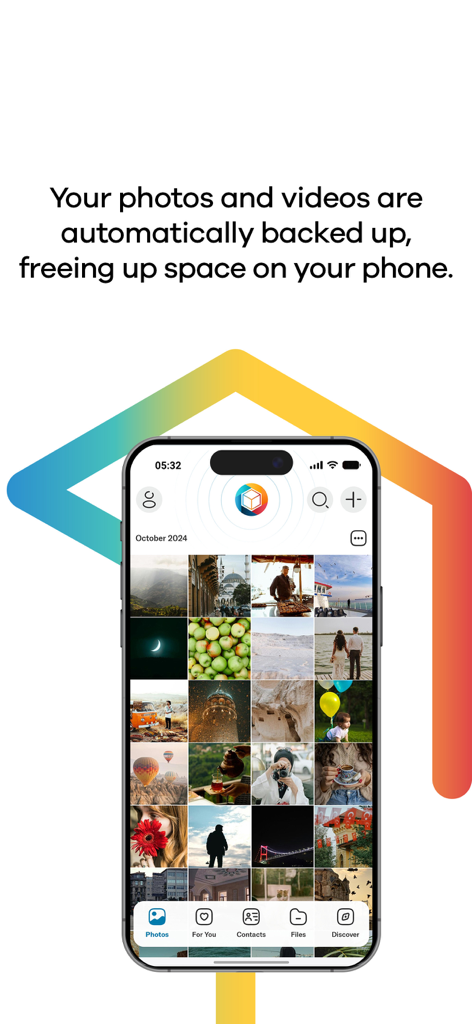
Lifebox App-Oberfläche auf einem Smartphone, die eine Fotogalerie und den Text zur automatischen Backup-Funktion anzeigt
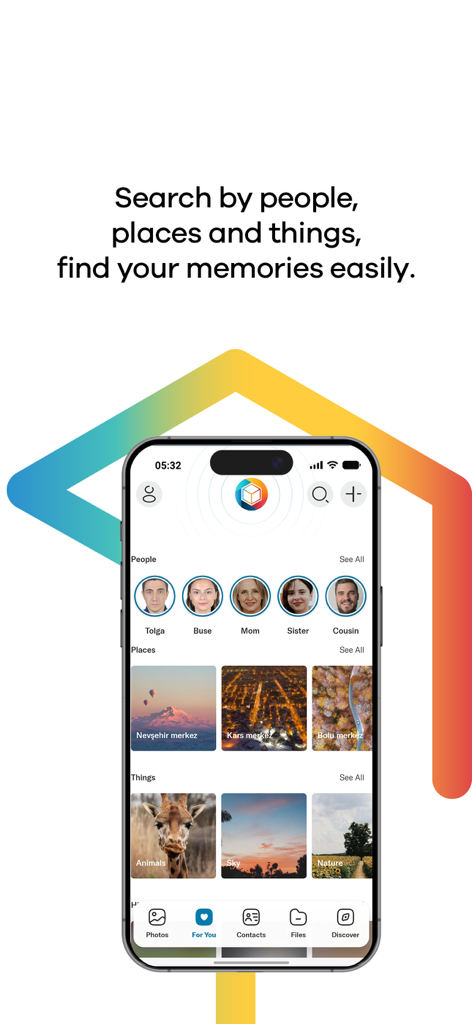
Lifebox App-Oberfläche, die die automatische Gruppierung von Fotos nach Personen, Orten und Dingen zeigt
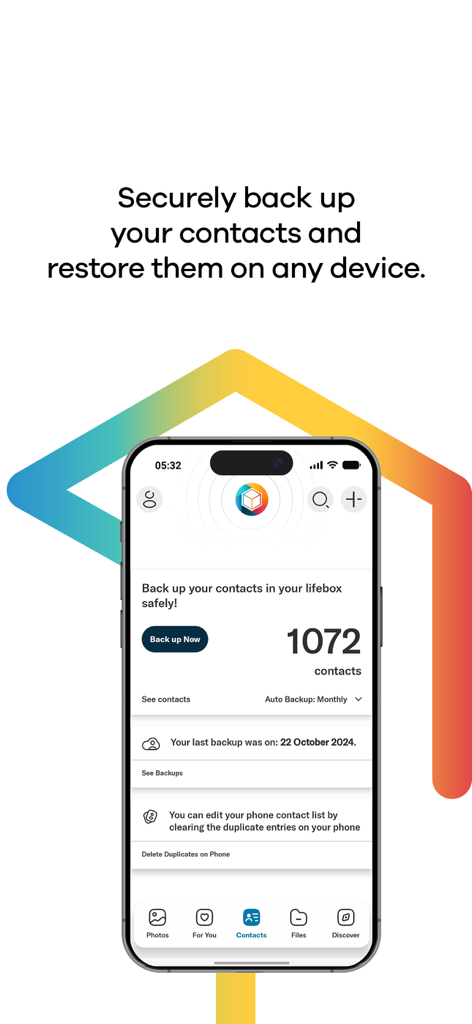
Lifebox Mobile App-Bildschirm, der den Status von Kontakt-Backups und die Entfernung doppelter Kontakte zeigt
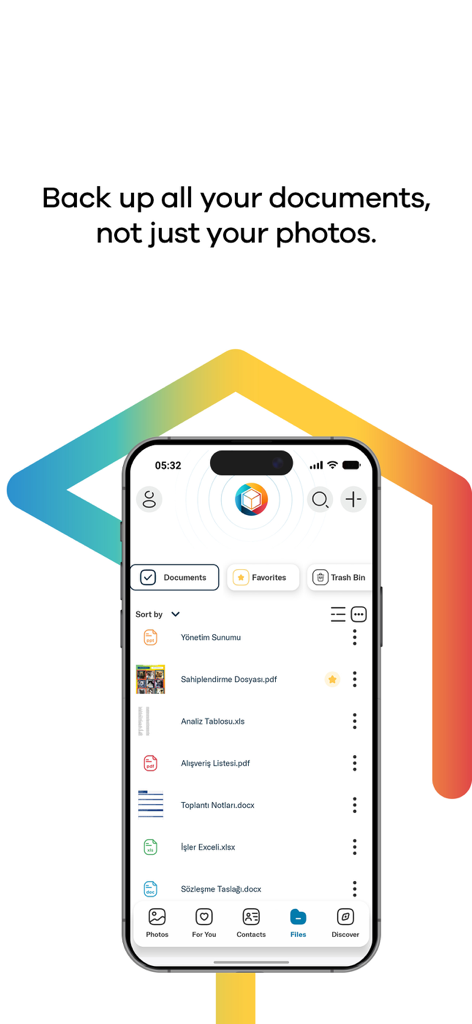
Lifebox App-Oberfläche, die eine Liste gesicherter Dokumente wie PDFs und Word-Dateien auf einem iPhone anzeigt
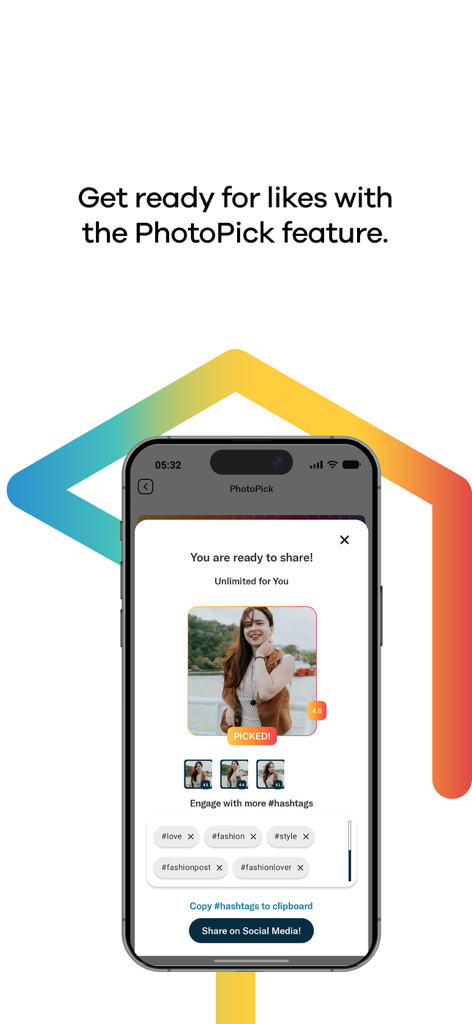
Oberfläche der Lifebox App, die die PhotoPick-Funktion mit einem ausgewählten Foto und vorgeschlagenen Social-Media-Hashtags anzeigt
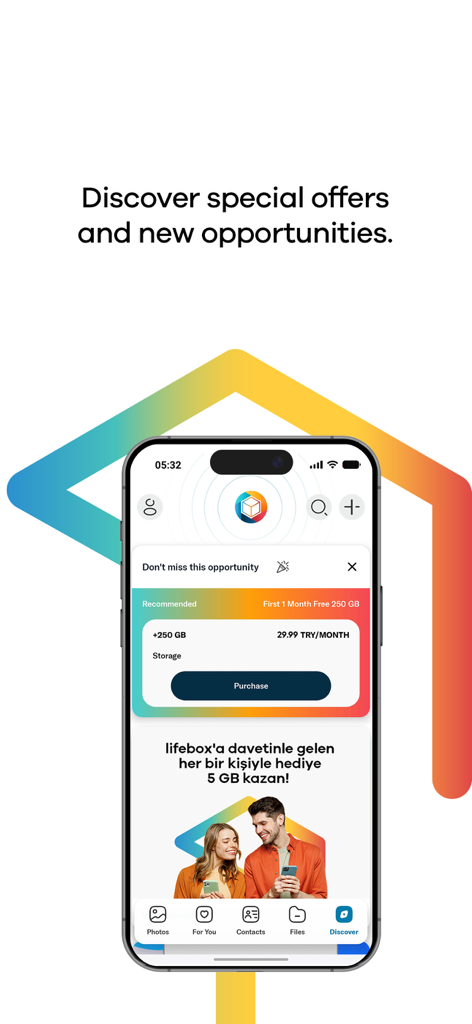
Lifebox App Discover-Bildschirm, der Premium-Speicherpläne und Empfehlungsprämien für zusätzlichen Cloud-Speicher anzeigt.
Beschreibung
Download
Ähnliche Apps
Apps mit ähnlichen Funktionen und Nutzererfahrung

Google Drive
Google LLC

Яндекс Диск - Облако для фото
DIRECT CURSUS COMPUTER SYSTEMS TRADING LLC

Cloud: 1 drive - more storage
V Kontakte OOO

Nutstore-Cloud Storage&Backup
Yicun Network Technology Co. Ltd.

Microsoft OneDrive
Microsoft Corporation

Dropbox: Cloud Storage Backup
Dropbox, Inc.

Google One
Google LLC

Cloud Storage: Cloud Drive App
Fazcon PTY LTD

JioAICloud - Storage & Photos
JIO PLATFORMS LIMITED
Diese Seite ist keine offizielle Seite der App oder ihres Entwicklers, sondern eine unabhängige redaktionelle Veröffentlichung, die zu Informations- und Kommentarzwecken erstellt wurde. Sofern nicht ausdrücklich anders angegeben, sind weder die App noch ihr Entwickler mit MWM, Apple, Google Play, dem App-Herausgeber oder dem Entwickler der App verbunden, von ihnen unterstützt, gesponsert, autorisiert oder anderweitig offiziell verbunden, und nichts auf dieser Seite impliziert, dass die App unter Verwendung der Dienste von MWM entwickelt wurde. Alle Marken, Logos, Screenshots und andere Inhalte bleiben Eigentum ihrer jeweiligen Inhaber.