
Diese Seite ist keine offizielle Seite der App oder ihres Entwicklers, sondern eine unabhängige redaktionelle Veröffentlichung, die zu Informations- und Kommentarzwecken erstellt wurde. Sofern nicht ausdrücklich anders angegeben, sind weder die App noch ihr Entwickler mit MWM, Apple, Google Play, dem App-Herausgeber oder dem Entwickler der App verbunden, von ihnen unterstützt, gesponsert, autorisiert oder anderweitig offiziell verbunden, und nichts auf dieser Seite impliziert, dass die App unter Verwendung der Dienste von MWM entwickelt wurde. Alle Marken, Logos, Screenshots und andere Inhalte bleiben Eigentum ihrer jeweiligen Inhaber.


Microsoft OneDrive
Nie wieder suchen. Ihre Daten sind, wo Sie sind – immer und überall griffbereit.
Downloads
100M+Bewertung
Bewertungen gesamt
2.3MHerausgeber
Kategorie
ProductivitySprachen
33Neueste Version
16.36.4Größe
308.1 MBErstveröffentlichung
13. Dez. 2011Analyse der Kernfunktionen von Microsoft OneDrive
Eine detaillierte Bewertung der Schlüsselmerkmale für private und geschäftliche Anwender.
Integration in das Microsoft 365 Ökosystem
Die App ermöglicht die nahtlose Zusammenarbeit und Bearbeitung von Word-, Excel-, PowerPoint- und OneNote-Dateien direkt aus OneDrive heraus. Sie integriert sich tief in das Microsoft 365 Ökosystem, was den Workflow für Nutzer dieser Produktivitätssuite erheblich optimiert.
Zuverlässiger Cloud-Speicher und geräteübergreifender Zugriff
Dieses Tool bewahrt Fotos, Videos und andere Dateien sicher in der Cloud auf. Es synchronisiert diese über alle Geräte hinweg und macht sie jederzeit und überall zugänglich, was eine hohe Flexibilität für den Nutzer bietet.
Erweiterte Sicherheitsfunktionen
Es schützt wichtige Dateien durch Funktionen wie den Personal Vault mit Identitätsprüfung, bietet einen umfassenden Versionsverlauf für Dokumente und verfügt über eine Ransomware-Erkennung und -Wiederherstellung, um Datenintegrität und -sicherheit zu gewährleisten.
Umfangreiche Dateifreigabe und Kollaboration
Die App ermöglicht das einfache Teilen von Dateien, Fotos, Videos und Alben mit anderen. Sie bietet Funktionen wie Benachrichtigungen bei Bearbeitungen und die Möglichkeit, passwortgeschützte oder zeitlich begrenzte Freigabelinks zu erstellen, was die Zusammenarbeit effizient und sicher macht.
Automatische Kamera-Upload-Funktion
Die App bietet eine automatische Sicherung von Fotos und Videos direkt von mobilen Geräten in die Cloud, sobald die Kamera-Upload-Funktion aktiviert ist. Dies stellt sicher, dass wertvolle Erinnerungen stets gesichert sind.
Offline-Zugriff auf gespeicherte Dateien
Es ermöglicht Nutzern, auf ganze Ordner zuzugreifen und Dokumente offline zu bearbeiten, auch wenn keine Internetverbindung besteht. Änderungen werden automatisch synchronisiert, sobald wieder eine Verbindung hergestellt ist, was die Produktivität unterwegs stark verbessert.
Effiziente Suchfunktion für Inhalte
Dieses Tool verfügt über eine leistungsstarke Suchfunktion, die es Nutzern ermöglicht, Dokumente nicht nur nach Namen, sondern auch nach deren Inhalten zu durchsuchen. Dies erleichtert das schnelle Auffinden benötigter Informationen in großen Datenmengen.
Integrierte Dokumentenscan-Funktion
Die App bietet die Möglichkeit, physische Dokumente, Visitenkarten, Quittungen und Whiteboards direkt über die Kamera zu scannen und zu speichern. Sie unterstützt auch das Markieren, Signieren und Versenden dieser Dokumente direkt aus der mobilen App.
Häufig gestellte Fragen
Alles, was Sie über wissen müssen Microsoft OneDrive
Does Microsoft OneDrive automatically back up photos and videos?
Yes, Microsoft OneDrive offers automatic photo and video backup when users activate the Camera Upload feature. This ensures media is protected and accessible across devices.
Is there free storage available with Microsoft OneDrive?
Microsoft OneDrive provides 5 GB of free cloud storage to all users upon starting. Additional storage is available through various Microsoft 365 subscriptions.
What is the Personal Vault feature in Microsoft OneDrive?
The Personal Vault feature in Microsoft OneDrive protects important files with identity verification. It offers an extra layer of security for sensitive documents within the app.
Can I share files and photos using Microsoft OneDrive?
Yes, Microsoft OneDrive enables users to share files, photos, videos, and albums with friends and family. It also offers advanced sharing options with a Microsoft 365 subscription.
What types of documents can be scanned with the Microsoft OneDrive app?
The Microsoft OneDrive app allows users to scan and save documents, business cards, receipts, and whiteboards directly. Users can also mark up, sign, and send scanned documents.
How much storage comes with a Microsoft 365 subscription for OneDrive?
A Microsoft 365 Personal or Family subscription provides 1 TB of storage. The Family subscription offers 1 TB per person for up to six people.
Can I edit Microsoft Office documents within Microsoft OneDrive?
Yes, Microsoft OneDrive integrates with Word, Excel, PowerPoint, OneNote, and Outlook. Users can back up, view, save, edit, and collaborate on these files in real time.
Does Microsoft OneDrive support offline access to files?
Yes, Microsoft OneDrive allows access to entire folders within the app even without an internet connection. This feature requires a Microsoft 365 Personal or Family subscription.
How do I upgrade my storage plan in the Microsoft OneDrive app?
To upgrade storage in the Microsoft OneDrive app, users tap the 'Me' tab, then select 'Get More Storage' or the 'Go Premium' diamond icon. Subscriptions start at $1.99 monthly.
Does Microsoft OneDrive protect against ransomware?
Yes, Microsoft OneDrive provides ransomware detection and recovery as a premium feature. This functionality is included with a Microsoft 365 Personal or Family subscription.
Die folgenden Screenshots und die Beschreibung stammen direkt aus dem offiziellen Store-Eintrag der App und sind Eigentum des Entwicklers.
App Store
Screenshots

Fotos mühelos organisieren
Die App bietet eine übersichtliche Fotoverwaltung, erkennbar an den intelligenten Kategorien wie „Moments“ und „Trips“, die das schnelle Auffinden von Erinnerungen ermöglichen.

Dateien sicher verwalten
Dieses Tool sichert wichtige Dokumente automatisch, wie die Ordneransicht mit spezifischen Kategorien wie „Dokumente“ und dem „Personal Vault“ für sensible Daten illustriert.

Erinnerungen einfach teilen
Nutzer können Fotos und Videos einfach teilen, wie das Beispiel der Bildfreigabe über diverse Kommunikationskanäle wie „Outlook“ und „Mail“ zeigt.
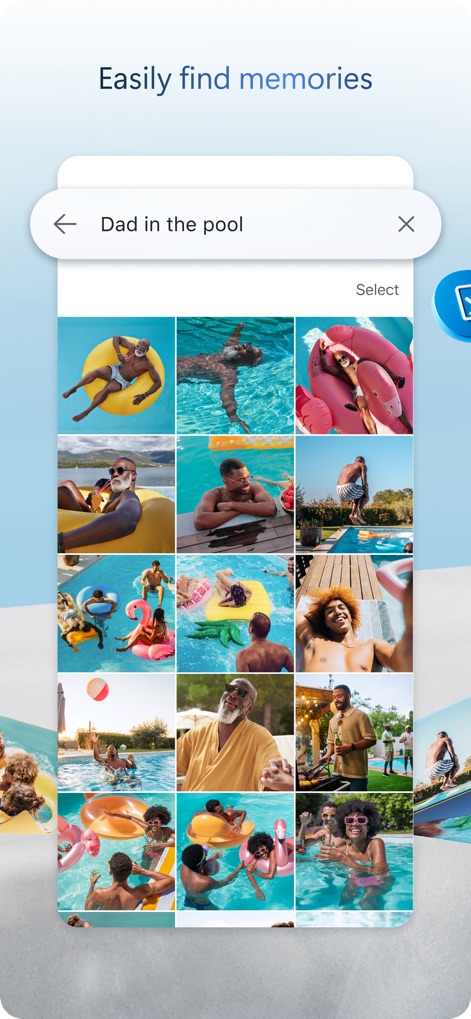
Momente schnell finden
Die App ermöglicht eine intuitive Suche nach Erinnerungen, was durch die Suchleiste mit dem Suchbegriff „Dad in the pool“ und die daraufhin angezeigte Galerie von Poolfotos demonstriert wird.
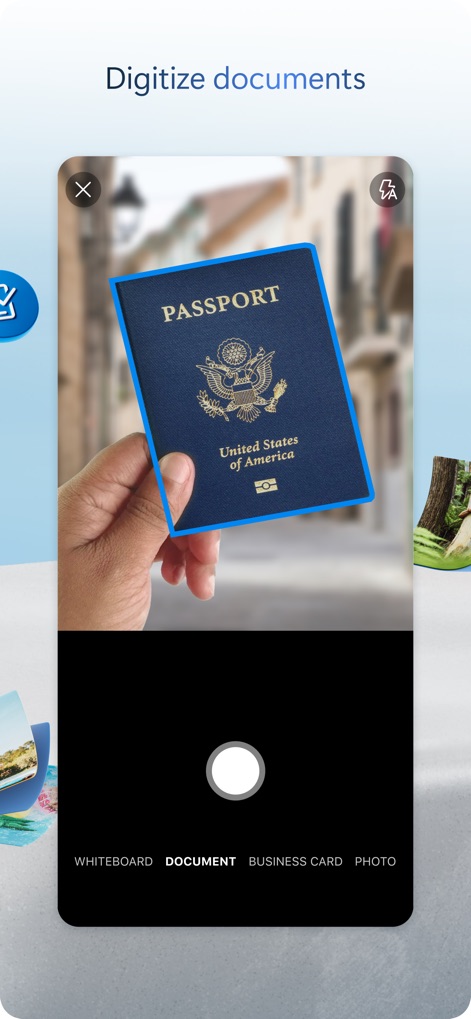
Dokumente digitalisieren
Mit dieser Funktion können physische Dokumente einfach gescannt werden, erkennbar am Beispiel des digitalisierten „Passports“ und den verschiedenen Scan-Modi wie „DOCUMENT“ und „BUSINESS CARD“.
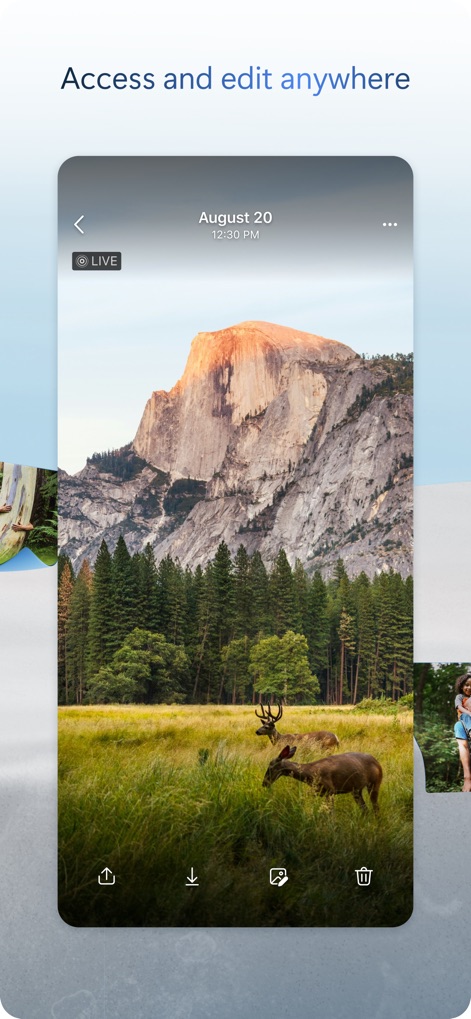
Überall zugreifen und bearbeiten
Nutzer profitieren von geräteübergreifendem Zugriff und Bearbeitung ihrer Dateien, was am Vollbildmodus eines Landschaftsfotos und den integrierten Optionen zum „Herunterladen“ und „Bearbeiten“ ersichtlich ist.
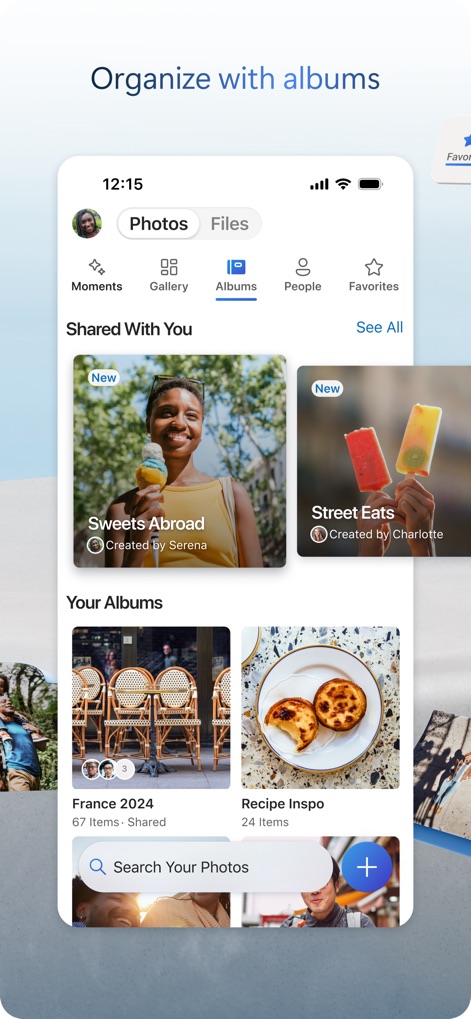
Fotos in Alben organisieren
Die App hilft bei der Strukturierung von Fotos durch intelligente Alben, wie die Sektionen „Shared With You“ und „Your Albums“ mit spezifischen Titeln wie „France 2024“ veranschaulichen.
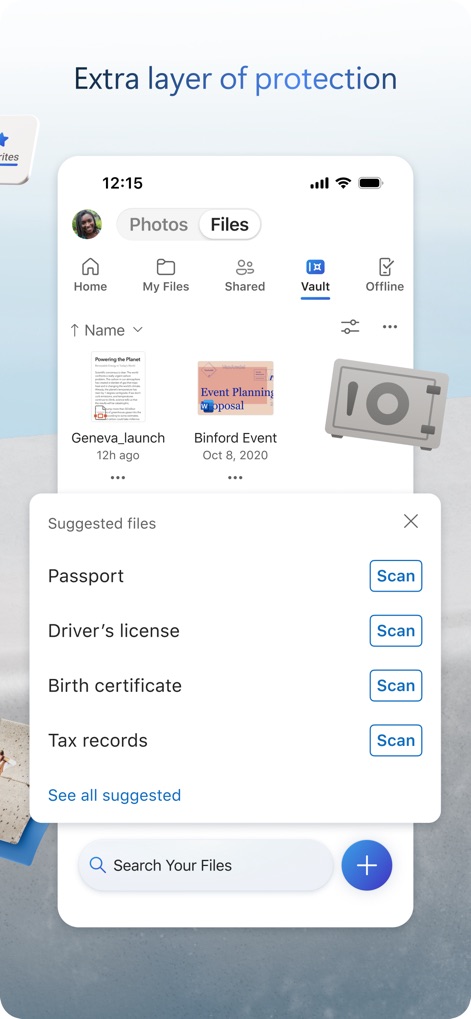
Zusätzlicher Schutz für Dateien
Für sensible Informationen bietet dieses Tool eine zusätzliche Schutzebene, wie der „Personal Vault“-Bereich mit dem Tresor-Symbol und den Vorschlägen zum Scannen von Dokumenten wie „Passport“ und „Driver's license“ verdeutlicht.
Beschreibung
Download
Ähnliche Apps
Apps mit ähnlichen Funktionen und Nutzererfahrung

Google Drive
Google LLC

Яндекс Диск - Облако для фото
DIRECT CURSUS COMPUTER SYSTEMS TRADING LLC

Cloud: 1 drive - more storage
V Kontakte OOO

Nutstore-Cloud Storage&Backup
Yicun Network Technology Co. Ltd.

Dropbox: Cloud Storage Backup
Dropbox, Inc.

Google One
Google LLC

Cloud Storage: Cloud Drive App
Fazcon PTY LTD

Lifebox: Storage & Backup
LIFECELL BULUT COZUMLERI ANONIM SIRKETI

JioAICloud - Storage & Photos
JIO PLATFORMS LIMITED
Diese Seite ist keine offizielle Seite der App oder ihres Entwicklers, sondern eine unabhängige redaktionelle Veröffentlichung, die zu Informations- und Kommentarzwecken erstellt wurde. Sofern nicht ausdrücklich anders angegeben, sind weder die App noch ihr Entwickler mit MWM, Apple, Google Play, dem App-Herausgeber oder dem Entwickler der App verbunden, von ihnen unterstützt, gesponsert, autorisiert oder anderweitig offiziell verbunden, und nichts auf dieser Seite impliziert, dass die App unter Verwendung der Dienste von MWM entwickelt wurde. Alle Marken, Logos, Screenshots und andere Inhalte bleiben Eigentum ihrer jeweiligen Inhaber.