
Diese Seite ist keine offizielle Seite der App oder ihres Entwicklers, sondern eine unabhängige redaktionelle Veröffentlichung, die zu Informations- und Kommentarzwecken erstellt wurde. Sofern nicht ausdrücklich anders angegeben, sind weder die App noch ihr Entwickler mit MWM, Apple, Google Play, dem App-Herausgeber oder dem Entwickler der App verbunden, von ihnen unterstützt, gesponsert, autorisiert oder anderweitig offiziell verbunden, und nichts auf dieser Seite impliziert, dass die App unter Verwendung der Dienste von MWM entwickelt wurde. Alle Marken, Logos, Screenshots und andere Inhalte bleiben Eigentum ihrer jeweiligen Inhaber.


Linearity Curve Graphic Design
Mobil. Präzise. Produktionstauglich. Die App gibt Nutzern die Kontrolle über Pixel – selbst auf dem iPad.
Downloads
5M+Bewertung
Bewertungen gesamt
41.1KHerausgeber
Kategorie
Graphics & DesignSprachen
13Neueste Version
6.9.1Größe
682.4 MBErstveröffentlichung
24. Mai 2017Eine detaillierte Analyse der Kernfunktionen für Kreativprofis und Designteams auf Apple-Geräten.
Linearity Curve: Analyse der Schlüsselmerkmale
Professionelle Vektorzeichenwerkzeuge
Die App bietet eine umfassende Suite professioneller Vektorzeichenwerkzeuge, darunter präzise Bezier-Stifte, Knotenwerkzeuge, Formbuilder, Boole'sche Operationen und intelligente Hilfslinien für pixelgenaue Designs.
Optimiert für Apple iPad und iPhone
Die App ist vollständig für Apple iPad und iPhone optimiert und bietet volle Unterstützung für den Apple Pencil, eine berührungsoptimierte Benutzeroberfläche und Cloud-Synchronisation für nahtloses Arbeiten unterwegs.
KI-gestützte Bildvektorisierung (Auto Trace)
Es ermöglicht Nutzern, Skizzen, Fotos und Rasterbilder mit der Auto Trace-Funktion sofort in bearbeitbare Vektorpfade umzuwandeln, inklusive automatischer Hintergrundentfernung.
Umfassende Illustrations- und Digital Art Funktionen
Dieses Tool verfügt über fortschrittliche Funktionen wie anpassbare Vektorpinsel, vielfältige Verlaufsoptionen, ein vollständiges Ebenensystem mit Mischmodi und Maskierung für komplexe und künstlerische Grafiken.
Umfassende Dateiformat-Kompatibilität
Die App unterstützt den Import und Export aller wichtigen Branchenformate wie AI, SVG, PDF, PNG, JPG und TIFF, was eine nahtlose Integration in bestehende Design-Workflows sicherstellt.
Cloud-Synchronisation und Offline-Zugriff
Es gewährleistet, dass Projekte durch Cloud-Synchronisation über alle Apple-Geräte hinweg stets aktuell sind und ermöglicht gleichzeitig lokales Speichern für unterbrechungsfreies Arbeiten ohne Internetverbindung.
Häufig gestellte Fragen
Alles, was Sie über wissen müssen Linearity Curve Graphic Design
What is Linearity Curve Graphic Design software?
Linearity Curve is a professional vector drawing app for iPad and iPhone. It provides tools for creating vector art, illustrations, logos, and graphic designs, optimized for desktop creativity and precision Bezier tools.
Can I use Linearity Curve on my iPhone, iPad, and Mac?
Yes, Linearity Curve Graphic Design is designed for use across multiple Apple devices. It is available on iPad, iPhone, and Mac, with cloud sync to keep projects updated across all platforms.
Does Linearity Curve offer automatic image vectorization?
Yes, Linearity Curve features an 'Auto Trace' tool. It instantly vectorizes sketches, photos, illustrations, or scanned artwork into editable paths, converting any image into clean, organized SVG files using AI.
What file formats does Linearity Curve Graphic Design support for import and export?
Linearity Curve supports importing and exporting industry formats such as .ai, SVG, PDF, PNG, JPG, and TIFF. It also opens projects directly from Illustrator, Figma, and Sketch.
Does Linearity Curve provide a background removal tool?
Yes, Linearity Curve includes AI-powered 'Background Removal' functionality. This feature isolates subjects in one click, simplifying image editing and allowing for quick adjustments to your designs.
Is Linearity Curve Graphic Design optimized for macOS performance?
Yes, Linearity Curve is built for macOS. It offers native Apple Silicon performance with hardware acceleration, full keyboard shortcut support, trackpad gestures, and a Liquid Glass interface for Mac users.
Can teams collaborate in real-time using Linearity Curve?
Yes, Linearity Curve supports real-time collaboration. It provides shared workspaces where teams can see changes instantly and seamlessly hand off projects between members on Mac, iPad, and iPhone.
Does Linearity Curve allow for custom vector brushes?
Yes, Linearity Curve allows users to create custom vector brushes. This feature helps artists develop a unique and consistent style for their digital art, offering flexibility in design.
Who is Linearity Curve Graphic Design intended for?
Linearity Curve is built for logo designers, illustrators, digital art creators, marketing teams, UX/UI designers working on icons and design systems, and print designers preparing various materials.
What can I create with Linearity Curve Graphic Design?
Linearity Curve is a professional vector art and graphic design software. It allows users to create stunning vector art, design complex illustrations, vectorize photos, and develop logos and brand systems.
Die folgenden Screenshots und die Beschreibung stammen direkt aus dem offiziellen Store-Eintrag der App und sind Eigentum des Entwicklers.
App Store
Screenshots
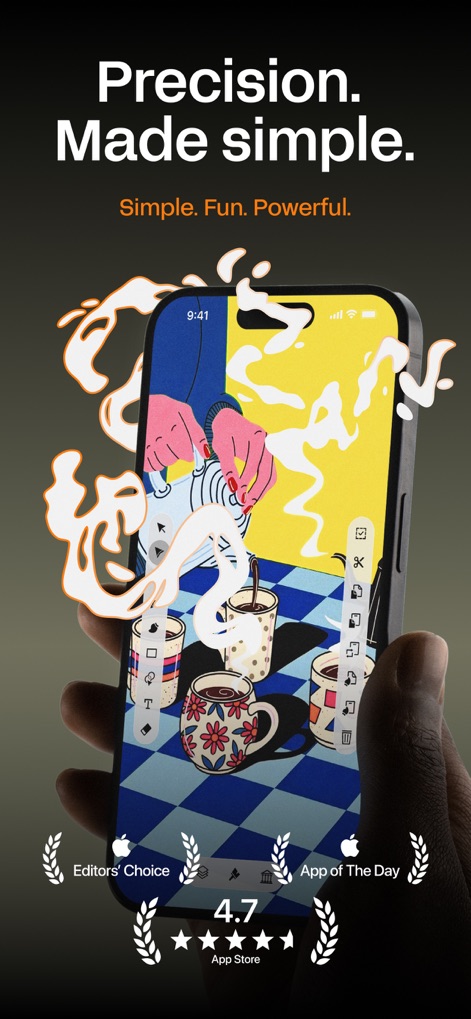
Die App ermöglicht Anwendern die Erstellung komplexer Vektorgrafiken auf einem iPhone, wobei das Bild eine detailreiche Illustration von Kaffeetassen und eine Reihe intuitiver Bearbeitungswerkzeuge zeigt.
Präzise Gestaltung
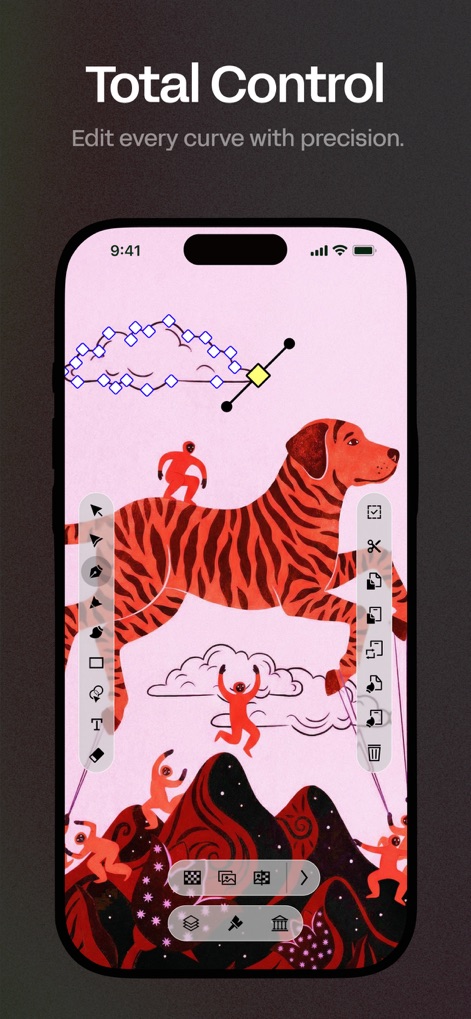
Dieses Bild demonstriert die totale Kontrolle über Bezier-Kurven und Knotenpunkte, die es Nutzern erlaubt, detailreiche Illustrationen wie den dargestellten Hund und die Wolken mit höchster Genauigkeit zu bearbeiten.
Detailreiche Kurvenkontrolle
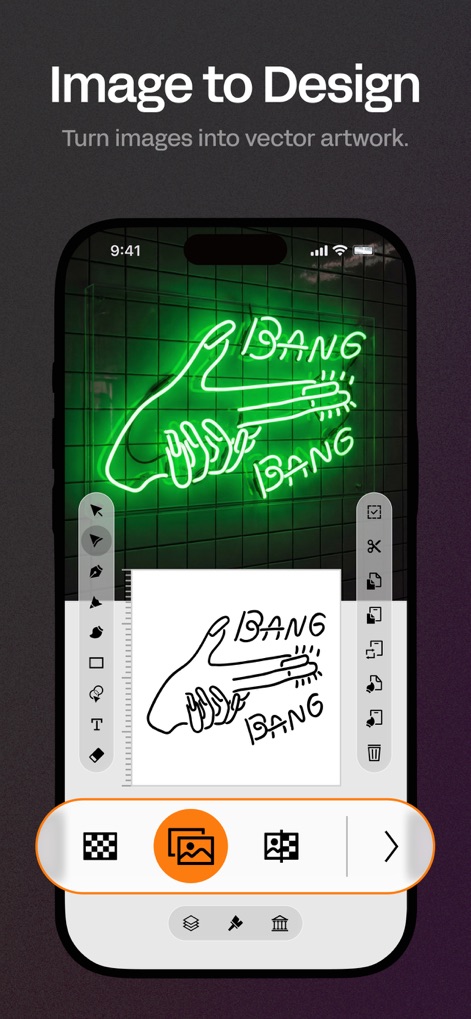
Hier wird die Leistungsfähigkeit der App zur Bild-Vektorisierung veranschaulicht, indem ein Foto einer Neonreklame mithilfe der Auto Trace-Funktion in eine saubere Vektorgrafik umgewandelt wird.
Bild zu Vektor
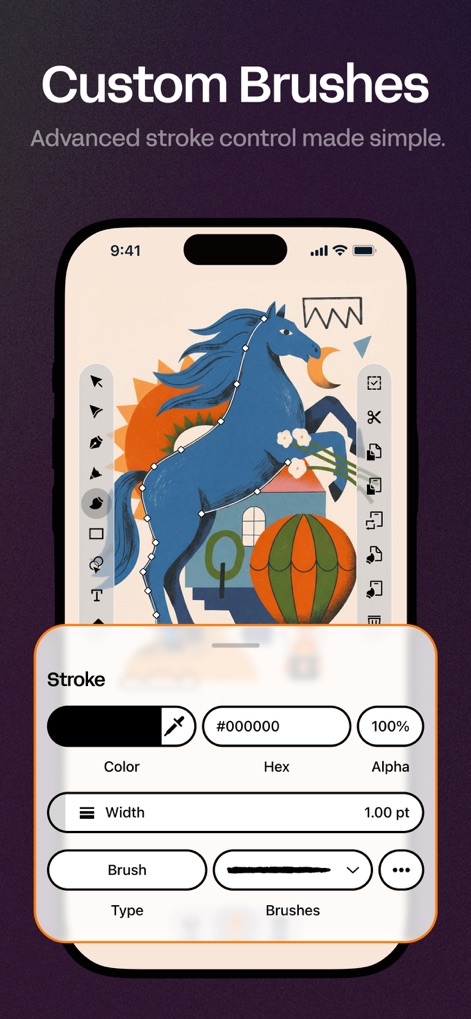
Die Abbildung zeigt die vielseitigen Einstellungen für individuelle Pinsel und Striche, die dem Nutzer erlauben, einzigartige Effekte bei der Gestaltung eines Pferdes zu erzielen und die Farbalpha-Werte präzise anzupassen.
Individuelle Pinselstriche
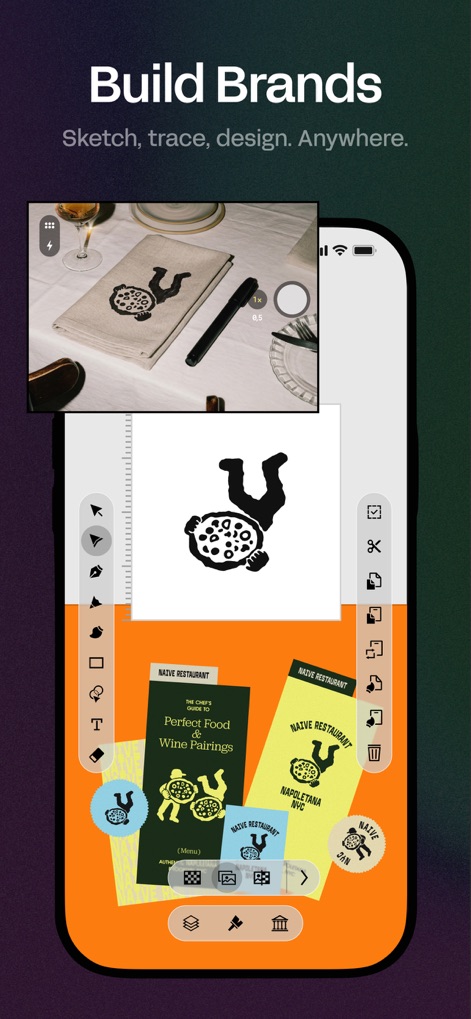
Dieses Display verdeutlicht die Fähigkeiten der App zur Markenentwicklung, indem es die Erstellung eines Pizzalogos über verschiedene Artboards hinweg zeigt und gleichzeitig die Nutzung externer Bilder zur Inspiration oder Vektorisierung ermöglicht.
Markenentwicklung leichtgemacht
Beschreibung
Download
Ähnliche Apps
Apps mit ähnlichen Funktionen und Nutzererfahrung

Sketchbook®
Sketchbook, Inc.

Mental Canvas Draw
Mental Canvas, Inc.

ibis Paint
ibis inc.

ibis Paint X
ibis inc.

Paper: Sketch, Draw & Create
Evernote Corporation

Adobe Fresco: Draw & Paint App
Adobe Inc.

Art Set 4
Lofopi Ltd

MediBang Paint – Drawing & Art
MediBang inc.

Tayasui Sketches
SKETCHES SRL
Diese Seite ist keine offizielle Seite der App oder ihres Entwicklers, sondern eine unabhängige redaktionelle Veröffentlichung, die zu Informations- und Kommentarzwecken erstellt wurde. Sofern nicht ausdrücklich anders angegeben, sind weder die App noch ihr Entwickler mit MWM, Apple, Google Play, dem App-Herausgeber oder dem Entwickler der App verbunden, von ihnen unterstützt, gesponsert, autorisiert oder anderweitig offiziell verbunden, und nichts auf dieser Seite impliziert, dass die App unter Verwendung der Dienste von MWM entwickelt wurde. Alle Marken, Logos, Screenshots und andere Inhalte bleiben Eigentum ihrer jeweiligen Inhaber.