
Diese Seite ist keine offizielle Seite der App oder ihres Entwicklers, sondern eine unabhängige redaktionelle Veröffentlichung, die zu Informations- und Kommentarzwecken erstellt wurde. Sofern nicht ausdrücklich anders angegeben, sind weder die App noch ihr Entwickler mit MWM, Apple, Google Play, dem App-Herausgeber oder dem Entwickler der App verbunden, von ihnen unterstützt, gesponsert, autorisiert oder anderweitig offiziell verbunden, und nichts auf dieser Seite impliziert, dass die App unter Verwendung der Dienste von MWM entwickelt wurde. Alle Marken, Logos, Screenshots und andere Inhalte bleiben Eigentum ihrer jeweiligen Inhaber.

Manual Camera Pro + RAW Photo
Befreien Sie sich vom Automatikmodus. Nehmen Sie atemberaubende RAW-Bilder mit voller manueller Steuerung auf und perfektionieren Sie Ihre Ästhetik mit professionellen Film-Presets.
Downloads
1M+Bewertung
Bewertungen gesamt
33K+Herausgeber
Kategorie
Photo & VideoSprachen
2Neueste Version
1.6.5Größe
101.7 MBErstveröffentlichung
19. Mai 2016Steigern Sie Ihre mobile Fotografie
Entfesseln Sie das volle Potenzial Ihres iPhones mit professionellen manuellen Steuerungen und hochentwickelten, von Filmen inspirierten Bearbeitungswerkzeugen für moderne Kreative.
Präzise manuelle Aufnahme
Übernehmen Sie die volle Kontrolle über Ihr Objektiv mit unabhängiger Steuerung von ISO, Verschlusszeit und Fokus, um DSLR-Qualität bei jeder Beleuchtung einzufangen.
Authentische Film-Ästhetik
Verabschieden Sie sich vom klinischen Smartphone-Look mit film-emulierenden Presets und professionellen RGB-Kurven, die Ihrer Arbeit ein zeitloses, organisches Gefühl verleihen.
Die folgenden Screenshots und die Beschreibung stammen direkt aus dem offiziellen Store-Eintrag der App und sind Eigentum des Entwicklers.
App Store
Screenshots
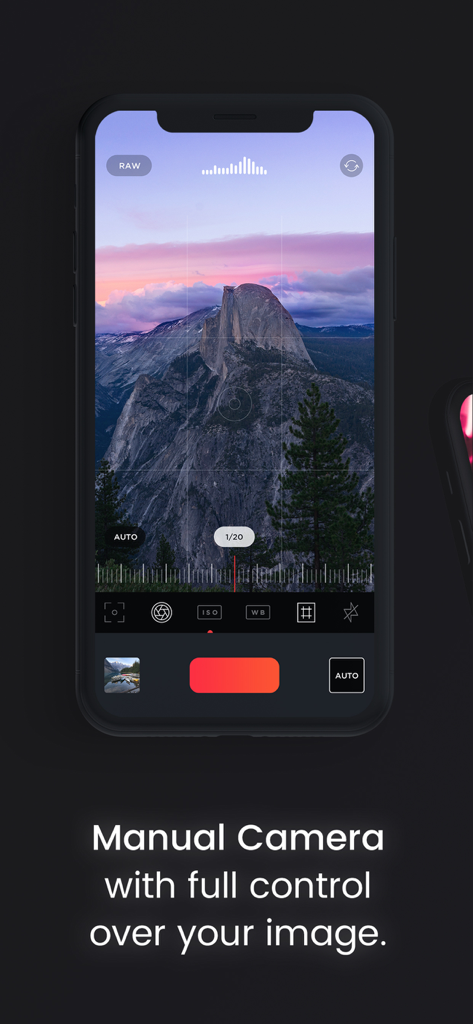
Manual Camera Pro App-Oberfläche auf dem iPhone mit professionellen manuellen Steuerungen für ISO und Verschlusszeit
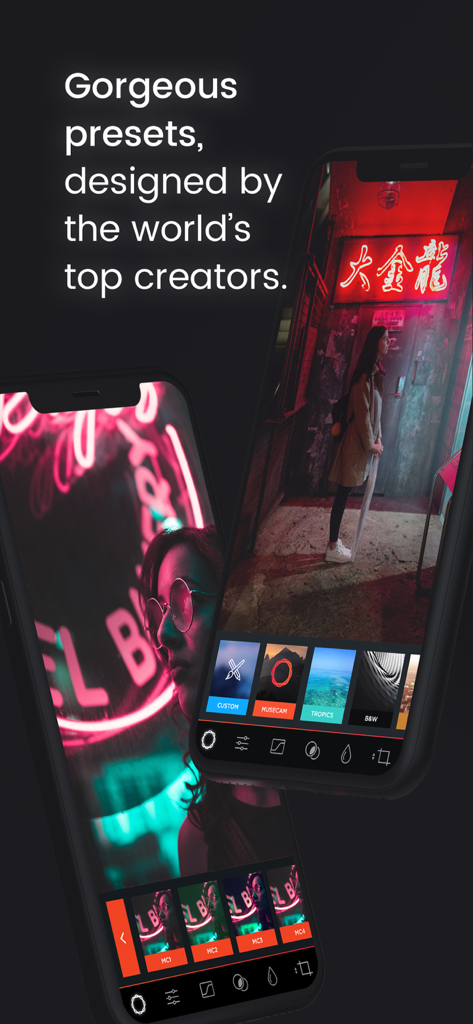
Manual Camera Pro App-Oberfläche mit professionellen Fotografie-Presets auf einem iPhone.
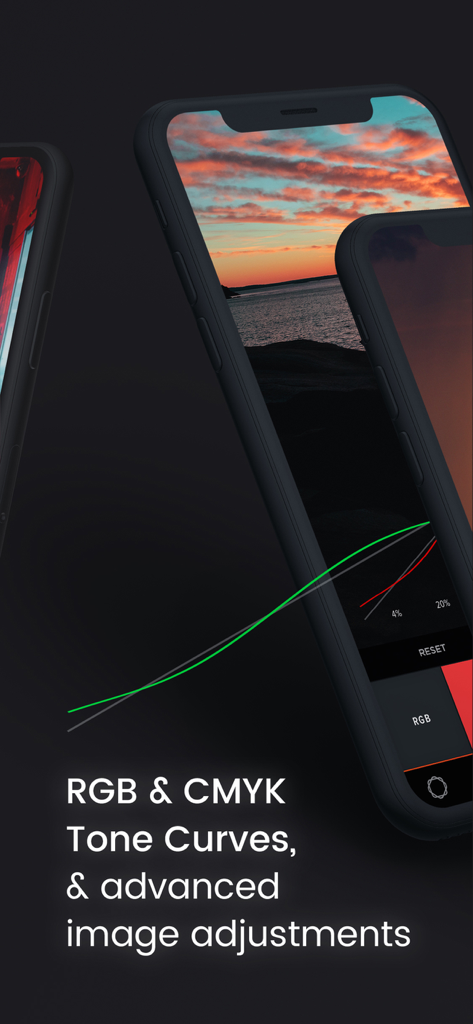
iPhone-Bildschirm mit erweiterten RGB- und CMYK-Gradationskurven für professionelle Fotobearbeitung
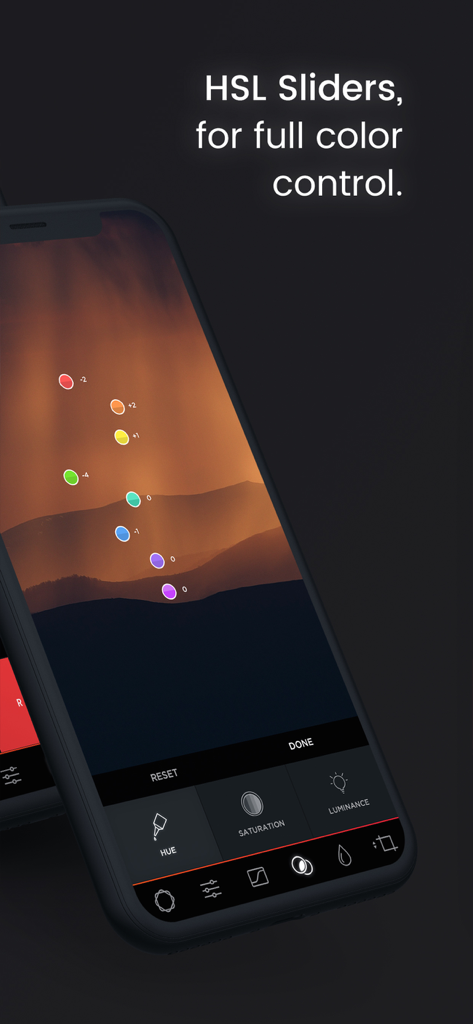
HSL-Schieberegler für volle Farbkontrolle bei einem Berglandschaftsfoto
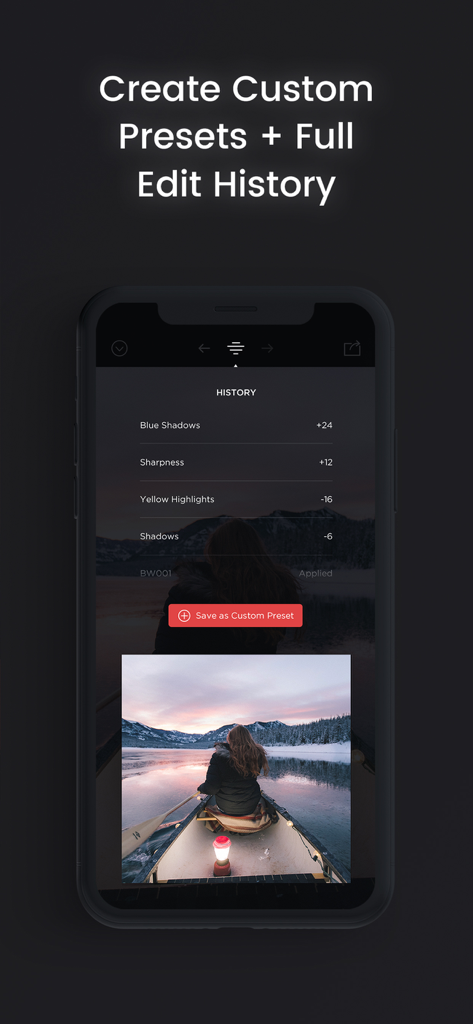
Manual Camera Pro App-Oberfläche mit Fotobearbeitungsverlauf und benutzerdefinierten Preset-Optionen
Beschreibung
Download
Ähnliche Apps
Top-gerankte Apps in derselben Kategorie

CapCut: Photo & Video Editor
BYTEDANCE PTE. LTD.

Instagram, Inc.

YouTube
Google LLC

Canva: AI Photo & Video Editor
Canva Pty Ltd

Snapchat
Snap, Inc.

快手
Beijing Kwai Technology Co., Ltd.

Edits: Video Editor
Instagram, Inc.

Meitu- AI Photo & Video Editor
Xiamen Meitu Technology Co., Ltd.

Google Photos: Backup & Edit
Google LLC
Diese Seite ist keine offizielle Seite der App oder ihres Entwicklers, sondern eine unabhängige redaktionelle Veröffentlichung, die zu Informations- und Kommentarzwecken erstellt wurde. Sofern nicht ausdrücklich anders angegeben, sind weder die App noch ihr Entwickler mit MWM, Apple, Google Play, dem App-Herausgeber oder dem Entwickler der App verbunden, von ihnen unterstützt, gesponsert, autorisiert oder anderweitig offiziell verbunden, und nichts auf dieser Seite impliziert, dass die App unter Verwendung der Dienste von MWM entwickelt wurde. Alle Marken, Logos, Screenshots und andere Inhalte bleiben Eigentum ihrer jeweiligen Inhaber.