
Diese Seite ist keine offizielle Seite der App oder ihres Entwicklers, sondern eine unabhängige redaktionelle Veröffentlichung, die zu Informations- und Kommentarzwecken erstellt wurde. Sofern nicht ausdrücklich anders angegeben, sind weder die App noch ihr Entwickler mit MWM, Apple, Google Play, dem App-Herausgeber oder dem Entwickler der App verbunden, von ihnen unterstützt, gesponsert, autorisiert oder anderweitig offiziell verbunden, und nichts auf dieser Seite impliziert, dass die App unter Verwendung der Dienste von MWM entwickelt wurde. Alle Marken, Logos, Screenshots und andere Inhalte bleiben Eigentum ihrer jeweiligen Inhaber.

MetaMoJi Note
Verbessern Sie Ihren professionellen Workflow mit dem einzigen plattformübergreifenden Tool, das fortschrittliches Handschriftliches, sprachsynchronisierte Notizen und professionelles PDF-Markup auf einer unendlichen hochauflösenden Leinwand kombiniert.
Downloads
266K+Bewertung
Bewertungen gesamt
3K+Herausgeber
Kategorie
ProductivitySprachen
13Neueste Version
3.10.4Größe
99.8 MBErstveröffentlichung
26. Sept. 2012Unendliche Kreativität, professionelle Präzision
MetaMoJi Note ist der All-in-One-digitale Arbeitsbereich, der hochauflösende Skizzen, erweiterte PDF-Annotationen und sprachsynchronisierte Notizen für den modernen Profi kombiniert.
Unendliche Zoom-Vektor-Leinwand
Skizzieren, zeichnen oder schreiben Sie mit 100% visueller Integrität. Skalieren Sie Ihre Ideen von einer winzigen Haftnotiz zu einem riesigen Whiteboard, ohne jemals Auflösung oder Details zu verlieren.
Professionelles PDF-Markup
Importieren, unterschreiben und kommentieren Sie komplexe Verträge oder Design-Dokumente mit Leichtigkeit. Verwenden Sie erweiterte Kalligraphie-Stifte und intelligente Zuschneidewerkzeuge für Feedback in professioneller Qualität.
Häufig gestellte Fragen
Alles, was Sie über wissen müssen MetaMoJi Note
Was ist MetaMoJi Note?
MetaMoJi Note ist eine umfassende Notiz- und Zeichen-App, ein PDF-Annotationstool, ein Sprachmemo-Rekorder und ein digitales Skizzenbuch. Es unterstützt erweiterte Handschrifterkennung und Zeichnen mit verschiedenen Stiften und Papierstilen.
Kann ich in MetaMoJi Note Handschrift in Text umwandeln?
Ja, MetaMoJi Note unterstützt die Umwandlung von Handschrift in Text und erweiterte Handschrifterkennung. Diese Funktionalität erfordert den separaten Kauf der mazec Handschrifteingabemethode.
Was ist der Gold Service von MetaMoJi Note?
Der Gold Service ist ein Premium-Add-On für MetaMoJi Note, das die Nutzung von MetaMoJi Cloud erweitert. Er bietet Freigabe-Laufwerksfunktionen, automatische Synchronisierungsintervalle, zusätzlichen Cloud-Speicher und unbegrenzten Zugriff auf Premium-Elemente.
Bietet MetaMoJi Note Cloud-Synchronisierung an?
Ja, MetaMoJi Note ermöglicht es Benutzern, alle Ordner mit der MetaMoJi Cloud zu synchronisieren. Dieser Dienst bietet bis zu 2 GB kostenlosen Speicherplatz zum Speichern und Verwalten von Dokumenten über verschiedene Geräte hinweg.
Kann MetaMoJi Note Notizen mit einem Passwort schützen?
Ja, die kostenpflichtige Version von MetaMoJi Note bietet die Möglichkeit, Ihre Notizen mit einem Passwort zu schützen. Diese Funktion stellt sicher, dass Ihre wichtigen Informationen in der App sicher und privat bleiben.
Welche Arten von Dokumenten kann ich in MetaMoJi Note importieren?
MetaMoJi Note ermöglicht den Import verschiedener Dateitypen. Benutzer können Bilder, Grafiken, Microsoft Office-Dateien über Google Drive und PDF-Dokumente zur Annotation und Speicherung importieren.
Ist MetaMoJi Note auf mehreren Plattformen verfügbar?
Ja, MetaMoJi Note ist auf allen wichtigen mobilen Plattformen verfügbar. Es gilt als die einzige Notiz-App mit einer solch breiten plattformübergreifenden Kompatibilität.
Unterstützt MetaMoJi Note Sprachnotizen?
Ja, MetaMoJi Note verfügt über Funktionen für Sprachnotizen. Benutzer können Sprachaufnahmen mit visuellen Inhalten verknüpfen und Audiobearbeitungsfunktionen nutzen, um Sprachsignale in jedem Dokument oder jeder Zeichnung zu indexieren.
Kann ich Dokumente mit MetaMoJi Note gemeinsam bearbeiten?
Ja, der Premium-Gold-Service von MetaMoJi Note beinhaltet die Funktion eines freigegebenen Laufwerks. Diese Funktion ermöglicht es Benutzern, Dokumente gemeinsam zu bearbeiten und verbessert die Teamarbeit und Produktivität.
Welche erweiterten Stiftstile bietet MetaMoJi Note an?
MetaMoJi Note bietet erweiterte Stiftstile wie Textmarker, Füllfederhalter und Pinsel. Diese ergänzen eine Vielzahl von Standardstiften und Kalligrafieoptionen für vielseitiges Zeichnen und Schreiben.
Die folgenden Screenshots und die Beschreibung stammen direkt aus dem offiziellen Store-Eintrag der App und sind Eigentum des Entwicklers.
App Store
Screenshots
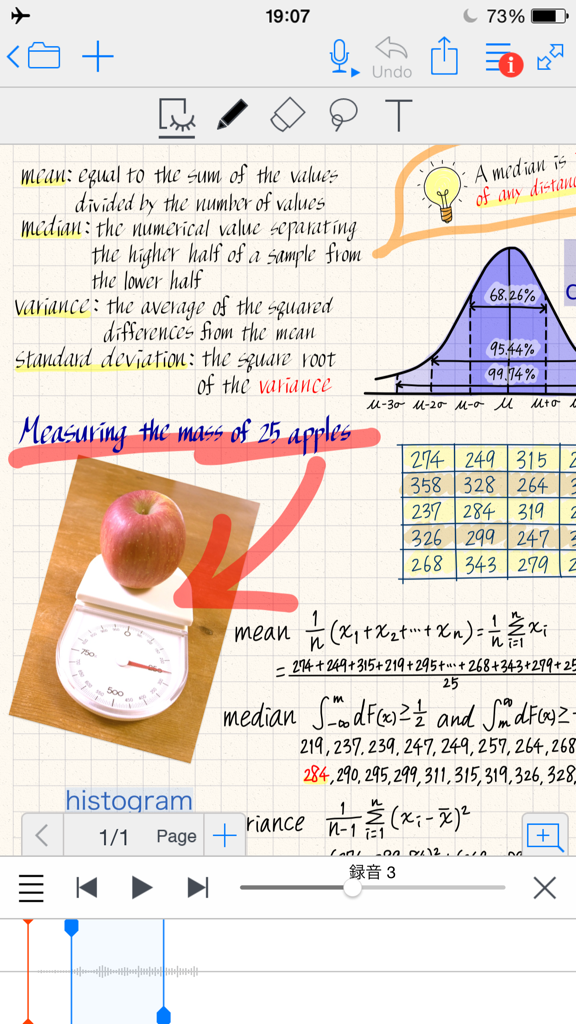
Digitale Notizseite in MetaMoJi Note mit handgeschriebenen Statistikformeln, Diagrammen und Sprachaufzeichnungssynchronisation
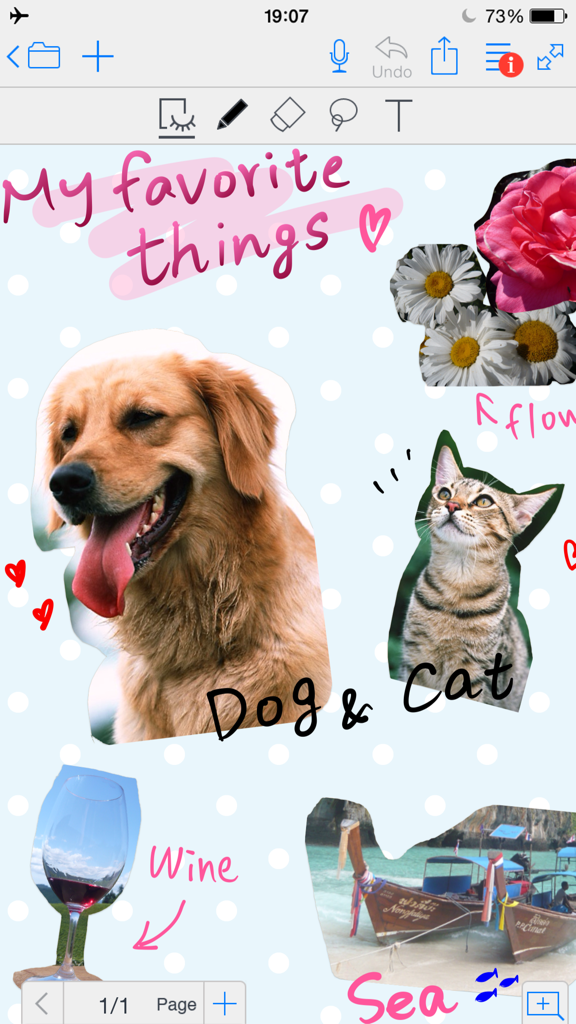
Digitale Scrapbook-Seite in MetaMoJi Note mit Fotos und handschriftlichen Notizen
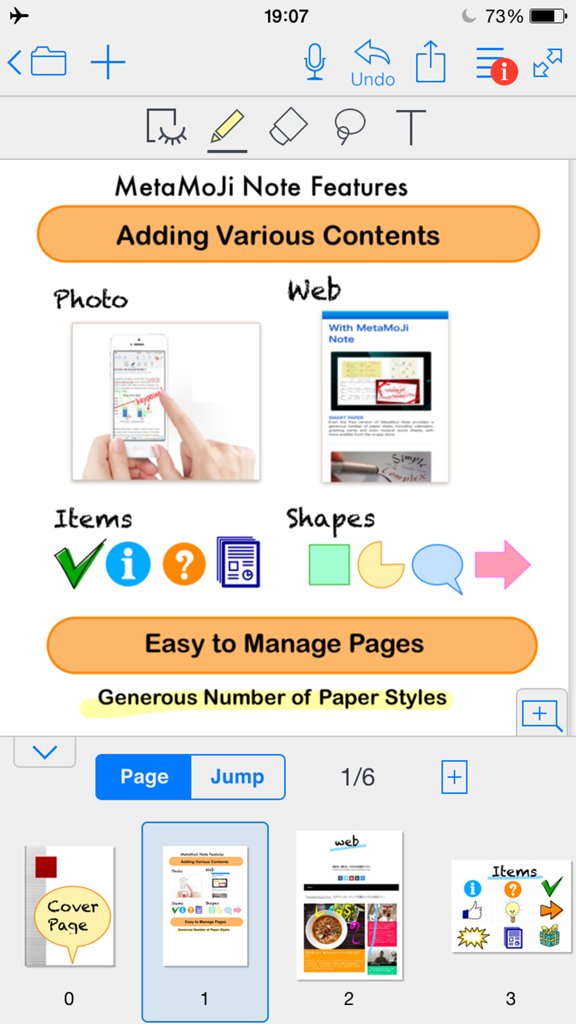
Screenshot von MetaMoJi Note, der Funktionen zum Hinzufügen von Fotos, Webinhalten, Formen und Elementen zusammen mit der Seitenverwaltung zeigt

Digitale Notiz in MetaMoJi Note, die eine Raumplanungs-Skizze mit einem Grundriss und Fotos zeigt
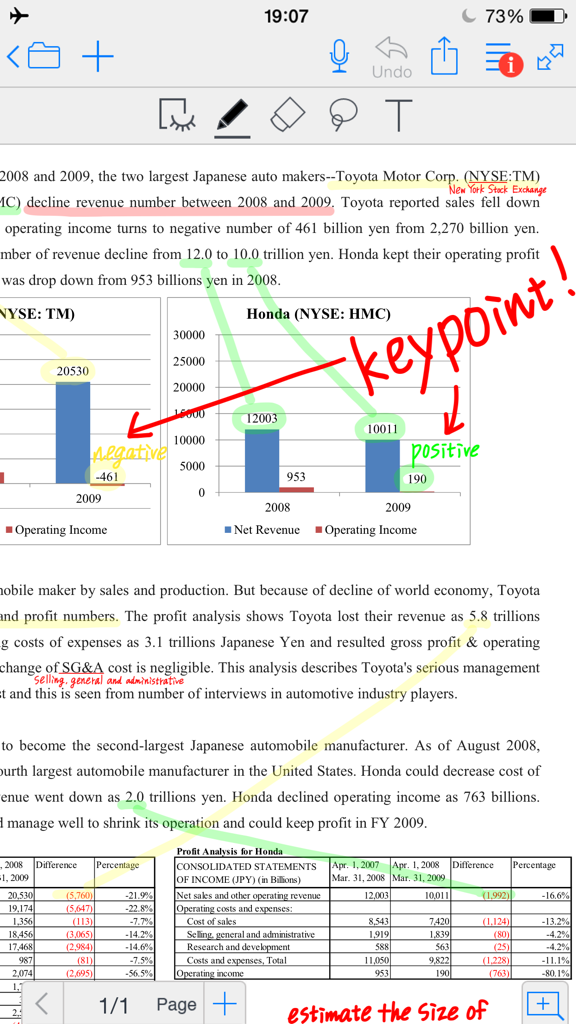
Ein Geschäftsdokument mit Handschrift und Hervorhebungen in MetaMoJi Note kommentieren
Beschreibung
Download
Ähnliche Apps
Apps mit ähnlichen Funktionen und Nutzererfahrung

Notepad: Easy Notes & Memos
1381802 Ontario Inc.

EasyNote: Note, Handwrite, PDF
Hangzhou Tensorart Technology Co., Ltd

Wellnote-Notes&PDF
MAXEYE US INC.

AJournal - Planner & Journal
WonderApps AB

Element Note
Soysauce Lab

Penbook
User Camp Inc.

Notes Writer - Note Taking
Kairoos Solutions S.L.

Notewise - AI Notes, PDF, Docs
ZIIKR Pte. Ltd.

Notes Writer Pro 2026
Kairoos Solutions S.L.
Diese Seite ist keine offizielle Seite der App oder ihres Entwicklers, sondern eine unabhängige redaktionelle Veröffentlichung, die zu Informations- und Kommentarzwecken erstellt wurde. Sofern nicht ausdrücklich anders angegeben, sind weder die App noch ihr Entwickler mit MWM, Apple, Google Play, dem App-Herausgeber oder dem Entwickler der App verbunden, von ihnen unterstützt, gesponsert, autorisiert oder anderweitig offiziell verbunden, und nichts auf dieser Seite impliziert, dass die App unter Verwendung der Dienste von MWM entwickelt wurde. Alle Marken, Logos, Screenshots und andere Inhalte bleiben Eigentum ihrer jeweiligen Inhaber.