
Diese Seite ist keine offizielle Seite der App oder ihres Entwicklers, sondern eine unabhängige redaktionelle Veröffentlichung, die zu Informations- und Kommentarzwecken erstellt wurde. Sofern nicht ausdrücklich anders angegeben, sind weder die App noch ihr Entwickler mit MWM, Apple, Google Play, dem App-Herausgeber oder dem Entwickler der App verbunden, von ihnen unterstützt, gesponsert, autorisiert oder anderweitig offiziell verbunden, und nichts auf dieser Seite impliziert, dass die App unter Verwendung der Dienste von MWM entwickelt wurde. Alle Marken, Logos, Screenshots und andere Inhalte bleiben Eigentum ihrer jeweiligen Inhaber.


Miracast Screen Mirroring .
Bildschirmspiegelung: Schluss mit dem Augenkrebs. MWMs Kreation projiziert Ihr Leben direkt auf den großen Bildschirm.
Downloads
250k+Bewertung
Bewertungen gesamt
1.3KHerausgeber
Kategorie
Photo & VideoSprachen
5Neueste Version
2.1.2Größe
90.2 MBErstveröffentlichung
4. Apr. 2023Eine Einschätzung der App-Angebote für Heimunterhaltung und digitale Mediennutzung.
Analyse der Kernfunktionen: 'Miracast Screen Mirroring .'
Nahtlose Bildschirmspiegelung
Die App ermöglicht Nutzern, den Bildschirminhalt ihres iPhones oder iPads einfach und zuverlässig auf ihren Fernseher zu übertragen, um Medien auf einem größeren Display zu genießen.
Optimierte HD-Übertragung
Dieses Tool gewährleistet eine flüssige und hochauflösende Übertragung von Videos und Bildern, um ein qualitativ hochwertiges Seherlebnis auf dem TV zu bieten.
Einfache Bedienung
Es wurde auf eine unkomplizierte Bedienung geachtet, die es Nutzern ermöglicht, die Bildschirmspiegelung schnell und ohne technische Hürden einzurichten und zu nutzen.
Multifunktionale Fernbedienung
Die App bietet die Möglichkeit, das iPhone oder iPad als Fernbedienung für den Smart TV zu verwenden, was besonders praktisch ist, wenn die Originalfernbedienung verloren geht.
Augenschonendes Seherlebnis
Es ermöglicht Nutzern, Inhalte vom kleinen Handybildschirm auf einen größeren TV zu spiegeln, wodurch die Augen geschont und ein komfortableres Seherlebnis geschaffen wird.
Schutz privater Medien
Die App bietet eine Funktion zum Schutz sensibler Videos oder Fotos in einem privaten Album, um die Privatsphäre der Nutzer zu gewährleisten.
Häufig gestellte Fragen
Alles, was Sie über wissen müssen Miracast Screen Mirroring .
What is Miracast Screen Mirroring and what does it do?
Miracast Screen Mirroring is a practical tool for casting content from an iPhone or iPad to a TV. It optimizes screen casting fluidity and supports high-definition video projection, offering a simple user experience.
Can Miracast Screen Mirroring enlarge videos for viewing on a Roku TV?
Yes, Miracast Screen Mirroring enlarges videos or movies for viewing on your smart Roku TV. This feature helps protect your eyes by reducing strain from tiny phone screens.
Is Miracast Screen Mirroring compatible with multiple TV brands?
Yes, Miracast Screen Mirroring is compatible with many TV brands. These include Samsung, VIZIO, LG, TCL, Fire TV, Hisense, Sony, Chromecast, Android TV, and Philips, as displayed in the app.
What are the key features of the Miracast Screen Mirroring application?
The Miracast Screen Mirroring app features real-time screen mirroring, video casting, IPTV, web, photo, and Ins casting. It also includes a private album function and a universal remote control.
Does Miracast Screen Mirroring function as a universal remote control?
Yes, Miracast Screen Mirroring includes a multifunctional phone remote control. This feature provides assistance if your physical remote control is lost, enhancing user convenience.
How do I cancel an automatic subscription for Miracast Screen Mirroring on iOS?
To cancel, navigate to Apple Settings > 'iTunes Store and App Store' > Apple ID > 'Account Settings' > 'Subscription,' then select and cancel. Cancellation must occur at least 24 hours before the renewal period.
Where can I find the Privacy Policy for Miracast Screen Mirroring?
The Privacy Policy for Miracast Screen Mirroring is located at https://lmiaoapp.github.io/ScreenMirror/ScreenMirror/PrivacyPolicy/index.html. This document outlines how the application handles user data.
Does Miracast Screen Mirroring allow downloading Ins videos or protecting private media?
Yes, Miracast Screen Mirroring allows downloading Ins videos. It also provides functionality to protect secret videos or photos in a private album within the application.
Die folgenden Screenshots und die Beschreibung stammen direkt aus dem offiziellen Store-Eintrag der App und sind Eigentum des Entwicklers.
App Store
Screenshots
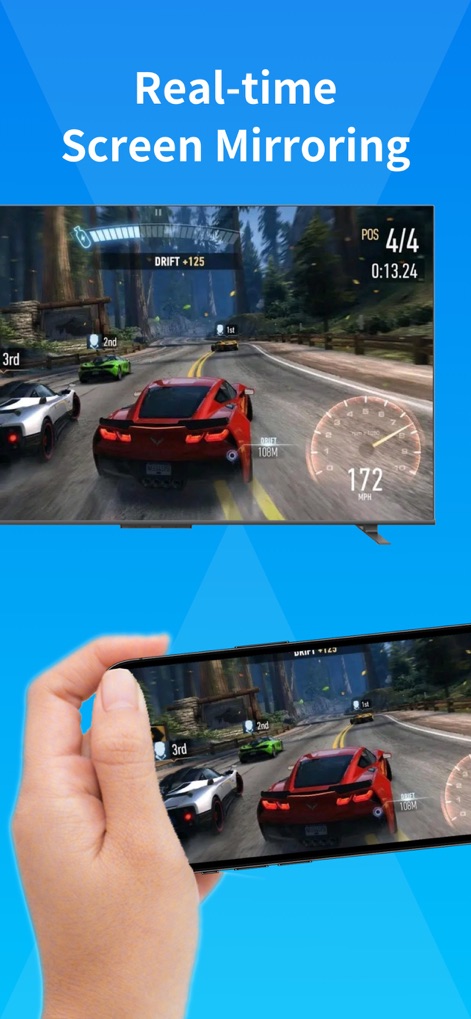
Nutzer können hier eine rasante Rennspielszene sowohl auf dem iPhone als auch gespiegelt auf einem Fernseher in Echtzeit erleben.
Echtzeit-Spiegelung
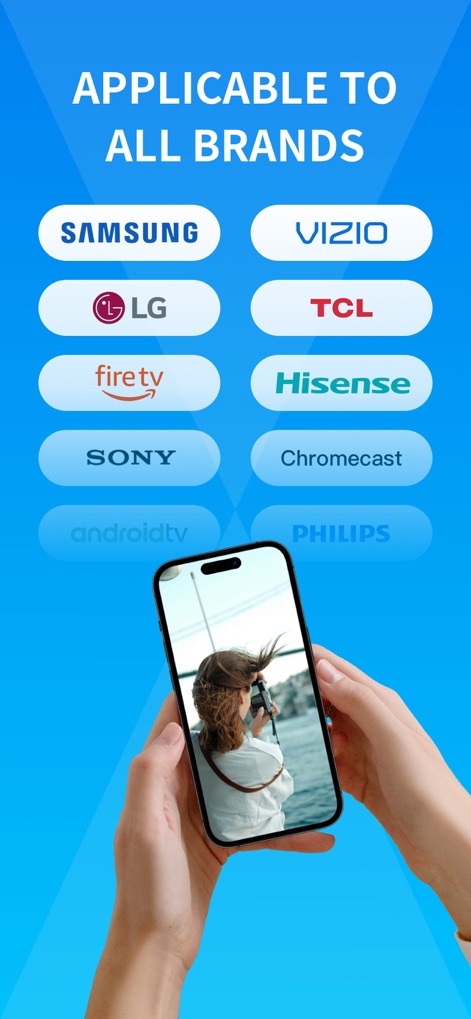
Dieses Bild zeigt die umfassende Kompatibilität der App mit einer Vielzahl von TV-Marken und Streaming-Geräten, wodurch Nutzer ihr Gerät mühelos verbinden können.
Breite Kompatibilität
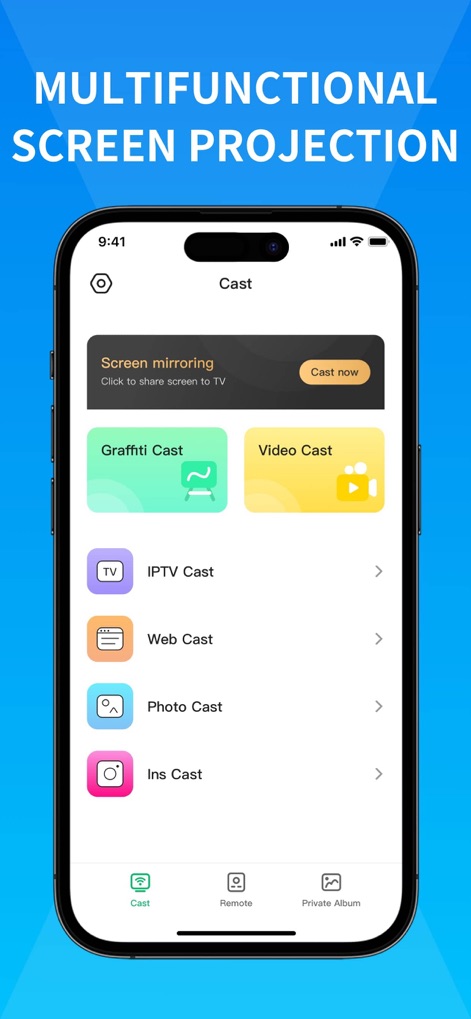
Die Benutzeroberfläche der App präsentiert eine Reihe von Casting-Optionen wie 'Video Cast' und 'Photo Cast', die Nutzern eine flexible Medienprojektion ermöglichen.
Vielseitige Funktionen

Dieses Bild demonstriert die hochauflösende Übertragung eines Films, der sowohl auf dem Mobilgerät als auch auf dem Fernsehbildschirm scharf und detailreich dargestellt wird.
Gestochen scharfe Übertragung

Die App bietet eine intuitive Benutzeroberfläche für eine universelle Fernbedienung, inklusive Navigations- und Lautstärkeregelung, um das Heimkinoerlebnis zu steuern.
Universelle Fernbedienung
Beschreibung
Download
Ähnliche Apps
Apps mit ähnlichen Funktionen und Nutzererfahrung

Web Video Cast | Browser to TV
InstantBits Inc

PigeonCast:Send by Google Cast
Sichuan FalconAI Technology Co., Ltd.

Screen Mirroring • Smart TV
Mihkel Pikk

Screen Mirroring | Cast to TV
Ozuna Limited

Screen Mirroring・Smart View TV
TOGGLE APPS SP Z O O

UbeCast: Music Streamer & PiP
AER SOFTWARE COMPANY LIMITED

AirDroid Cast-screen mirroring
SAND STUDIO CORPORATION LIMITED

Miracast: Screen Mirroring TV
Hainan Delta Software Co., Ltd

Screen Mirroring・Air Cast TV
Dalma Innovation Solutions d.o.o.
Diese Seite ist keine offizielle Seite der App oder ihres Entwicklers, sondern eine unabhängige redaktionelle Veröffentlichung, die zu Informations- und Kommentarzwecken erstellt wurde. Sofern nicht ausdrücklich anders angegeben, sind weder die App noch ihr Entwickler mit MWM, Apple, Google Play, dem App-Herausgeber oder dem Entwickler der App verbunden, von ihnen unterstützt, gesponsert, autorisiert oder anderweitig offiziell verbunden, und nichts auf dieser Seite impliziert, dass die App unter Verwendung der Dienste von MWM entwickelt wurde. Alle Marken, Logos, Screenshots und andere Inhalte bleiben Eigentum ihrer jeweiligen Inhaber.