
Diese Seite ist keine offizielle Seite der App oder ihres Entwicklers, sondern eine unabhängige redaktionelle Veröffentlichung, die zu Informations- und Kommentarzwecken erstellt wurde. Sofern nicht ausdrücklich anders angegeben, sind weder die App noch ihr Entwickler mit MWM, Apple, Google Play, dem App-Herausgeber oder dem Entwickler der App verbunden, von ihnen unterstützt, gesponsert, autorisiert oder anderweitig offiziell verbunden, und nichts auf dieser Seite impliziert, dass die App unter Verwendung der Dienste von MWM entwickelt wurde. Alle Marken, Logos, Screenshots und andere Inhalte bleiben Eigentum ihrer jeweiligen Inhaber.


Moment Pro Camera II
Entfesseln Sie das volle Potenzial Ihres iPhones mit manueller Belichtung, Apple Log Video und Präzisionsüberwachungswerkzeugen, die für moderne Filmemacher und Fotografen entwickelt wurden.
Downloads
19K+Bewertung
Bewertungen gesamt
100Herausgeber
Kategorie
Photo & VideoSprachen
1Neueste Version
1.0.3Größe
28.4 MBErstveröffentlichung
14. Nov. 2025Professionelle Werkzeuge für digitale Geschichtenerzähler
Moment Pro Camera II rüstet Ihr iPhone zu einem Kino-Rig auf und gibt Ihnen die präzisen Steuerungen und professionellen Formate, die Sie benötigen, um Ihre Vision kompromisslos einzufangen.
Vollständige manuelle Beherrschung
Übernehmen Sie die volle Kontrolle über ISO, Verschlusszeit und Weißabgleich, um übermäßig bearbeitete KI-Looks zu vermeiden und genau das einzufangen, was Sie sehen.
Kinoreife Video-Pipeline
Nehmen Sie in Apple Log, ProRes und 10-Bit-Farbe mit Echtzeit-Wellenformen und Histogrammen für Footage in Broadcast-Qualität unterwegs auf.
Häufig gestellte Fragen
Alles, was Sie über wissen müssen Moment Pro Camera II
Was ist Moment Pro Camera II?
Moment Pro Camera II verwandelt Ihr Telefon in eine professionelle Kamera für Fotografie und Filmaufnahmen. Es bietet vollständige manuelle Steuerung, kreative Looks und eine verbesserte, intuitive Benutzeroberfläche für fortgeschrittene Aufnahmen.
Bietet Moment Pro Camera II manuelle Steuerungsmöglichkeiten?
Ja, Moment Pro Camera II bietet umfassende manuelle Steuerungsmöglichkeiten. Benutzer können Belichtung (Zeitautomatik, ISO-Automatik, Manuell, Auto), Weißabgleich, Fokus und verschiedene Foto- und Videoeinstellungen anpassen.
Kann ich mit Moment Pro Camera II in RAW aufnehmen?
Ja, Moment Pro Camera II unterstützt die Aufnahme in RAW. Es bietet auch andere erweiterte Fotooptionen wie ProRAW, TIFF, HEIF und JPG, die eine Kontrolle über die Verarbeitung und HDR ermöglichen.
Welche Videofunktionen sind in Moment Pro Camera II enthalten?
Moment Pro Camera II enthält cineastische Videowerkzeuge wie Apple Log, Open Gate, ProRes und 10-Bit-Aufnahme. Benutzer können Auflösung, Farbraum, Bildrate, Codec und Bitrate anpassen.
Wie hilft Moment Pro Camera II bei der Überwachung von Videos?
Moment Pro Camera II bietet präzise Überwachungswerkzeuge für Videos. Dazu gehören professionelle Rückmeldungen mit Wellenformen, RGB-Histogrammen und Audiopegelmessern, die typischerweise in Kinokameras zu finden sind.
Unterstützt Moment Pro Camera II LUTs?
Ja, Moment Pro Camera II unterstützt LUTs. Benutzer können kreative Looks anwenden oder ihre eigenen LUTs auf Videos und Fotos importieren und sie live in der Vorschau anzeigen oder in das Filmmaterial einbrennen.
Ist Moment Pro Camera II für spezielle Hardware optimiert?
Ja, Moment Pro Camera II ist für jedes iPhone optimiert. Es lässt sich nahtlos mit externen Mikrofonen und dem gesamten Objektiv- und Hüllen-Ökosystem von Moment integrieren.
Wo erhalte ich Unterstützung für Moment Pro Camera II?
Für Funktionswünsche, Ideen oder Unterstützung für Moment Pro Camera II können Benutzer eine E-Mail an hello@shopmoment.com senden oder @momentprocamera in den sozialen Medien anschreiben.
Welche zukünftigen Funktionen wird Moment Pro Camera II haben?
Zu den kommenden Funktionen von Moment Pro Camera II gehören ein Look Store für Farbkorrekturen von Erstellern, Modi für Langzeitbelichtung und Zeitraffer, erweiterte Profilfreigabe und erweiterte Hardware-Integration.
Die folgenden Screenshots und die Beschreibung stammen direkt aus dem offiziellen Store-Eintrag der App und sind Eigentum des Entwicklers.
App Store
Screenshots
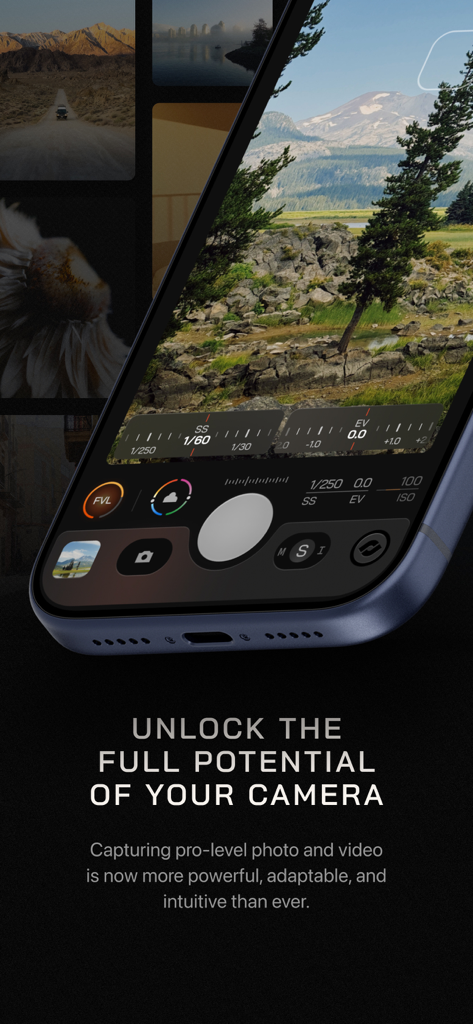
Moment Pro Camera II App-Oberfläche mit manueller Belichtungs- und Verschlusszeitsteuerung auf einem iPhone
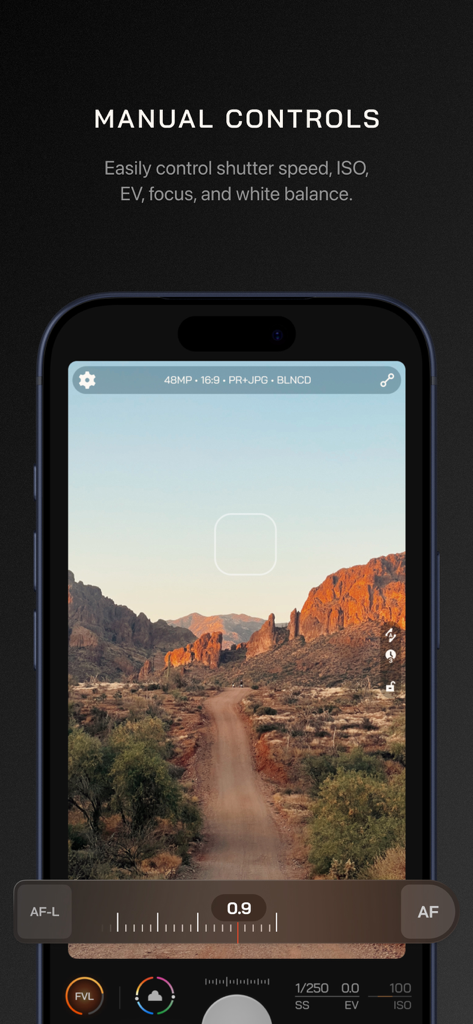
Manuelle Kamera-Steuerungsoberfläche in der Moment Pro Camera II App mit Einstellungen für Verschlusszeit, ISO und Fokus über einem Landschaftsfoto
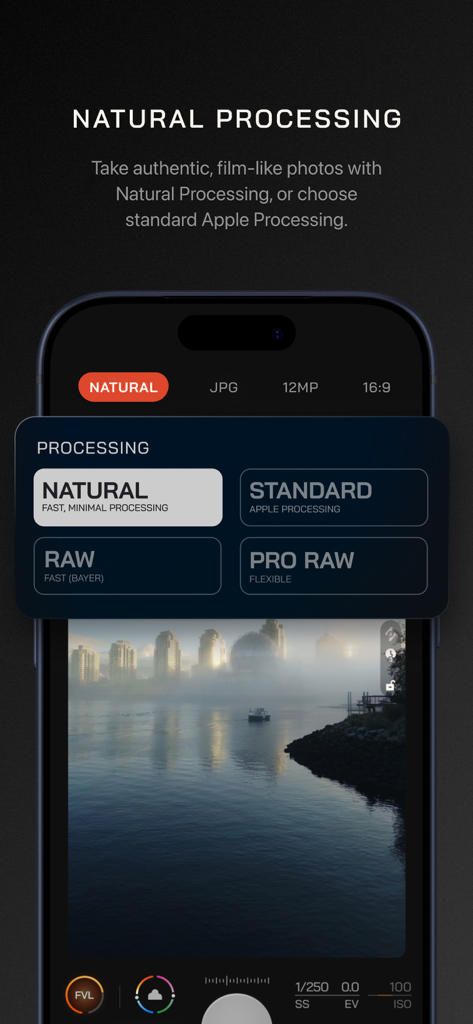
Moment Pro Camera II-Oberfläche mit natürlichen und RAW-Foto-Verarbeitungsoptionen.
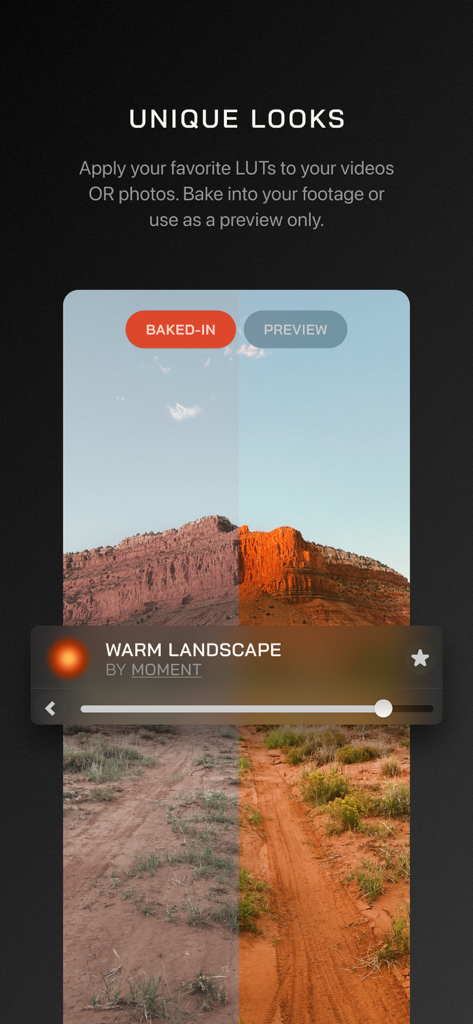
Ein Vergleich im geteilten Bildschirm eines Wüstenlandschaftsfotos vor und nach dem Anwenden einer Warm Landscape LUT in der Moment Pro Camera II App.
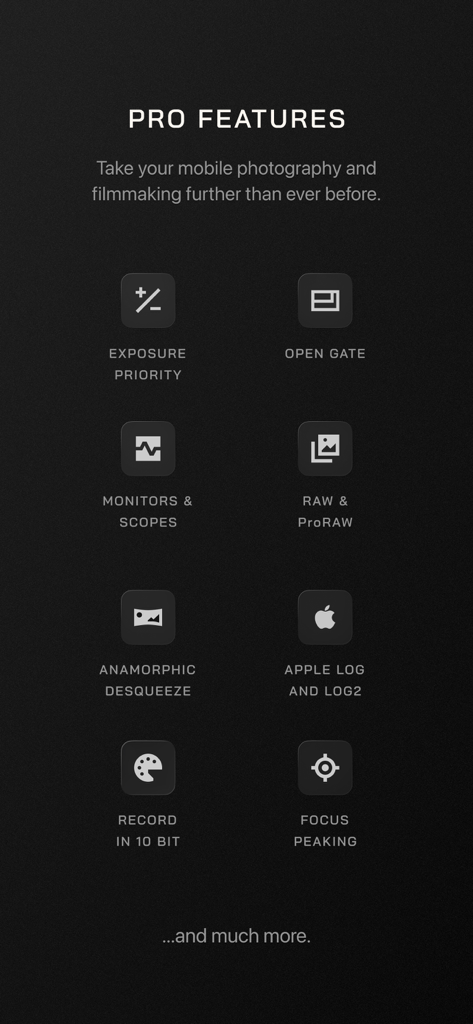
Eine Liste professioneller Funktionen in der Moment Pro Camera II App, einschließlich manueller Belichtung, Apple Log, RAW-Unterstützung und Fokus-Peaking
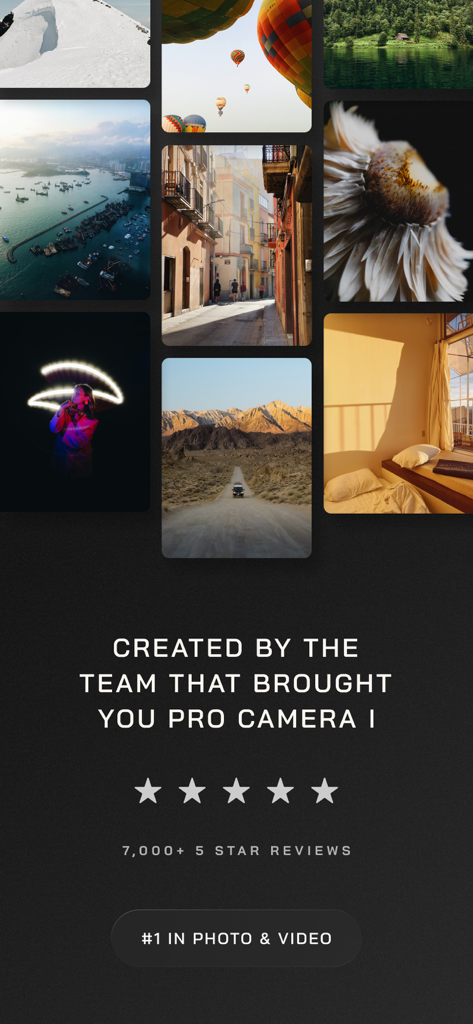
Eine Fotogalerie, die professionelle Fotografie-Ergebnisse neben Fünf-Sterne-Bewertungen und einer Nummer-Eins-Ranglisten-Plakette für die Moment Pro Camera II App zeigt.
Beschreibung
Download
Ähnliche Apps
Apps mit ähnlichen Funktionen und Nutzererfahrung

Blackmagic Camera
Blackmagic Design Inc

飓风相机
Hangzhou Ostar Media Co.,Ltd.

ProMovie Recorder
Panda Apps Limited

ReLens Camera-DSLR Portrait
Pixl Concerto Technology Limited

Leica LUX - Pro Manual Camera
Leica Camera AG

FotorGear - Camera in Pocket
Shenzhen Fotorgear Technology Co., Ltd.

Unsharp
北北 宋

ProCam:Professional RAW Camera
BRAND CELLAR HOLDINGS PTE LTD

Vibe Cam - Moments Never Fade
森 林
Diese Seite ist keine offizielle Seite der App oder ihres Entwicklers, sondern eine unabhängige redaktionelle Veröffentlichung, die zu Informations- und Kommentarzwecken erstellt wurde. Sofern nicht ausdrücklich anders angegeben, sind weder die App noch ihr Entwickler mit MWM, Apple, Google Play, dem App-Herausgeber oder dem Entwickler der App verbunden, von ihnen unterstützt, gesponsert, autorisiert oder anderweitig offiziell verbunden, und nichts auf dieser Seite impliziert, dass die App unter Verwendung der Dienste von MWM entwickelt wurde. Alle Marken, Logos, Screenshots und andere Inhalte bleiben Eigentum ihrer jeweiligen Inhaber.