
Diese Seite ist keine offizielle Seite der App oder ihres Entwicklers, sondern eine unabhängige redaktionelle Veröffentlichung, die zu Informations- und Kommentarzwecken erstellt wurde. Sofern nicht ausdrücklich anders angegeben, sind weder die App noch ihr Entwickler mit MWM, Apple, Google Play, dem App-Herausgeber oder dem Entwickler der App verbunden, von ihnen unterstützt, gesponsert, autorisiert oder anderweitig offiziell verbunden, und nichts auf dieser Seite impliziert, dass die App unter Verwendung der Dienste von MWM entwickelt wurde. Alle Marken, Logos, Screenshots und andere Inhalte bleiben Eigentum ihrer jeweiligen Inhaber.


My Scans, best PDF Scanner App
Papierkram frisst Zeit? Diese App macht Ihre Dokumente mobil, durchsuchbar und teilt sie nach Bedarf.
Downloads
2.5M+Bewertung
Bewertungen gesamt
121.1KHerausgeber
Kategorie
ProductivitySprachen
20Neueste Version
5.10Größe
112.9 MBErstveröffentlichung
30. Juli 2015Eine Bewertung der Schlüsselmerkmale und ihres Nutzens für produktivitätsorientierte Anwender und Unternehmen.
Analyse der Kernfunktionen von 'My Scans, best PDF Scanner App'
Automatische Kantenerkennung und Zuschneiden
Die App erkennt und schneidet Dokumentränder automatisch zu, was die Digitalisierung von Papierdokumenten erheblich vereinfacht und beschleunigt und somit wertvolle Zeit spart.
Nahtlose Cloud-Synchronisierung und Zugriff
Es ermöglicht Nutzern, Dokumente geräteübergreifend zu synchronisieren und über einen Webbrowser auf Dateien zuzugreifen, was Flexibilität und ständigen Zugriff gewährleistet und mobile Arbeitsabläufe unterstützt.
Erstellung durchsuchbarer PDFs
Dieses Tool wandelt gescannte Dokumente in durchsuchbare PDF-Dateien um, was die Informationsfindung, Archivierung und das schnelle Auffinden von Inhalten erheblich verbessert.
Kollaboration und sichere Dokumentenfreigabe
Die App unterstützt die Zusammenarbeit an Dokumenten in der Cloud und die sichere Freigabe von Dateien und Ordnern über Links, was Teamarbeit und externe Kommunikation vereinfacht und beschleunigt.
Professionelle Datei- und Ordnerorganisation
Die App bietet eine intuitive und leistungsstarke Organisation von Dateien und Ordnern, um den Überblick über alle wichtigen Dokumente zu behalten und die Verwaltung effizient zu gestalten.
Flexible Dokumentenfreigabe
Nutzer können Dokumente einfach und flexibel als Bilder oder PDFs per E-Mail oder über andere Kanäle teilen, was die Kommunikation mit Kunden und Kollegen erleichtert.
Erstellung mehrseitiger Dokumente
Das Tool erlaubt die Zusammenfassung mehrerer Seiten in einem einzigen PDF-Dokument, ideal für Verträge, Berichte oder Präsentationen, die eine kohärente Darstellung erfordern.
Direktes Drucken von Dokumenten
Die App ermöglicht das direkte Drucken von Dokumenten vom Gerät aus, was den Arbeitsablauf für physische Kopien vereinfacht und die Notwendigkeit externer Software reduziert.
Häufig gestellte Fragen
Alles, was Sie über wissen müssen My Scans, best PDF Scanner App
What is the primary function of the My Scans app?
My Scans is a document scanner and organizer for iPhone and iPad. It converts photos of documents into searchable PDFs by detecting edges, allowing users to efficiently manage and share their digital documents.
Can My Scans create searchable PDF documents?
Yes, My Scans detects document edges from photos and converts them into searchable PDF documents. This advanced feature is available when the My Scans Free version is upgraded to the full version.
Does My Scans offer cloud synchronization and collaboration?
Yes, My Scans provides cloud collaboration, sharing, backup, and cross-device syncing via Top App Cloud. Users can access files through a web browser and work with shared folders when the cloud service is enabled.
What is the subscription cost for My Scans Cloud?
The Top App Cloud Subscription for My Scans costs $2.99 per month or $19.99 annually. This payment is processed through your iTunes Account and automatically renews unless turned off.
Are export functions included in the free version of My Scans?
No, export functions in My Scans require an in-app purchase to 'Upgrade to PRO' or enabling the 'Top App Cloud' service. The free version allows testing but restricts export capabilities.
How can I share documents from the My Scans app?
My Scans allows sharing documents as images or PDFs, direct printing, and sending faxes. Cloud sharing links are also available with the Top App Cloud service to easily distribute your scanned files.
How do I cancel my Top App Cloud subscription for My Scans?
To cancel your Top App Cloud Subscription for My Scans, access your user Account Settings after purchase. Auto-renewal can be turned off there, but no cancellation is permitted during the active subscription period.
Does My Scans provide tools to edit scanned documents?
Yes, My Scans includes tools for editing scanned documents. Users can apply blur, use a pencil, add signatures, and insert text directly onto their documents within the app interface.
Die folgenden Screenshots und die Beschreibung stammen direkt aus dem offiziellen Store-Eintrag der App und sind Eigentum des Entwicklers.
App Store
Screenshots
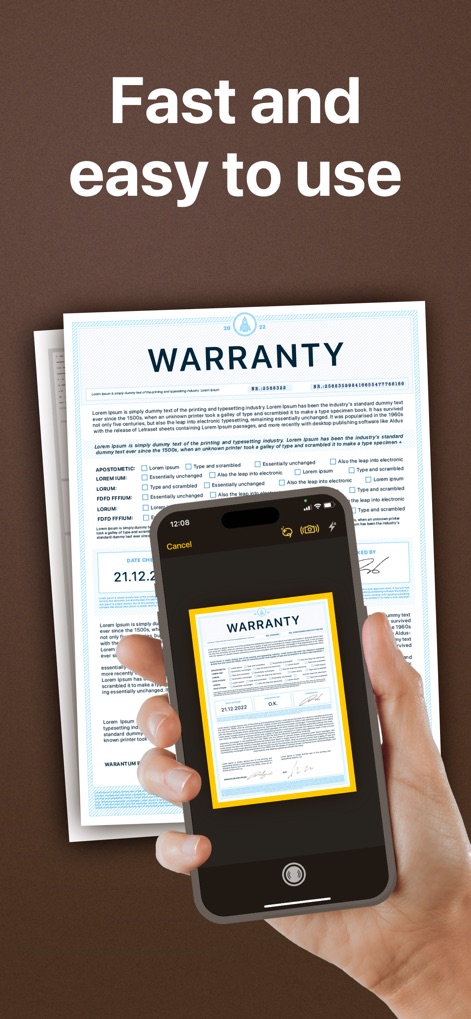
Nutzer können Dokumente schnell erfassen, wobei die App die automatische Kantenerkennung und die intuitive Benutzeroberfläche für eine reibungslose Digitalisierung nutzt.
Schnelles Scannen leichtgemacht

Dieses Tool bietet eine beeindruckende Dateiverwaltung mit übersichtlichen Ordnerstrukturen und intuitiven Dokumenten-Thumbnails für schnellen Zugriff.
Dokumente übersichtlich verwalten

Die App ermöglicht eine detaillierte Bearbeitung gescannter Dokumente, ersichtlich an den vielseitigen Bearbeitungswerkzeugen und der präzisen Anpassung von Stempel- oder Textgrößen.
Präzise Dokumentenbearbeitung
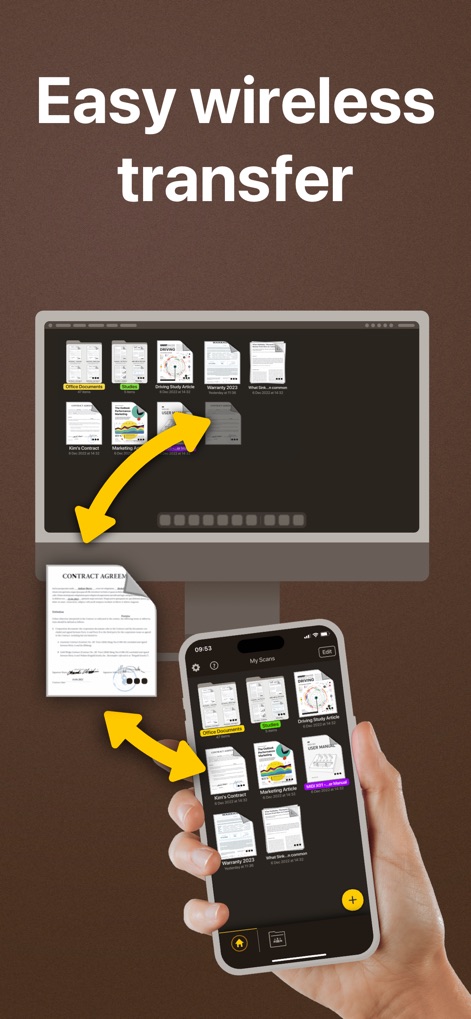
Nutzer können Dokumente mühelos über drahtlose Verbindung zwischen Mobilgeräten und Desktops synchronisieren, was durch die visuellen Transferpfeile und die Darstellung mehrerer Geräte verdeutlicht wird.
Nahtloser Datentransfer

Dieses Tool erlaubt das unkomplizierte Versenden von Faxen direkt aus der App, erkennbar an der Eingabemaske für die Faxnummer und der Auswahl internationaler Empfängerländer.
Einfaches Faxen weltweit
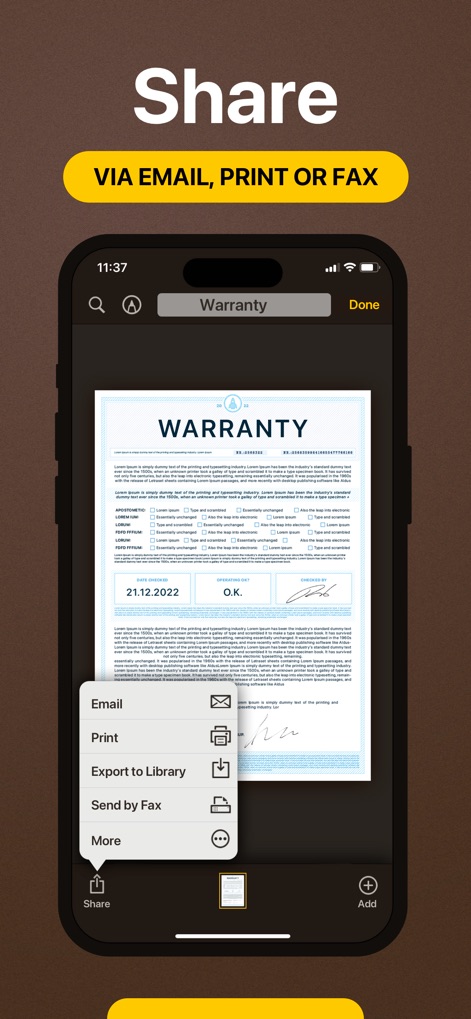
Die App bietet umfassende Freigabemöglichkeiten für Dokumente, dargestellt durch das intuitive Share-Menü und die Auswahl zwischen E-Mail, Drucken oder Faxen.
Vielfältige Sharing-Optionen
Beschreibung
Download
Ähnliche Apps
Apps mit ähnlichen Funktionen und Nutzererfahrung

PDF PRO Scan Image & Documents
Balzo srl

The PDF Scanner, PDF editor HQ
NEXT K.U.M. LTD

CamScanner - PDF Scanner App
INTSIG Information Co., Ltd

Adobe Scan: PDF & OCR Scanner
Adobe Inc.

WPS Office: PDF, Docs, Sheets
KINGSOFT OFFICE SOFTWARE CORPORATION LIMITED

iLovePDF - PDF Editor & Scan
ILOVEPDF S.L.

Scanner App: Genius Scan
The Grizzly Labs

Microsoft Lens: PDF Scanner
Microsoft Corporation

Clear Scan: Doc Scanner App
INDY MOBILE APP COMPANY LIMITED
Diese Seite ist keine offizielle Seite der App oder ihres Entwicklers, sondern eine unabhängige redaktionelle Veröffentlichung, die zu Informations- und Kommentarzwecken erstellt wurde. Sofern nicht ausdrücklich anders angegeben, sind weder die App noch ihr Entwickler mit MWM, Apple, Google Play, dem App-Herausgeber oder dem Entwickler der App verbunden, von ihnen unterstützt, gesponsert, autorisiert oder anderweitig offiziell verbunden, und nichts auf dieser Seite impliziert, dass die App unter Verwendung der Dienste von MWM entwickelt wurde. Alle Marken, Logos, Screenshots und andere Inhalte bleiben Eigentum ihrer jeweiligen Inhaber.