Noteflow+ Digital Notebook
Herunterladen auf App Store

Diese Seite ist keine offizielle Seite der App oder ihres Entwicklers, sondern eine unabhängige redaktionelle Veröffentlichung, die zu Informations- und Kommentarzwecken erstellt wurde. Sofern nicht ausdrücklich anders angegeben, sind weder die App noch ihr Entwickler mit MWM, Apple, Google Play, dem App-Herausgeber oder dem Entwickler der App verbunden, von ihnen unterstützt, gesponsert, autorisiert oder anderweitig offiziell verbunden, und nichts auf dieser Seite impliziert, dass die App unter Verwendung der Dienste von MWM entwickelt wurde. Alle Marken, Logos, Screenshots und andere Inhalte bleiben Eigentum ihrer jeweiligen Inhaber.

Logo von Noteflow+ Digital Notebook
Herunterladen auf App Store

Noteflow+ Digital Notebook

Die hochpräzise Vektorleinwand für visuelle Denker. Wandeln Sie Whiteboards mühelos in bearbeitbare Tinte um und optimieren Sie Ihren professionellen Workflow auf dem iPad.

Kennzahlen

Downloads

141K+

Bewertung

4.4/5

Bewertungen gesamt

300

Herausgeber

Qrayon, LLC

Kategorie

Business

Sprachen

1

Neueste Version

3.4

Größe

15.9 MB

Erstveröffentlichung

19. Sept. 2017
Funktionen

Ihre Ideen, digital weiterentwickelt

Erleben Sie ein digitales Notizbuch, das die taktile Freiheit von Stift und Papier mit der Kraft der Vektorpräzision und nahtloser Cloud-Integration verbindet.

Die physische Welt erfassen

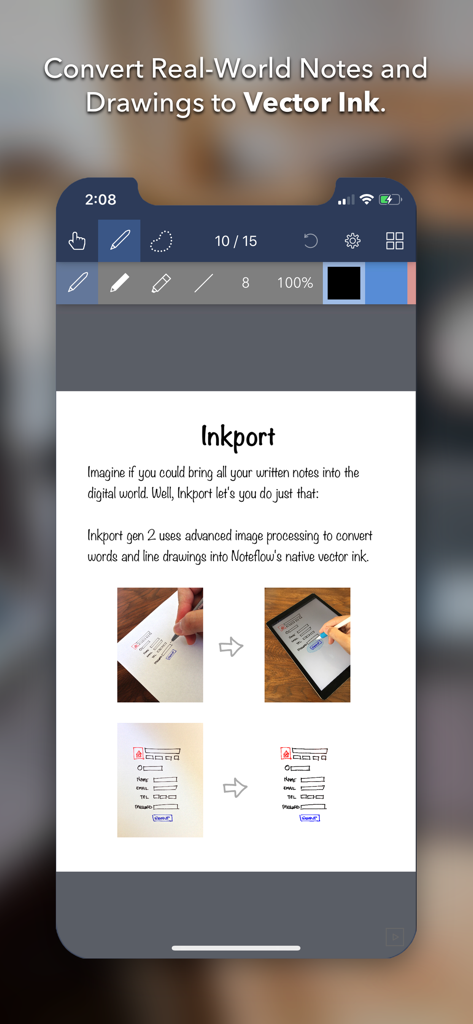
Verwandeln Sie Whiteboard-Skizzen und Papiernotizen mit Inkport Gen 2 sofort in bearbeitbare digitale Tinte – keine spezielle Hardware erforderlich.

Unendliche Vektorpräzision

Skalieren Sie Ihre Zeichnungen und Notizen, ohne jemals an Qualität zu verlieren. Unsere Vektor-Engine hält Ihre Arbeit gestochen scharf und bietet eine unendliche Leinwand für Ihre größten Gedanken.

Die folgenden Screenshots und die Beschreibung stammen direkt aus dem offiziellen Store-Eintrag der App und sind Eigentum des Entwicklers.

App Store

Screenshots
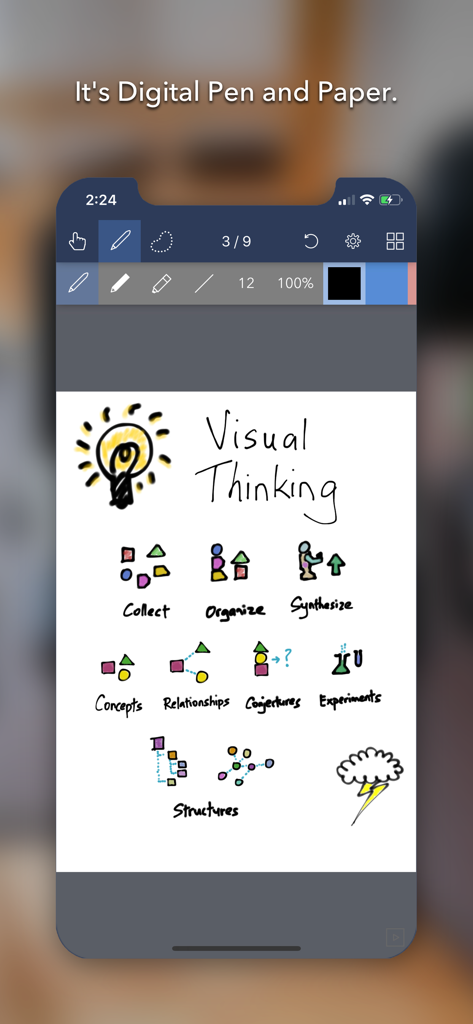
Noteflow+ Digital Notebook - Noteflow digitale Notizbuch-App zeigt eine Skizze zum visuellen Denken mit einer Glühbirne und Workflow-Symbolen
Noteflow digitale Notizbuch-App zeigt eine Skizze zum visuellen Denken mit einer Glühbirne und Workflow-Symbolen

Noteflow+ Digital Notebook - Noteflow App wandelt Papierzeichnungen in digitale Vektortinte um
Noteflow App wandelt Papierzeichnungen in digitale Vektortinte um

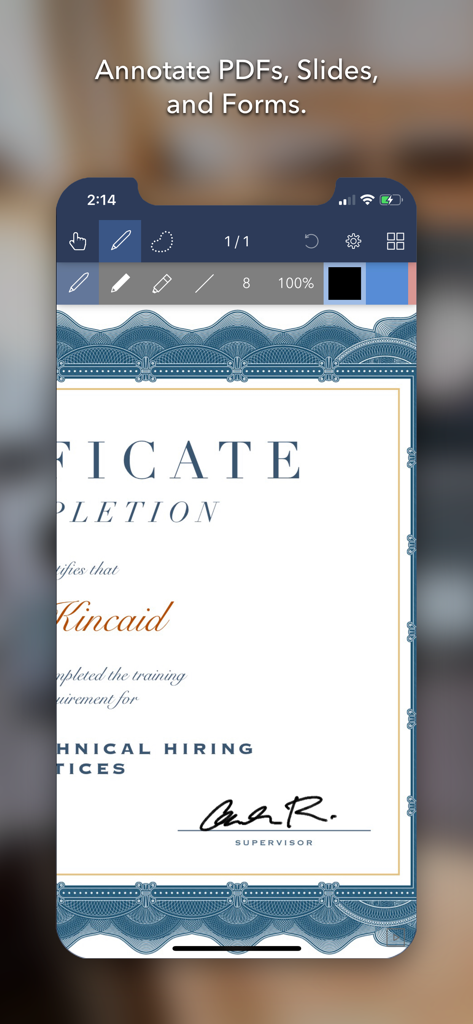
Noteflow+ Digital Notebook - iPhone-Bildschirm zeigt ein Zertifikat, das in der Noteflow plus App kommentiert wird
iPhone-Bildschirm zeigt ein Zertifikat, das in der Noteflow plus App kommentiert wird

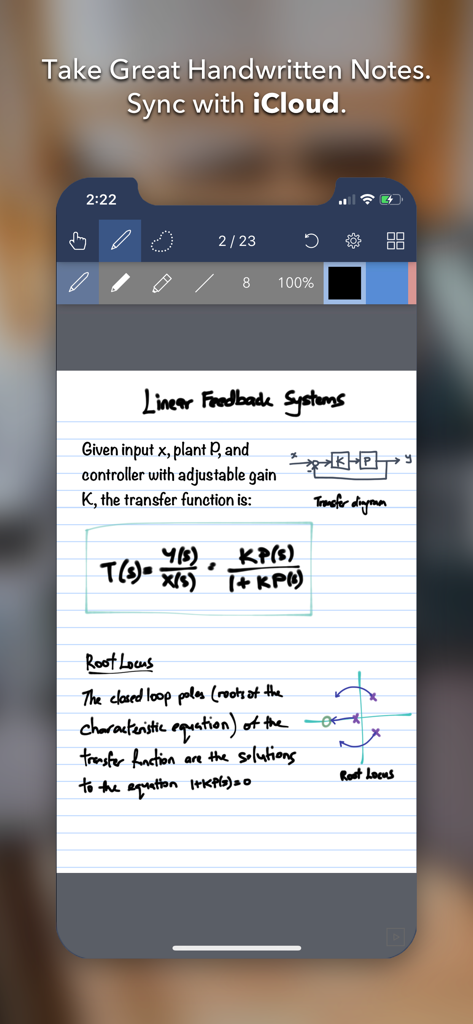
Noteflow+ Digital Notebook - Noteflow plus App-Oberfläche auf dem iPhone zeigt handgeschriebene wissenschaftliche Notizen mit Gleichungen und Diagrammen
Noteflow plus App-Oberfläche auf dem iPhone zeigt handgeschriebene wissenschaftliche Notizen mit Gleichungen und Diagrammen

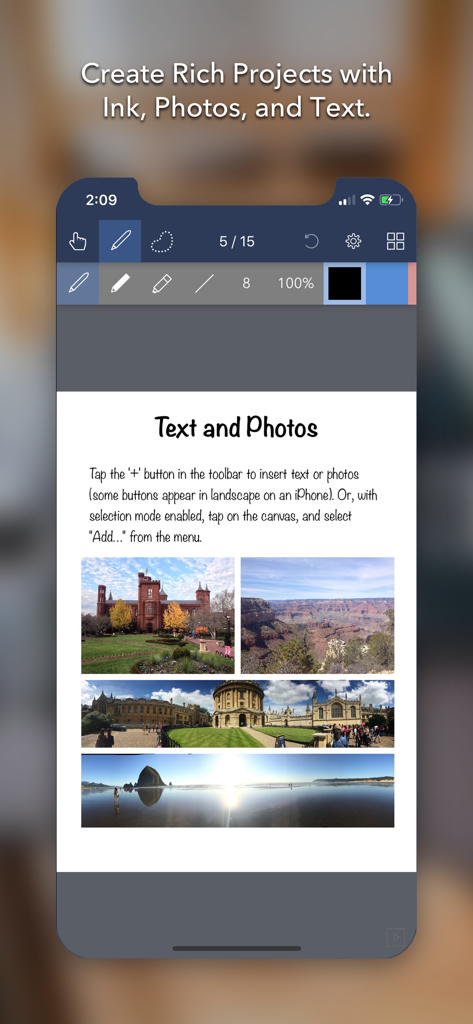
Noteflow+ Digital Notebook - Noteflow plus App-Oberfläche zeigt eine digitale Notizbuchseite mit Text und vier Reisefotos

Noteflow plus App-Oberfläche zeigt eine digitale Notizbuchseite mit Text und vier Reisefotos

Beschreibung

Noteflow is designed to replace pen and paper. It is a modern digital notebook that lets you get the most out of your iPad or iPhone. Use it for taking notes, annotating PDFs, sketching and doodling, plus a whole lot more: Copy and paste from the real world: Use Inkport gen 2 to snap a picture of a whiteboard or writing and convert it into Noteflow's native vector ink. No special paper needed. Then resize, re-color, or edit as if you wrote it in Noteflow. Create layered drawings without layers: Use the highlighter tool to color and shade behind existing ink. Use Color-Select to separate and edit individual colors. It's a much more fluid and natural editing experience than with layers. Use the straight-line tool with a grid for fast and intuitive wireframes and drafting. Drag-and-drop, cloud-storage, and more: Noteflow natively integrates with iOS's file system and drag-and-drop capabilities. Drop photos and text into Noteflow, and drag your drawings into other apps. Store your files locally or sync with the cloud service of your choice. Make Noteflow a seamless part of your workflow, the way you like. SPACE FOR YOUR IDEAS TO ROAM Our vision for Noteflow is simple: to be digital pen and paper. The magic of pen and paper is in their versatility. They are useful for so many things, but particularly for the freeform capture of ideas. Noteflow expands upon this quality. You can naturally do all the things you normally do with pen and paper: take notes in meetings or class, and jot down flashes of inspirations on the go. And you can take that to a whole new level: One of Noteflow’s best uses is for "thinking on digital paper": quickly capture key ideas and concepts, then move and organize them on the screen. Noteflow's vector ink engine lets you scale and edit your work without any loss of quality. Your words and drawings remain tack sharp when zoomed in, giving you a huge effective working canvas even on a single page. There are analogues in the physical world, such as sketchnotes or everyday working on a white board, but being able to fluidly edit and move your ideas around the page is something you can only do digitally. When you represent the ideas in your head with your own personal scribbles on the screen, it effectively becomes an extension of your mind - giving you more room to think. We've designed every part of Noteflow to let you intuitively capture and work on your ideas the way you like. Whether it's dropping in existing information, quickly sketching concepts, or assembling polished presentations for others. By resizing ink and zooming in, you have a huge effective canvas to work with, even on a single page. As your ideas shape up, Noteflow has all the tools you need to tidy them up and format them to share with others. DIGITAL TOOLS FOR A DIGITAL AGE I hope you'll find Noteflow a useful part of your workflow, and that you'll discover new ways to do things with it that weren't easy before. We're very proud of the work we've put into Noteflow, but we're also just seen the beginning of what's possible with powerful new digital platforms like the iPad. Our goal is to push these platforms to their limits to craft useful tools. Tools that can help us think a little more clearly, communicate a bit more effectively, and connect with other in new and enriching ways. Thanks for joining us on this journey! -- The App Makers @ Qrayon.

Download

Herunterladen auf App Store

Diese Seite ist keine offizielle Seite der App oder ihres Entwicklers, sondern eine unabhängige redaktionelle Veröffentlichung, die zu Informations- und Kommentarzwecken erstellt wurde. Sofern nicht ausdrücklich anders angegeben, sind weder die App noch ihr Entwickler mit MWM, Apple, Google Play, dem App-Herausgeber oder dem Entwickler der App verbunden, von ihnen unterstützt, gesponsert, autorisiert oder anderweitig offiziell verbunden, und nichts auf dieser Seite impliziert, dass die App unter Verwendung der Dienste von MWM entwickelt wurde. Alle Marken, Logos, Screenshots und andere Inhalte bleiben Eigentum ihrer jeweiligen Inhaber.








