
Diese Seite ist keine offizielle Seite der App oder ihres Entwicklers, sondern eine unabhängige redaktionelle Veröffentlichung, die zu Informations- und Kommentarzwecken erstellt wurde. Sofern nicht ausdrücklich anders angegeben, sind weder die App noch ihr Entwickler mit MWM, Apple, Google Play, dem App-Herausgeber oder dem Entwickler der App verbunden, von ihnen unterstützt, gesponsert, autorisiert oder anderweitig offiziell verbunden, und nichts auf dieser Seite impliziert, dass die App unter Verwendung der Dienste von MWM entwickelt wurde. Alle Marken, Logos, Screenshots und andere Inhalte bleiben Eigentum ihrer jeweiligen Inhaber.


PDF Converter - PDF Editor・
Die digitale Aktenverwaltung ist ein Chaos. Diese App verwandelt es in einen chirurgischen Eingriff.
Downloads
2.5M+Bewertung
Bewertungen gesamt
71.6KHerausgeber
Kategorie
BusinessSprachen
25Neueste Version
4.3.0Größe
227.7 MBErstveröffentlichung
26. Aug. 2013Eine tiefgehende Untersuchung der mobilen PDF-Lösung für Professionals, Studenten und Kleinunternehmer.
Analyse der Kernfunktionen: 'PDF Converter - PDF Editor・'
Umfassende PDF-Konvertierung
Die App ermöglicht die Umwandlung von PDFs in verschiedene Formate wie Word, Excel und JPG sowie die Konvertierung dieser Formate zurück ins PDF-Format. Dies stellt eine hohe Interoperabilität mit anderen Anwendungen und Dateitypen sicher.
Direkte PDF-Bearbeitung
Dieses Tool verfügt über einen intuitiven Editor, der Nutzern das Hinzufügen von Text, Formen, Kommentaren und Markierungen direkt in PDF-Dokumenten ermöglicht. Dies ist entscheidend für die Erstellung und Bearbeitung professioneller Dokumente.
Digitale Signaturen
Es ermöglicht Nutzern, Dokumente elektronisch zu signieren, was den Workflow für Verträge und offizielle Unterlagen erheblich beschleunigt und papierlose Prozesse fördert.
Interaktives Ausfüllen von PDF-Formularen
Die App bietet die Funktion, PDF-Formulare direkt auszufüllen, was das Ausdrucken und manuelle Ausfüllen überflüssig macht und Zeit sowie Ressourcen spart.
Erweiterte Annotationswerkzeuge
Dieses Tool stellt eine Vielzahl von Anmerkungswerkzeugen bereit, darunter das Hervorheben von Text, das Hinzufügen von Kommentaren, das Zeichnen von Formen, Haftnotizen und Freihandzeichnungen, um Dokumente effektiv zu markieren und zu überprüfen.
Zusammenführen und Teilen von PDFs
Die App ermöglicht das Zusammenführen mehrerer PDF-Dateien zu einem einzigen Dokument oder das Aufteilen großer PDFs in kleinere, leichter zu verwaltende Dateien. Dies ist ideal für die Dokumentenorganisation.
Dateischutz und Verschlüsselung
Es bietet robuste Sicherheitsfunktionen wie Passwortschutz und Verschlüsselung, um vertrauliche PDF-Dokumente vor unbefugtem Zugriff zu schützen.
Umfassendes Dokumentenmanagement
Dieses Tool unterstützt die effiziente Verwaltung der PDF-Bibliothek, indem es Nutzern das Erstellen von Ordnern, das Umbenennen von Dateien und das Verschieben von Dokumenten ermöglicht.
Effiziente PDF-Kompression
Die App verfügt über eine Kompressionsfunktion, die die Dateigröße von PDFs reduziert, was das Teilen und Speichern von Dokumenten erleichtert, besonders auf mobilen Geräten mit begrenztem Speicherplatz.
Intelligenter Lesemodus und Navigation
Es bietet einen ablenkungsfreien Lesemodus, eine schnelle Suchfunktion und einfache Navigation über Seitenminiaturen und Lesezeichen, was die Benutzererfahrung beim Lesen und Durchsuchen von Dokumenten optimiert.
Häufig gestellte Fragen
Alles, was Sie über wissen müssen PDF Converter - PDF Editor・
What is the "PDF Converter - PDF Editor" app?
The PDF Converter - PDF Editor app is a comprehensive tool for managing, editing, and converting PDF files. It includes features like merging, splitting, compressing, and editing PDFs.
Can I edit text in PDFs using the PDF Converter - PDF Editor app?
Yes, the PDF Converter - PDF Editor app allows users to edit PDFs by adding text, shapes, comments, and highlights directly within documents. It provides comprehensive PDF editing tools.
Does "PDF Converter - PDF Editor" support converting images to PDF?
Yes, the PDF Converter - PDF Editor app supports converting JPG images to PDF. Users can also convert Word, PowerPoint, Excel, and HTML files into PDF format.
Can I convert PDFs to other file formats with the PDF Converter - PDF Editor app?
Yes, the PDF Converter - PDF Editor app converts PDFs to JPG, Word, PowerPoint, and Excel formats. This functionality allows for diverse document handling.
How do I compress PDF files using the PDF Converter - PDF Editor app?
The PDF Converter - PDF Editor app allows users to compress PDF files to reduce their size for easy sharing. It offers high, medium, and low compression options.
Does the PDF Converter - PDF Editor app allow for digital signatures?
Yes, the PDF Converter - PDF Editor app enables users to sign documents electronically with ease. Users can add, edit, or remove digital signatures as needed directly within the app.
What cloud services integrate with the PDF Converter - PDF Editor app for file management?
The PDF Converter - PDF Editor app integrates with cloud services like Drive, Box, OneDrive, Dropbox, Google Drive, iCloud, and Wifi Connect for importing and syncing files.
What is the cost of a premium subscription for the PDF Converter - PDF Editor app?
The premium subscription for the PDF Converter - PDF Editor app costs $29.99 per year. This provides unlimited access to all features.
Does the PDF Converter - PDF Editor app offer a free trial?
Yes, the PDF Converter - PDF Editor app offers a 3-day free trial. If you subscribe, any remaining trial time is forfeited.
How do I manage auto-renewal for my "PDF Converter - PDF Editor" subscription?
You can manage your subscription and disable auto-renewal at any time via your iTunes Account Settings. Auto-renewal must be turned off 24 hours before the period ends.
Can the PDF Converter - PDF Editor app scan documents?
Yes, the PDF Converter - PDF Editor app features an easy scan function for all documents. It can scan various file types into the app.
What annotation tools are available in the PDF Converter - PDF Editor app?
The PDF Converter - PDF Editor app offers annotation tools such as highlighting text, adding comments, drawing shapes, underlining, striking through, text boxes, sticky notes, and freehand drawing.
Can I protect my PDF files with a password in the PDF Converter - PDF Editor app?
Yes, the PDF Converter - PDF Editor app provides file protection features. Users can secure their PDFs with password protection and encryption to ensure document privacy.
Does the PDF Converter - PDF Editor app allow users to fill out PDF forms?
Yes, the PDF Converter - PDF Editor app includes PDF Form Filling capabilities. Users can fill out PDF forms directly within the app, saving time and paper.
Can the PDF Converter - PDF Editor app convert web pages to PDF?
Yes, the PDF Converter - PDF Editor app converts web pages to PDF format. It also supports converting HTML files directly to PDF.
How does the PDF Converter - PDF Editor app help organize documents?
The PDF Converter - PDF Editor app provides document management features to organize your PDF library. Users can create folders, rename files, and move documents for efficient file management.
Does PDF Converter - PDF Editor include an AI PDF Summary feature?
Yes, the PDF Converter - PDF Editor app includes an AI PDF Summary feature. This is listed under its additional tools.
Die folgenden Screenshots und die Beschreibung stammen direkt aus dem offiziellen Store-Eintrag der App und sind Eigentum des Entwicklers.
App Store
Screenshots
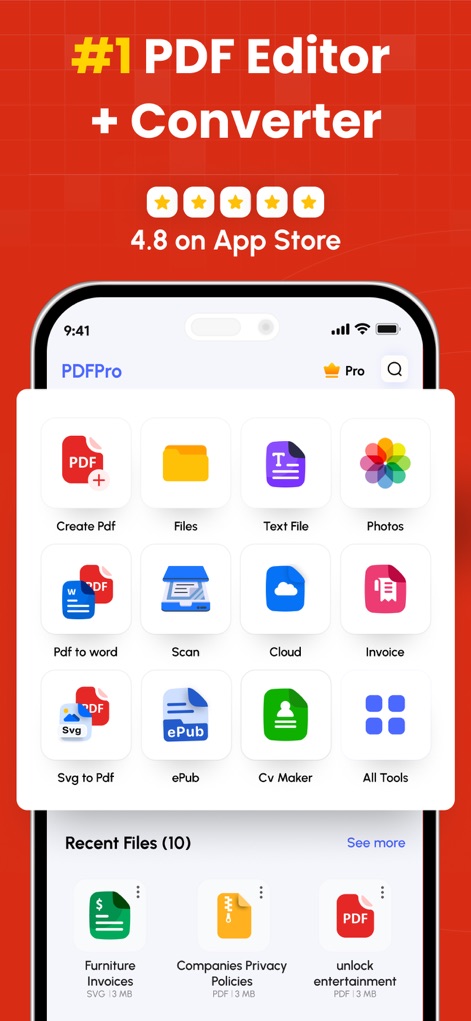
Die App präsentiert eine intuitive Benutzeroberfläche mit einem schnellen Zugriff auf Funktionen wie das Erstellen von PDFs und die Verwaltung der zuletzt geöffneten Dateien.
Umfassende Werkzeugübersicht
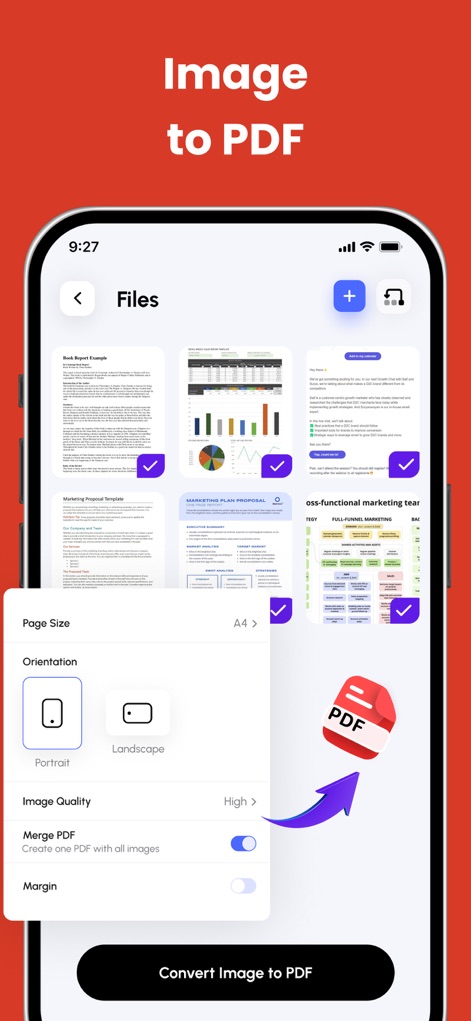
Nutzer können Bilder mühelos in PDFs umwandeln, wobei Anpassungsoptionen für die Seitengröße und die Bildqualität zur Verfügung stehen.
Bilder in PDF umwandeln
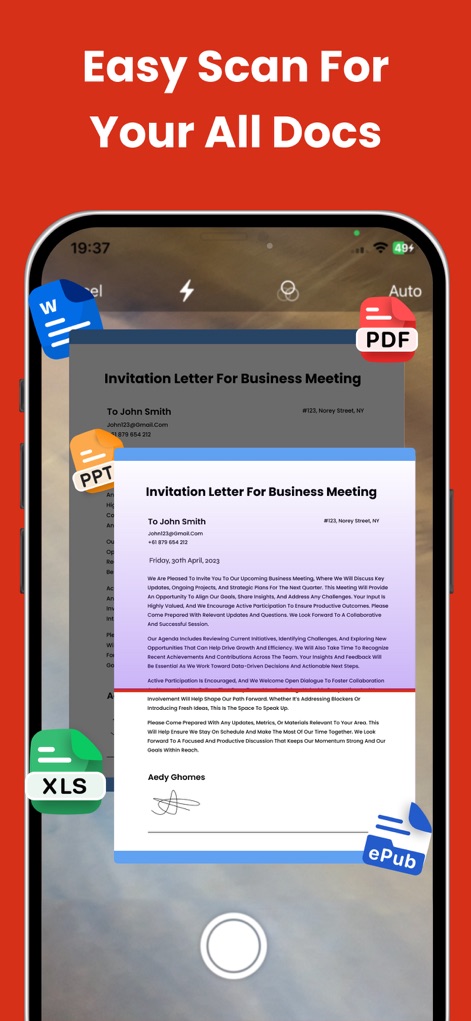
Mit dieser Funktion lassen sich physische Dokumente schnell digitalisieren, wobei die gescannten Inhalte direkt in verschiedene Dateiformate wie PDF oder Word umgewandelt werden können.
Dokumente einfach scannen
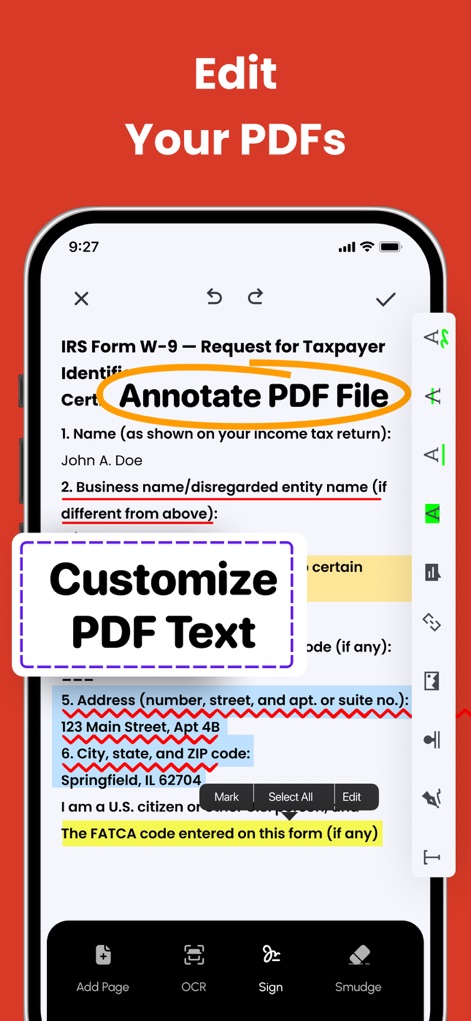
Die App ermöglicht eine detaillierte Bearbeitung von PDFs, indem Nutzer Text hervorheben und anpassen oder Formulare direkt in der Ansicht ausfüllen können.
PDFs umfassend bearbeiten
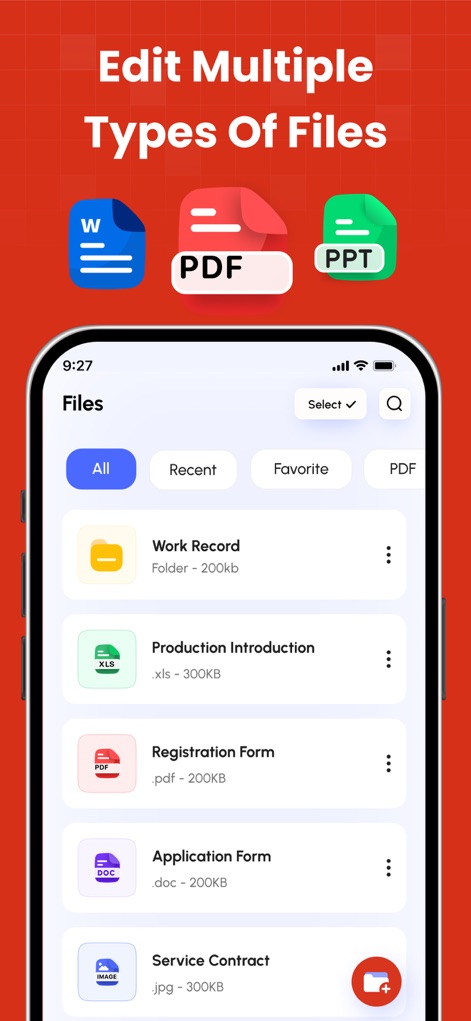
Diese Ansicht zeigt die umfassende Dateiverwaltung der App, die es Nutzern ermöglicht, verschiedene Dateiformate wie Word-Dokumente und PDF-Dateien übersichtlich zu organisieren.
Dateitypen verwalten
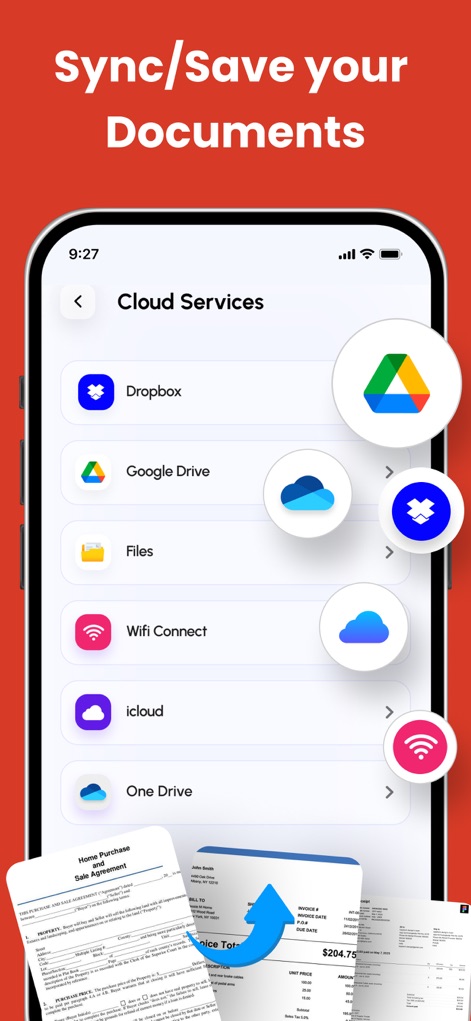
Nutzer können ihre Dokumente nahtlos mit Cloud-Diensten wie Google Drive und Dropbox synchronisieren, was eine flexible Dateisicherung ermöglicht.
Cloud-Synchronisierung nutzen
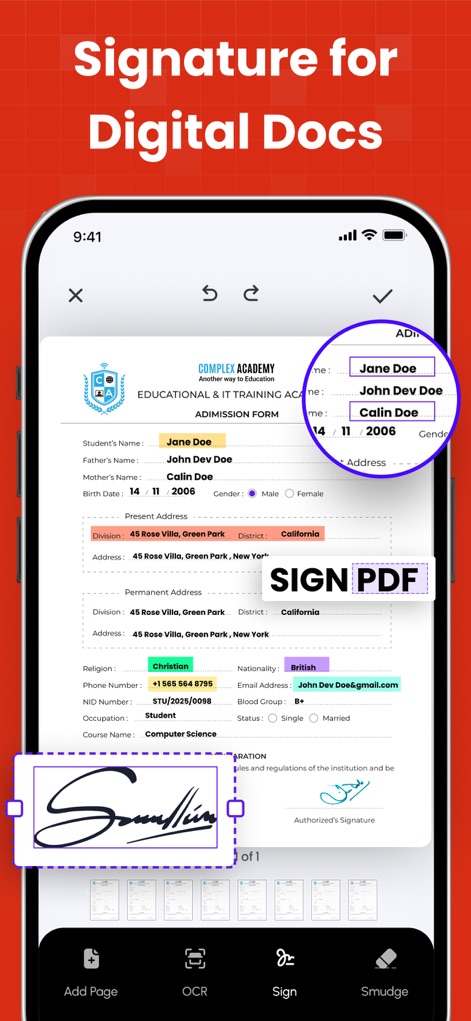
Die App erlaubt das einfache Hinzufügen digitaler Signaturen zu Dokumenten, wobei Nutzer Unterschriftenfelder anpassen und direkt im Formular platzieren können.
Digitale Unterschriften hinzufügen
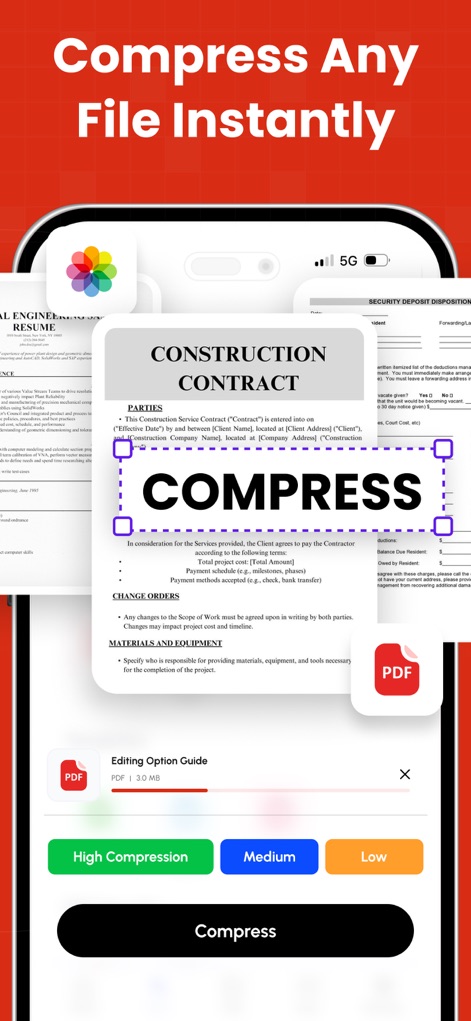
Dieses Tool bietet eine effiziente Komprimierung von Dateien, wobei Nutzer zwischen verschiedenen Kompressionsstufen wählen und den Vorgang in Echtzeit verfolgen können.
Dateien komprimieren
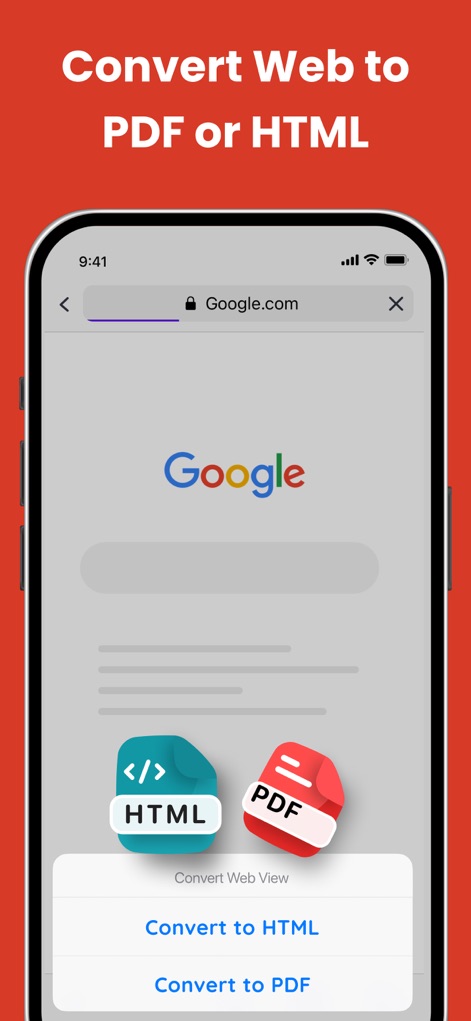
Nutzer können Webseiten direkt in PDF- oder HTML-Formate umwandeln, was die Archivierung von Webinhalten vereinfacht und offline nutzbar macht.
Webseiten umwandeln
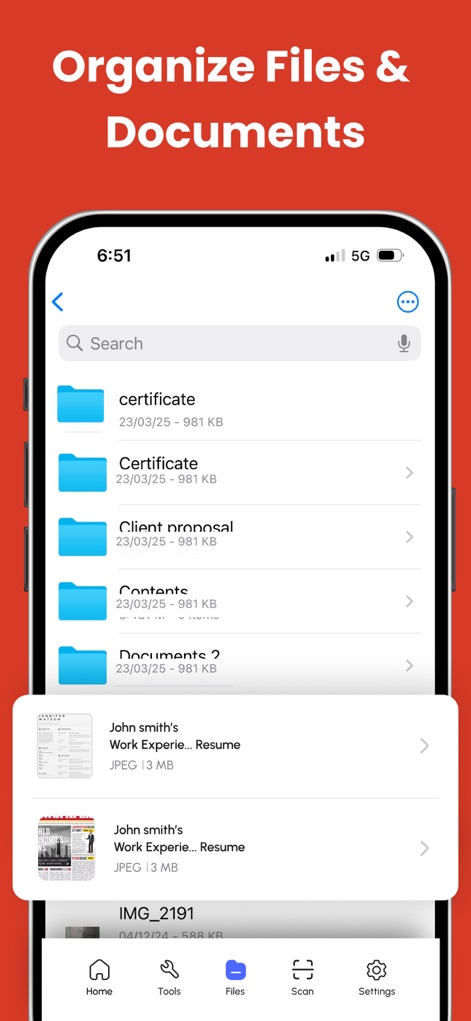
Die App bietet eine klare Dokumentenverwaltung, die das schnelle Auffinden von Dateien durch Suchfunktionen und die Strukturierung in Ordnern ermöglicht.
Dokumente organisieren
Beschreibung
Download
Ähnliche Apps
Apps mit ähnlichen Funktionen und Nutzererfahrung

PDF PRO Scan Image & Documents
Balzo srl

The PDF Scanner, PDF editor HQ
NEXT K.U.M. LTD

CamScanner - PDF Scanner App
INTSIG Information Co., Ltd

Adobe Scan: PDF & OCR Scanner
Adobe Inc.

WPS Office: PDF, Docs, Sheets
KINGSOFT OFFICE SOFTWARE CORPORATION LIMITED

iLovePDF - PDF Editor & Scan
ILOVEPDF S.L.

Scanner App: Genius Scan
The Grizzly Labs

Microsoft Lens: PDF Scanner
Microsoft Corporation

Clear Scan: Doc Scanner App
INDY MOBILE APP COMPANY LIMITED
Diese Seite ist keine offizielle Seite der App oder ihres Entwicklers, sondern eine unabhängige redaktionelle Veröffentlichung, die zu Informations- und Kommentarzwecken erstellt wurde. Sofern nicht ausdrücklich anders angegeben, sind weder die App noch ihr Entwickler mit MWM, Apple, Google Play, dem App-Herausgeber oder dem Entwickler der App verbunden, von ihnen unterstützt, gesponsert, autorisiert oder anderweitig offiziell verbunden, und nichts auf dieser Seite impliziert, dass die App unter Verwendung der Dienste von MWM entwickelt wurde. Alle Marken, Logos, Screenshots und andere Inhalte bleiben Eigentum ihrer jeweiligen Inhaber.