
Diese Seite ist keine offizielle Seite der App oder ihres Entwicklers, sondern eine unabhängige redaktionelle Veröffentlichung, die zu Informations- und Kommentarzwecken erstellt wurde. Sofern nicht ausdrücklich anders angegeben, sind weder die App noch ihr Entwickler mit MWM, Apple, Google Play, dem App-Herausgeber oder dem Entwickler der App verbunden, von ihnen unterstützt, gesponsert, autorisiert oder anderweitig offiziell verbunden, und nichts auf dieser Seite impliziert, dass die App unter Verwendung der Dienste von MWM entwickelt wurde. Alle Marken, Logos, Screenshots und andere Inhalte bleiben Eigentum ihrer jeweiligen Inhaber.


PDF Editor: Read, Scan & Sign
Dokumentenchaos? Diese App gibt Ihnen die Kontrolle zurück.
Downloads
1M+Bewertung
Bewertungen gesamt
11.2KHerausgeber
Kategorie
BusinessSprachen
11Neueste Version
1.1.77Größe
177.7 MBErstveröffentlichung
29. Sept. 2022Eine detaillierte Analyse der Kernfunktionen für professionelle Anwender
Analyse der App 'PDF Editor: Read, Scan & Sign'
Konvertierung von PDF in bearbeitbare Formate
Es ermöglicht Nutzern, PDF-Dokumente mühelos in bearbeitbare Formate wie Word, Excel und PowerPoint umzuwandeln, was die Wiederverwendung von Inhalten und die Integration in andere Arbeitsabläufe erheblich vereinfacht.
Sichere und schnelle elektronische Signatur
Dieses Tool verfügt über eine Funktion für die elektronische Signatur, die es ermöglicht, Dokumente direkt in der App zu unterschreiben und Formulare auszufüllen, was Geschäftsprozesse beschleunigt und die Notwendigkeit von Ausdrucken eliminiert.
Robuste PDF-Bearbeitung und Anmerkungswerkzeuge
Die App bietet umfassende PDF-Bearbeitungswerkzeuge, darunter die Möglichkeit, Texte zu bearbeiten, Notizen hinzuzufügen, Passagen hervorzuheben und mit dem Apple Pencil präzise Anmerkungen zu erstellen.
Erweiterte Freigabe- und Kollaborationsfunktionen
Es ermöglicht Nutzern, PDF-Dateien nahtlos mit Kollegen und Kunden zu teilen und dabei spezifische Berechtigungsstufen für die Zusammenarbeit festzulegen, was die Teamarbeit optimiert und die Dokumentenverteilung vereinfacht.
Intelligenter PDF-Scanner mit Optimierung
Dieses Tool verfügt über einen intelligenten PDF-Scanner, der physische Dokumente digitalisiert und durch automatische Korrekturen wie Perspektivanpassung und Farbausgleich professionelle Scan-Ergebnisse liefert.
Offline-Arbeitsmodus mit Synchronisation
Die App bietet einen Offline-Modus, der es ermöglicht, Dokumente auch ohne Internetverbindung zu bearbeiten, wobei alle Änderungen automatisch synchronisiert werden, sobald eine Online-Verbindung wiederhergestellt ist.
Vielseitige Konvertierung zu PDF
Es ermöglicht Nutzern, verschiedene Dateiformate wie Word-Dokumente, Excel-Tabellen, Präsentationen und Bilder in hochwertige PDF-Dateien umzuwandeln, um die Kompatibilität und den Austausch zu gewährleisten.
Bildintegration und erweiterte Zeichenwerkzeuge
Die App bietet Funktionen zur einfachen Integration und Bearbeitung von Bildern sowie erweiterte Zeichenwerkzeuge, um Dokumente visuell ansprechender zu gestalten und kreative Elemente hinzuzufügen.
Häufig gestellte Fragen
Alles, was Sie über wissen müssen PDF Editor: Read, Scan & Sign
What is PDF Editor: Read, Scan & Sign?
PDF Editor: Read, Scan & Sign, also known as A1 PDF EDITOR, is an all-in-one PDF converter, reader, and editor. It enables users to view, scan, edit, annotate, convert, draw, and sign PDF documents on Apple devices.
Can I edit PDF documents with A1 PDF EDITOR?
Yes, A1 PDF EDITOR allows users to edit PDFs. Features include adding sticky notes, drawing, highlighting passages, adding text boxes, and responding to annotations. It supports Apple Pencil on iPad Pro.
Does PDF Editor: Read, Scan & Sign support document scanning?
Yes, PDF Editor: Read, Scan & Sign includes a PDF Scanner. It converts physical documents into universally readable PDFs using the phone's camera, with features like automatic perspective correction and intelligent cropping.
How can I sign documents using A1 PDF EDITOR?
Users can sign documents in A1 PDF EDITOR by filling out forms and adding signatures using a finger or Apple Pencil. The electronic signature system ensures signatures appear accurate on PDF documents.
Is A1 PDF EDITOR compatible with Apple devices?
Yes, A1 PDF EDITOR is compatible with all Apple devices. This includes iPhones (iOS 15.0+), iPads (iPadOS 15.0+), and Macs (macOS 12.0+ with Apple M1 chip or later).
Can PDF Editor: Read, Scan & Sign convert files to and from PDF format?
Yes, PDF Editor: Read, Scan & Sign converts various document types like Word, Excel, Presentations, and Images to PDF. It also converts PDFs back into Word, Excel, and Presentation formats.
Does A1 PDF EDITOR offer a free trial?
Yes, A1 PDF EDITOR offers a free premium trial for 3 days. This trial unlocks all premium features, allowing users to experience the app before committing to a subscription plan.
Can I work offline with PDF Editor: Read, Scan & Sign?
Yes, users can work offline with PDF Editor: Read, Scan & Sign. Any changes made while offline will automatically sync once the device reconnects to the internet.
How do subscriptions work for A1 PDF EDITOR?
Subscriptions for A1 PDF EDITOR are charged through your App Store account and automatically renew. Users can manage or cancel their subscription through App Store account settings, at least 24 hours before the current period ends.
What types of annotations are supported in PDF Editor: Read, Scan & Sign?
PDF Editor: Read, Scan & Sign supports various annotations, including customizable sticky notes, drawing tools, highlighting key passages, and adding text boxes for in-depth comments. Users can also respond to existing annotations.
Die folgenden Screenshots und die Beschreibung stammen direkt aus dem offiziellen Store-Eintrag der App und sind Eigentum des Entwicklers.
App Store
Screenshots
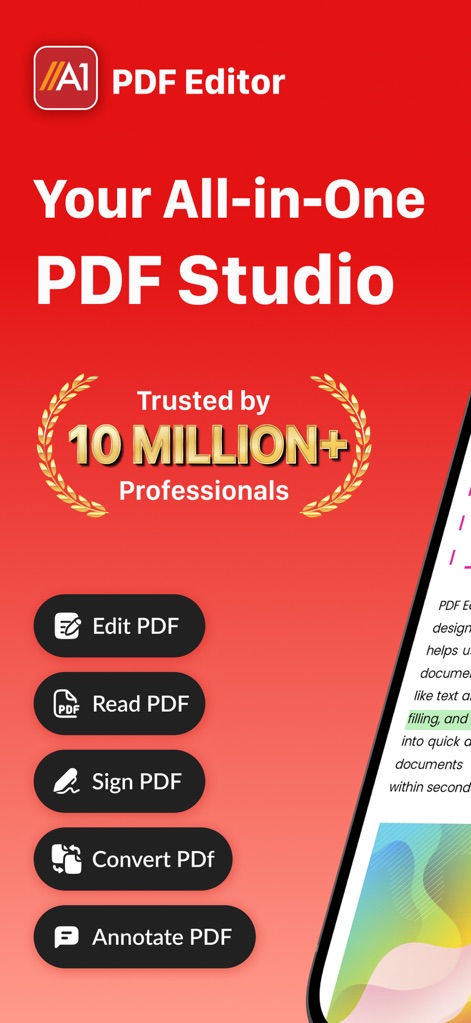
Die App präsentiert sich als umfassendes „All-in-One PDF Studio“, was durch die Hervorhebung von „10 Millionen+ Professionals“ und die direkte Auflistung der Kernfunktionen wie „PDF bearbeiten“ und „PDF lesen“ visuell untermauert wird.
Umfassendes PDF Studio
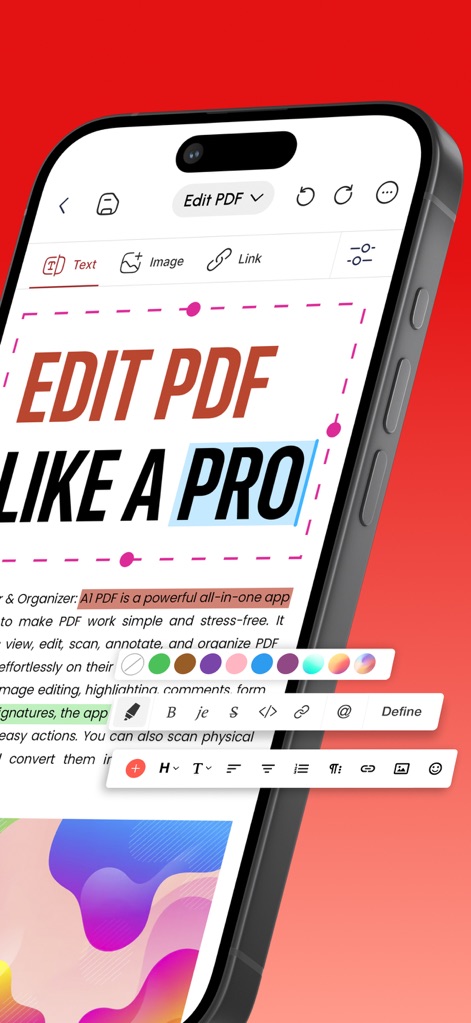
Nutzer können PDF-Dokumente professionell bearbeiten, was sich in der Textauswahl und den vielfältigen Bearbeitungswerkzeugen am unteren Rand der Anzeige widerspiegelt.
Professionelle Bearbeitung
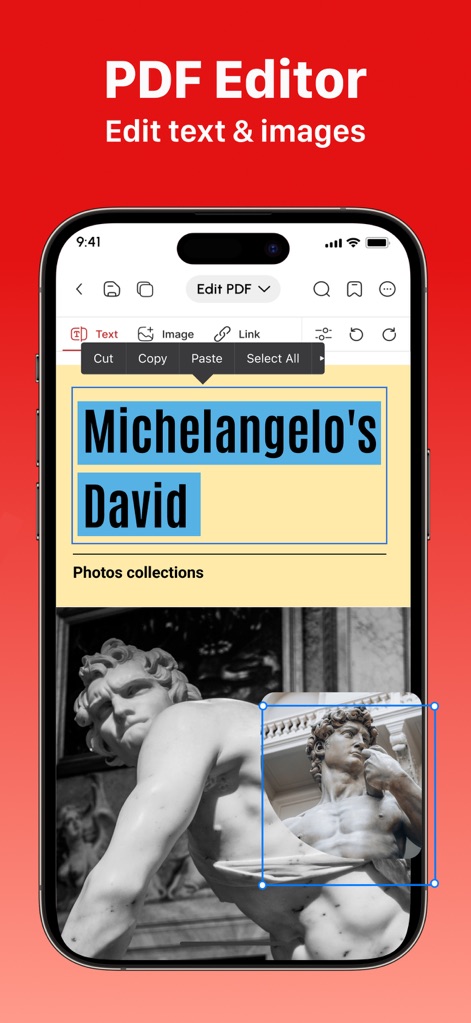
Dieses Tool ermöglicht die Bearbeitung von Text und Bildern innerhalb von PDFs, exemplarisch dargestellt durch die markierte Textpassage „Michelangelo’s David“ und die blaue Auswahlbox um ein Bild.
Text- und Bildbearbeitung
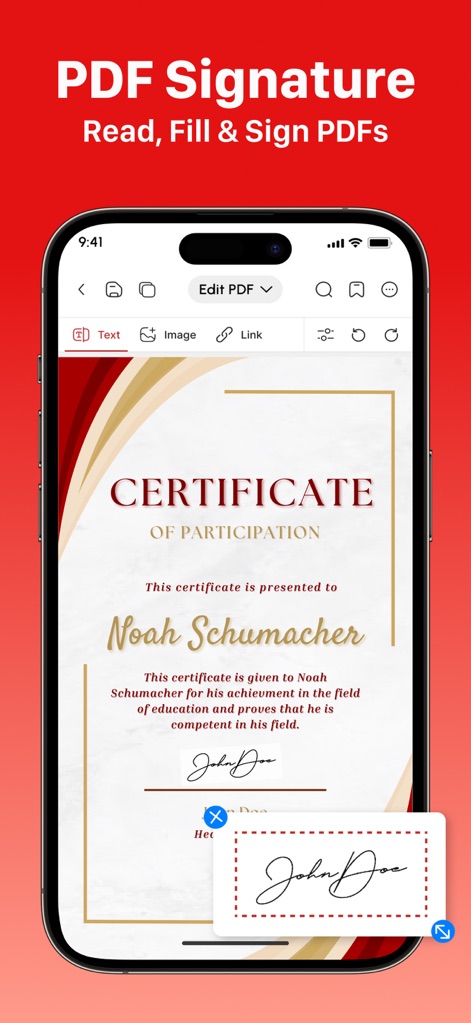
Die App bietet eine nahtlose Lösung zum Ausfüllen und digitalen Unterschreiben von Dokumenten, was durch das Zertifikat-Dokument und die intuitive digitale Unterschriftsfunktion deutlich wird.
Mühelose PDF-Signatur
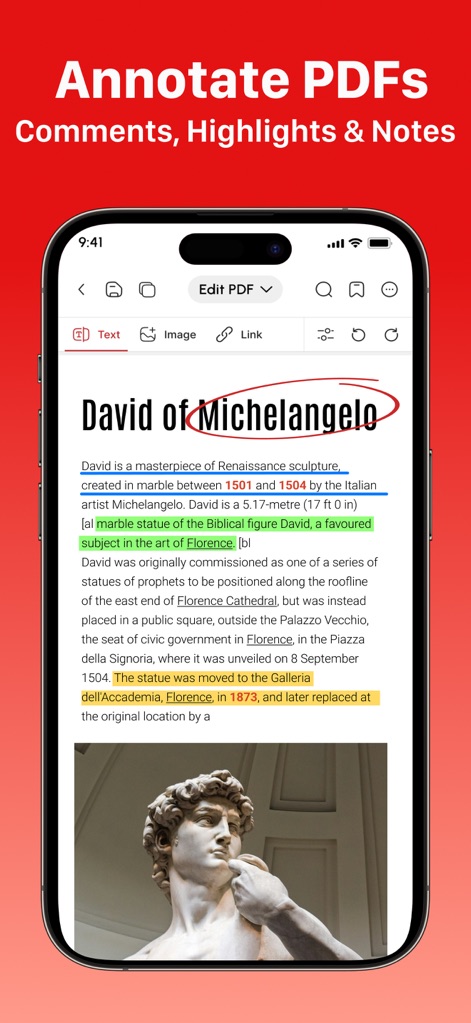
Nutzer können PDFs umfassend kommentieren und hervorheben, wie an den farblichen Markierungen von Textpassagen und den roten Kreis-Annotationen zu erkennen ist.
Kommentare & Anmerkungen
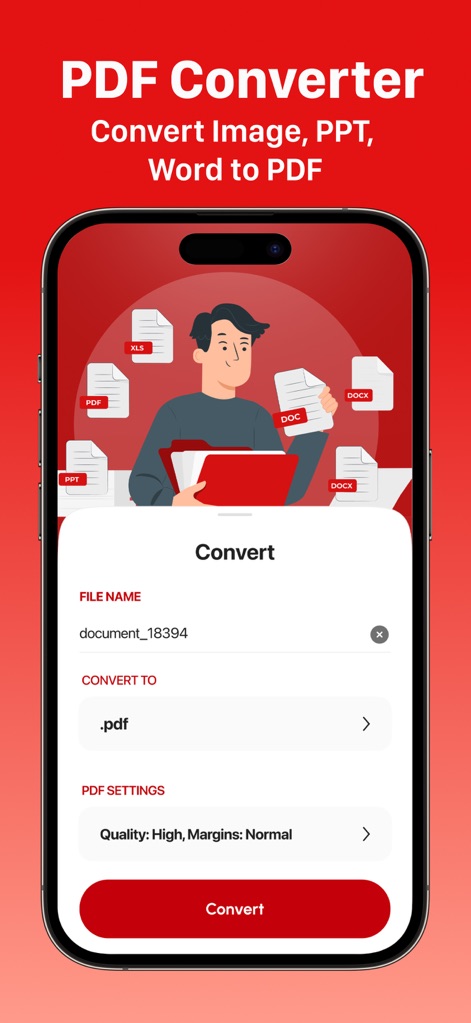
Dieses Tool konvertiert diverse Dateiformate in PDF, wobei die Auswahl der Konvertierungsoption und die klaren Dateityp-Symbole am oberen Rand die Vielseitigkeit unterstreichen.
Dateien zu PDF
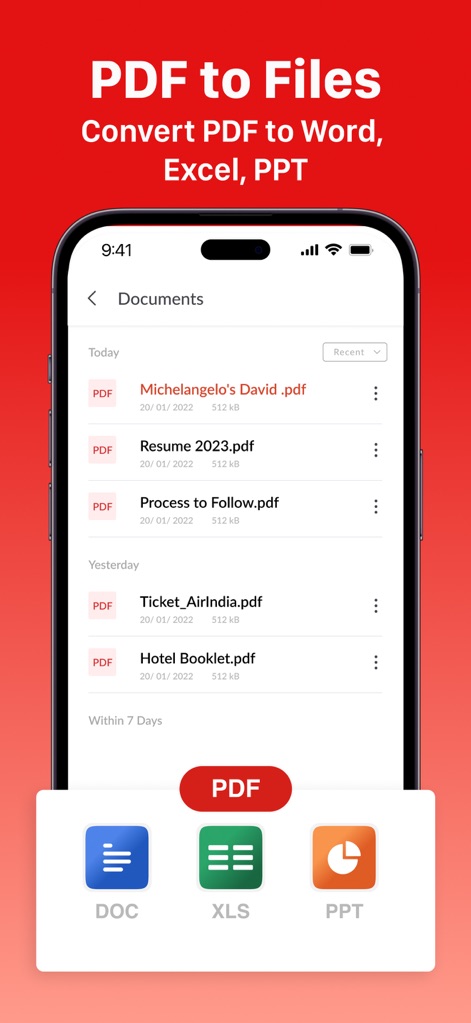
PDF-Dokumente lassen sich einfach in andere Dateiformate wie Word, Excel oder PowerPoint umwandeln, was durch die übersichtliche Liste der PDF-Dateien und die Schaltflächen zum Exportieren visuell dargestellt wird.
PDF zu Dateien
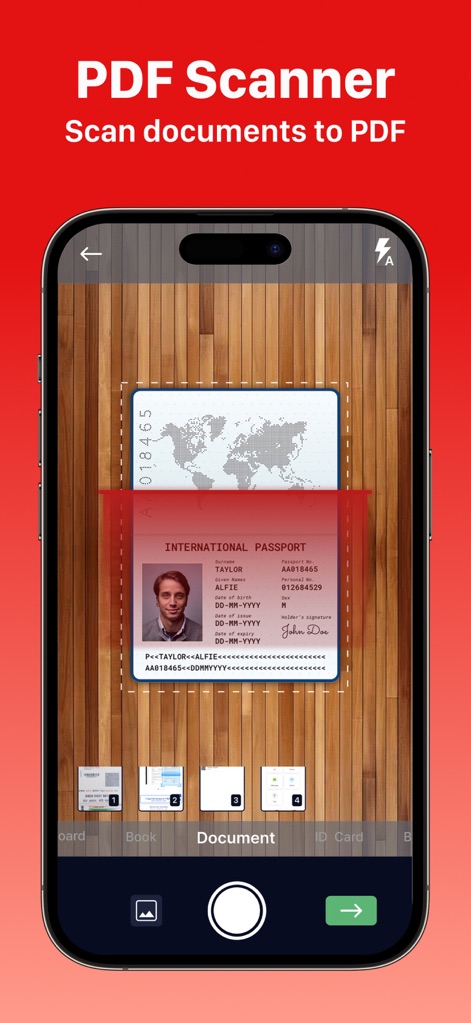
Die App fungiert als effizienter PDF-Scanner, der physische Dokumente digitalisiert; der Scanvorgang eines Ausweises und die automatische Perspektivkorrektur heben die Präzision hervor.
Dokumente scannen
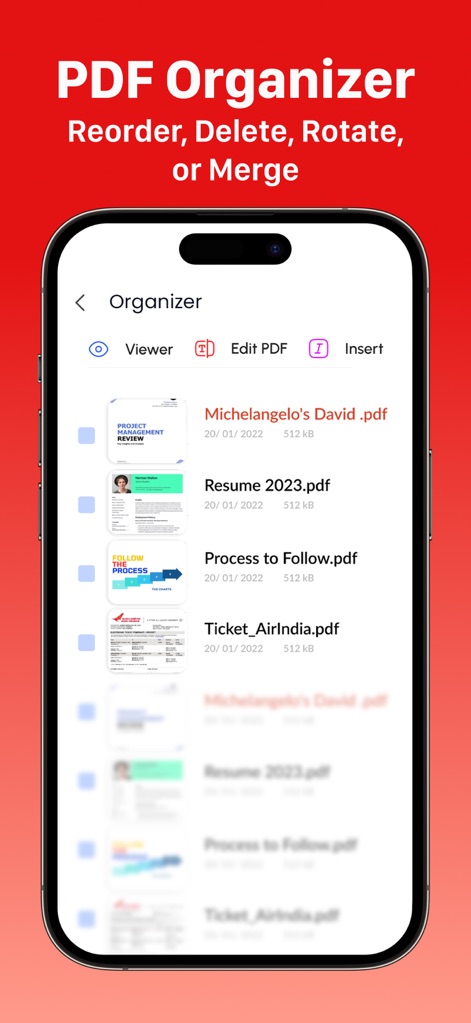
Nutzer können ihre PDF-Dokumente übersichtlich organisieren, was durch die detaillierte Liste der PDF-Dateien und die integrierten Optionen zum Bearbeiten und Einfügen demonstriert wird.
PDF-Organisation
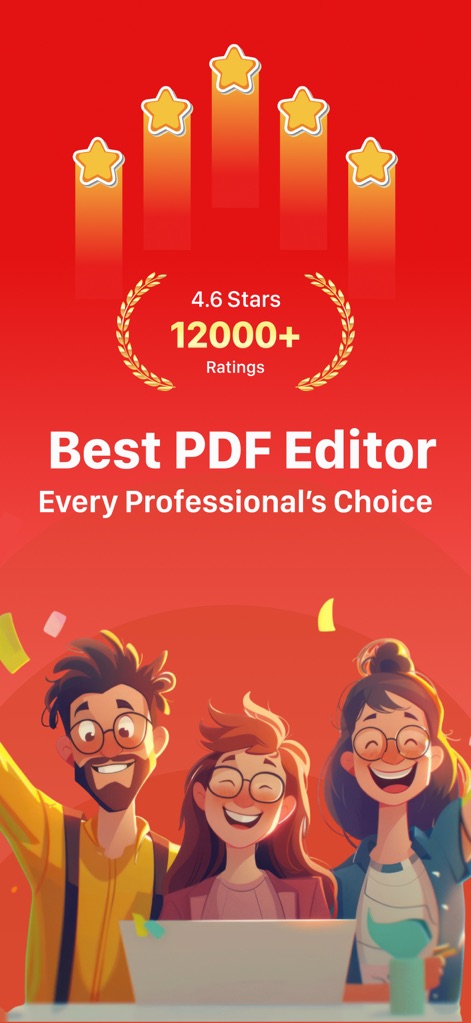
Die Beliebtheit und Zuverlässigkeit der App spiegeln sich in der hohen Bewertung von „4.6 Sternen“ und der positiven Benutzeroberfläche mit glücklichen Nutzern wider.
Vertrauenswürdige Bewertungen
Beschreibung
Download
Ähnliche Apps
Apps mit ähnlichen Funktionen und Nutzererfahrung

PDF PRO Scan Image & Documents
Balzo srl

The PDF Scanner, PDF editor HQ
NEXT K.U.M. LTD

CamScanner - PDF Scanner App
INTSIG Information Co., Ltd

Adobe Scan: PDF & OCR Scanner
Adobe Inc.

WPS Office: PDF, Docs, Sheets
KINGSOFT OFFICE SOFTWARE CORPORATION LIMITED

iLovePDF - PDF Editor & Scan
ILOVEPDF S.L.

Scanner App: Genius Scan
The Grizzly Labs

Microsoft Lens: PDF Scanner
Microsoft Corporation

Clear Scan: Doc Scanner App
INDY MOBILE APP COMPANY LIMITED
Diese Seite ist keine offizielle Seite der App oder ihres Entwicklers, sondern eine unabhängige redaktionelle Veröffentlichung, die zu Informations- und Kommentarzwecken erstellt wurde. Sofern nicht ausdrücklich anders angegeben, sind weder die App noch ihr Entwickler mit MWM, Apple, Google Play, dem App-Herausgeber oder dem Entwickler der App verbunden, von ihnen unterstützt, gesponsert, autorisiert oder anderweitig offiziell verbunden, und nichts auf dieser Seite impliziert, dass die App unter Verwendung der Dienste von MWM entwickelt wurde. Alle Marken, Logos, Screenshots und andere Inhalte bleiben Eigentum ihrer jeweiligen Inhaber.