
Diese Seite ist keine offizielle Seite der App oder ihres Entwicklers, sondern eine unabhängige redaktionelle Veröffentlichung, die zu Informations- und Kommentarzwecken erstellt wurde. Sofern nicht ausdrücklich anders angegeben, sind weder die App noch ihr Entwickler mit MWM, Apple, Google Play, dem App-Herausgeber oder dem Entwickler der App verbunden, von ihnen unterstützt, gesponsert, autorisiert oder anderweitig offiziell verbunden, und nichts auf dieser Seite impliziert, dass die App unter Verwendung der Dienste von MWM entwickelt wurde. Alle Marken, Logos, Screenshots und andere Inhalte bleiben Eigentum ihrer jeweiligen Inhaber.

PDF Office Max Acrobat Expert
Nehmen Sie Desktop-Leistung überallhin mit. Bearbeiten Sie Text, unterschreiben Sie Verträge und arbeiten Sie in Echtzeit zusammen mit der fortschrittlichsten mobilen PDF-Suite der Welt, die für das Apple-Ökosystem entwickelt wurde.
Downloads
24K+Bewertung
Bewertungen gesamt
0Herausgeber
Kategorie
BusinessSprachen
13Neueste Version
7.1.5Größe
148.1 MBErstveröffentlichung
25. Juni 2021Professionelle Produktivität ohne Schreibtisch
Gehen Sie über einfaches Lesen hinaus. Bearbeiten, unterschreiben und arbeiten Sie mit Dokumenten zusammen, mit einem professionellen Toolkit, das für Ihren Mobile-First-Workflow entwickelt wurde.
Desktop-Klasse Bearbeitung
Ändern Sie Text, Bilder und Links direkt auf Ihrem iPhone. Füllen Sie komplexe Formulare aus und unterschreiben Sie Verträge in Sekundenschnelle, ohne jemals einen Drucker zu benötigen.
Echtzeit-Teamkollaboration
Der weltweit erste kollaborative PDF-Editor. Laden Sie Kollegen ein, gemeinsam zu kommentieren und zu bearbeiten über iCloud, um Feedback an einem zentralen Ort zu erhalten.
Die folgenden Screenshots und die Beschreibung stammen direkt aus dem offiziellen Store-Eintrag der App und sind Eigentum des Entwicklers.
App Store
Screenshots
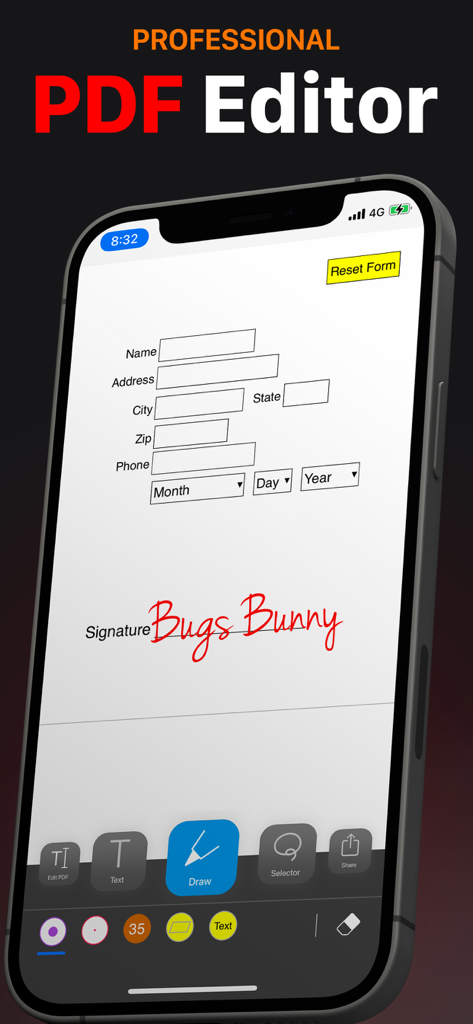
Professionelle PDF-Editor-App auf dem iPhone, die beim Ausfüllen und Unterschreiben eines Formulars angezeigt wird
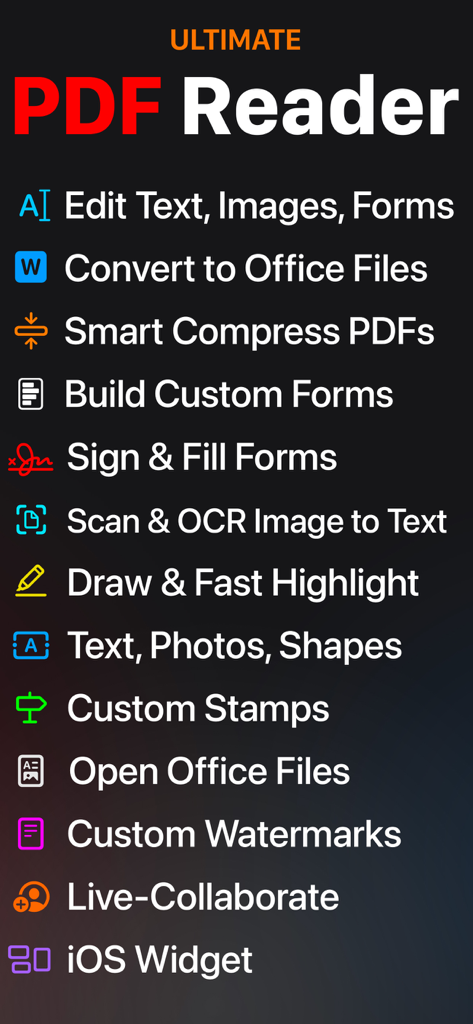
Eine Liste von mobilen Produktivitätsfunktionen für PDF Office Max, einschließlich Textbearbeitung, Dateikonvertierung, Formularsignierung, OCR und Live-Kollaboration.
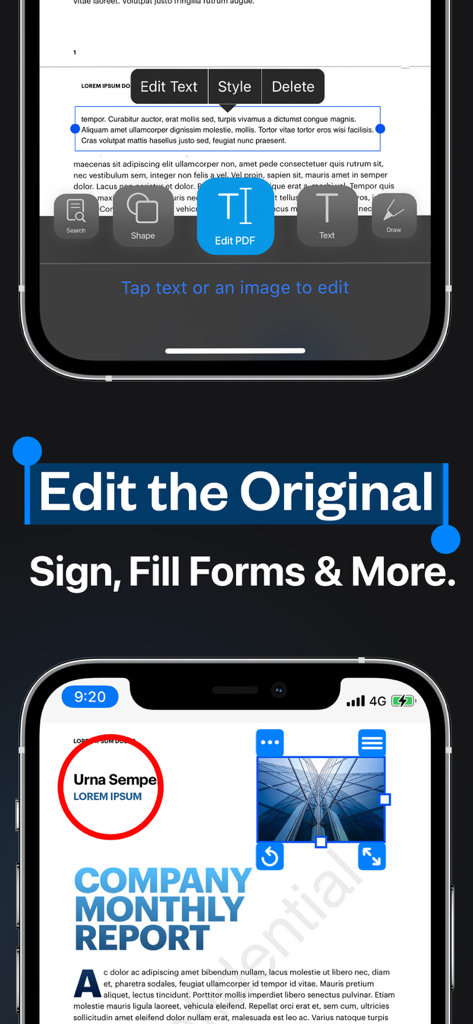
iPhone-App-Oberfläche zur Bearbeitung von ursprünglichem PDF-Text und zum Ausfüllen von Formularen
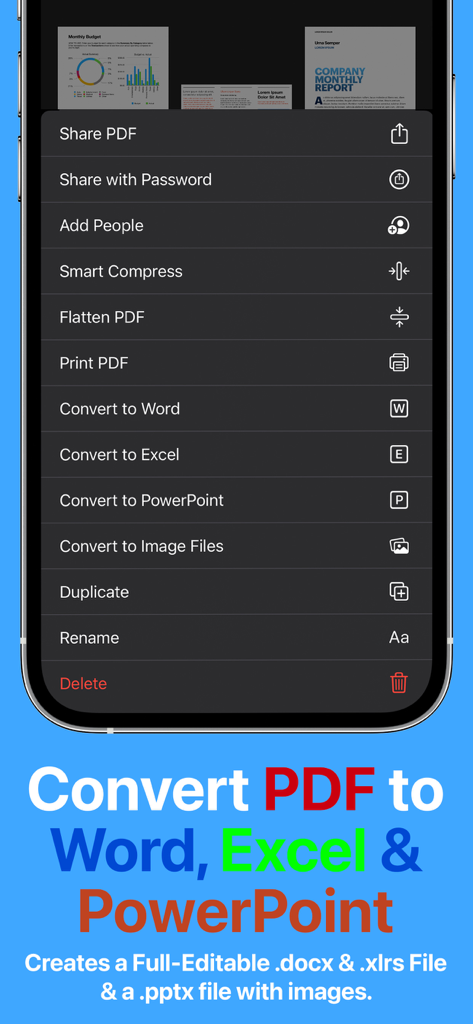
Menü der PDF Office Max App mit Optionen zur Konvertierung von PDF in Word, Excel und PowerPoint
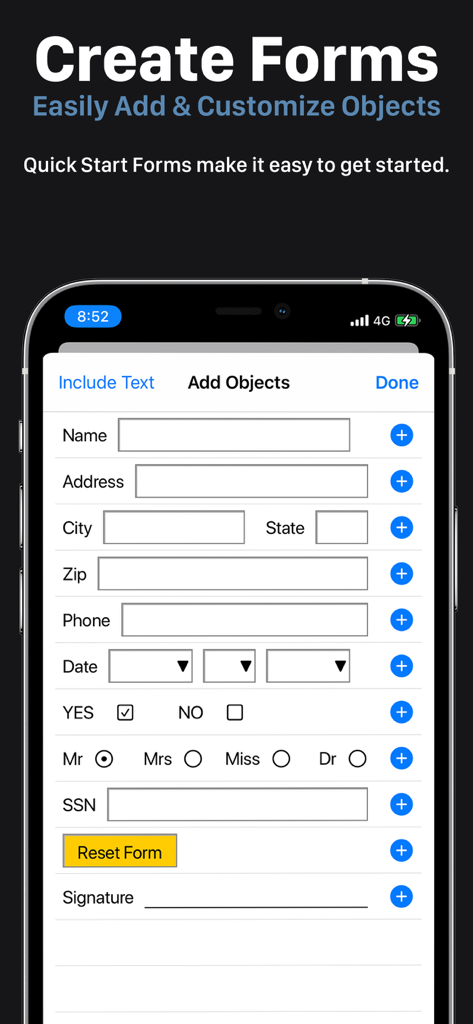
Mobile Benutzeroberfläche zum Erstellen und Anpassen professioneller PDF-Formulare mit Textfeldern und Kontrollkästchen.
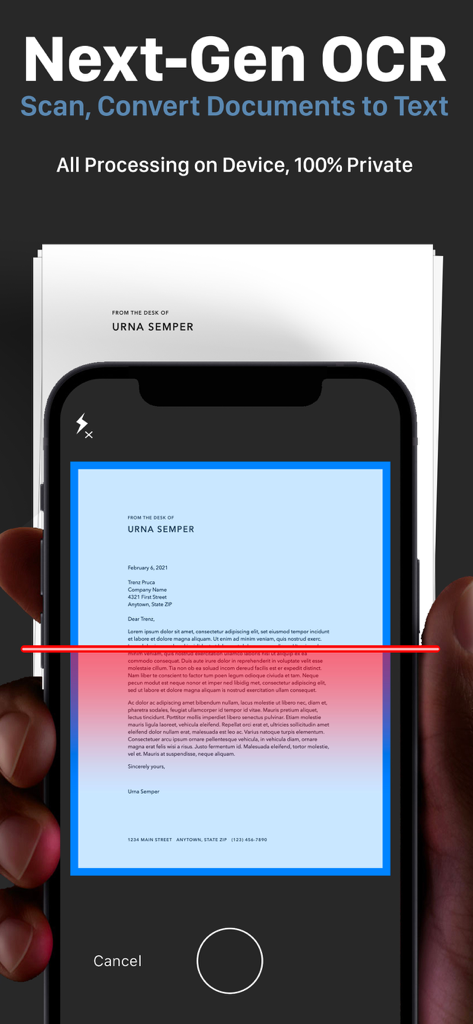
iPhone-Bildschirm zeigt Next-Gen OCR beim Scannen eines Papierdokuments zur privaten Textkonvertierung
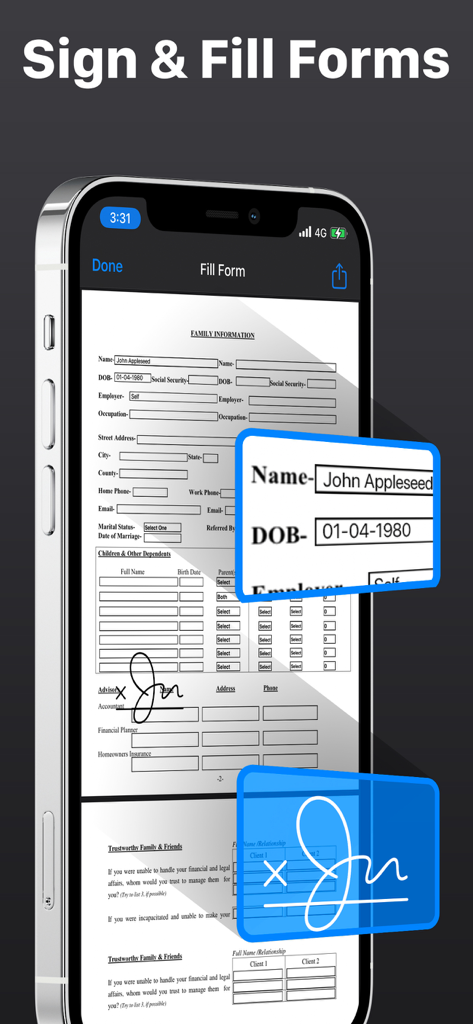
iPhone zeigt die Benutzeroberfläche der PDF Office Max App zum Signieren und Ausfüllen digitaler PDF-Formulare
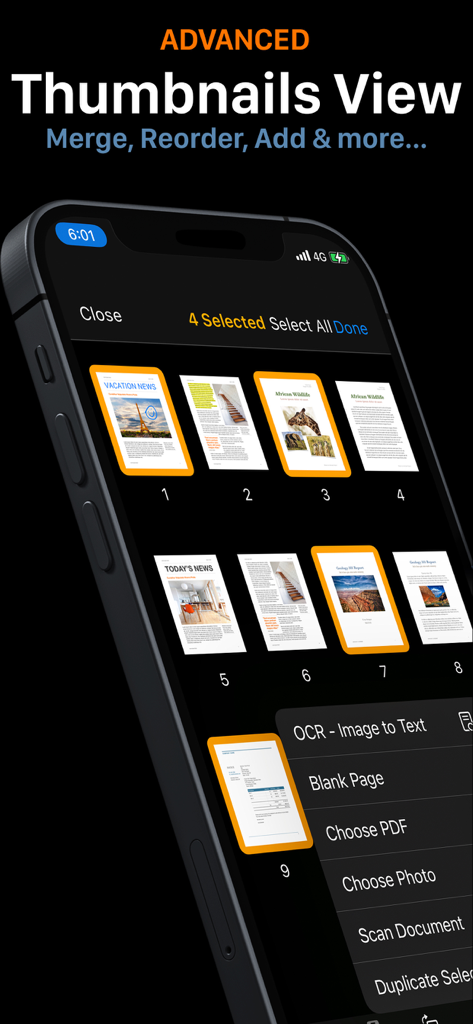
Erweiterte Miniaturansicht in PDF Office Max mit Optionen zum Zusammenführen und Neuordnen von Dokumentenseiten auf dem iPhone
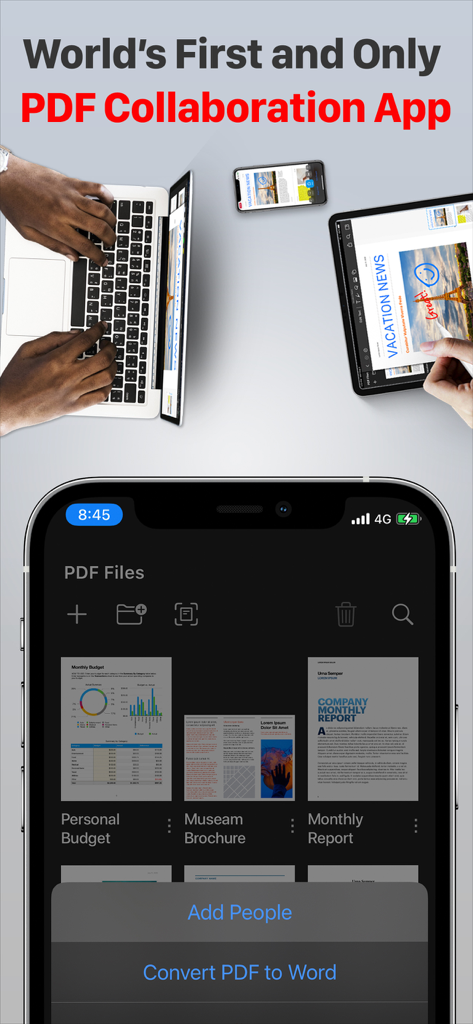
PDF Office Max App zeigt Echtzeit-Kollaboration und geräteübergreifende Synchronisierung auf iPhone, iPad und Laptop.
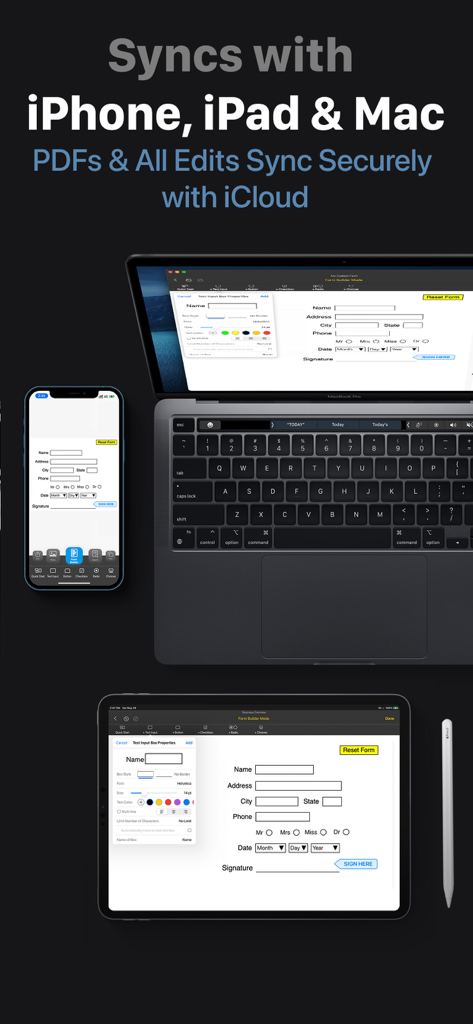
PDF Office Max synchronisiert Dokumente über iPhone, iPad und Mac hinweg über iCloud
Beschreibung
Download
Ähnliche Apps
Apps mit ähnlichen Funktionen und Nutzererfahrung

PDF PRO Scan Image & Documents
Balzo srl

The PDF Scanner, PDF editor HQ
NEXT K.U.M. LTD

CamScanner - PDF Scanner App
INTSIG Information Co., Ltd

Adobe Scan: PDF & OCR Scanner
Adobe Inc.

WPS Office: PDF, Docs, Sheets
KINGSOFT OFFICE SOFTWARE CORPORATION LIMITED

iLovePDF - PDF Editor & Scan
ILOVEPDF S.L.

Scanner App: Genius Scan
The Grizzly Labs

Microsoft Lens: PDF Scanner
Microsoft Corporation

Clear Scan: Doc Scanner App
INDY MOBILE APP COMPANY LIMITED
Diese Seite ist keine offizielle Seite der App oder ihres Entwicklers, sondern eine unabhängige redaktionelle Veröffentlichung, die zu Informations- und Kommentarzwecken erstellt wurde. Sofern nicht ausdrücklich anders angegeben, sind weder die App noch ihr Entwickler mit MWM, Apple, Google Play, dem App-Herausgeber oder dem Entwickler der App verbunden, von ihnen unterstützt, gesponsert, autorisiert oder anderweitig offiziell verbunden, und nichts auf dieser Seite impliziert, dass die App unter Verwendung der Dienste von MWM entwickelt wurde. Alle Marken, Logos, Screenshots und andere Inhalte bleiben Eigentum ihrer jeweiligen Inhaber.