
Diese Seite ist keine offizielle Seite der App oder ihres Entwicklers, sondern eine unabhängige redaktionelle Veröffentlichung, die zu Informations- und Kommentarzwecken erstellt wurde. Sofern nicht ausdrücklich anders angegeben, sind weder die App noch ihr Entwickler mit MWM, Apple, Google Play, dem App-Herausgeber oder dem Entwickler der App verbunden, von ihnen unterstützt, gesponsert, autorisiert oder anderweitig offiziell verbunden, und nichts auf dieser Seite impliziert, dass die App unter Verwendung der Dienste von MWM entwickelt wurde. Alle Marken, Logos, Screenshots und andere Inhalte bleiben Eigentum ihrer jeweiligen Inhaber.


PDF Reader - Scanner app
Dokumente zähmen: Die App verwandelt das iPhone in Ihr persönliches, mobiles Büro. Nutzer scannen, wandeln und verwalten ihre Dateien, egal wo.
Downloads
75k+Bewertung
Bewertungen gesamt
42Herausgeber
Kategorie
BusinessSprachen
1Neueste Version
1.1.5Größe
80.1 MBErstveröffentlichung
21. Dez. 2024Eine detaillierte Betrachtung der wesentlichen Leistungsmerkmale für professionelle Nutzer und Selbstständige.
Analyse der Kernfunktionen: 'PDF Reader - Scanner app'
Mobiler Dokumenten-Scanner
Die App ermöglicht das einfache Scannen physischer Dokumente wie Quittungen, Verträge und Notizen in hochwertige PDF- oder JPG-Dateien, auch mehrseitig.
Intelligente Text-Extraktion (OCR)
Dieses Tool verfügt über OCR-Technologie, um Text aus gescannten Dokumenten und Bildern zu extrahieren und in bearbeitbare sowie durchsuchbare Inhalte umzuwandeln, was die Weiterverarbeitung von Informationen erheblich vereinfacht.
Direkte PDF-Bearbeitung
Es bietet die Möglichkeit, Text und Bilder direkt in PDF-Dateien zu bearbeiten, Tippfehler zu korrigieren oder Absätze hinzuzufügen, was eine schnelle Anpassung von Dokumenten unterwegs ermöglicht.
Umfassende PDF-Organisation
Die App unterstützt umfassende Funktionen zur PDF-Organisation, einschließlich des Hinzufügens, Löschens, Extrahierens, Drehens, Zusammenführens, Teilens, Zuschneidens und Neuanordnens von Seiten.
Bild-zu-PDF-Konverter
Es ermöglicht die einfache Konvertierung mehrerer Bilder (PNG, JPG, TIFF, GIF) in eine einzige PDF-Datei, ideal für die Erstellung von Berichten oder Portfolios.
Nahtloses Teilen & Cloud-Integration
Dieses Tool erleichtert das Teilen von Dokumenten per E-Mail und den Upload in Cloud-Speicher, um eine nahtlose Zusammenarbeit und Zugänglichkeit zu gewährleisten.
Häufig gestellte Fragen
Alles, was Sie über wissen müssen PDF Reader - Scanner app
Can the PDF Reader - Scanner app scan documents into PDFs?
Yes, the PDF Reader - Scanner app scans documents, receipts, contracts, notes, and books into multipage PDFs or JPGs. It serves all your document needs directly from your device.
How do I convert images to PDF using the PDF Reader - Scanner app?
The PDF Reader - Scanner app creates PDF files from multiple images (PNG, JPG, TIFF, GIF). Select images within the app to easily and safely convert them into new PDF documents.
Does the PDF Reader - Scanner app include OCR for text extraction?
Yes, the PDF Reader - Scanner app uses OCR Technology to extract text from PDFs, Word documents, and images. It converts scanned text into editable and searchable content for enhanced productivity.
Can I edit text directly within a PDF using the PDF Reader - Scanner app?
Yes, the PDF Reader - Scanner app's PDF editor allows direct editing of text and images. You can fix typos, add paragraphs, or rotate images to customize your PDF documents.
Is it possible to print documents from my iPhone or iPad with the PDF Reader - Scanner app?
Yes, the PDF Reader - Scanner app enables direct printing of documents and photos from your iPhone or iPad. Adjust print sizes, page counts, and orientations easily before printing.
How can I share files using the PDF Reader - Scanner app?
The PDF Reader - Scanner app allows sharing unlimited files via email and with contacts. It also supports cloud compatibility for uploading scans, with options for attachments or direct links.
What document organization features does the PDF Reader - Scanner app offer?
The PDF Reader - Scanner app organizes PDFs by enabling users to add, delete, extract, rotate, merge, split, crop, and rearrange pages. Insert new pages or remove unnecessary ones.
What file types can the PDF Reader - Scanner app print from iPhone and iPad?
The PDF Reader - Scanner app prints PDF, Word DOC, Excel XLS, PowerPoint PPT, Photoshop PSD, JPEG, PNG, BMP, TIFF, and GIF files directly from your iPhone or iPad.
Where can I find the Privacy Policy for the PDF Reader - Scanner app?
The Privacy Policy for the PDF Reader - Scanner app is located at https://sites.google.com/view/technestitservices/pdf-reader-scanner-app/privacy-policy. Acceptance of this policy occurs upon app usage.
What are the Terms of Use for the PDF Reader - Scanner app?
The Terms of Use for the PDF Reader - Scanner app are available at https://sites.google.com/view/technestitservices/pdf-reader-scanner-app/terms-of-use. Users agree to these terms by using the application.
Die folgenden Screenshots und die Beschreibung stammen direkt aus dem offiziellen Store-Eintrag der App und sind Eigentum des Entwicklers.
App Store
Screenshots
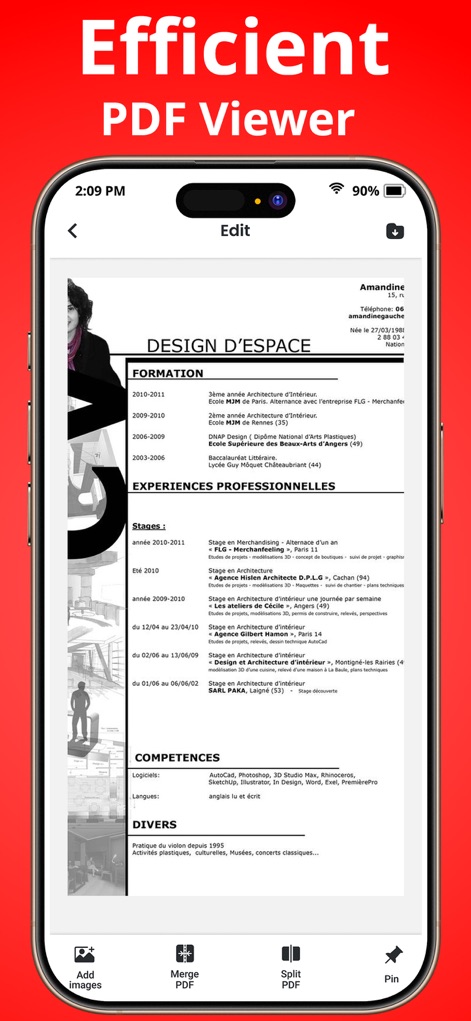
Diese Ansicht präsentiert ein professionelles PDF-Dokument, wie einen Lebenslauf (X), und zeigt gleichzeitig intuitive Bearbeitungsoptionen wie 'Zusammenführen' und 'Teilen' (Y) am unteren Bildschirmrand.
Effiziente PDF-Ansicht
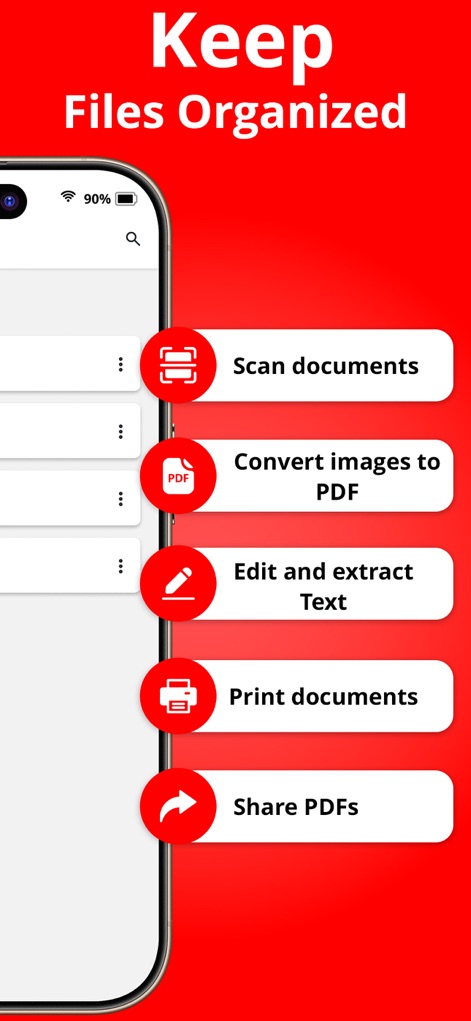
Die App demonstriert eine übersichtliche Funktionsliste (X) mit Optionen wie 'Dokumente scannen' und 'Bilder zu PDF konvertieren', und bietet Nutzern direkten Zugriff auf ihre organisierten Dokumente (Y) im Hauptbereich.
Dokumente effizient verwalten
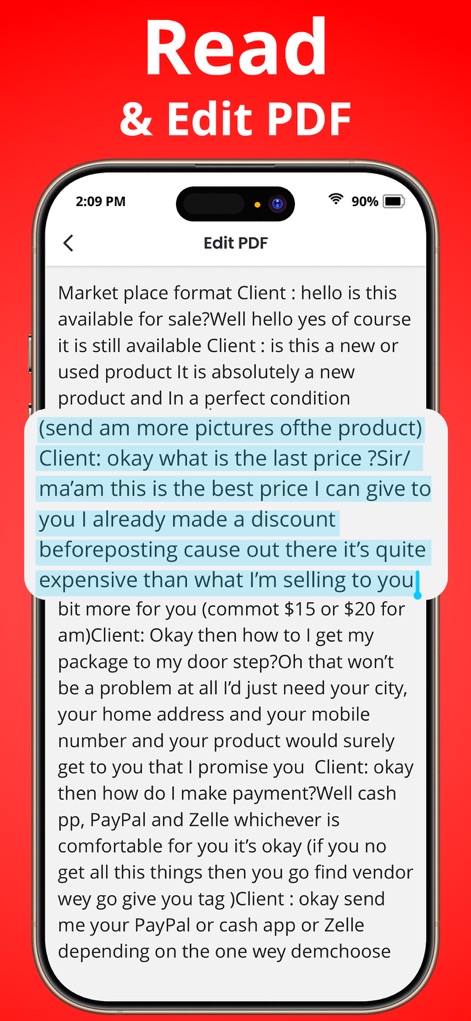
Nutzer können Textpassagen in PDFs direkt bearbeiten, wie die blaue Hervorhebung einer Textauswahl (X) im gezeigten Dokument veranschaulicht, unterstützt durch den 'PDF bearbeiten'-Titel (Y) in der Kopfzeile.
Texte lesen und bearbeiten
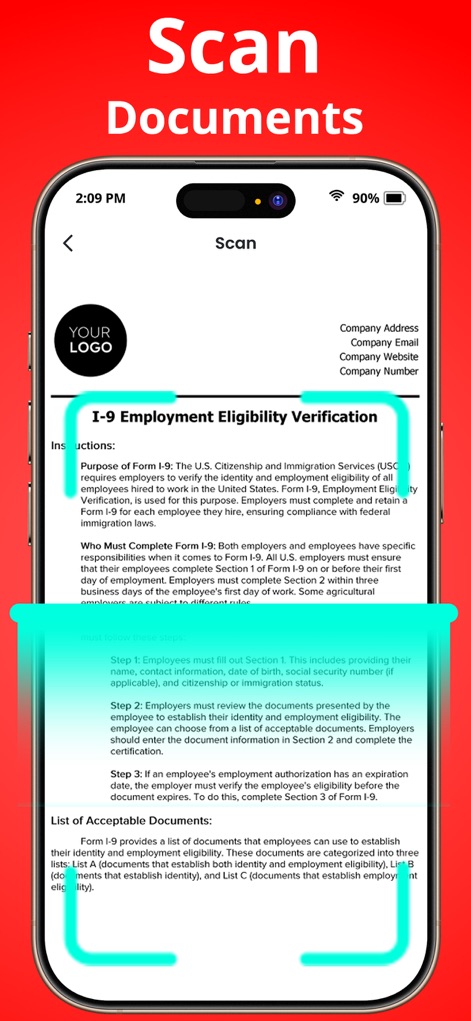
Dieses Bild zeigt das Scannen eines wichtigen Formulars, wie des I-9 Employment Eligibility Verification Formulars (X), wobei ein leuchtender türkisfarbener Rahmen (Y) die präzise Erfassung des Dokuments hervorhebt.
Dokumente schnell scannen
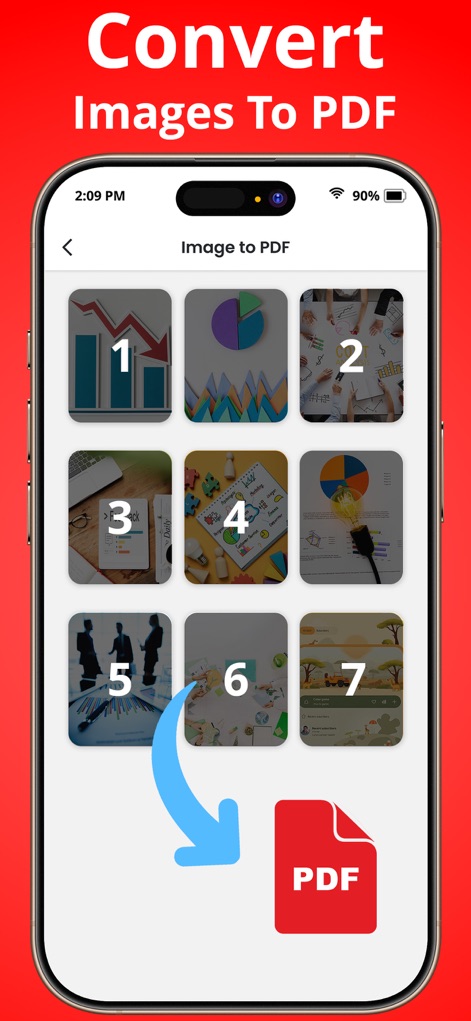
Hier wird die einfache Umwandlung mehrerer Bilddateien (X) in ein PDF-Format dargestellt, symbolisiert durch den blauen Pfeil (Y), der auf das PDF-Icon zeigt.
Bilder in PDF umwandeln
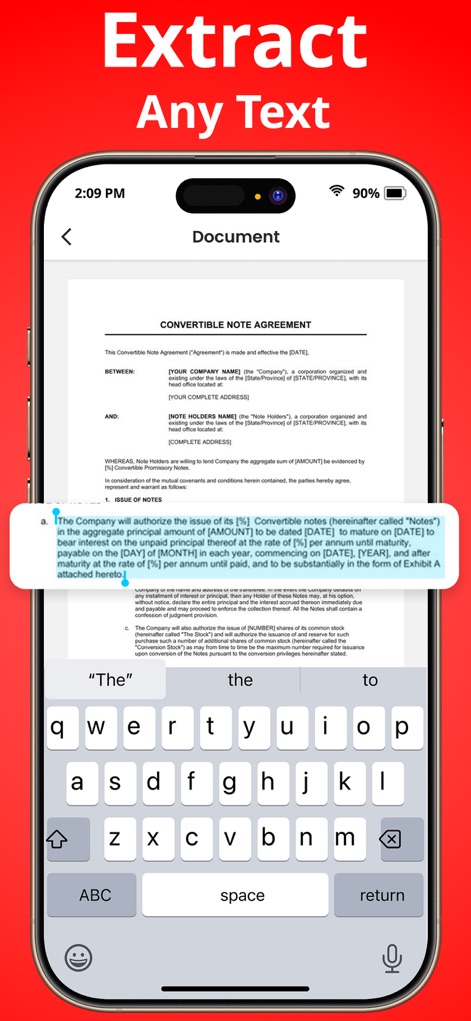
Das Bild zeigt die Fähigkeit der App, Text aus Dokumenten hervorzuheben (X), wie zum Beispiel in einem Convertible Note Agreement, und bietet gleichzeitig eine Tastatur (Y) für die direkte Bearbeitung oder Nutzung des extrahierten Inhalts.
Text mühelos extrahieren
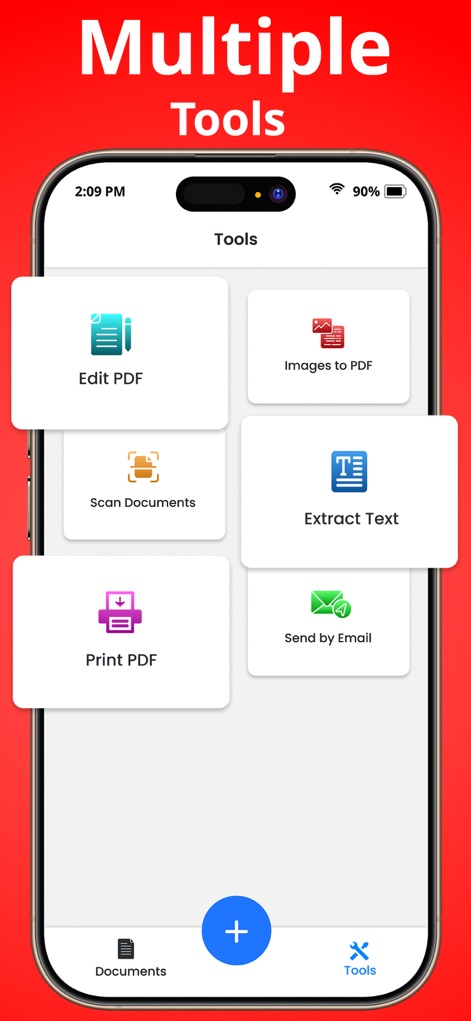
Diese Ansicht präsentiert eine Sammlung von sechs Hauptfunktionen (X) wie 'PDF bearbeiten' und 'Text extrahieren', die in einer übersichtlichen Kachelansicht (Y) organisiert sind, um schnellen Zugriff zu ermöglichen.
Vielseitige Werkzeuge entdecken
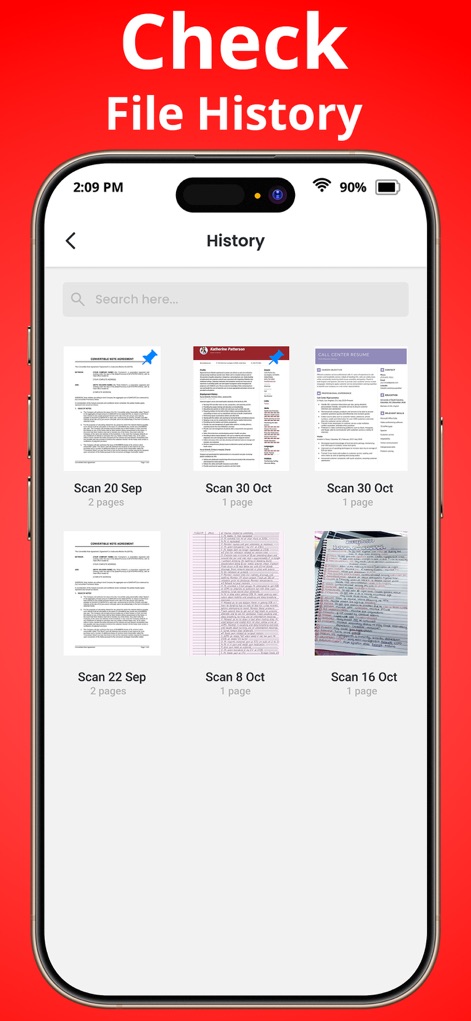
Nutzer können hier ihren Scan-Verlauf einsehen, dargestellt durch eine chronologische Liste der gescannten Dokumente (X) mit jeweiligen Datumsangaben und Seitenzahlen (Y) für jede Datei.
Scan-Verlauf überprüfen
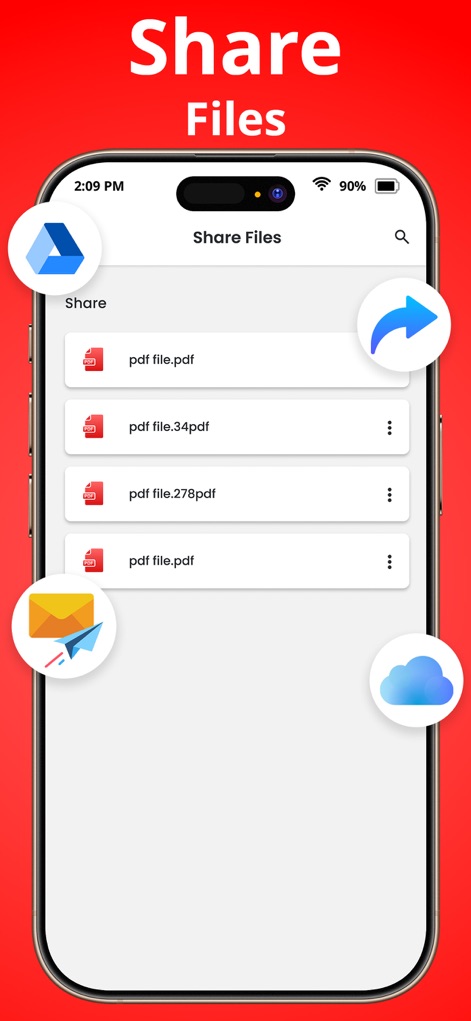
Die App ermöglicht das einfache Teilen von PDF-Dateien (X), wobei die umgebenden Icons verschiedene Optionen wie E-Mail und Cloud-Dienste (Y) für den schnellen Versand aufzeigen.
Dateien bequem teilen
Beschreibung
Download
Ähnliche Apps
Apps mit ähnlichen Funktionen und Nutzererfahrung

PDF PRO Scan Image & Documents
Balzo srl

The PDF Scanner, PDF editor HQ
NEXT K.U.M. LTD

CamScanner - PDF Scanner App
INTSIG Information Co., Ltd

Adobe Scan: PDF & OCR Scanner
Adobe Inc.

WPS Office: PDF, Docs, Sheets
KINGSOFT OFFICE SOFTWARE CORPORATION LIMITED

iLovePDF - PDF Editor & Scan
ILOVEPDF S.L.

Scanner App: Genius Scan
The Grizzly Labs

Microsoft Lens: PDF Scanner
Microsoft Corporation

Clear Scan: Doc Scanner App
INDY MOBILE APP COMPANY LIMITED
Diese Seite ist keine offizielle Seite der App oder ihres Entwicklers, sondern eine unabhängige redaktionelle Veröffentlichung, die zu Informations- und Kommentarzwecken erstellt wurde. Sofern nicht ausdrücklich anders angegeben, sind weder die App noch ihr Entwickler mit MWM, Apple, Google Play, dem App-Herausgeber oder dem Entwickler der App verbunden, von ihnen unterstützt, gesponsert, autorisiert oder anderweitig offiziell verbunden, und nichts auf dieser Seite impliziert, dass die App unter Verwendung der Dienste von MWM entwickelt wurde. Alle Marken, Logos, Screenshots und andere Inhalte bleiben Eigentum ihrer jeweiligen Inhaber.